JP1 will still have use cases even when JP2 is a thing.
1 Like
Sorry, absolutely nothing useful to contribute here but I’m about to start my build and need to order a Jackpot board – should I wait a little while until the V2 becomes available?
If you’re about to start your build now, order a Jackpot V1 now.
Jackpot 2 might show up in a little while, in a long while, or never. Jackpot V1 is a completely viable controller even after Jackpot V2 releases.
If you’re not actually going to start your build for a month or two, then check back then to see what the state of thigs is.
If I were starting a new build today, I wouldn’t hesitate to use a Jackpot V1.
6 Likes
Thanks so much, I appreciate the advice!
USB Com Port Question / Clarification for Jackpot V2
Previously, I was using a Jackpot V1 board with the ESP32 controller that I ordered from V1 at the same time. I had to install a resistor on the ESP32 to get the correct voltage to the steppers.
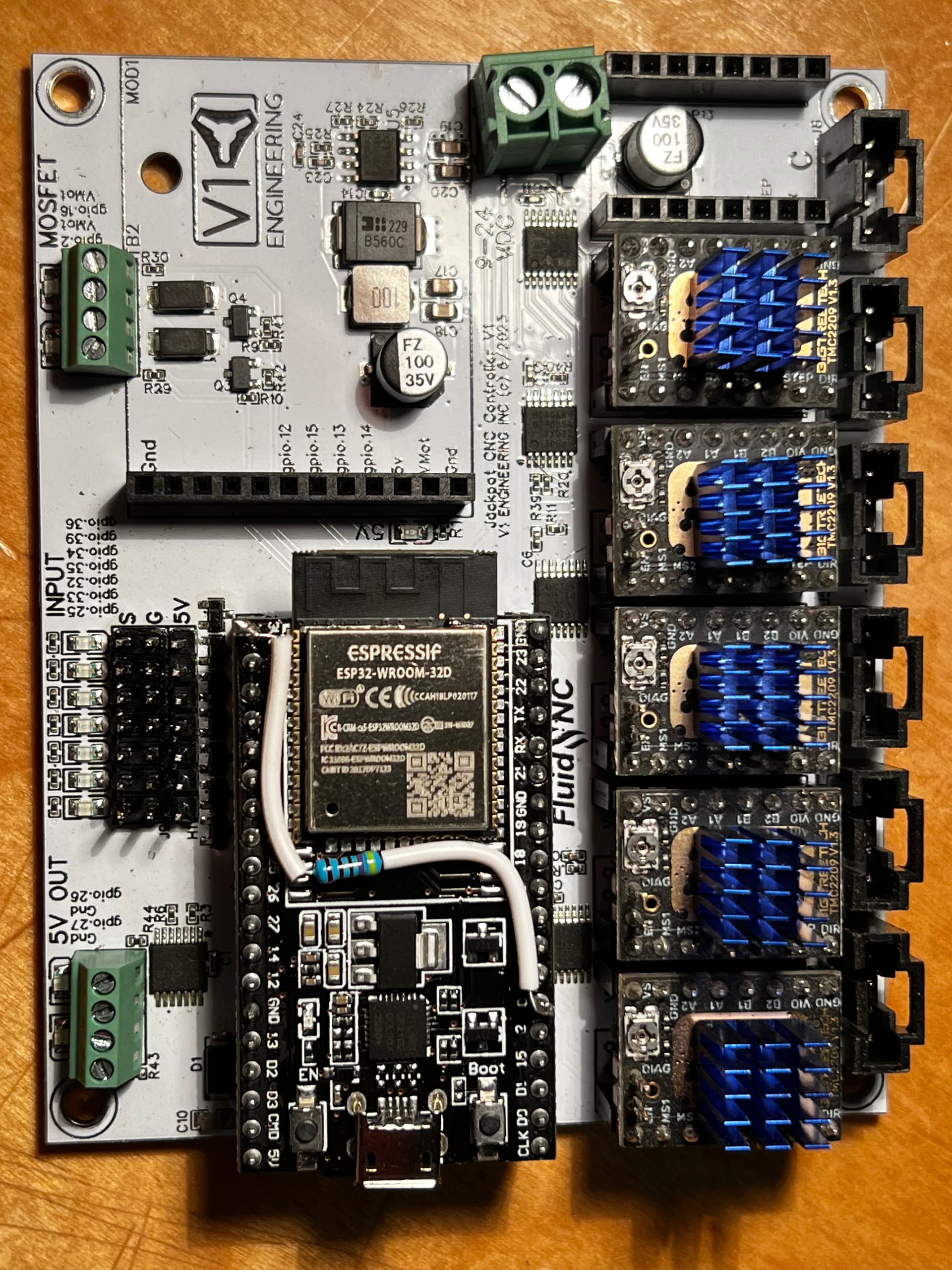
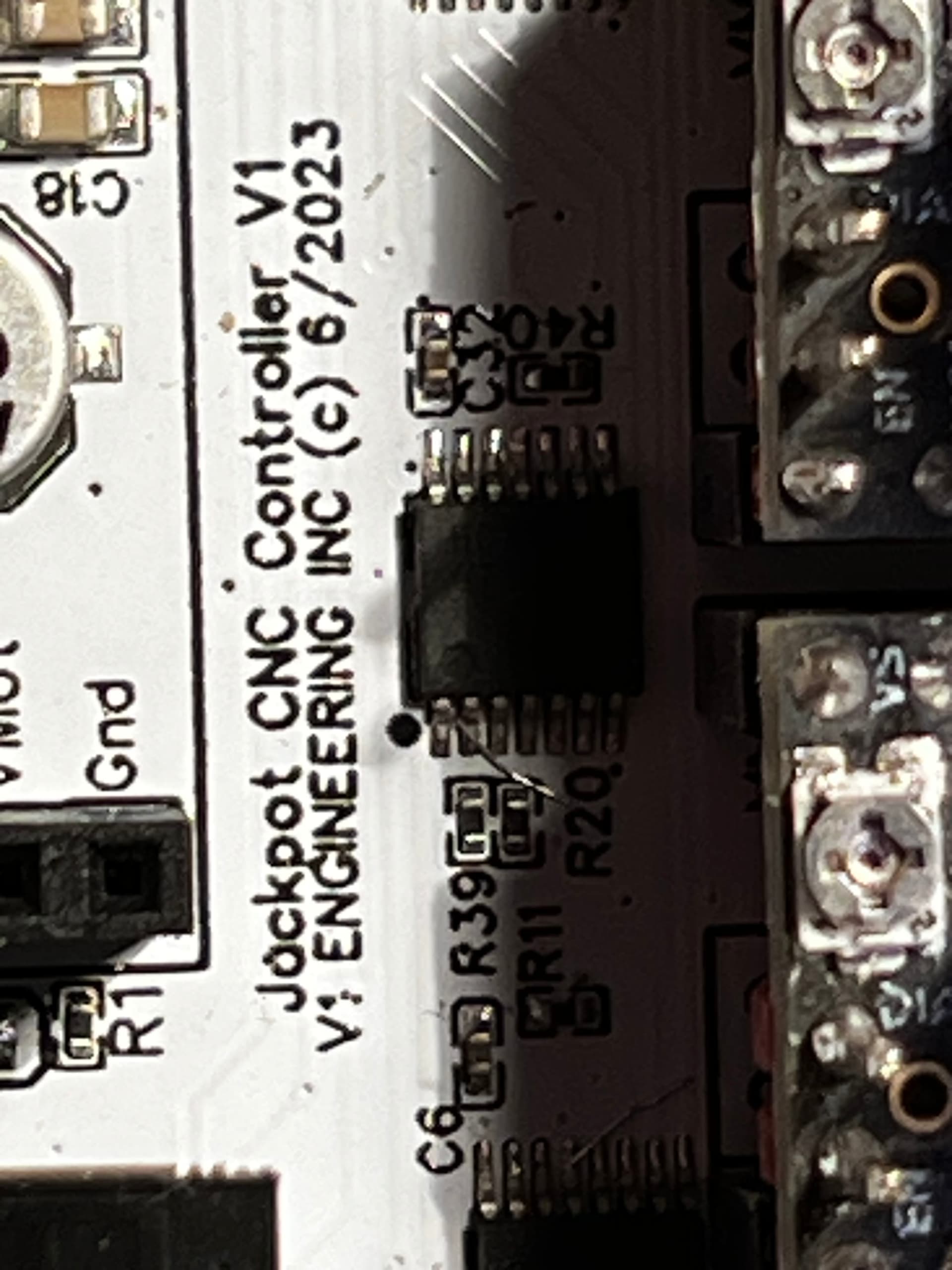
Somehow, while updating FluidNC on the ESP32 (while still in the jackpot) I must have fried the ESP32 board because it would no longer allow me to upload firmware to it.
Rather than troubleshooting the ESP32 issue, I ordered a New Jackpot Board V1.2.1 and a new ESP32 from V1. I chose the ESP32 with a remote antenna to try to achieve more consistent Wi-Fi communication and a more stable connection.
Everything (mostly) is good now that I’ve flashed the ESP32 with FluidNC version 3.9.5 and uploaded my correct configurations, so the Jackpot is working flawlessly with the newly created Fluid Dial as well.
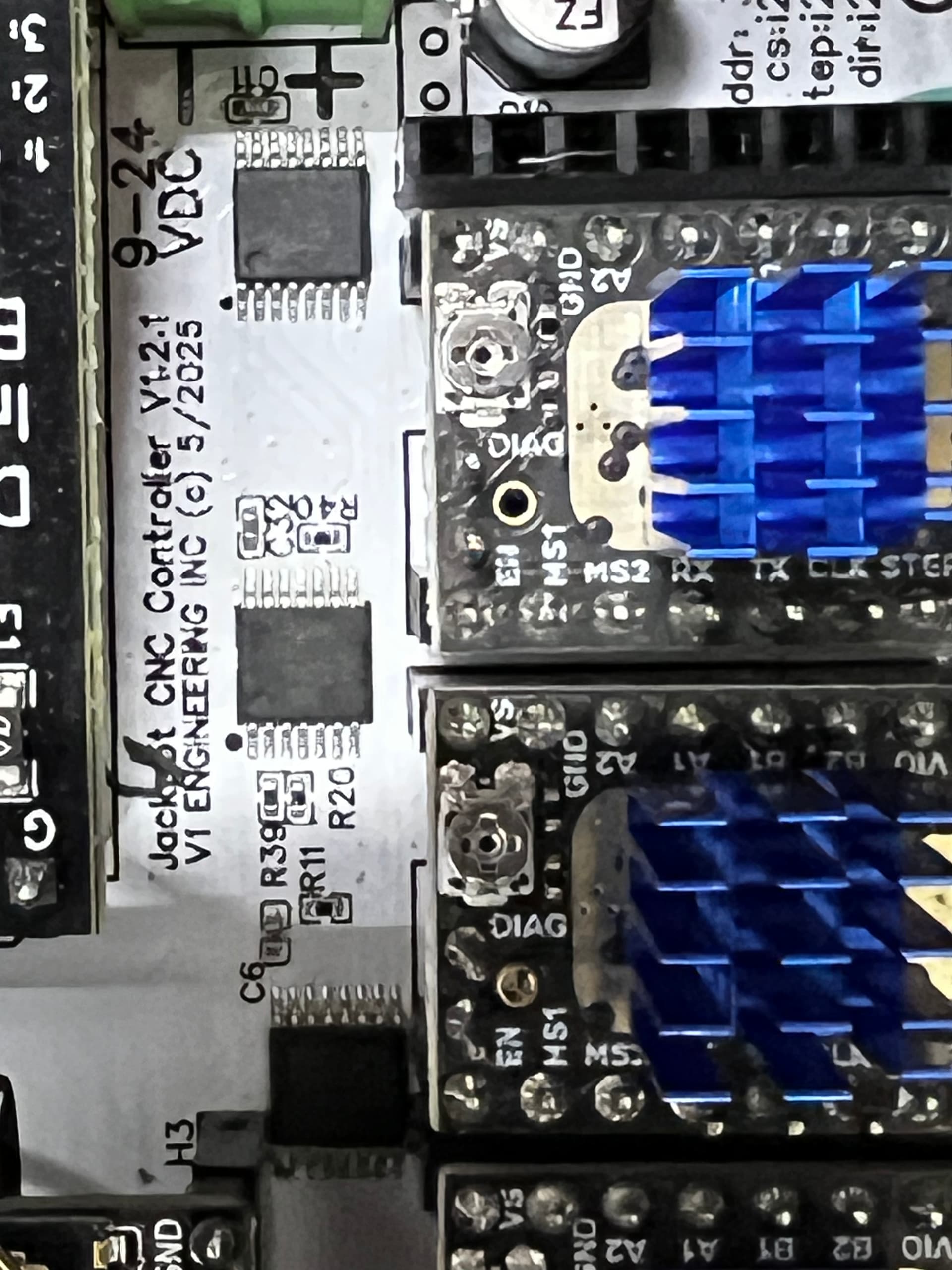

Here is the issue:
Previously, I had my Windows 11 mini PC connected via USB to the ESP32 to control the CNC with G-Sender. In order not to have both the voltage from the jackpot and the voltage from the USB cable (on) at the same time, I bought a PortaPow USB Power Blocker to keep the power voltage from the USB going from the PC to the ESP32. This worked great and I could keep the USB cable connected and switch back and forth from controlling the Jackpot via the FluidDial or G-Sende,r whichever I wanted to use at the time.
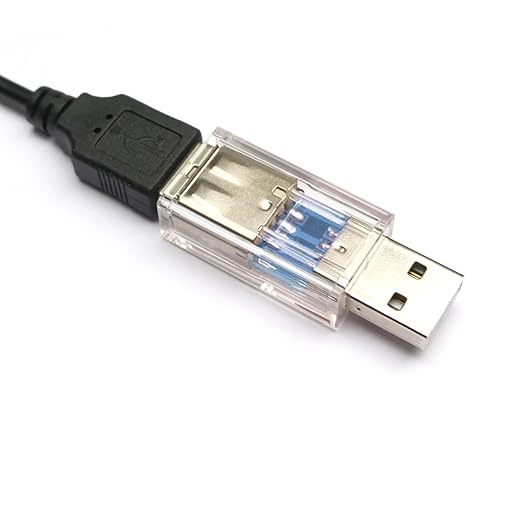
BUT<<< now with V1.2.1 of Jackpot, if I try to use the USB Power Blocker, my MiniPC never sees the COM port or the ESP32 never makes a connection to the MiniPC com port. …EVEN though the ESP32 is powered up and running from power sources on the Jackpot.
The ONLY way I can have the COM port on the Mini-PC connected to the ESP32 is if I use a USB cable without the power blocker.
Now I need to be sure to start the Jackpot (BEFORE) I make the connection between the Jackpot and the minipc.
I worry that now I have (2) power sources running at the same time on the Jackpot/ESP32 environment. Whatever power the jackpot is feeding the ESP32 (3.3v or 5V) and whatever power coming from the usb port on the ESP32 (5v)
So what changed from V1 of Jackpot to V1.2.1 that the USB connection of the ESP32 is no longer registering its COM port to the Minipc if the USB cable is not supplying the 5v power to the ESP32?
so here is the ASK can V2 of the Jackpot sort this out so we don’t need to pull the USB cable in and out when we want to use the Fluid Dial versus the Minipc?
My (Hack) solution for now was to by a USB Cable that has an ON/OFF switch so I can keep the cable connected and when I want to use G-Sender (After the Jackpot is already running) I can turn the USB switch to ON. <<< but I worry that two power sources is still an issue.
As far as I know, nothing has changed.
I thought I saw somewhere that there was an addition that prevented (backfeed) voltage from the USB to feed the Jackpot to prevent errors on voltage going to the Stepper Drivers; IE, once the Jackpot is fired up with correct voltage from the main power supply the voltage from the USB is ignored or does not affect the voltage delivered to the steppers.
I’m wondering if this BACKLOAD prevention is causing or preventing enough voltage to the ESP32 to allow it to make a COM port connection soley from the USB cable data wires and requiring the 5V power from the USB to augment the voltage being delivered to the ESP32 to allow it to communicate with the PC?
The USB interface on the ESP-32 is and has always been diode isolated. The one operational constraint is that you should always power up the Jackpot before applying a powered USB cable.
The USB connection has never been able to power anything on the jackpot besides the ESP-32. If you do power up over USB with the jackpot off, the rest of the jackpot isn’t there electronically so you will get fluidNC errors.
I don’t know what happened to your power block pass though, so we could troubleshoot- but the idea of a back power behavior change on the jackpot side is a red herring.
If it were me, I’d break out the USB cable through the data block adapter and verify the proper wiring.
Only three of the signals should make it through- shield /ground, D+ , and D-.
Vbus should be open.
Edit: we should also take a good look at the “bad” esp32.
I bet if you plug it in to your USB cable that has a switch it would be loadable if it is all by itself. If not I bet you could get it to load with a button press, or maybe a full erase and a button press.
What else changed in your setup between the old and the new jackpot?
Edit 2: make a new topic for that troubleshooting.
3 Likes
Thanks
I’ll make a new thread. I just wanted the development of the Jackpot V2 to be aware of something that might be of interest regarding the USB interface with the ESP32 (after) the jackpot is powered up.
But just for clarity:
Having the full USB cable connected to the pc and the ESP32 (after) booting from normal power to the Jackpot won’t cause any issues if the USB is providing 5v power to the ESP32…Is that correct?
You are wanting to use the USB interface to run the FluidNC. For that application, you have a few options because USB from your PC will power the ESP-32 when connected with a full USB cable. Nothing in the system will be harmed by this, but if you let the ESP-32 boot before the Jackpot powers up, then FluidNC will not initialize correctly. That is expected behavior.
if you don’t follow one of these paths your system will not work correctly.
- For using a regular full USB cable you can wait to connect the USB cable to your PC until after you’ve powered up the Jackpot. If you do this, there is no harm from the USB power from the PC. Your system only uses the data portion of USB for a permanently connected cable . If you run this way then when you turn off the Jackpot though the VMOT power supply, you have to unplug the cable from the PC. If you don’t, at the next boot FluidNC won’t initialize correctly because the ESP-32 stayed powered over the full USB cable while the rest of the electronics in the Jackpot was off.
- You can connect your PC to your Jackpot’s USB connector on the ESP-32 using a power blocker or a power switch cable as you have done previously. If you do this, then your PC won’t see the ESP-32 until you’ve applied power to the Jackpot. The ESP-32 will never get powered from the PC, which is fine. This setup is OK to leave connected all the time.
Your new topic will let us work through whatever was up with yoru old ESP-32 and whatever is up with your old power blocker setup.
1 Like
Not sure if it has been mentioned, but what about led/wled?
I don’t think there is a way around this. If you boot from USB power the rest of the board (drivers) looks like they are not there, this is so you can flash firmware if you are not plugged into the Vmot (24v power). If we take this away you have to use a power brick anytime you want to flash.
I see the issue you are having. The choice is fully powered board to flash, or both USB power and Vmot. The reason I don’t want to go this way is if there is a bad flash or a fresh board the drivers can do very odd things and burn up with Vmot power. We need a way to flash without the drivers getting power.
I guess it would be feasible to add a USB power jumper or something.
1 Like
In what way?
Add an airedale expansion board and go nuts with it.
I’m not sure that adds much. For every one user this might help, two more would potentially get it set the wrong way.
Let’s follow that other thread, I’m really interested in sorting through this use case and in particular whatever happened to the old ESP-32 and the present cable setup.
But again, short of some new revelation I don’t know how to make it better than it already is.
2 Likes
When I wrote it I was thinking about led/wled capability in all ways possible.
After doing some reading, perhaps a connector that has gnd and a gpio pin? Just as I plug in the endstops on the jackpot, I could plug in the wled.
I moved my discussion about USB power to this thread:
I don’t want to derail the Jackpot V2 discussion.
2 Likes
It is already super easy. I have a post about it. Each pin gets you three different triggers easy. Might be able to get more with a few tweaks. As it sits there are at least 9 open pins to play with so 27 wled triggers.
1 Like
If we have a spare input, we could add a circuit to connect VMOT in a safe way to it, then add logic to FluidNC to not try to boot everything up until the VMOT was on and a brief pause. If you plugged in USB, the esp32 would be on, but not looking for the TMC drivers until VMOT was applied. Ideally, the webui and most of the system would be up. But IDK the structure of fluidnc enough to know if that is hard. Locking the esp in it’s startup code is probably way easier, but more confusing for the user.
If you use fluid term I think it forces a reboot on connection, it only takes a moment. Something like that is simple. The downside is if that happens during a job it is catastrophic.