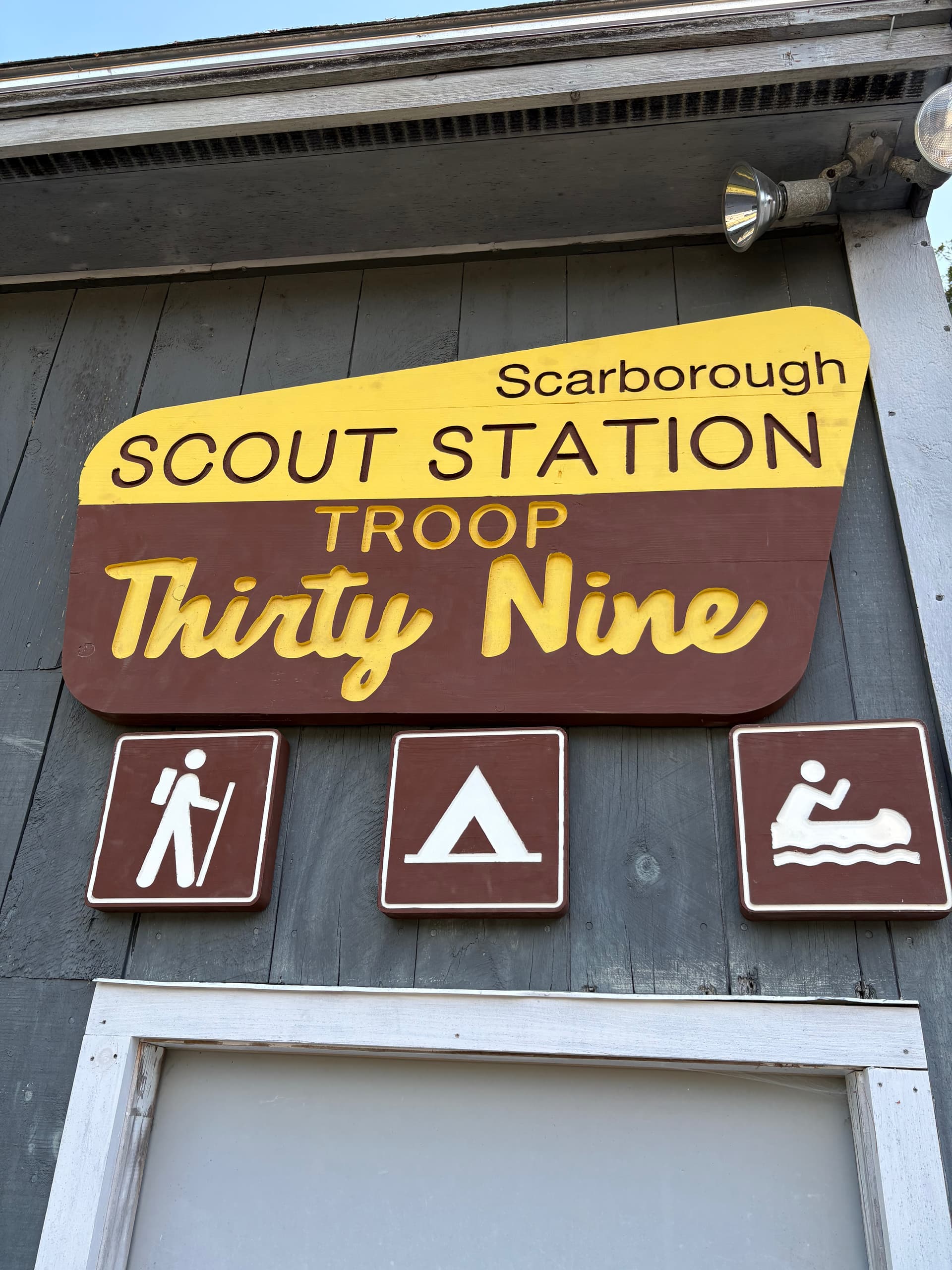
Hi everyone -
I wanted to take a minute and share my first “real” project. It was one of those ideas I had long ago, and the LR3 really helped it come to fruition!
For those who were like me, new to the process, and wondering about workflow…
Imported the image of a National Park sign into Rhino.
Traced and then modified for my own needs.
Purchased a font pack off the internet to better replicate the NPS fonts.
Struggled but figured out a way to get the right font for the right location (system fonts don’t behave the same across the Mac! I made the text I needed (Thirty Nine) in powerpoint, then copy and pasted into Inkscape, and then into EstlCam)
From there I moved into pre-production:
4 Pieces of wood joined on edge
Coats of brown and yellow
Production:
I set my Estlcam up for ~ 5 paths. This made it easier to check my work, make modifications, etc. One path for each of the rows of text, and then one to cut the whole thing out.
I used for the first time a squaring path, where I had four points outside the piece. I used this just to check my sanity that nothing had shifted, etc when I had a lag between runs.
Infilling the letters with paint was way harder than I expected. I really appreciate learning about epoxy pours, they made the small signs go MUCH faster.
Just wanted to share and say thank you for all the people who helped answer questions along the way!