You’ll be fine. There are some things to learn along the way. Just start small and work your way up. Ask for help when you need it.
Yup that is where test cuts come in. Use any scrap you have to learn on. Don’t bother spending hours calibrating the machine just to crash it several times in a row and need to do it again.
Cut anything you have, carve initials, make coasters, just see how fast and deep you can cut a straight line. It does not have to be fancy, it just needs to be time cutting. To this day, every single cut, I learn something. Even in production, I always learn something.
I may try this. I can design something from scratch, so I don’t have to take hours browsing for a design that I like.
What bit is best for engraving in hardwood?
I assume a v-bit of some sort, but which one do you guys prefer?
I did some reading, and I’m leaning towards a 1/4” 60-degree carbide v-groove bit.
Something like this one.
Anyone have a better option, or a better deal?
Is there any advantage (or disadvantage) to this style?
I have used both styles. The one quoted more recently and I really like them. Ryan always says single flute is better for our machines so I tried them out and they worked really well for me.
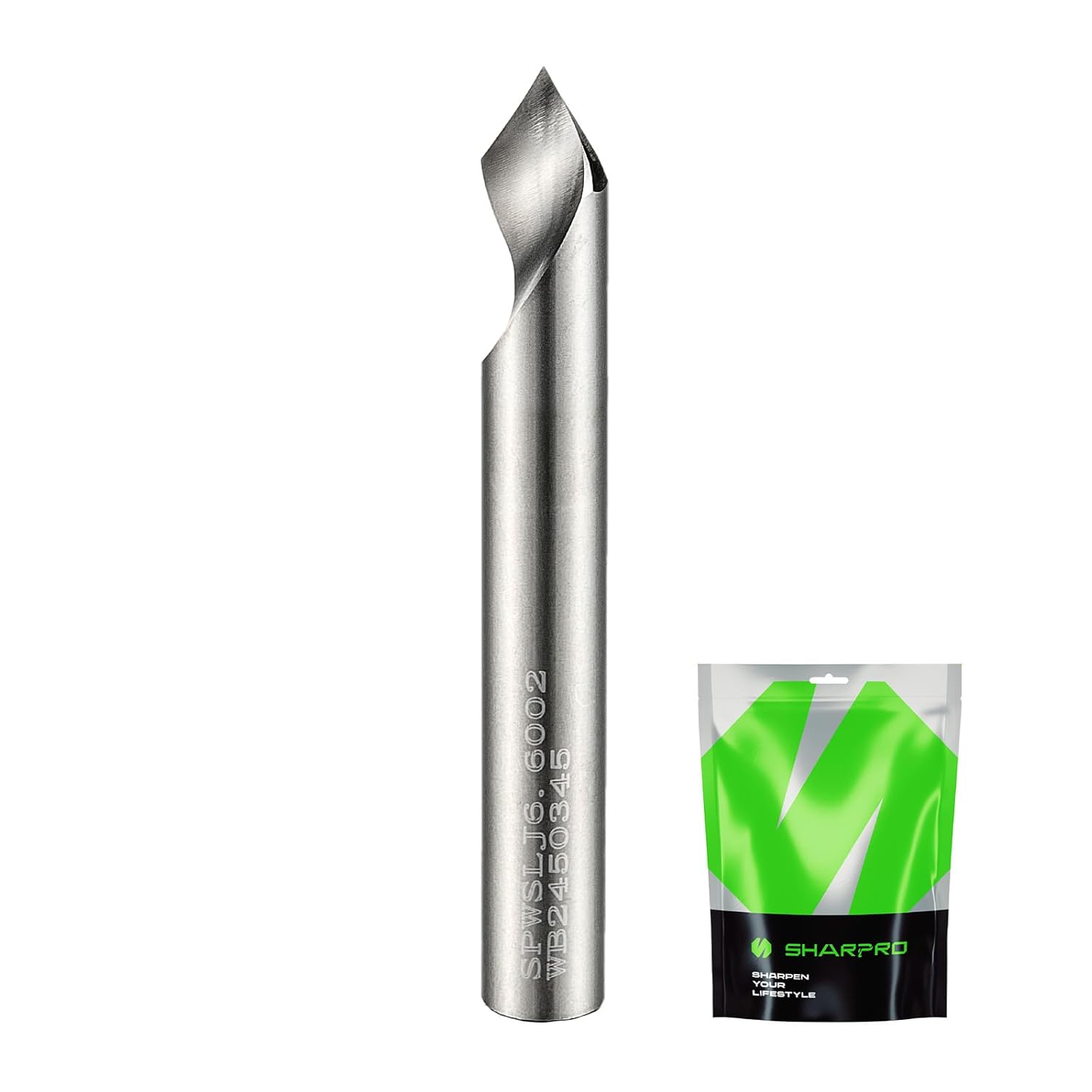
I use one of these and other similar ones.
Yes that is correct. Nothing wrong with the other style, but I have really liked that one for sure.
@jeyeager , I can’t tell from the shop page, is that a 4-flute bit?
No it is 2 flute. That bit works very well also
Why not?
As long at there is no homing configured for Z, home all will just home whatever does have homing configured.
I home X, Y and A, but not Z, using $H with FluidNC.
I need to figure out how to rig up an endstop for Z, or trick it into thinking it has one.
I’ve switched over to gSender, which is fantastic, but it won’t enable homing unless all axes have switches. Or at least that what it seems to be telling me. I haven’t had a chance to dig into it.
Otherwise, gSender has addressed most of my “seriously?!” issues on the software side. It’s awesome. I’m working on setting up a wireless gamepad for manual control, but my extra pad is trashed, so I need to get another one.
Mistakes will be made !!! It goes with learning so don’t be surprised or upset. 

Ok, this is weird…
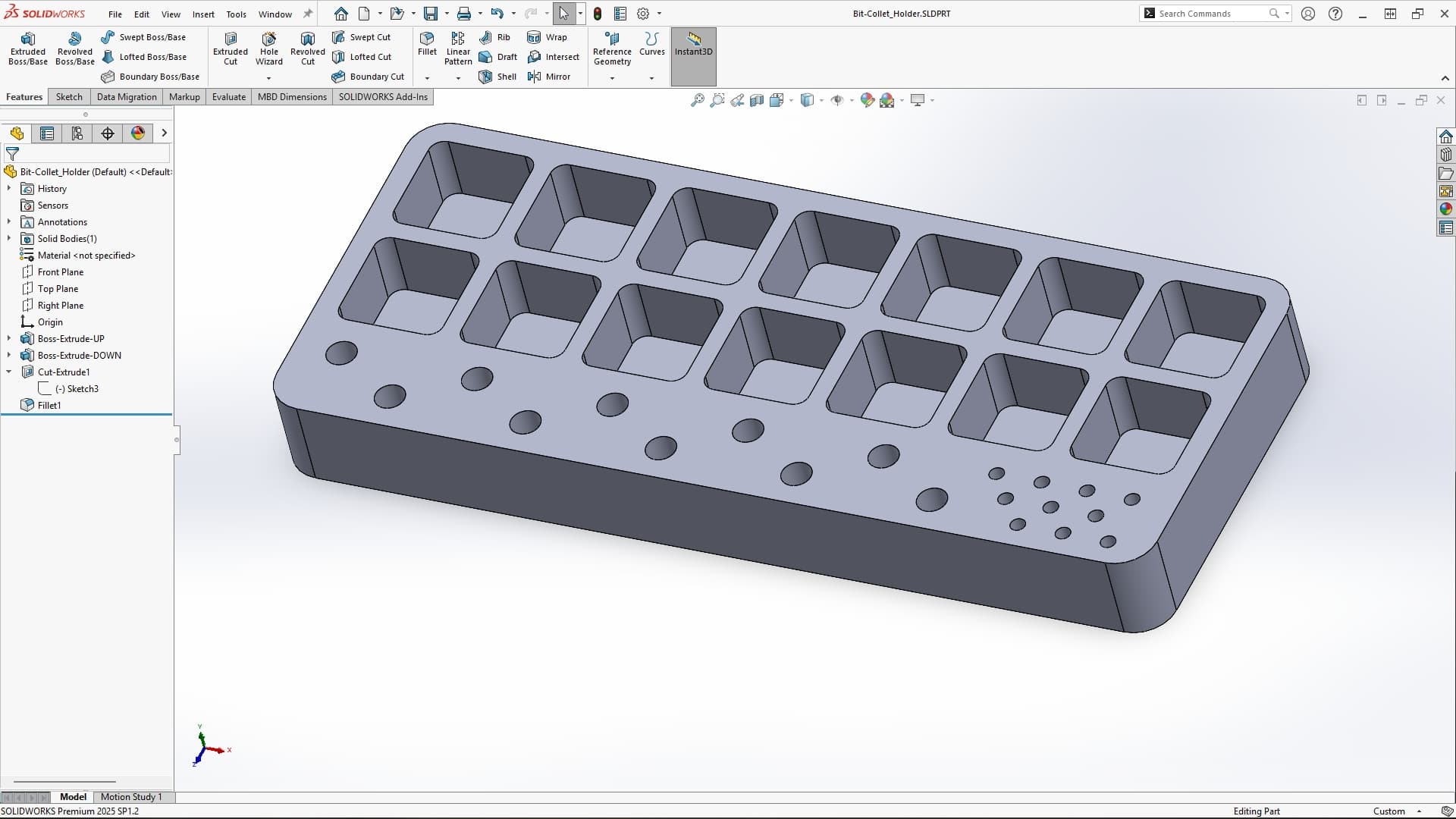
I’m designing a little holder for my collets and some bits.
I modeled it, and all looks okay (first image).
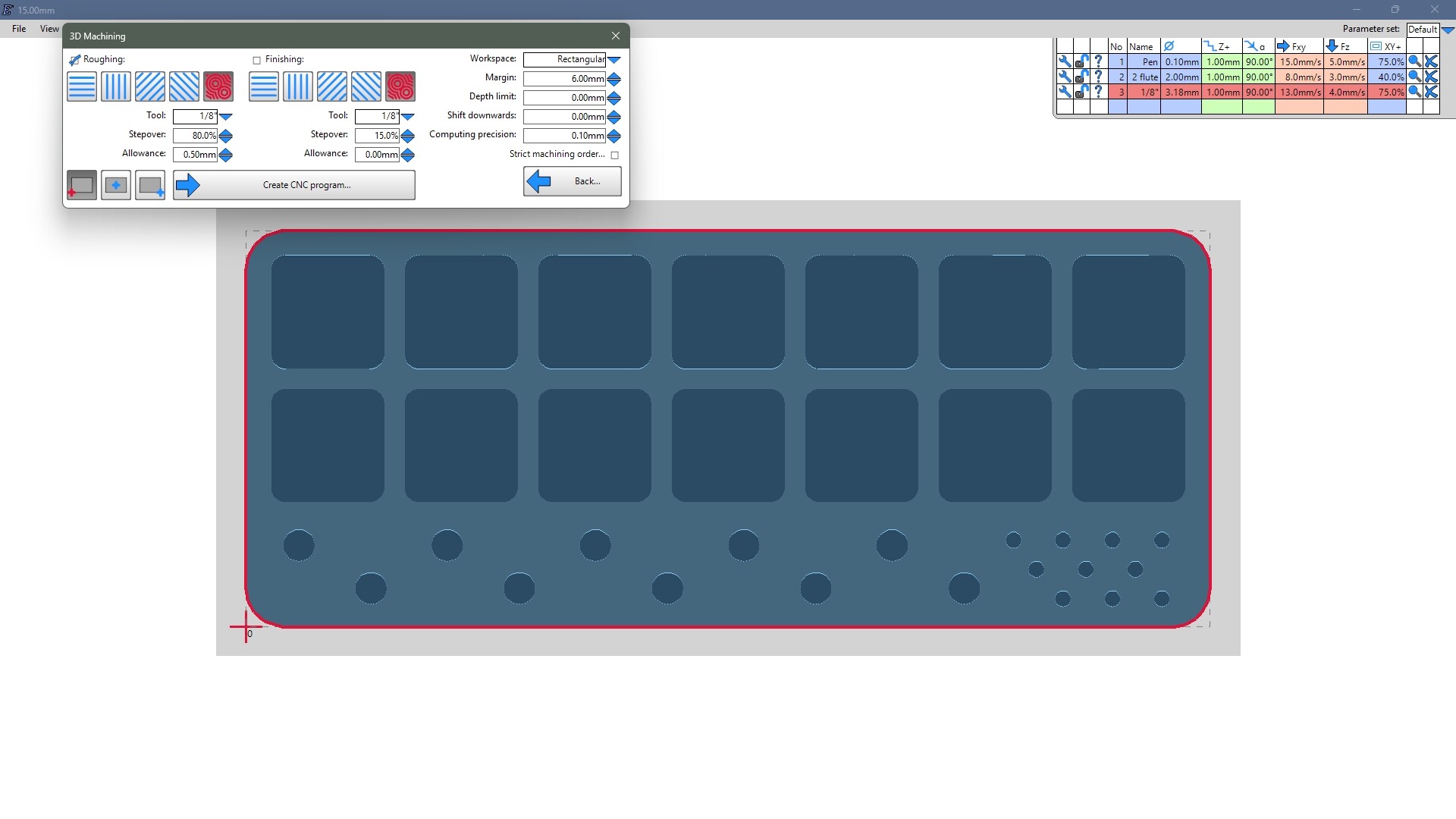
I dropped the STL in EstlCAM, and everything still looks fine (2nd image).
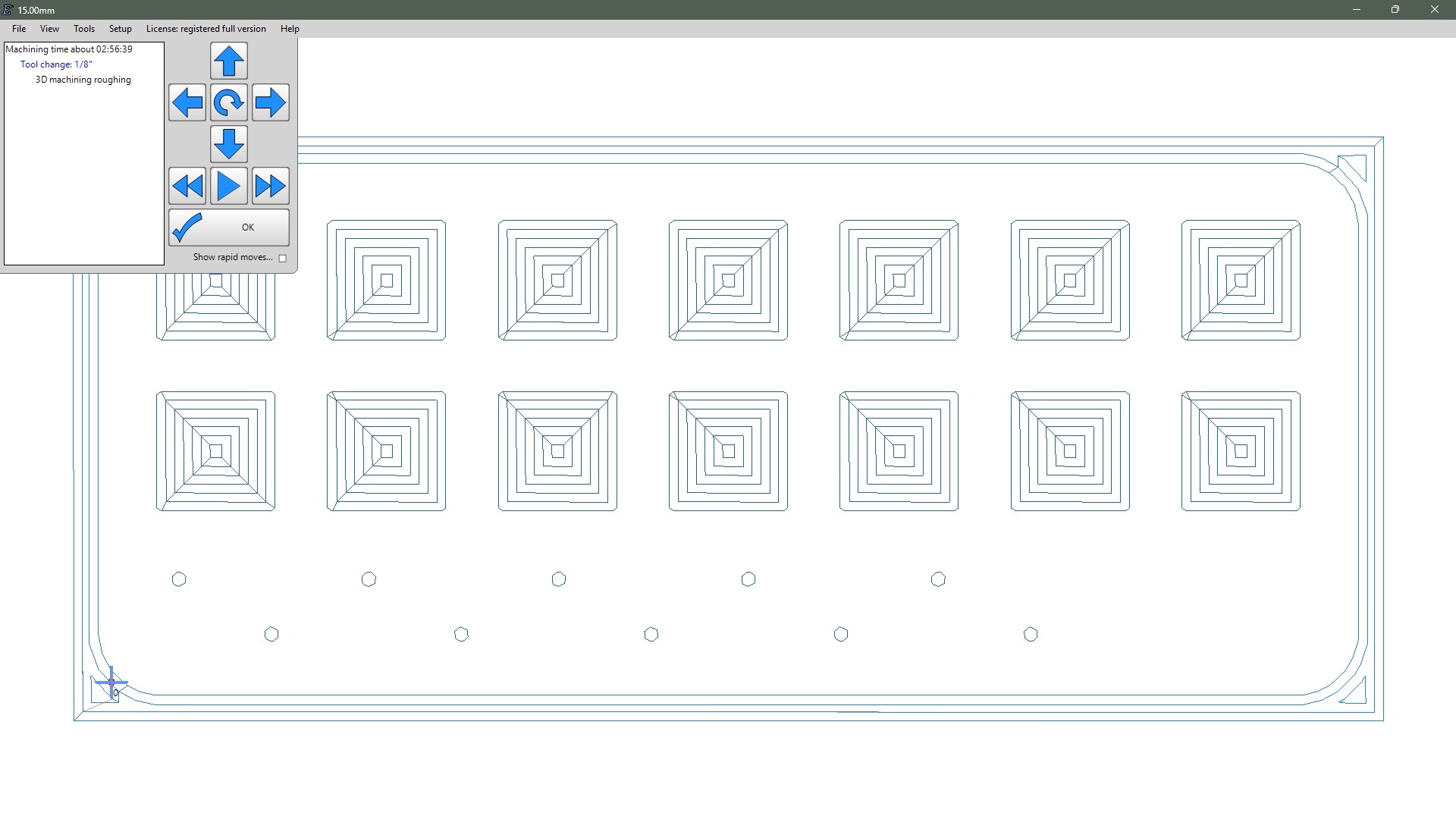
However, when I run the sim, it ignores the small holes (3rd image). They are slightly larger than the bit size, so why isn’t it cutting them?
I’m no expert in gSender (I just installed it for the first time to try this out for you), but clicking ‘Home’ executes the homing cycles I have configured in FluidNC. First it homes A, then it homes X and Y together. Z is left alone. No warnings.
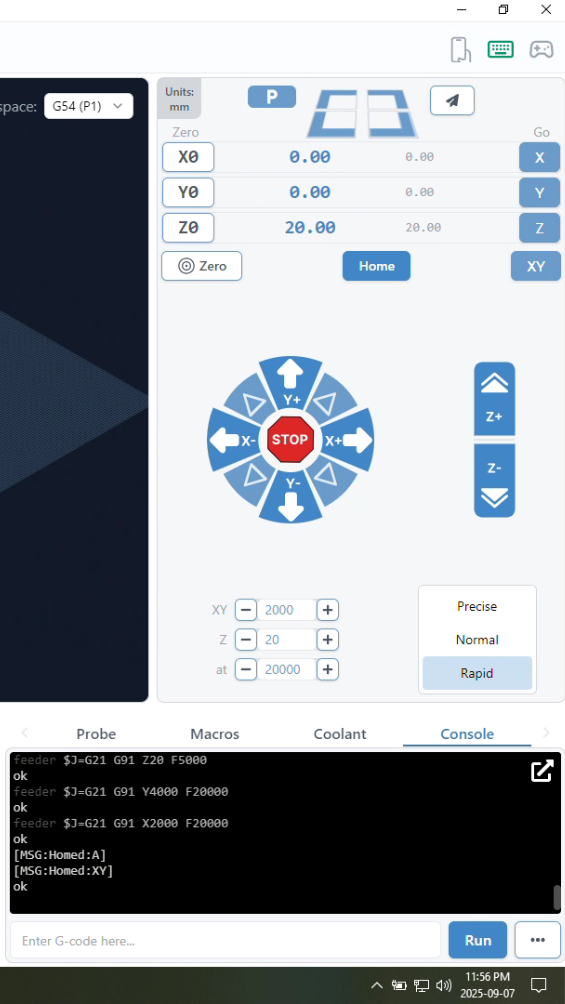
Looking at the config.yaml that @Dreyfus linked to above, you need to remove the homing section from the z: axis config:
homing:
  cycle: 0
  positive_direction: true
  mpos_mm: 200.000
  feed_mm_per_min: 200.000
  seek_mm_per_min: 800.000
  settle_ms: 500
  seek_scaler: 1.100
  feed_scaler: 1.100
and the limit pin from the z axis motor0 (set it to NO_PIN):
limit_neg_pin: gpio.32:low
…so that the z axis config looks like this:
  z:
    steps_per_mm: 200.000
    max_rate_mm_per_min: 1800.000
    acceleration_mm_per_sec2: 80.000
    max_travel_mm: 300.000
    soft_limits: false

    motor0:
      limit_neg_pin: NO_PIN
      limit_pos_pin: NO_PIN
      limit_all_pin: NO_PIN
      hard_limits: false
      pulloff_mm: 4.000
      tmc_2209:
        uart_num: 1
        addr: 2
        cs_pin: NO_PIN
        r_sense_ohms: 0.110
        run_amps: 0.800
        homing_amps: 0.800
        hold_amps: 0.700
        microsteps: 8
        stallguard: 0
        stallguard_debug: false
        toff_disable: 0
        toff_stealthchop: 5
        toff_coolstep: 3
        run_mode: StealthChop
        homing_mode: StealthChop
        use_enable: false
        step_pin: I2SO.10
        direction_pin: I2SO.9
        disable_pin: I2SO.8
…I think you can leave the unused “pulloff_mm: 4.000”, but remove it too if it complains about it. I haven’t tried it myself… I only started using FluidNC last week.
This simple stuff is not really designed in 3D. Estlcam is a lot better working with DXFs, you are not doing 3D machining here, but 2.5D. 
3D is for height maps etc. for instance.
wow, thanks!
How did you get it to enable homing? When I looked at it, it said that you couldn’t use homing unless all axes had switches. Did you just YOLO it and try anyway?  I was afraid of what it would do to my Z-axis.
Ah, I see. I need to catch it upstream of gSender, and edit the firmware, right? That makes sense. Basically, if gSender doesn’t really know it has a Z-axis (for homing purposes), then it can’t mess it up.
I’ll try that, thanks!
Umm…okay. So I should just do it as a 2D layout (basically just the sketch part), bring that into EstlCAM, and set all the heights/cuts from there? That will make getting my depths and stuff really hard, since that’s why I’m using Solidworks to begin with. I need the 3D parametric environment to allow me to make edits and revisions to get it just right before exporting the gcode.
Especially since EstlCAM has no undo for some completely unfathomable reason.
Is there another CAM software that you guys recommend that might be better? I can see hitting a wall really quick with EstlCAM.
Estlcam is pretty simple. If you jack up a cut assignment, just redo it. You can set your depths in it with island and pockets if you arent cutting all the way through. The undo would be nice, but it works as it is.
Internet has been down since around 11:30 this morning, working off my phone…
So I recreated that job in 2D CAD, and imported it into EstlCAM, then exported the gcode to gsender.
I started the job on a scrap piece of bamboo flooring, just to see if I had things dialed in fairly close, and it looks really good. The cuts are as close to flawless finish as I would ever wish for. Nice clean walls, no tearout or fuzzies, and the pocket bottoms are nice and flat. I do see that I have some dimensions not 100% right, but that’s an easy tweak.
I’m noticing a little vibration when cutting, but nothing that I would think is too bad. Granted, I have no idea what ‘right’ sounds/feels like. What really worries me is that after about 12 minutes of cutting, the spindle motor is too hot for me to touch. I’m worried that it’s approaching the Tg temp for PLA, which is what I assume the holder was printed from. If that begins to soften, I could have a serious issue. How hot should this spindle get when cutting? I don’t have any sort of speed readout, so I have to guess. I’m running it at about 95% of “wide open”, based on the dial control. I turn it all the way up, then down just a little to kill a harmonic buzz.
Do I just have a bad spindle, or is there more to check here?
I believe that there should be a fan attached to the top of your spindle. There seem to be many complaints about how unbalanced they often are… but there are a number of printed ones out on Printables, Thingiverse, etc. That might help?
You can drop the gcode right onto the memory card of the jackpot. From their all of us can help you. You choosing to use Gsender means there are only a few users that know what you are dealing with (and it is not needed at all, the jackpot has a built-in sender).
We highly suggest new users stick to the yellow brick road of known and suggested ways of doing things laid out in the instructions.