Project: Basketcase (aka Resurrecting an MPCNC)

You’ve definately got an interesting problem here.

Your $SS results show that the TMC2209s are responding to commands during setup.

Your harness swaps show that the issue is with a specific physical location on the Jackpot, the location for your X1 motor.

Swapping drivers shows that all the drivers’ output sections are working and capable of motion.

Every stepper motor is known to turn.

Your DMM results show that FluidNC is commanding Step/Dir/Enable to the bad position.

We’re now really in the weeds.

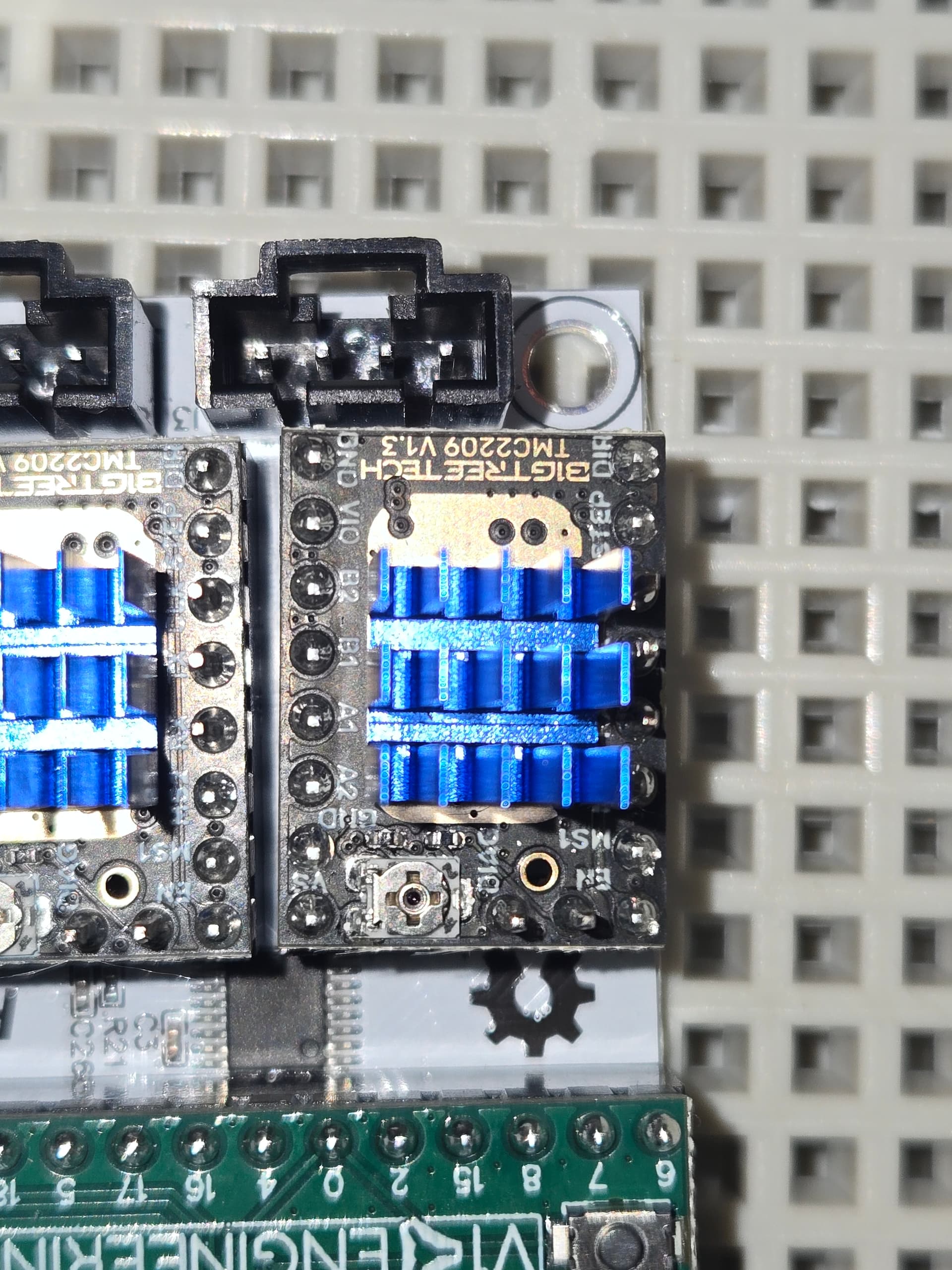
Next up, can you flip the board over and get high resolution photos of the solder work on the headers for the problem location TMC driver and of the associated 4-pin header?

You’re almost out of things that make any possible sense for the issue.
Did you get your Jackpot board from V1 or from Elecrow?

Leave it to me… lol

Like this?

Directly from V1E.

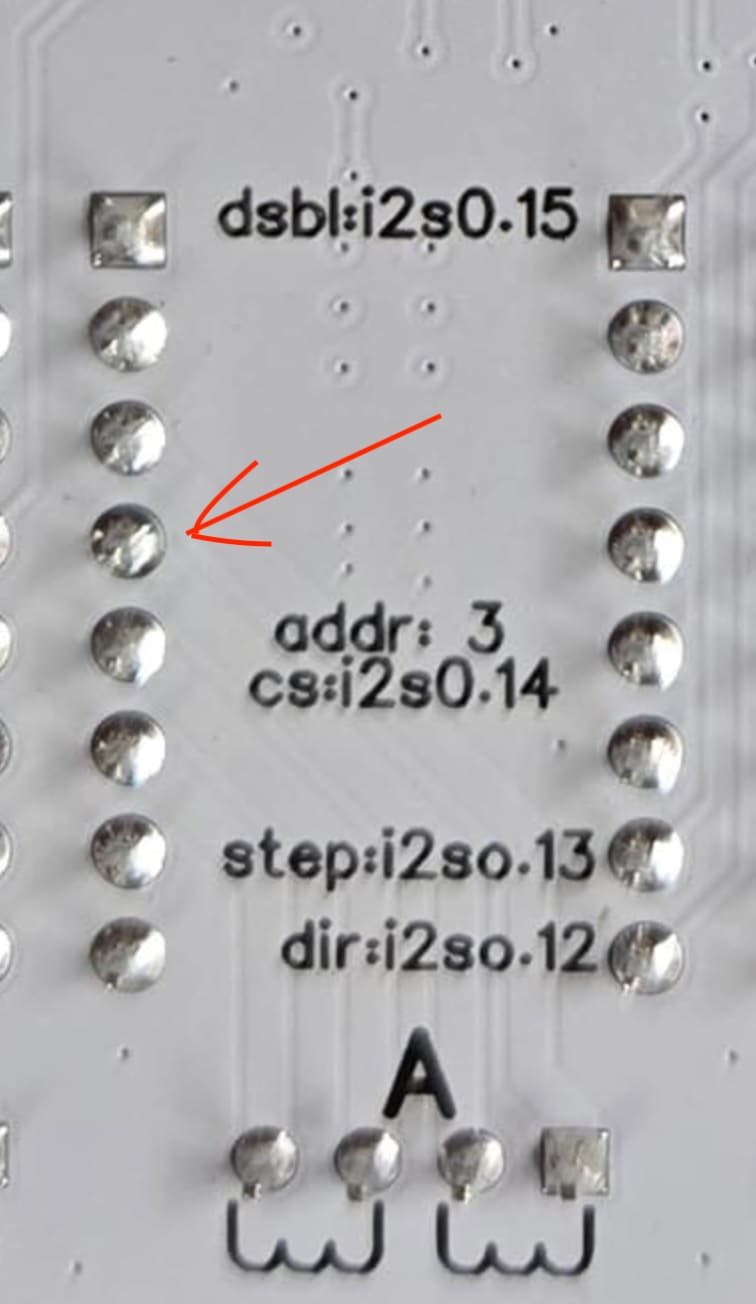
Note that if you can’t get that driver position to work, you’ll likely be able to get it to work using position ‘C’ by switching the address and pin addresses in the config.

We’re all eager to see if it can be determined what is wrong with the X1 position, though. The same problem has happened before once or twice and I think it may have been with the same position.

That’s where we’ll head next if we can’t get “A” working.

Can we get a better resolution picture of just “A”. Nothing screams bad here, but there is a location that looks mildly out of family.

Can we also get a picture looking at the opposite side showing the pin header for “A” with the stepper motor wire connector not plugged into it (to see the contacts.)

2 Likes

I mean, sure, but it’s actually “X” that isn’t working. I don’t mean the X-axis, I mean channel “X” on the board, the first one, on the corner. This drives motor X0, per the documentation.
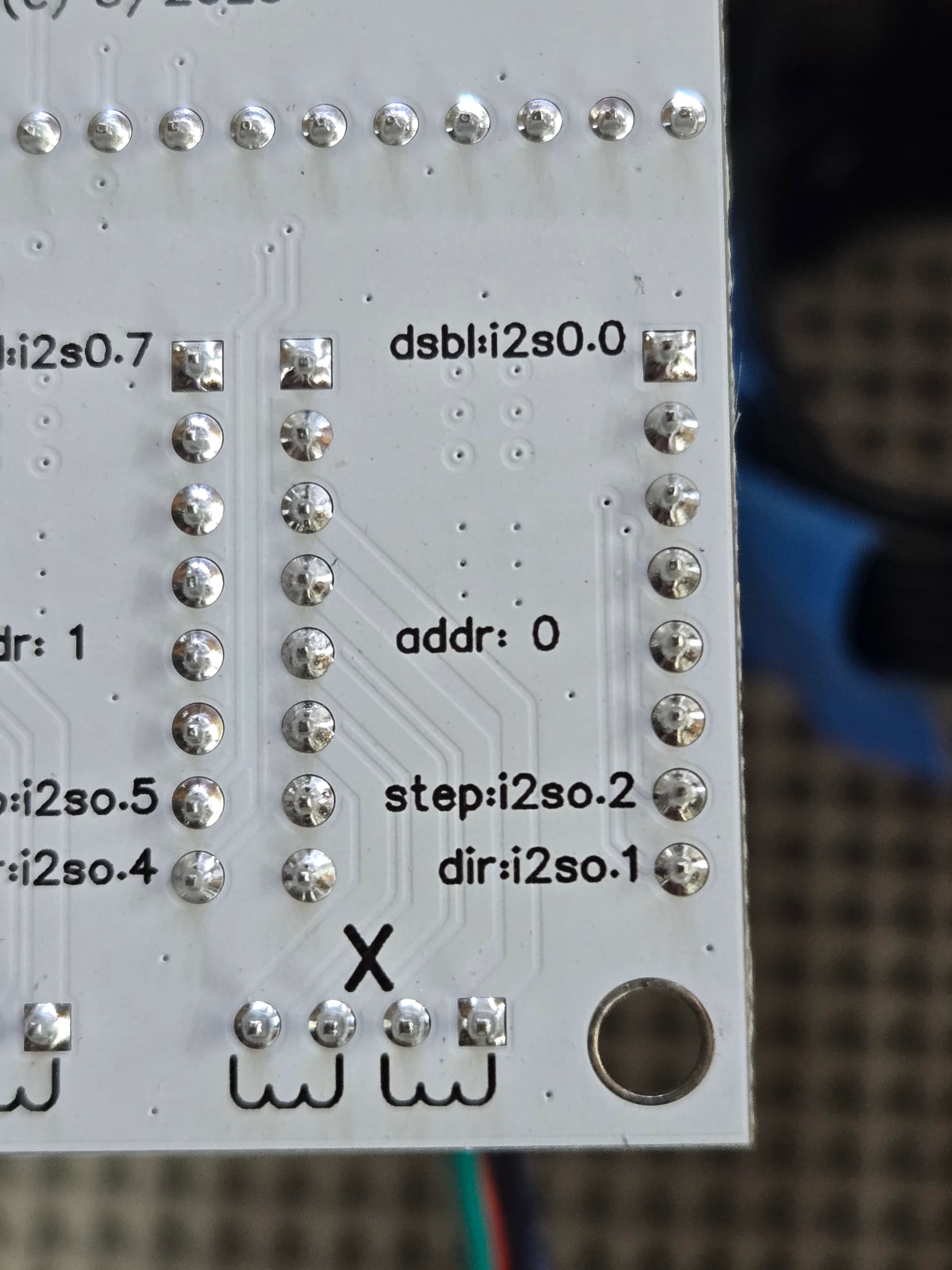
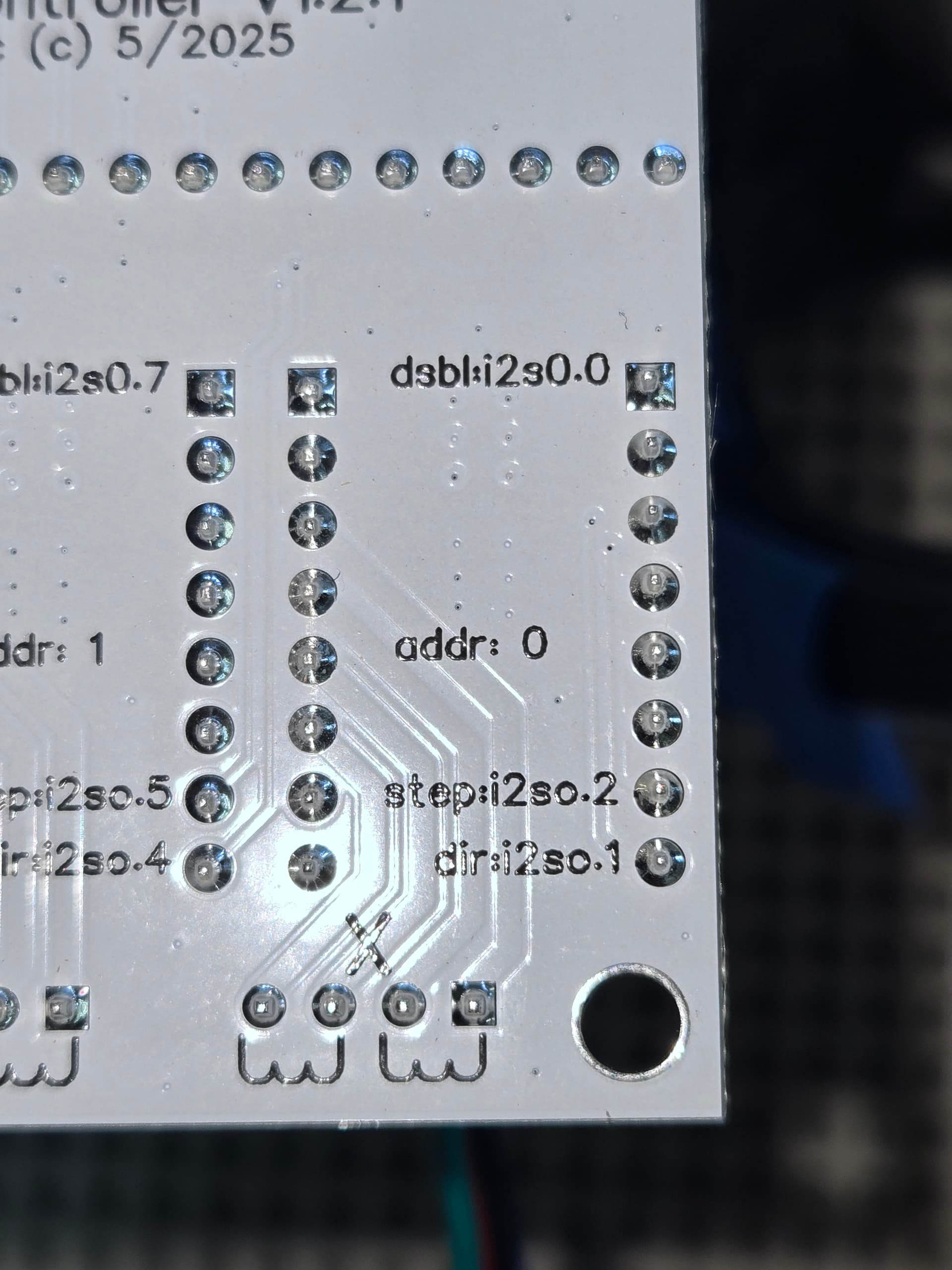
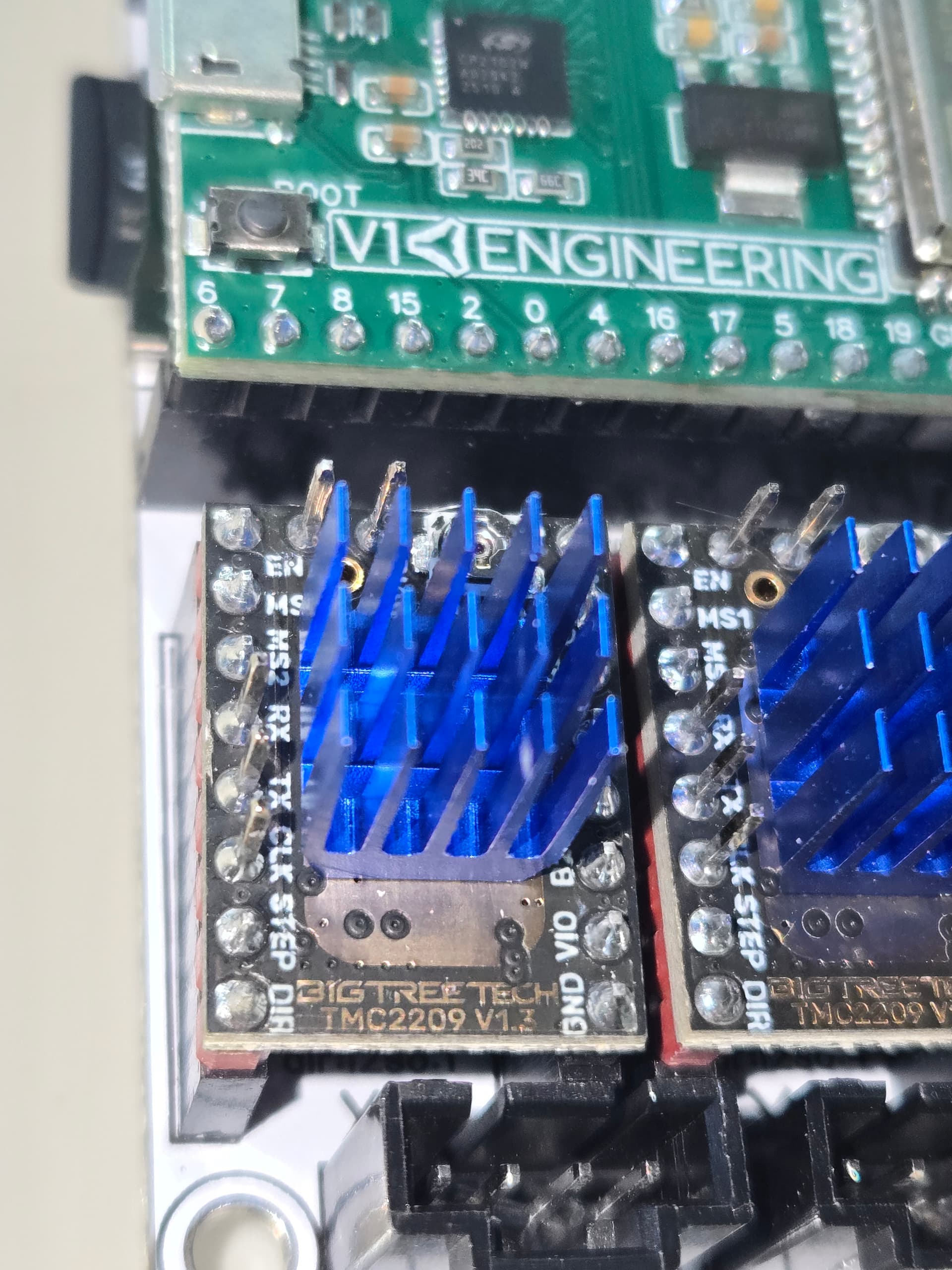
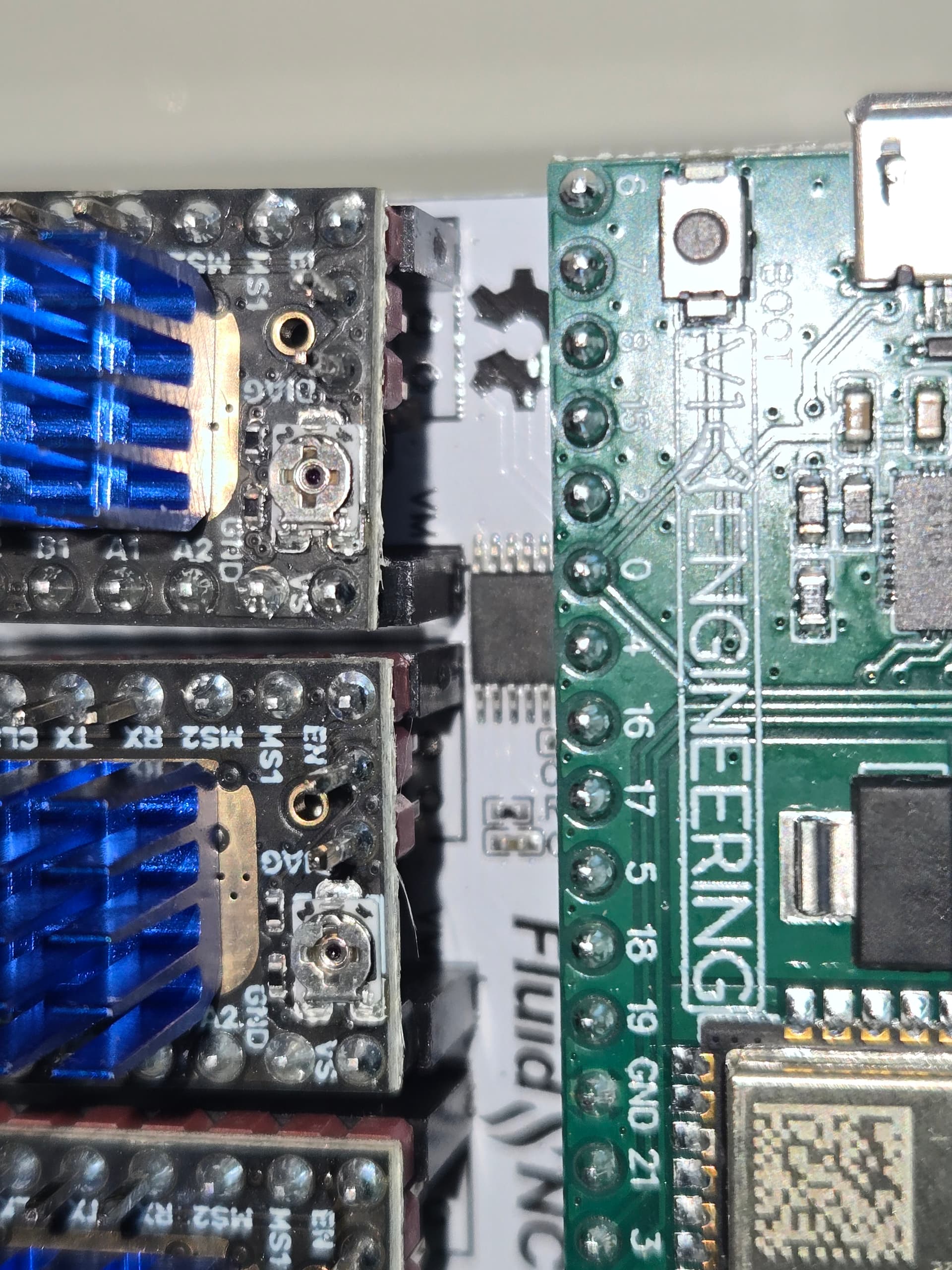
Here are closer images of “X”, with and without flash, along with a topside shot.
If you still want images of “A”, I have those also.

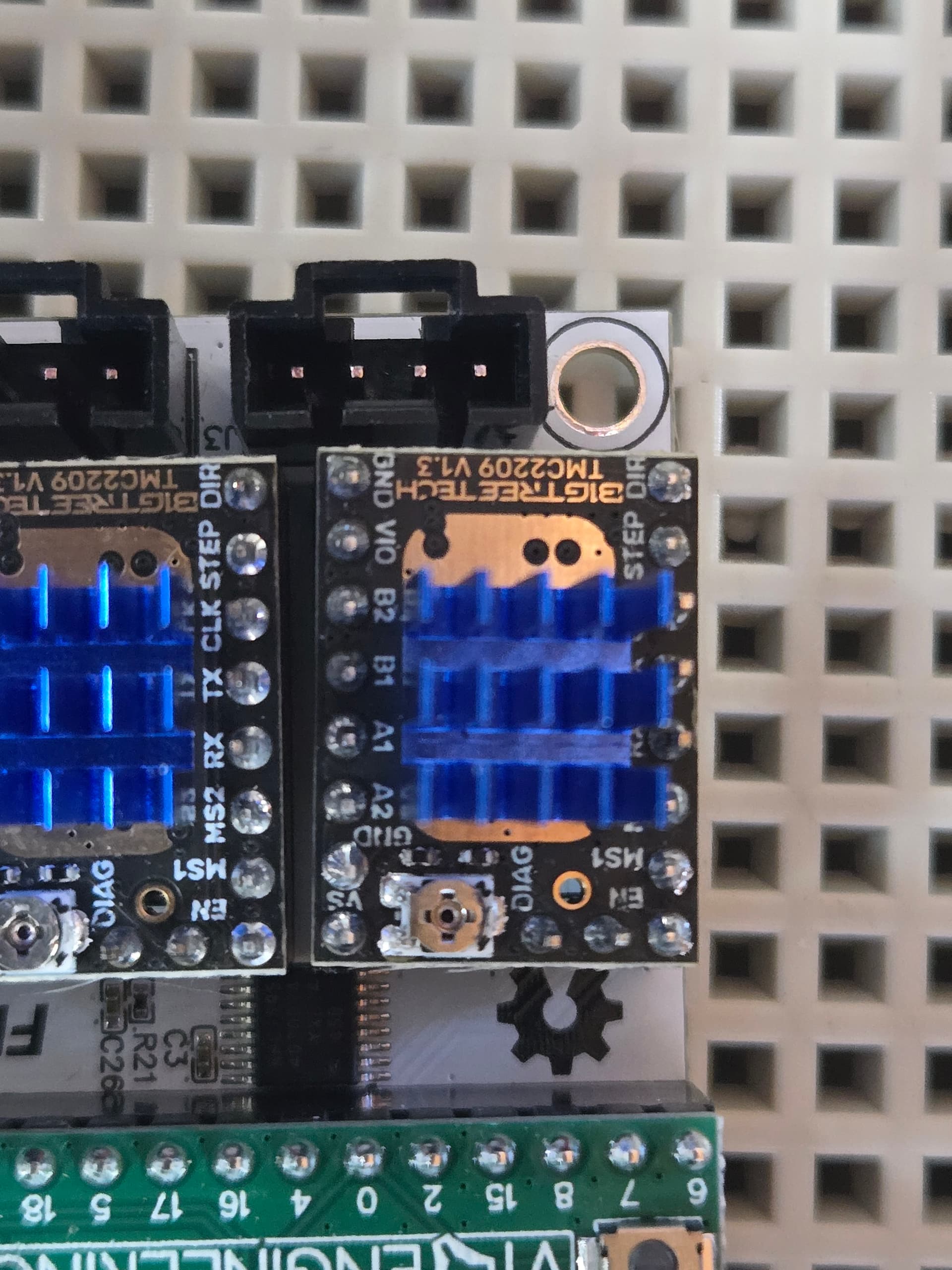
any chance that heatisink is touching the top pins?

1 Like

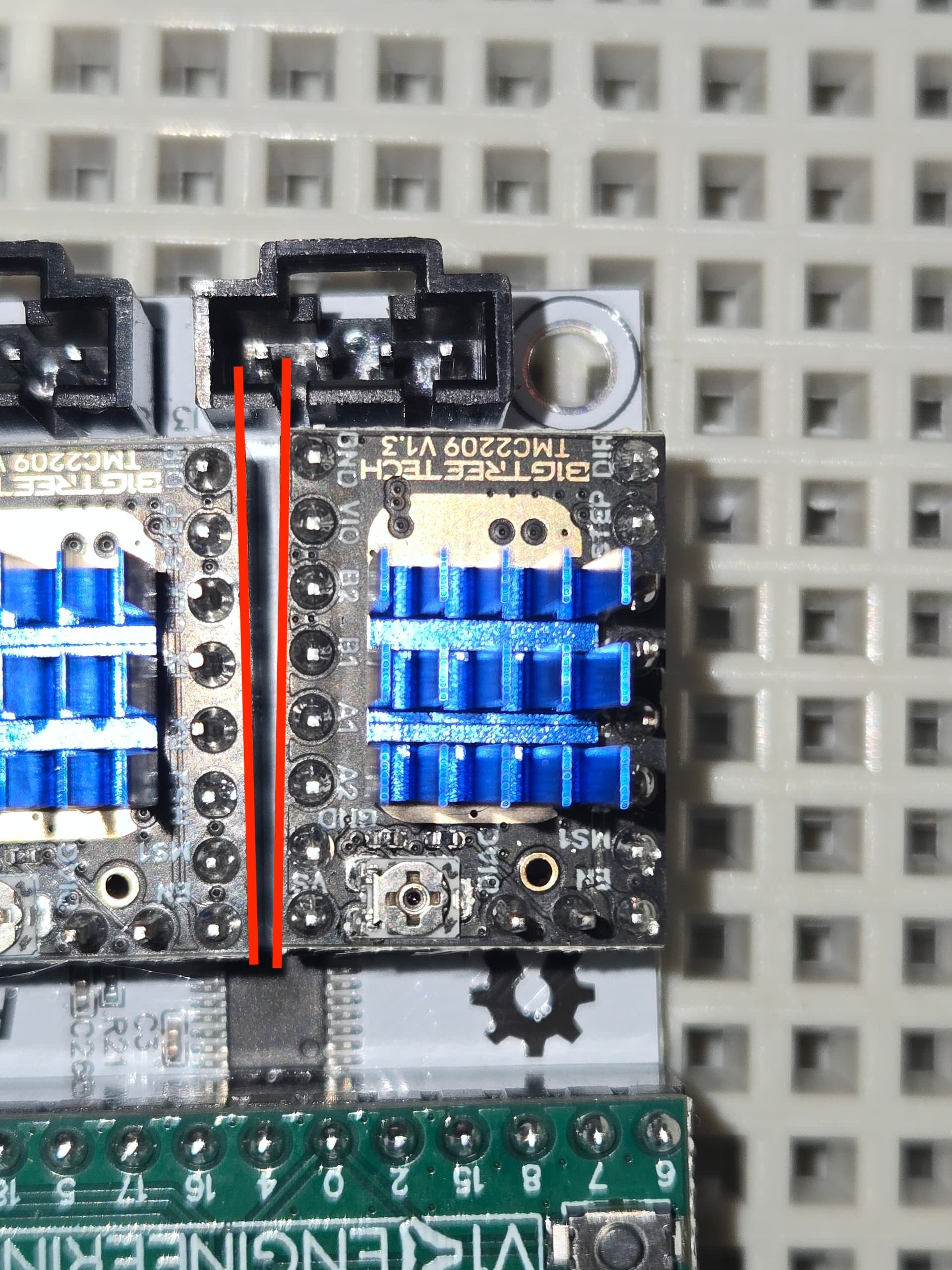
I noticed that too. Also, that driver isn’t parallel to the other driver. I looked at mine and they are all parallel. You’ve seen a lot more of them @Ryan .

no, it’s just the angle of the photo.

Yeah, the socket is soldered crooked onto the board. I thought it was a little bit shoddy, but there’s nothing I can do about it.

EDIT: Here are a couple more shots, showing that the heatsink is clear, and how the socket isn’t straight.
I don’t really think that’s necessarily the problem, though. It looks solid, as best as I can see.

1 Like

Time to build a config.yaml that moves this motor to the last position on the jackpot. Then move the TMC2209 over to the last position.

After the driver is moved, I’d ohm check the copper from the X motor connector back to the pins on the driver header.

We can do that, but this is honestly about as far as I’m willing to dig into this. It’s fairly obvious that we just have a bum board. At what point do we just call it, and let Ryan send out a replacement?
It seems that a lot of time and effort has gone into life support on a stillborn puppy, if you’ll excuse the unsavory expression.
I’m sure everyone’s time is as limited and precious as mine. I greatly appreciate all the help thus far, and I’m 100% certain I’ll continue to need more. I really hope I’m not coming across as ungrateful. I’m just trying to be practical. It seems that just swapping this out for a functional board would sure be quicker and easier than all… this. :slight_smile:

I totally get that we have to be sure that the problem is in fact the board, and not some bonehead thing I did, or a simple bad wire or crossed-up connection. I’m just wondering when we reach the point where we stop digging?
My wife is starting to ask why I’m still messing with that “pile of junk”, so even she’s noticing that this is taking longer than usual to diagnose… lol

Okay, venting over….
How do we edit the yaml? Is that a fairly simple edit that I can make, or will one of you magicians need to send me a pre-config’d file to upload?

You kinda lost me there… what path exactly are we checking? Do you mean the cable? We know that’s good, since I can switch over to the Y-axis channels, and the motors both respond as commanded. I’ve also tried 2 different cables, with the same results.

Same as you did for disabling the limit pins. This time you just need to change the three pin addresses as found on the picture you supplied.

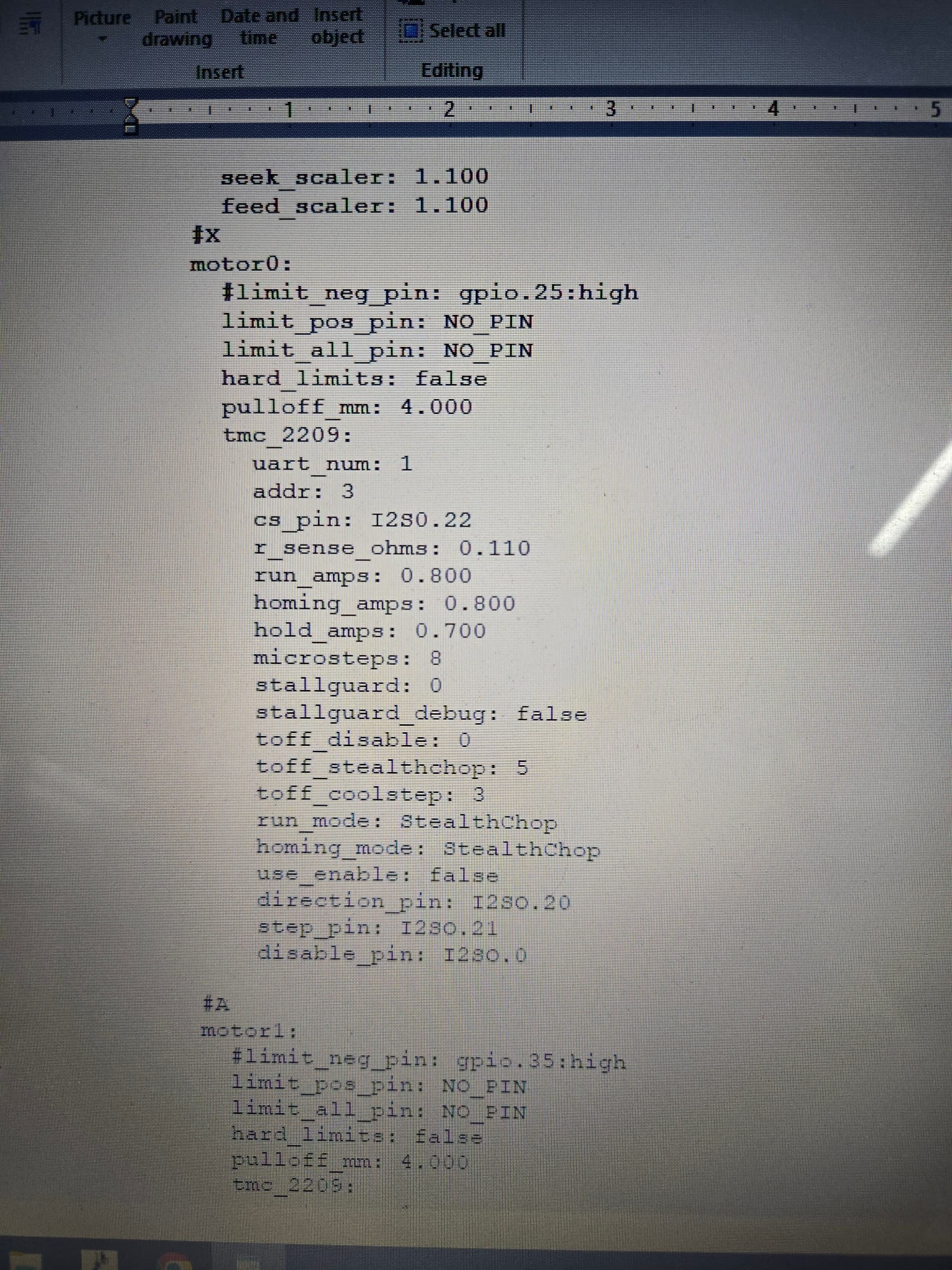
For X axis motor 0, change the address from 0 to 3, the step pin from i2so.2 to i2so.21, the dir pin from i2so.1 to i2so.20 and change the cs pin from no_pin to i2so.22.

Quick change. If it works you’ve super-confirmed the problem. What you do about a board exchange after that is up to you, but it should get you running today.

Yeah, sorry. I didn’t mean literally how to edit the file, but rather what needs to be edited within the file. :sweat_smile:
I see your instructions below, thanks. I’ll give that a shot as soon as I have a few minutes, and see what happens. :+1:

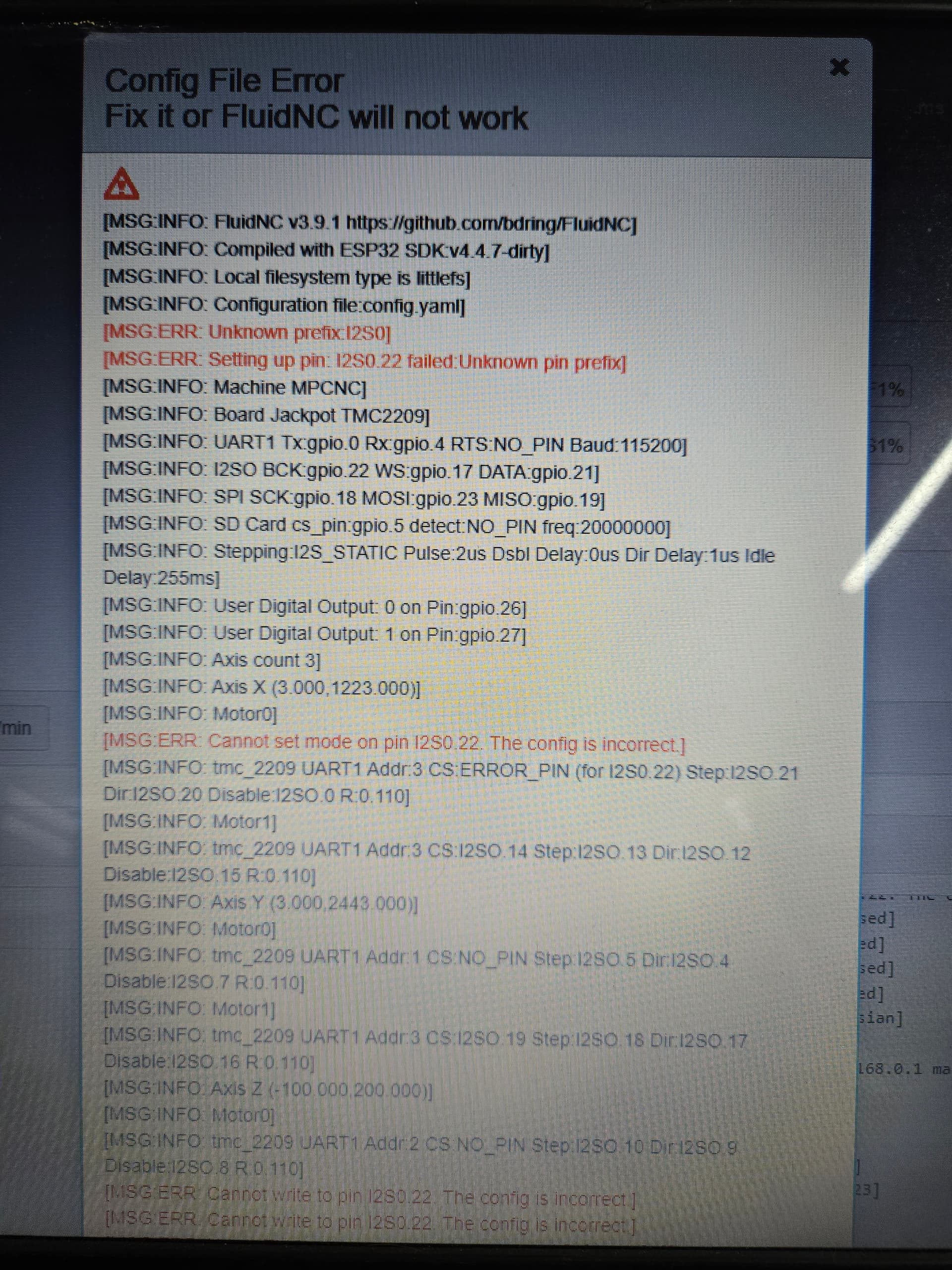
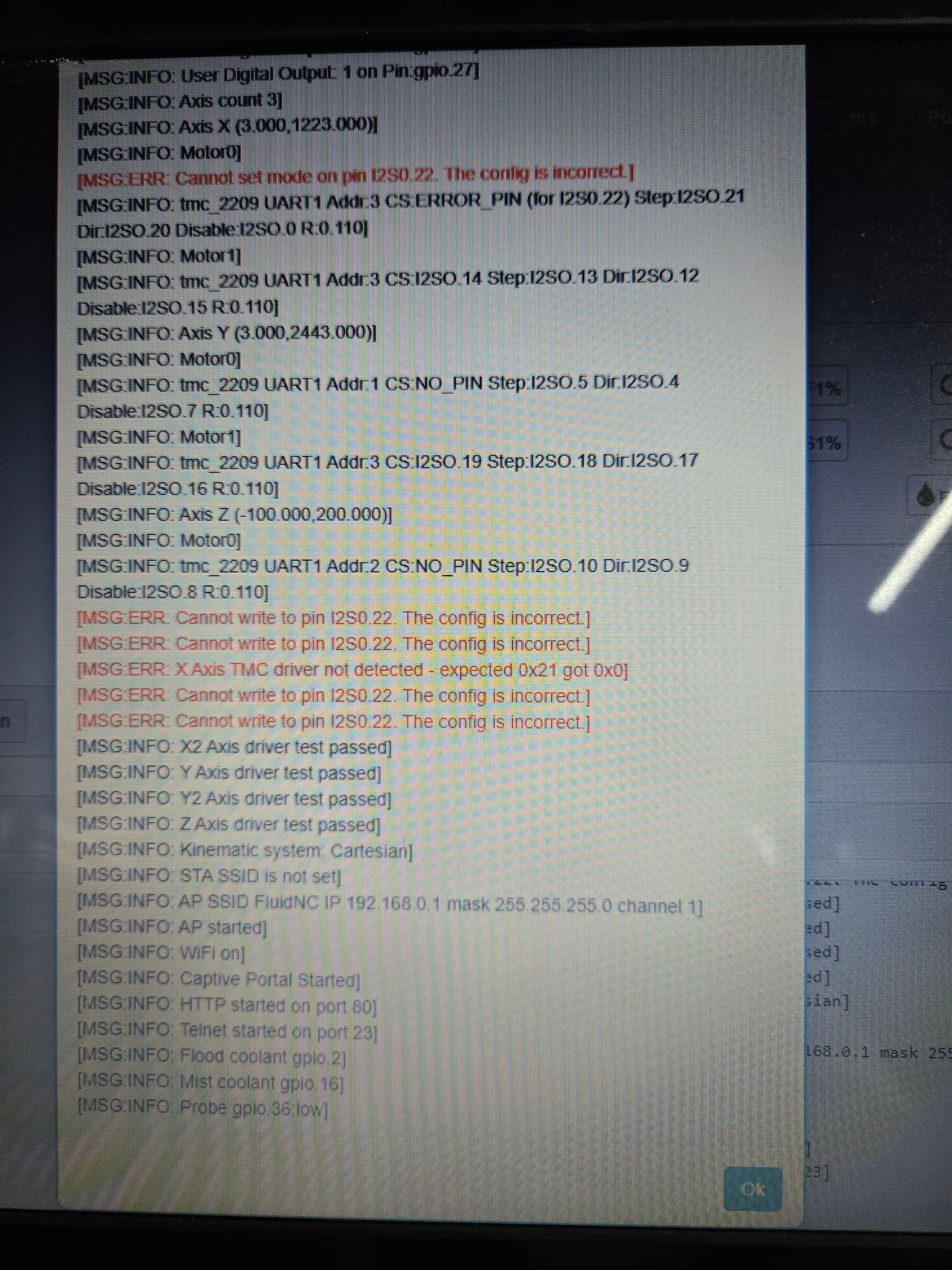
Ok, that was a no go, but I’m not sure what I did wrong…
Can someone check me please and tell me what I missed?
The top image is the portion of the config.yaml that I edited. Nothing else was touched.

Looks like you used a zero instead of a O… which I typed. Sorry. Fixed my initial post.

Sorry, I also missed the disable pin. Change it to I2SO.23.

Also, I am fairly certain WordPad will destroy the formatting and that can cause new issues.

I need to read through this thread to figure out what is going on. Looks like a lot has happened since I last saw a post.

you need to use notepad, or vscode.

1 Like

Whatever he’s using doesn’t appear to be causing his problem. It read the entire config, and only complained about the 0/O typo. It would be ideal to use something better, like Notepad or VSCode, though.

I must say I quite like doing edits with https://installer.fluidnc.com/fluidnc myself.

It could very well be a bad board. Ryan noted he’s reading back through the thread, so I expect you’ll hear more from him shortly. Ryan has always made a solid effort to support his product and I’m sure this will be no different.

We’ve repeatedly have users with self-proclaimed “obviously bad boards” that , when swapped arrived back to Ryan in perfect working order. Further troubleshooting then revealed other issues like those that we’ve walked through up above. That’s part of why we try really hard to be thorough in troubleshooting.

Ryan tests every board he ships, but not every test can catch every weird edge case like having drivers that init and then for whatever reason don’t end up moving a motor.

If you read through this thread, it starts with you buying someone else’ oddball build, then is filled with examples of missteps and confusion, asking how to do some pretty fundamental things, and all the while asserting that things are obviously the way you think they are.

We get it, we all start somewhere and the learning curve with these machine can be very steep even when we start with a fresh box of new parts. It can be incredibly frustrating.

That doesn’t support us automatically jumping to the conclusion that the Jackpot has to be bad especially with the history I describe above. (again, your board very well could be heading for replacement.)

I hear you, really I do. Forums are terrible at conveying tone, but I’m getting a large sense of frustration and a pretty healthy dose of snark.

The only one here that can make the board call is @vicious1 , the rest of us are just here trying to provide the best community support possible. We try to help keep the prices of Ryan’s parts and kits low so that fellow makers can go build these awesome machines. I’ll bet Ryan wants to finish that last bit of troubleshooting and may even spot something the rest of us missed along the way. Stand by for that.

It sucks that you bought someone else’ unicorn, but that’s reality.

It double sucks that you -may- have a bad Jackpot; which it looks pretty likely at this point.
But, we really do need to follow through with the last of the troubleshooting steps.

Hmm, lack of daily Windows use here.

It used to be that Notepad would mangle things but WordPad would not. Perhaps that’s flipped now.

VSCode is a good option, I also used to use Notepad++ back in the day.

I could have sworn someone said not to use Notepad, but use Wordpad instead…

They are indeed.

100% accurate on the frustration, but that’s directed at the situation, certainly not at any of you kind folks who have been so helpful in getting me this far! As for the snark… I’m sorry to say that’s mostly just me. As you noted, it doesn’t come off as innocent or inoffensive as I hope in text. :frowning:

IT’S ALIVE!!!

With the code edited, and driver swapped to channel C, both motors move as commanded! :smiley:

Now what?

2 Likes