Hello Geoff.
Don’t worry, we’ll get you sorted out.
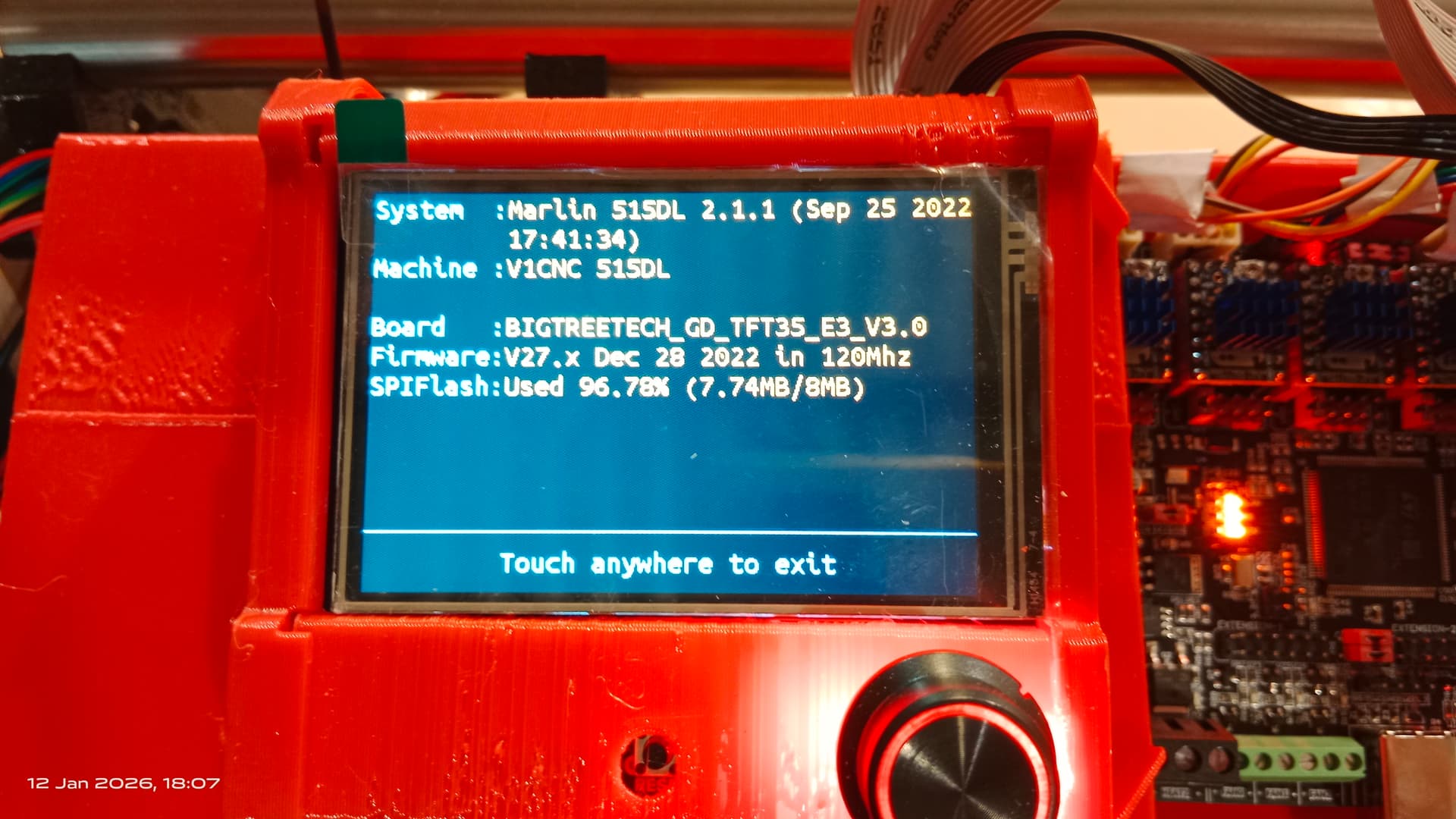
You haven’t told us what machine you have. I’m going to guess from the picture that you have an LR3 (or LR4) and not an MPCNC. My comments below may or may not be correct for the MPCNC, but should be correct for the Lowrider.
Edit - Duh - it’s in the title, sorry
This is a good sign
There’s two issues that can cause intermittent end stop problems.
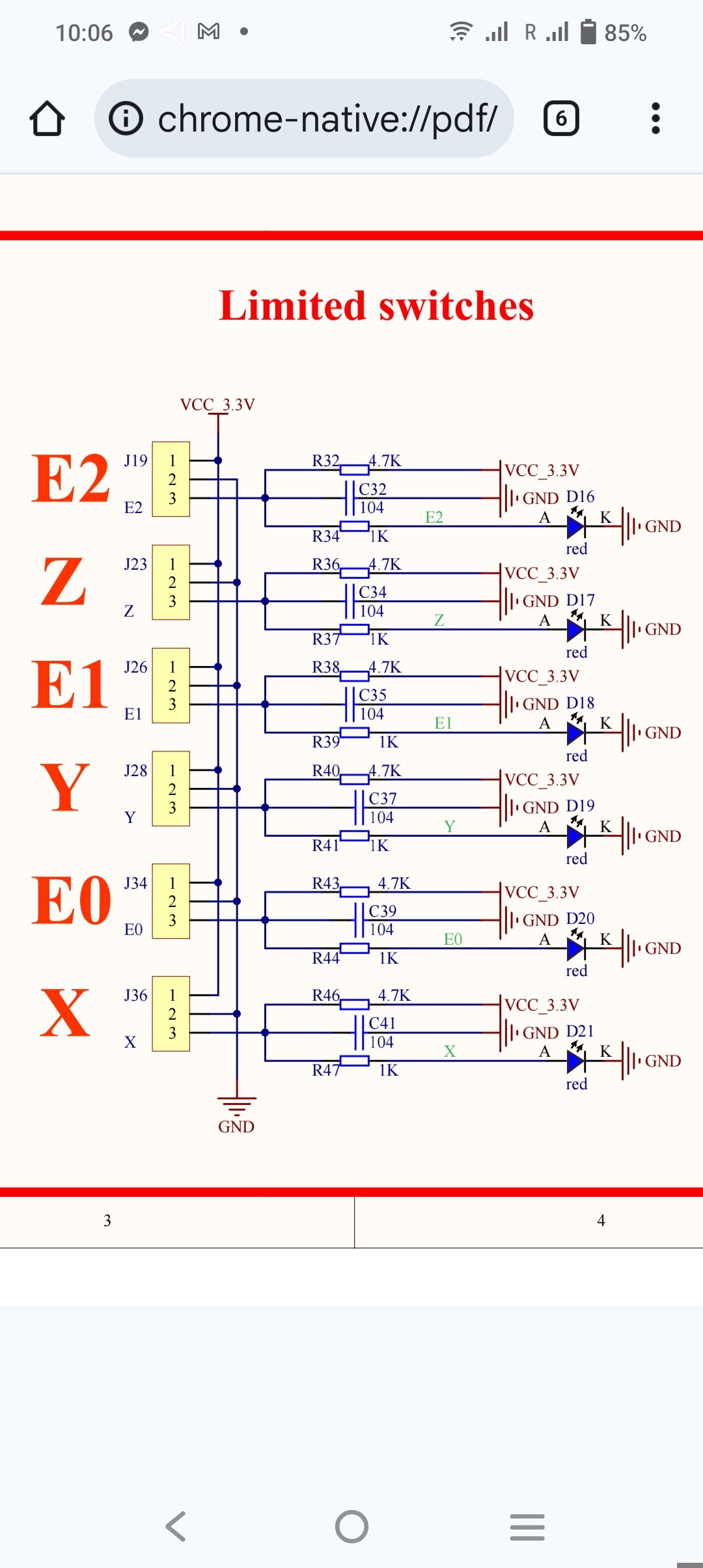
The first you have identified - the infamous SKR Pro v1.2 end stop circuit design, which can usually be corrected by either adding pigtail resistors, or by cutting out the LEDs.
The symptoms are the LEDs will show as triggered when the switches are asserted, but the M119 won’t detect the triggered state. This often results in the motion not stopping when it should, with skipping steps and a grinding noise. If this is happening, it is usually best to add resistors to all 5 end stop circuits, but you may get by with just adding them to the circuits affected.
This issue can be affected by such factors as the length of the circuit (and hence resistance) to the end stop in question. I had a board that worked fine with a shorter gantry, but when I lengthened the gantry and soldered in an extension cable, the issue started happening regularly.
I don’t think that this is your issue.
The second issue is an intermittent open circuit, usually at the connection of an extension cable, but sometimes at the switch itself (especially with spade connectors) or at the Dupont connector on the control board.
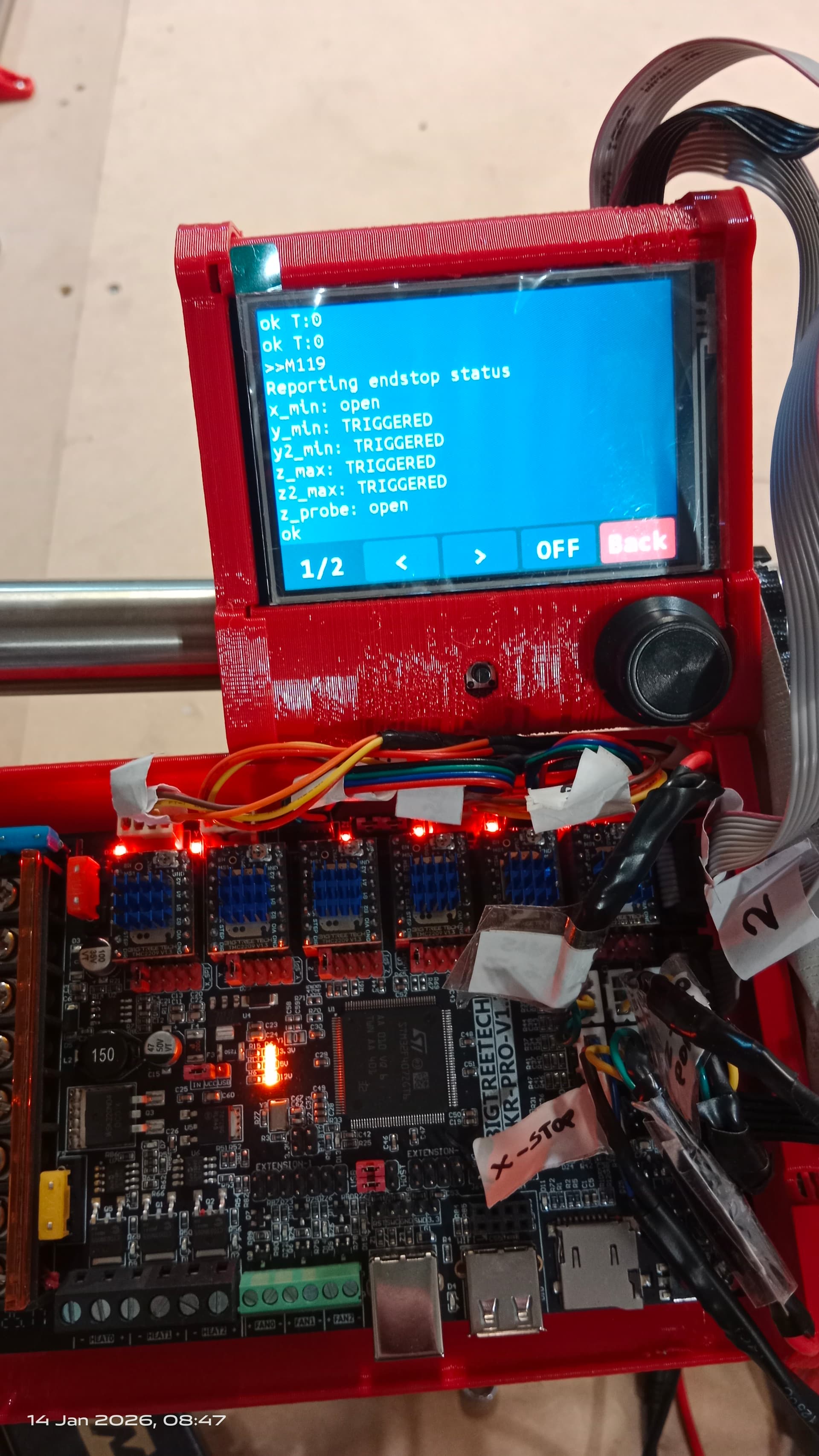
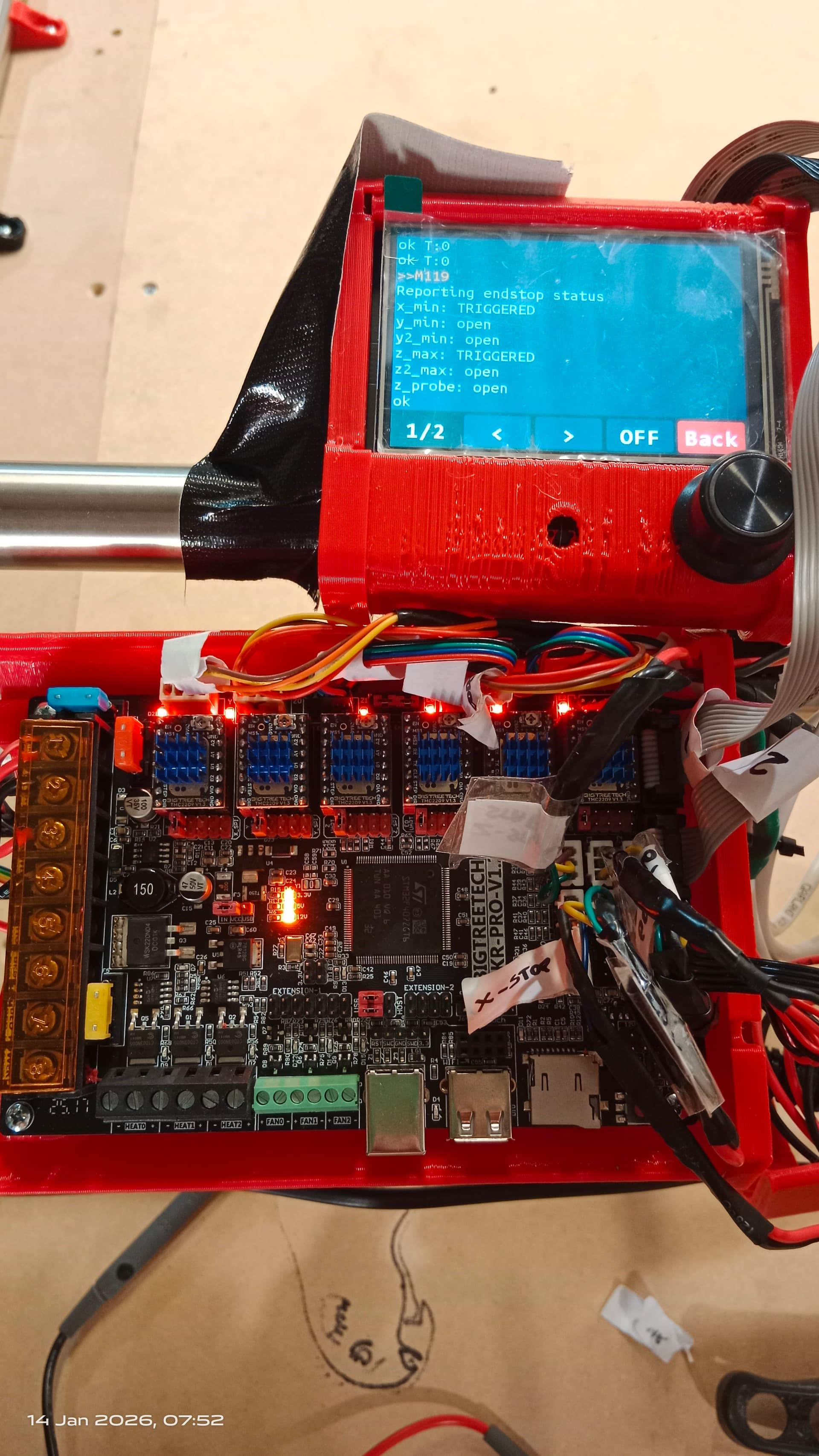
The symptoms are very different than the first issue. In this case the switch will sometimes show open (LED Off, M119 Open), and will work properly when asserted (LED On, M119 Triggered). On other occasions, it will show as asserted (LED On, M119 Triggered) even when the switch is not asserted.
This sounds like possibly the second issue. If an end stop is showing triggered when not asserted, it is usually an open circuit in the wiring. An intermittent open is usually a bad connection somewhere.
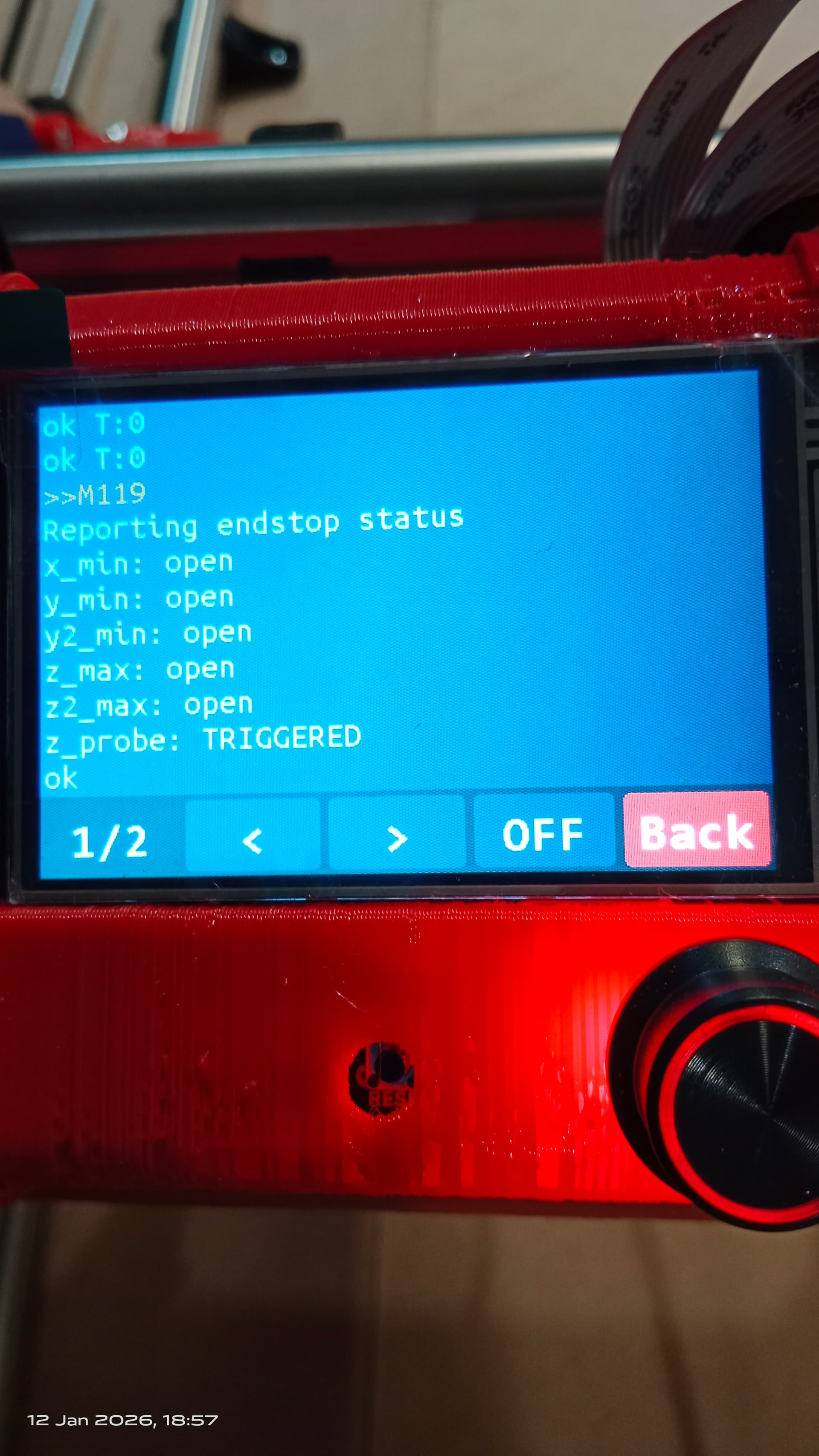
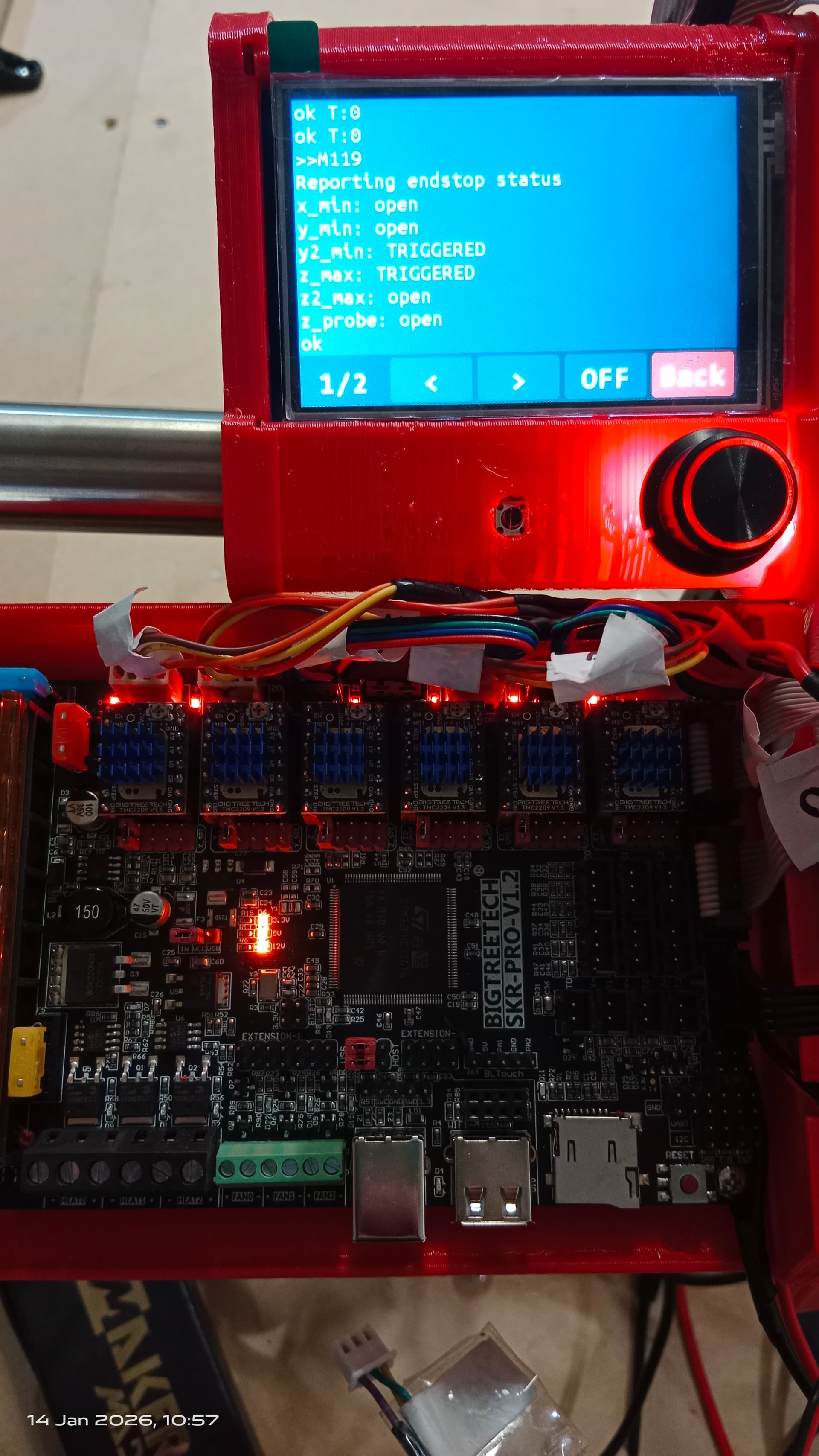
That shows all 5 end stop switches (X, Y0, Y1, Z0, Z1) as open (not asserted) and the Z Probe as Triggered. It may be possible that you have the alligator clip contacting the touch plate when you are sending the M119 command. Or it may be possible that your Marlin config is incorrect. The Z probe triggers on Closed, while all the end stops trigger on Open.
Run the M119 command with the alligator clip attached to the probe, and then again when it is not attached. If it shows Triggered when attached, everything is working fine. If it shows triggered when not attached, the config is probably wrong. If it always shows triggered (in both states), then there is something else happening that will require further investigation.
With all 5 endstops showing as open, you should be able to home all three axis. The Z probe is used later for setting the Z height at 0 at the top of your stock.
Not sure what you mean by CNCjs. The photo shows you are using Marlin.
A Z probe (G38.2 Z0) should lower the Z axis. If you have not homed Z yet, that may be the problem.
When you start the machine, Z=0 at whatever location you are at. When you home the machine, it should set Z=200 at the top of the travel.
The G38.2 Z0 command will move toward 0 from wherever it is. So if you are at the top of the travel and Z=200, it should move down. If not, there is a configuration issue in Marlin. HOWEVER, if you haven’t homed, and the gantry was at near the top of the travel when you started the machine, and later moved the gantry lower (Z=-n), then the G38.2 Z0 command will attempt to move upwards toward 0.
Let me know if that helps.

 . But in my (not very professional) opinion, there should be a dedicated page in the documentation for this how to, not a link to discussions and contradictions of posts in the discussion. Perhaps that will be my contribution to this community.