Jackpot V2

user_outputs:
analog0_pin: NO_PIN
analog1_pin: NO_PIN
analog2_pin: NO_PIN
analog3_pin: NO_PIN
analog0_hz: 5000
analog1_hz: 5000
analog2_hz: 5000
analog3_hz: 5000
digital0_pin: gpio.26
digital1_pin: gpio.27
digital2_pin: gpio.2
digital3_pin: NO_PIN

Yeah swap 27 to analog.

The laser GPIO isn’t defined in my config as a user output of either type - this is working on my original jackpot.

Are there any changes to the config file needed for JP2? I have a CYD pendent and it looks like I will need to change to Pins 15 and 12. Anything else? I would rather use my current config since I have some changes in there.

That is not right, re-upload the yaml, FluidNC_Configs/LowRider CNC/Jackpot2/UI V3 LRCNC/config.yaml at main · V1EngineeringInc/FluidNC_Configs · GitHub

open your config and uncomment the pendant section.

#Pendant:
#uart2:
#  txd_pin: gpio.15
#  rxd_pin: gpio.12
#  rts_pin: NO_PIN
#  cts_pin: NO_PIN
#  baud: 1000000
#  mode: 8N1

#uart_channel2:
#  report_interval_ms: 75
#  uart_num: 2

To

#Pendant:
uart2:
  txd_pin: gpio.15
  rxd_pin: gpio.12
  rts_pin: NO_PIN
  cts_pin: NO_PIN
  baud: 1000000
  mode: 8N1

uart_channel2:
  report_interval_ms: 75
  uart_num: 2

I added it to analog

user_outputs:
analog0_pin: gpio.27
analog1_pin: NO_PIN
analog2_pin: NO_PIN
analog3_pin: NO_PIN
analog0_hz: 5000
analog1_hz: 5000
analog2_hz: 5000
analog3_hz: 5000
digital0_pin: NO_PIN
digital1_pin: NO_PIN
digital2_pin: NO_PIN
digital3_pin: NO_PIN

and got this error:

<Alarm|MPos:0.000,0.000,0.000,0.000|FS:0,0|Pn:Z>
[MSG:INFO: FluidNC v3.9.8 https://github.com/bdring/FluidNC]
[MSG:INFO: Compiled with ESP32 SDK:v4.4.7-dirty]
[MSG:INFO: Local filesystem type is littlefs]
[MSG:INFO: Configuration file:config.yaml]
[MSG:ERR: gpio.27 - Pin is already used.]
[MSG:ERR: Configuration error at /machine/Laser: ]

Interesting, looks like the laser defines it for you just make that analog a no-pin

How is gpio.27 different on JP2 vs JP1?

It has an added component to control the power switching.

both are rating switching time in low double digit nanoseconds scale. The millisecond pwn scale should be fine. But I honestly don’t know. I need to hook up the scope again to check.

1 Like

Can you zip some laser gcode so I can test it with the scope please. know good code if possible.

1 Like

Here is what I have used many times:

Profcoin.nc.zip (47.8 KB)

It should be at 18% (180 on a scale of 1000).

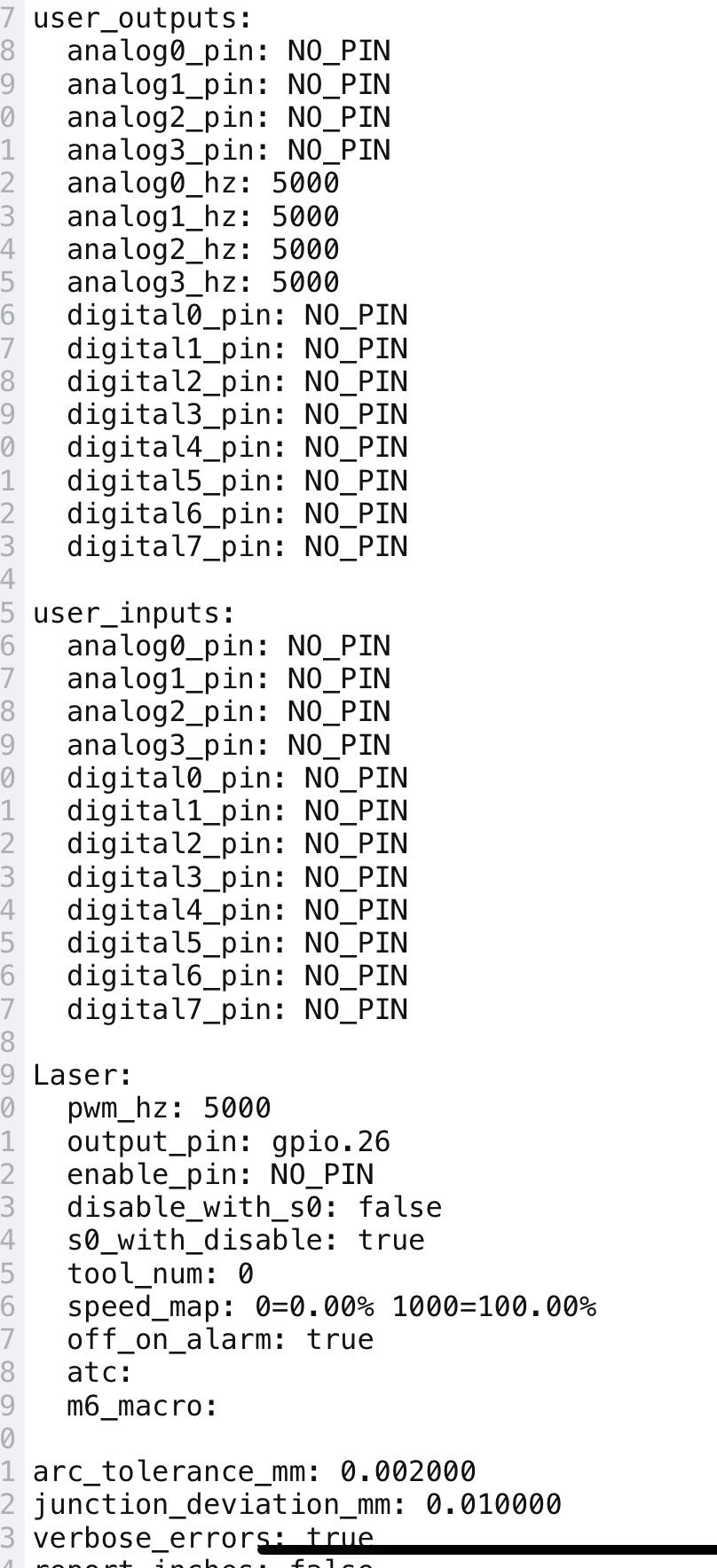
Laser:
  pwm_hz: 5000
  output_pin: gpio.27
  enable_pin: NO_PIN
  disable_with_s0: false
  s0_with_disable: true
  tool_num: 0
  speed_map: 0=0.000% 1000=100.000%
  off_on_alarm: true

1 Like

I need to eat a quick lunch so I don’t get hangry, can you try pin 2 just in case? If you are still messing with it, otherwise no worries I will check shortly

1 Like

The same result with gpio.2.

I was going to try gpio.26, but I got interupted. I changed the Laser output_pin to gpio.26, but forgot to change the wire to pin 26. It is still in pin 2. The laser fired at 100% again, not 18%. Even though it was wired to pin 2, not pin 26. Very strange

I am working on it now. I can’t get a valid config unless I no_pin the output section. Maybe you missed the boot error?

I am plugin in the scope in just a minute

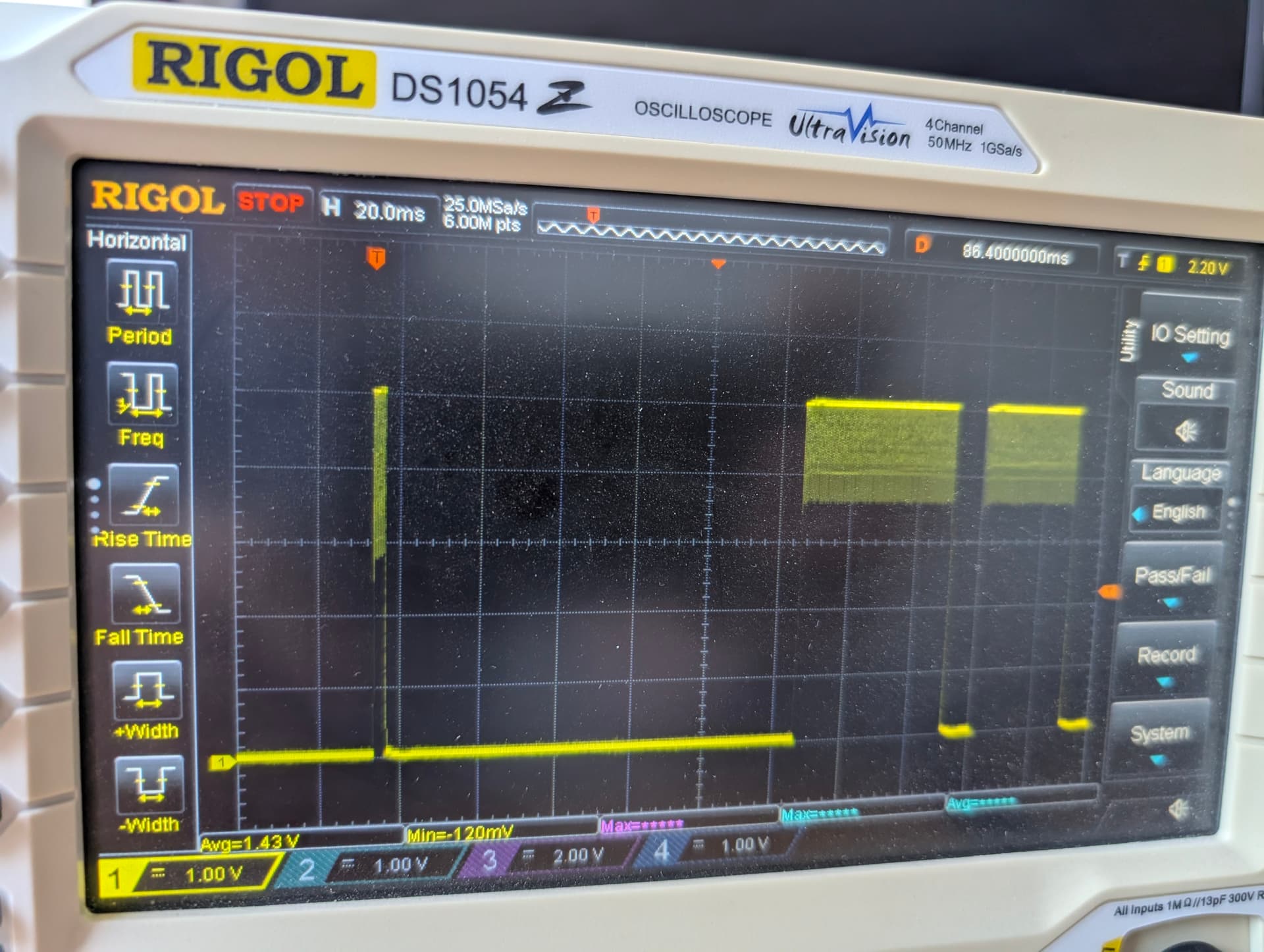
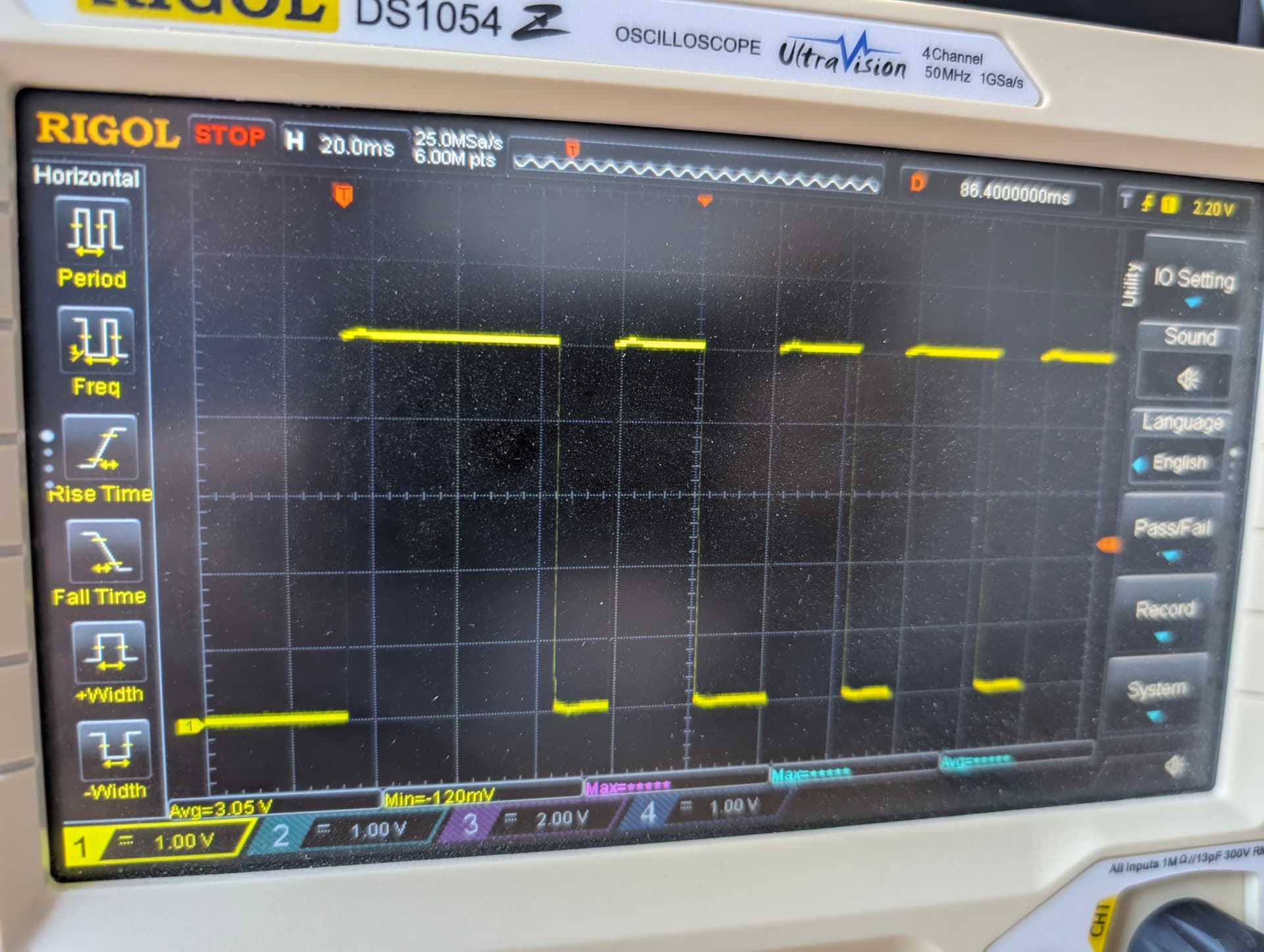
This looks good on the scope. I know the ramp is wrong, but your values only go to 180. I am getting various width pulses.

oh….1000 looks odd. Let me find a memory stick

Still no memory stick you get old school screen pics. Anyone have an idea of what is going on here?

Same frequency, same gcode.

mapped 0-1000

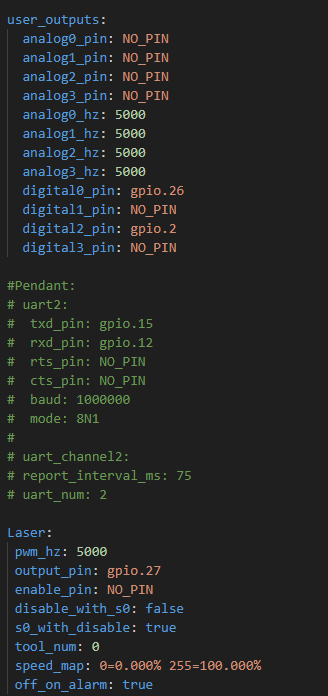
mapped o-255

Shoot, it is always 100%….dang

I’m on the road, but can share that the laser I setup in FluidNC on Saturday does not have the pin configured in user outputs, and only in the laser config, as you now have above, like you would for any spindle.

Also remember that variable laser power (and thus variable… ‘lesser’ pwm signal) is output in M4 mode, so lessens from the target value based on actual motion speed vs the commanded feed rate (to compensate laser power for accelerations).

The 0 to 1000 scale is the default for LightBurn for non 8-bit boards (versus 0 to 255 for 8-bit boards).

I would check to make sure M3 mode isn’t being used with a feed rate that far outpaces what’s available with the configured accelerations, resulting in more power output than desired.
2 Likes