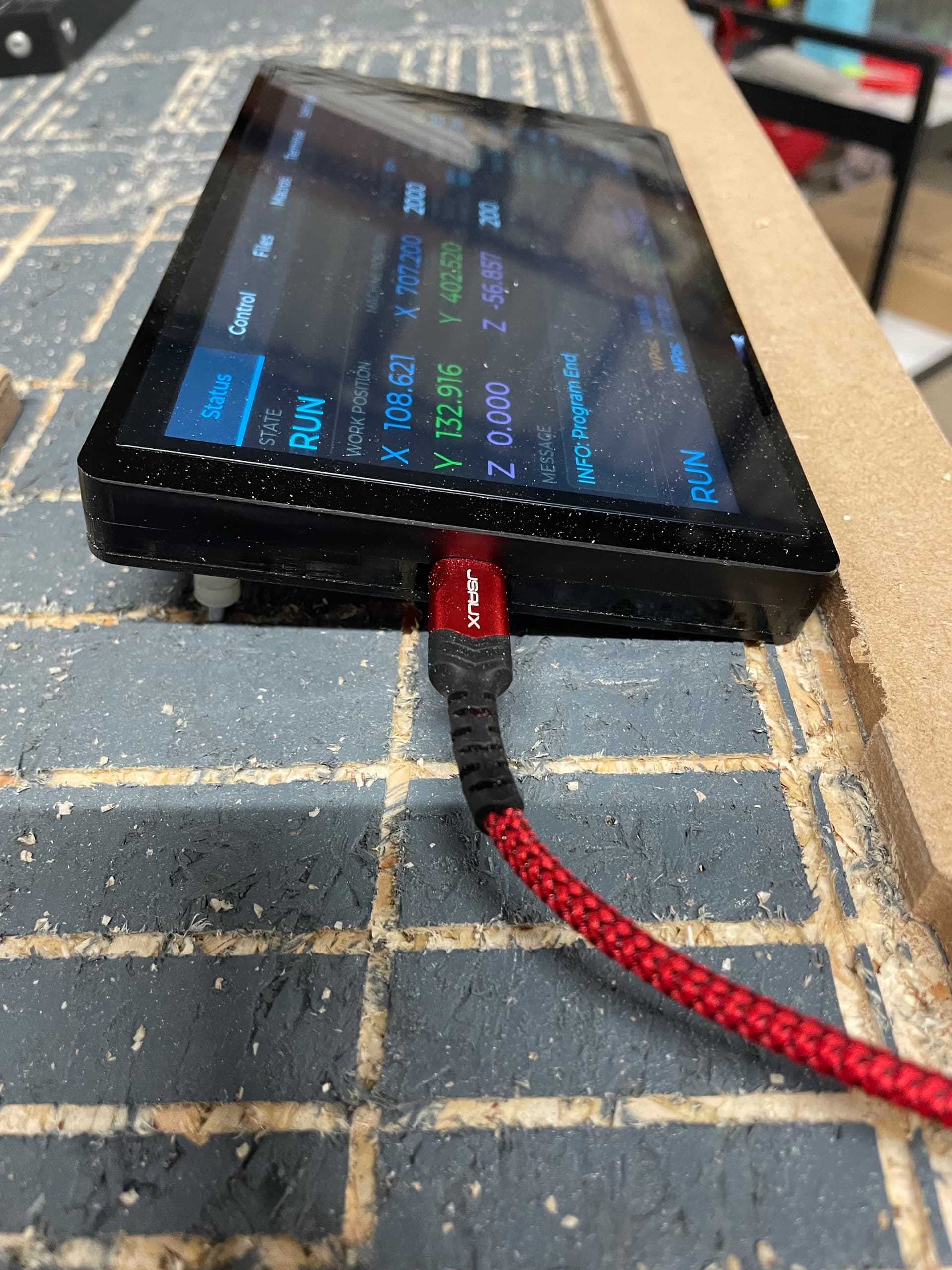
A battery is optional but otherwise it has to always be plugged in to USB. I still leave it plugged in most of the time since the battery won’t last super long.
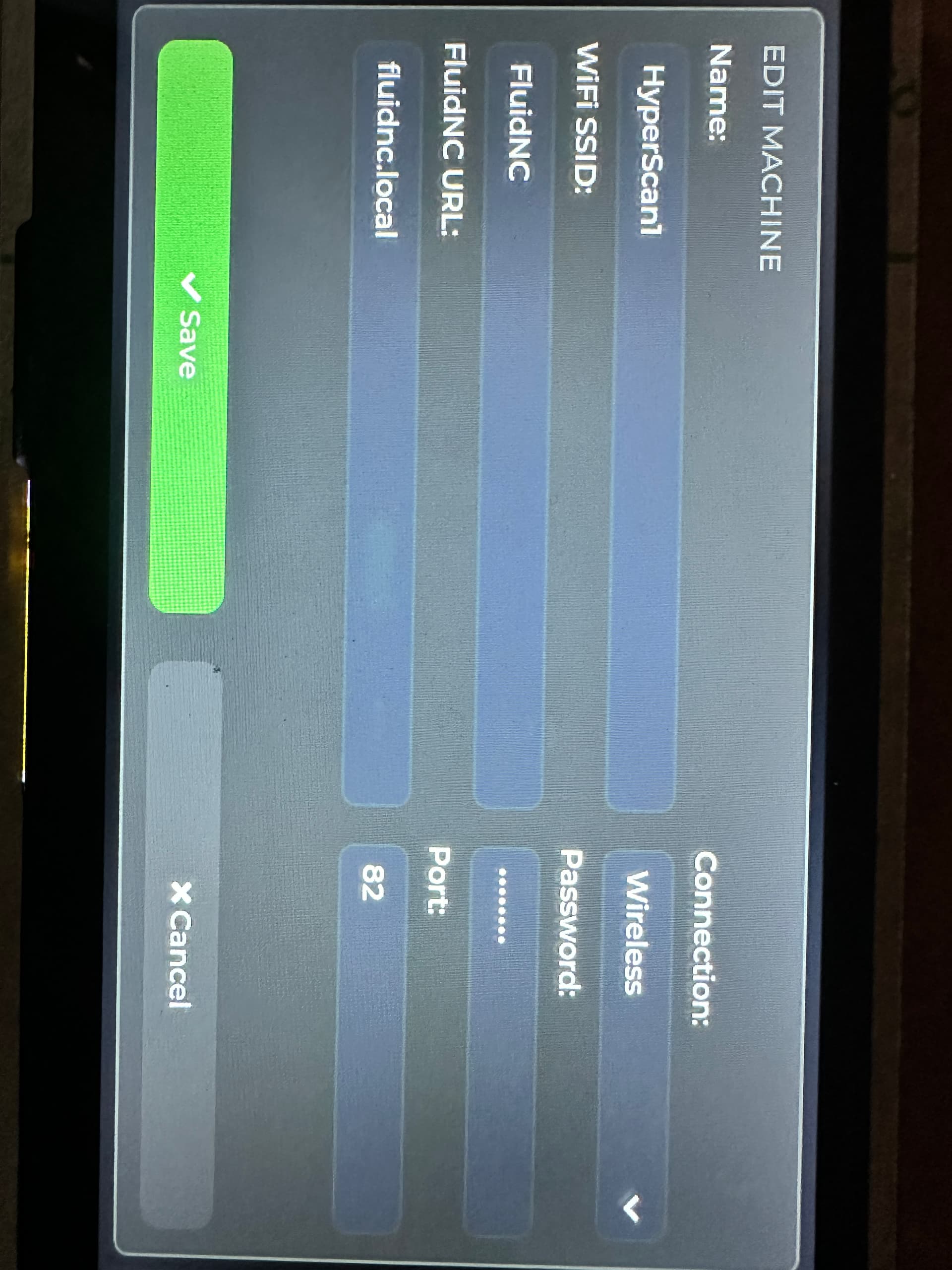
using a BTT Rodent controller, running FluidNC UI ver 2. I have loaded the FluidTouch 1.02 on my Advanced 7” display. The display will see and connect to the fluidnc.local, but does not connect to the machine. (I used the machine name “HyperScan1”). I’ve tried using port 81 and 82, and I’ve tried the earlier version of FluidTouch 1.0.0. with no success … I can use my computer, ipad and phone to connect to FluidNC WiFi, and connect with “Fluidnc.local “ on the BTT Rodent controller. So I’m pretty sure my problem is a configuration issue … As this is all about FluidNC and FluidTouch, I thought someone here might have an idea where to look?
I agree this doesn’t make sense. It first connects to the wifi and then the machine. If it’s connecting to fluidnc.local, that would mean its connected. Can you post a picture of what you are seeing?
by machine name = HyperScan1 … I mean to say the "name I used for the “Select Machine” in FluidTouch setup.
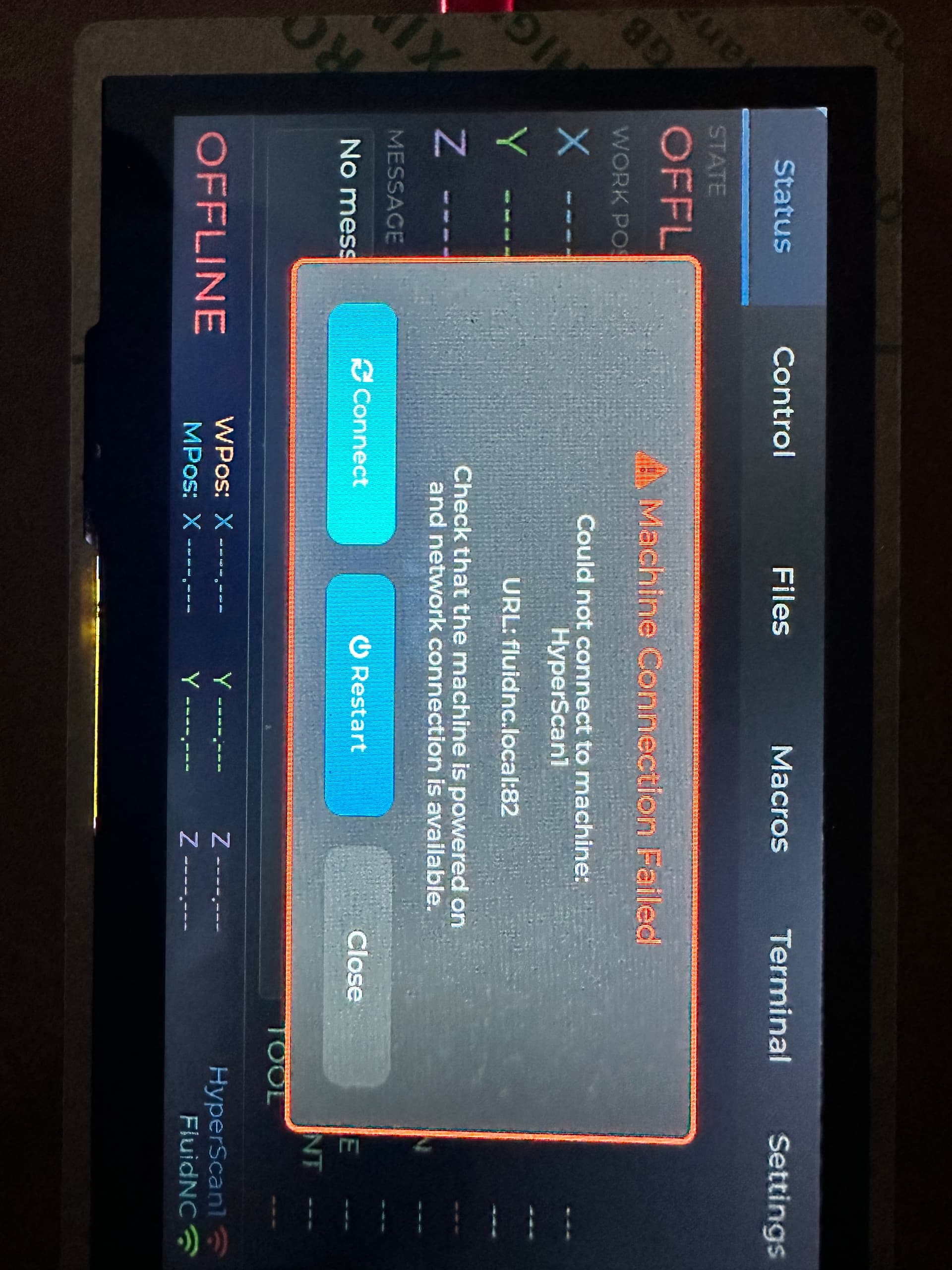
When I select HyperScan1, FluidTouch goes to the “Connecting to FluidNC” pop-up and the next screen is “Connecting to HyperScan1” … where it fails with “Machine Connection Failed”… Note: the bottom right FluidNC signal icon is green … I’m guessing, but I interpreted that as, signal strength is good and it’s connected to the Rodent (running FluidNC) via WiFi … and the HyperScan1 signal icon is red … because the application FluidTouch isn’t talking to FluidNC on the Rodent. … it’s as if it ‘s talking enough to establish the WiFi link, but isn’t communicating beyond that.
 ). I would like to test this with it when im into te test phase