@jeyeager I’d like to show my appreciation for the work you’ve put into this. Do you have a way set up for me to do this? Buy me a coffee, PayPal, something like that?
3 Likes
I appreciate the offer, but this is what I put on the FluidNC Discord:
If you want to support further, please donate to the FluidNC project. Without it, my project wouldn’t exist and their time and expense is on a completely different scale than mine.
Maybe I’ll do something like that in the future, but that’s what I’m going with for now.
It doesn’t pay per click, it’s based on purchases. While I haven’t actually gotten anything yet, it seems it gets me $1.97.
Good idea. I can do that.
Possibly. I didn’t really ponder it since I imagined this being picked up when using. If it was mounted, something like that could make sense.
I’m not sure. While I think the wireless is pretty robust, nothing can beat wired. Also, on a machine like the LR4, running a cable to a fixed location is a pain. I don’t think most CNCs put the controller in the beam or somewhere it moves, so wired wouldn’t really be a hassle.
2 Likes
Yes.
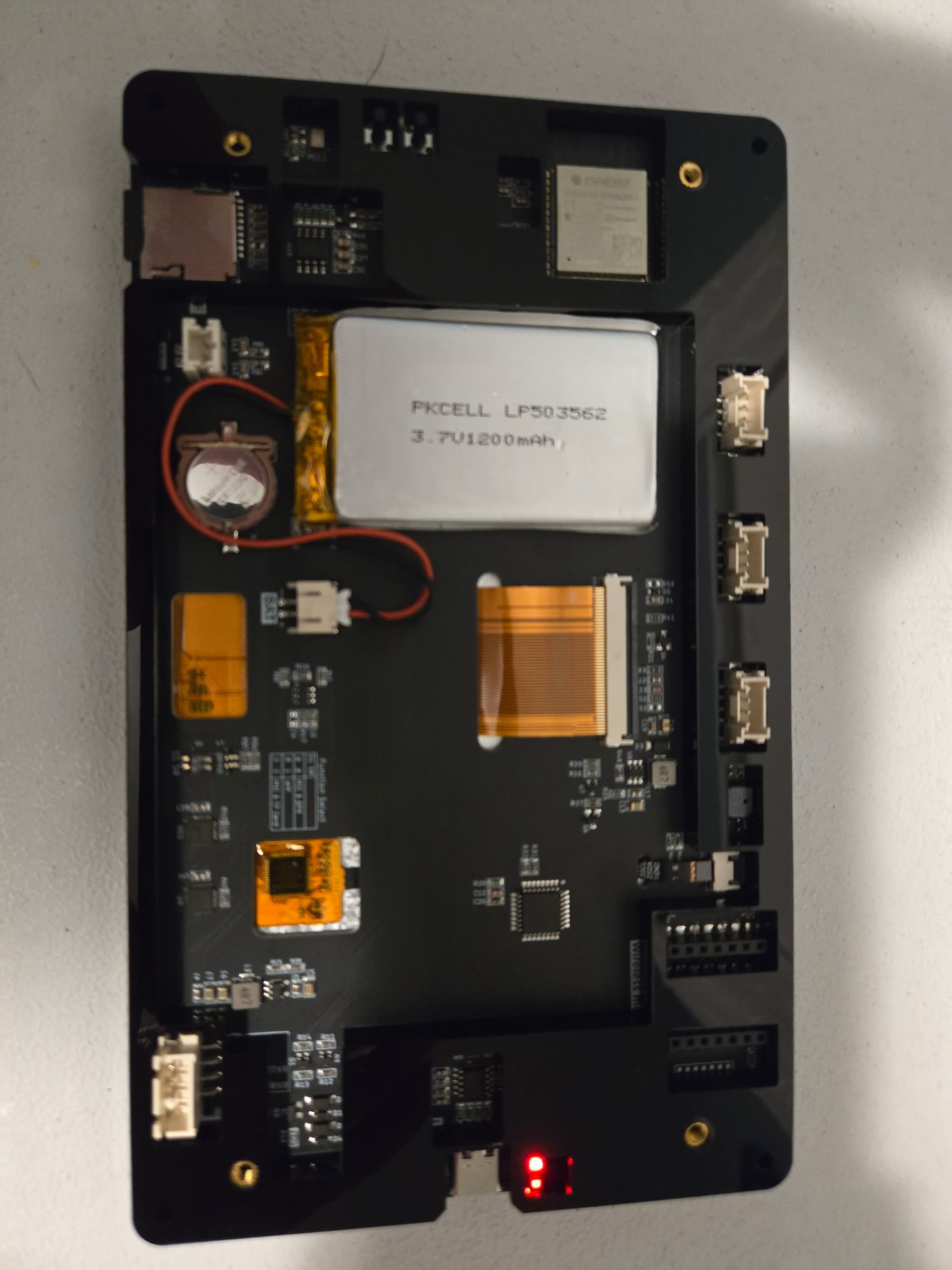
I’m currently using this battery:
Lithium Ion Polymer Battery - 3.7v 1200mAh : ID 258 : Adafruit Industries, Unique & fun DIY electronics and kits
And I’ve ordered one of these to try:
EEMB Lithium Polymer Battery 3.7V 1500mAh 524261 Lipo Rechargeable Battery Pack
NOTE: I believe both of these batteries are the wrong polarity, so you need to swap the wires in the JST connector.
4 Likes
Used it today for a cut. I like it.
Couple of thoughts: a HOLD on the Status page would be good. A keypad for jogging would also be useful - similar to the tablet tab on webUIv2
If you change the jog speed, can this be saved as default?
The only thing I don’t like is the buttons on the back prevent me from setting it down flat but I’ll come up with something for that.
I’ve already contributed to the FluidNC. And second time in fact to show my appreciation for the work on the fluid dial. I’d show you the same appreciation if I could.
4 Likes
This is what makes open source hardware and software work. Thank you.
4 Likes
Yea, I thought about that. Not sure where to put it. Possibly right next to the status. I’ve also been debating if I get rid of the status bar or just get rid of the redundant information when viewing the Status tab.
Not sure what you mean.
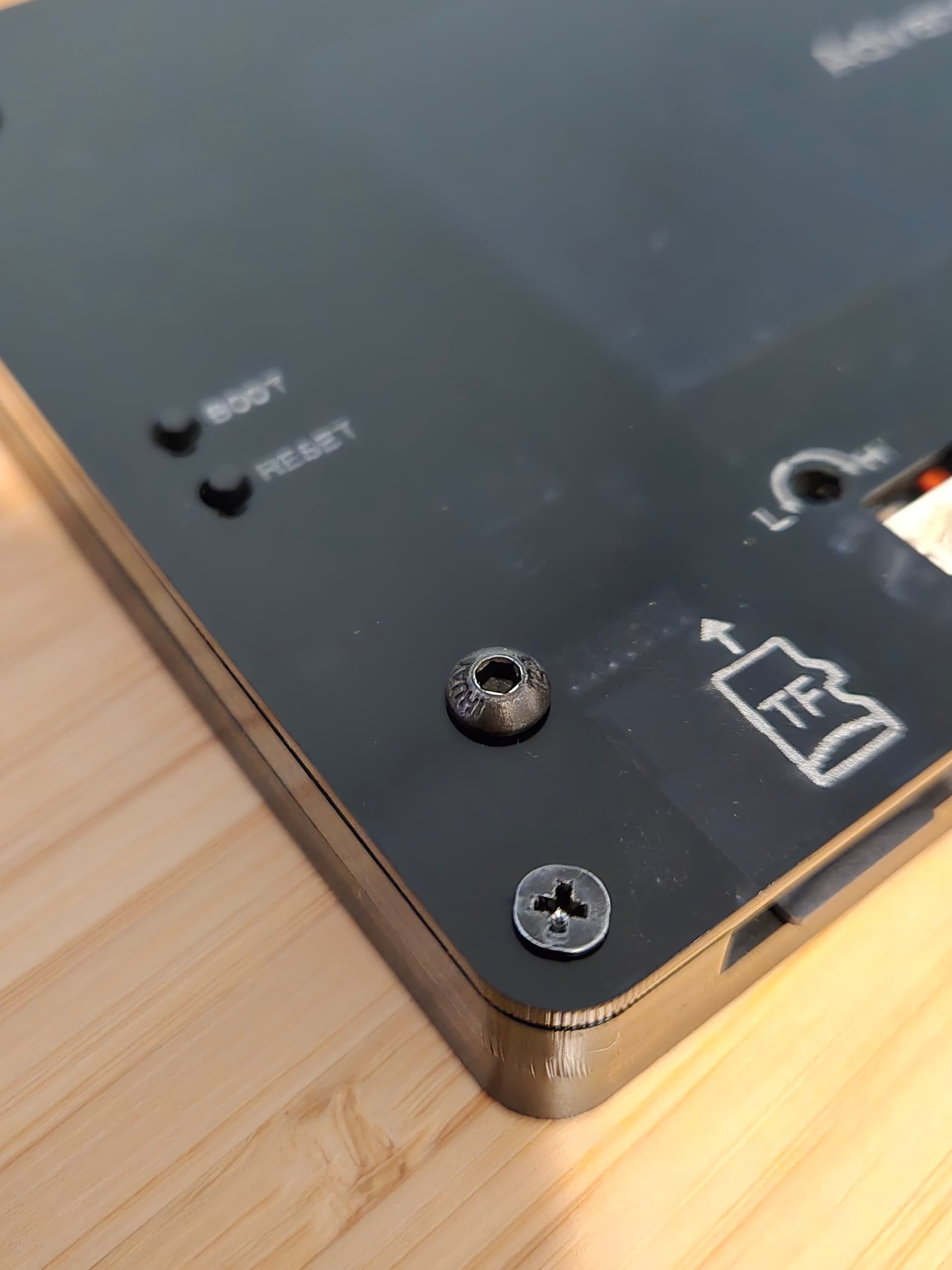
Yea, I had the same problem. I just put M3x6 screws in the existing threaded inserts. Even a button head was enough.
1 Like
On the tablet tab:
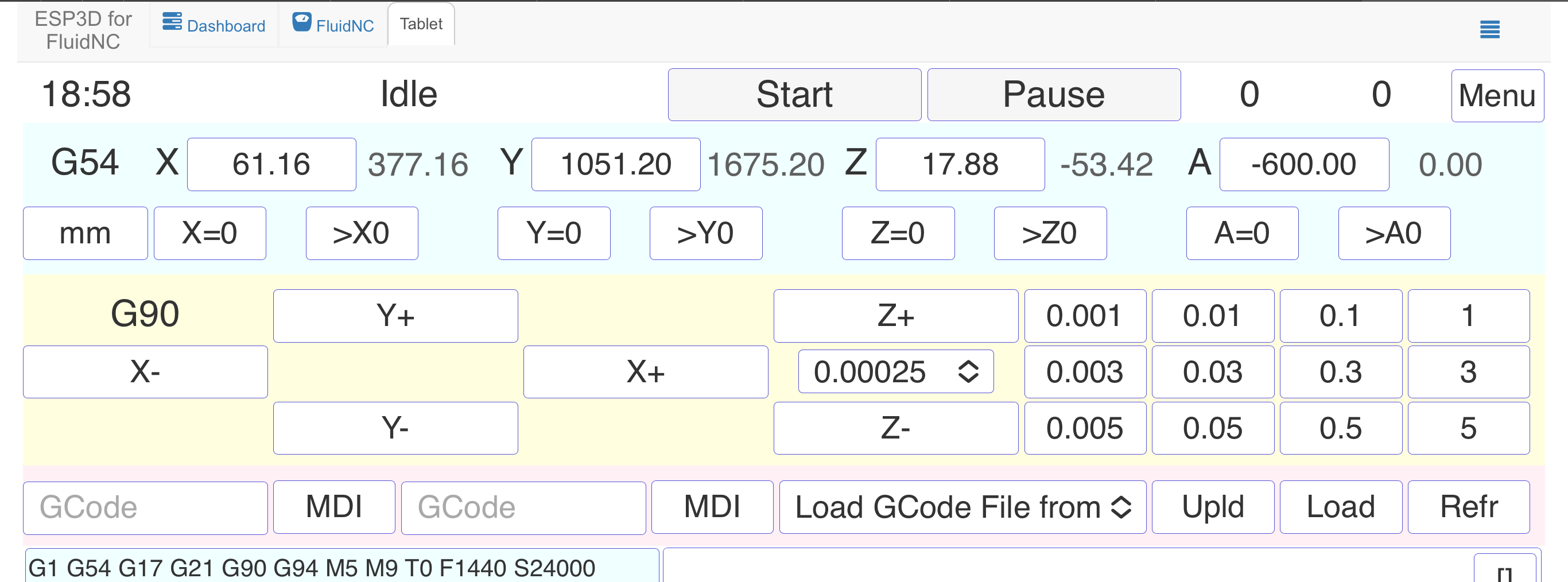
If you click on the number for each axis you get a keypad like this
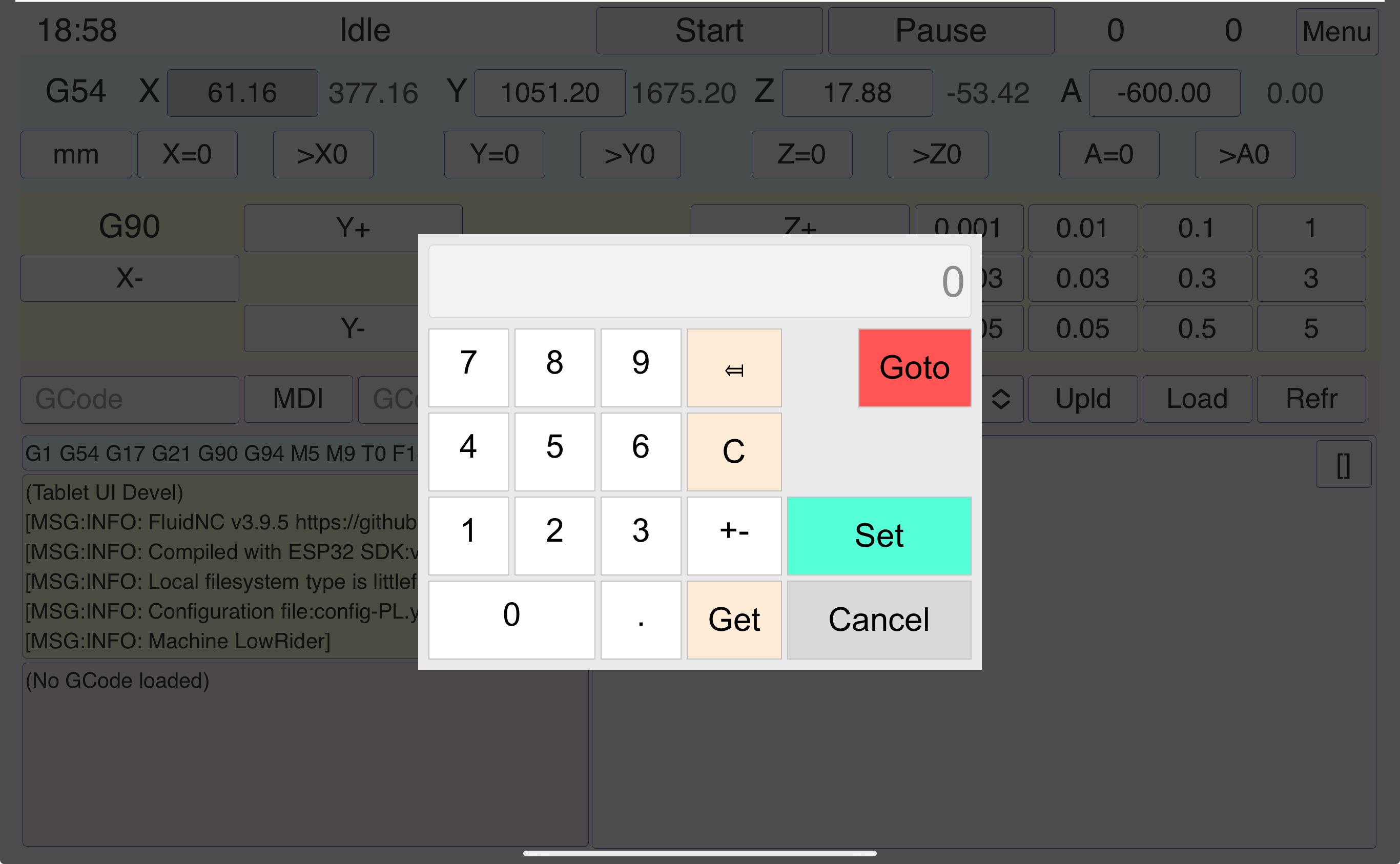
And s you can see you can enter a number and either goto that location or set the present location as that number. I use the goto feature a lot.
2 Likes
Ah, ok. I think that could work on the status tab so that clicking the value would allow for edit.
Yes, under Settings → Jog.
1 Like
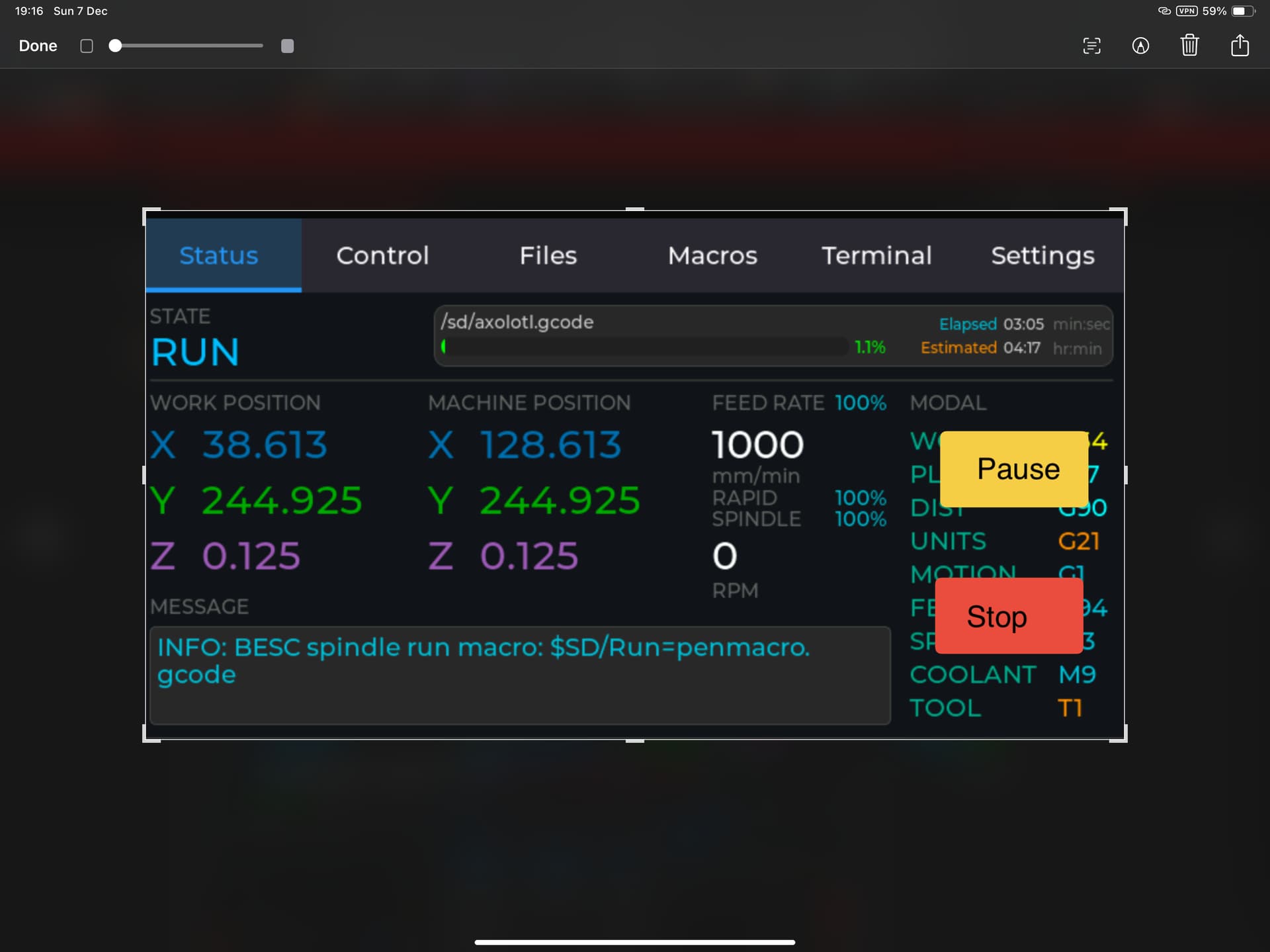
Possibly?
I’m just noodling on what works for my workflow so by no means is any of this either a criticism of the awesome job you’ve done or a demand you make changes for me, a sample of one! If I can make time I will try and download the source and see if I can’t figure how to do this for myself.
I appreciate the feedback.
I was thinking maybe something like this:
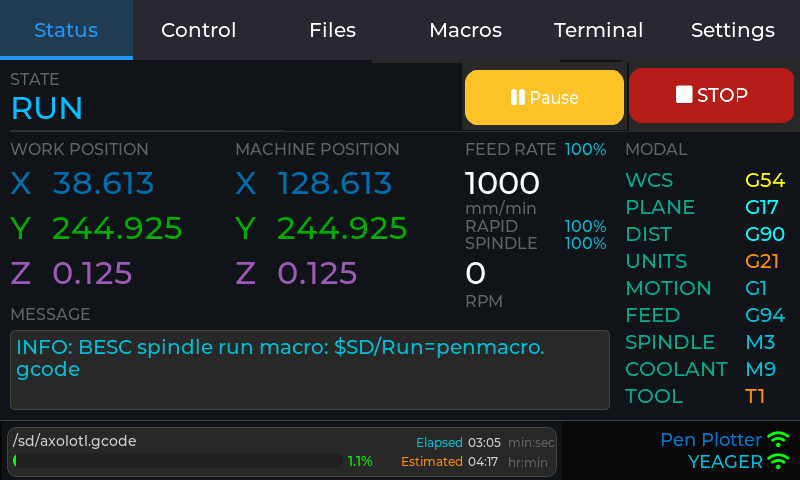
Or, if we allow for goto, probably makes sense to allow for similar on the working coordinate system.
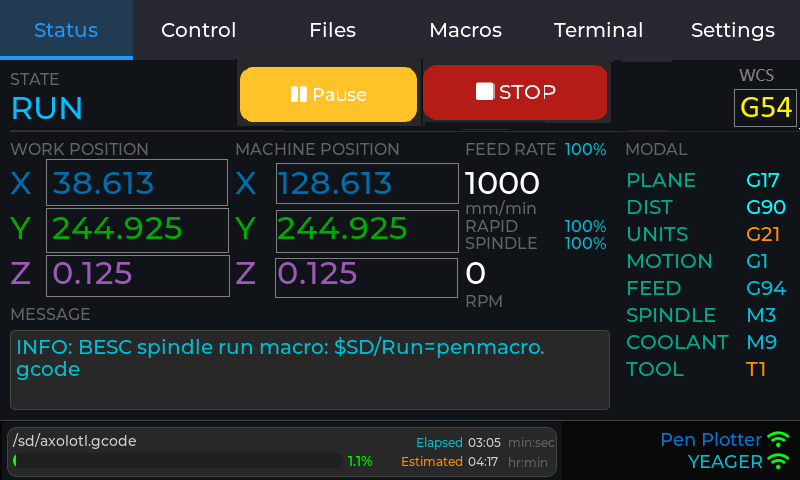
3 Likes
Yeah magic. I started a job earlier and realised I’d moved the start point but not zeroed it and there was a bit of a rush to get the the PC and pause it 
1 Like
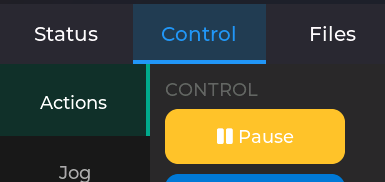
True. What about making the RUN state selectable - with a small [tap to pause] tooltip? Wouldn’t take up any real estate.
Yea, maybe. I guess I think a button is more obvious and requires less thought when you’re trying to act quickly.
2 Likes
I did want to note that I found out that Elecrow found my project because Bart Dring told them. He also helped me out with a contact there to sort out my questions on their affiliate program.
11 Likes
Cool!!
1 Like
Will likely put out a new release around the end of the month.
I have the Rotate 180 degree configuration working.
The goto functionality generally works but needs some polish:
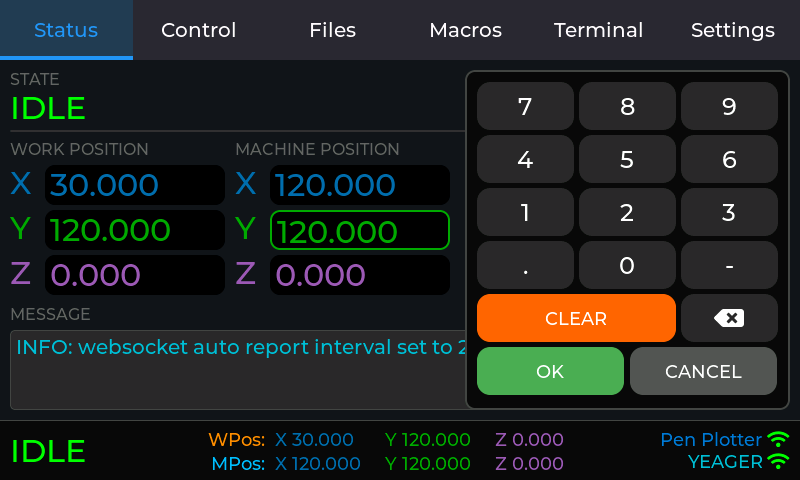
I’m also working on support for v1.2 of the advance hardware. That’s a bit hard since I don’t have one but we’ll see what I can do with the user who requested it. I have a question out to Elecrow on being able to detect hardware version. I don’t want the user to have to pick the hardware version and I don’t want to have a separate build for every version of the hardware. My fallback plan involves user input on first boot by asking them questions. If they know the version, they can select it. The difference I care about is the backlight so there is a value where it’s bright on one but dim on the other.
5 Likes
Hi Jason, a big thank you for your work. This Panel Pendant is a big step forward in machine handling.
The only problem that I have is that I can´t use/read the SD Card. The (very) little switches on the backside of the panel are in pos. 1. Do you have a solution?
I have the Advance Series V1.3
What SD card are you using? I would expect this to have the same requirements as the Jackpot. So, a 32GB or smaller class 4 or class 6 card. It looks like I’m using a 16GB class 2 card I had laying around formatted with FAT32.
1 Like
Sandisk Ultra 128GB, A1