I didn’t read all of this, but I saw the picture of the wiring for the battery switch…
Are you using a dedicated BMS anywhere on this project? A BMS will typically have built-in indicators for current charge of the battery.
I didn’t read all of this, but I saw the picture of the wiring for the battery switch…
Are you using a dedicated BMS anywhere on this project? A BMS will typically have built-in indicators for current charge of the battery.
There is one built in to the display.
heh. I totally read their wiki backwards…
I am trying to install this update on my FluidTouch unit. It was previously running under v 1.03 I think with no issues. It is the Advance version 1.3 hardware.
Using Chrome, I believe that I made the correct choices to do the install, except that I did NOT check the box to erase everything. It seemed to connect with no problem but it’s now been “Preparing Installation” for over 5 minutes, which seems surprising.
So, my quick question is how long this should take?
Mine took about 2 minutes.
Yea, it takes 2 minutes. Are you sure you selected the right device?
Well, it was the doggone cable. It was power only, despite the fact that I would have sworn that I have used it for data. Plus, it appeared to be trying to connect to the correct port, but in fact, clearly was not doing so.
Trying a different cable worked immediately and 1.05 is installed successfully. Cables will both be labeled within the next 3 minutes. (of course, part of the problem is that I have many of these cables and though MOST are data, a few are obviously not.)
Thanks for the response regarding the time it should take. That was critical in figuring out that it just was not connecting.
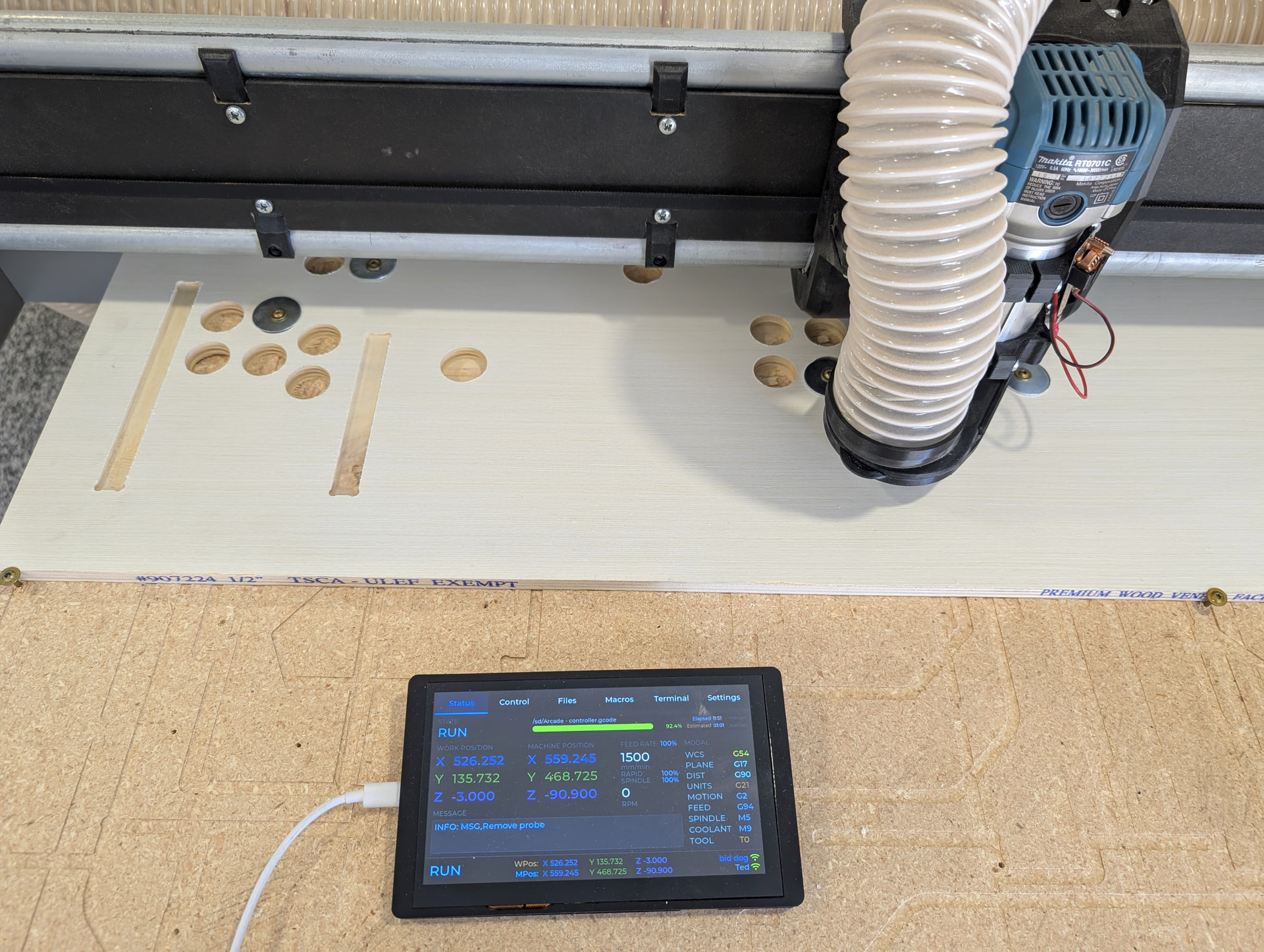
(and, by the way, have I told you recently how much I really enjoy this application? Even though I don’t push any limits on the Primo, the ability to launch a project and then go work on something else in the shop, taking the FluidTouch with me to the laser or workbench or LR4 or whatever is just the “bees knees” if you are old enough to know about that… 
What is the current power/battery recommendation? I just purchased the display, but not a battery yet.
Same question here… I was scuffing through my old stuff downstairs and I have plenty of nihm transmitter packs, LiPo and LiFe batteries
Can I reuse one of these?
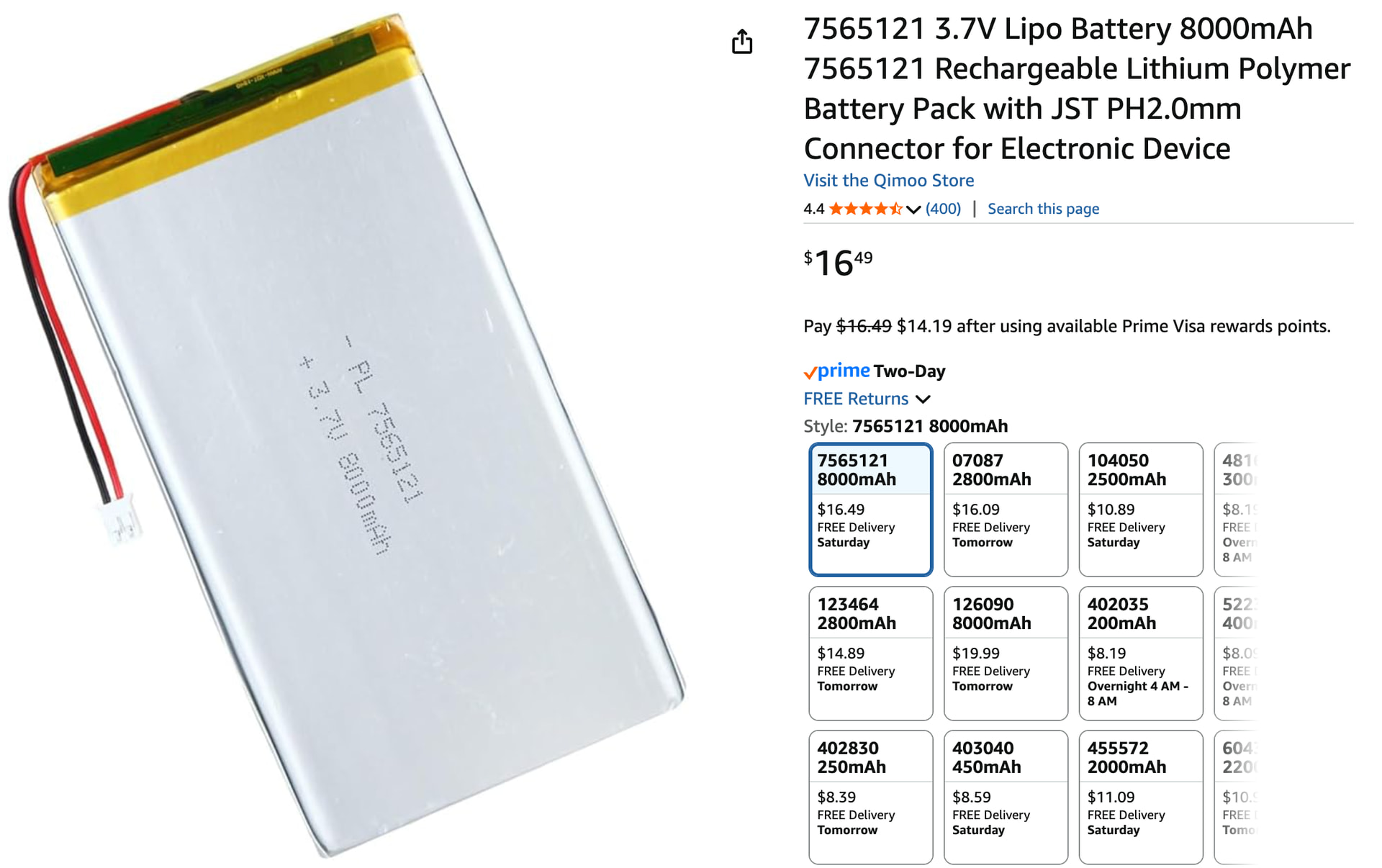
This is the one I purchased:
Just be sure and change the polarity of the output. The display has + and - swapped for some reason.
I have 8000 and 10000 mAh batteries with a PH2.0 plug on them. Like Britt says, you likely need to swap the pins in the connector because the board seems to have different polarity. This size is probably overkill but fits in my case anyway. I’d probably still go at least 4000 mAh.
My case supports batteries up to 12mm thick. For example, my 8000 mAh battery is a 126090 so it’s 12mm thick x 60mm x 90mm. My 10000 mAh battery is thinner but larger.
Is the charging issue that is highlight throughout the thread a problem with reporting the charge level, or is there an issue with the battery actually charging when plugged in to the USB?
There’s been a collection of related things discussed. I haven’t had any issues with the battery charging via USB connected to the display connection. With a large battery, it can take a long time to fully charge since the USB is limited to half an amp. When the battery is fully charged, there is an LED indicator that turns green. Some have had issues where it didn’t turn green.
You definitely need to make sure the polarity of the battery connection matches the polarity labeled on the display PCB. In every case I’ve seen, they are backwards so I just swap the wires in the connector.
When I added a voltage divider to measure the battery voltage, I couldn’t get it to fully charge. I have done this with 2 1M resistors and a small capacitor. Removing the small capacitor didn’t help. I intend to try 2 100k resistors and an Adafruit monitor but I haven’t gotten there yet.
The other item that makes sense but is a bit of a nuisance is that if you have a power switch connected so you can disconnect the battery, you need to have the switch on in order for the battery to charge.
Generally, I charge it up overnight periodically and don’t have any issues. Or it’s easy enough to run straight off USB.
Great work, excited to try the “advanced” and battery powered.
Interesting combination of material and cuts… 
Finish up the arcade… 
Although now I am thinking about lasering in some labels. There are button combos to exit and menus and stuff. The laser would look good but I might just hide a button for that stuff. Basically I need to make up my mind before I do anything that is not easy to change.
Eh, can always do it again. I heard you are in possession of a machine that can repeat the same task over and over again. 
Great job, what about users with more axes (4 and 5)?
I added support for an A axis in v1.0.4. I don’t currently have plans of adding a 5th axis since that’s pretty rare (and I’m not sure where I would put it).
You are amazing, after my comment you made a video in a few minutes that you were working on an additional rotary axis. But seriously, I’m glad you’re working on this. Thank you!