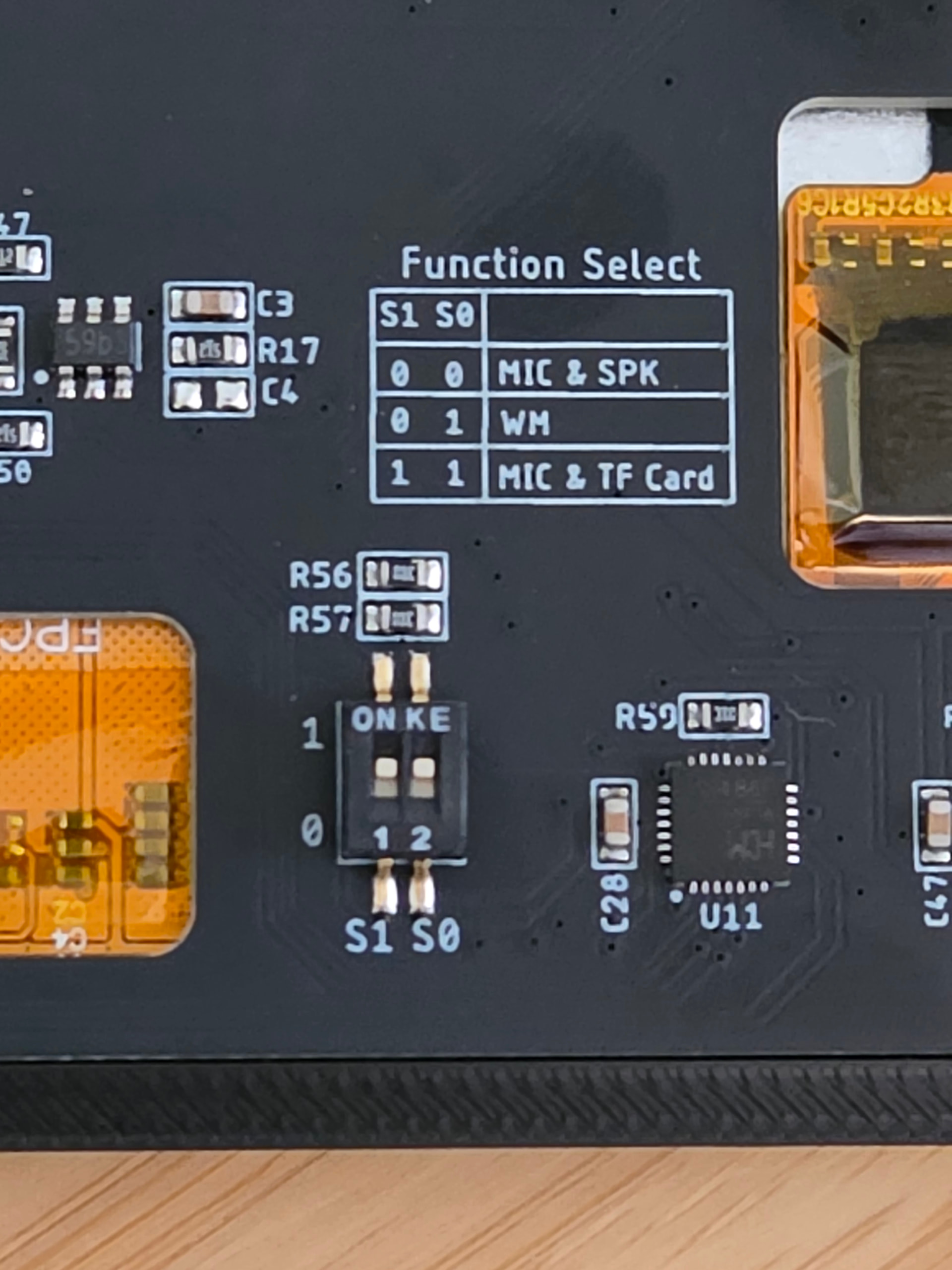
Isn’t the battery a 3.7v?
Bonjour, je branche une batterie 3.7v 5000mah sur le connecteur bat ,l’ecran reboot quand j’essaye de connecter ma cnc, mais avec une batterie externe ca fonctionne.
My monitor doesn't work on battery power; it reboots when I try to connect to the CNC machine. The battery is 3.7V 5000mAh and is connected to the battery port. When I plug in the USB cable, it works
My monitor doesn’t work on battery power; it reboots when I try to connect to the CNC machine. The battery is 3.7V 5000mAh and is connected to the battery port. When I plug in the USB cable, it works
I would make sure the battery is charged. When connecting to FluidNC, it draws more power because it is using Wifi. If the battery is not charged enough, it will cause a brownout and the ESP32 will restart.
Just printed and installed. Works like a charm. Thanks a lot!
It happened to me when i used thin wires.
I’m having a little trouble with my pendant build. Specifically, even after charging (red light on) for over 24 hours, the switch does not turn on the device on battery power. It does function wired and I was able to flash the software with no issues.
I’m wondering if I’ve misinterpreted the photos and polarity statement.
Photos of wiring:
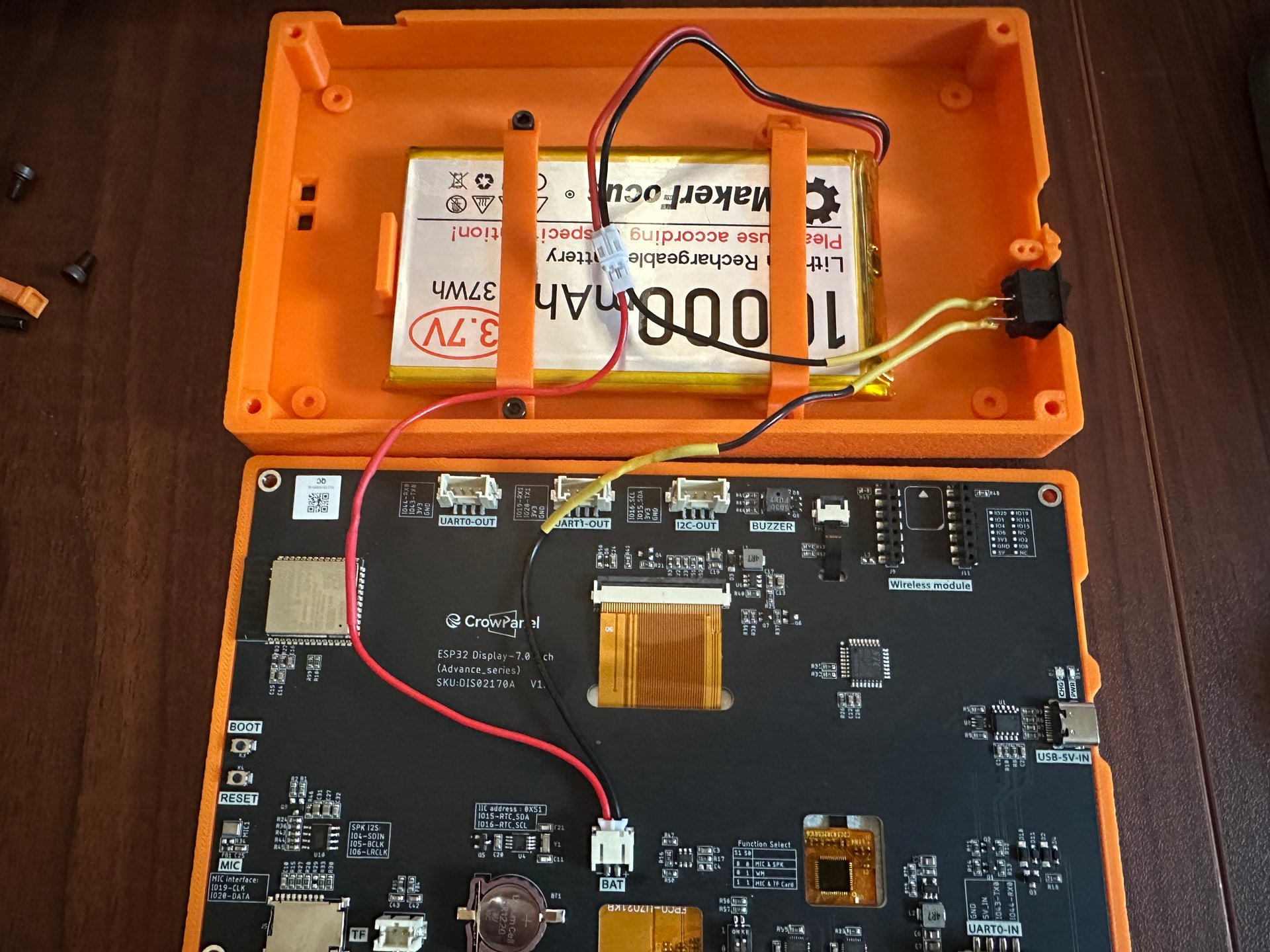
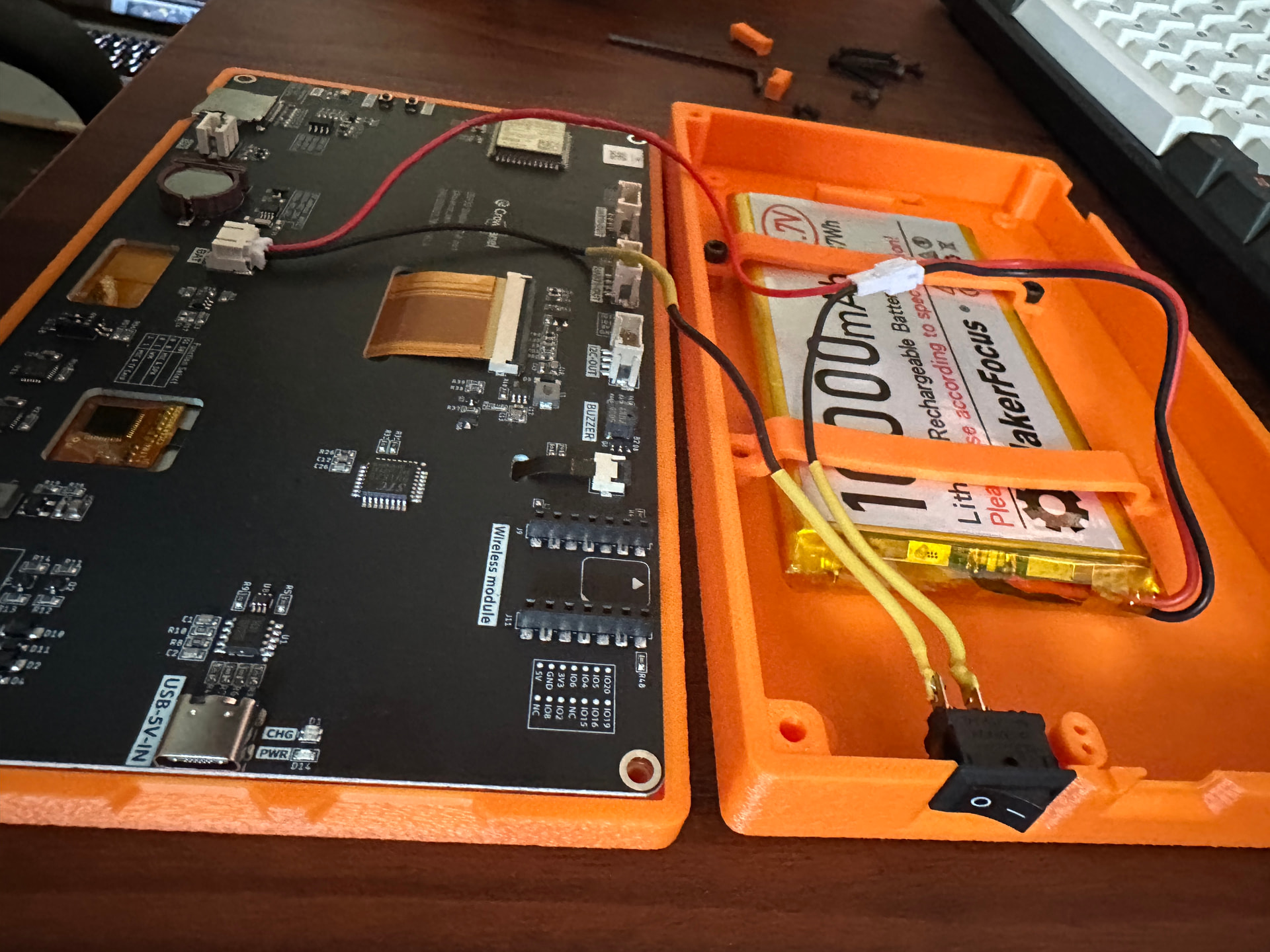
Please let me know if there are further details I can provide. Thank you!
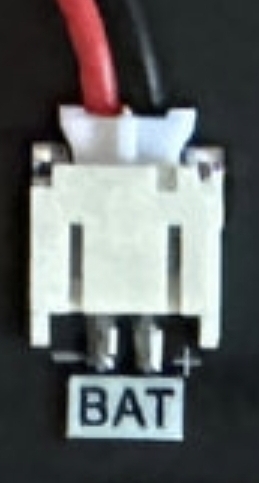
Thanks! I will take some time today and try to fix the wiring there. I think this statement is throwing me off and had me thinking that the polarity should be reversed: “*** MAKE SURE THE POLARITY IS CORRECT - ALL BATTERIES AND WIRE COLORS ARE BACKWARD TO DISPLAY BATTERY PLUG ***”
”Backward” might be the word that is causing my confusion.
That connector does not guarantee proper polarity?
The connector only goes in one way but the battery and board assume differently. I swapped the wires in the battery connector.
First of all this is an amazing project. I got the display and printed the case that was linked initially. Bought a 8000 mAh battery for it. The whole thing works amazingly. I was talking to Claude as well on how to add battery charge and discharge meter into the display. After going over the various options and the pins that are available on the display, it came up with the idea to basically use this: Adafruit MAX17048 LiPoly / LiIon Fuel Gauge and Battery Monitor [STEMMA JST PH & QT / Qwiic] : Adafruit Industries, Unique & fun DIY electronics and kits and then plug it into the UART port in the display. I have the code ready for it as well. Waiting on the part from adafruit to come in, once it is here and I verify that it works I can maybe submit a pull request to your repository. Note: This will only work for the advance display.
Well I was intrigued until I saw the Qwiic connector. I have a crazy collection of different connector kits and that’s not one of them. Sourcing may also be an issue for some. I also have other plans for one of the UART connectors.
I think I can get the voltage divider working by removing the cap and maybe changing the resistors. Either way that would be cheaper and easier to source. Managing configuration options is one of the more difficult parts of this project.
Curious how it works out for you but not sure I want to go down that path.
You don’t need to use the Qwiic connector though. Just directly solder the pins to the board, atleast that’s what I plan on doing. But yeah I didn’t have much use for the UART ports so this worked for me. I am going to get that board on Monday, so will post once I test it out.
Ah, I missed that. That’s the route I would go as well. Ah, let me know how it goes. Maybe I’ll support both options.
Reversed the wiring and everything works now. My eye is twitching at the wire colors being wrong, but quickly fixed by closing up the case  Thanks again!
I just pushed out a 1.0.5_dev preview version with the following:
Features/Bugfixes
- Status Tab - Limit Switch and Probe Indicators
- Status Tab - Support showing both M7 and M8 as both active
- Bugfix - Update A-axis to be machine specific
- Add FluidNC version to Settings → About tab
Technical Stuff
- Update LVGL to v9.5.0, LovyanGFX to v1.2.19, and ArduinoJson to v7.4.3
- Update ESP32 Platform branch (old one was removed or renamed and it broke the build)
- Update Github Actions to support Node.js 24
I used for the first time my new 1.4 screen with 1.0.4 FluidTouch. The same SD card I was using with the 1.3 version of the screen it is not recognized anymore. Any idea?