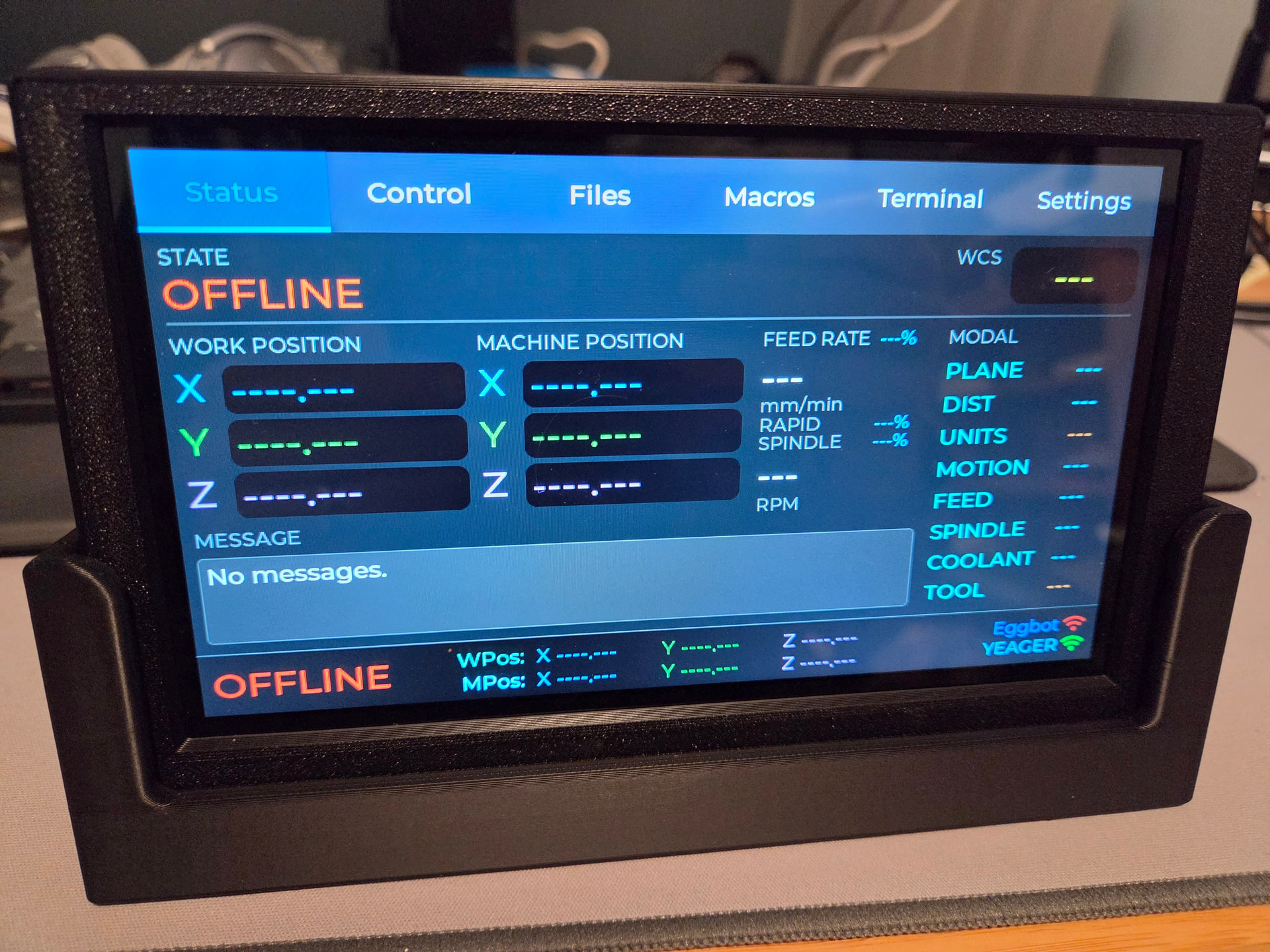
Totally sold! Display has been ordered. This is exactly what I was hoping for, a great interface that compliments my Voron Klipperscreen panels
I finally found ones the same size so I ordered some. If you use shorter ones, the buttons for the case won’t work right, or will at least need a modified version. They are 4.5x4.5mm, 9mm height. It seems that 6x6mm is a far more common size. I don’t need 50 but oh well.
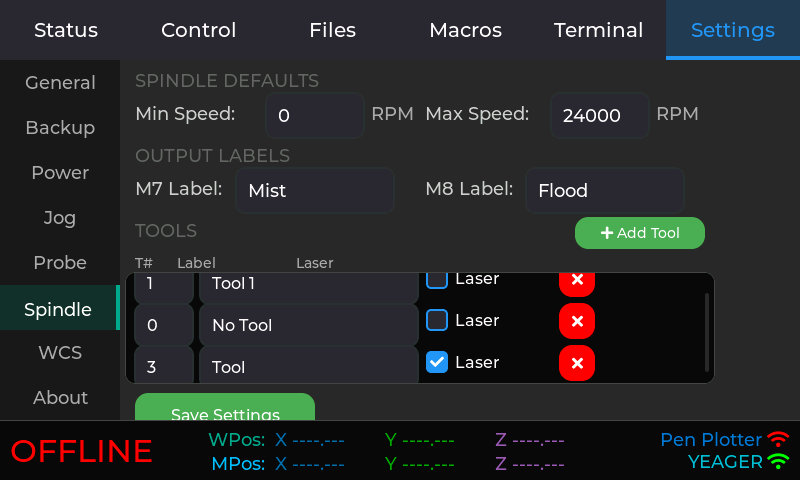
I haven’t figured out quite what to do with the spindle/laser page. Here’s an unpolished look at me trying some things. This doesn’t all make sense yet.
Settings - To FluidNC, a laser is another spindle. Allow for labeling M7/M8 purposes.
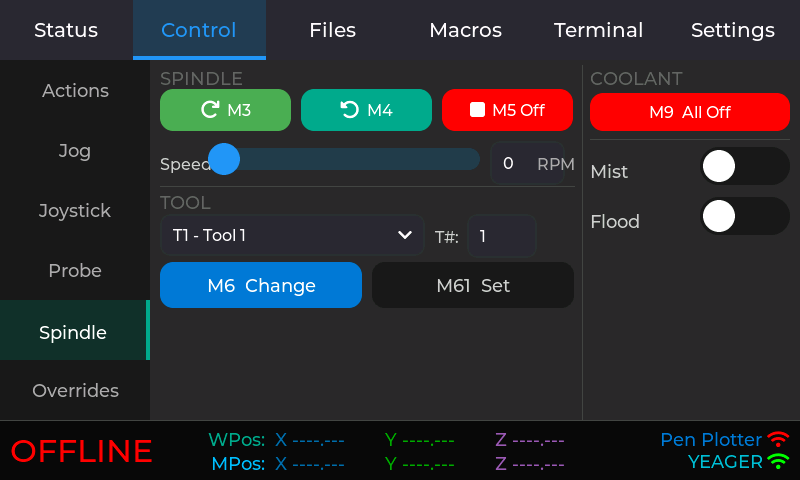
Control - Select a tool from a list. Set labels based on whether or not it’s a spindle or a laser. M6 changes to that tool (assuming you are using M6 tool changes - which you are probably not - but my pen plotter does). M61 just says that is the tool that is already there without doing a tool change.
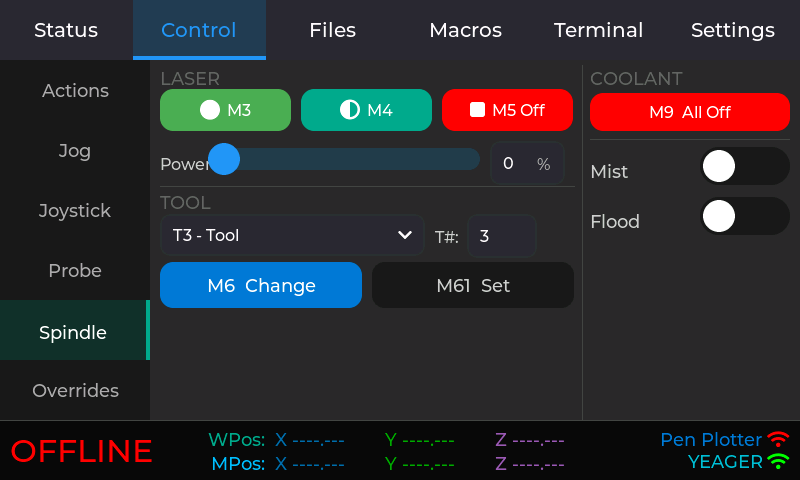
Selecting a tool doesn’t necessarily make sense either. You would do this through gcode so I’m not sure this serves a useful purpose. Also, when you define spindles/lasers in config.yaml, it’s really specifying a tool number range for each spindle/laser. I’m not sure where I’m going with all this yet, or if it’s even useful.
In the same way, I’m not sure how useful the corresponding panels are in the WebUI.
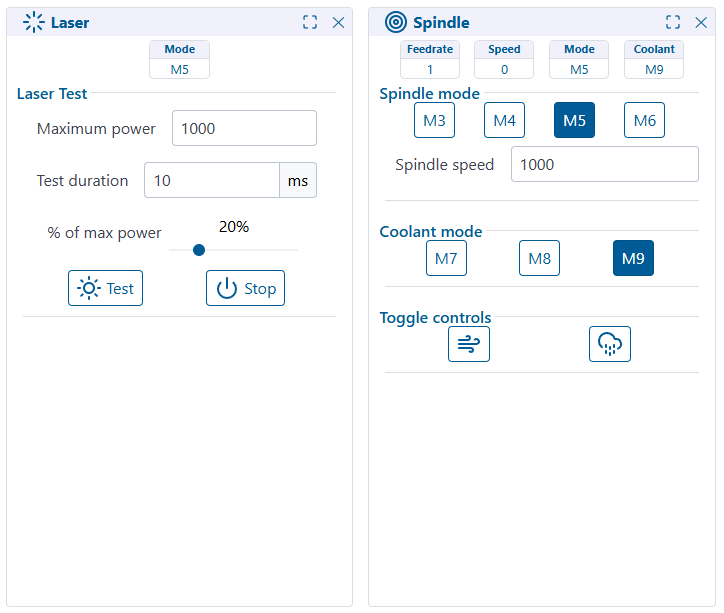
If anyone has any thoughts, I’m all ears.
And I need to get back to documenting the case.
But at least I’ve actually been using my Lowrider with FluidTouch lately. It’s been quite handy. The only idea I’m pondering based on usage is some kind of shortcuts or favorites. I don’t know what that looks like yet. I also see that I need to update the current message functionality to ignore certain messages so M0 messages display properly. Right now, my first popup hold message is from changing G92 instead of instructing to connect the probe.
I only use those for testing stuff, all the rest seems like it would be in gcode. Unless maybe you had to pause and turn things on and off maybe.
I just pushed out a new update to the 1.0.4_dev build.
That build already had A-axis support and a fix to an out of memory error if listing a large number of files.
The updated build includes:
- Ability to define the jog distance presets. What I want for my Z axis on my pen plotter (Z range of about 10) is very different from what I want on my Lowrider (Z range of about 80).
- Updates to message handling so it only shows info (and error) messages. There were other messages being displayed that were just noise.
- Suppress the wakeup touch from doing anything but wakeup. Before, if you happened to touch where a button was, it would both wakeup and perform that action.
- Added support so if you connect to FluidTouch via Serial, it forwards it to FluidNC. I added this for testing but it could be useful.
I put spindle/laser functionality on hold since I wasn’t sure it was overly useful. It seems to be highly dependent on your specific setup and macros should cover it.
So, this is the final scope for the 1.0.4 release. If I don’t run into any issues, I’ll probably release it in the next week or so. I’ve actually been using FluidTouch with my Lowrider lately. It didn’t get much love during the winter weather but spring seems to be coming at last.
I still haven’t gotten back to my case. I’m waiting on a new button to come in to fix the one I broke. I also want to try making a version of the case button that works even if you broke it. Plus, documentation isn’t my favorite part. If you like documentation, you’re weird. I’m not that kind of weird.
For now I manage to have my broke buttons to work. Just need some patience when closing the case. I will see when I receive the new ones.
It looks like Elecrow updated the Advance display to v1.4. There aren’t any details available yet but at least it appears to work with the Advance v1.3 firmware (thank goodness).
using this one too, good choice
pls help abot the macros … I know it must be on sd card … it can not load macros from fluid … I was not testing if the macros are in the config file … question is if I hve 2 machines … can I set macros for each one seprately?
Yes, the macros are machine specific.
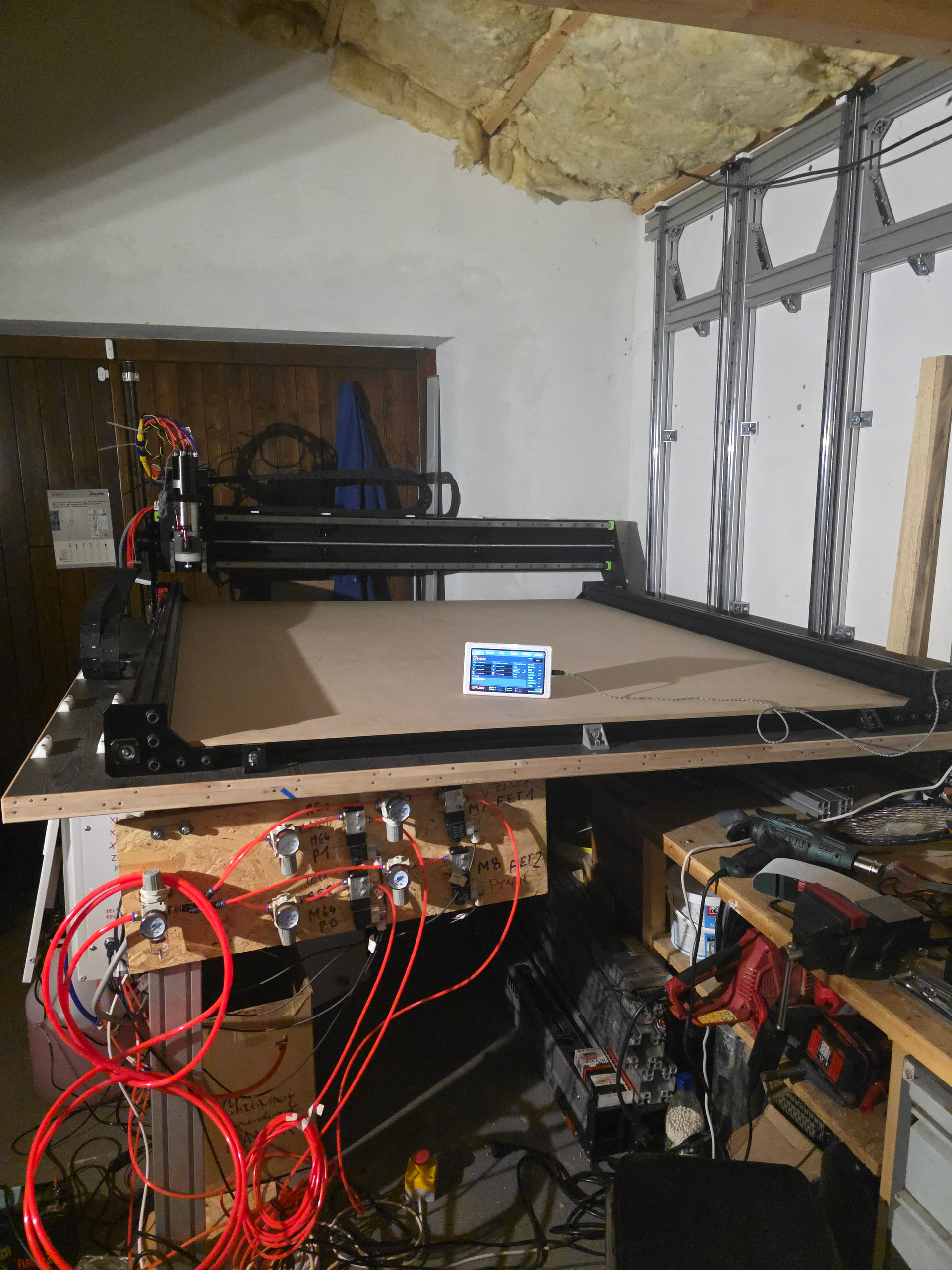
Ist that a Jianken ATC spindle?
Jason, I have run into a situation when the Lowrider finishes a job and it returns to the starting point, if you try to jog any of the axes it will move at least 100mms even when the display has the distance set to 10mm. I have learnt to do a soft reset before I try to do any moves. I have the version 1 of the Jack pot board and using the Fluid Touch. I have updated the Jack Pot firmware and the Fluid Touch firmware. It may be something that I did and did not recognize my actions. I was in panic mode trying to get the machine to stop. Twice I have run the end mill down into the spoil board. I hope you can shed a little light on this. Thank you for all your hard work.
Hmm, I have a Jackpot 1 as well and I haven’t run into this. Are you using the Jog or Joystick tab? On the Jog tab, there is a Stop button that will cancel jog. Note that on the Jog tab, every time you tap the button, it will move the distance that many times. On the joystick tab, as soon as you release the slider, it cancels the jog.
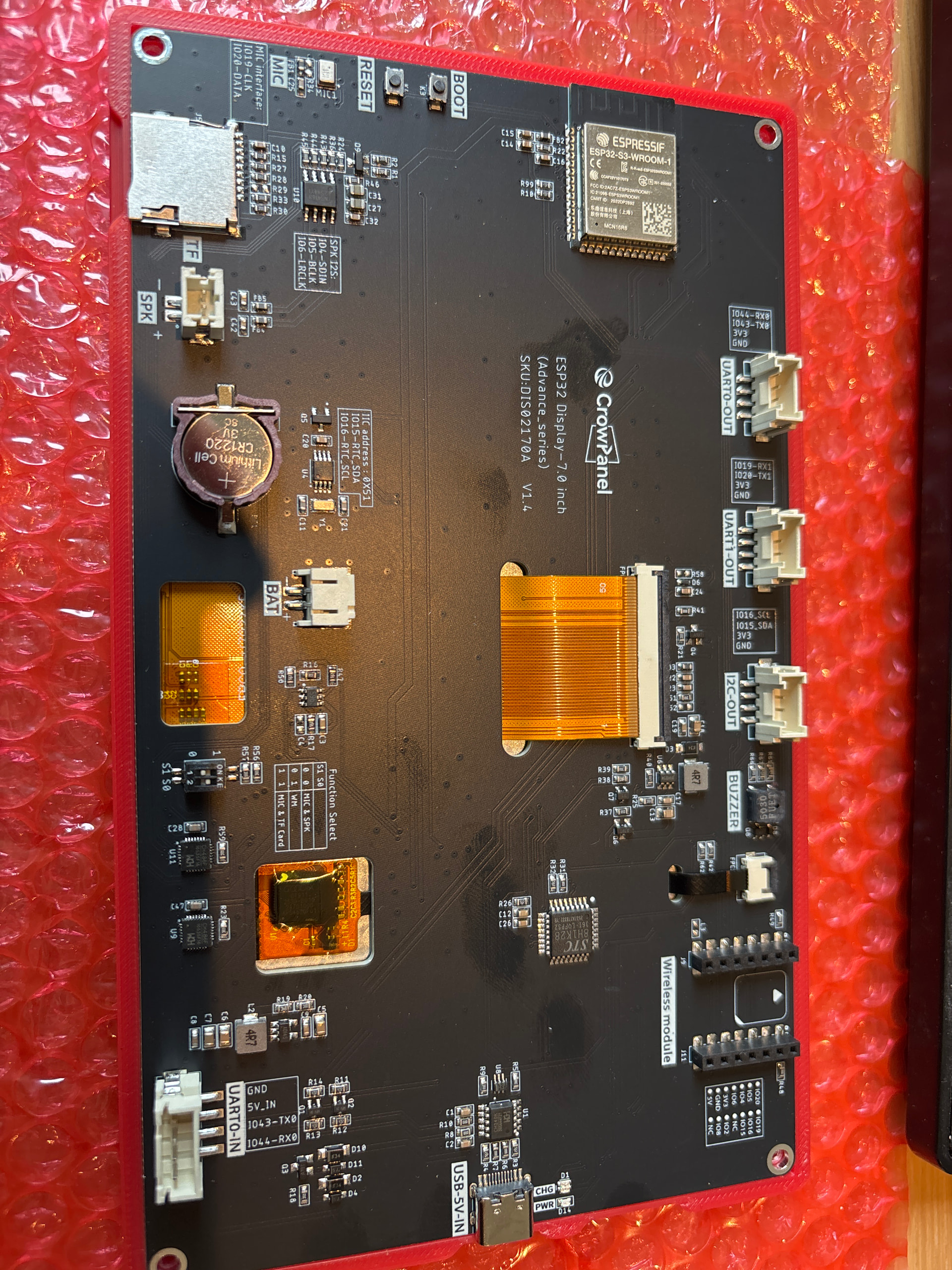
Hmm. Well I was working on a modified button to handle the post I broke off before soldering a new one on. I imagine I could probably make a modified one for these new buttons.
Jason, thank you for your response. I was using the Jog Tab. I will do some testing next week and let you know the results.
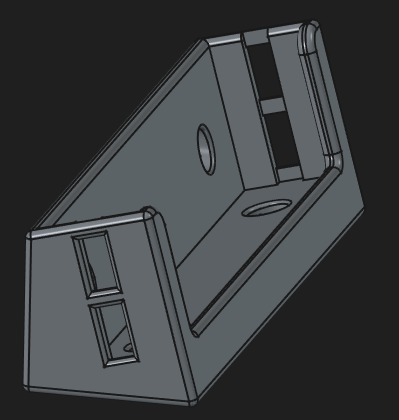
Going to try out this stand tomorrow. This attaches to the top of the table and angles it back a bit. Not sure if this is what I want, or if I want something attached to the front, still angled back, and probably make the top of the case at or below the top of the table. I’ll probably make a design like that as well.
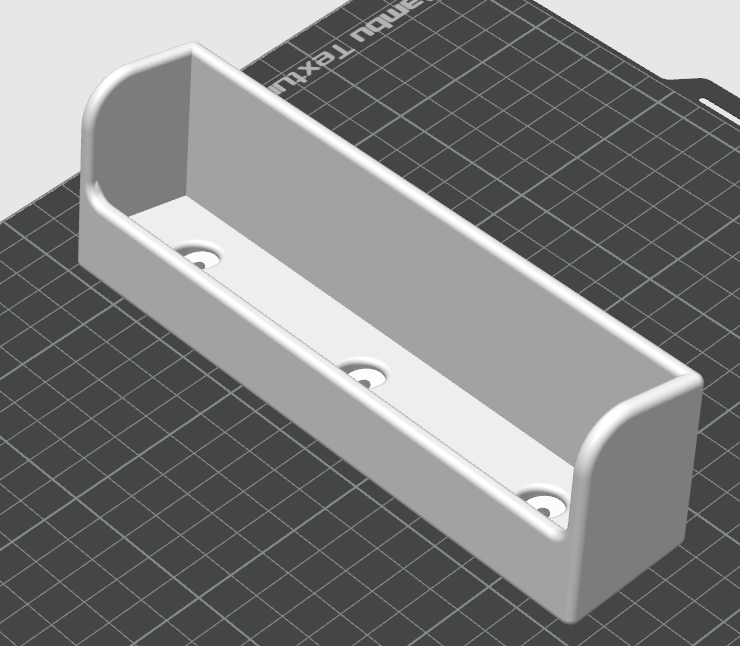
Made a few changes. Have holes on the back or bottom depending where you want to mount it. If you mount it on the face of the table, you probably need to use a block so it’s out far enough. I added front side holders to make it more difficult to knock off the stand. I lowered the front lip and added side holes so it still works if you have it rotated 180 degrees and so you can still access the power switch. It really only needs a single side hole if rotated, otherwise not at all. There’s a channel so you don’t flip the switch when putting it on the stand. Printing now.
I couldn’t get a button to work on my broken boot button but only because the button didn’t work pushing on it. I soldered a new one on. I ripped the pads off the one side so I don’t think it will work but I also haven’t needed to use that button when flashing firmware.
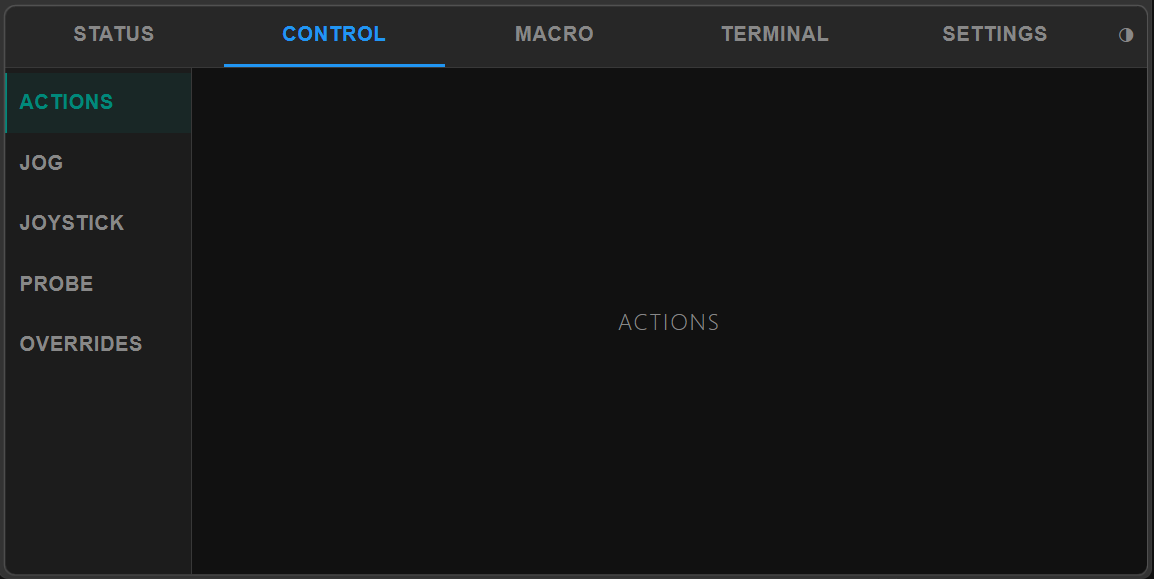
I ordered a new advance display to see what I need to change for the case to work with v1.4. I also ordered a 9 inch ESP32-P4 version to play with - that won’t be supported by FluidTouch anytime soon. Someday, I might rewrite it in ESP-IDF at which point I might. I’ve also toyed with the idea of making a web version but again, not happening anytime soon. I was playing around trying to get something that scaled well depending on window size.
Edit: Yea, I like that better.
That would be great. It would also work for those of us who broke off the post(s) on the switches. Those posts are crazy fragile, and it would be much easier to replace them with more ‘standard’ switches like is shown on the 1.4.
PS - Thanks for the epic work on this project. I’d left my LR4 project in limbo and this project was the motivation to get back to it. I’m connecting it to a Jackpot v1 running FluidNC 4.0.2 and WebUI 3.0.10 and it has been very stable. Exponentially more stable than it previously was on 3.x and using a FluidDial. WebDav is also super handy.
yes it is