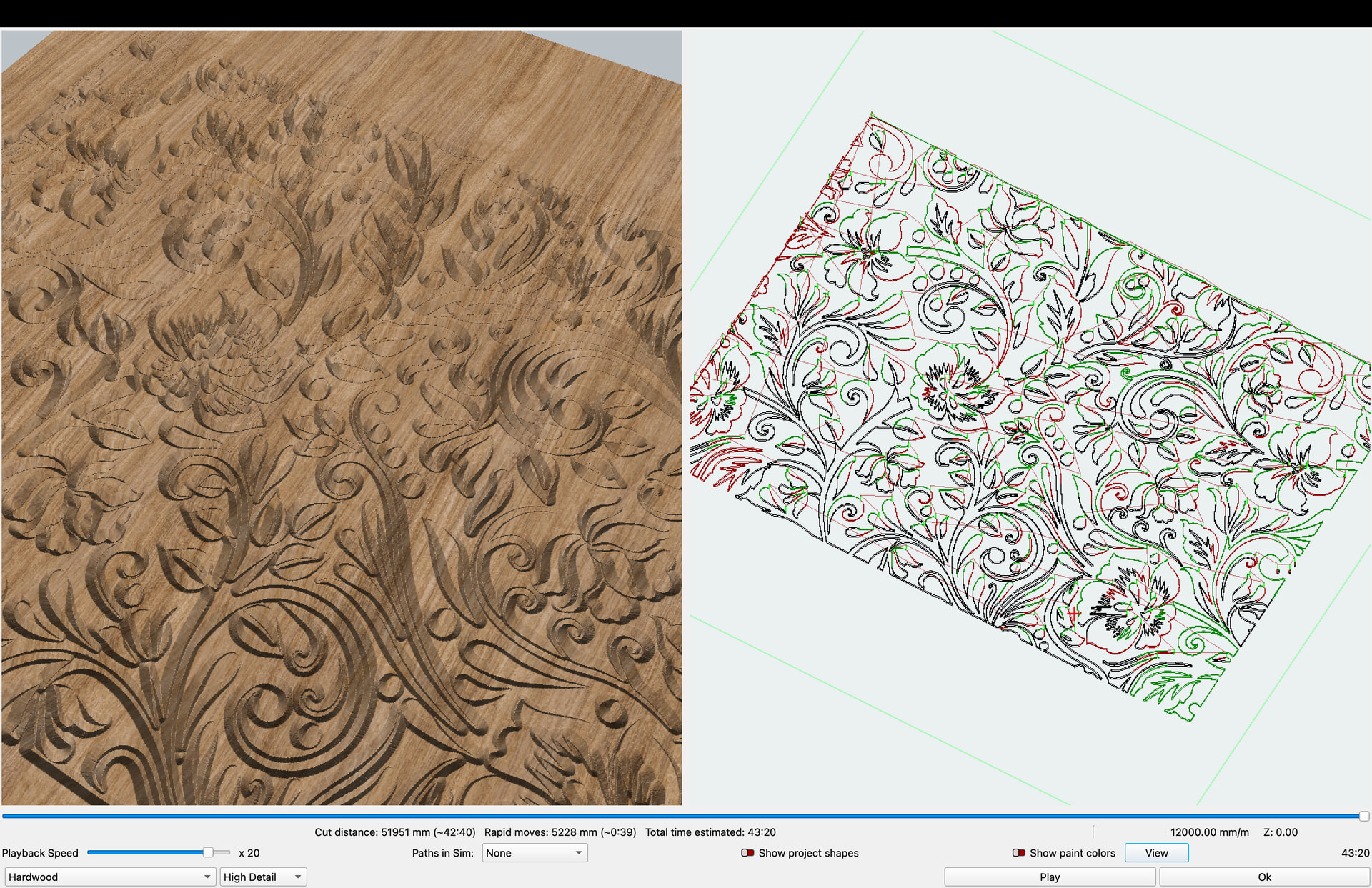
I’ve been experimenting with the Fluting operation today. I wasn’t sure what it was. I see a lot of similarity to V-carving, which makes me think even more they are close to finalizing it.’
4 Likes
Fluting is simpler - it’s basically following a vector path while varying the depth in relatively simple ways. It looks pretty, but doesn’t need the medial axis transform to determine the depth at a given point, so the implementation was a lot easier.
3 Likes
Woohoo!!! Congratulations @lightburn
MillMage — our new all-in-one software solution for CNC routers — is LIVE!
12 Likes
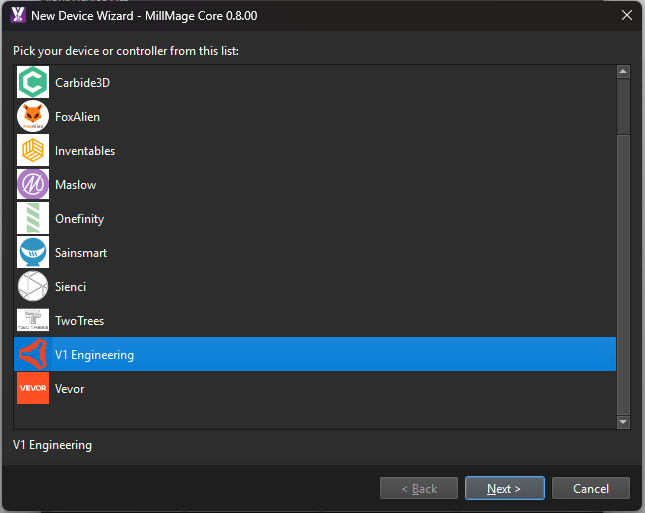
Ooh, we’ll have to get some other machines in there. Although, that’s a bit confusing since you could be using different controllers.
4 Likes
before changing to Core 0.8 make sure you back up bundles and preferences it doesn’t transfer from the RCs , all tools, settings will be lost :(, lucky i run a computer in house and one in shed which is sstill got RC settings 
They won’t be lost - they will exist in the prefs folder of the RC, IIRC.
Backing up your bundles is generally a good idea anyhow.
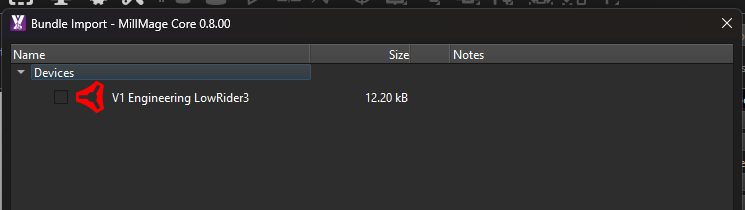
I added the Lowrider3 in the default MillMage devices based off the 4x8 machine we have internally with a Jackpot. Adjust size as needed.
Also, I recommend reading the initial release changelog 
6 Likes
Nict to see that Millmage is already being tested a lot by this community! I recently started too, and I also find it very promising. As I don’t have my computer near the CNC I’m not planning on using it to control it, although I have tested with the laptop that it does work. I just want to generate gcode files and transfer them to the jackpot.
Is their already some guidance on how to best set up the lowrider in MM?
For now I have just copied the start script in MM.
However it looks like MM expects that you probe before you start the file. If I generate gcode it starts with:
;MillMage Core 0.8.00-RC-19 @ de27901 Qt6.5.7
;Custom GCode device profile, absolute coords
;Bounds: X-3.1 Y-3.1 to X43.1 Y43.1
;Project Units: Metric
;Safe Retract = 2
;Stock Thickness: 9
;Z Zero: Top
;Workpiece origin is at the Bottom Left
G00 G17 G40 G21;Restore metric mode
G54

G90;Restore absolute mode
G0 Z2
G90;Restore absolute mode
Have you all adjusted the Job header in the Custom Gcode tab? What other custom gcode have you editted apart from the start script, tool change and end script? Are there any other settings that you need to changes?
I have to test it again but I did make changes. In Estlcam, we assume that the first tool is already installed. So, the starting gcode just has you probe with the already installed tool. However, in Millmage, it uses the tool change gcode for every tool, including the first one. So, I created tool change gcode that only has you change the tool the first time.
hmm yes it does do a tool change at the start. So perhaps for now leave the tool change code out, and run as separate jobs? Any idea why it starts with G0 Z2 ?
Also I have now 2 user end scipts in my gcode file, although I only set the first one. But I guess that I can better report this directly to Millmage.
;USER END SCRIPT
M63 P1 (stop spindle pin27)
$HZ
M30

;USER END SCRIPT
G53 G0 Z0
G90
G54 G0 X0 Y0
M2
Any other tips and tricks for setting the LR4 up? So far I have added “gcode” as extension, and checked the save to single file box below in the custom gcode tab.
ok apperently there is a “user end script” and also a separate “job end” (script). So that explains the double end scripts.
I need to test this again but here is what I have. It looks like I need to try and get the tool number/name in the message again. I was back and forth on the Millmage forum to get some escape character issues resolved and it looks like I never got back to it after they fixed it.
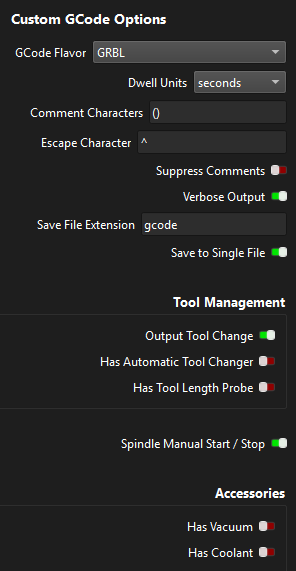
Job Header: Blank - The default was sufficient.
User Start Script: This sets a variable saying it’s the first tool. Needs to use the escape character.
^#<_IsInitialTool> = 1
^
Tool Change: Again needs the escape character. If it’s the first tool, just probe and tell it that it’s not the initial tool anymore. If it’s not the initial tool, do the full tool change.
^(^Tool {tool}: {tool_name})
^o102 if [#<_IsInitialTool> EQ 1]
  M0 (MSG, Attach Probe)
  G38.2 Z-110 F200 P0.5 (Probe Down, Set Z0)
  G1 Z10 F900
  M0 (MSG, Remove Probe and Turn On Router)
  #<_IsInitialTool> = 0
o102 else
  $HZ (Home Z)
  G0 X0 Y10 F2520
  M0 (MSG, Change Tool and Attach Probe)
  G38.2 Z-110 F200 P0.5 (Probe Down, Set Z0)
  G00 Z10.0000 F500 (Clearance)
  M0 (MSG, Remove Probe and Turn On Router)
o102 endif^
Job End:
$HZ
M30
1 Like
Might be worth at least changing the 3 to a 4? LowRider4 has been the latest version for more than a year.
Or maybe just take the number off?
3 and 4 should be functionally the same, and I assume will be similar in the foreseeable future.
3 Likes
cheers colin
1 Like
I finally had some time to play with MillMage… was able to jog my LR4 in the shop from workstation in the office…. very cool…. and after about an hour, and without even running the machine, I am 100% going to purchase this (well, pretty sure anyway). I used Lightburn to make all my DFX files prior to setting tools in estlcam. this appears promising.
once I got the hang of working with the material dimensions vs the table dimensions, I copied and pasted a backgammon board from Lightburn to MillMage… the dimensions were spot on.
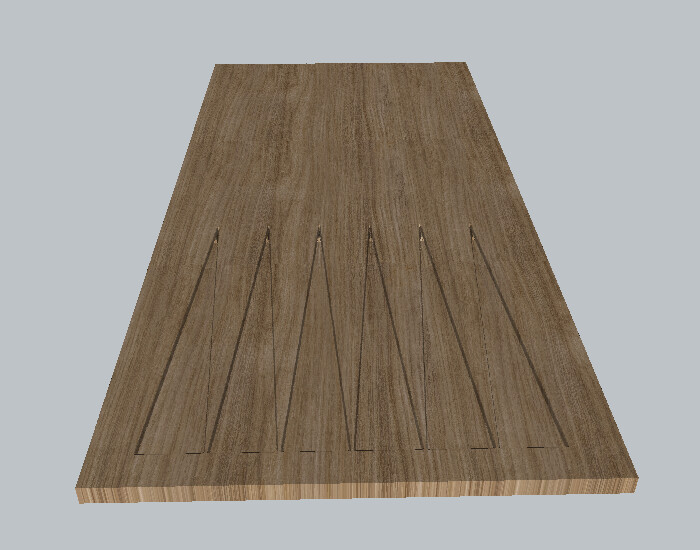
used pocket for clearing and profile with 30* vbit for sharpness… then compared to using flute.. not much difference so when I do a test run, maybe the physical cutting will show any variations.
Looking forward to playing in real time with real wood
2 Likes
I asked the guy that developed the tool change logic. They will change it in a future release. Lightburn forum
Main reason it is included is safety.
3 Likes
Official launch video
7 Likes
Could do that, only had the number because I have the LowRider3 (with Jackpot v1.2 and currently FluidNCv3.9.9) but yes, it could easily be changed to omit the number….less is probably more.
That ‘LowerRider3’ profile is 95% generic:
Nothing fancy, manual Start/Stop, no special tool change or tool length probing code. I did add a ‘@P Check spindle speed/revs correct? : {spindlespeed}’ for ‘Tool On’ , which is not really needed but I like to see what the spindle revs are programmed at for operations in the job and tweak them if needed. I also added a ‘Job End’ movement back to the G54 X0, Y0 position.
It defaults to USB connection, which is not how I use it, (I connect it to my wifi in station mode) but putting an IP address in wouldn’t have been any more helpful, and it’s easy enough to edit.
The profile is very much open for improvement though….
Of note, one thing I wanted to mention here was something I had to do in order for the LowRider/FluidNC to work properly with MillMage, which was to change the “z:homing:mpos_mm” config file value from 3 to 0.
This is because MillMage assumes Z0 is the topmost position with Z movements in negative coordinate space. If you don’t do this you might get some weird 3mm off positioning bugs in the Z axis when jogging.
Otherwise everything else seems to be working fine, it’s a great wee machine!
4 Likes
so I am in the shop right now. Getting cold already, but I am playing with Millmage. I kinda like it. I am surprised, I thought I saw a screen that labeled FLUIDNC, but I cannot find it. I selected Grbl, is that what everyone else chose, looks like it is working right now.
2 Likes
That’s what I have selected on mine
1 Like
They also have a LowRider 3 listed. Either one will work.
2 Likes