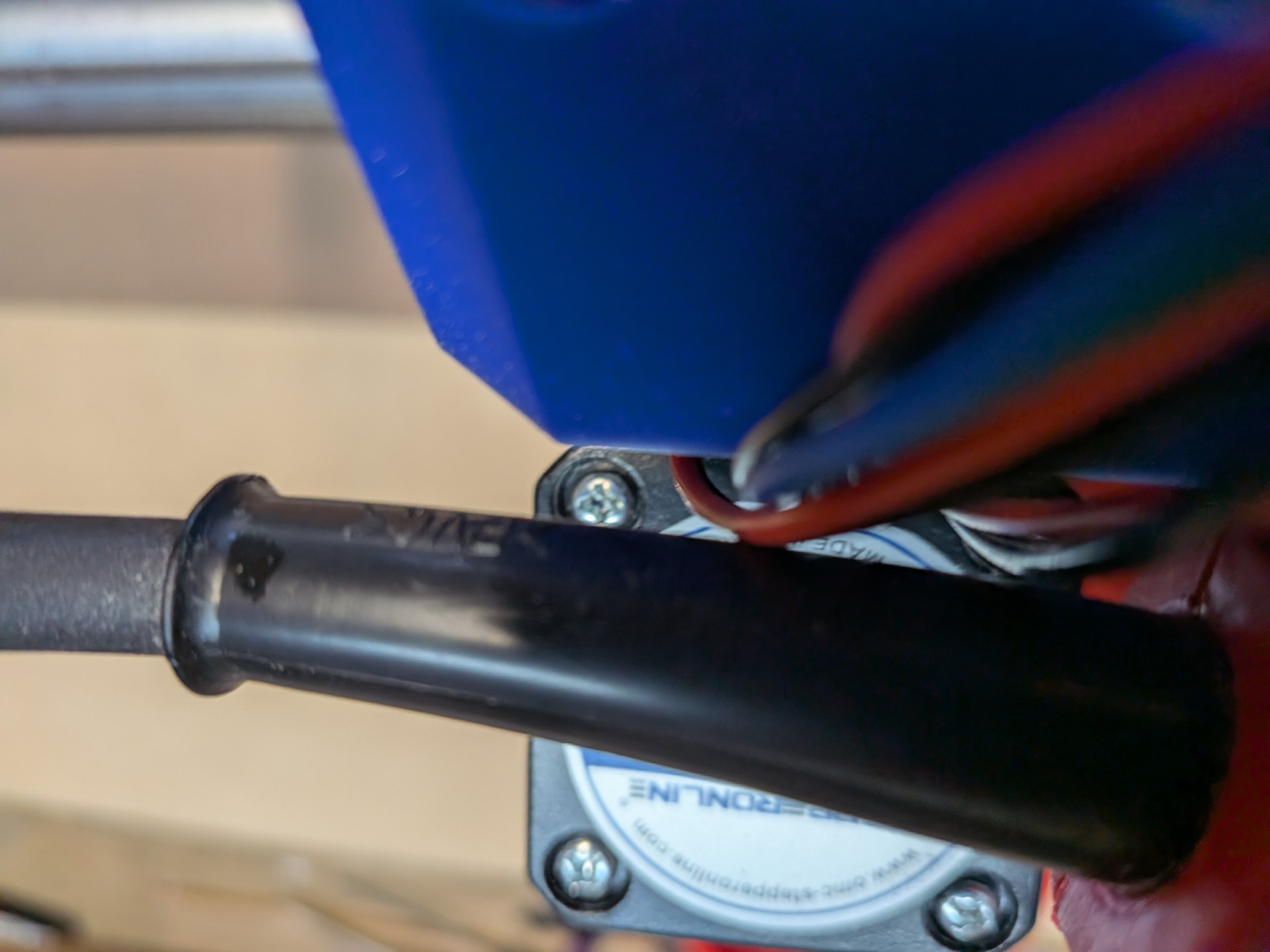
X Axis Travel Issue

I have run into a problem and would love some help finding a solution. Thanks in advance.

I recently completed the assembly of my LR4 running of a Jackpot 3 (3.9.9). I still have temp struts and need to clean up some wiring but I had it cutting. Yea!
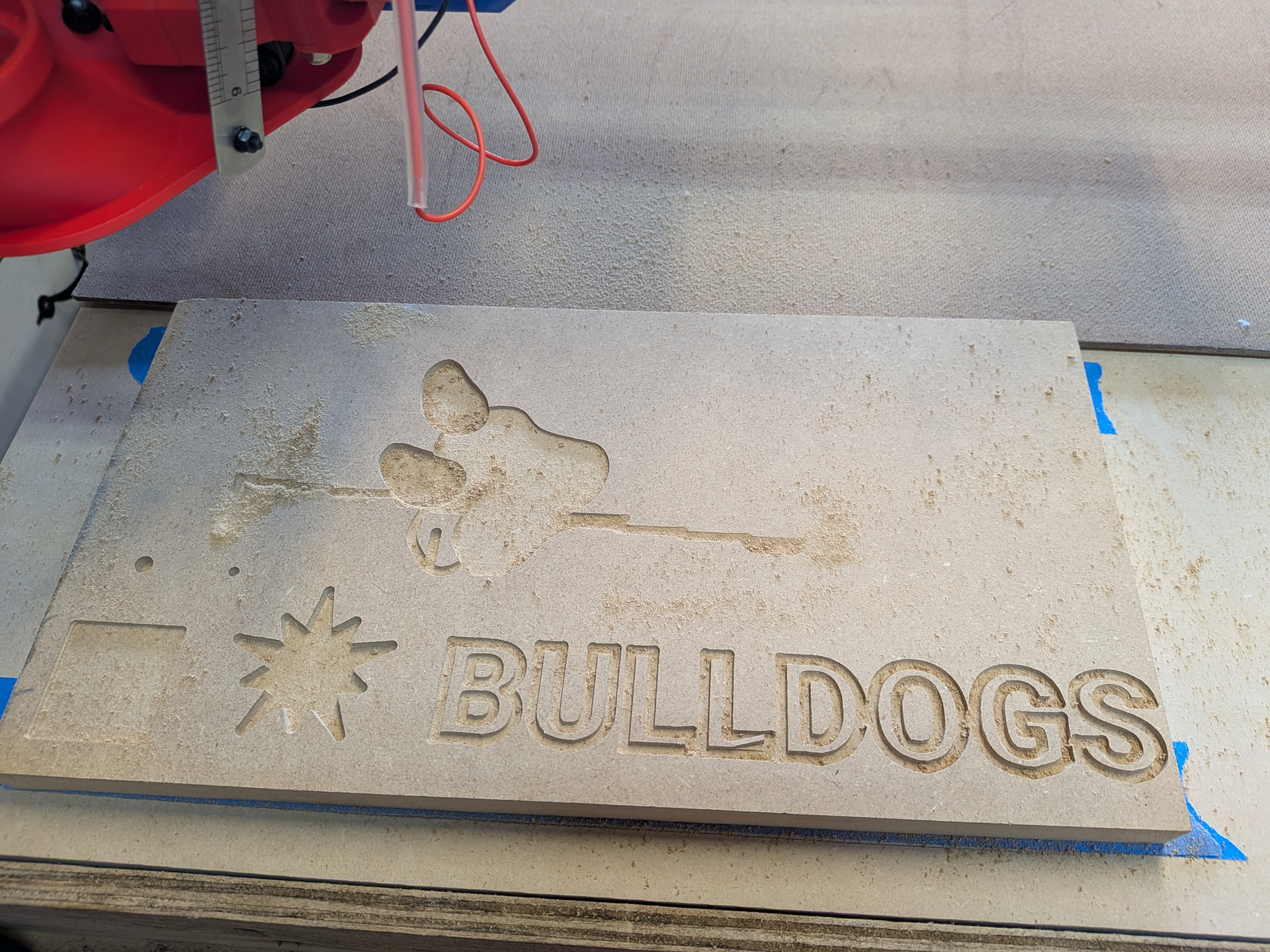
The cuts at the bottom of the board went just fine. Then I sent a few more cuts and started running into issues. I drilled two holes (technically one was drilled and the other was a bore operation.

I ran the jobs from Millmage. They worked great with only one disconnect but I overcame that. When it started having path issues I switched to FluidNC web interface and did some commands to move the machine around in different directions, home on each axis, etc.

When the paths started messing up the LR4 started making sounds like it was not connecting with the belt on the X motor. I reset the machine (typically by unplugging and replugging in the power) and tried to move it again.

It moves great in Z and Y. Moving it in X either seems like it had belt traction issues or it acts like it is stuck (e.g., moves a bit and then stops moving, stops making sounds and will not initiate another move without resetting the machine).

During one of these attempts I grabbed the x-belt, making it slightly tighter, and the machine moved on the gantry a little bit. So, I attempted to adjust the belt tension to see if that would solve the problem.

I started very loose and got a lot of spinning out. I eventually got to a point it seemed to like but then it started acting like it was struggling to overcome the resistance of the gantry so I loosened the top compression slots on the core. This didn’t seem to change the situation.

Now, if the LR4 is without power, the Y axis can be moved pretty easily by hand but the X seems to have resistance and sliding it back and forth (left to right, right to left) results in some clicking sounds, almost like it encounters some roughness on the gantry conduit. I checked to see if there was rough areas on the conduit, left over adhesive from a price tag, or catching on some wiring, but none of this seems to be the case.

When it runs, for the short time it does, I can see the motor belt pulley moving. I thought the pulley might have gotten loose on the shaft of the motor but I don’t think that is happening and I checked that the set screws are tight.

The pulley is slightly misaligned with the belt but, because I can’t see the top of the pulley, I am not certain the belt isn’t still making contact with the teeth. The pulley definitely spins along the length of the belt when moved by hand.
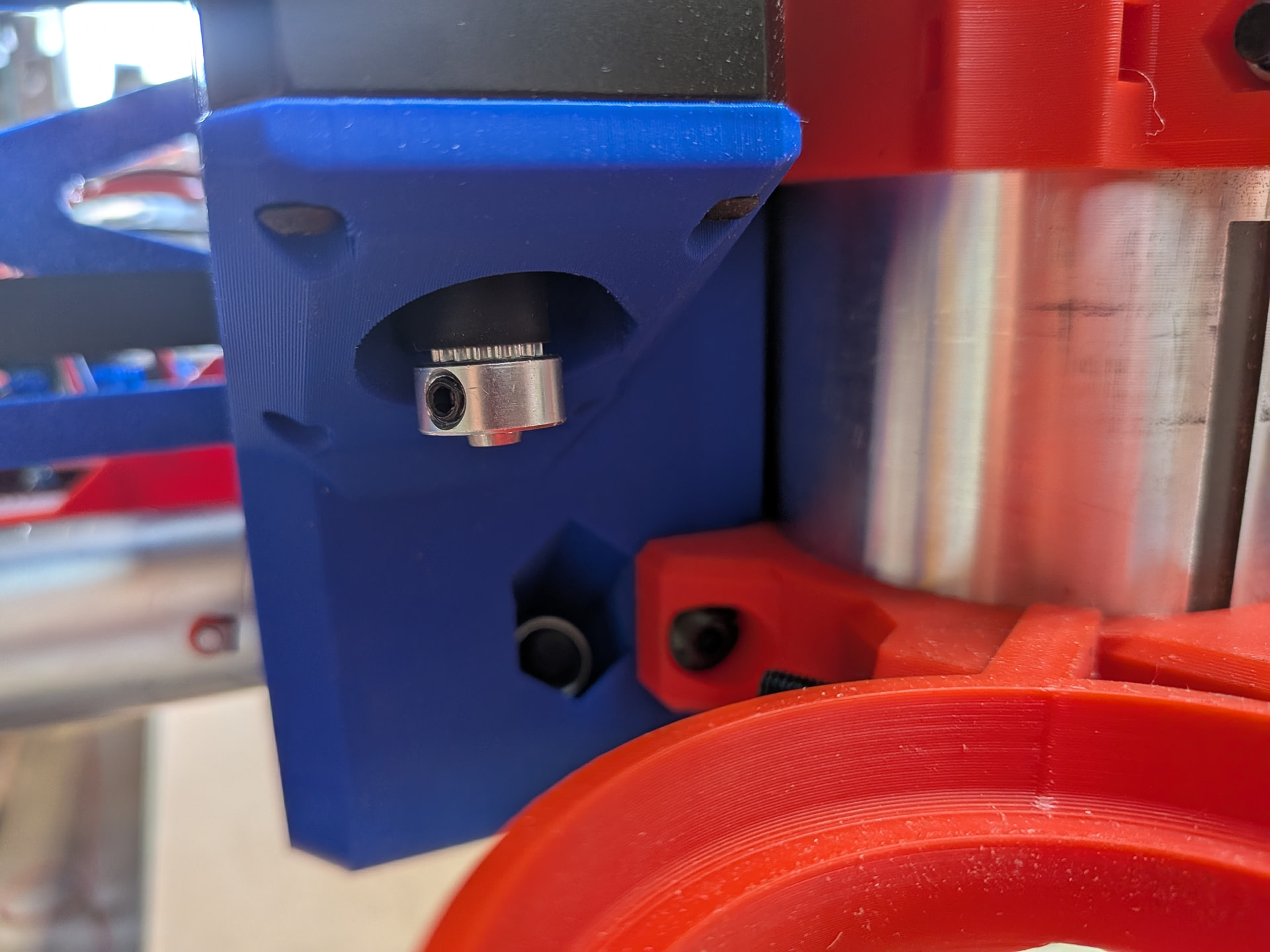
I am suspecting that I have a bad stepper motor. I have resisted pulling the core and rebuilding it but I will do that if it is suggested here.

Let me know if there is additional information you need and/or any suggestions for diagnostics or solutions you might have. Thanks.

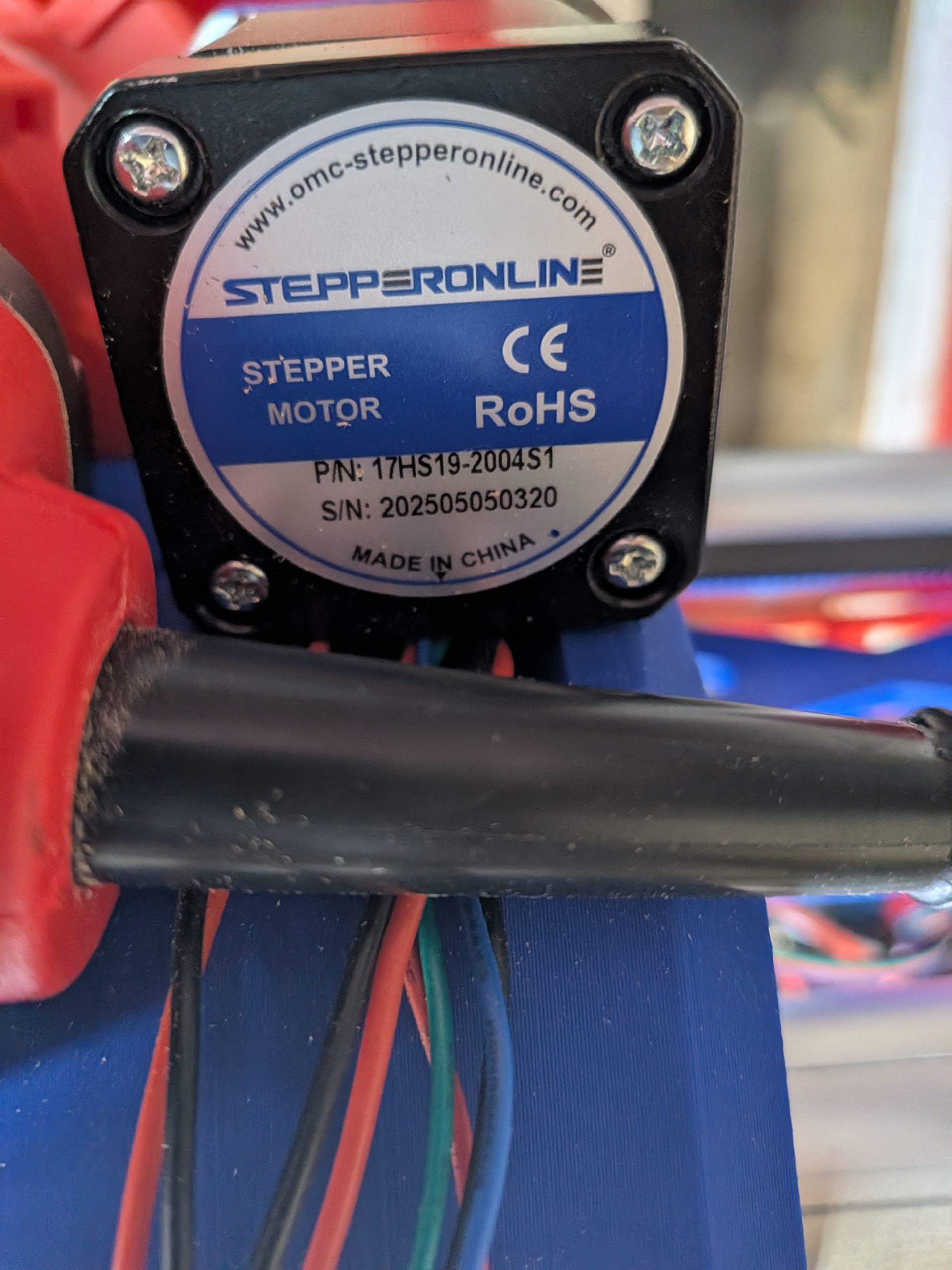
Here is my stepper motor -
Stepper motors almost never go bad.

Lets do some troubleshooting:

First off, did you locktite all of the grub screws on every coupler and drive pulley?

Is there an extension cable on this motor? If so, did you do the S-bend and tape trick to it?

With the machine off, SLOWLY move the core to roughly the center if your X axis. (if you move too fast by hand when the machine is off, you can damage a stepper driver or the controller)
Hold the pulley still with a finger, try to move the axis. What happens?

With the machine off, slowly move X from its limits from Min to Max. At any point in the travel does it get difficult to move or bind?

Can you get a picture of the connector where the cable plugs into that motor?

quote="MakerJim, post:2, topic:53662"

First off, did you locktite all of the grub screws on every coupler and drive pulley?

No. I saw that on the bill of goods but didn’t recognize where to use it.

Is there an extension cable on this motor? If so, did you do the S-bend and tape trick to it?

Yes. Made sure to use the S-bend technique.

With the machine off, SLOWLY move the core to roughly the center if your X axis. (if you move too fast by hand when the machine is off, you can damage a stepper driver or the controller)

I will admit that I have moved the core with less care prior to your post so if that could have messed up the stepper motor then I might be guilty. I noticed the light on the Jackpot flash when I was doing it. Hopefully, if I messed up anything, it’s just the stepper. :worried:

Hold the pulley still with a finger, try to move the axis. What happens?

I cannot keep the pulley still while moving. I assume this is a test for the pulley spinning on the stepper shaft. Also. It definitely is engaged with the belt as I’m trying this.

With the machine off, slowly move X from its limits from Min to Max. At any point in the travel does it get difficult to move or bind?

I slowly moved the core along the entire gantry. It moves smoothly with some resistance. I also unplugged the X-cable at the jackpot and moved the core. Same results.

Can you get a picture of the connector where the cable plugs into that motor?

Not a good one.

/quote

Thanks. Also, I tried having Jackpot move around X again today. I was testing a theory involving the driver or stepper overheating. It move about an inch, in the wrong direction and then stopped. No additional movement was possible.

Try to avoid moving the machine manually when it is off at a speed where anything lights up on the controller. That won’t hurt the stepper, they just act like generators when the machine is off. It can blow the controller, though, if they generate too high a voltage or a negative voltage as seen by the controller electronics.

Power off, then power back up.
Send the $SS command in the terminal, then copy/paste the terminal output here in the forum. Use the preformatted text icon on the toolbar it looks like this: </>.

[MSG:INFO: FluidNC v3.9.9 https://github.com/bdring/FluidNC]
[MSG:INFO: Compiled with ESP32 SDK:v4.4.7-dirty]
[MSG:INFO: Local filesystem type is littlefs]
[MSG:INFO: Configuration file:config.yaml]
[MSG:INFO: Machine LowRider]
[MSG:INFO: Board Jackpot3 TMC2226]
[MSG:INFO: UART1 Tx:gpio.16 Rx:gpio.4 RTS:NO_PIN Baud:115200]
[MSG:INFO: I2SO BCK:gpio.22 WS:gpio.17 DATA:gpio.21Min Pulse:2us]
[MSG:INFO: SPI SCK:gpio.18 MOSI:gpio.23 MISO:gpio.19]
[MSG:INFO: SD Card cs_pin:gpio.5 detect:NO_PIN freq:20000000]
[MSG:INFO: Stepping:I2S_STATIC Pulse:2us Dsbl Delay:0us Dir Delay:1us Idle Delay:255ms]
[MSG:INFO: User Digital Output: 0 on Pin:gpio.26]
[MSG:INFO: User Digital Output: 1 on Pin:gpio.27]
[MSG:INFO: User Digital Output: 2 on Pin:gpio.0]
[MSG:INFO: User Digital Output: 3 on Pin:gpio.2]
[MSG:INFO: Axis count 3]
[MSG:INFO: Axis X (3.000,1223.000)]
[MSG:INFO:   Motor0]
[MSG:INFO:     tmc_2209 UART1 Addr:0 CS:NO_PIN Step:I2SO.2 Dir:I2SO.1 Disable:I2SO.0 R:0.110]
[MSG:INFO:  Neg Limit gpio.25]
[MSG:INFO: Axis Y (3.000,2443.000)]
[MSG:INFO:   Motor0]
[MSG:INFO:     tmc_2209 UART1 Addr:1 CS:NO_PIN Step:I2SO.5 Dir:I2SO.4 Disable:I2SO.7 R:0.110]
[MSG:INFO:  Neg Limit gpio.33]
[MSG:INFO:   Motor1]
[MSG:INFO:     tmc_2209 UART1 Addr:3 CS:I2SO.14 Step:I2SO.13 Dir:I2SO.12 Disable:I2SO.15 R:0.110]
[MSG:INFO:  Neg Limit gpio.35]
[MSG:INFO: Axis Z (-147.000,3.000)]
[MSG:INFO:   Motor0]
[MSG:INFO:     tmc_2209 UART1 Addr:2 CS:NO_PIN Step:I2SO.10 Dir:I2SO.9 Disable:I2SO.8 R:0.110]
[MSG:INFO:  Pos Limit gpio.32]
[MSG:INFO:   Motor1]
[MSG:INFO:     tmc_2209 UART1 Addr:3 CS:I2SO.19 Step:I2SO.18 Dir:I2SO.17 Disable:I2SO.16 R:0.110]
[MSG:INFO:  Pos Limit gpio.34]
[MSG:INFO: X Axis driver test passed]
[MSG:INFO: Y Axis driver test passed]
[MSG:INFO: Y2 Axis driver test passed]
[MSG:INFO: Z Axis driver test passed]
[MSG:INFO: Z2 Axis driver test passed]
[MSG:INFO: Kinematic system: Cartesian]
[MSG:INFO: STA SSID is not set]
[MSG:INFO: AP SSID FluidNC IP 192.168.0.1 mask 255.255.255.0 channel 1]
[MSG:INFO: AP started]
[MSG:INFO: WiFi on]
[MSG:INFO: Captive Portal Started]
[MSG:INFO: HTTP started on port 80]
[MSG:INFO: Telnet started on port 23]
[MSG:INFO: Probe gpio.36:low]
ok

Thanks.

I am happy to report that I uncovered the problem. It was a loose connection to the extension for the X axis stepper motor. I used the “S” strain relief technique but apparently did not do it very well. I was happy to find the issue.

I did a few more test cuts and then cut out my struts. I just finished installing them and tomorrow I will wire everything back up. Lots of wire clean up. I also think I will eliminate the connectors between the stepper motors and the extension cables. I don’t see why I shouldn’t just solder in some splices and then not have to count on a connection wiggling loose.

Thanks for convincing me to dig deeper. I was ready to buy a new stepper motor and rebuild the core. I am so glad that is not necessary.

I did do some additional tests with the help of Gemini. I pasted in the $SS and Gemini told me that my X Axis driver was working well. I also moved the x axis cable to a Y axis driver to see if that would move the machine. It did not so that further confirmed that the problem was from the X cable connection at Jackpot back to the motor.

Here are the steps I took:

  1. Send $X: If the machine is in an Alarm state, send $X to unlock it, then try moving it again.
  2. Disconnect the Endstop: Temporarily unplug the X-endstop from the Jackpot board and try to move the axis. If it moves fine, you have an electrical noise issue on your limit switch line.
  3. Swap Drivers: Since the Jackpot uses plug-in drivers, power down, swap the X driver with the Y driver, and see if the problem follows the driver or stays on the X-axis.

Gemini suggested the following when I reported that swapping the drivers did not result in movement:

The Verdict: Open Circuit or Mechanical Jam

Because the motor didn’t move even when plugged into a known-working port (Y), one of the following is happening:

  • Bad Wiring/Extension Cable: This is the #1 culprit. If one of the four wires in your stepper extension cable is loose, crimped poorly, or broken, the motor will either vibrate in place, “cog” (move a tiny bit and snap back), or do nothing at all.

  • The “LR4” Mechanical Lock: Since the LowRider 4 uses a belt-and-pulley system for X, check if the carriage is physically jammed. If the motor is trying to turn but the gantry is wedged, it will simply stall.

  • Failed Motor: While rare, the stepper motor internal windings could be damaged.

I was then directed to complete a step-by-step hardware test:

To find the exact break in the chain, try this sequence:

  1. The Direct Plug Test (The “Golden Rule”):

    Unplug the X-motor extension cable from the Jackpot board. Take the X-motor physically off the gantry (or bring the board to it) and plug the short lead coming directly out of the motor into the Y-axis port on the board.

    • If it moves: Your extension cable is bad. Replace or repair the crimps.

    • If it still doesn’t move: The motor itself is likely defective.

  2. Check the Pins:

    Look at the 4-pin connectors on your X-axis extension cable. Ensure no pins have “pushed out” of the plastic housing. This is very common with JST or DuPont connectors used in DIY CNCs.

  3. Resistance Check (If you have a Multimeter):

    • Unplug the motor from the board.

    • Measure resistance across the pairs (usually Pin 1 & 2, and Pin 3 & 4).

    • You should see a low resistance (usually 2\\Omega to 5\\Omega). If you see “OL” or infinite resistance on either pair, you have a broken wire.

I didn’t need all these steps since I found the problem in the extension connection.

Looking forward to getting this thing put back together and start on a string of projects I have been dreaming about doing. More on that later.

1 Like

Excellent! It’s really frustrating when chasing this kind of issue, but satisfying when you have found and fixed the problem.

That’s a good option, but it depends on workmanship. If your solder skills are good, then this will eliminate a source of errors in the future.

A word of caution about AI for troubleshooting, though: AI is really dumb and gives bad advice all the time.

AI can only guess there isn’t anything in your $SS that is off nominal.

Here, AI is just hallucinating. Our FliudNC configuration only uses endstops for homing. This step wouldn’t yeild anything but confusion if followed.

Stepper motors almost never go bad.

Jackpot 3 does not use plug-in drivers. They’re soldered on the board. This is another hallucination.

Swapping motor connections between drivers in the config is valid, but here it’s tainted again by AI Hallucination.

I’m posting this here in case others try to follow the AI steps, as a counterpoint to future readers who could be further furstrated by following inconsistent AI guidance.

The best solution, as you found here, is to ask a real human for real help here in the forum.

Since you’ve fixed your issue, I can’t wait to see what you’re going to do with your machine next. Please keep sharing your projects and uses of your machine.

1 Like

I think I was using the incorrect terminology. I plugged X in where Y would go and sent a command for Y to move to see if X would activate. It did not.

Also, unplugging the X motor wire at the board allows you to move X on the gantry without risking sending a charge to the board. I still moved slowly to make sure I was not adding a load to the stepper motor that might create problems. Better safe then sorry.

I ended up replacing the x stepper extension and things seemed to work great until I attached the vacuum hose. As the core moved toward x-min it would stall a bit. It usually would spin in place a second or two and then move on. Occasionally the stall was long enough to trip something requiring a reset.

I removed the vacuum hose from the gantry and the probably seems to be resolved. I plan to eventually suspend the vacuum hose from the ceiling but haven’t done it yet. My original set up routed the wire loom along the vacuum hose.

Now that the hose is removed the wire loom needs more structure. I like the idea of a drag chain but might use the tape measure trick in the meantime.

Anyone else have issues with traction moving x? Are there solutions I should try to address this so I can run the vacuum hose along the gantry? Thanks.

I printed a drag chain and let it run on an aluminium channel. :slightly_smiling_face: