i am a bit frustrated and i’m not able to help myself lol. I already checked on Github and in this forum if someone has or had the same problem but did not find anything.
I will state my problem in the following text:
I can’t home my axes. No matter wich one. I build the MPCNC the exact way as from V1 Engineering described. I bought the Jackpot CNC Controller V1 because it was said it would be ready to play, but now i am here… struggling. I can move all axes over the FluidNC WEBUI, this works fine. But if i click on the x- or y-homing button the choosen axis moves till it triggers both limitswitches (connected as normally closed and already did a continuity check) but then it stays there and i can not move any axis at all. Then I have to shut off the power supply and start up again. Do I have to change some settings in the „configs“ of the WEBUI? As a Bachelor Professional of Metal Production and Management I thought i would be able to get this started.
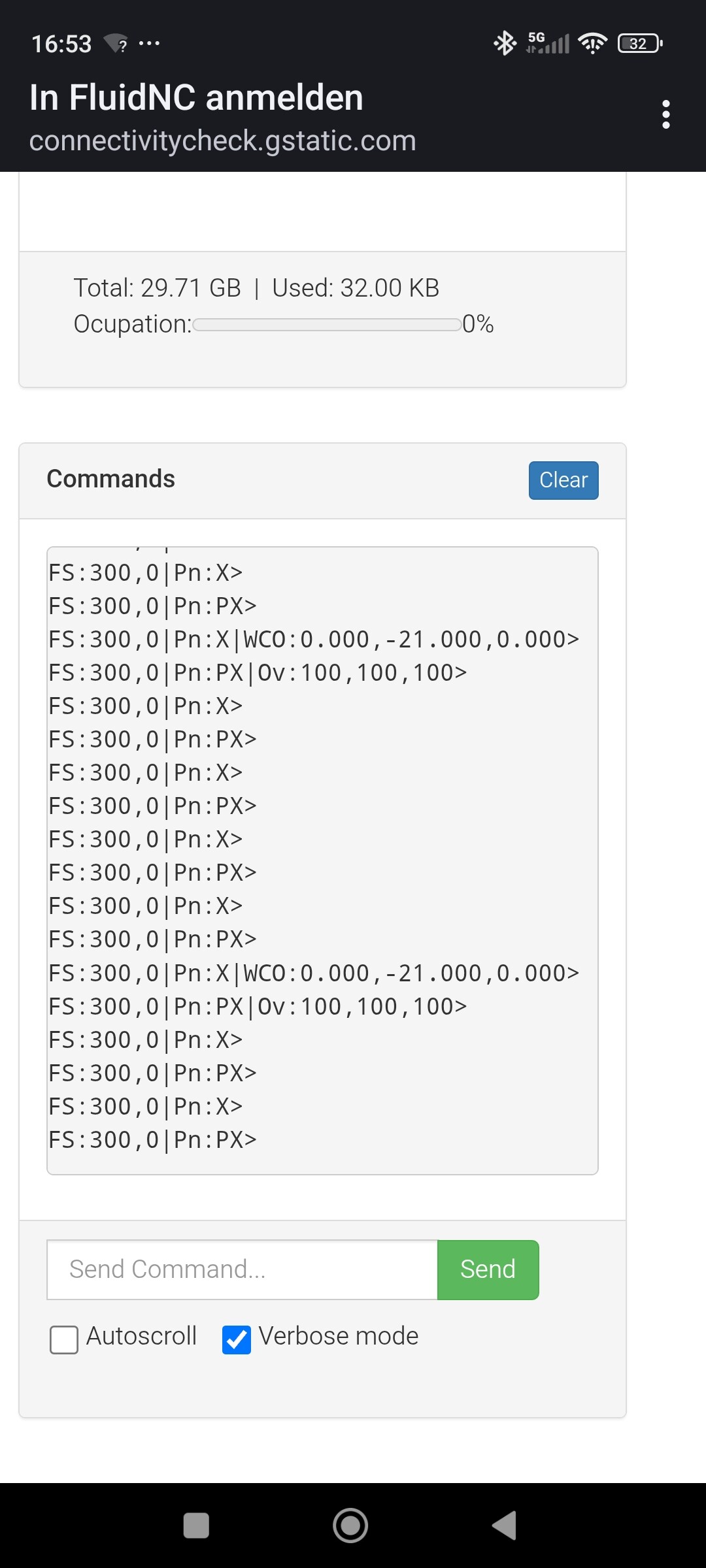
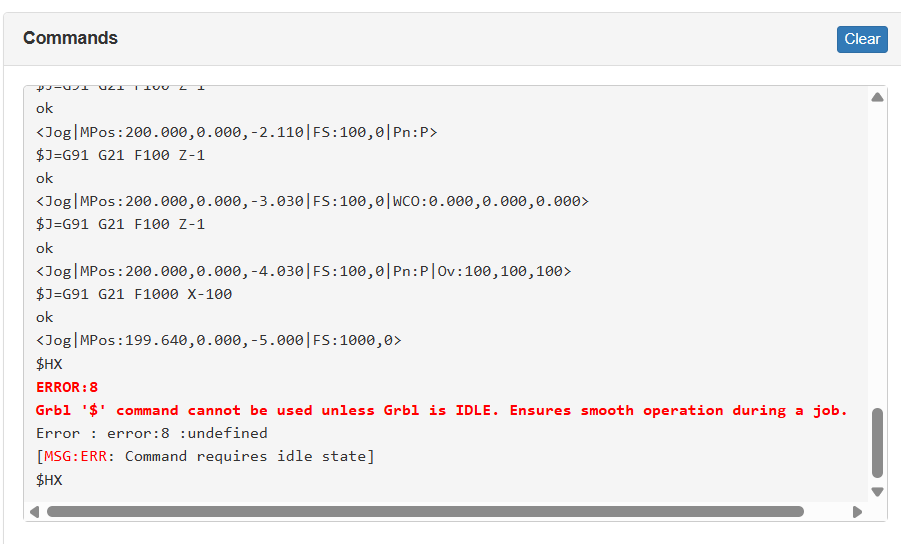
In the terminal window of the webUI when you home take a screenshot of what it says. That will tell us if there are any errors or not.
I am going to guess you used different end stops and they are not getting completely cleared after triggering. It is a simple fix but let’s make sure that is what is happening first.
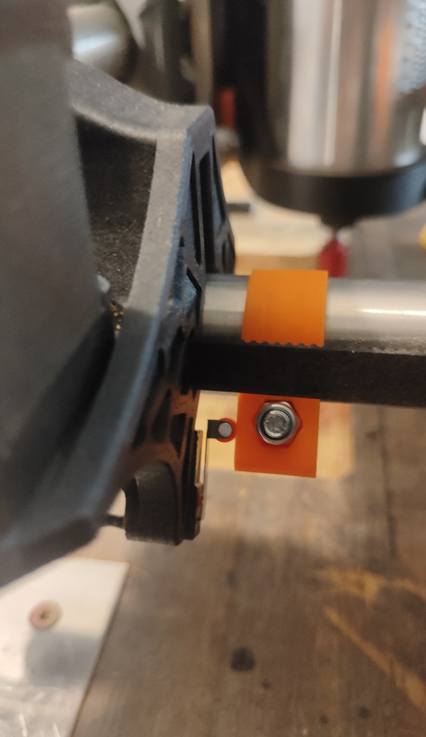
Let me see a picture please. You are not giving enough detail, what switches are you using?
It would be best to Home Y, and take a picture of the levers position relative to the screw.
That screenshot did not help enough. Home the machine in Y so it is close to home, then home again and try to catch exactly what happens in the terminal. You can take several screenshots if needed.
–
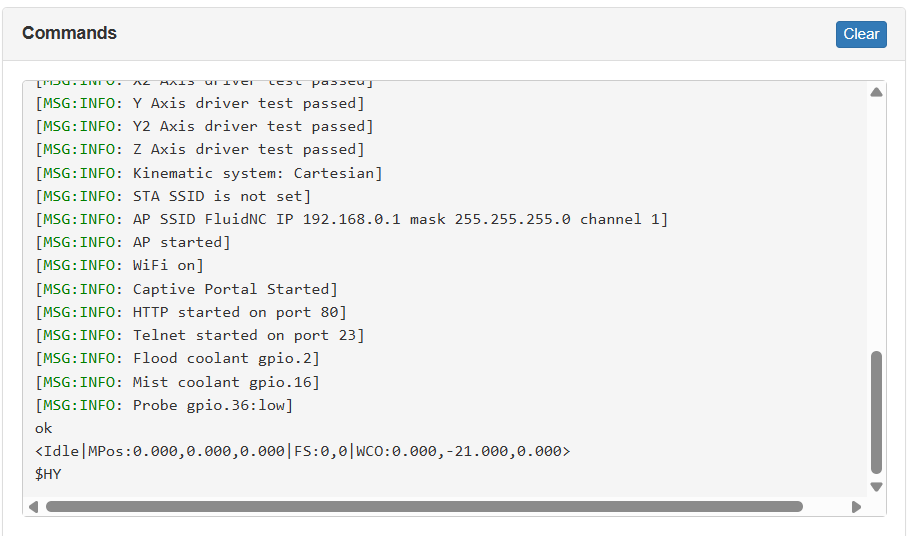
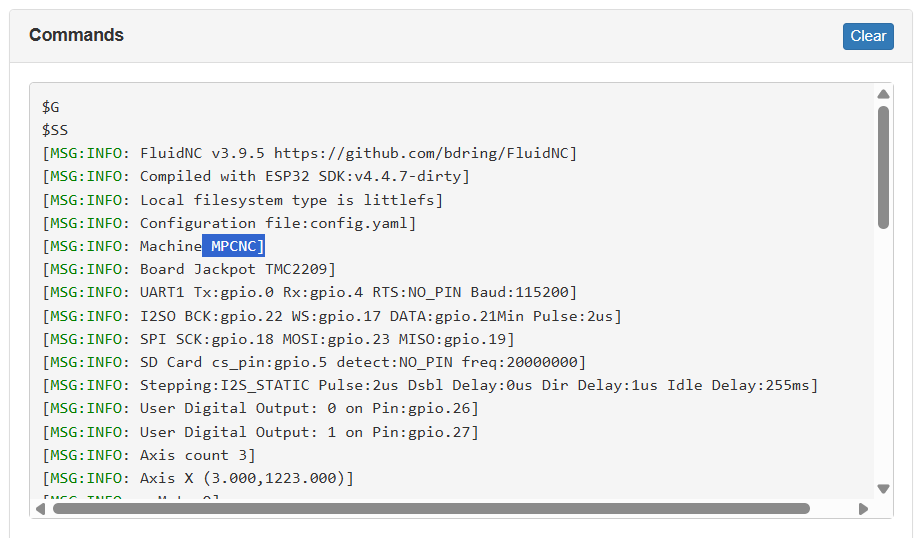
Also make sure if you type $SS into the terminal it says MPCNC near the top not LowRider.
Okay, because when I had this happen I switched X and Y so the wrong stepper stopped but the CNC thought it didn’t. And then it’s not going back obviously.
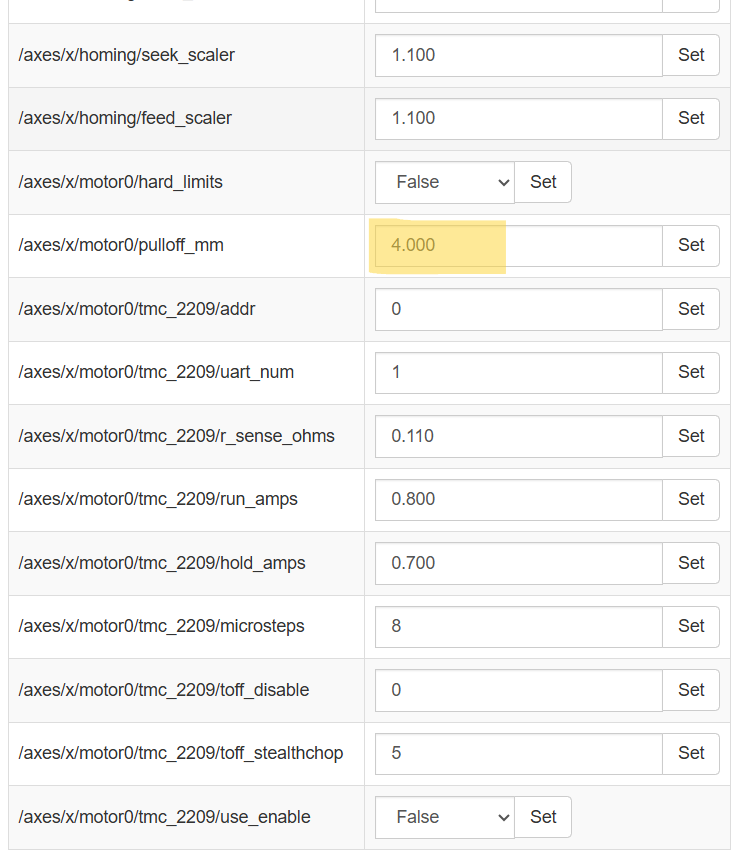
I need to see it not trigger, right after homing. Either way Those are very old switches and you need to probably have a longer pulloff.
Try 8 for now just to test it.
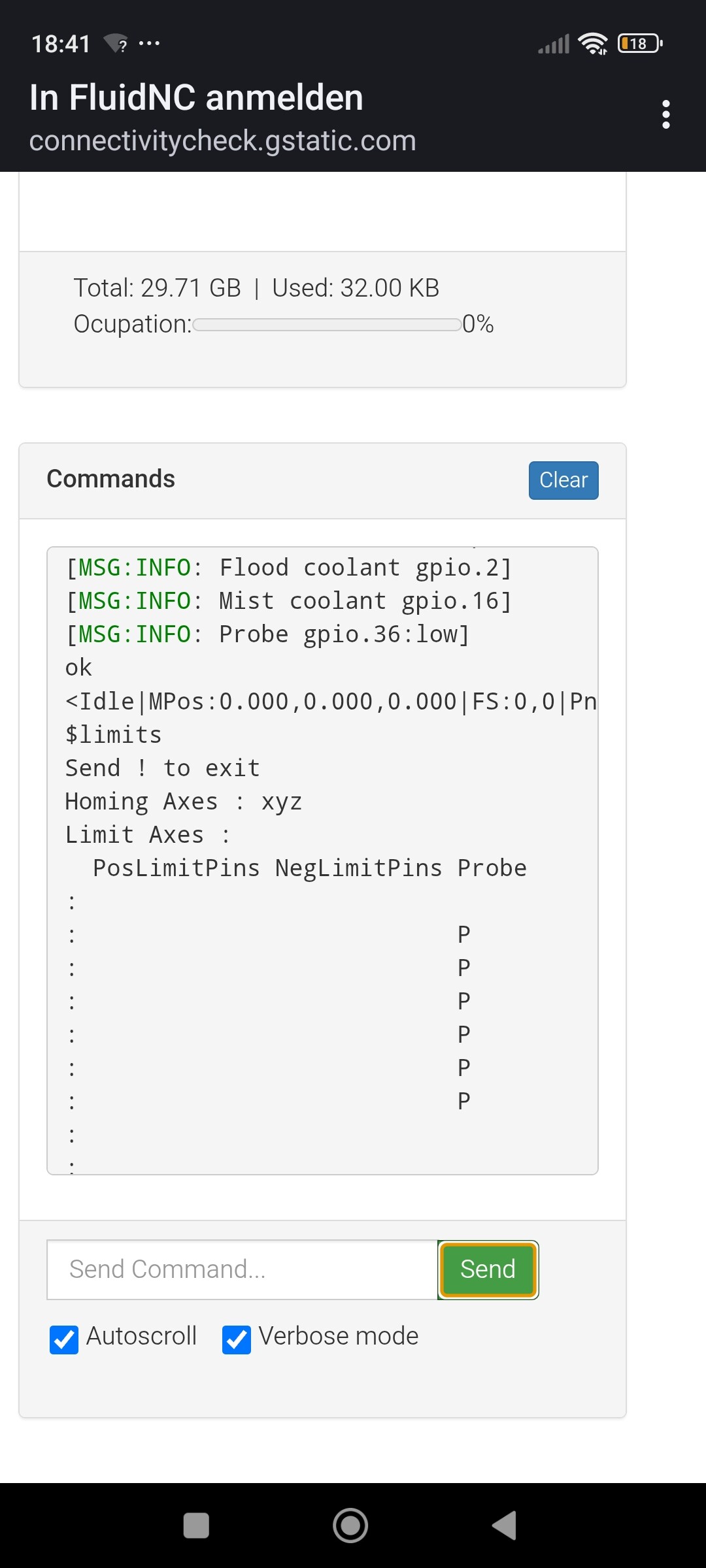
Try $limits in terminal to test each switch.
I need to see the top of this screen, the bottom does not have any info we need. I want to see if it is the correct jackpot version as well as the correct machine versions, and what actual version you are running.
thats the the problem, they do not move back, they stop the in the moment they trigger the switches and then they do not move anymore, they do not pull off. I have set it to 8, tried and the same problem showed up it stays in the triggered position.