You guys make my head hurt but my life better. 

Thank you for your contributions and extending my knowledge 
6 Likes
but it don’t…
I’ll maybe have to go back to jsDelivr, but just start keeping the latest version committed. Not sure why they allow cors on the API, but not on the download since it’s rate limited anyway.
I’ll play with it some more and see what happens.
The other option is just to let the user download the file and upload, like normal, but the button there is just a shortcut to let download happen for you
it would probably also be possible to send the url over and let the ESP download it… but I’d have to try to get the FluidNC to accept a PR for that…and not sure if that would get accepted or not
3 Likes
Ok… I gave up on dealing with the CORS issues for now.
What do we think about this?
On the about screen, I added an indicator for whether there was an update available

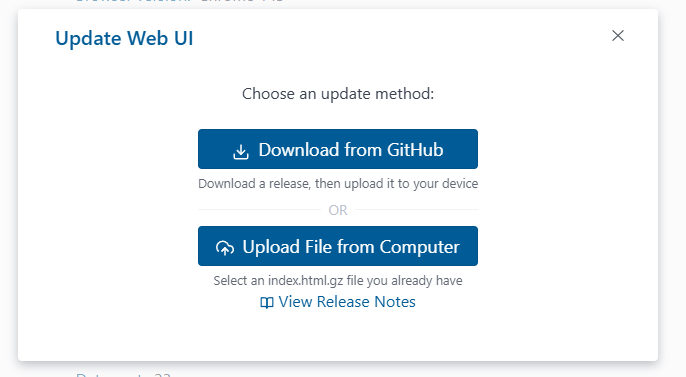
When you click Update, you now get a screen like this
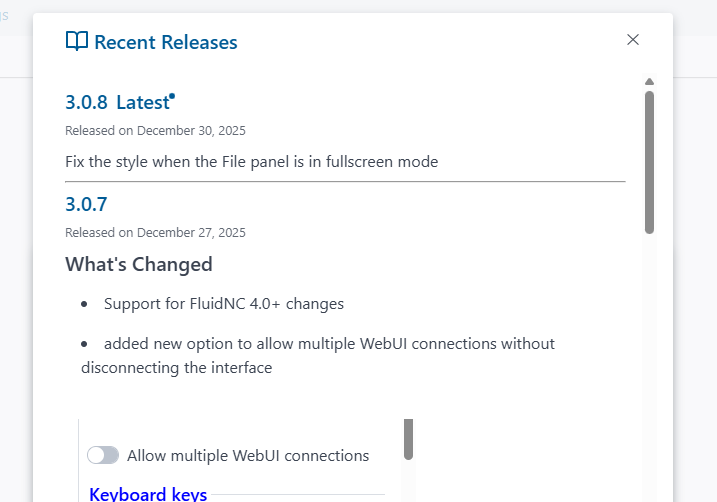
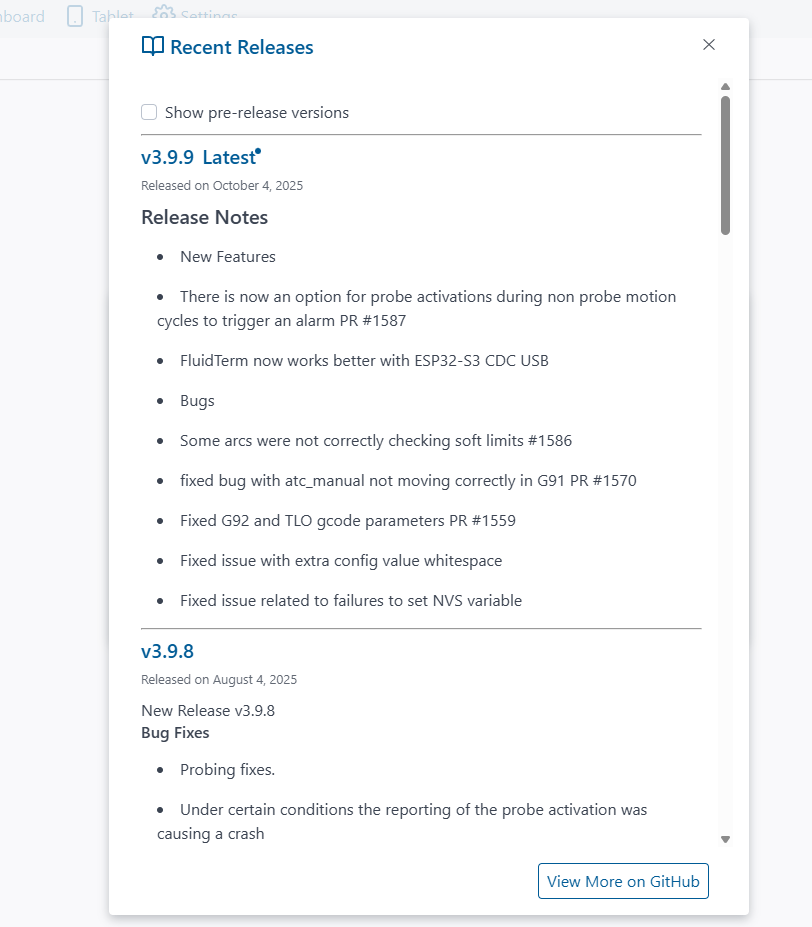
View Release Notes button will tell you what’s changed in each
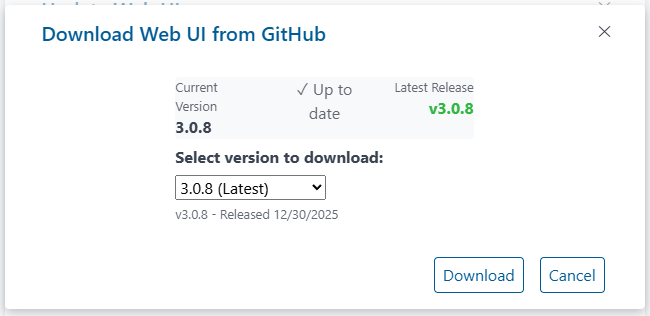
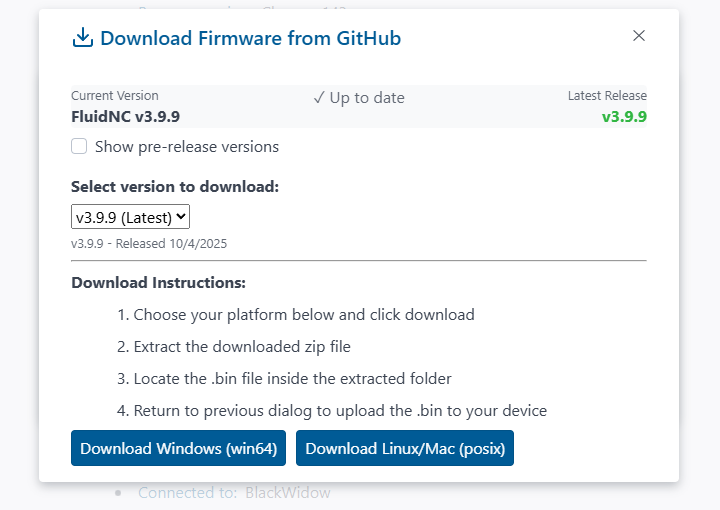
And clicking download get you a window like this
I’m still dealing with some oddities in the way the modals stack and closing behavior, etc.
but it’s still better than having to go to Github myself, I think.
If this pans out, I can possibly make it do the same for FluidNC firmware and OTA updates
7 Likes
So nice!
2 Likes
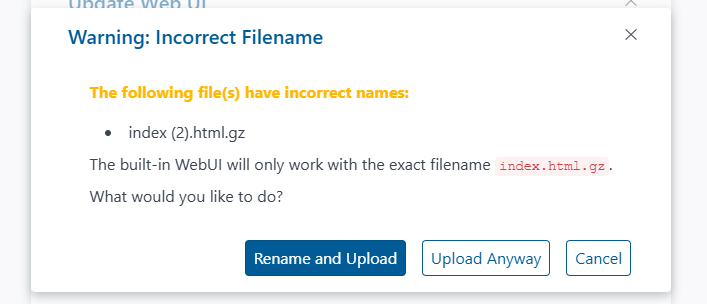
Another addition to help with auto downloads being renamed if you don’t have the option checked to ask for the name every time
5 Likes
Firmware is a bit trickier because it’s Windows and Posix zip files separately.
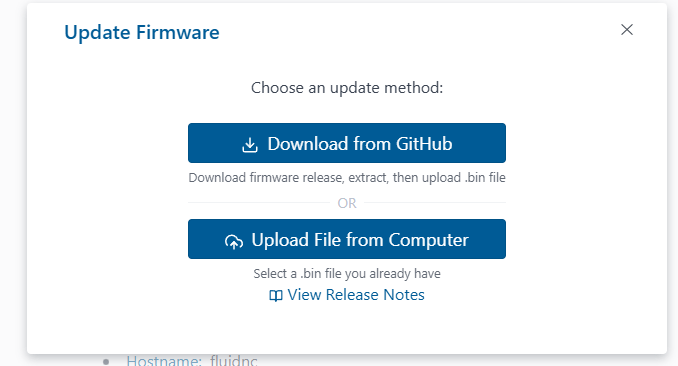
Download from Github view:
Release notes:
6 Likes
Released
Unfortunately, you have to upgrade first before you can easily upgrade in the future 
But I think this is much better than it was, even if it isn’t quite as ideal as direct automated upgrade
6 Likes
I hope to be doing a couple cuts in the next few days so let me give it a test run before I add it to the repo. I agree though, how cool are updates going to be after this. Some people might never see the web installer after this release!
4 Likes
Good, it sucks. 
3 Likes
Highly disagree.
I have flash so many thousands of boards and the web installer is by far the best tool I have ever been able to tell the end non-technical user to use. I use it on every board I flash to load files, and do terminal tests quickly.
2 Likes
Phew. I’ve only had worries with it, no matter which board. It might have been my computer, because it immediately worked with my wife’s, but the error wasn’t identifiable. So maybe it’s just me. 
1 Like
Things do happen and it doesn’t work for long periods for me as well. Enough to where I wonder if I need to fork it and hold it at tested stable versions. To be more specific flashing will stop working for a while but everything else will work so most users that are updating of adding files or settings should not see an issue…
But Mike just fixed all this with his new UI updates!!!
3 Likes
Looks like Mitch jumped in and has done a bit of work on the installer recently.
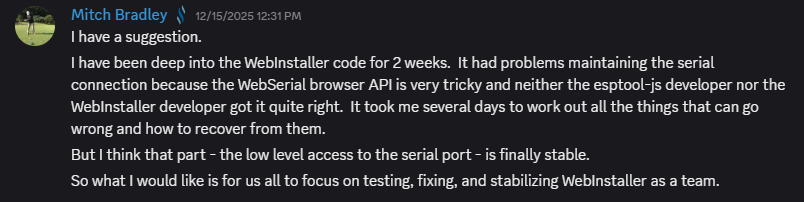
It might be more stable now

4 Likes
Yeah I had shared some dev panel logs with them about that time. Currently, it is working really really good for sure.
2 Likes
I haven’t seen the web installer before this release! 
4 Likes
Should have worn your glasses…
2 Likes
New release published
- Fix Progress dialog not showing during upload and download
- Fix Multiple file upload for SD cards
- Make file action buttons disable if there is a file system error
8 Likes