I think you can get them to print in the status updates with this

1 Like
It should also be noted that it comes up a lot in the Discord, and Mitch’s response is usually like this one
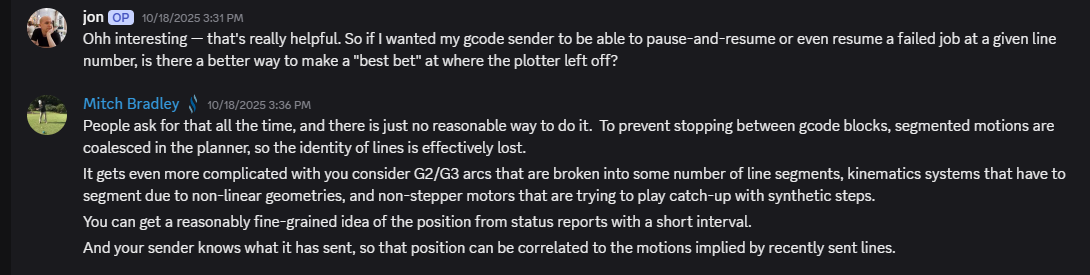

Use line numbers might be all I need. Esltcam break each group into a named chunk. I really don;t care what actual line number I am on, I just need to back up to the nearest group start.
I don’t want to start mid cut move line, I want to start at the begging of that feature.
I think I can make line numbers work.
Thank you guys. I did actually search but came up with nothing. Instead of “line number” I was looking for “gcode line” and few others…
3 Likes
Estlcam can restart by line or by clicking the object in the preview. 
2 Likes
hmm… seems like I’ve heard that before…
4 Likes
I might have mentioned it once or fifteen times. 
4 Likes
Has anyone otherwise had any issues or tested this version? If it seems ok, I’ll go ahead and release it.
I have some bigger changes in the WebUI in the works, so I want to get those few things released before the bigger changes go out
For the default settings, the main panel has an option of 25, but the Settings has an option of 20.
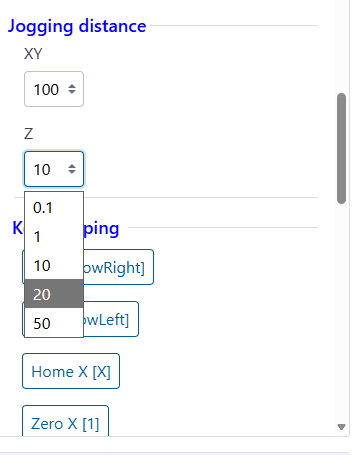
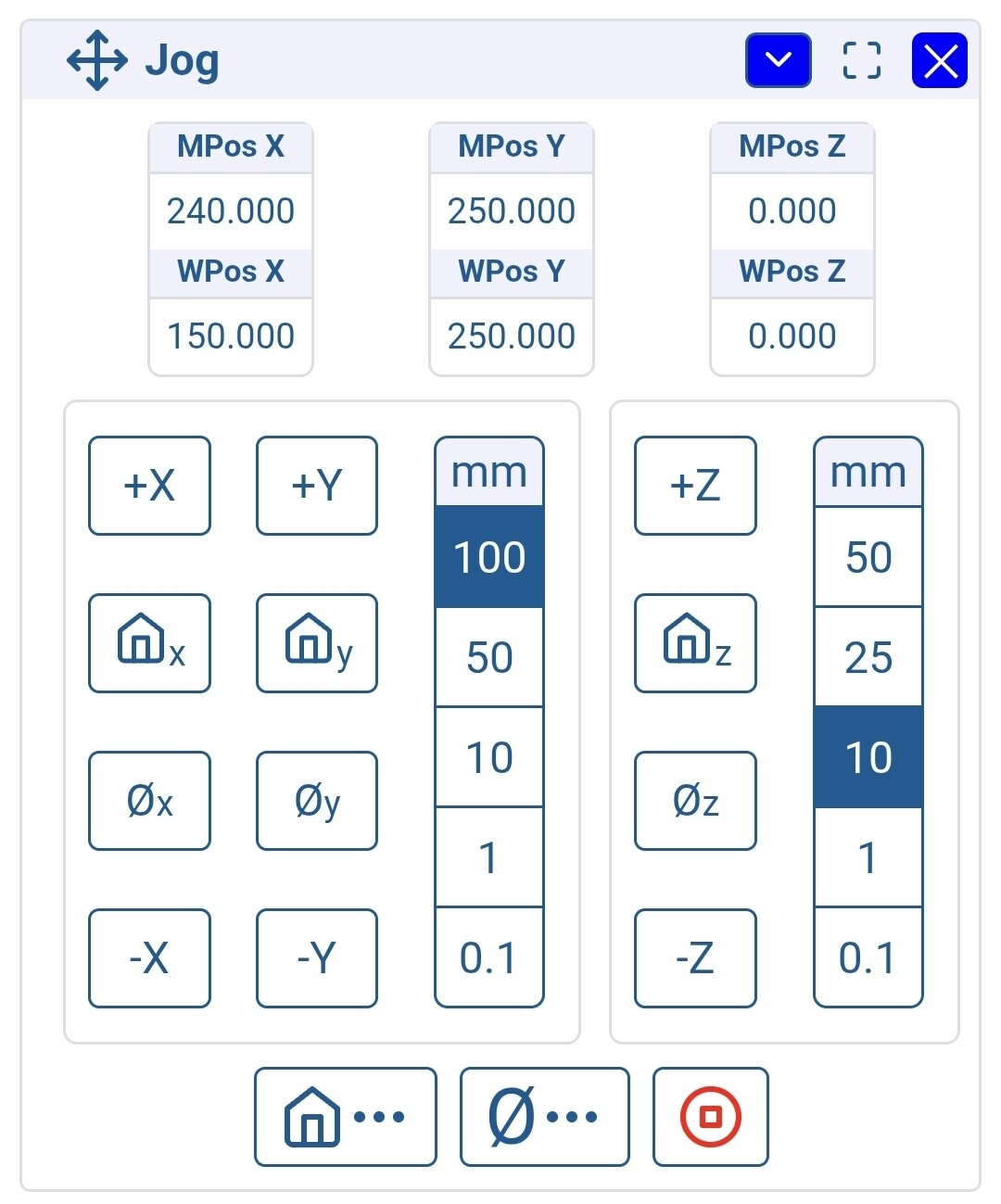
The right side of the Z step is tight on mobile.
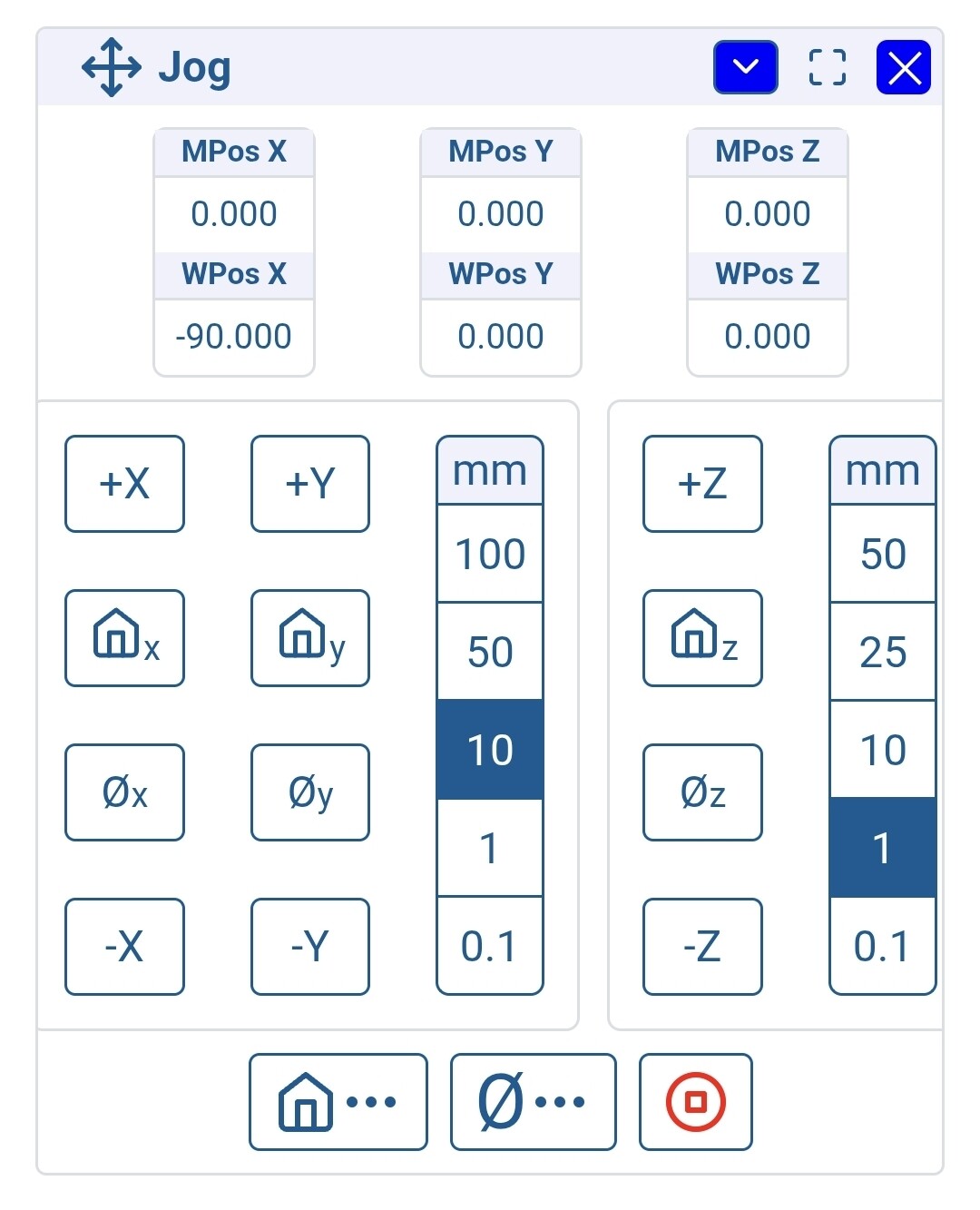
Otherwise, it works fine.
2 Likes
what kind of device is that?
looks fine on an iPhone…
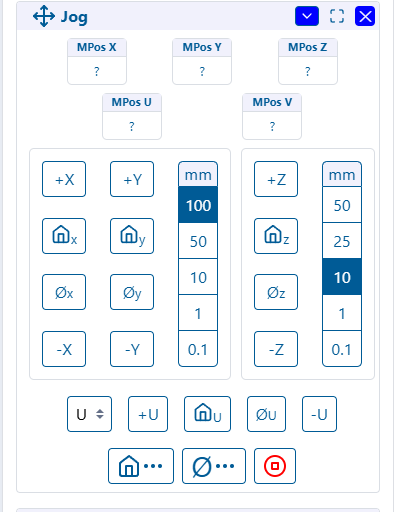
well… better…
it still is cutting off the border on the iPhone SE…
1 Like
Samsung S24
1 Like
should be better
It is better. I think it’s just a specific width thing.
On my phone:
Even on my PC in Chrome, if I make the width the right size, the panel could be on the edge:
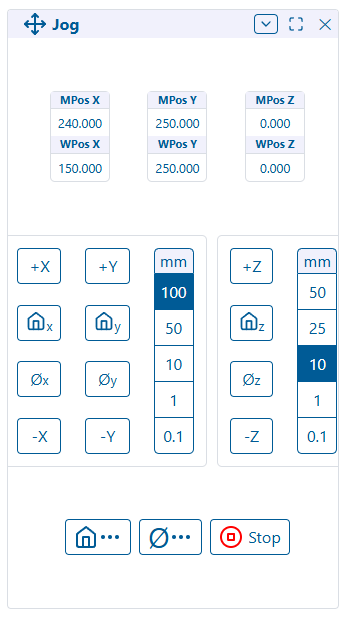
Not sure I’d worry about this too much.
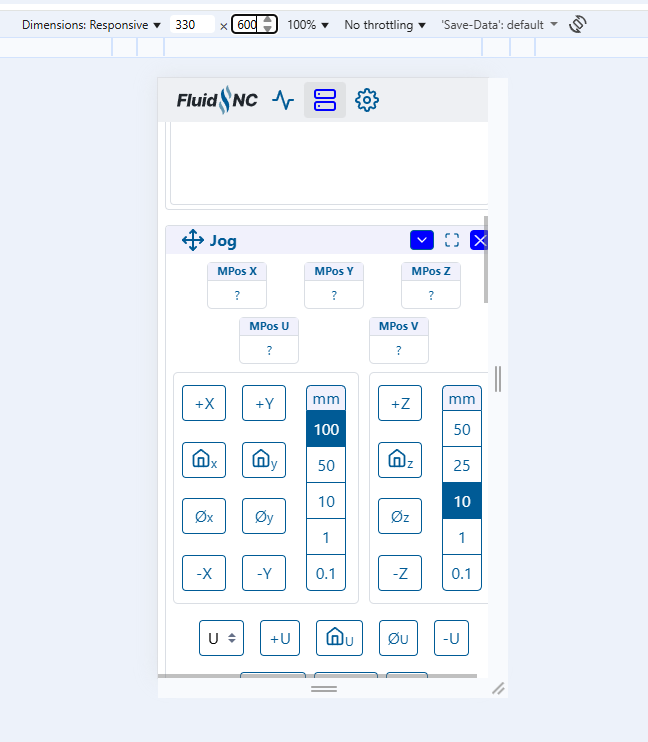
yeah, it’s ok down to 340 pixels wide. you have to be on a pretty small device to get there.
there’s more space that can be saved between the buttons, but it makes it easier to fat finger them
It’s still all visible at 330
5 Likes
Published
5 Likes
Will this get pulled in, in the next fluidnc release or should I just add it to v1e fluidnc configs?
It should be automatic in the release. I’m going to send a message to the installer guy and see if he’ll make it just pull directly instead of pulling based on what’s in the release.
I’m going to add a direct “Update to latest” button on that about page too
1 Like
More improvements to come…
I’m working on a new branch of the WebUI code that completely changes a lot of the inner workings of it to make it easier for me to make changes in the future.
Current vNext changes on the horizon…
Settings
I’m trying to revamp the settings editing.
So far, I have integrated a wifi settings editor similar to what exists in the web installer.
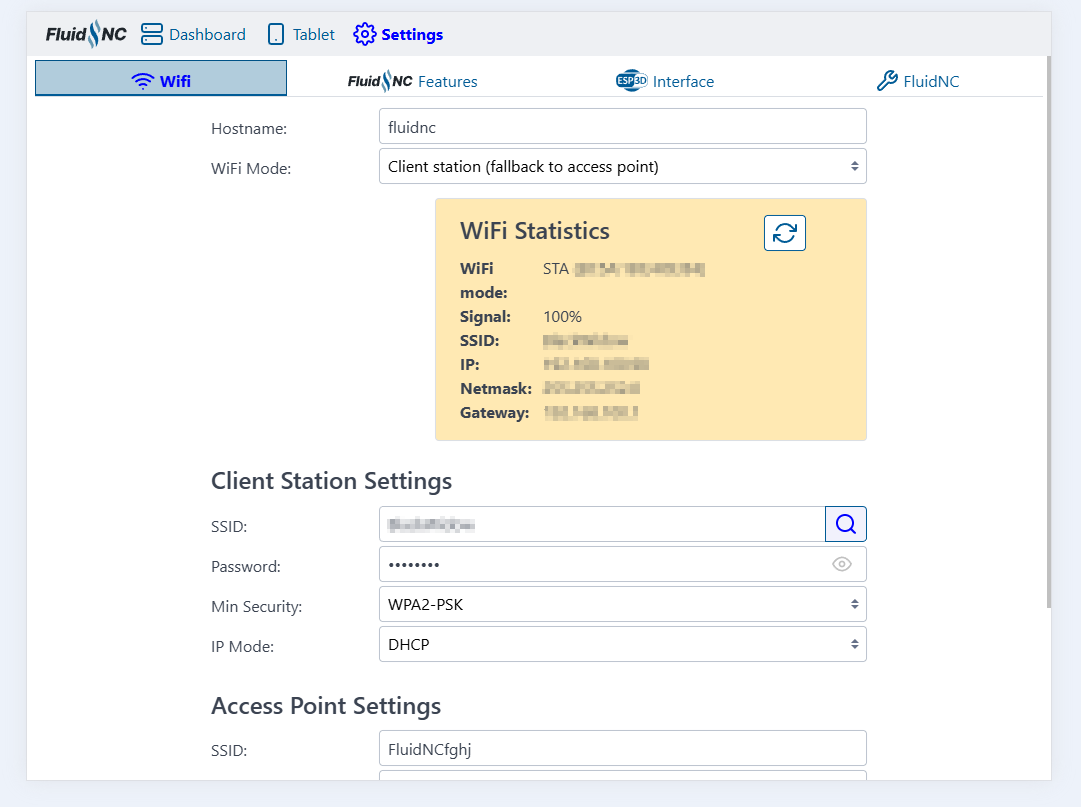
I intend to try to get some of the other nice features like the config editor, yaml editor, etc. brought in also
Files Panel
The normal files panel has a button to allow you to put it in full screen mode.

Once in full screen mode, you will be presented with a slightly different view that makes it easier to operate from a tablet
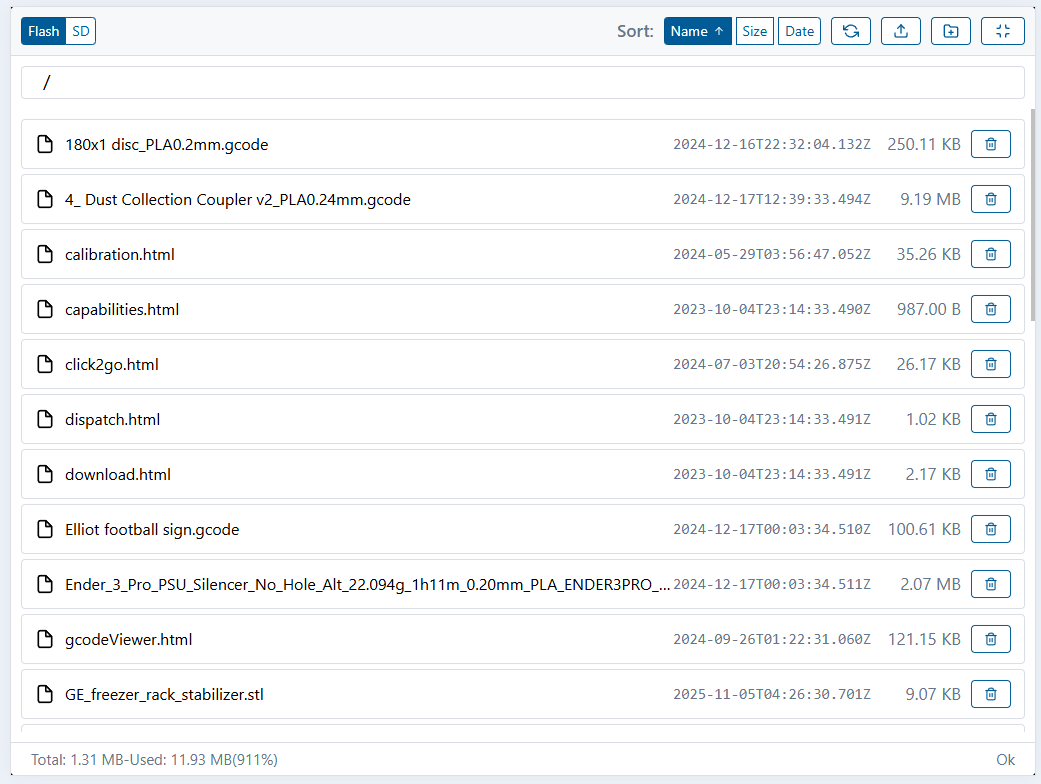
Note: the dates don’t actually work until some changes in FluidNC are made
7 Likes
Looking good!
1 Like
I’m also testing a new update function from the about page that will download the latest directly from github.
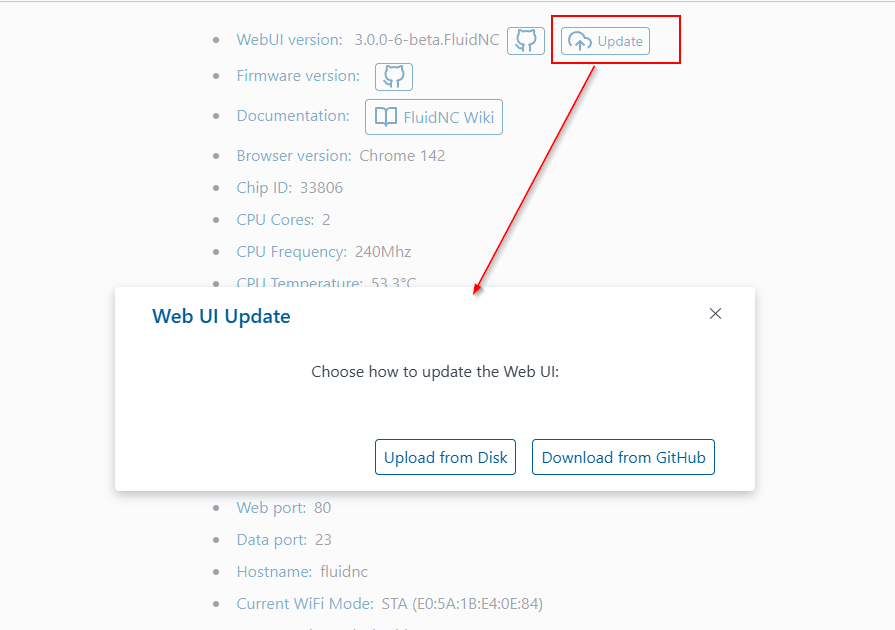
It’s having to go through a proxy CDN to get around CORS issues… so we’ll see how it goes…
5 Likes
I can’t wait. The webui needs some love I really feel like it has way more potential, you are pushing it real fast in the right direction.
3 Likes