Well, it looks like the WebUI Shenanigans continue…
This is a work in progress. I just randomly started working on this.
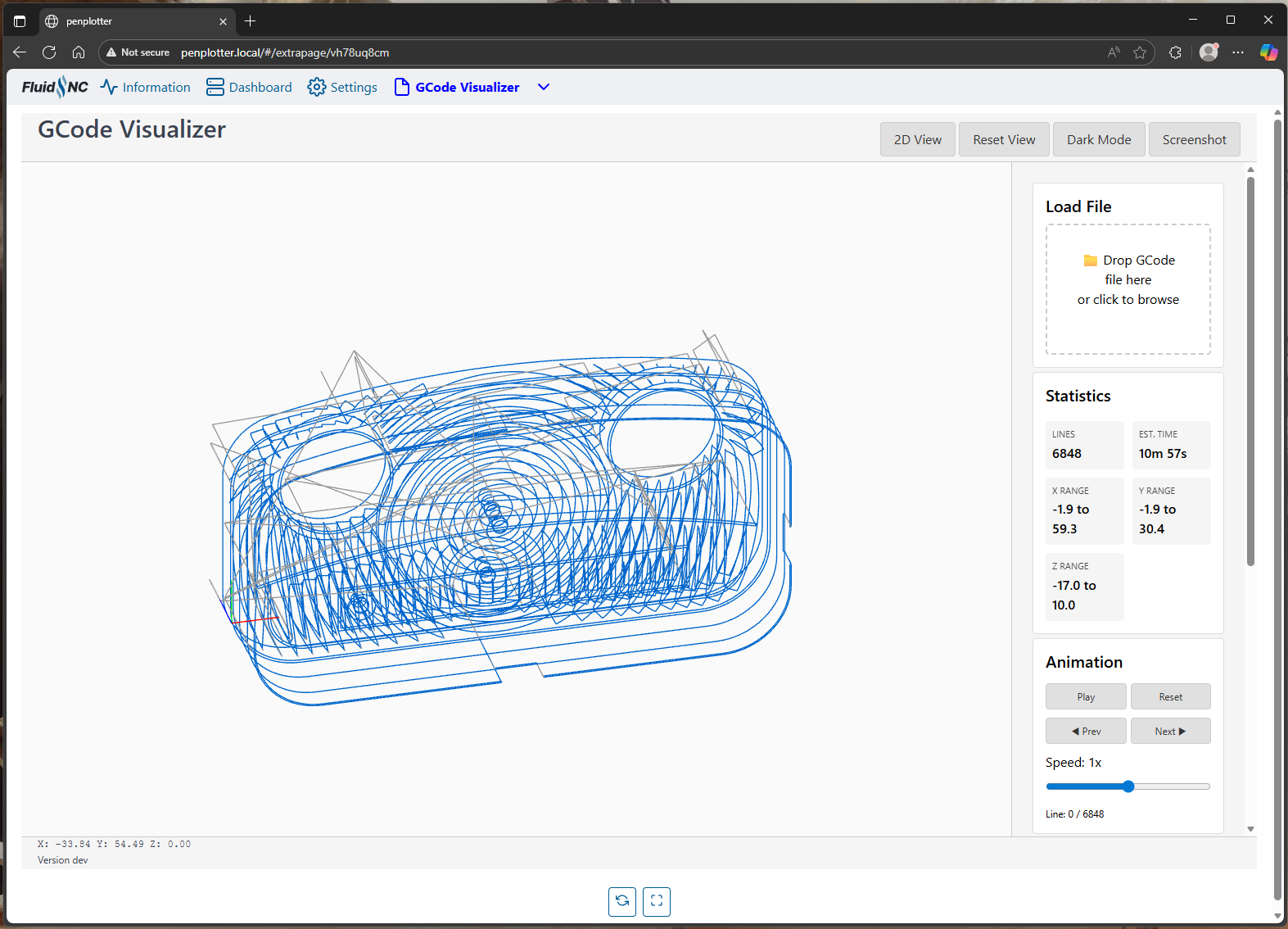
I literally don’t know how to do this, but I know enough to direct my friend Claude. I quickly put this together. Still a work in progress.
But, it can render gcode in 2D and 3D(!) with WebGL. So, you can drag, rotate, and zoom. And it minifies and gzips down to 11KB without any library dependencies.
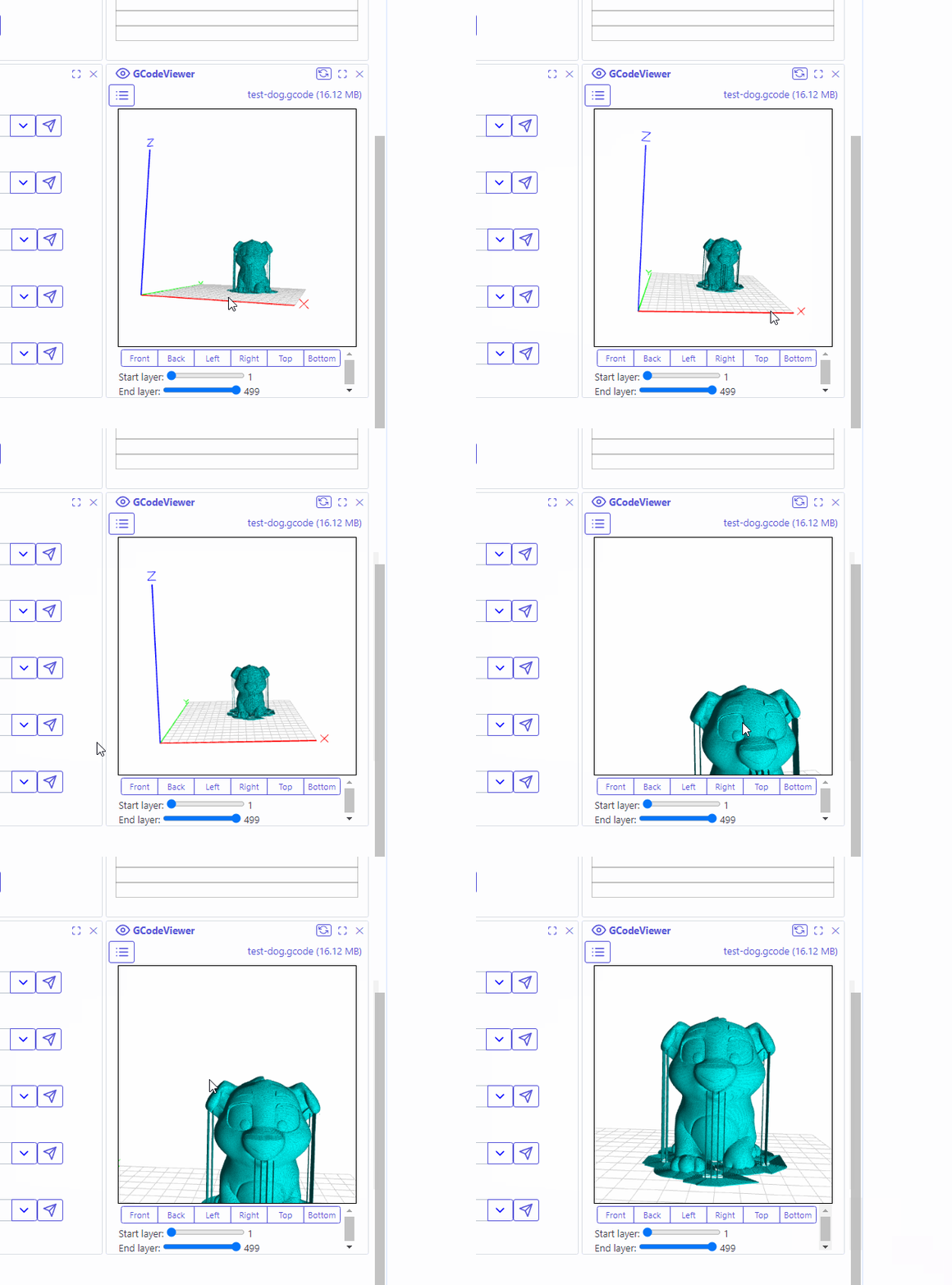
I messed with making the visualizer in Mitch’s tablet view available as a panel extension, but it didn’t fulfill my half baked vision.
So, I’m hoping to incorporate this into an extension, where you can preview a gcode file before you run it. It literally has to download the gcode of the FluidNC SD card to preview it, but that’s fine. I don’t entirely know what that looks like yet but the hard part works.
I started making a lot of changes to WebUI to include features, etc…
But one of the things I’m really struggling with, is that adding these features in to the WebUI causes the file size to grow quickly.
The extensions are great and all, but without a good distribution system, I just find them a pain to get set up.
I added about half of the things I wanted to add and the WebUI grew from 90KB to 110KB, which for the default build is only about 50KB from maxing out the flash
Github would be great for this, but the CORS policy doesn’t allow it. the best we could do is give them an easy way to download it to their computer, and then still have to upload it and set it up…
Jackpot V3 has the larger storge, Right? Is it time to start using that? It would be a differentiator between the boards. Jackpot V1 can always pick an ESP-32 with the larger storage.
I was thinking we can implement some standard functions to allow update urls, intended setup, etc.
Then we can maybe add an import button that uploads it and configures it automatically, then it can also check for updates, etc. if we add standard versioning
then it still has the size limitations, but then we can break out things like lasers, etc. Make everything extensions, and maybe lighten the load by excluding things you don’t need?
That’s true, so the size is not as big of a deal as extensions…
Development is more of a pain that way though…
I need to rethink this a bit.
I was making good progress but this size thing derailed me quite a bit, so I’ve lost some steam and have just spent the last couple days thinking about the extension ecosystem and what the solution could be
That’s why we are limited in updates. The FluidNC build downloads files, and attaches them into the build manifest, so that’s how the installer gets the files. It doesn’t go directly to github from the browser.
That’s why it only installs whatever the latest build was at the time the firmware was built
Anyway… sorry for the derailment lol… (Maybe this should have been it’s own topic of discussion .. it just triggered some thoughts I’ve been mulling over)
GCode visualizer looks cool. I had the same thing on my todo list, along with a surface wizard like @jamiek 's site integrated in, etc.
I got caught up in modernizing the code base and just trying to optimize the performance instead. I spent a good week doing it, and then got discouraged by the change in size from the Tablet mode implementation…
 .. it just triggered some thoughts I’ve been mulling over)