See what happens when you throw the preamble and postamble codes in there
https://www.linuxcnc.org/docs/devel/html/plasma/qtplasmac.html#_preamble_and_postamble_codes
2 Likes
I know the feeling. Despite being around forever I get the impression that the user base is just too small or it’s just too niche. The learning curve is steep enough that it steers people away. Why bother when you have something like grbl?
I’ve recently decided I needed to learn how to program python gui with Qt and I’ve spent the last 3 days banging my head into the keyboard wondering ‘why did they make this simple task so g** damn complicated!’ Basically 90% of what I try to do I have to fumble through obscure c++ examples and try to piece together bits and pieces and convert to python. Progress is slow and painful but I’m still making progress… i guess.
2 Likes
All I can think is no one wants to be responsible for someone zapping themselves trying to build this stuff.
The docs do have all of this in there but there are so many options and ways to do it it is just info overload.
I looked at the pre/postamble stuff a few times and even decoded it, didn’t think I actually needed it…but it can’t hurt so I will try it out. I am building up a Estlcam profile for CNC and for Plasma instead of trying to keep them both with parenthesis.
It is working now I either need to print up a mount or get started on the new LR…hmmmmmm. Watertable is a must…decisions.
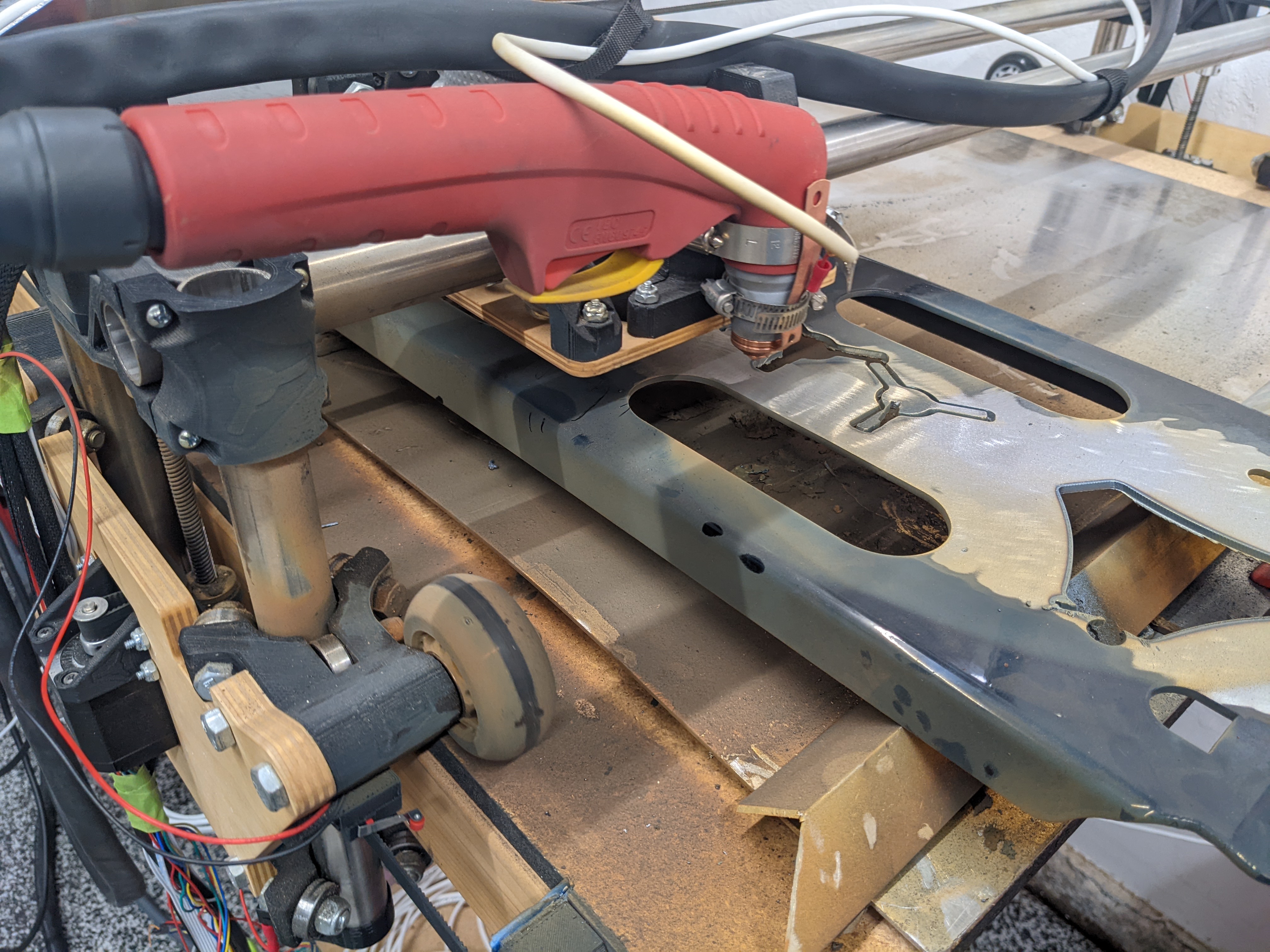
Oh man, code is magical unless you don’t understand it. Hit one symbol that isn’t making sense, and it turns into gibberish. I frequently ask people to translate code to english so I start to grasp the concept. “If y equals greater than 7 OR…” That helps me a lot. Could not imagine something like real coding, like for a job, gotta be sharp to do that well.
4 Likes
I did a few projects in TCL/TK. Never got around to trying to do anything with QT.
3 Likes
That’s looking awesome.
I’m about 1 more paycheck away from ordering my plasma cutter. I’m about 2 weeks away from finishing the current project and then I’ll be ready to start the next one where the plasma will be needed to break down sheet steel easier.
2 Likes
Qt is intended to be a “professional” gui toolkit. It can be quite cumbersome, but that’s because you can control everything. It also has a long history of interfaces that weren’t great (because that’s how everything was 15 years ago) and modern stuff. It can be hard to wade through stuff that is now only there for backwards compatibility.
You should accept the tools they have too, if you can. Using the Qt designer (or whatever they call it these days) and the ide can really save you a lot of pain.
I use Qt occasionally in my day job. But it is mostly C++. I have done the python stuff, but not recently. I prefer to make web interfaces (using stuff like flask) to my python code, usually. I also haven’t really done any Qt5, since my stuff all depends on an os that is still Qt4.
Tkinter is a good alternative in python, as long as you don’t need as much control. The user base is less experienced, so I think the tutorials and Q/As are going to be easier to follow.
2 Likes
I use flask for all my python gui stuff too.
But 98% of my python code is all command line automation stuff 
2 Likes
Same. I’d been meaning to pick up some gui knowledge for quite a while. I was poking through the QTPlasmaC source code the other day which uses pyqt5 so figured I might as well give this framework a shot…
3 Likes
Niiiiiice
2 Likes
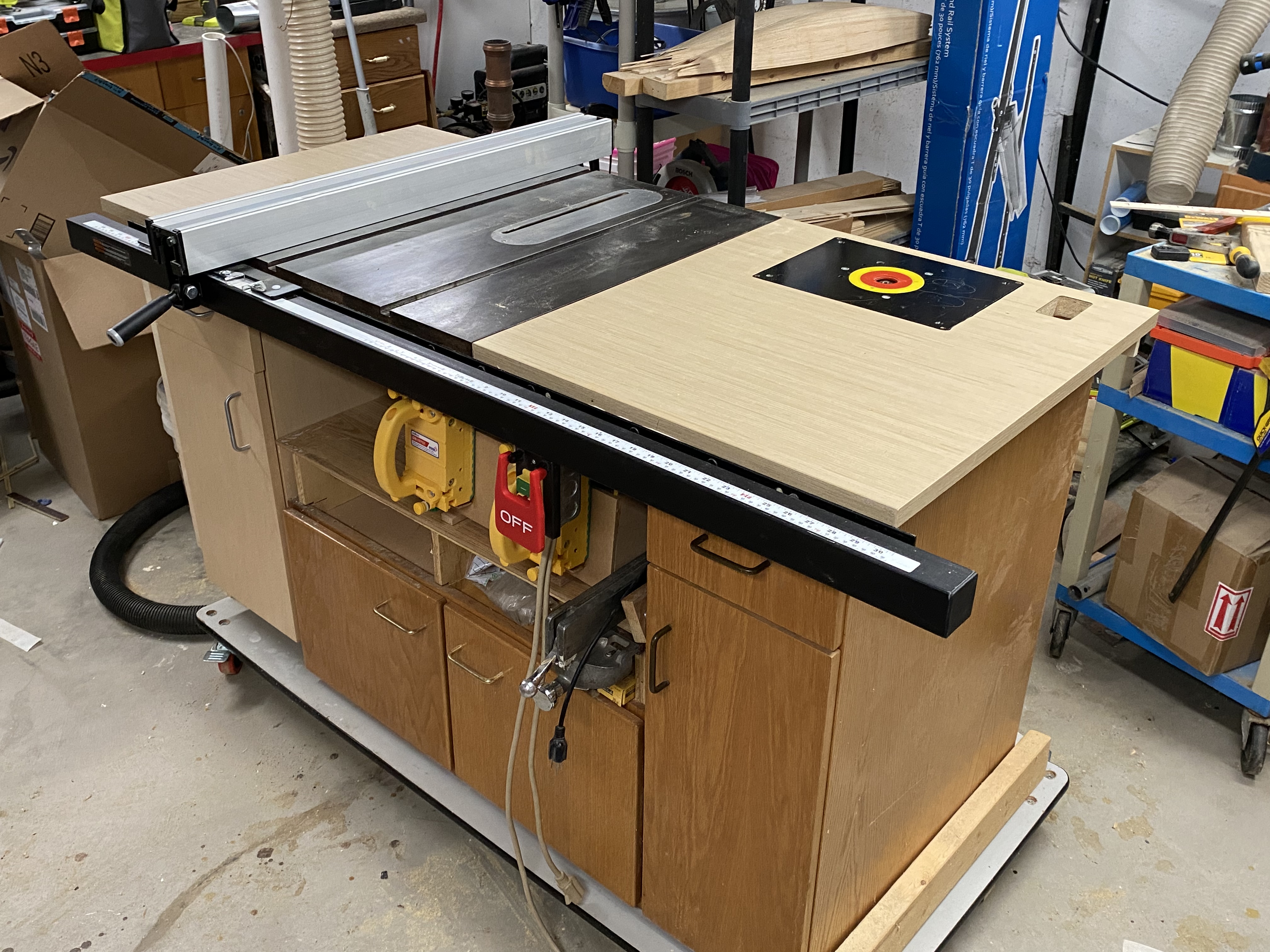
You know, I just saw this type of table somewhere else, thinking about doing it also. I have a small Ryobi table saw on a stand. I could remove it and put it in this environment.
1 Like
The cabinets in mine are from our local Habitat for Humanity ReStore, with a custom platform for the tablesaw with a dust collection duct built-in. There’s a 4" dust collection pipe along the back to try and get the table saw, (eventually) an over-the-blade connection, and over/under for the router plate as well.
Now that the table saw is back together, I can crank out a couple of drawers to fill those blank slots. Blade change wrenches, featherboards, miter saw extensions may soon have a home. There’s a leftover piece of the tabletop that would make a nice flip-up outfeed extension. I like the saw a lot, and the price was right, but the blade is pretty far back so there’s very little post-cut runway.
There’s a nice cross-cut sled slotted into some brackets on the far side. At least that project is finished.
1 Like
Oh, I forgot something… There is a guy on the Linuxcnc forums that builds and sells plasma tables that I believe just trains his customers to use inkscape with the built-in gcode converter plug-in. I think he tweaks the plug-in for qtplasmac.
I messed with it very briefly and forgot about it.
3 Likes
I don’t think that is the right link?
Yeah, post #2 starts to go in to how to use it. I’ve spent the last few minutes refreshing my memory. If you’re inclined to check it out here’s what I gather you would do:
- Load or create a drawing in inkscape
- Select what you want to cut and make sure it’s a path.
You may need to select it and go to Path → Object To Path - Go to Extensions → Gcodetools → Tools Library… and select Plasma and click apply
This will add a box with gcode template settings right in the drawing. You’ll need to change some of this to suite qtplasmac - Go to Extensions → Gcodetools → Path To GCode…
Check the preferences tab to set where you will be saving the gcode outputs
Go back to the Path to Gcode tab before clicking Apply otherwise it’ll throw an error… it’s kind of dumb
If you look in the generated ngc file you’ll notice it says you can create your own header and footer files if you prefer (note these file names don’t have extensions). I created these based off of what’s generated by the qtplasmac conversational tab.
header:
g20g64p0.004g40g49g80g90g92.1g94g97 (preamble)
footer file:
g20g64p0.004g40g49g80g90g92.1g94g97 (postamble)
m2
And here is what my tool setup box looks like at the moment:
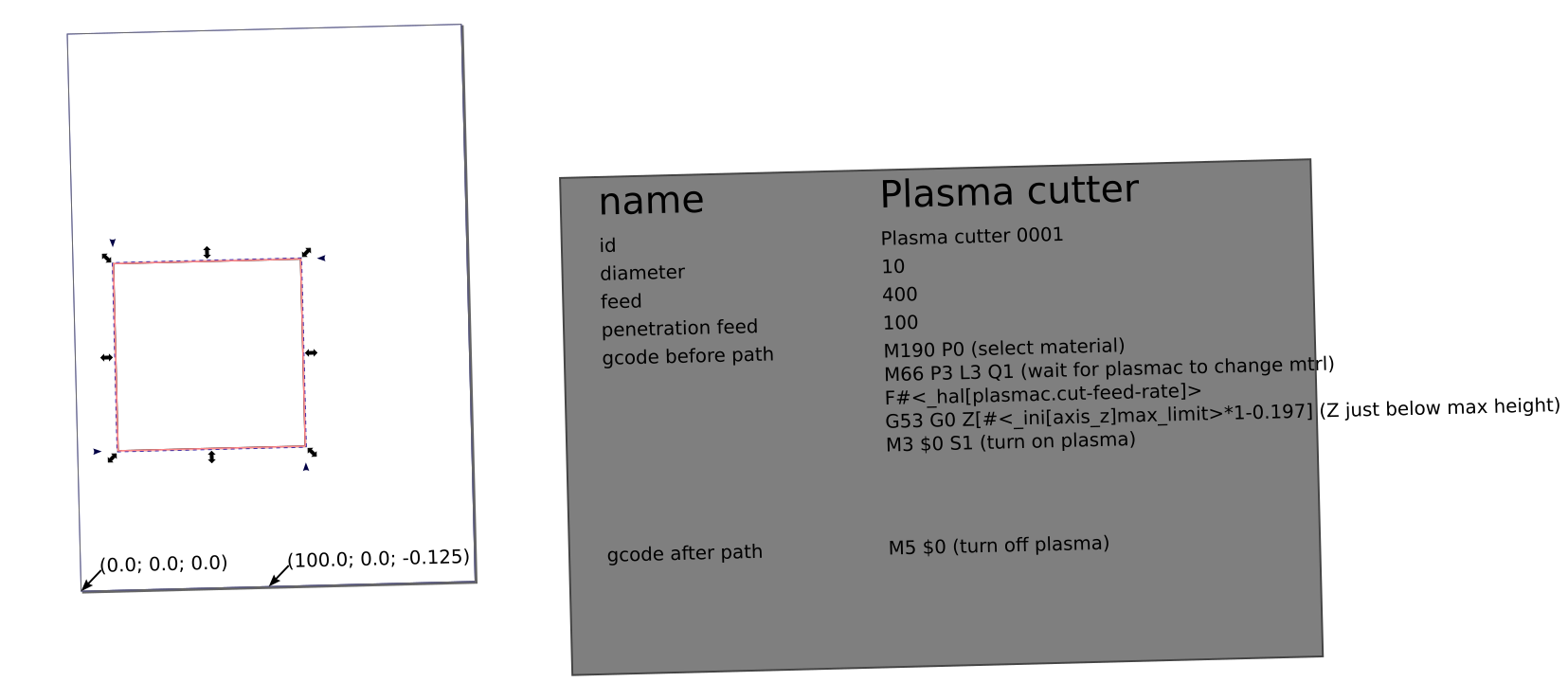
This is just a starting point. You may need to make adjustments for metric vs imperial. And there’s probably a smarter way to ‘handle’ material handling.
There’s a spot where you can add your own post processor which I’m going to guess is just a python script you can throw together. (Here is where I might run some regex to find and remove the auto generated feed rates that are incorrect… the F#<_hal[plasmac.cut-feed-rate]> is what we want here. Changing the default feed of 400 to a string, #<_hal[plasmac.cut-feed-rate]> , throws an error)
There’s also Extensions → Gcodetools → Prepare path for plasma which looks like can handle lead ins and outs and junk.
As I mentioned I’ve only looked at it very briefly, now you know all I know about this. But it it might be worth exploring since it’s free.
1 Like
Ohhhh, thanks!
Ok… it was bothering me so I did a little more digging in the off chance you or someone wants to use this. I couldn’t find any documentation on how to use a custom post processor so I had to dig through the source code.
It turns out that Additional post-processor setting in the Path to Gcode window does NOT load a python file like I assumed in my previous post. Basically it just expects you to input one or more predefined functions from the Postprocessor class. These are the functions available to us:
self.functions = {
    "remap": self.remap,
    "remapi": self.remapi,
    "scale": self.scale,
    "move": self.move,
    "flip": self.flip_axis,
    "flip_axis": self.flip_axis,
    "round": self.round_coordinates,
    "parameterize": self.parameterize,
    "regex": self.re_sub_on_gcode_lines
}
the last one ‘regex’ was what I was hoping for. If you put this in the additional post-processor box it will replace feedrates with what we want:
regex(r'(G01.+F)\d+\.?\d*(.*)', r'\1#<_hal[plasmac.cut-feed-rate]>\2')
Also, it looks like you can string multiple commands together seperated by a back slash or semicolon but I’m not sure. (reference line #2225 of the source code linked above)
2 Likes
I’ve tried to copy the sheetcam pp to estlcam. I haven’t cut anything with it but it appears to work in the qtplasmac sim. Heads up, this is using imperial and ipm. In the attached zip is the pp and a test tool. Just like sheetcam each tool is actually a material.
estlcam.zip (1.4 KB)
1 Like
Estlcam has a built in Linuxcnc pp , it worked I just added the above stuff to the start and end gcode.
3 Likes
Probably much the same then. I also plugged the “tool” selection code into the operation start section.
1 Like