I don’t want to take the time to completely re-wire the extruder for one anyways, so I ordered a separate ADXL USB board. I’ll re-design one of the 3d printed parts on my core so that I can mount the ADXL to it and finally start playing with input shaping.
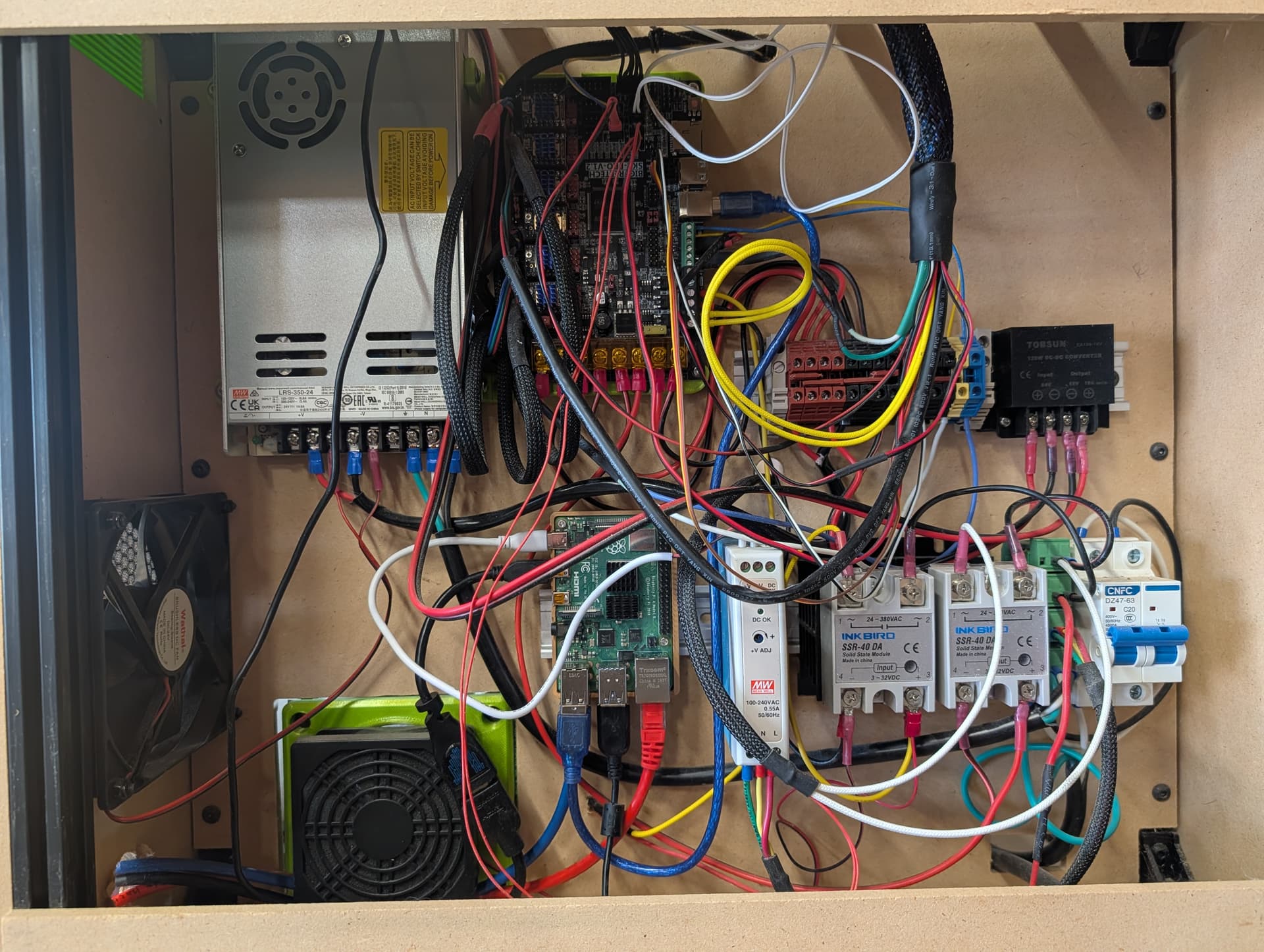
I have tried really hard to be better at wire cleanliness and gotten better at it. It really does help to have it cleaned up I have found… It just takes a long time and when there is a project and limited time, the tidiness takes the back seat. Also i fry fewer components with cleaner wiring because fewer things get caught and accidentally unplug.
I bought some wire tray from the online bookseller for less than $20 and used some tape to stick it to the back board. It hides the long wires and makes some short ones not fit, but i think it is worth the effort. One day after cooking the first octopus board, i just decided to do it, and have done somwthimg for wire loom or channel on all systems since and not regretted it. Highly recommend it. A clean system is a happy system.
I agree. My new Pi4 DIN mount finished printing, so I ran out and installed it. I yanked out all the excess wiring that’s not needed and have re-wired up the exhaust fan and tested it. Even just doing that has made the wiring look a little better.
I have a bunch of stick-on channel that I could/should be using to help clean this up more too. The way I’m routing my umbilical makes anything going that way hard to cable manage, but I could do a better job of all the other ‘inside the cage’ wiring that’s going on. I’d like to at least get all the AC wiring inside a channel. I’ll have to pull the channel off the shelf and see if I can put some in when I wire up the chamber heater this evening.
The funny thing is having Klipper on this machine makes me want to work on it more again. It really is so much easier to make changes to the printer with it. I find myself changing macros and tweaking things.
Oh. And my all-aluminum core I milled a while back has been rock solid after the most recent update/change.
Canbus makes wiring to the tool head SO much easier. I have it on all of my custom built printers including the V4 with SKR. I used to run it with a U2C but now you can flash the EBB boards to communicate over USB so its not needed anymore. Just having the 4 wires going to the head makes things 1000 times easier
I might have to revisit this then. I assume the EBB goes straight to the Pi ? Then the SKR is managing the rest of the steppers, heated bed, fans, etc ?
Yes. You can run the EBB36 over canbus with a U2C or you can flash it for USB communication and run that right from the USB C connection on the EBB36 back to the Pi. You will still need 24v to the EBB36 to run everything else.
Ah. So the breakout boards are only used to remove the voltage wires from the USB cable. Could probably just cut a USB-C cable in half and only connect the two data wires back up.
As long as the jumper is not installed for USB C like you would when you flash it then the power on the USB cable shouldn’t matter I wouldn’t think. It wont power anything from the USB C port.
I’m going to throw this here in case the search algorithm picks it up.
I’m using a USB Logitech C920 for my webcam. I was getting absolutely HORRIBLE FPS no matter what settings I tried. I eventually stumbled on a github from earlier this year. It recommended adding the --allow-truncated-frames flag to the custom_flags . All my stuttering went away and the video is smooth and crystal clear.
Here’s my full crowsnest config.
[cam 1]
mode: ustreamer                         # Switch back to ustreamer
port: 8080
device: /dev/v4l/by-id/usb-046d_HD_Pro_Webcam_C920_6D54BCDF-video-index0
resolution: 1280x720
max_fps: 30
custom_flags: --format=mjpeg --encoder=hw --allow-truncated-frames # Force hardware MJPEG
I think this will solve my issue as well. THANKS!!
I thought it was weird that I have only had camera issues with the HD usb cameras… but I went to a faster pi as well, so the bottleneck didn’t make sense.
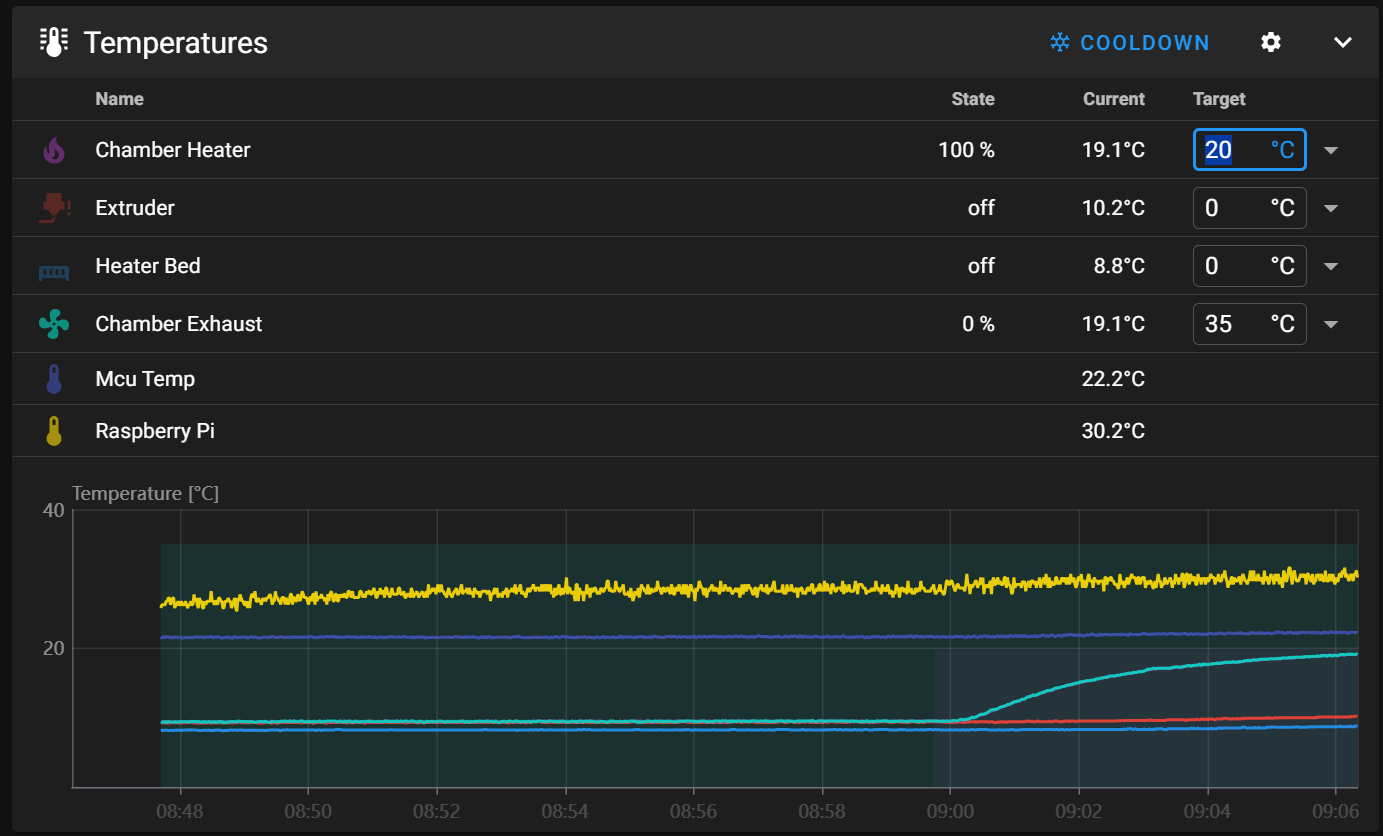
Here’s what my temp graphs now look like while testing the chamber heater. It’s not a very big one, but it at least takes the edge off. It’ll push hotter when the heat bed and extruder are running. It at least helps keep it warm for ASA prints.