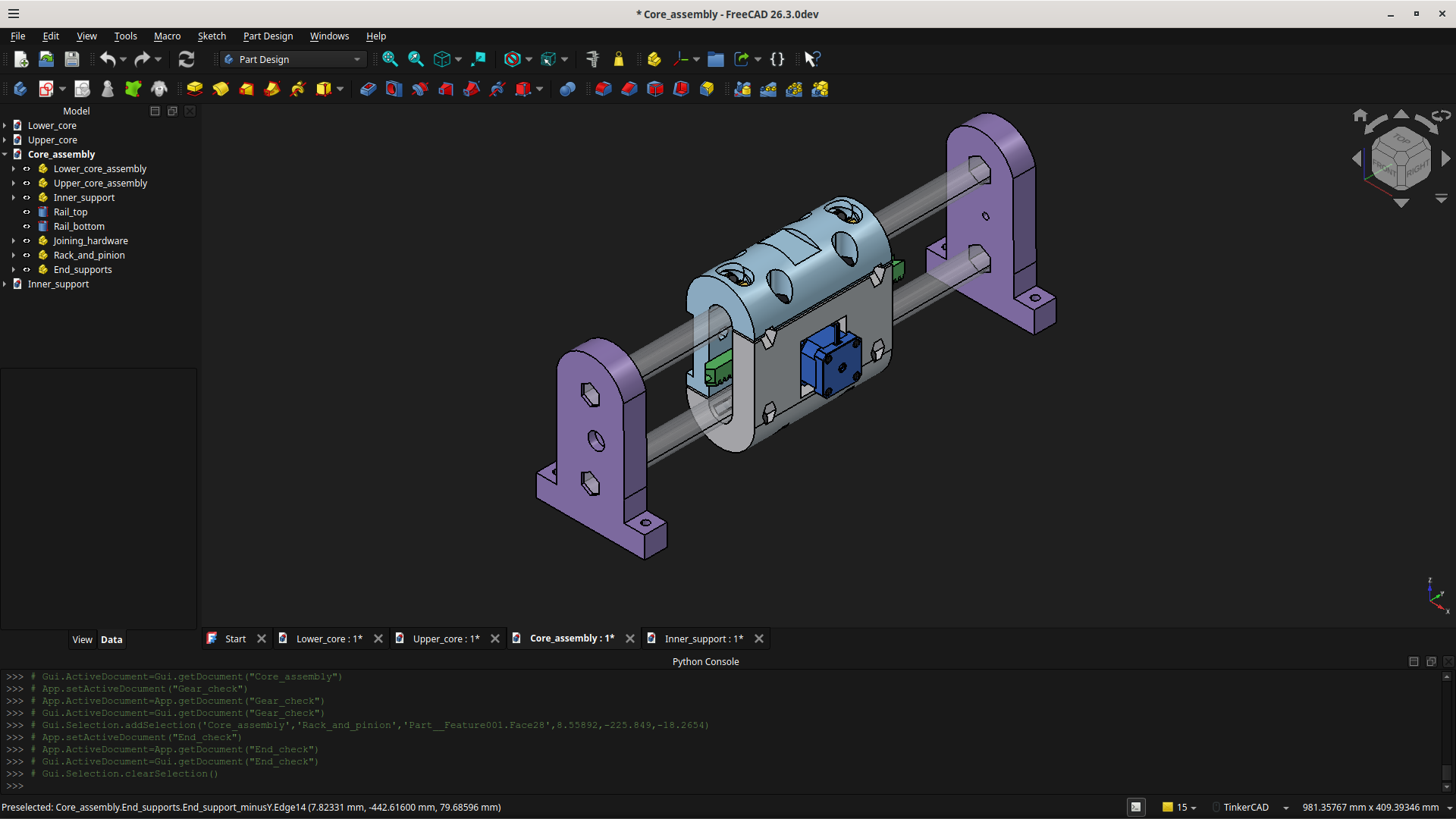
I finally found some time and motivation to re look at the MPR&P, couple weeks ago
the only reason im not using @dkj4linux amazing tri design, is cant find pipe close to what he used in his design and build the closest pipe has to much slop when on tri bearings
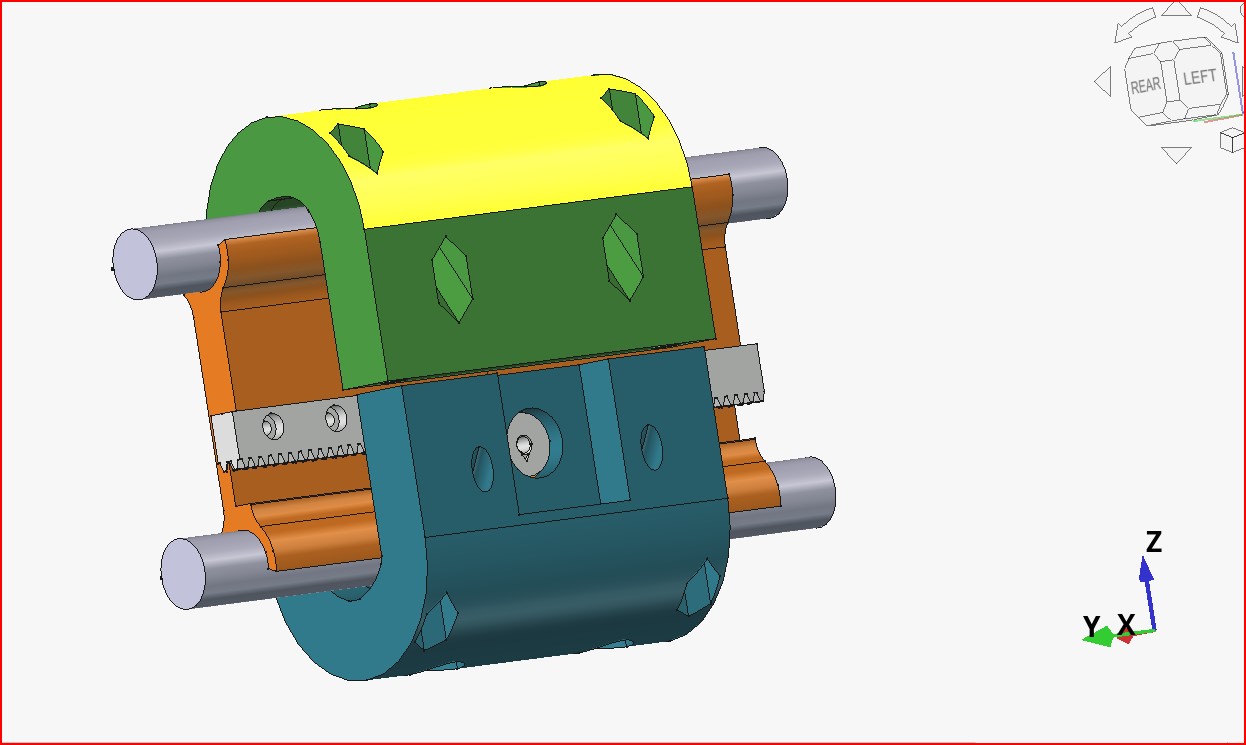
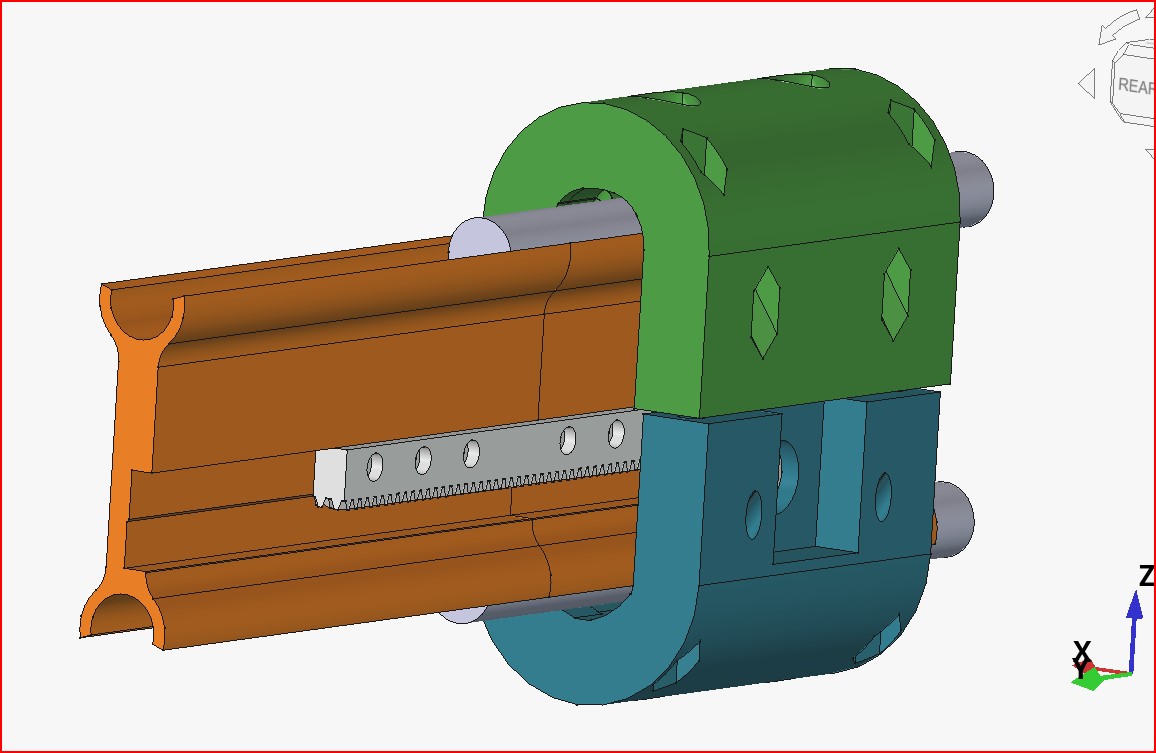
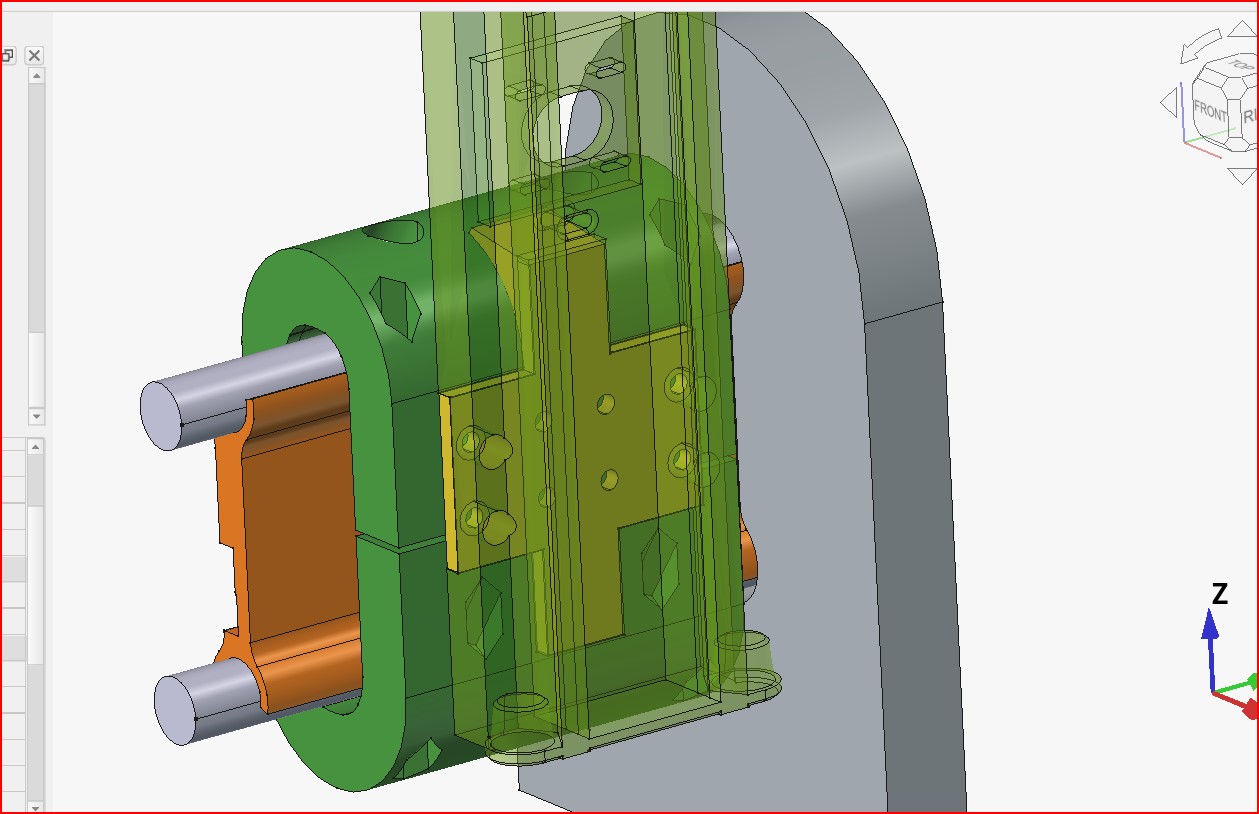
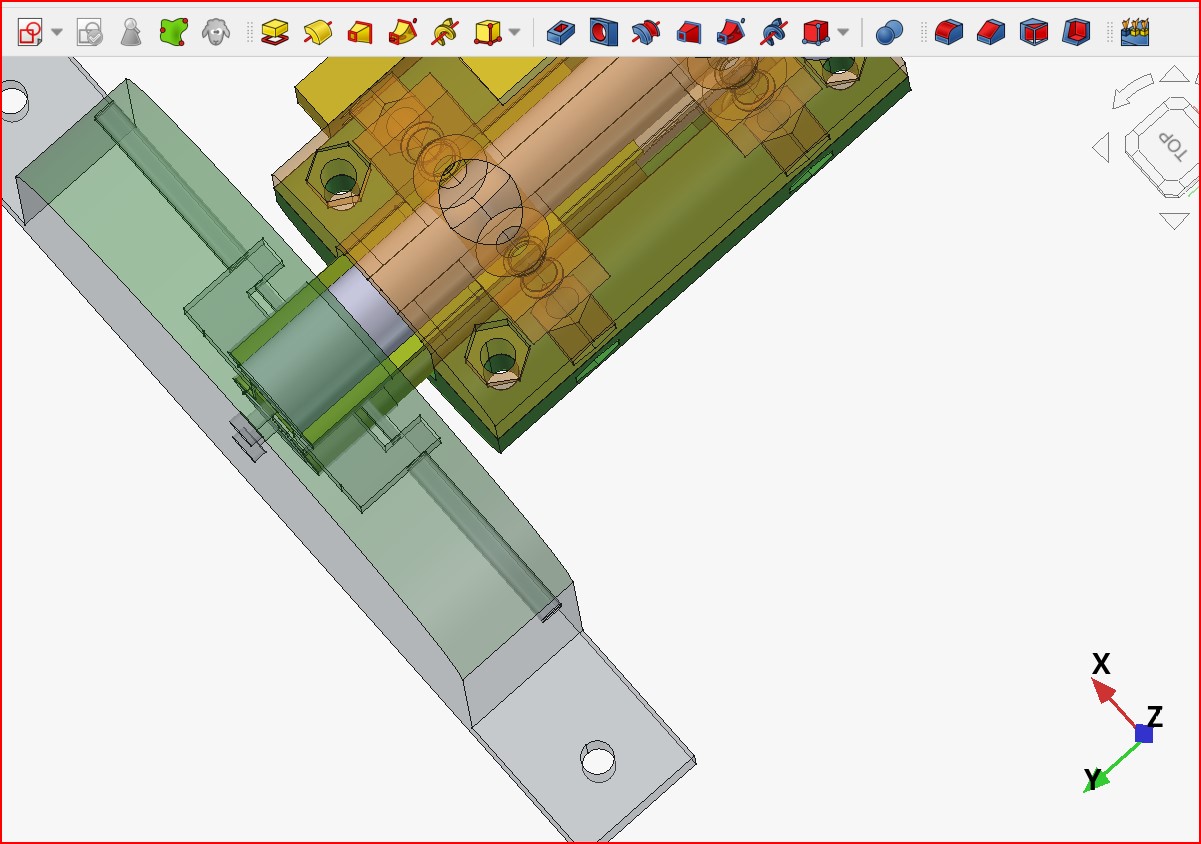
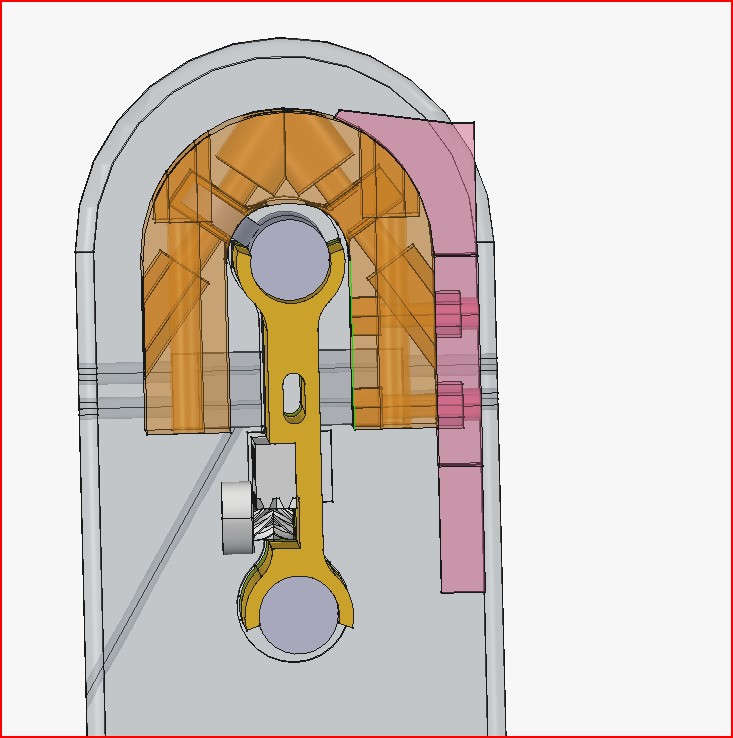
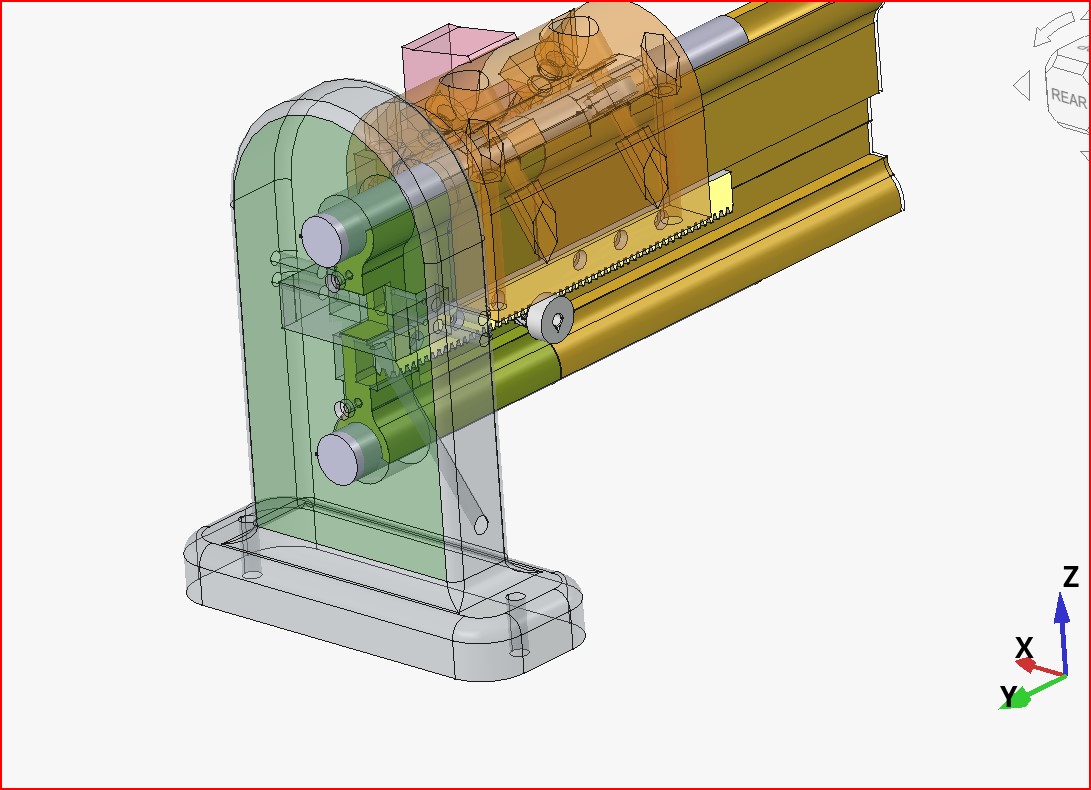
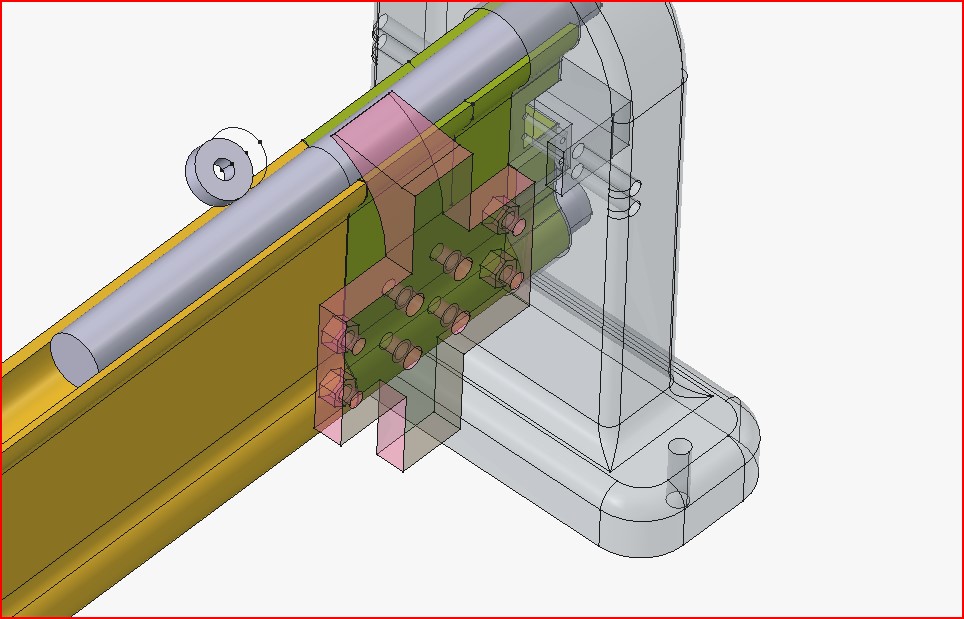
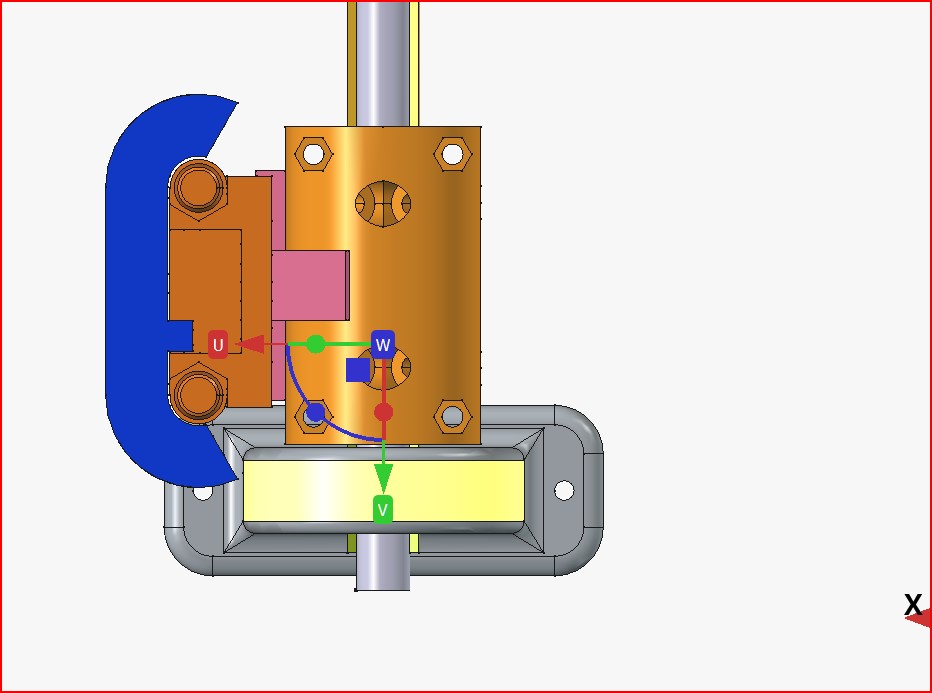
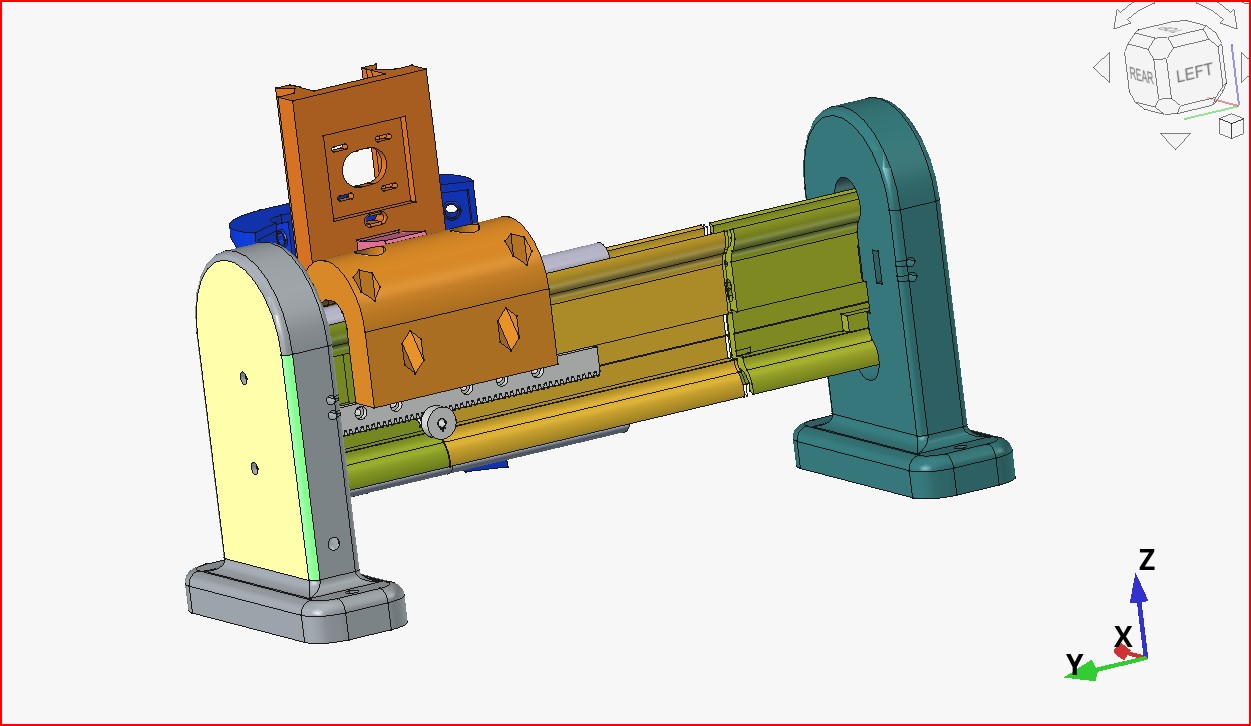
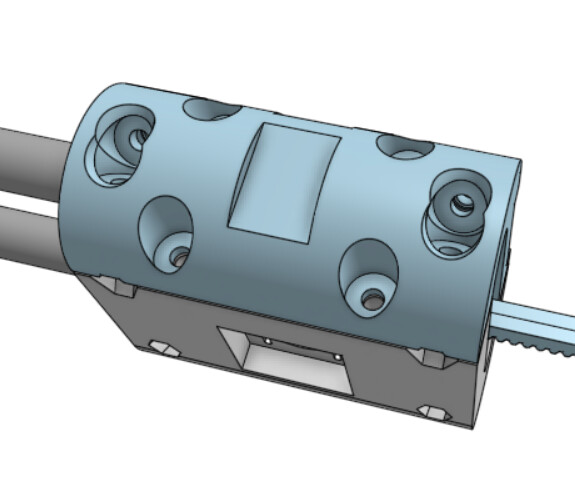
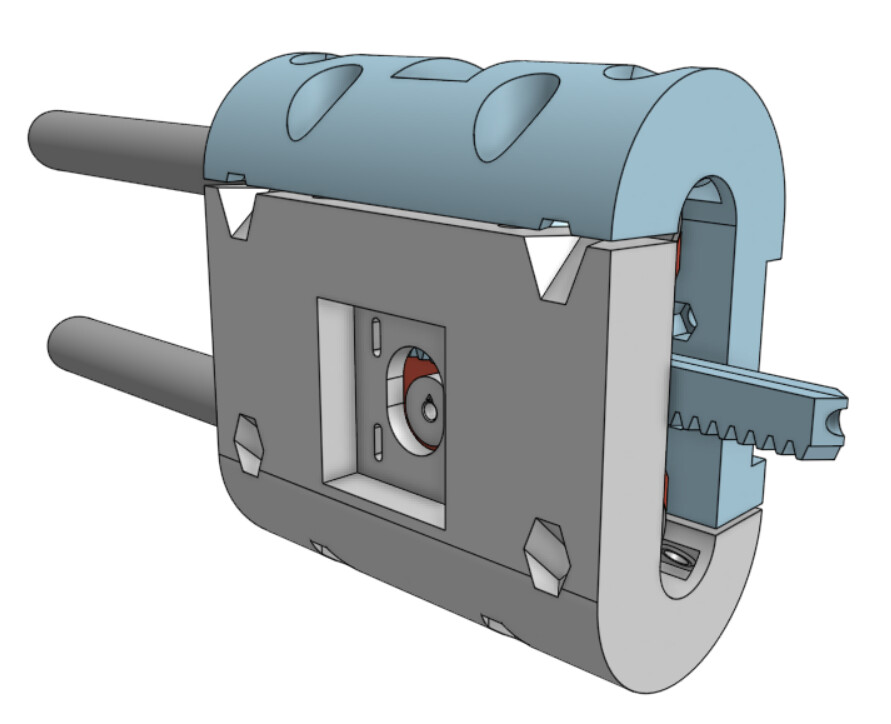
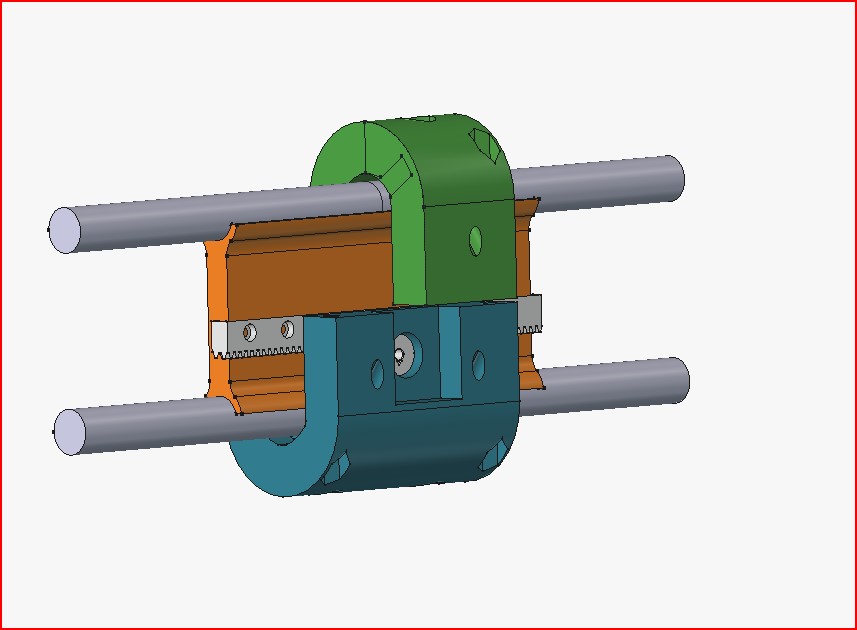
what ive designed so far i actually got some ideas from @dkj4linux using 2 rails
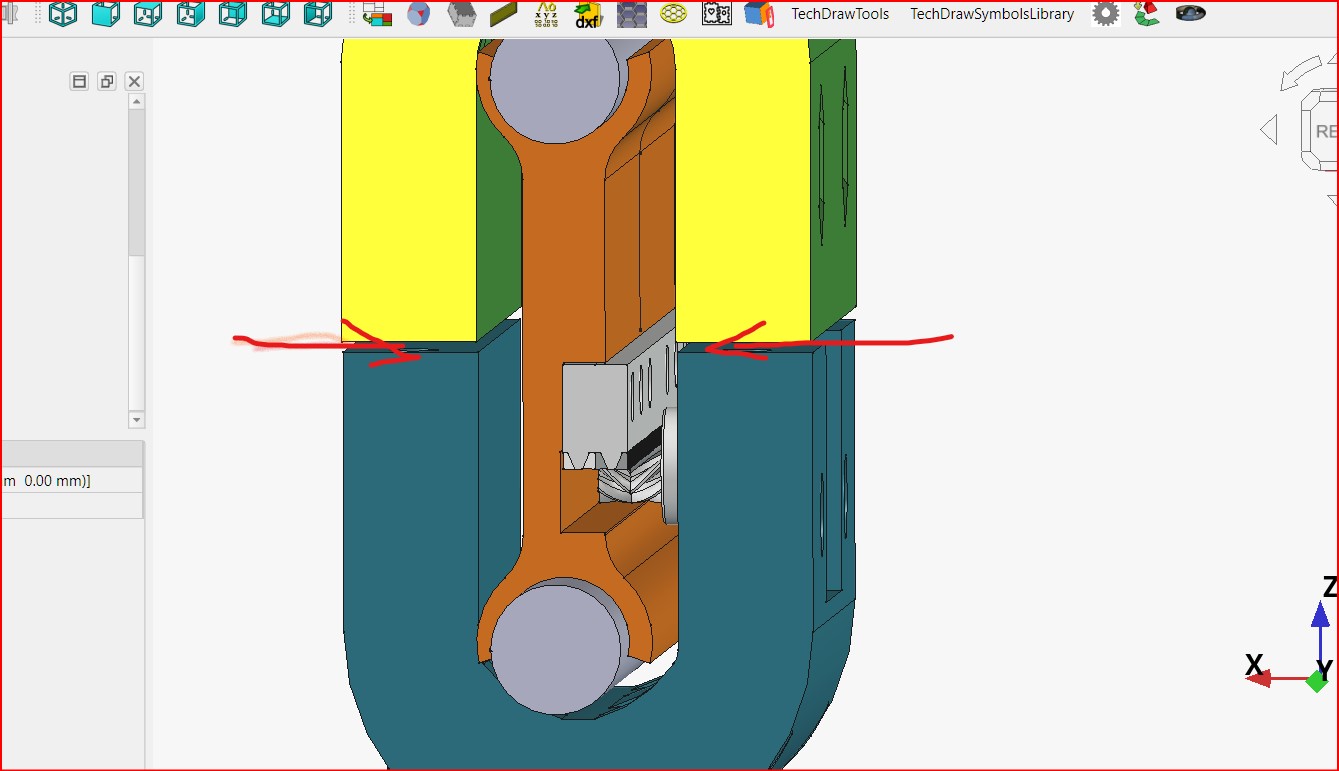
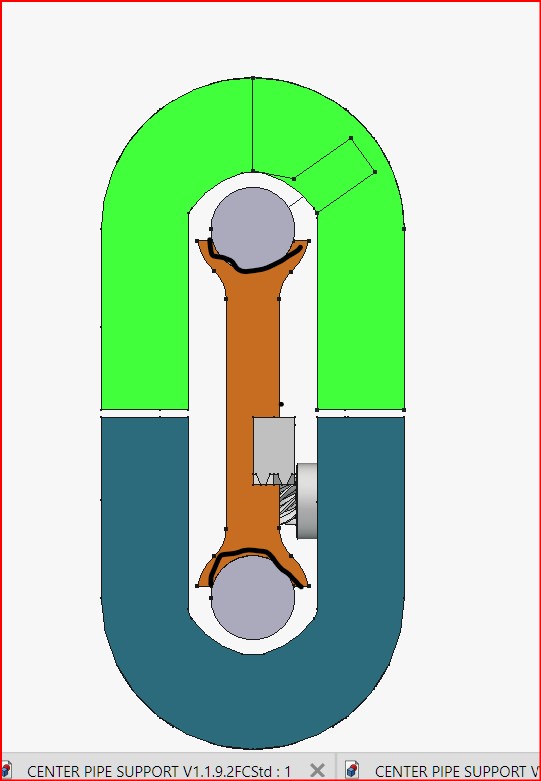
and allowing housing to fit + or- variable pipe sizing by leaving a gap between top and bottom housing that can be tightened or loosened for bearings to sit pipe better
ignore the bottom housing being shorter , i just used earlier design for visual , green is correct
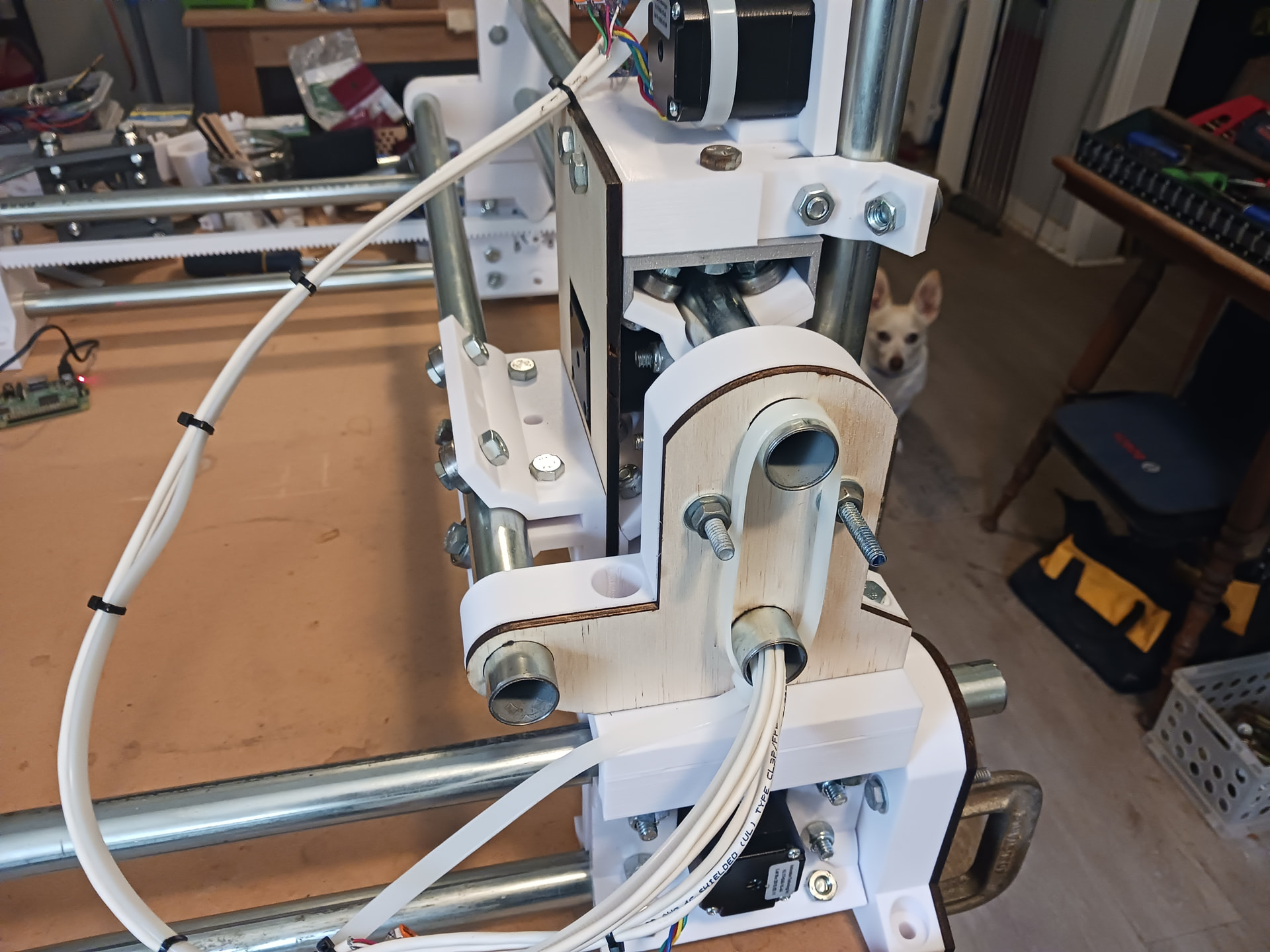
ive done a trial print of what in pic except bottom blue and it all fits pretty good so far
will it work , i have no idea. my bloody head injury has decided it wants to play up again, so may take while for me to reply , and if any of the above makes no scene thatss why
I really like this, Terry. It’s much better than my 2-rail setup on the original MPR&P. My biggest gripe about the V3 and V4 tri-beam setup I’ve been playing with is the overall “bulk” of the machine… and I think your 2-piece wrap-around core idea would work nicely in a rework of the original MPR&P machine. I had a lot of fun with that machine in the brief time I played with it and it actually seemed reasonably accurate in testing.
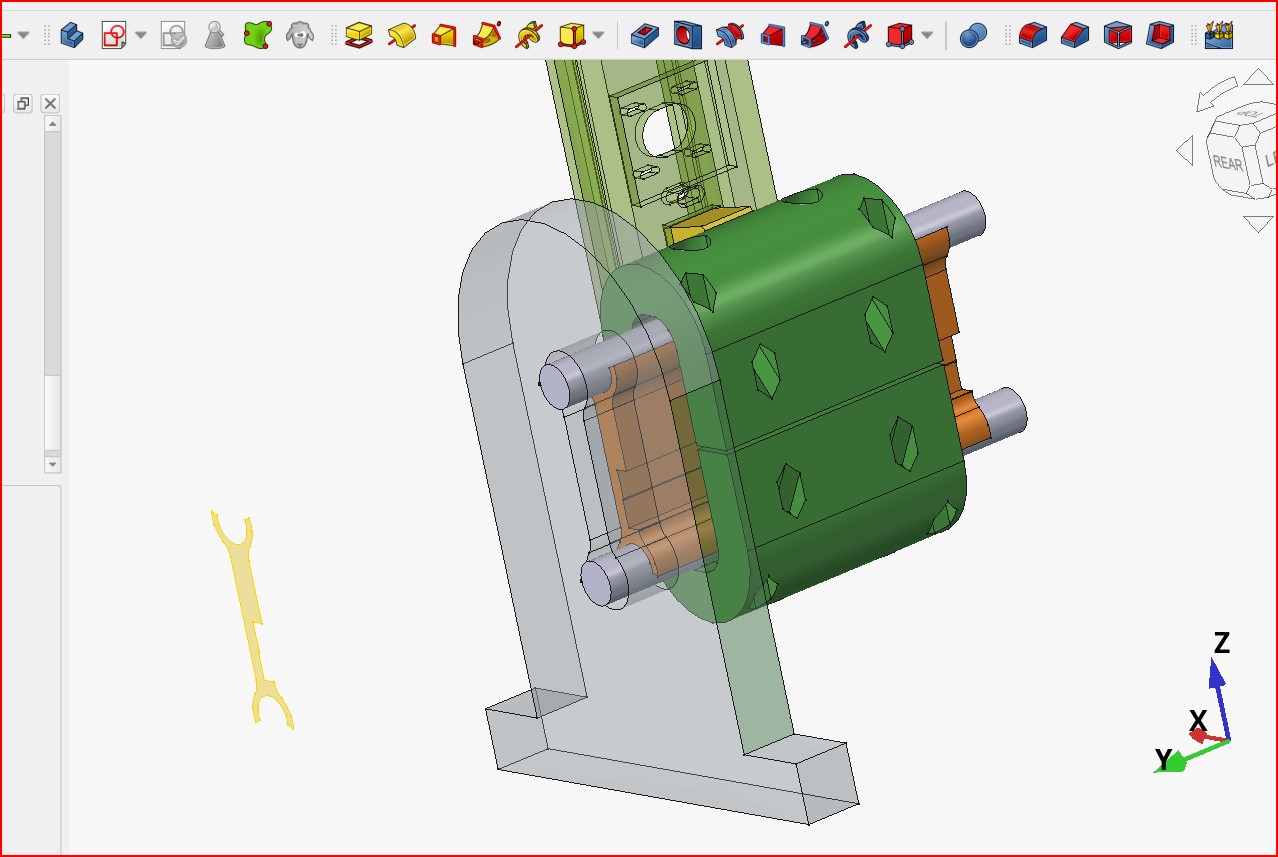
I also like the 2-rail conduit Z-lift from MPR&P-V3 (that shows transparent in your render) would be superior to the monstrosity of a Z-axis shown in that original machine.
Another thing that I incorporated in that original MPR&P machine – that I’m not really sure how effective it might be – is an “outrigger” 3rd rail on the gantry… which was an early attempt at moving toward a triangular gantry beam.
If deemed desirable/necessary, I think that might still be done with your wrap-around core with the “outrigger arm” bolted to the upper-half core backside , above the motor.
If you don’t mind I’d like to start looking at this. I’ll, of course, still use the 3/4" EMT I’ve got on hand… and I’m sorry that that was what pushed you go down an alternate path. BUT as a result… here we have another fun machine to play with. Also, I’m really sorry that you are having to deal with your head injury as well. You’re in my thoughts and prayers.
Questions: What tubing OD are you actually using for your machine? Also, is that FreeCAD that you are using? Do you mind sharing STEP files when you are comfortable doing so? If so, I’d love to duplicate your core and inner support as faithfully as possible to get started.
Thanks a ton… and take all the time you need, responding.
I did contemplate one , but thought id just try the 2 and see how it goes
of course, be great for you to dissect it , and point out any concerns with what ive come up with and improve on it
tubing is 22.1mm OD so ends up nearly 3mm difference, I haven’t tested it , but i reckon inch/25mm pipe would work in my design 1.8mm wall so solid as, yip do everything in freecad, yes will share as STEP files
thank you its def a rollercoaster ride at times, i would never of ventured into the CNC and Free CAD world prior to the injury as was always to busy running our renovation business 7 days a week, so in someway the injury has been a good thing and made me slow down and opened new doors, The LR4 has created a small business doing custom bespoke furniture etc , which i can do at my own pace and i set the time frame for completion
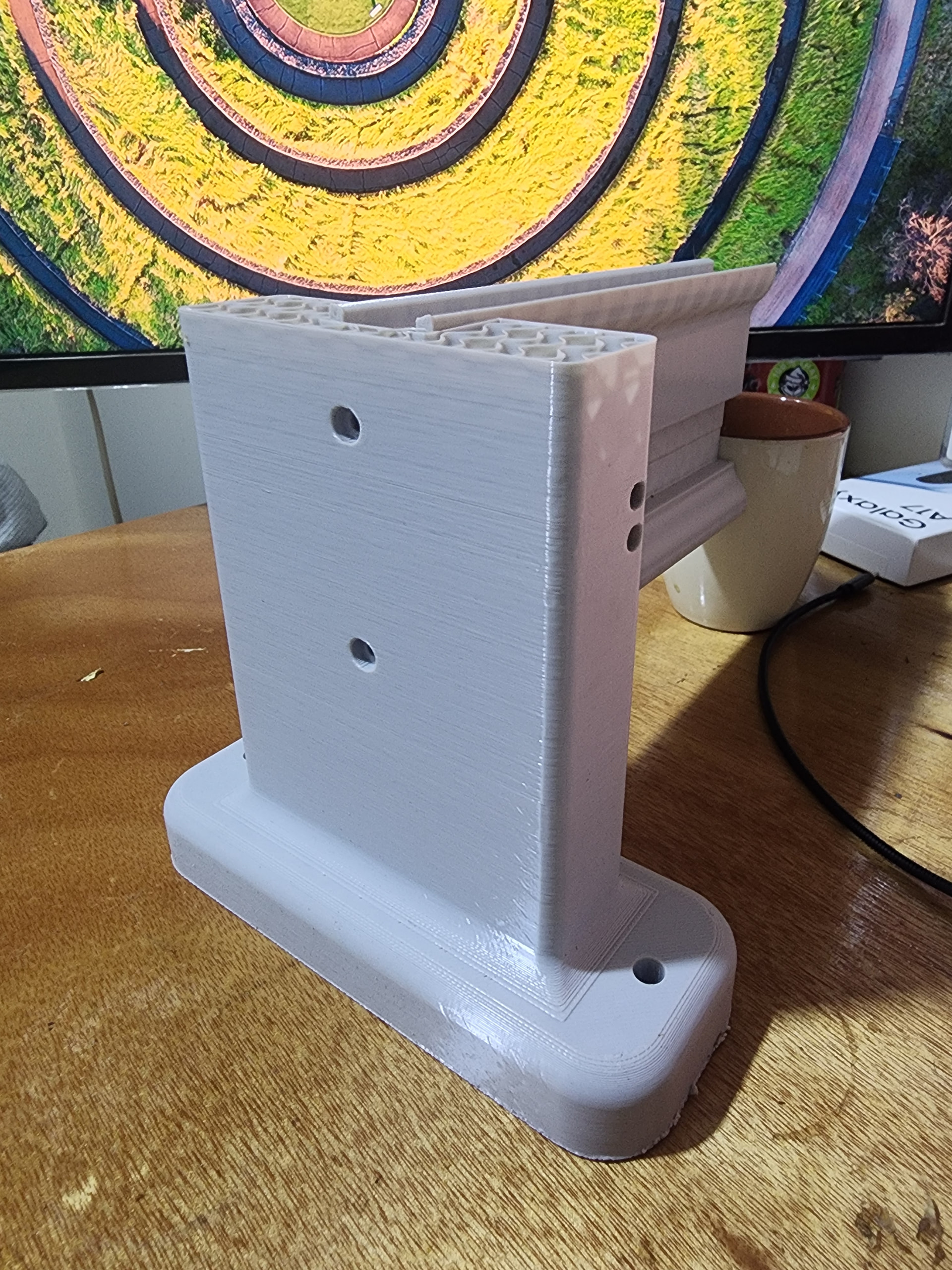
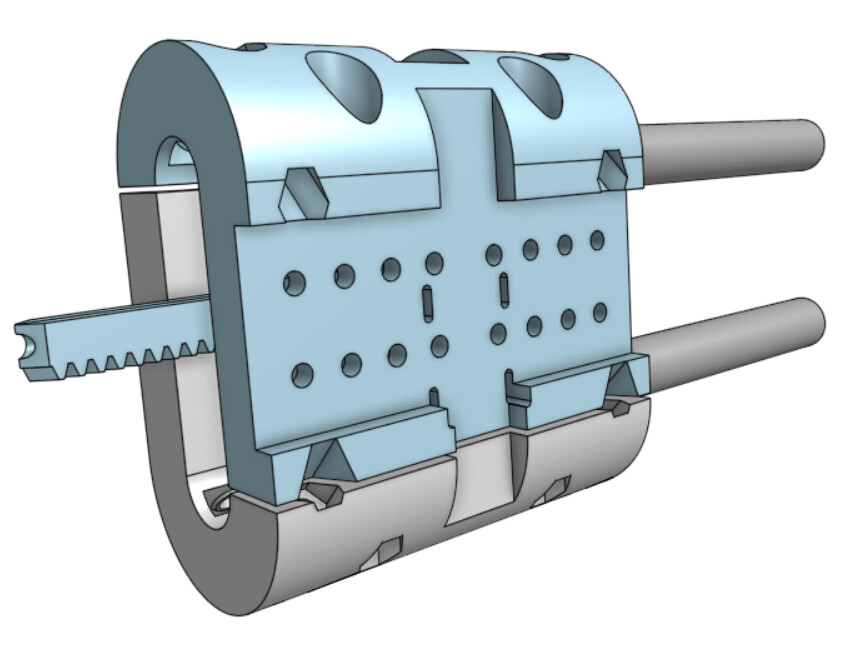
left and right ends , recess in middles is where wires come out step out in bottom is so connecting end screws have some meat to bite into , was thinking of trying out heat inserts in ends
just realised i put upstands at wrong ends lucky they fit any end
the recess in end upstands will be mirrored into the blue piece for X axis rails
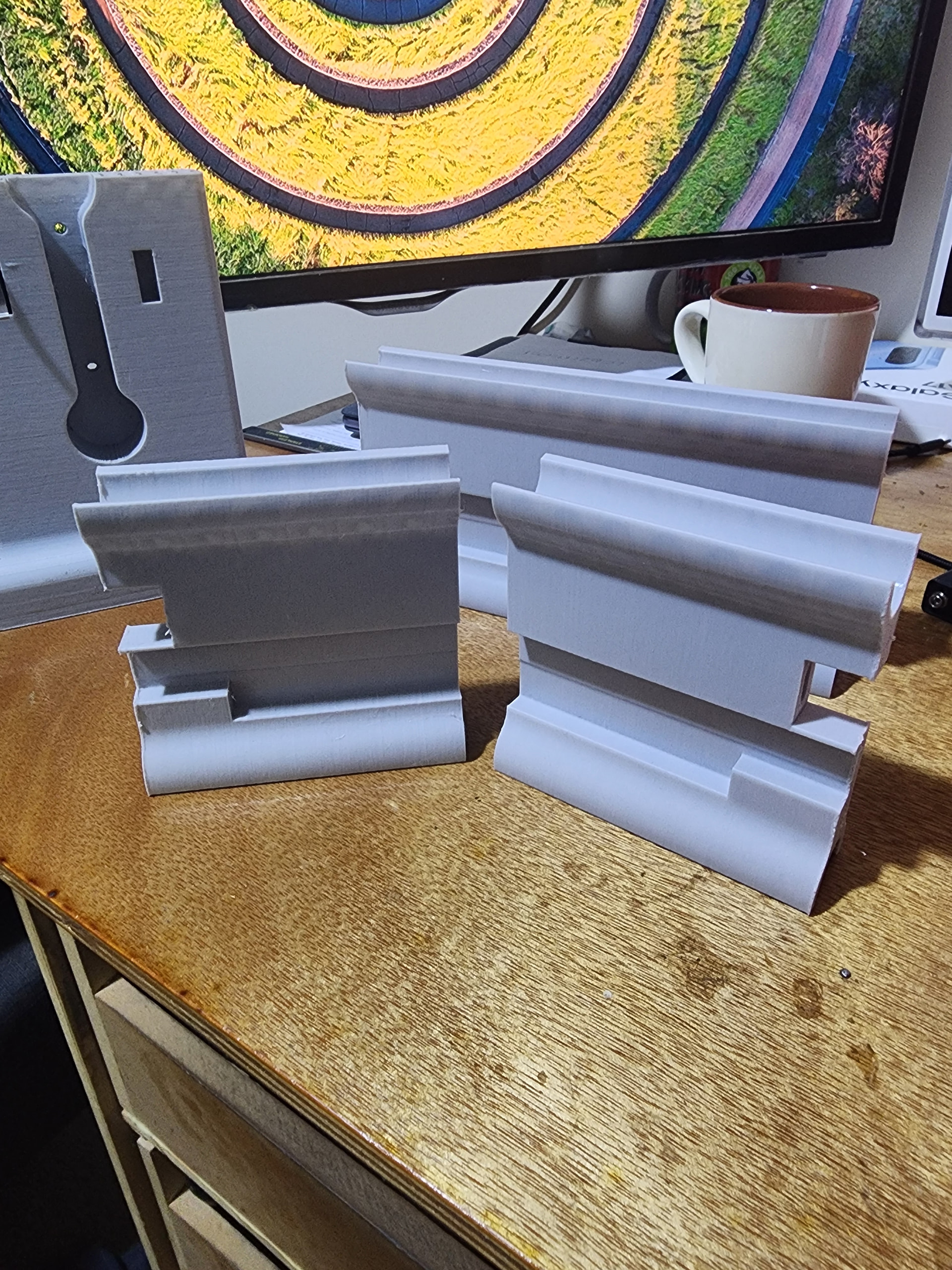
ive printed them in PLA 1 .6 nozzel, 1wall loop gyroid infill at 10% as my trials for upstand and rail supports, they are solid as , both print with no support or brims
end upstand - left front with probe hole, left rear also works on right rear with cable hole ,universal for front right and for editing purpose
core - universal in core folder only has bearing bolt holes , connector holes , xx top core has holes for core to Z connector
bottom steeper motor half is in file 13 , one wrong click and file broke and no undo would repair it .
As I will still be using 3/4" EMT and would have to make edits anyway… please don’t waste time making and posting STEP files for me. The renders you share here in the thread will be fine. And I will start a new thread if/when I actually start a build.
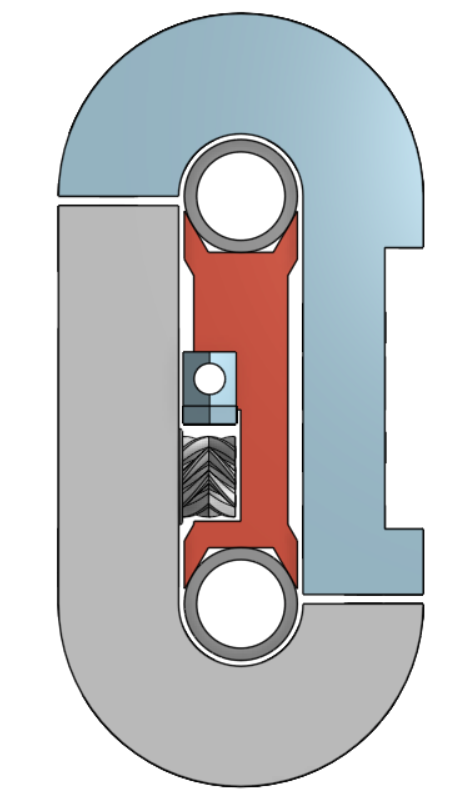
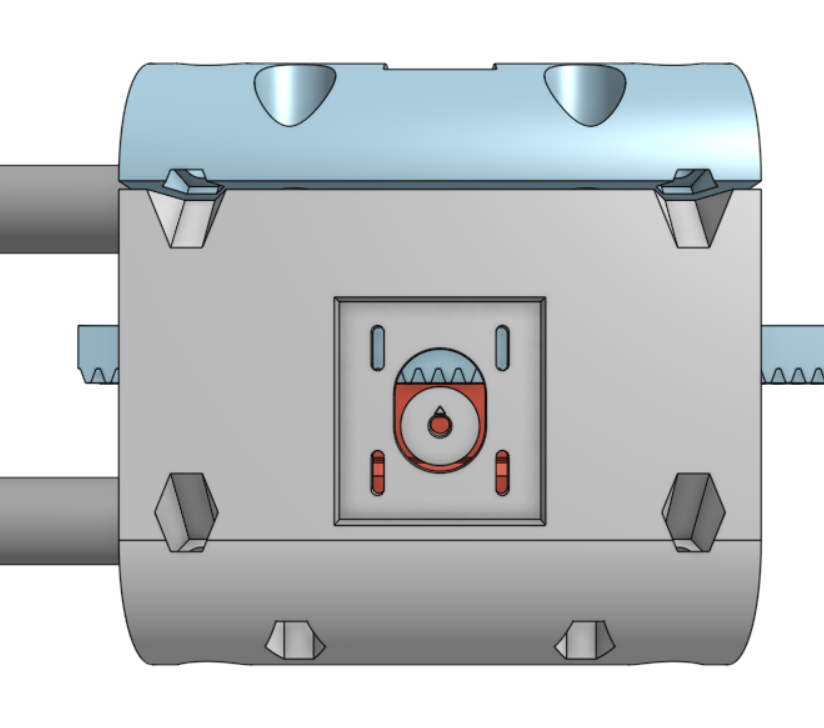
I took an initial look at modeling this in Onshape and started a 2-rail setup and 2-piece wrap-around core that was inspired by your renders in the first post. As I continued to play with it, it seemed advantageous to enlarge the front and back flat faces to make larger mounting surfaces for motors and tooling without the seam/gap between upper and lower core parts running through the middle of the face… so my upper and lower core pieces became more “J”-shaped rather then “U”-shaped.
These are just some initial thoughts and renders for a basic core and rail setup, inspired by what you showed in your first post. If this is of any use to you and/or you have questions/thoughts… just holler and I’ll do my best to help.
I’m glad you have an outlook that allows you to see beyond the injury and appreciate where it’s brought you. You obviously are very talented… but a permanent 7-day a week job is never a good thing.
I may actually start using FreeCAD a bit more. The current Claude and FreeCAD-MCP thread started by @jeyeager inspired me to try setting that up and I successfully created a small filleted box with a hole through the middle just by telling Claude what I wanted. Neat!
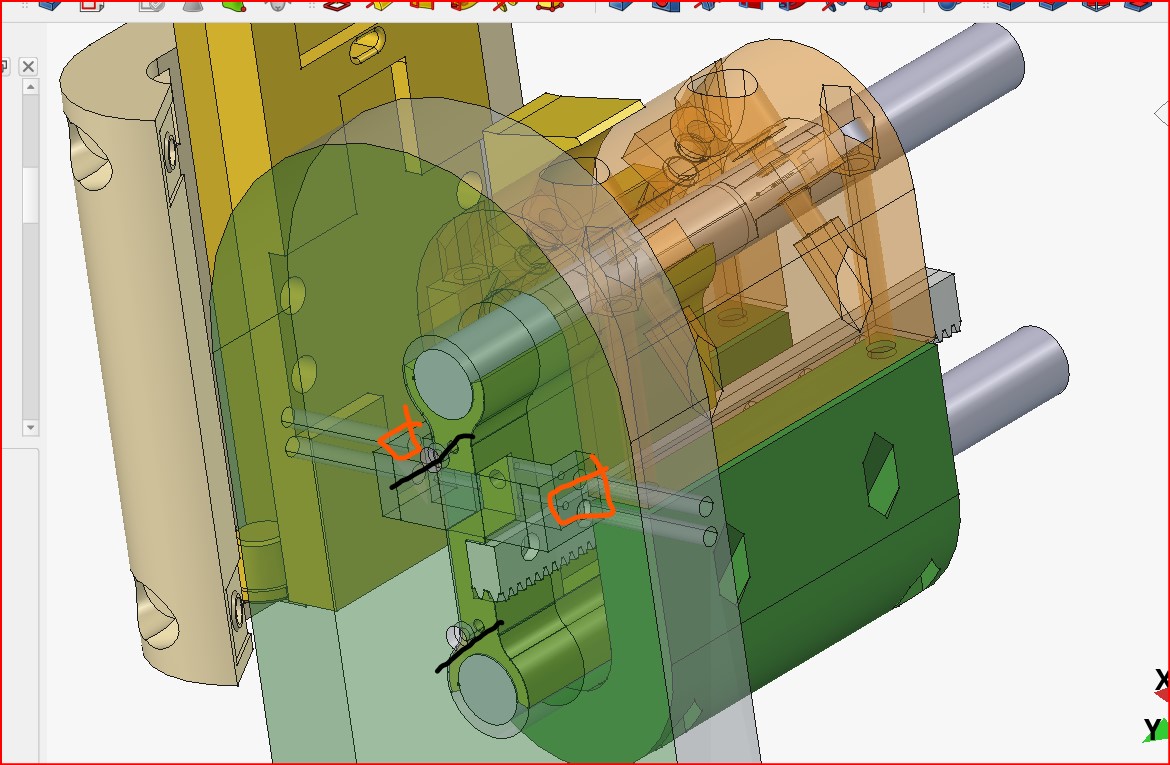
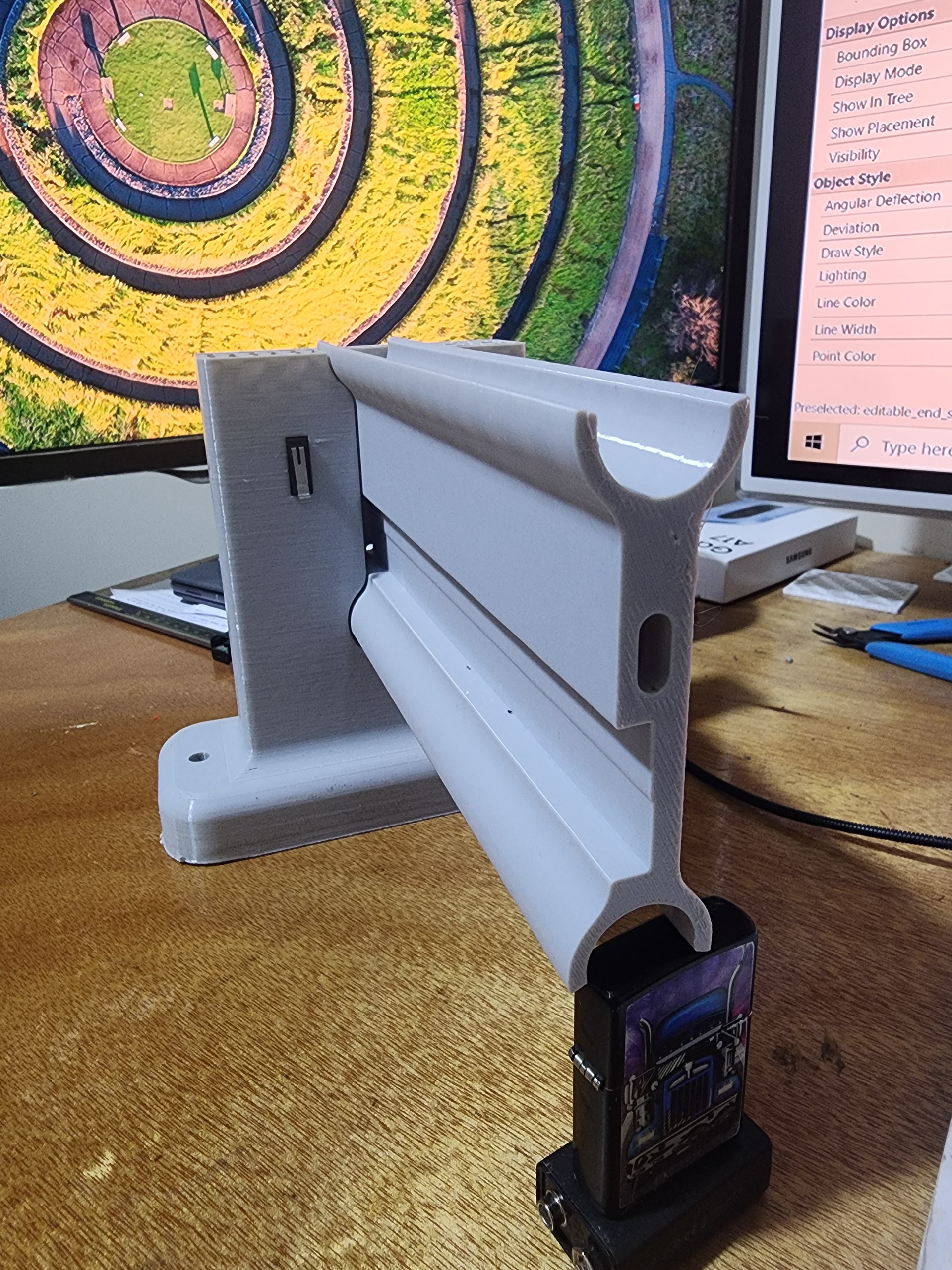
the below is one of my early screen shots of bottom section with motor housing , if i remember correctly there was enough room to move motor up and down by 2 or 3 mm
another thought which i havent tried yet. is have motor fixed increase height of centre support by 3-4 mm so there is bigger gap below pinion, and have slots in rack so rack can be adjusted to meet pinion , that way any mionr adjustments can be done with everything fully assembled and if say rack needs to be dropped 2mm , you print a 2mm filler to slot above rack to stop upper movement , that is also plan between the 2 U sshapes , once you get it set a spaver is inserted to keep everything tight ,hope this all makes sence
If you not stay positive , you keel over, its like pain , if you think its going to hurt it will , eg had nail shoot out side of timber one day from nail gun , it went into hand top of thumb , i pulled it out , said thiss aint going hurt i have job to finish, masking tape builders pencil as a splint and carried on , it didnt hurt , everyone else on site cringed at the though of it , what do they say no brain no pain , yip 7 days a week prob not good , but its all ive ever know from a kid
I try to stay away from Ai and nut out things myself to keep brain active , that’s another reason i started this design, sso i dont become dormant
There was nothing sacred about the face of the tri-version… so with the nice big face on this design I simply to put an array of holes that should allow me to design mounts for lasers, pens, drag knife… whatever.
I, too, am trying to keep my brain active. Dimentia and Alzheimers is common in my family and I watched my Dad suffer with it in his last years… it is not pretty and something I dread. So, at 80 years-old this month, I’m trying to stay as sharp as I can for as long as I can… and I find this stuff a good way to do it as well. Fingers crossed!
Okay, I understand your feelings about AI and the desire to figure things out for yourself. I felt that way, too. But I worked in industry as a EE and CAD support engineer for 30+ years and, after early retirement, as computer support tech for the local school system. And I remember some of the fancy stuff I used to be able to do routinely with multiple computers across the network… but remembering WHAT I used to be able to do is not the same as remembering HOW to do it. That’s when I found AI to be extremely helpful… all I had to do was tell Gemini (usually) what I used to do and it invariably is able to remind me of steps/commands/syntax I’ve long forgotten. I’ve also learned a lot of new stuff that didn’t exist even when I was actively engineering… and AI makes stuff possible that I would never have attempted if left to my own thinking.
And that said, here’s what I’ve accomplished just today…
What I started in OnShape, I’ve now imported into FreeCAD… and I did absolutely no CAD work in FreeCAD myself. After setting all this Caude and FreeCAD-MCP stuff up just yesterday… I now just tell Claude what I want to do. I supplied only STEP files from Onshape and had Caude import the parts, make a few adjustments (he checks fits and clearances as he works) to the parts, go find hardware (stepper motor, hex bolts, Nyloc nuts, 608 skate bearings, etc.) online and install it onto the parts where it goes, create an assembly of everything, create and save STEP files for all parts and the “final” assembly, and save all the FreeCAD documents into its own directory on my laptop. It even created a bill of materials (BOM) of all the hardware and parts in the assembly.I didn’t draw a single line or shape or click buttons (except the View cube) in FreeCAD… Claude did it all and it didn’t even have to take breaks when I did.
Terry, I don’t want to convince you that this what you need to do or force my design work on you. I want you to work at your own pace and do only what you are comfortable doing. If you want to take a look at any of my design work and/or want the STEP files or FreeCAD documents… they are yours for the asking. But I want you to feel free to do your own work and exercise your brain at your leisure and as you feel comfortable doing. This stuff is fun!
Thank you , will keep that in mind , just waiting on some more filament, to print last couple of parts so i can do my 1st live trial
one of my biggest problem with trying AI , is in my head i know what i want , but when i try to explain it in text, it comes out all wrong and my commands confuse ai, and it always produces the opposite of what i want , which than winds me up , so i give up on it and just go back to the old way
to be honest unsure at mo as been using all my part reals printing prototypes and trials i used pteg for end upstand and they seem strong enough, cores racks etc will def be doing in pla
That has always been one of my biggest concerns as well… but here is what I found to be key: Do one operation at a time. Kinda like walking… one step at a time. Don’t think about the entire journey… just one step.
So, my firststep… I had a STEP file for a part and simply told Claude to import the STEP file into FreeCAD. Nothing more. I had the same apprehensions as you at that time.
Then Claude came back and told me what it saw…
The STEP file imported into a new FreeCAD document called Lower_core. It came in as a single valid solid, with the object labelled Lower_core.

Size: 76 × 152 × 121 mm
Volume: about 489,495 mm³

The part is a half-cylindrical shell with a flat back wall. The wall has a rectangular recess with a round opening and two slots, plus some small wedge-shaped tabs and holes along the edges.

I can check dimensions, make a cross-section, run an FEM analysis, or modify the part if you want.
So I now had some of Claude’s terminology to use, FreeCAD open in front of me, and we just started having a conversation. I simply told Claude…
In the Front view, the rectangular recess with 5 slots is a mounting point for a NEMA 17 stepper motor. Find a stepper motor model online and place it on the Lower_core.
Claude came back with…
I found a manufacturer STEP file for the StepperOnline 17HS13-1334S: NEMA 17, 42×42×34 mm, 5 mm D-cut shaft. I'm downloading it on the FreeCAD machine now.

I placed a NEMA 17 stepper (the StepperOnline 17HS13-1334S, 42×42×34 mm) in the recess, colored blue in the Lower_core document. It sits flush on the pocket floor with no overlap with the part.
And we kept chatting with each other from there. We were looking at the same thing and talking hex and round recesses, slots, shapes, etc. I simply told Claude what hardware the recesses, holes, slots were to receive… and then go find it online for me and put it in position on the part. When we finally got something that I thought looked “workable” and Claude agreed… we’d go on to the next part and eventually we had completed an entire linear stage.
Another real benefit of this over me doing it all myself is that Claude was also checking alignment, fits, clearances, dimensions, etc. as it added parts to the model. As it found issues it would point the problem out to me and recommend possible fixes. If I chose to let Claude make the change… it would actually set up scratch area to make and test the modification, and then ask if I wanted to modify the real part. On a couple of occasions, I actually told Claude specifically how I wanted to fix it… and again a scratch area was set up, the modification applied and tested, and finally applied to the real part. I would never have been able to do this kind of stuff on my own.
I’m printing some parts now and will start assembling a prototype linear stage later today. I think the only reason it initially seems overwhelming is we’re too focused on the magnitude of the whole job and afraid to simply take that first step and then let it play out in front of us.
I’ve slowed a tad but at my peak I’ve was going through almost four 1-kg rolls of Sunlu PLA a week. Over the past 3 months I’ve ordered 7 4-roll bundles from Amazon… and have a couple now on hand to burn through as I need them.
That’s in my ballpark for peak proto as well. Though in my case I also used up a whole lot of partial reels for the proto parts and this is a great way to use end rolls. It’s why some of my parts are the parts of many colors
I feel slightly better that the local makerspace has a recycle bin that goes of to a local recycler. The recylcer takes PLA and ABS, so my protos are all done in PLA. The spools that aren’t cardboard go into the ABS bin, and the cardboard goes in to the local single stream recycle bin.
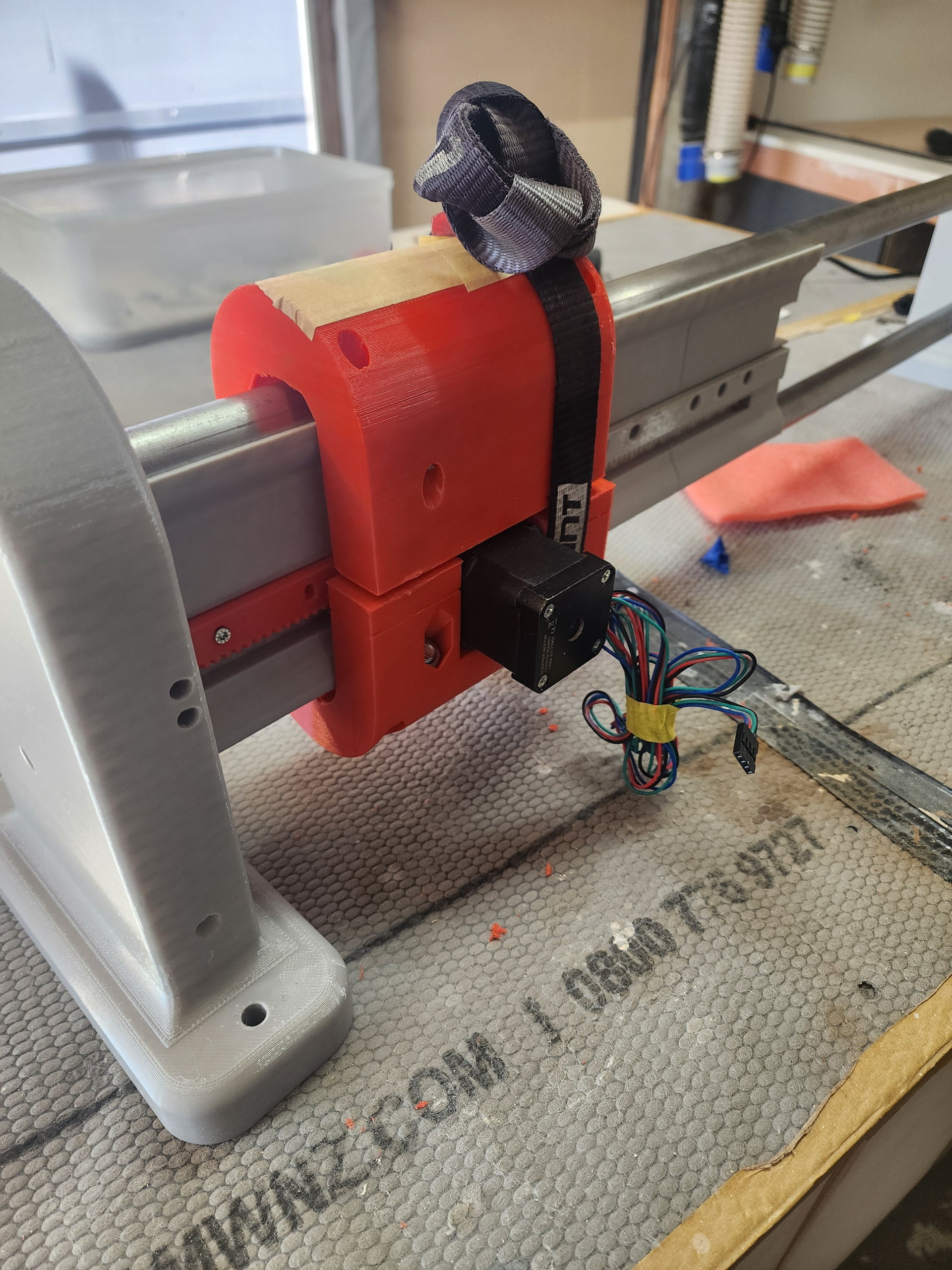
thought id do quick trial before printing any more pieces top half is one of my early trials , bit short thats why its strapped together , but it moves

 its def a rollercoaster ride at times, i would never of ventured into the CNC and Free CAD world prior to the injury as was always to busy running our renovation business 7 days a week, so in someway the injury has been a good thing and made me slow down and opened new doors, The LR4 has created a small business doing custom bespoke furniture etc , which i can do at my own pace and i set the time frame for completion



 , yip 7 days a week prob not good , but its all ive ever know from a kid