PLA is the main one that likes a lot of cooling correct? seems like past that you get less and less. I know for asa its no cooling, although I do run just a little bit for a nicer finish and to bring the speed up just a touch. But I’m only running 20% with Ryan’s fan duct
Also, one thing I learn in 3d printing is that many times issues related to over or under extrusion. This is the very first thing I do with a new setup or material - print a hollow cube with 6 walls making sure the sum or 6 0.4-0.45mm walls is equal to 2.4mm (without air gaps)
@Lithium366 what current are you running to your steppers? I just got done running the accelerations test on my machine. I had it still at the stock example config from klipper. Bumped it up a little now. Started at .680 and bumped it to .850, at that I could hold a 2 iteration test at 5000 but not at 6000, bumped it again to .950 and it held good for 2 iterations at 6000. Ended up stopping there and ran a 50 iteration test at 5000 accel and it held it perfectly. About to start the speed test.
I am at 1.2 amps on my XY motors but my parts also printed from CF-PETG to handle temps
Roger that. At the .95 amps they weren’t even warm after that 50 iteration test. I really thought they would be. That thing was sure clipping around LOL. It was truly fun to watch!
My motors rated 2A tho. What is the side of your bed? I am 325x325 and at a full length with a max speed of 1000mm/s occasional skipping occurs at 6000mm/s^3. For smaller beds I would expect top speed will be smaller and accelerations / decelerations will put less stress on steppers
I’m at 300x300 and running Ryan’s steppers. I think they are 2amp but cant remember for sure. I think I will run into over heating on the 2209s before I get to that point. I’m happy where its at now. the 1000 I had before the current bump and testing was better than any other printer I own lol
Mine are BIGTREETECH TMC2209 V1.3 no overheating
While faster print speeds don’t make much difference - accelerations and travel speeds are. I am happy with 3500 accelerations and 1000 travel speed
I have klipper set for 3500 max_accel and 500 max_velocity. I didn’t realize until after the test that it was set to 1000 and 1000. So all of the acceleration test first were done at 1000 mm/s. Haven’t tried to print with the new settings yet. Was doing some bed drop test
What is a bed drop test? I don’t like my bed to drop 
Update on the wavy patterns. I just replaced all XY pulleys and idlers with the ones Ryan sent me. I did that without changing the belt and tension. Left is before, right is after. I think it is a bit better but still able to see the pattern. New belt (different brand) will arrive tonight, I will try swapping it next
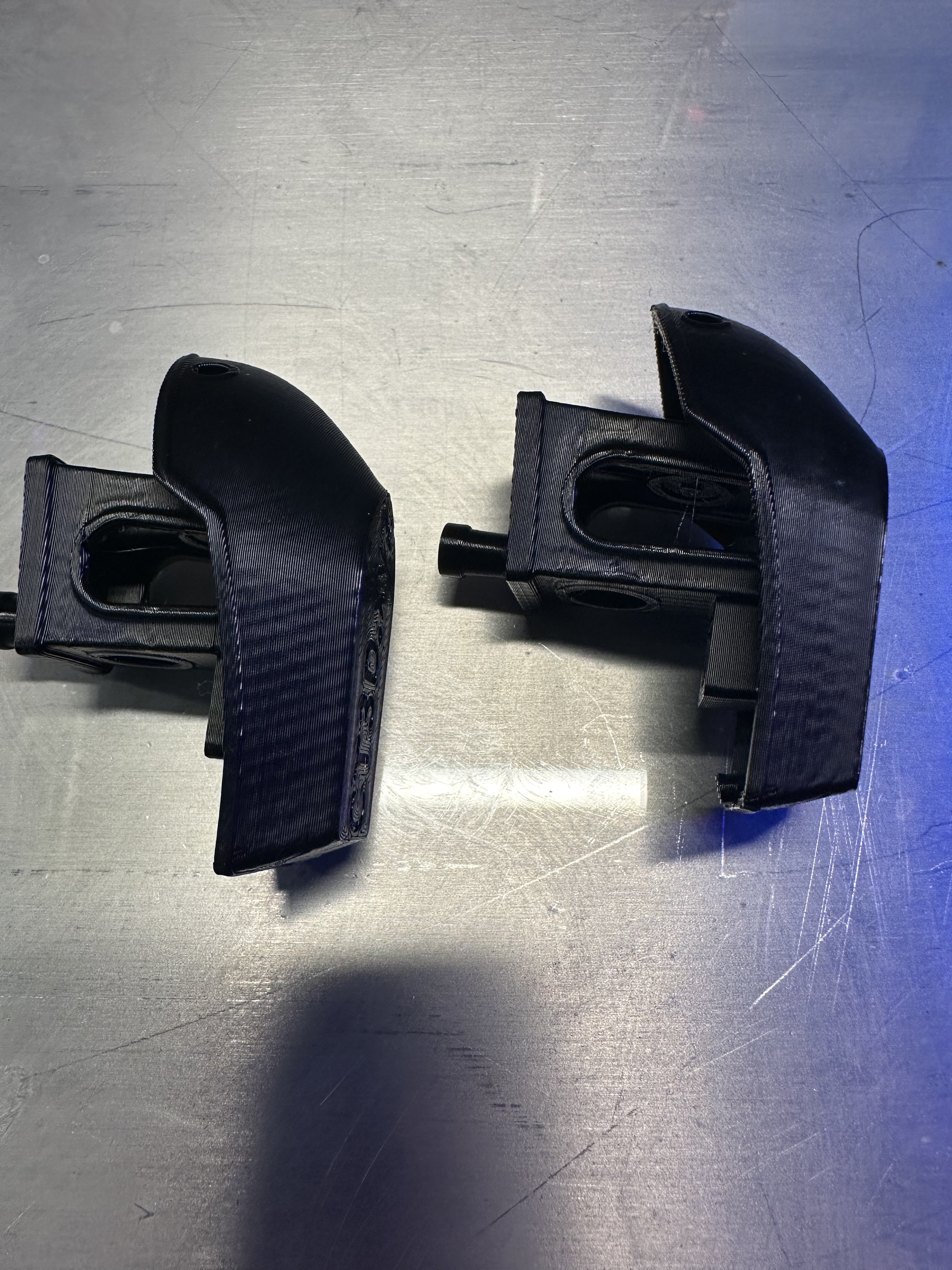
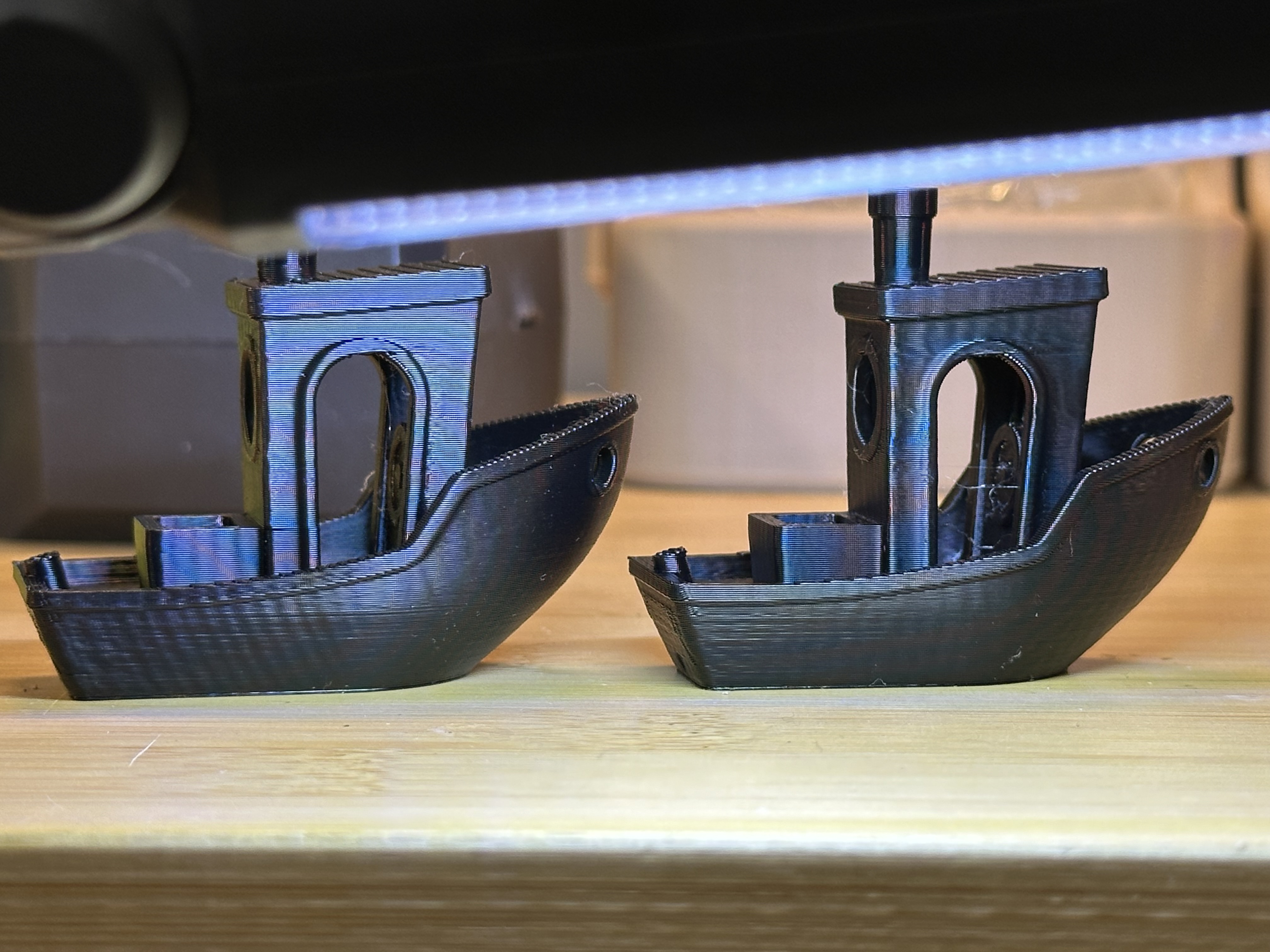
Sucks it wasn’t a complete fix but at least it was an improvement!
It really might be a second bent shaft…
I doubt because I was printing a cube another day placing it diagonally. This isolates XY motors but wavy patterns persisted on all sides of the cube. I can run this test again tho, when I replace the belt
That is odd. Have you tries thin lubricant on all your linear rail bearings?
I did. Similarly, I printed cube with a normal orientation to isolate gantries in case if the issue is bearing with no luck, again, I will be doing these tests again after I replace belts. There are not that many variables left
Disclaimer: I used parts left from my other builds, these issues are not from Ryan’s parts
How about a smooth cylinder vase mode print. That might reveal some things.
This one has me puzzled for sure.
Ohhhh, wait.
Any chance you have your belts really tight. Try this, go super loose, the corners of your prints will be soft not sharp. Only tighten it enough to get decent corners. Too loose and you get soft corners and a rough surface…but…too tight and you just get a rough surface (sometimes ringing but that is hard to see with input shaping).
The tension is way looser than you might expect.
Yeah. That surprised me too. Way less than I would have thought
Once you mentioned tension in the beginning of this thread I always check it to make sure it is just slightly above being loose. If too much tension printer also gets loud.
I just replaced XY belts. I can play a bit with belts tension but I think I will call it a day. Bottom line is - my belt and pulleys didn’t match perfectly