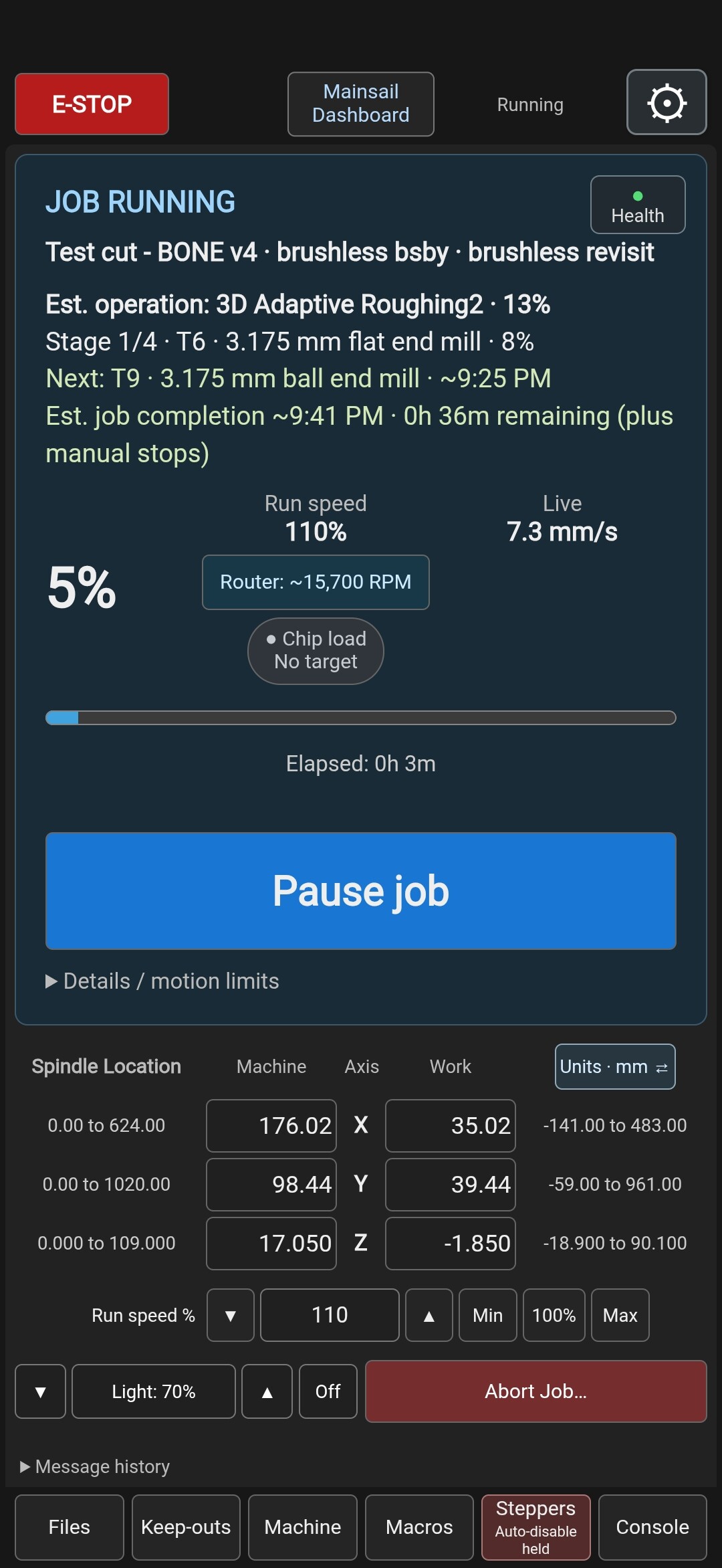
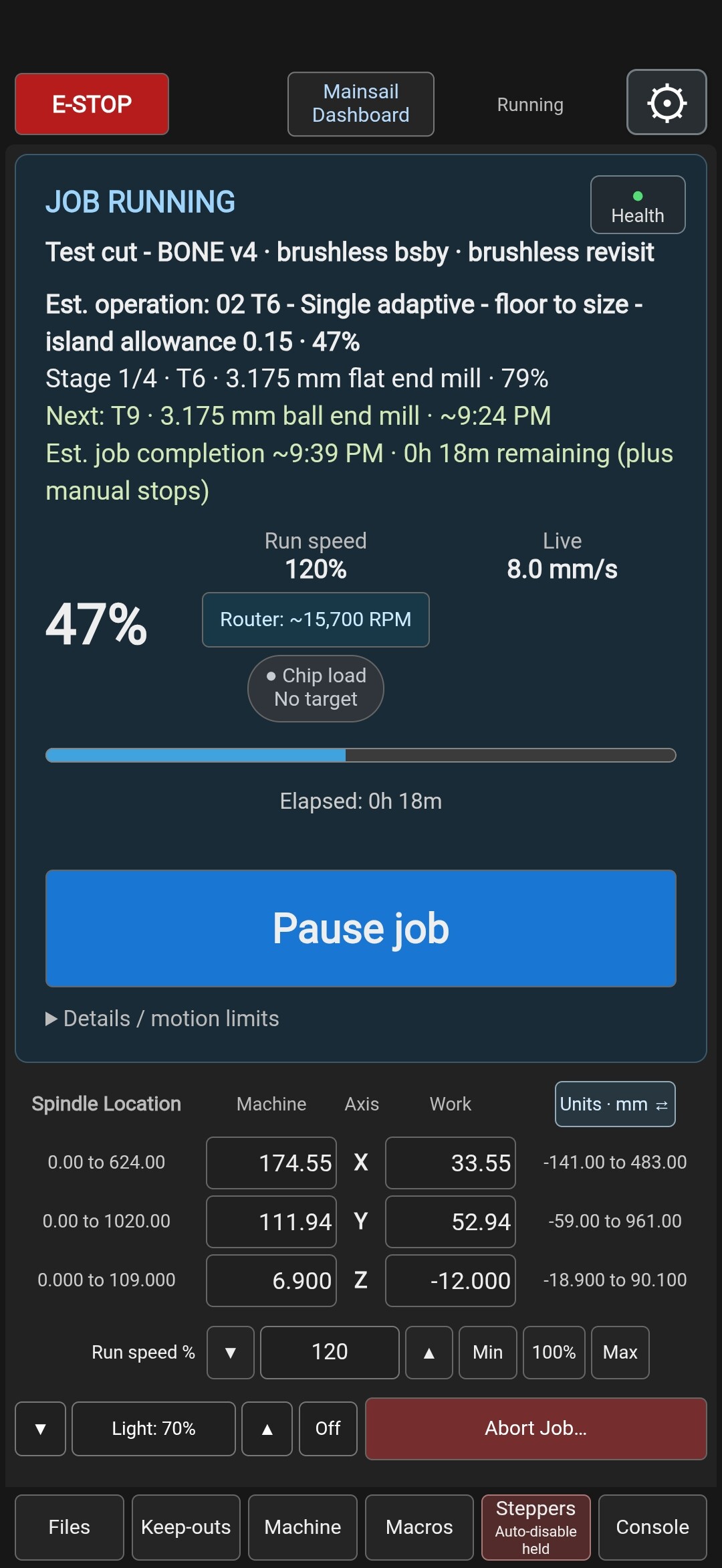
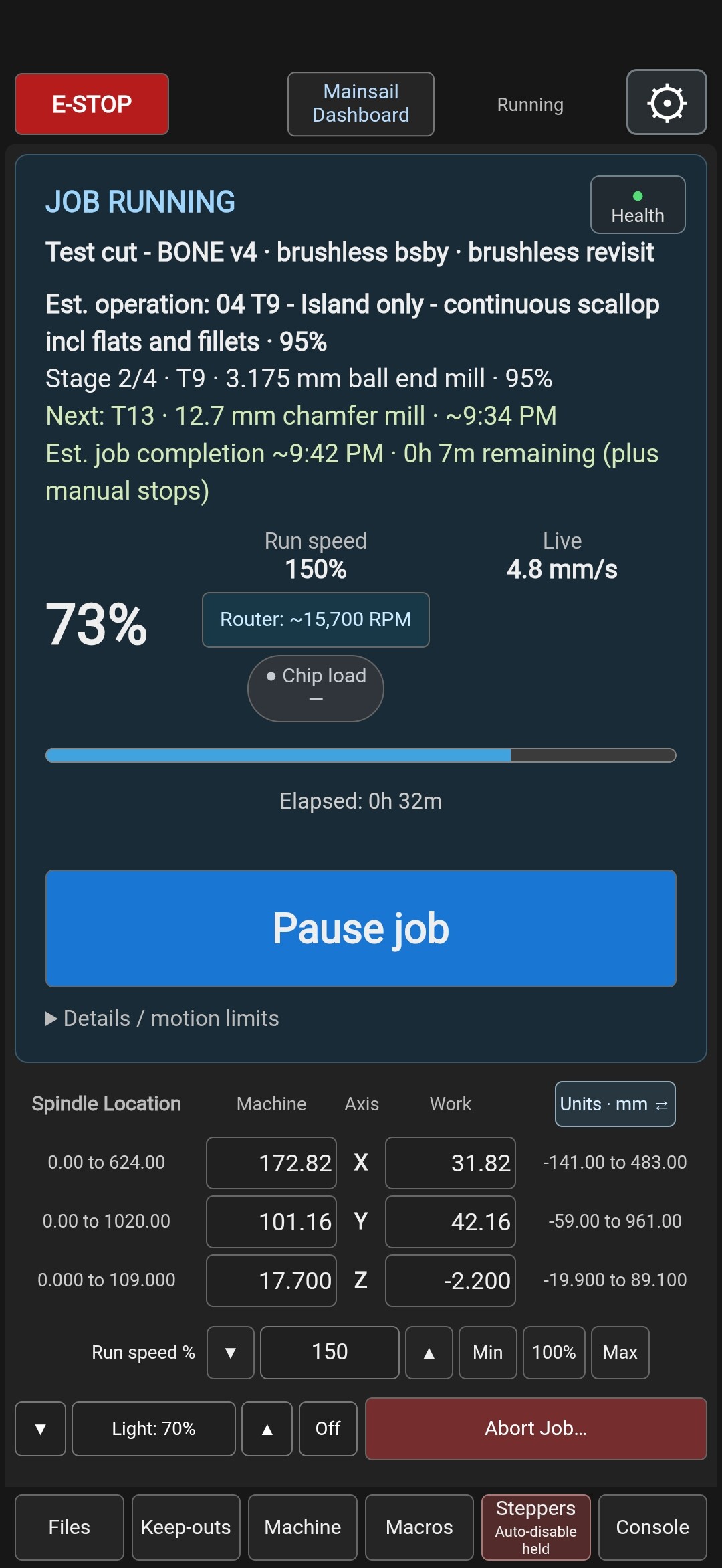
I have some CNC background from 20 years back but am currently most familiar with Klipper as ran on 3D printers. Was a natural choice for me but after committing I couldn’t find a CNC interface I liked so me and my new AI friend got to work. I’m not a developer but I think it’s available on Github… input, suggestion & advice appreciated…
The AI generated description:
Mainsail CNC Pendant — an Android-friendly Klipper interface (early LowRider V4 preview)
I’ve been working on making Mainsail feel more natural for CNC use on my LowRider V4. It started with work-light controls and grew into a separate CNC Pendant page. The goal: your phone becomes your CNC pendant.
Standard Mainsail remains available. The pendant works in a PC or phone browser, and there’s an Android app with screen-awake support. The app displays the page hosted on the Pi, so most interface updates don’t require reinstalling it.
Project, screenshots and documentation:
Android demonstration:
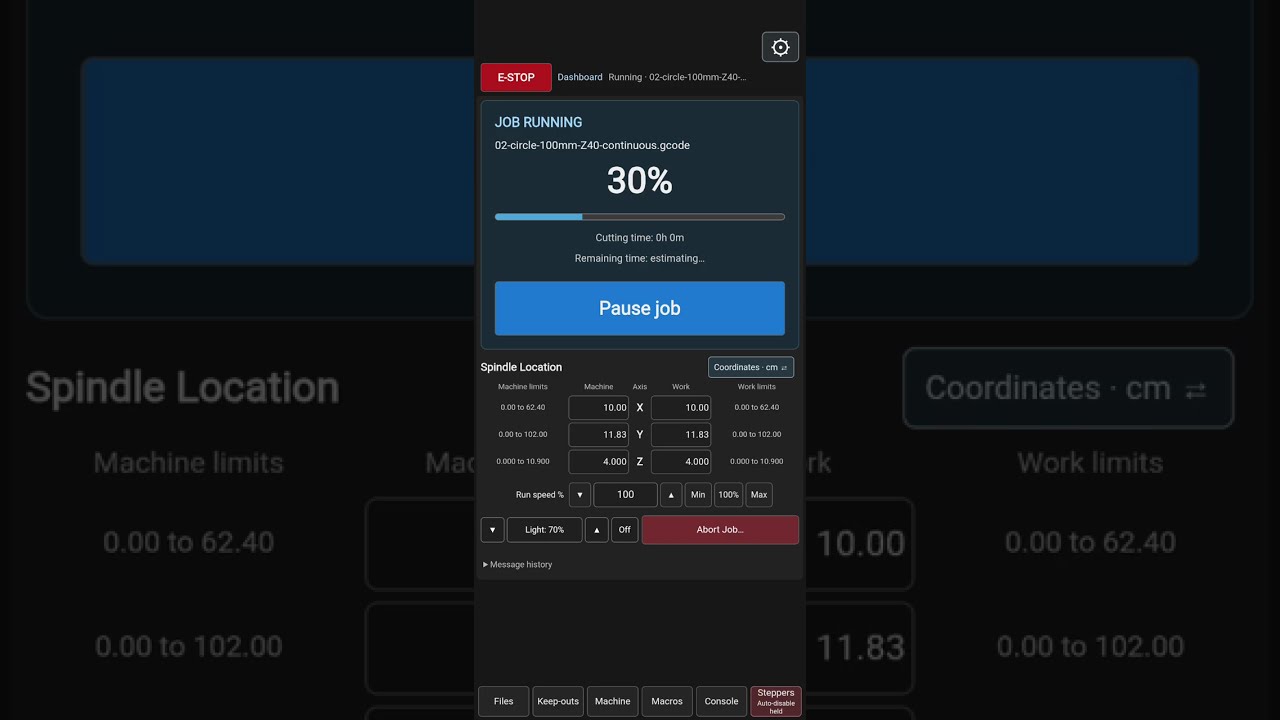
Current features include:
-
Compact XY/Z jogging, coarse/fine increments, machine/work coordinates and travel ranges.
-
Shared PC/Android settings, including millimeters, centimeters and useful inch jog increments.
-
Safe-Z controls, a below-safe-height jog-speed cap and configurable keep-out areas for pendant jogging.
-
A separate running screen, jogging while paused, and verified, confirmed Resume.
-
Background scanning of supported G-code before Start, checking programmed travel against machine limits and current work offsets.
-
Full-screen toolpath viewing, work-light controls, idle-stepper reminders and configurable automatic stepper disable.
This is early days. It grew from brainstorming and hands-on testing on my machine. ChatGPT / OpenAI Codex did most of the software implementation, automated tests and documentation. I supplied the ideas, CNC workflow and physical testing.
It’s an independent project—not an official Mainsail, Klipper or V1 Engineering release—and not a universal one-click installation yet. The repository includes a webpage installer with backup/uninstall support, but the complete setup also requires Moonraker components and carefully reviewed Klipper macro changes. An AI implementation handoff is linked from the README.
The reference remains LowRider-specific in places, particularly homing and dual-motor recovery. Every machine needs individual review and testing. Travel verification doesn’t certify clamp or cutter clearance, and software E-stop doesn’t replace a physical stop. Optional individual-motor recovery is Cartesian-only.
I’m a GitHub newcomer and would love feedback, pull requests and help making this a useful Klipper CNC interface. Help with installation, compatibility and testing on other machines would be particularly welcome.
I’ll link this thread from my build thread so the software discussion can stay together here.