I’m on a trip this weekend, which puts a pause on LR3 reassembly. I may get a little bit of wiring done tonight, but that depends on how much I procrastinate from packing. Or maybe the LR3 will BE my procrastination!
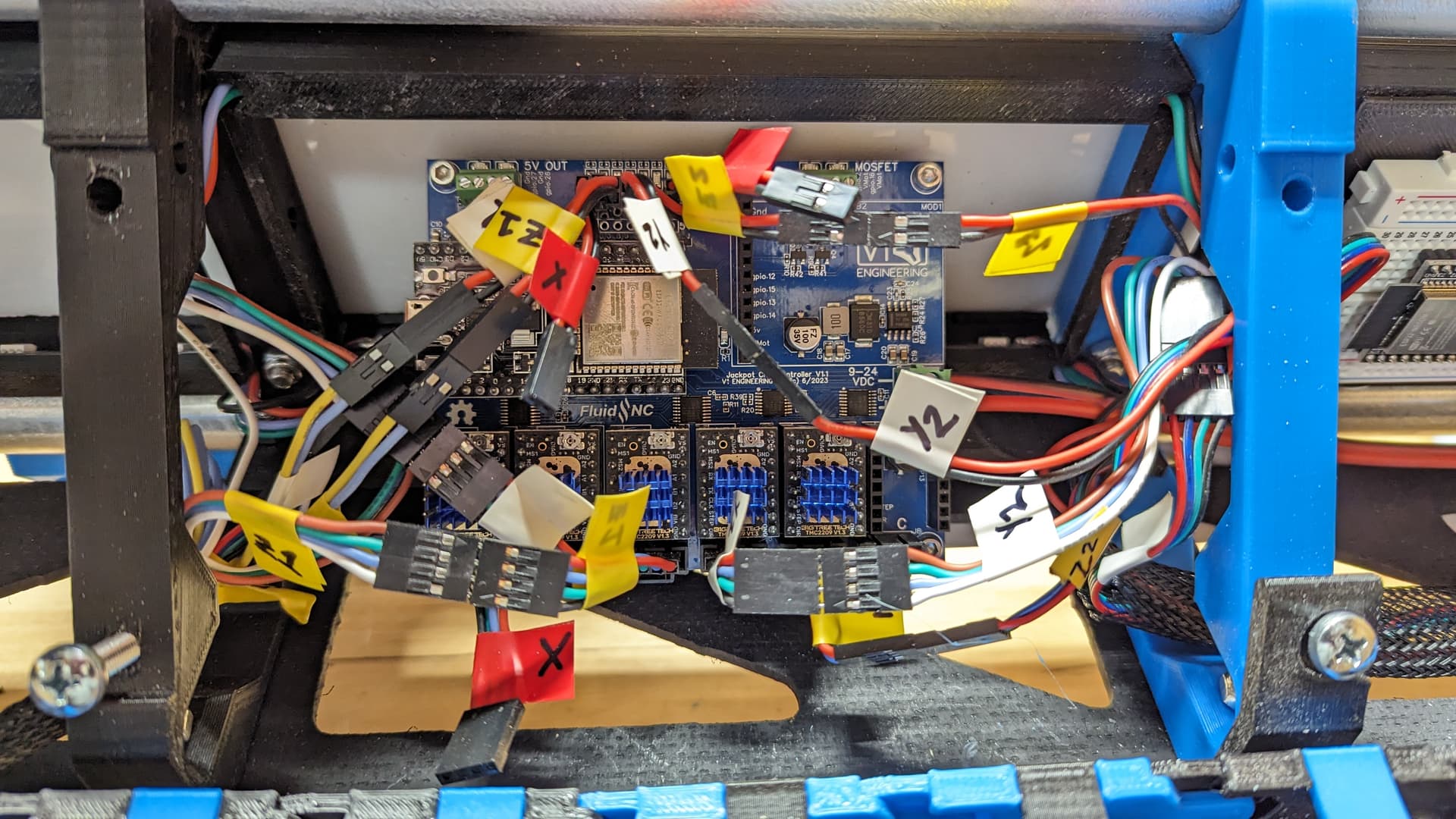
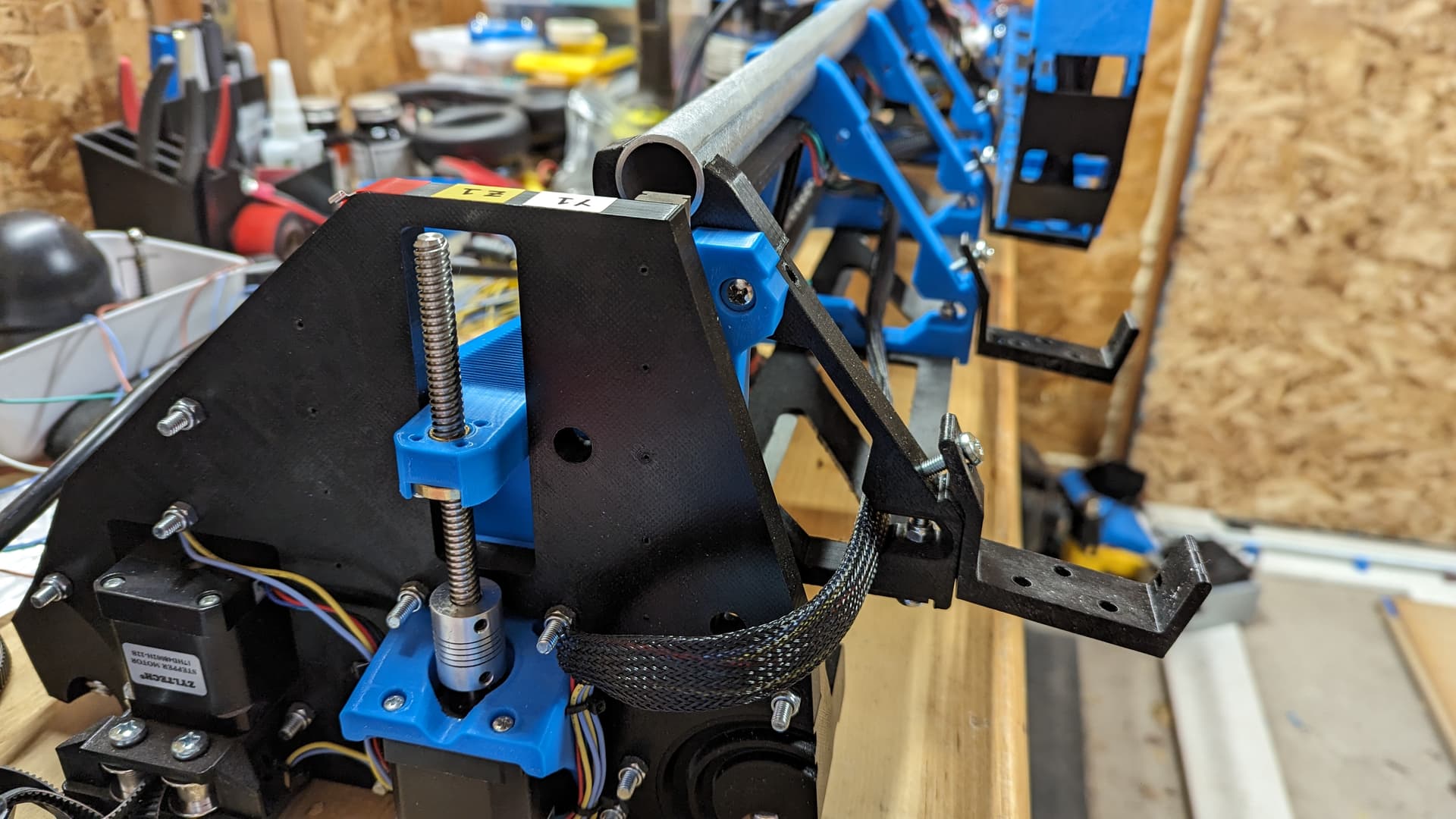
I did indeed get some wiring done last night before packing. The Y & Z wires on the X-min side were longer than needed, and the others were all too short after moving the control board into the middle of the gantry. It was not challenging to reconfigure things, but it did involve more wire crimping.
I did not get to the X wires, but everything else is plugged in. A quick power-on activated the Jackpot, and I was able to see the Y & Z endstop LEDs go off when activated, so that was a positive sign. I didn’t try to connect to the board this time; I’ll try that once the final wires are plugged in… and by that point, it will be back on its temporary rails and ready to move again!
There are two listings, one on Thingiverse.com and the other on Printables.com. The seller’s main website has links to the cases. You probably can get it from there faster than I could find it and post it back here.
The two listings are not the same. Apparently the one on thingiverse.com is from the seller, and the one on printables.com is from a buyer who remixed the seller’s case and improved it, such that the seller even recommends the remix.
Which mount(s)? I’m not sure I would advocate my remix of the LED mount, since it resulted in doing some terrible things to the back of the core. I might modify my remix to be glued to the rear of the struts.
The Jackpot and PSU mounts will get thrown up on Printables soon, that’s on my radar but I haven’t gotten around to it yet (just got back home after a 5-day trip).
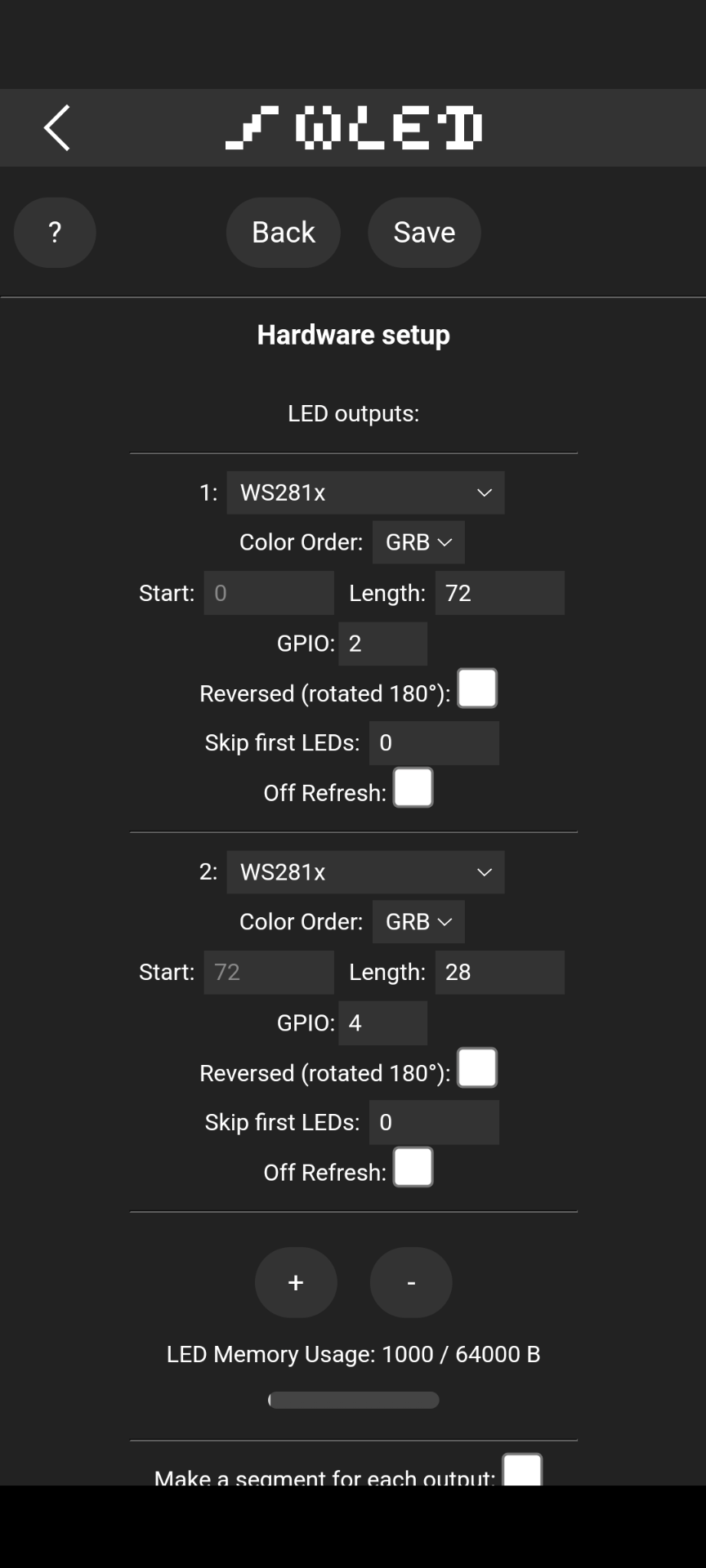
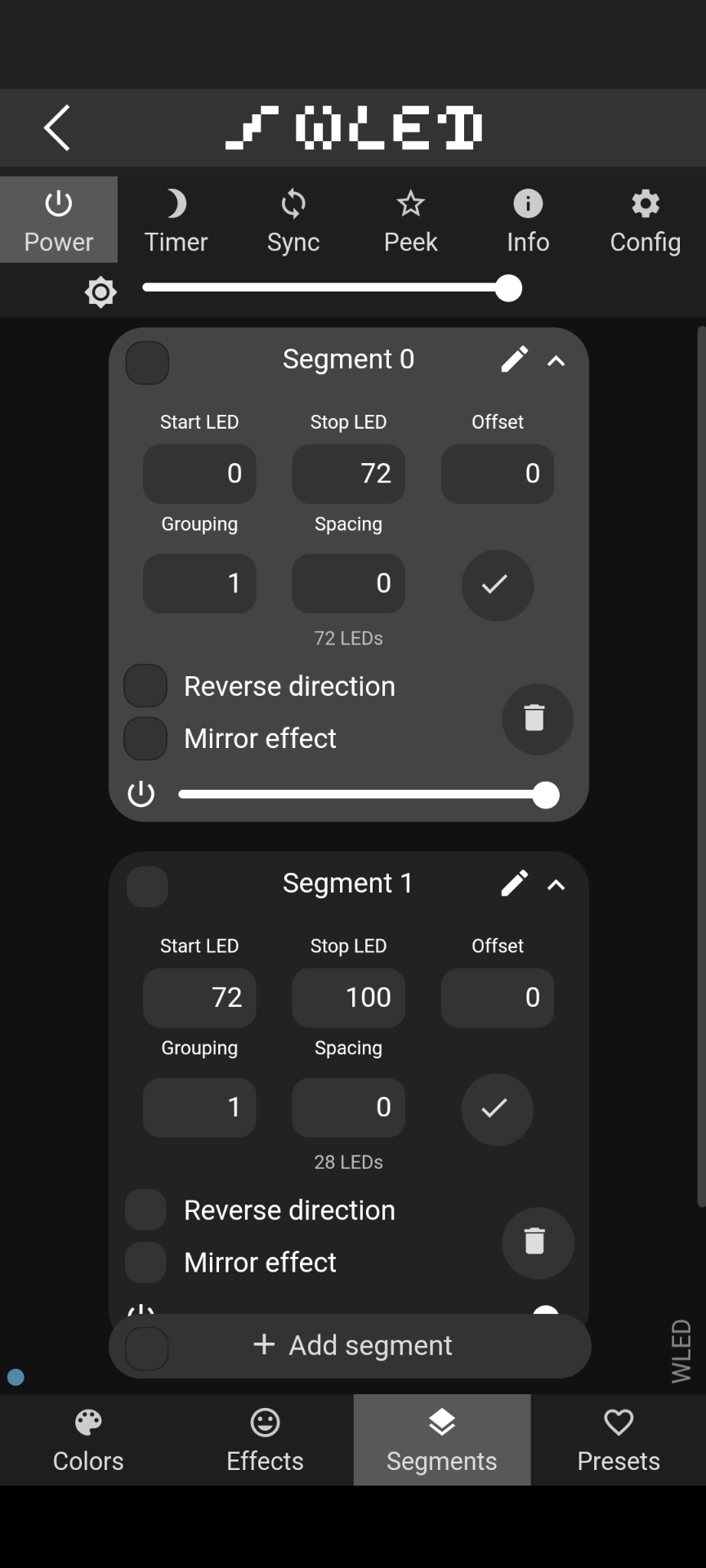
Output 1 and segment 0 are the WS2815s. Output 2 and segment 1 are the WS2811s. I get the same result if I change the end/start pixels to not be the same number (72) as when they are set like this.
Is this a power issue? They are 12V LEDs connected to a 12V power supply. Is it a data issue? Something else?
I had this happen with mine. Do you just have the one data line hooked to the ESP32 and the backup to ground on your 12v power supply? I had to also bring a ground from the ESP32 and hook it up to the strip as well and the flickering went away
Edit. i didn’t read well enough the first time. I still would try that and see if it makes a difference. After that i’m not sure as i don’t have any experience with the WS2811s
The 2811 does not have a backup data line like the 2815, it’s just 12V, data, ground. Right now, power and ground connect to the power supply and data is on its own separate GPIO pin on the ESP32.
Interestingly, I haven’t had any issues with the 2815 in terms of flickering. The backup data lines for those strips go to the power supply ground, since that is what’s specified for the LEDs I bought, and there haven’t been any data issues.
I’ll try the extra ground wire from the ESP32. I’ll try connecting direct to the strip, as well as to the power supply ground, and see what happens. And if I can’t get it to work, I guess I’ll have to get more 2815s (not ideal, they are not cheap).
Edit: also going to Google and see if someone out there has a solution. Because I should have done that first haha.
This part I didn’t know about. Will work on that when I get back to my machines. As long as I run a ground from one power supply to the other that should also tie the 2 boards together as well correct?
In my case, the Jackpot and the WLED board both use the same power supply. The Jackpot is connected via direct wire connection, whereas the LED ESP32 is powered through its USB port via a 12V-to-5V buck converter. It sits on a breadboard, so I could run a separate ground wire from a ground pin on the ESP32. That sounds like it might double-up the ground connection, but worth trying.
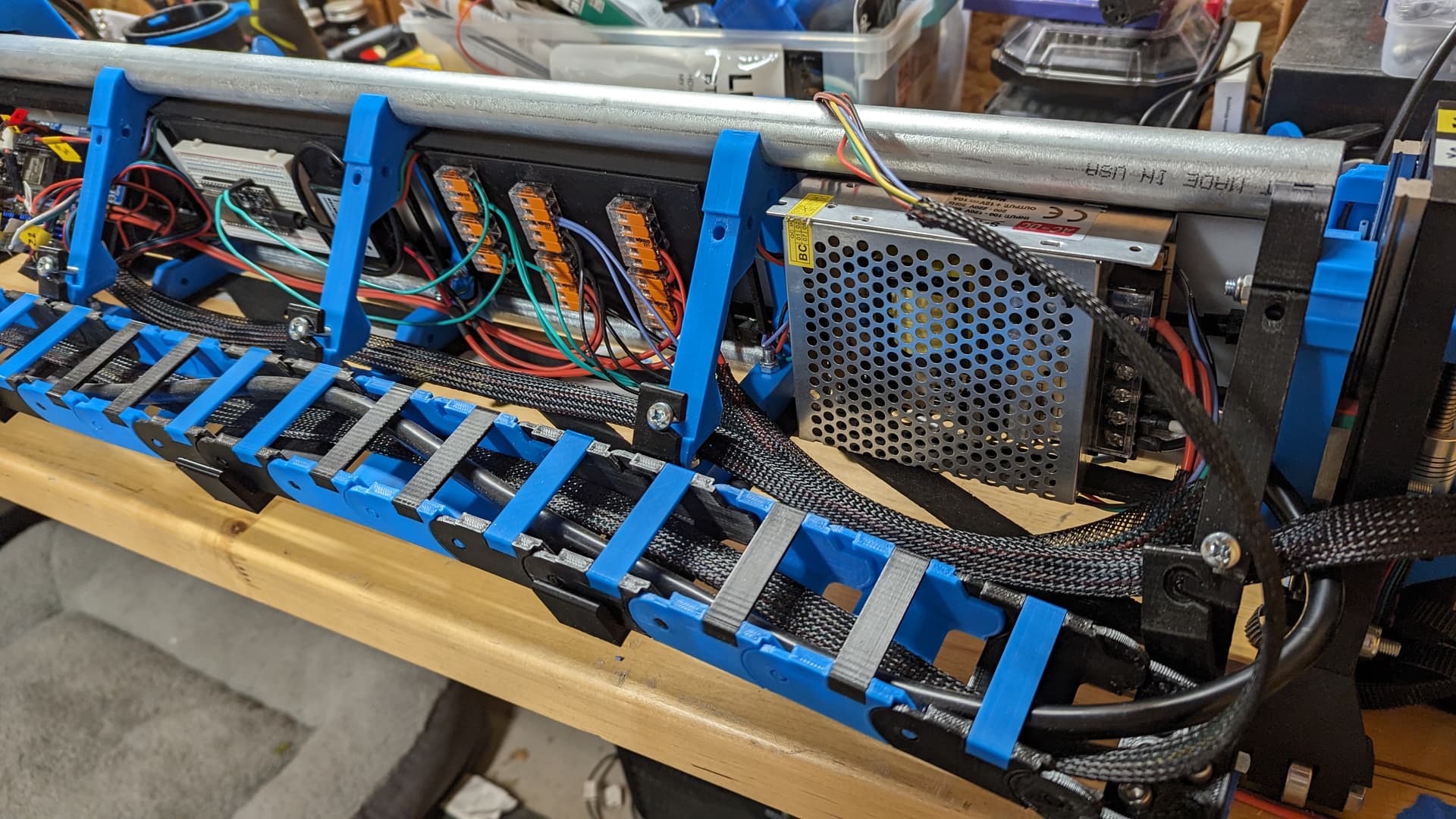
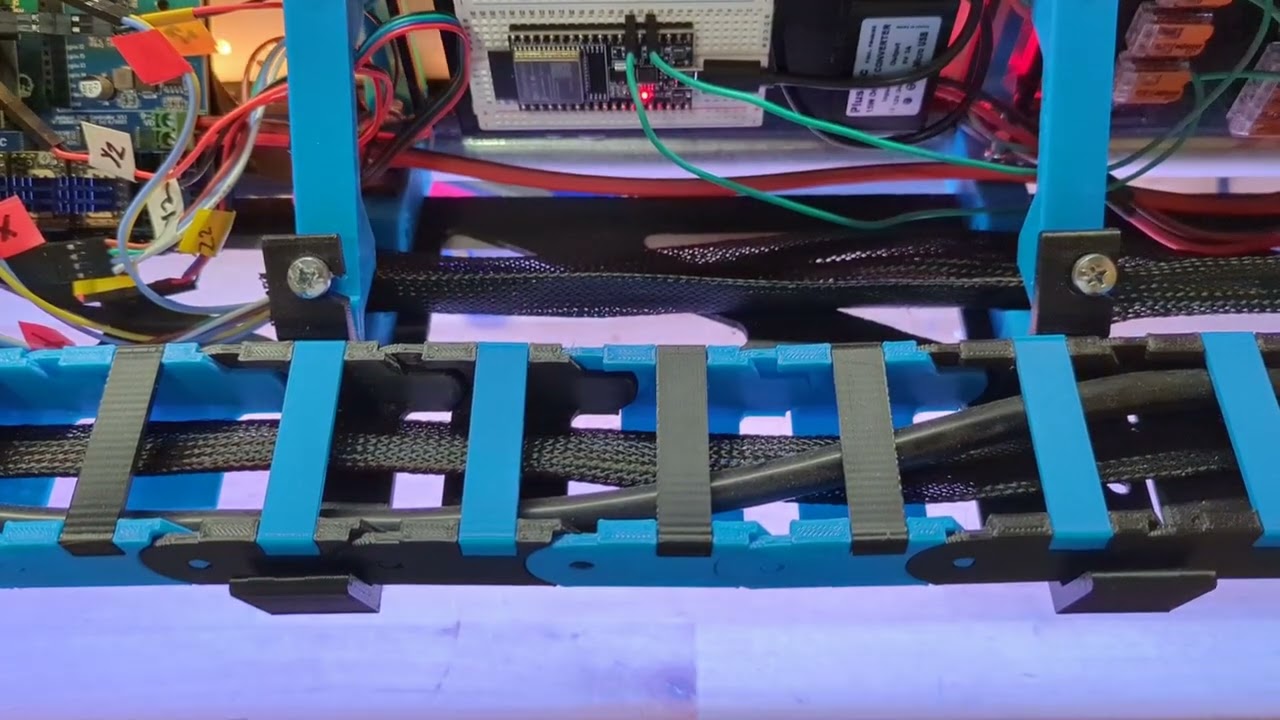
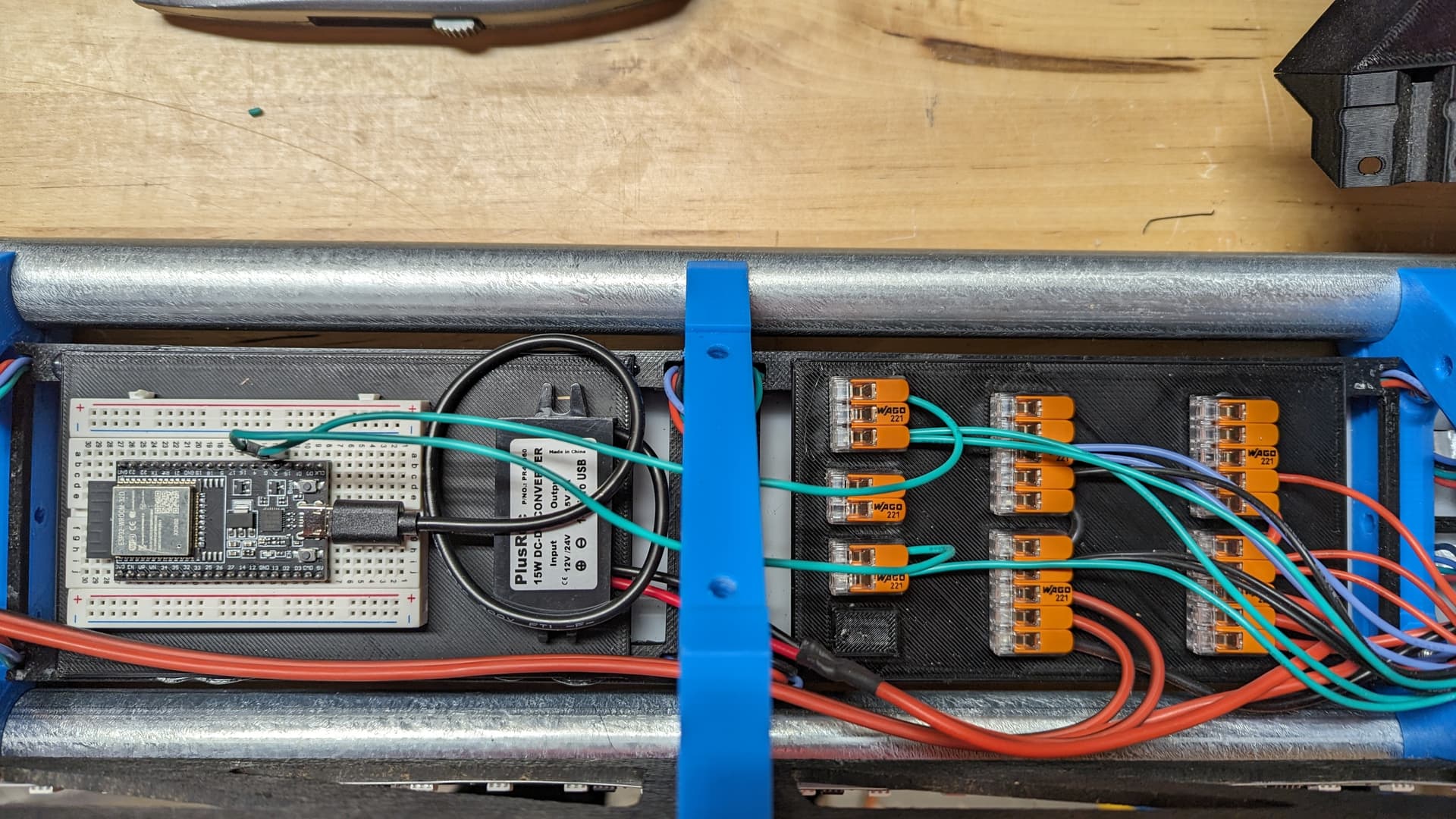
Edit: FWIW, this is the setup…
The righthand column of Wagos is for positive connections, the middle column is for ground connections, and the left is for data. The single 12V PSU ties into the right and middle columns, and all power and ground connections exit from those respective Wagos to the Jackpot, LED ESP32, and LED strips.
The common ground is needed because voltage is relative. The signal on the data pin is going up and down between 5V and ground to communicate what colors to send. That 5V and ground is relative to the esp ground. If the LED has a different ground, it may not see the 5V and ground as 5V and 0V. Some buck converters connect the grounds between input and output. Some don’t.
How long is the data cable from pin 2 to the led in? WLED recommends a resistor or a level converter to boost the signal if you are running very far. (See the diagram here):
So that’s two things to try. I do wonder about the power supply though. Touch the connectors and wiggle things a little while it is running. If something is loose, the flickering will go away and it will be on or off. The way it is flickering makes me suspect of the data line issues. In my experience data line trouble results in nothing working or random garbage on the first several pixels. I’m suspicious of flickering that still has the correct color all the way down the strip.