Well, my Kobalt trim router apparently threw craps this morning in the middle of a carving project. It just stopped spinning, as if there were an overload or something. So, my question: is there, in fact, any recovery from this? Could it be the brushes? I would have thought that would be a gradual loss of power…
It’s about 2 years old but has not been used heavily for most of the last year until a couple of weeks ago.
The box claimed a 5 year warranty, which I know would mean a refund or something since they are no longer available. Has anyone actually collected on the warranty?
I actually have a backup of a different brand, and the Hercules (HF) unit is currently on sale for $80, so I’ll be back in business shortly. But, if I’m missing a recovery possibility/ reset, I’d like to know it.
The only thing I can suggest is to check the motor’s brushes. If they’re worn out, replacement is cheap and easy.
Also, check the supplies that came with your router, it’s not uncommon for routers to come with an extra set of brushes.
If the brushes don’t make contact, everything stops. I had a shop vac I was using to clean up water in our basement after a sump pump failure and ran it long enought for the nylon brush holders to deform so the brush springs didn’t maintain contact with the armature. It just stopped dead, didn’t fade away.
Personally I would start by looking at the power switch. Recently I had a Bosch router and Festool vacuum that both stopped working. Was the power switch in both cases.
Well, it’s possible that the brushes caused it to stop…
I removed the router from the Primo, blew out the dust as much as possible (this was during the finishing cut of a carving, so…)
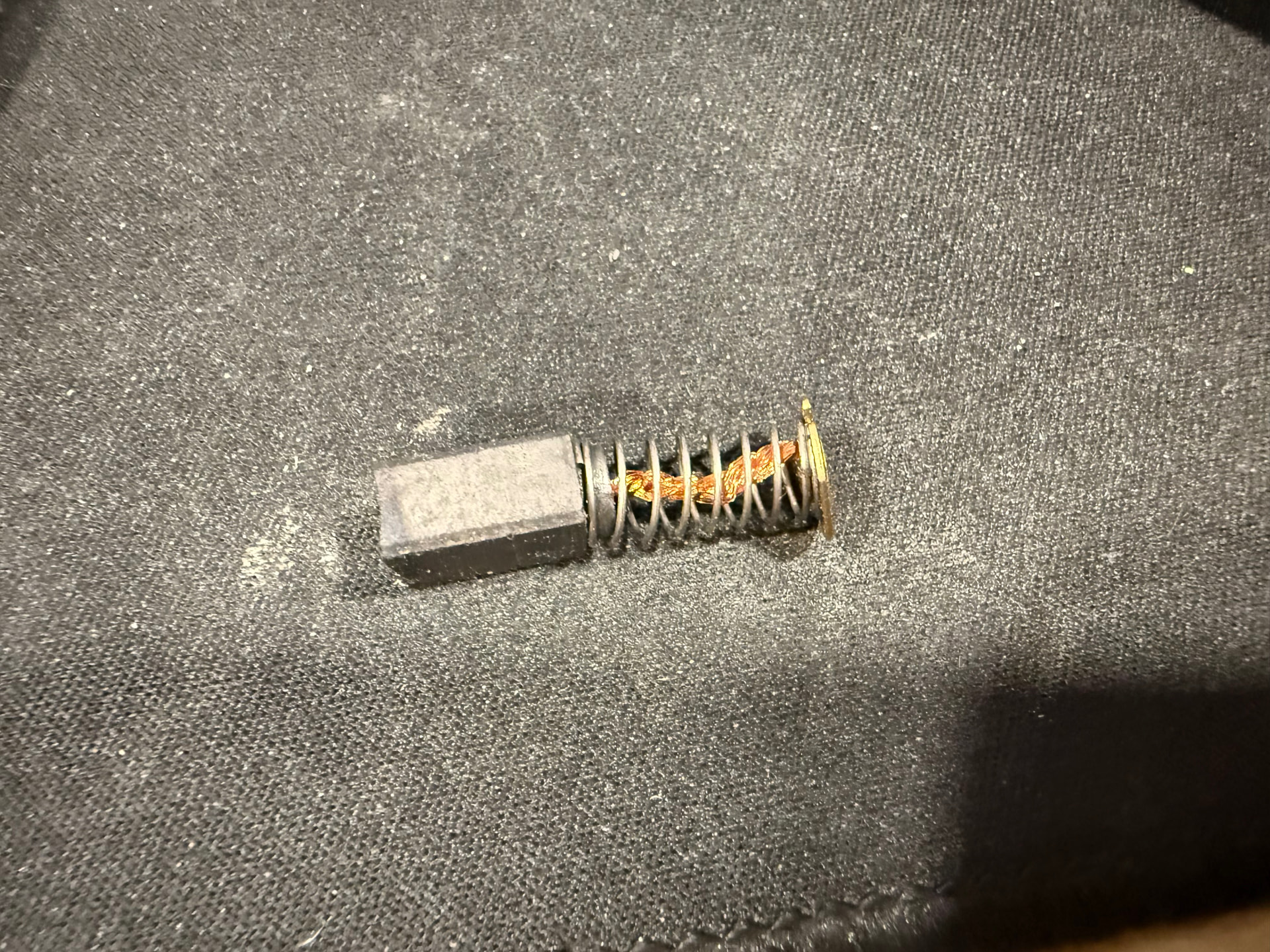
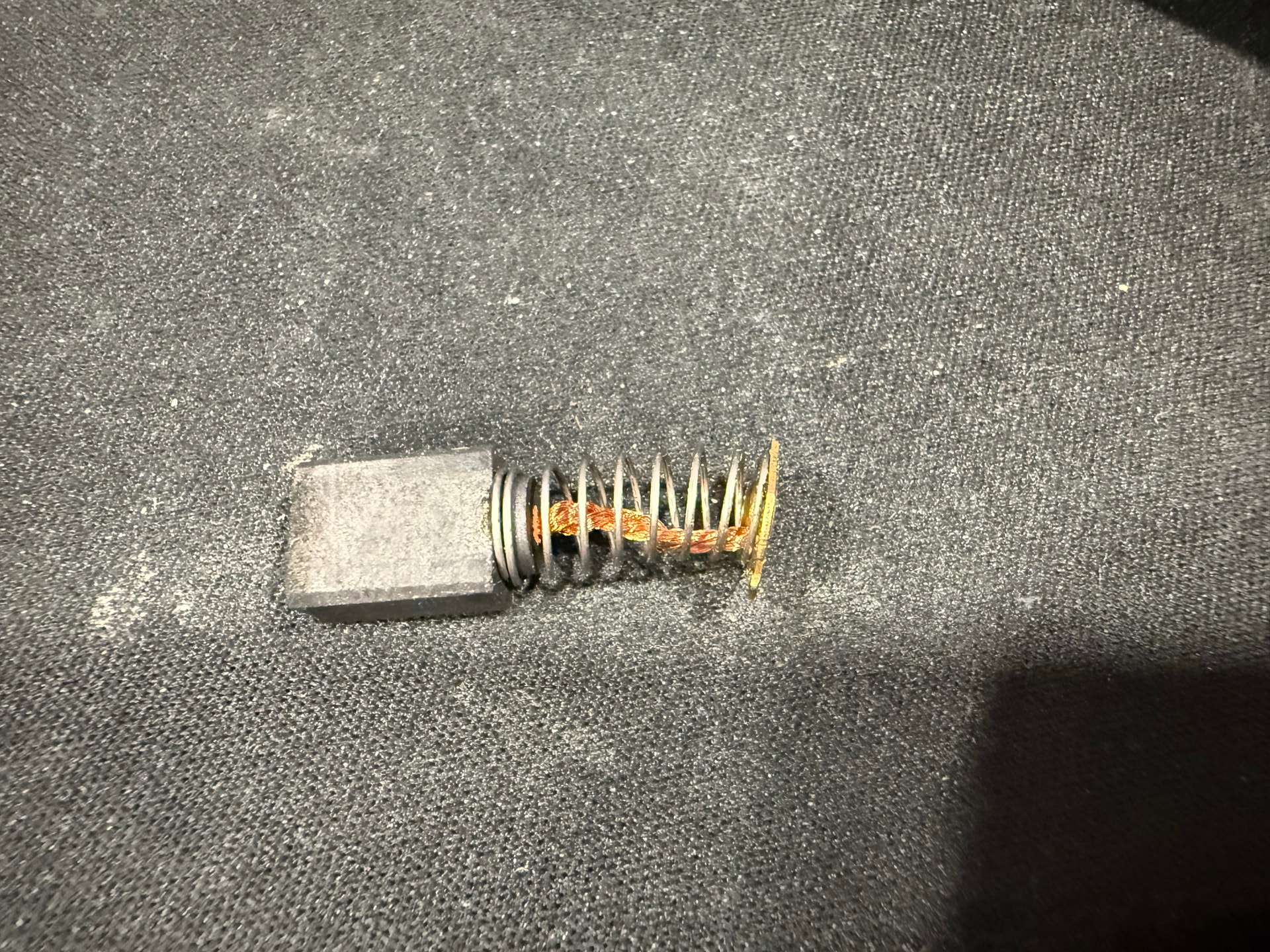
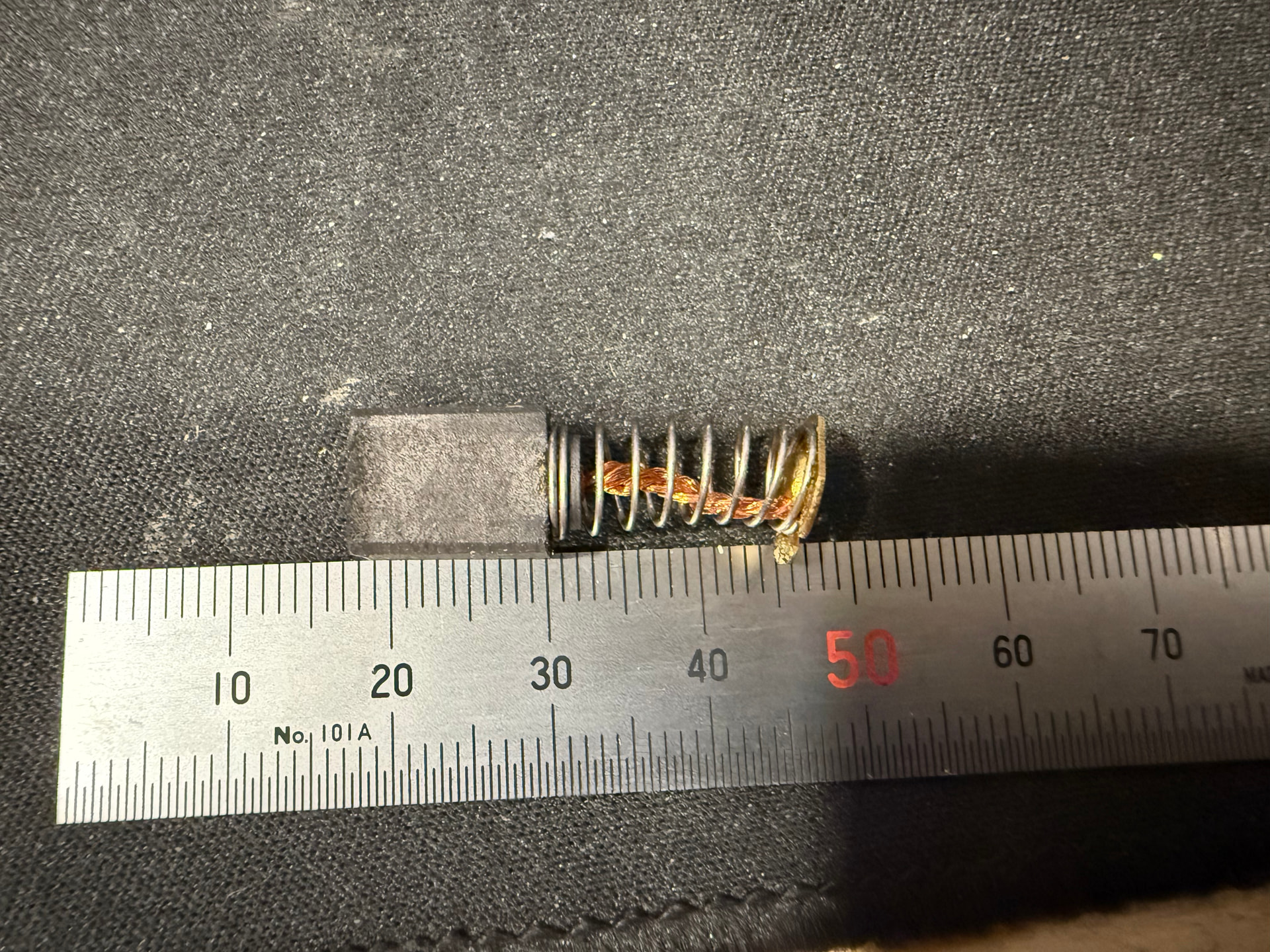
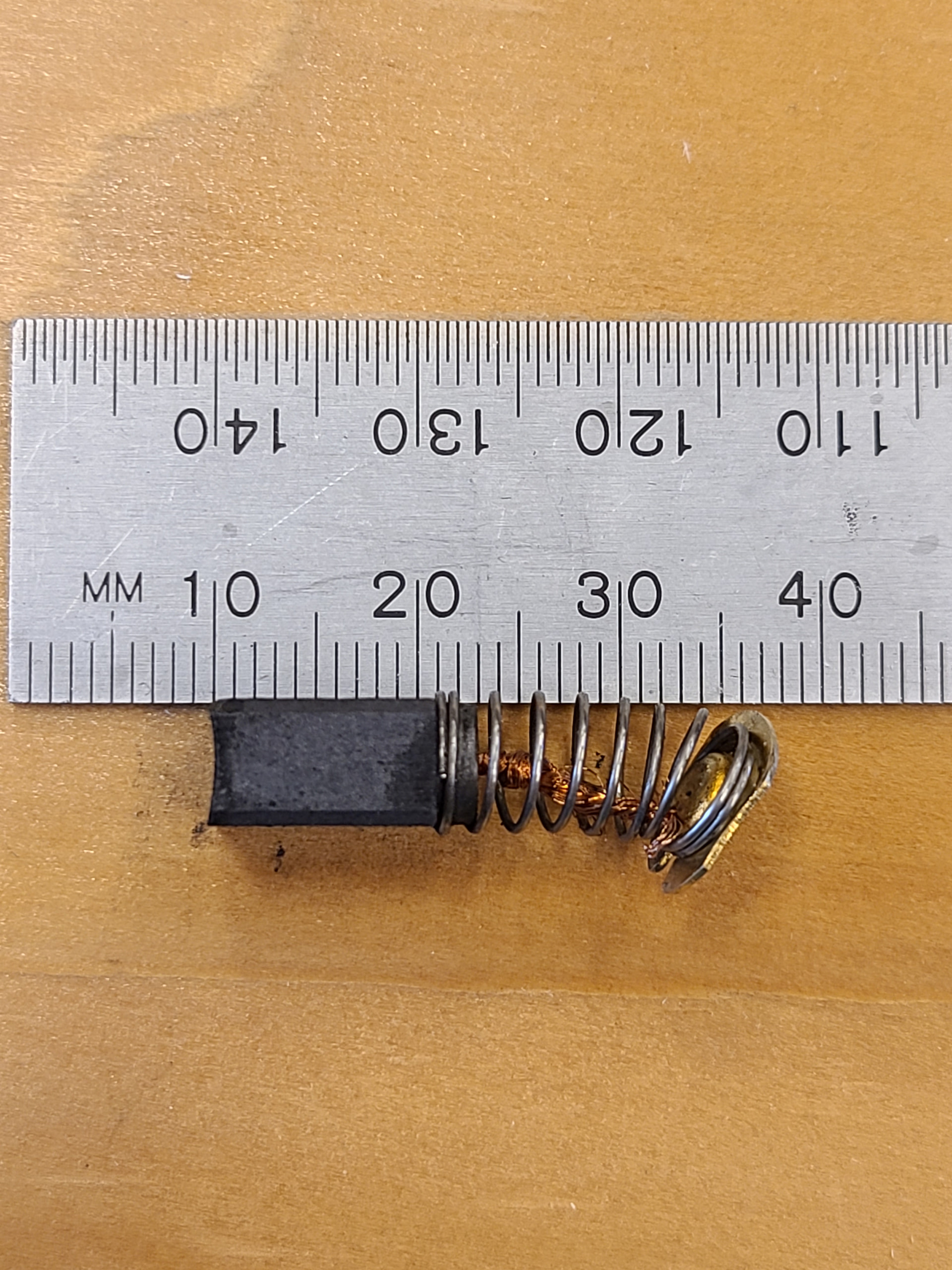
I then removed each brush to inspect them. To be honest, they don’’t look that “worn” to me. Each one is over 5mm remaining, but probably less than 10. Since I don’t know the starting specs for new brushes, I’m still in the dark. However, the brushes are spring loaded, of course, so I guess that when the caps are re-installed, they could be re-seated slightly.
So, naturally, after re-installing the brushes, the router will now run. Of course, I’m not sure I can trust it until I figure out what’s going on, and in particular, how worn the brushes really are.
And, of course, there is the question of where to get replacements. There’s a seller on eBay, but he charges $16, which is a bit excessive. A search on Amazon for brushes for this model trim router results in numerous “kits” of multiple brushes but no obvious actual matches. So, the dimensions of the new ones are still needed.
One obvious question would be whether there is a way to determine the original length, or where to find the specs. Also, for these brushed motors with the spring-loaded brushes, would it be normal to need to tighten the caps that hold the brushes so that there was always sufficient pressure against the spring? or, does one always just screw the cap into the body as far as it will go? (as may be obvious, this is the first time I’ve had to play with the brushes on a router. The CNC puts a LOT more hours on the motor than most any other of my typical uses.)
These have maybe 20 min of run time on them. I got it when we were doing the initial test before they released and this one the speed control was messed up right out of the box. Honestly don’t know why I have kept it around but if these brushes will get you out of a jam they are all yours.
If you do direct measurements on all sides l x w x h and post then anyone can get generic brushes in the future.
Really even close counts, I have done unreasonable things to brushes at the worksite before to get the job done - swapping them one tool for another, shaving a side down etc. As long as it makes proper contact it should work fine.
Well, my quick eyeballing then was misleading. It looks like mine are only 2-3mm shorter than yours are and this router has been run for at least 20-30 hours:
Good deal! I’m betting it was just dirty and you blowing it out “fixed it”. I know that’s not very comforting. But I think the only way you will know for sure is to just run it and see.
Always screw all the way in or it may rattle loose, ask me how I know…
I had an old Skilsaw that would have a brush get stuck from advancing every once in a while. There was slight defect in the brush hole that it would hitch up on, or it would build up with dust. I got used to cleaning it out once a month 25 years ago when I was building fences (before all these new brushless motors).
Yeah, I was coming to the same conclusion. Luckily, with the control that FluidNC provides, I think I can actually restart the job from essentially the exact point that it stopped. It’s actually not too critical so failure would not be a catastrophe, but if it works, it will preserve a fair amount of work on this piece so far (long story that you don’t want to hear! )
(But, if it stops again, I have a Carbide 3D ER11 router that they had on sale back in August. It would require a new mount (compatible with Makita), but that’s printing now. )
So, for now, please keep the brushes. I MUST find replacements as I also have the Kobalt on my LR4. That one actually has even more hours on it.
If you have a minute, it would be worth finalizing the initial length. That way this info can reside in this archive so that once we find a suitable replacement, everyone will know what to buy.