Jackpot Can't Read SD Card

Trying to load squaring gcode on the new Jackpot board on my LR3 but i cant get it to read the SD card.

Card has been formatted and verified FAT32

Card works no problem in the computer, and worked fine in the SKR before now

Tried a brand new card, also formatted FAT32

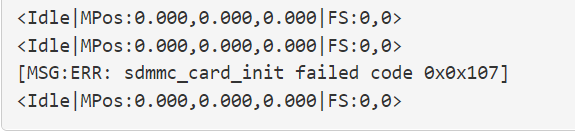
When I hit refresh on the SD Card section on the Web UI I get this error in the terminal…

image

Any ideas??

Tagging @vicious1 because I know he likes to know about problems with the Jackpot

Try using this

See SD Card Formatting in the FluidNC wiki for details

" Some people have trouble when SD cards have been formatted by Windows, but were able to solve the problem by formatting with SD Card Formater"

1 Like

Ok thanks @Michael_Melancon ill give that a try now

Did you see this

"

1x MicroSD card slot

larger than 2gb needed
Fat32
30 character or less file names, 100 character or less file location

"

One of the cards I used had no name and no files on it. The other might have been too long but I don’t think so. Ill double check that.

I had an SD card that wouldn’t work in my Jackpot even though it was readable in my windows and Linux laptops. I ended up reformatting it again with FAT32 in the Linux laptop and after that it worked great in the Jackpot.

I have no idea what was wrong with the format, but obviously something the ESP32 didn’t like.
There’s a mention of this in my JL1 / Jackpot thread.

1 Like

Turns out it was the cards I was using. I took the one that I got from Ryan out of the jackpot on my Primo laser and it works just fine. Don’t need the one in the laser anymore since I have it working from lightburn over usb so I’m good to go for now. Next order from Ryan ill grab a few more.

1 Like

I added a troubleshooting note to the Docs.

Class 6 or slower.

1 Like

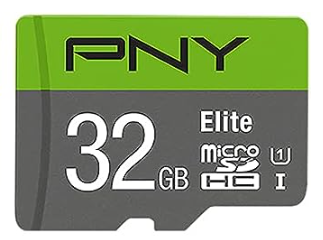
I have one of these
image

  • Class 10, U1 speed rating, with read speeds up to 100MB/s
  • Class 10 - UHS-I, U1 speed class performance allows for fast and smooth continuous HD shooting and full HD video recording

Have had no issues using it.

2 Likes

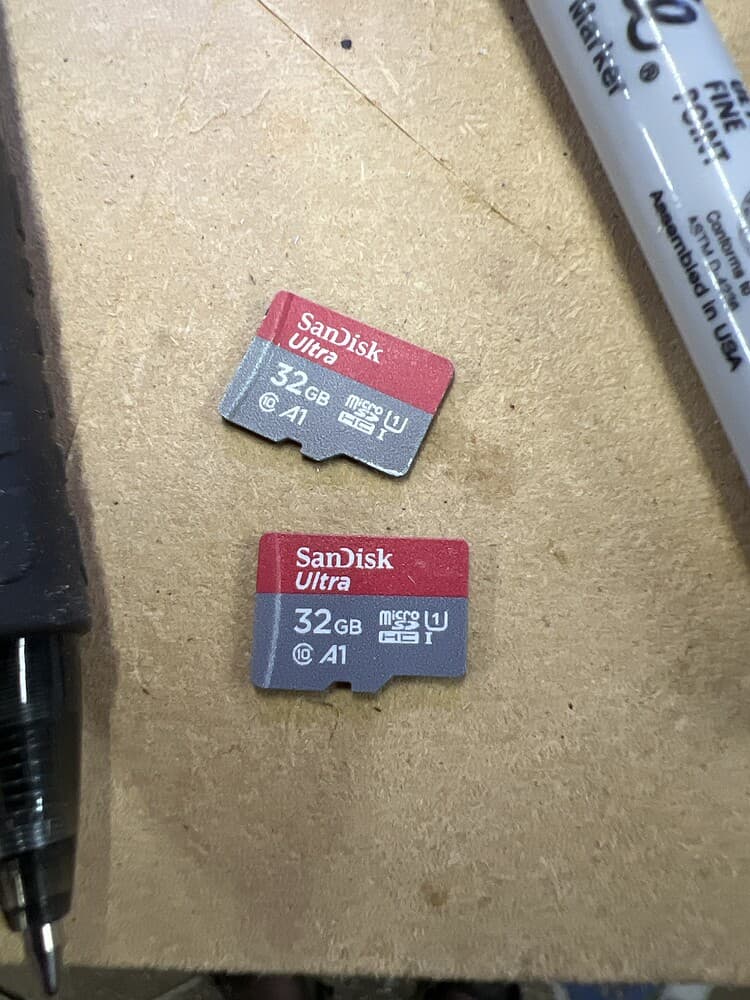
Maybe it is the A1 A2 designation to stay away from? Those seem to indicate a minimum speed rating, I can see that being a problem?

Possibly. The FluidNC wiki only mentions size and formatting as issues.

To be honest, I normally just buy whatever. Buying these cards for the Jackpot was the first time I ever went and did any research into what any of those symbols mean lol.

I bought those just because they were the cheapest 32GB ones I could find on Amazon. I think I got 3 for $11 or something like that

Same. The ones I have I got on sale from Amazon to put in some Reolink cameras. Just have been too lazy to take the cameras down and install them lol. So instead of buying more I thought I would just use them in the CNC. They worked great with the SKR/TFT. Never once thought they wouldn’t work with the Jackpot. Ordered 2 more from Ryan today.
closing old topic to help fight spambots