Hi, I’m Alejandra and I’m building a Lowrider 4. I bought the jackpot from Ryanair. But I live in Spain and I don’t speak English (this is Google Translate). I have a problem: I tried to make the crown with the pencil and the machine started going down and down, I had to unplug it. Now it won’t hom and it gives me the following error:
ALARM:8
Homing fail. Pull off travel failed to clear limit switch. Try increasing pull-off setting or check wiring.
I know absolutely nothing about programming, I just really want to use my CNC machine. Can anyone tell me what’s going on?
Segun veo, tienes un switch activado, si no es asi, debes revisar la coneccion de los switches, en la consola de fluidnc escribe: $limits eso te dira cual esta activado o te da el error.
Alguna foto de los switches y de las conecciones en la tarjeta podria ayudar
The switches are supposed to be wired so that the switch contacts are closed when not activated and open when activated (known as normally closed or NC) . The controller cannot distinguish between the switch being activated (by being against the homing endstop) or an open circuit in the wiring (the wire being disconnected or the switch being wired to the wrong set of contacts).
The error message is telling you to make sure that the switch is not activated and that there is no open circuit. You may need an ohmmeter to test for the open circuit.
As @CesarH mentioned, using the $Limit command can help to indicate exactly which of the 5 switches is giving you the problem (although from your description, it will be one of the two Z switches)
Were you able to home Z before you unplugged the machine?
Hola Cesar, muchas gracias por tu respuesta, con lo de swirches te refieres a los conectores que van a la placa? motores paso a paso y finales de carrera? perdona pero realmente no se nada de programación, ya me parece un milagro haber llegado hasta aquí
Hi Barman, thank you very much. Before this error occurred, the machine homeed on the Z axis perfectly. It could also home on the X and Y axes. After the error when trying to draw the crown, the machine seems to have lost its bearings.
Do you think it will work if I disconnect everything from the board and reconnect it?
Most likely scenario is that when you unplugged the machine, one of two things may have happened:
The wiring to the end switch may became disconnected somewhere. The three likely locations for this to happen are:
* at the Z switch itself (low probability)
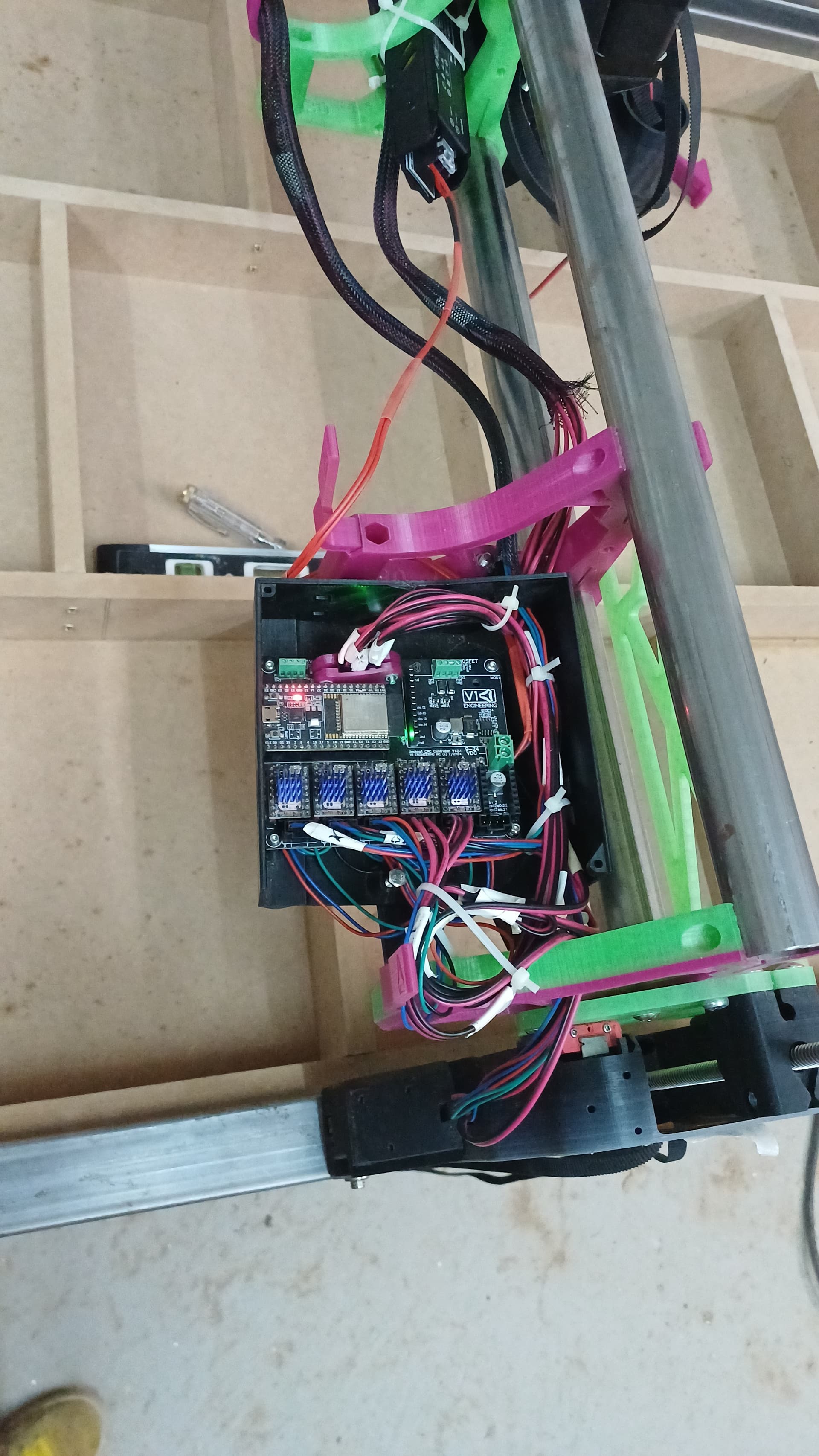
* at the connection to the control board (possible, based on your picture))
* at the connection between the wire and the extension cable (IF you are using an extension . cable). (most common location)
The controller configuration file may have became corrupted. Re-installing (replacing) the config.yaml file as per the V1 documentation may be needed. I am told that this is a pretty easy process.
Before you start going down either of these paths, it is important to do some troubleshooting. Please do a $Limits command from the console, and post the results here. That might help us to help you.
Looking at your picture, it appears that the wiring connector that you have installed has the threads of the bolts protruding and possibly touching the control board. This may cause a short circuit. You may think about having the threaded end pointing away from the board.
It also looks like the connector may be misaligned (crooked). You may want to check that the connector is straight and is fully inserted onto the controller pins.
Most people don’t use that type of connector. Rather they just attach each switch wiring pair with a 2 pin connector.
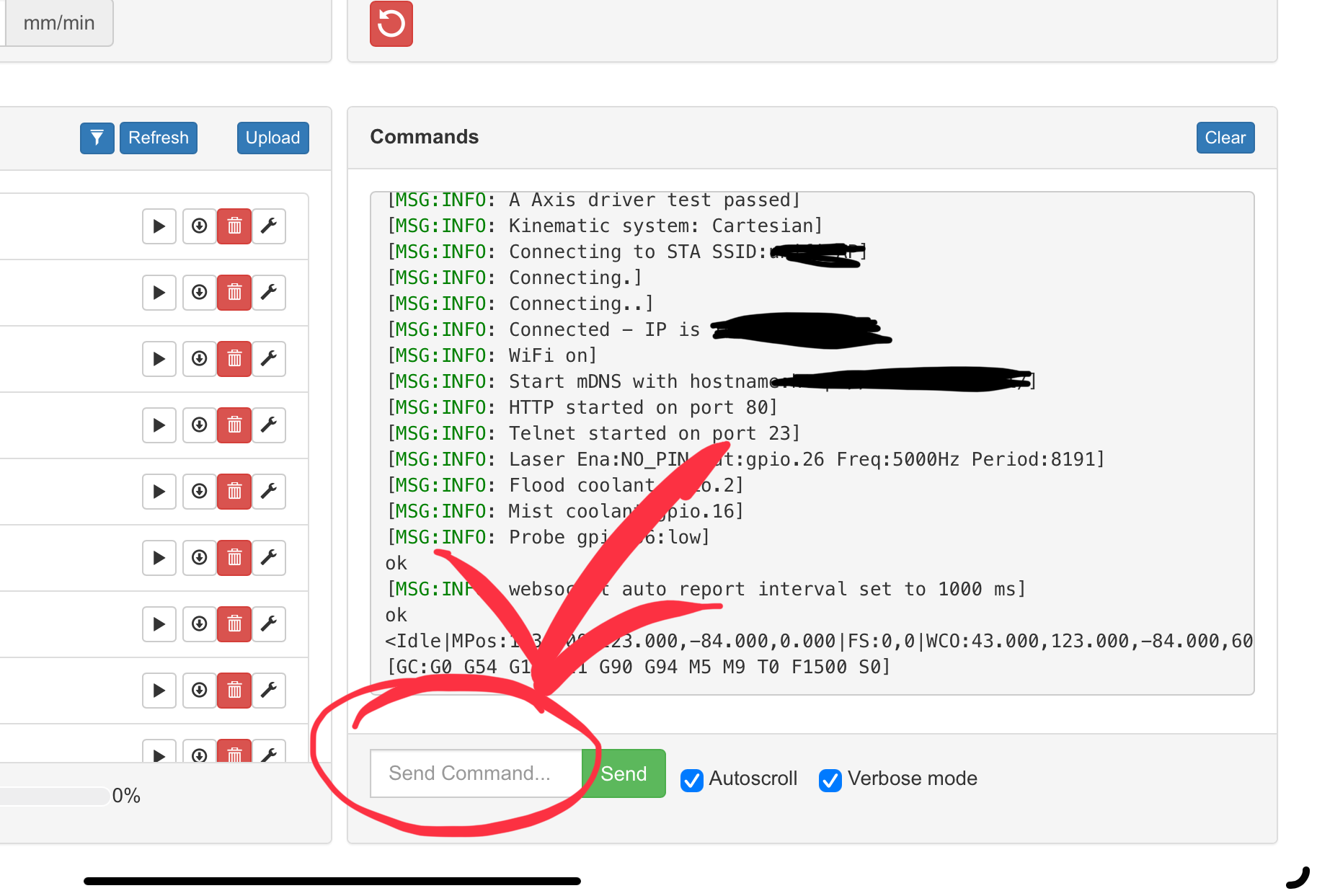
The only question I have left is where in the console (fluidNC) do I put the $Limit command? Sorry for being so silly, but this is my first time dealing with this.