Disculpa he pasado desde la madrugada en el trabajo, sigue los pasos que ya te dieron y veras lo facil que podras solventar eso. Se siente raro poder escribir en español aca😂
siiiii, jajajaj, creo que somos las únicas personas de habla hispana
No, hay mas pero al ser un foro de habla inglesa, pues nos toca
2 Likes
Don’t worry, with browser translation tools, we all know when you’re saying stuff about us. 
1 Like
Lol, nothing bad. I was just saying its good to be able to talk in our native languages
2 Likes
In the end, did you find the issue?  If* not please reply with the steps you already done for troubleshooting, so we can point you in the right direction, please get a picture of your jackpot wiring, upload your config.Yaml file and the $limits response from the console, that should show us what lm is triggered
1 Like
I would also make sure you are starting with the premade gcode from test crown. Check that before trying to make your own gcode. I don’t think the test crown has homing in it.

I’m working on it, undoing some poorly made connections. Once I rewire everything, I’ll use the $limits command. I’ll show you a screenshot when I do. Thanks a lot.
2 Likes
The problem occurred when I tried it with the crown. I’ll also check the Estlcam settings; I think I might have made a mistake. Thank you very much.
For the premade crown the Estlcam settings do not matter at all when using the Jackpot as the sender.
1 Like
aaa ok, sea descasrgo directo el gcode?. Me he tardado porque estoy cableando la maquina entra otra vez
Ah, okay, is the G-code a direct download? I’ve been delayed because I’m wiring the machine. Go back in.
The forum will link to the direct gcode whenever someone types in test crown.
So just follow that link and download the gcode.
You should be able to also recreate the gcode in estlcam. But first run the premade version as a beginner step. Then try to recreate it in estlcam.
4 Likes
Okay, I’ll do it that way. Thank you so much for your help.
4 Likes
Guys, I replaced all the cables and Dupont connectors and used the $limits command. It keeps throwing a Y error; I’ve attached a screenshot. It also keeps disconnecting when homeing on any axis. It also disconnects after a while. I don’t know what to do. Another thing I’ve noticed is that several lights on the board are now illuminated at the limit switches (this didn’t happen before). All the lights are on except for Y0.
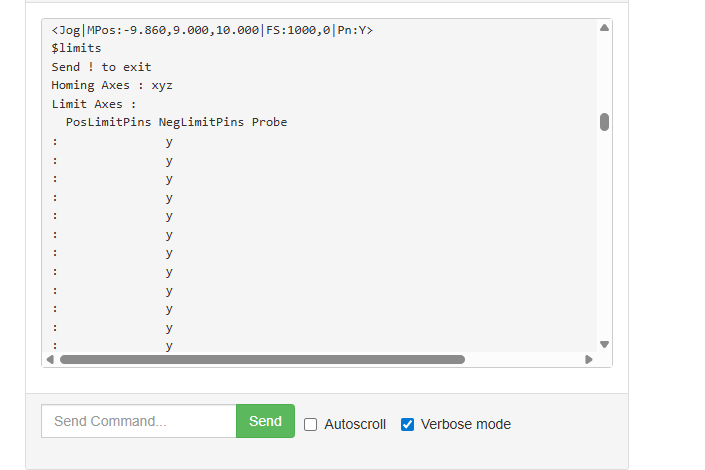
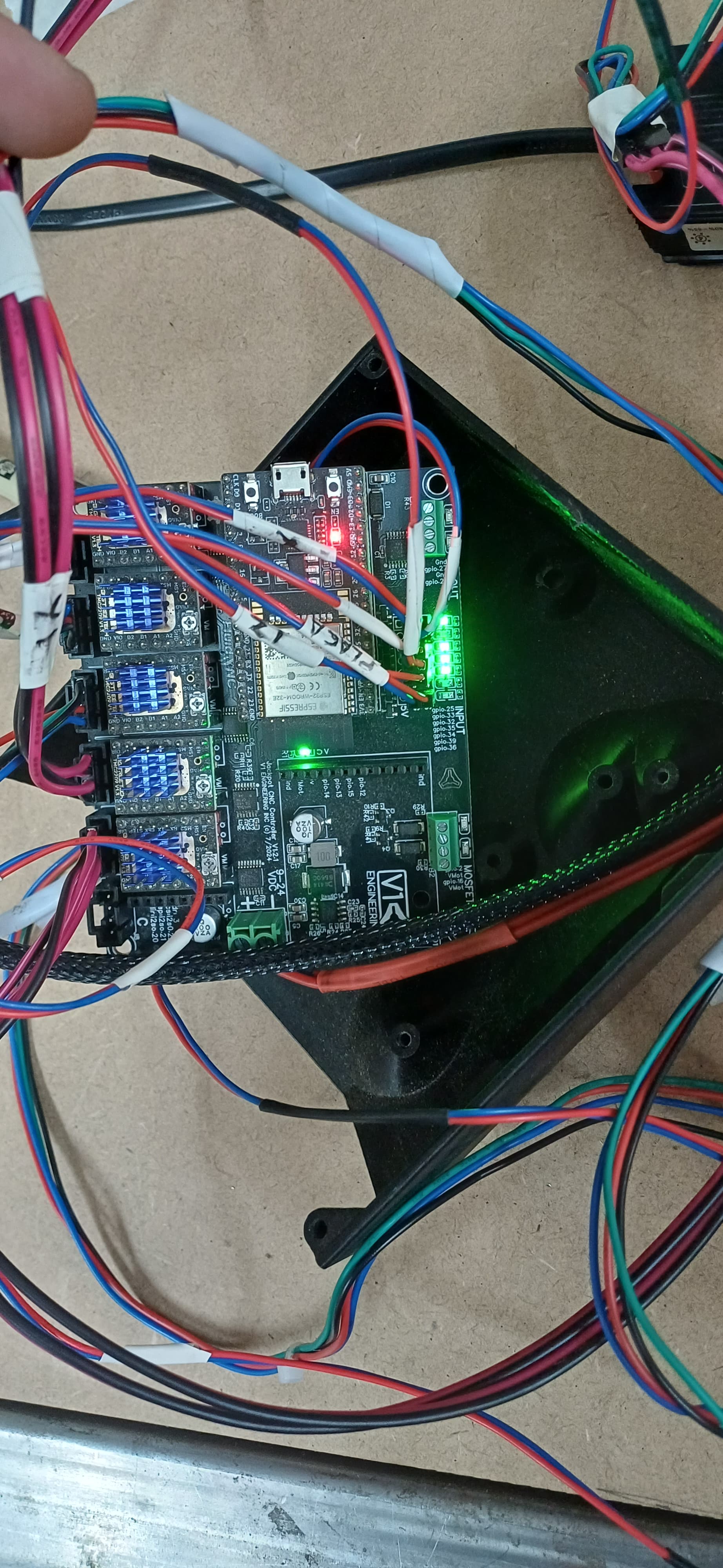
This is showing that your y0 endstop is triggered. If it is not actually triggered then you have a wiring problem. While that $limits screen is running you should be able to press and release each endstop and see it show up on the screen. That is a live view.
2 Likes
Okay, I’ll try what you suggested. Do you know what might be causing it to lose its Wi-Fi connection? Would I need to reinstall the build?