ok, I’ll do that!
1 Like
So in the garage, on 110 v, I have 2 enders, my pc and an electric heater on 20 amps and never trip a breaker. Maybe i should put the kill o watt on and see what they are running!
1 Like
That brings up a really interesting topic (to me, anyway).
Summary: 20A breakers don’t trip until well above 20A and are only there to protect the cabling so care is needed if you use ‘it didn’t trip’ as an evidence of what’s going on!
Breaker ratings are something that confuse a lot of people. The 20A isn’t actually that it will trip at 20A, it’s that it’s sized to match the thermal performance of a cable that is specified to be used long-term at 20A. So it’s guaranteed not to trip at 20A and usually won’t reliably trip until somewhere between 1.2x and 1.5x overload for an hour or more. It’s also a thermal average so this is how you end up with situations like a welder that might draw 40A when actively welding at max power but may have a 20A plug/socket and specify a 20A circuit. It’ll also be specified for something like a maximum of 5 minutes at full power out of every 20 minutes, or something like that.
The other thing is that it’s temperature dependent, to a degree, so if you’re in a cold scenario and running a heater, assuming the circuit breaker is somewhere cold then you’ve actually got a higher rated circuit than when it’s hot. In extreme cases this can cause issues where the circuit protection is in a dramatically different environmental condition to the wiring, such as a hot overloaded breaker cabinet causing unexpected false tripping while wiring in a heated area may overload if the protection is out in a cold external cabinet etc. For that reason I have the 32A protection for both of my EV charging circuits separated with a space on either side so they can adequately cool to avoid false tripping while the usual recommendation is to use 40A breakers to give some headroom, given that a 32A EV charging circuit might draw that for 10 hours or more.
So if you’ve got a steady load like a heater and it’s not tripping a 20A circuit after being used for 2-3 hours, all you can conclude is that it’s drawing less than 24A on that circuit, most likely.
Something like the PC and 3D printers will have dramatically varying current draw while operating as processing loads change, heat loads etc. My gaming PC idles at ~150W but draws around 400W under gaming loads and likely more if I were running a pure stress test. The 3D printer will have a ~20-40W heater on the nozzle and 50-200W into the bed depending on power, but in reality it’ll always be turning those on and off to maintain a set temperature so would likely be half that once the printer is actually up to temperature and running.
This is worth knowing because the only thing that the breaker is actually protecting is the cabling in your walls. It is assuming that whatever is protecting will heat up and cool down like a cable would, which means it’s relatively simple I^2*R power loss and quite a lot of thermal mass. If you then assume that a 20A breaker would protect a 20A plug/socket, for instance, that may not be true anymore because the plug/socket may heat up significantly faster than the cable or have a lower failure temperature. 40A for an hour will be fine for a 20A cable but will almost certainly smoke a 20A plug/socket. This is also true for other stuff like relays (especially solid state relays), contactors, dimmers etc. So a 20A MCB that doesn’t trip isn’t an indication that you could control that circuit with a 20A rated relay/contactor, necessarily.
As a practical example, if you said that each 3D printer is averaging 2A while printing but draws 4A while pre-heating, you could absolutely put 10 printers on a 20A MCB and be fine. Even if you turn them all on at once, they’ll draw 40A for a few minutes or so and then reduce down to 2A, which is well within the thermal trip curve of the breaker. That 40A for a few minutes, however, may well be enough to permanently damage a 20A plug, socket or relay.
Typically fittings like plugs and sockets are protected by needing to be matched to the nameplate ratings of the equipment they’re connected to in order to prevent overload. In the case of the 10 printers that could draw 4A on startup, chances are the nameplate rating says 5-6A or something. In that case, you’d take that 20A socket or relay and hook up 3-4 printers with it and have plenty of safety margin.
Returning to the welder example above, newer welders and EV charging cables actually use temperature sensing in the plugs to avoid overload in this kind of situation. Older ones just put the whole ‘5 minutes out of every 20 minutes’ in the manual and either it didn’t matter for the plug because they’d overheat and break if you tried to go for 20 minutes flat out, or they’d just set the plug on fire which is a hilariously common scenario.
3 Likes
They explicitly say not to attach the dimmers to fans. I think it is the power factor of universal motors that is the problem.
1 Like
oh trust me that breaker is a very cool cucumber right now! only a piece of plywood seperating it from very cold temps
1 Like
I have never seen the point - until yesterday. Please excuse this long post - it might be worth the read if you are in the mood.
About twenty-four years ago, with the aid of a small amount of “manufacturer assistance” I wired my entire house with a pioneer version of home assistance - a thing called C-Bus - it could do pretty much everything that we can do now wirelessly, but each switch had to be individually programmed. It was an experiment that confirmed my biases - and I continued to not recommend it to clients!
HOWEVER - even further back, sometime in the late 1980’s, when automatic garage door openers were a rare luxury item in Aus, we installed one, and for months on end I used to keep our kids enthralled (well they put up with it) by secretly pressing the controller button and calling “Open Sesame!” whenever we arrived home. The door of course would raise on my command.
It was a lovely family joke until one of the girls’ friends, aged about 12 asked as we were turning into the garage “Could I say OPEN SESAME please Mr Midge?”
In a flash of inspiration, I’ve just realised that I can now install a Home Assist powered garage door opener, change the name of the door to “Sesame” and I can now do that for real!
I’m thinking about all the other things in the shed that I could modify to turn it into a genuine Alladin’s cave - what if I called the fans “Ala Shazam”-
Thank you all for the inspiration and knowledge!!
6 Likes
Best post ever. The things we will do to make ourselves laugh!
2 Likes
I love it!
When I have oodles of time and inclination, I’m going to program an esp32 with a mic and accelerometer hidden in a stick to send certain commands to home assistant when the proper words and gestures are said whole waving the stick. Local magic with a wand.
Definitely harder than just plain voice control but would be fun to require any visitors to learn magic to control my house.
5 Likes
that actually sounds fun! “Alohamora” to unlock the door…
1 Like
Zack Freedman used a computer to train a neural network you can then paste onto a microcontroller. This is 5yo now. But it sounds like about what you’d need. It wouldn’t be able to do advanced speech to text. But for a couple of spell words, it would work.

1 Like
YES!
I’m sure Text to speech won’t be inconsequential but I’m more wondering how to turn “swish and flick” into vectors and then compare the stored vectors to what I’m currently waving around. What if I wave the wand correctly but at 2 degrees to horizontal instead of 10 degrees? Rotate it the whole field until it matches? Will how fast I swing the wand change the sample rate and form a a different point cloud that looks the same to me but not to a computer? Seems like it’ll be hard to build tolerances into the movement. Stuff to research when I run out of other projects lol
4 Likes
Heh, all my breakers are outside!
I’ve been using The Lutron Caseta Hub with switches and plugs for years. I know they are on the pricey side compared to other options these days, however the system has been rock solid with no bugs or quirks for over ten years.
I have been looking at Home Assistant for a while. I would like try it so I could consolidate some of these things. It doesn’t look like Lutron Casita is supported nor Eufy system we use for locks and cameras or Gree mini split in my shop. I have some other things I would like to try out with Home Assistant but if I can’t get everything in one app then I’m not sure if it is worth it.
Has anyone here tried to connect to any of the items I mentioned above?
I have an IR magic wand somewhere that you can program to do different commands with flicks, swish and twist. Pretty fun.
I bet with an IR receiver it could work with home assistant
Edit: yep.
Damn I’m going to have to try and do this myself now.
4 Likes
I love the internet, always someone else with the same idea and way smarter lol Put a few IR receivers different places and this seems way easier lol
I think I’d try hacking a bit to turn the IR LED into a zigbee / bluetooth signal though. Then no IR receivers needed and low power
2 Likes
I guess for mass market IR makes sense to train it without any other hardware but yeah that’d be even cooler.
Note for anyone trying this: the repo is out of date remote_receiver isn’t an external component anymore.
There’s also a lot of guff in there that’s not needed.
2 Likes
Just finished installing this tablet on the wall…
Magnetic support and charger so I can still use it for the kids
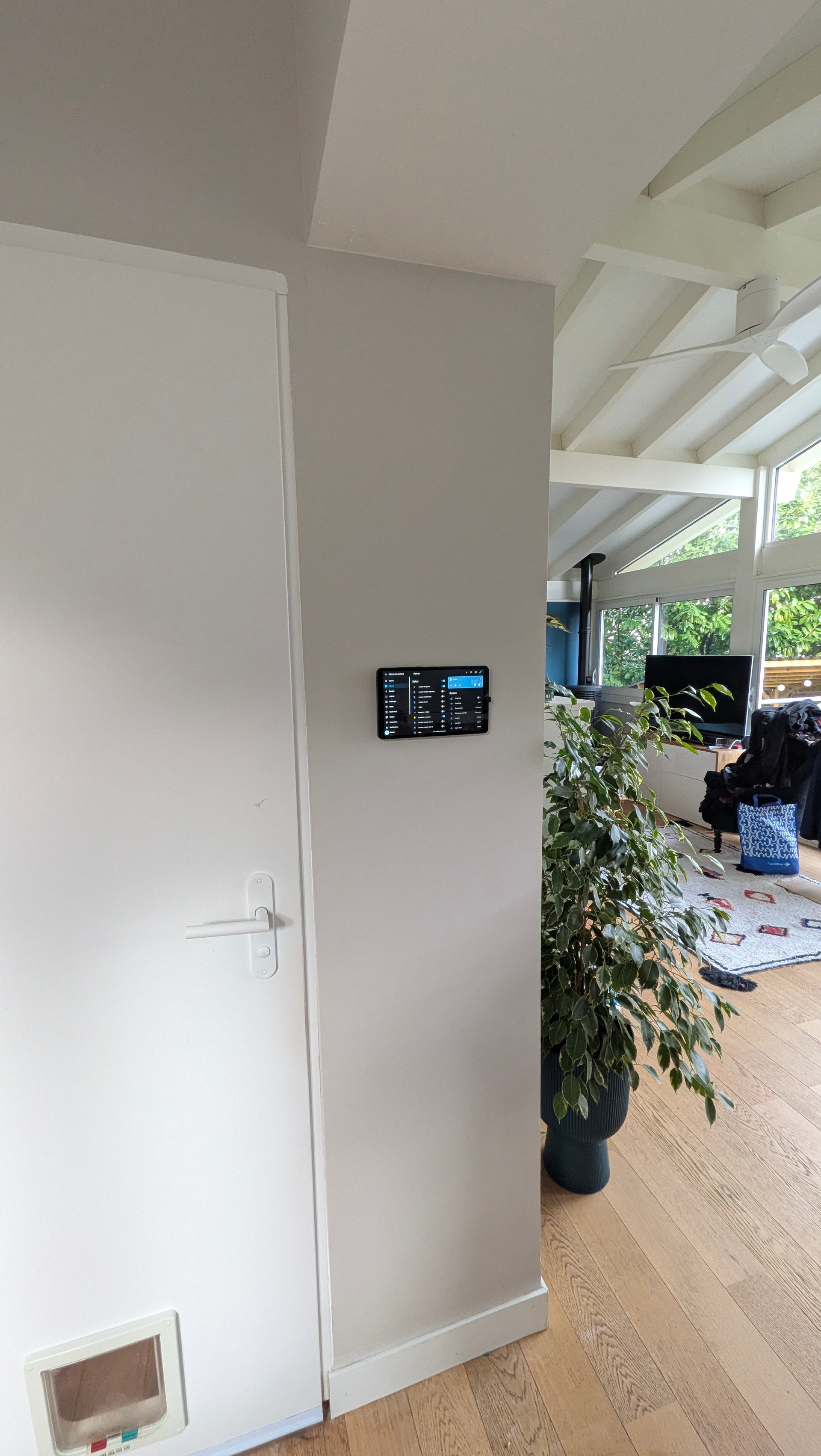
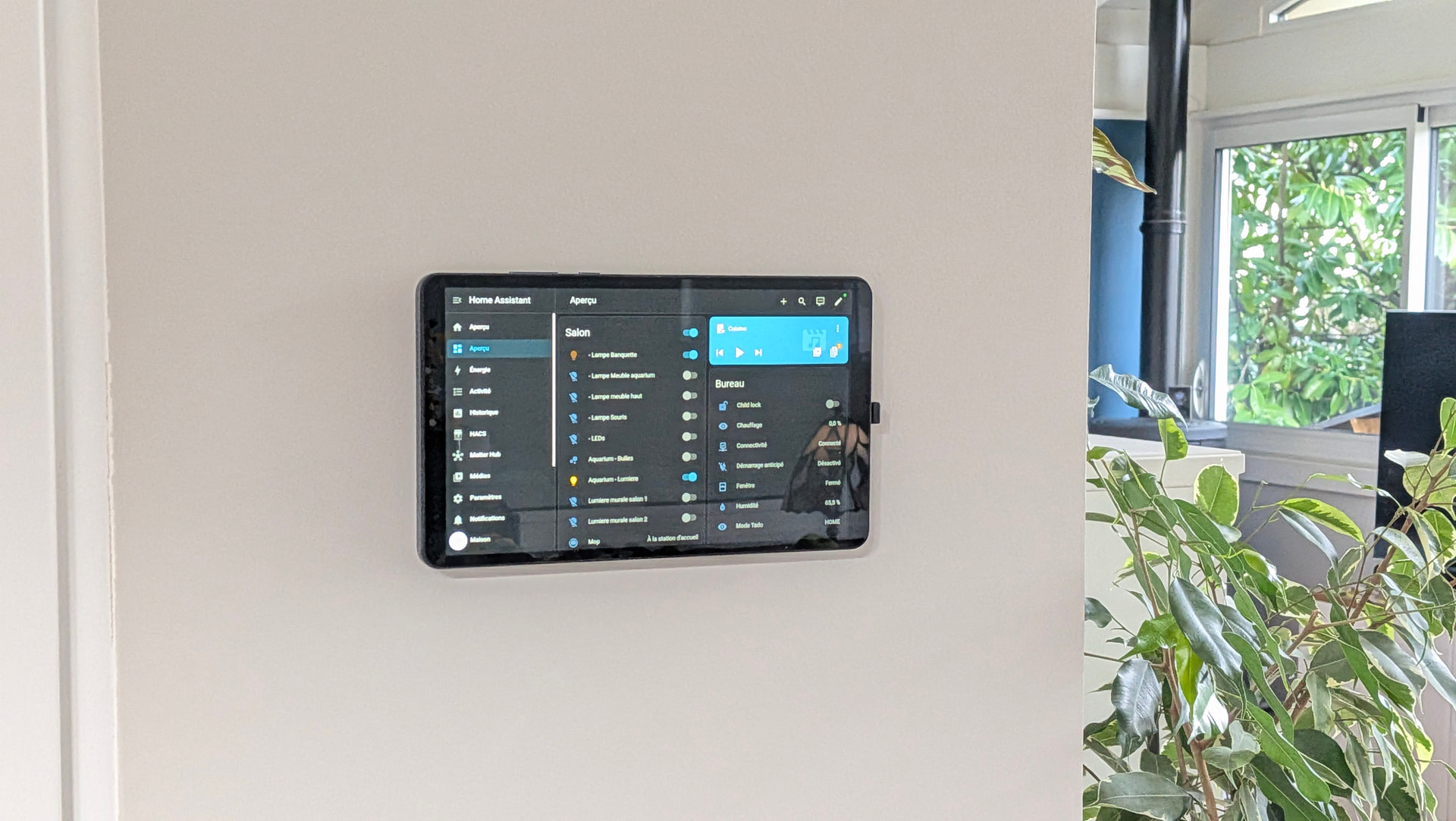
Btw, first time dealing with us/uk wall socket box and… it’s a massive pain -_-
Whoever thought those tabs doubling up as fixings for the socket would be a great idea might want to have a look at EU boxes 
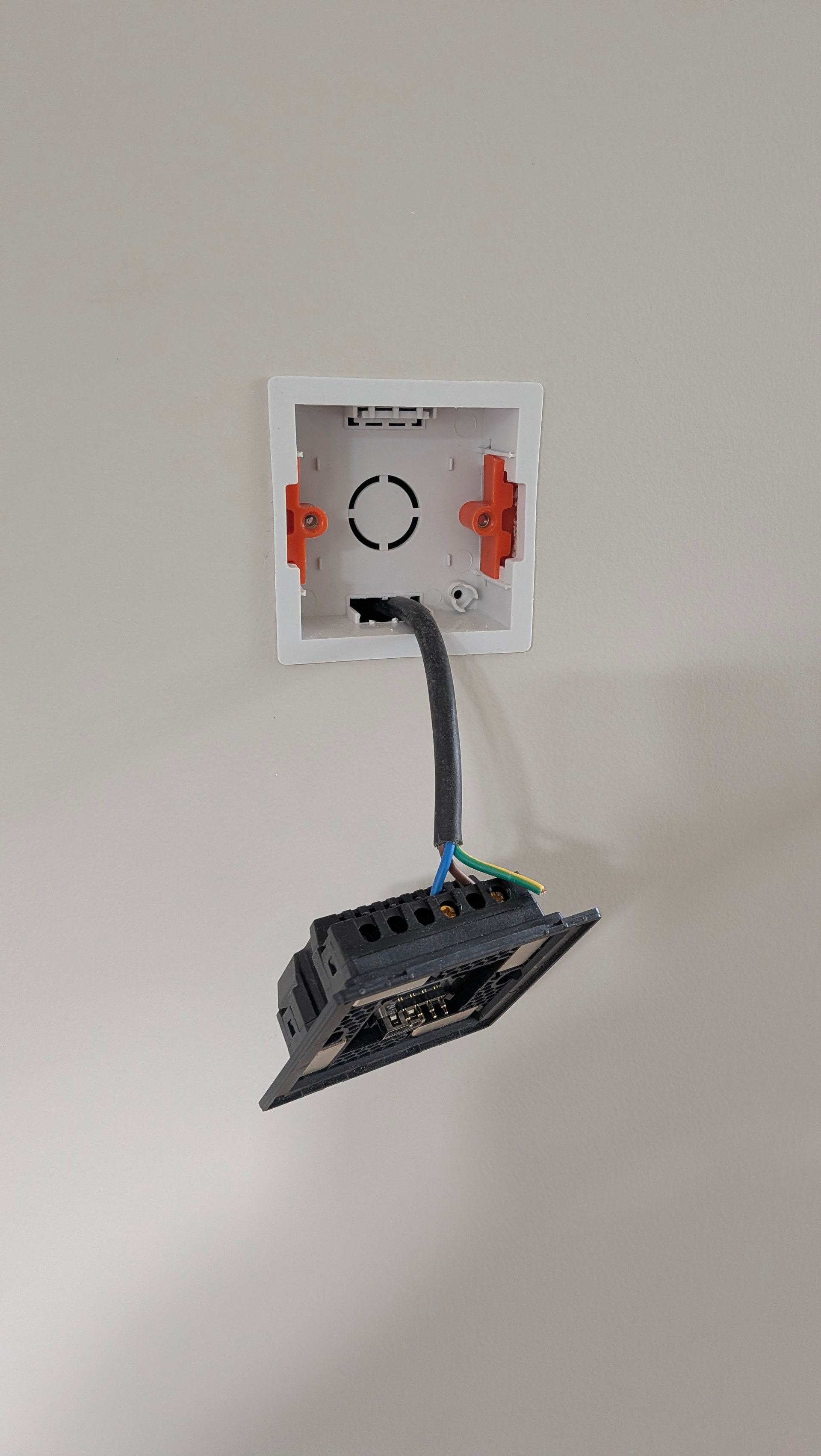
Enough with the tant… has anybody had some experience with HA dashboards?
I already installed Fully Kiosk and looking for a good dashboard now ..
Looking for a simple dashboard for the lights and shutters in the living room, and music control too (we have a sonos system)
Maybe a cool screensaver displaying art and/or basic temperature/ weather informations too
2 Likes
That looks awesome.
Personally, I like using the HA dashboard almost as is. I installed a nice color scheme and a couple of custom plug ins. I would only install anything maintained by HACS. The more wild they get, the more likely an update will break them.
It would be cool to change the screen saver to a digital photo frame. I think that would have to be in the android tablet settings or the full kiosk settings (or find an alternative).
What hardware are you using?