No, I got the radios mixed up with zwave. 
Where zigbee fits well is battery powered sensors like temp, humidity, vibration, door contacts and buttons.
You get faster ‘wake up’ and vastly better battery life than wifi and more data than 433 or 966mhz sensors. And it’s cheaper than z wave.
But that battery life comes at the cost of range so you need a lot more routers than you think if you want the whole house covered.
I use outlets with built in routers, just a few and of course it makes those outlets smart while extending the mesh.
So looking at esphome, i found this video. I post it reluctantly as I found it very ODD that he was so on and on about a BED SENSOR, but he has great items about programming. Like Reset and Factory reset buttons.
So if you do not want to watch, then that is your decision, but he had great items about programming esp’s.
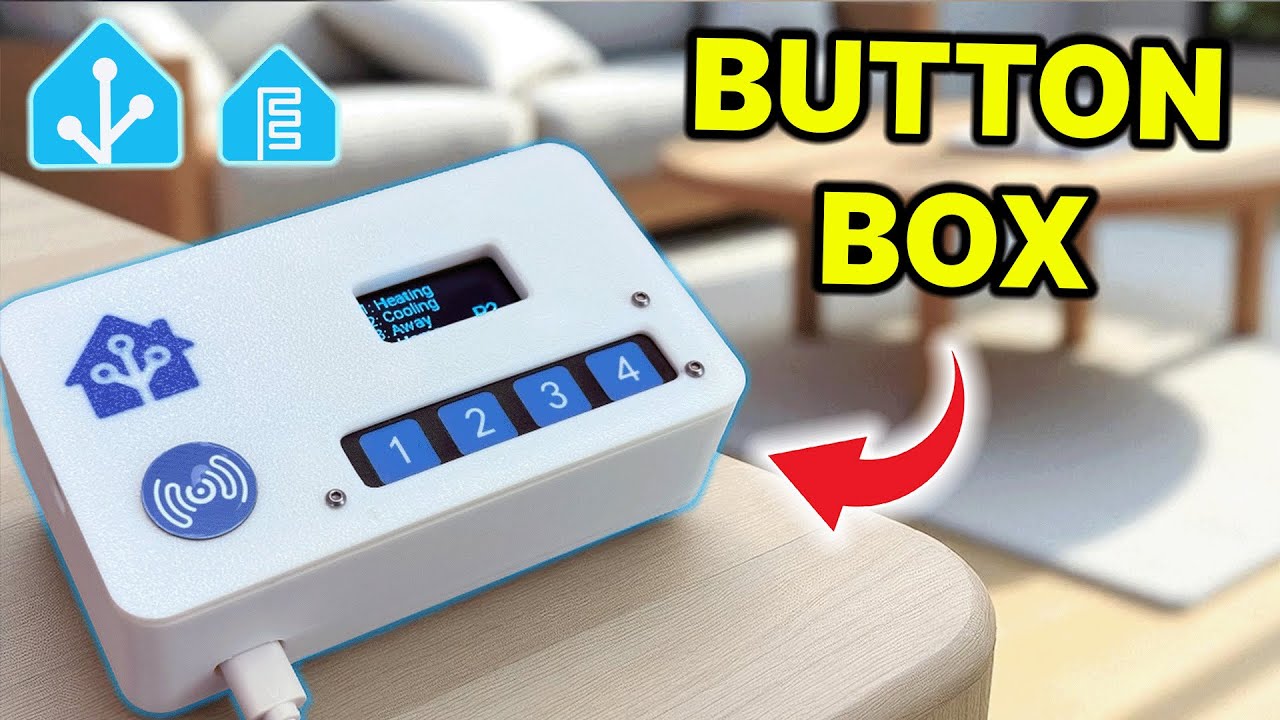
O.k. this thing is COOL!. This video shows a person changing a simple 4 button wifi switch from Home Assistant, or well, hoemesp, he can turn the lcd off or on, with a button on a webpage..
This will be fun. I need to get my proxmox and truenas running so I can play!
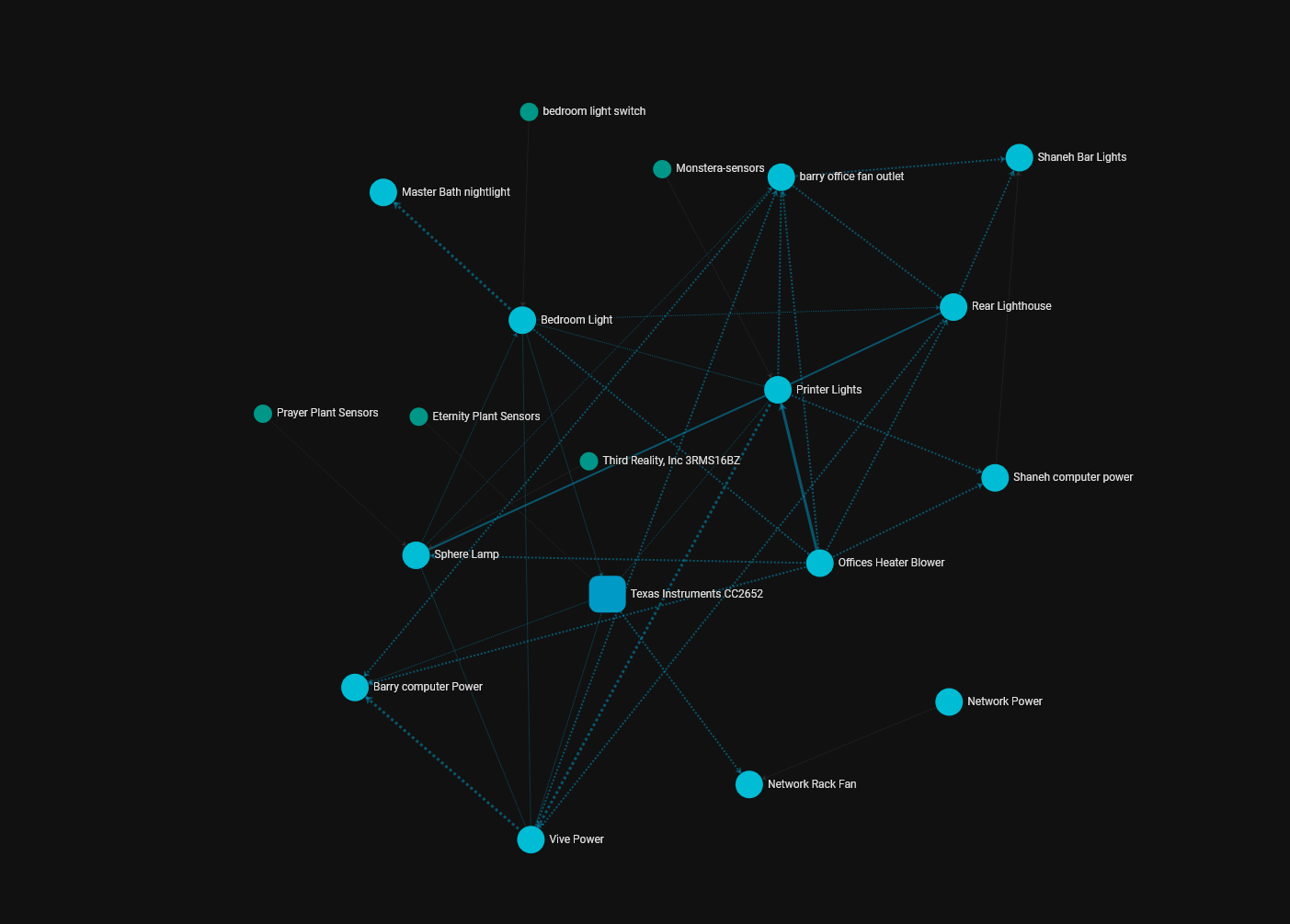
I am finally getting ready to add this to my list of learning hobbies. I think I am going to start with the garage shop with some smart plugs or outlets to have a “I am leaving, make sure everything is powered off” button. From there maybe some other fun stuff.
So wifi is now strong in the shop, any suggestions for some in box or plug in controllers capable of “big” loads, What connection protocol? The cheaper they are the more I will buy
I use a lot of the Kasa stuff. Their plugs and switches have been really good for me. They stay connected well and integrate easy in HA. You can get smart plugs with or without power monitoring if you want that sort of thing. I have one that’s on my LR4 table that the jackpot and kobalt are powered through.
If you go with a smart switch for your garage lights, pick you up a motion sensor. That way when you go back inside and forget the lights on they will turn off on their own. And when you walk out there with your hands full they come on by themselves. Motion sensors was one of my main pushes for me to start HA a few years ago. I love them!
Someone mentioned trying to turn a dust collector on/off.
I’m looking at doing something similar for my air compressor. It’s 220v. What I’m looking at is getting a 220v contactor that is triggered by 120v AC. I’ll plug a normal smart-outlet to the trigger lines of the contactor and let it turn the AC on/off. My only real use/plan for this is to have a 10PM “turn off” automation in case I accidentally leave the compressor on. Additionally, I’d like to get a solenoid valve for the air comping out of the tank. That way the airlines aren’t under pressure when the AC isn’t turned on.
I have a few automations, but the biggest thing I have are moisture sensors on some of my plants. HA sends my phone an alert if the moisture drops too low and I need to water them. This is especially useful for the lemon tree that’s out in the shop. I don’t go out there every day and this lets me know when I need to trek out with a pitcher of water. Ideally, I’d use the moisture sensor to auto-water the lemon tree, but I haven’t bought the WiFi enabled water valve yet. I have concerns of it getting stuck on and flooding the tree and shop. I could just put a ‘high water’ drain on the tree so if to much water gets in the pan it overflows out a hose into the swimming pool.
Most of my other automations are just turning off smart switches after a certain amount of time. The wife likes to leave the closet light on, etc etc.
We have morning automations that turn the lights on in the kids’ bedrooms to help them know when they need to get up. If they’re not up when the light turns red, I take their cellphones away for the day. Which means they jump out of bed when the light turns red 
For a while I was using HA to control the thermostat in the shop. The ‘smart’ thermostat with WiFi had a lowest temp setting of 50F. The dumb thermostat it replaced had a lowest setting of 40F. I had HA setup to turn the smart thermostat on/off to keep the shop around 40F. It worked great until the thermostat stopped connecting to the WiFi. It connects, but refuses to talk to the server. Which is really weird because I have the exact same thermostat inside the house and it’s been running fine. IDK. I gave up on it and went back to the dumb thermostat. Now anytime I want to work in the shop, I have to go out and bump the heat up and go back inside the house until it warms the shop up. The smart thermostat allowed me to bump the temp up from inside the house while I was still eating breakfast.
I use Kasa for a lot of stuff too. What I like about them is once they’re configred via the App, you can configure HA to talk directly to the device’s IP. HA doesn’t have to go through the App to control the devices. So if the internet is down, they still work.
I use Home Assistant for various tasks including monitoring magnetic switches on the house/garage doors as a home alarm, my homemade weather station, current draw of some devices, room temperatures, etc.
My most important are making sure the chest freezer is working and that the chicken coop is a reasonable temperature.
My young kids like to tell me “the Christmas tree turned on by itself!” every evening, so that automation gives me a smile.
I started trying out the music assistant plugin but haven’t got it working well for me yet.
People get pretty het up about using WiFi devices but if your WiFi is good then I don’t personally see a reason to avoid it.
Pretty much everything in my setup is converging on Shelly devices for in-wall switches/lighting etc, Athom smart plugs and other gadgets and then ESP32 custom stuff for the rest.
I’m a big fan of the Athom hardware. It uses either Tasmota or ESPHome that are existing open-source smart home firmwares. I have a habit of taking at least one of any smart device I’m planning on using apart and inspecting it for internal design, component ratings etc. and they are decent internally. Proper clearances, creepage slots in the right places, decent soldering work, cheap components as you’d expect but with ratings that match the expected design life etc. All completely offline, zero cloud requirements etc.
I had a few TPLink Kasa units around but haven’t kept up with them, I can’t remember why. I think it was that I didn’t trust that they were actually fully disconnected from their cloud solution and that’s not something I really want to entertain.
For the direct control side of things, auto-integration into HA, fully exposing all the options etc. Tasmota works great.
Another thing I’d say is get a decent controller for it, something where you can log a good quantity of data to something reliable like an actual SSD. My approach is that once you’ve got it set up, collecting and logging data is cheap while having historical data for things is extremely valuable. Being able to go ‘how much money do I spend running the dehumidifier?’ a year later is really useful. Being able to watch temperatures and humidity values is also super nice.
My ‘standard’ building blocks things like this:
Smart plug with power monitoring:
You can usually save a few $ by not getting power monitoring but I think the data and ability to automate things based on power draw is worth it.
IR controller:
I use these for controlling our 2 heat pumps and they work flawlessly. Ultimately I might get another one for the lounge purely so the TV remote can be hidden away as all we do is use it to turn the TV on/off and very occasionally change volume.
IR Controller - https://www.athom.tech/blank-1/tasmota-ir-controller
Lighting control:
There’s 2 approaches to lighting, one is leaving the switches on and using smart bulbs. I have far too many lighting points with things like decorative bulbs for that so I use just on/off control. For that I think Shelly is the best intersection between reliability, ubiquity and cost. They’re also tiny so you can easily stuff them in behind an existing light switch, even if it’s already somewhat full.
The 1pm mini (1 channel, power monitoring, mini size) is my standard go to. The 1 mini (1 channel, mini, no power monitoring) is a little cheaper and slightly more flexible in that it doesn’t have to switch mains. The 2PM is a slightly larger 2 channel version.
Larger Relay modules:
These are great for if you need something to be integrated into something else, or you’re switching DC instead of mains, or you’re trying to emulate a button press, that kinda thing.
I have the 8ch version of this as the controller for my irrigation setup. It works great. If I were doing the garage door controller over again I’d use something like one of these:
Temperature and Humidity:
I use the original Xiaomi Mijia bluetooth temp/humidity sensors all over my house. I flash them with the repalcement pvvx firmware which is simple to do, lets you run less frequent updates to lengthen battery life and makes it easier to bring into HA. The main downside with these is you need a bluetooth to WiFi gateway of some kind. I use a few different ESP32 devkits around the place with ESPHome on them. It’s super simple to do, it’s mostly just annoying to find homes for the ESP32s in a way that isn’t too crappy. It’s worth shopping around for these because you can usually find a bargain on them. There is a note that later devices have higher current consumption so I’m not sure if I ended up with any of those. I get about 2 years off a single cheap CR2032. I’d stick with ones with displays unless you know it’s somewhere you’ll never look at it. The firmware page below has some good options that are compatible with this firmware. There are also a ton of different options out there, like ones from Shelly etc.
Temp/Humidity Sensors: Original Xiaomi Mijia Bluetooth-Thermometer 2, kabelloses intelligentes elektrisches digitales Hygrometer-Thermometer, funktioniert mit der Xiaomi-App - AliExpress 44
Firmware: GitHub - pvvx/ATC_MiThermometer: Custom firmware for the Xiaomi Thermometers and Telink Flasher
Edit: Also, DEFINITELY get yourself a Pushover account and set up notifications with that. It’s a great service. I’m sure it’ll eventually become a subscription service but currently at $5 lifetime cost, it’s insane value. I’ve been using it for 18 months now and couldn’t be happier. ZERO issues, 100% reliable. It’s the only ‘good’ solution to notifications that works while at home and remote.
This list got way too long, it’s just something to skim over to hopefully find some inspiration. Looking at what other people have done with their home automation has spurred a lot of ideas for me and what to do with mine…
List of things I’m automating currently:
Coffee machine - timer on/off, remote on/off for pre-heat
3D printer - turn on remotely so I can start pre-heat or start jobs remotely. Turn off to save power as it draws ~10-15W standby. Ultimately I planned to automate turning off based on a heat/pyro sensor.
Washer/dryer - power measurement with a notification when the power has been below 100W for half an hour which means the cycle has finished.
Grow lights/desk fan for seedlings - timer on/off
Heat pumps - Timer on/off, remote settings adjustment
Garage door - ESP32 to control garage door open/close remotely as well as report open/close status.
Dehumidifiers - Smart switches on 3 different units for energy monitoring, seeing when they’re active. Ultimately I’d like to integrate this further with a float switch in the tank and a small submersible pump to remotely empty them and track water collection. Also keep meaning to turn the garage one off while the garage door is open, but that’s not really ‘that’ critical, currently.
Lighting - This is all just remote control at the moment, no automations I’ve bothered with yet. Garage, outdoor security lights, office, hallway, decorative floodlights, external decorative sconces, deck floodlight, bedroom lights
Decorative lights - I added some fairy lights in Lisa’s library room and have them on a smart switch so that they come on with the main room lights or can be separately turned on because there’s now a recliner in front of the switch.
Water tank level - Logging tank level. Useful to see vs rain and water usage.
Water meter - usage logging, alarm if the water has been running for 20 minutes, non-stop alarm if it has been running for half an hour with no break.
Irrigation - 4-5 sets of Driplines controlled remotely. Could be automated but currently we just remotely trigger them. Each one automatically turns off after a period of on-time for a specific set ‘dose’. I have them all set to be equivalent to 10mm of rain, so 3 doses a week when it’s dry is about right for our climate.
Weather monitor - Mostly I use the total rainfall data but it’s also neat having rainfall rate, UV index and solar irradiance for comparing against solar system output.
Electric hot water cylinder - Originally on/off for cheap times, now adjustable on a DIY ‘dimmer’ circuit to heat purely from solar export diversion.
EV charging point - Monitoring of charge rate for logging so I can run reports on how much charging was on peak, off peak and purely from solar.
EV - Tesla integration which tracks car location and state, temperature, battery charge level, all sorts. Have only just set this up so haven’t really come to terms with what I can do with it, yet.
Power monitoring on damn near everything. Feeds a bunch of other automations.
Security cameras - Haven’t done much with this yet but ultimately want to have these controlling the security lights. Potentially opening the garage door when my car shows up (license plate recognition + cellphone presence).
Office air quality - CO2, particulates, VOx, only really an ‘out of interest’ one, but useful to see the CO2 climbing while I’m in there so I know not to have the door shut and I may add trickle-vent to the windows or an extraction fan.
Water filter pressures - This one doesn’t work currently, but I added pressure senders in between each stage of my water filters (50u polyspun, 1u polyspun, carbon block for heavy metals etc.). In theory, I should be able to do something like a pressure-drop warning and can use that to do reactive replacements on the filters rather than just scheduled. That could be a big saving because a full set of filters is $400 ish.
Automated roller blinds - One of our picture windows has the sun coming straight in for about an hour during the evening and blinds us. Currently manual but would like to automate it to track the sun position.
Other things that are on the ‘to do’ list:
Home septic/waste treatment system monitoring - Air blower flow rate/pressure, pump-out pump cycle time, power loss warning, high-level alarm warning.
More lighting control, some with dimming.
Presence detection/dimming for hallway lighting, bathrooms, automatically turn on hallway lights, turn on all lights at ~10% dimmed or something at night and when all other lights are off. Switch on/off again rapidly to turn on full.
More air quality measurement.
Hot water cylinder temperature measurement and output flow measurement. Can calculate usage power vs standby power as well as fix an issue where no solar export means the cylinder eventually cools off too much. Would also allow higher temperatures when on solar diversion, lower temp when on off-peak mains ‘boost’ function.
Soil moisture for garden beds, retaining wall, big planters etc.
Solar diversion to heated floors.
Automated blinds for master bedroom, other bedrooms etc.
Basic solar diversion for the 2nd EV charger, just on-off control as it’s 8A. Don’t want to do this with just a smart switch for reasons.
Unless it’s z-wave it has to deal with the relatively high transmit power of wifi anyways.
So the smart home stuff with WiFi at least has a level playing field.
I’ll just second the Shelly relays. Very versatile. Great for shop applications. Reasonable cost.
Wow these are pretty cheap and have “energy monitoring”. Do you have to set them up with the app or can you just use HA?
You set them up with the app. But its pretty simple. I had one that had been unplugged for at least 6 months. Plugged it in the other day and the automation that was set to run with it went right back like it never left lol. It was for the washing machine and would monitor for the power draw to stop and then sends a voice note across all the Alexa’s in the house that the washing machine has finished so we know to go swap clothes to the dryer
I have Shelly on all my lights. I have also installed them behind a few plugs. But the dimmer versions can’t handle fans or big motors. The relays should be able to handle 3d printers though.
I have a shelly mounted on one of my printers. It works really well and its the version that monitors power usage as well. I had plans to add them to the rest of my printers but never got around to it 
All of my printers are on Kasa outlets. With them being in the shop, I like being able to turn them on and start a print remotely.
Late to the party on this one. I just got ha set up on a pi 5 last week… finally. I got esphome connected to a pico and an esp and i got the mqtt plugin to talk to a pico2 and read a sensor and toggle an led from the web page. Im looking to monitor the greenhouse and connect maybe some smart plugs for holiday decorations and maybe the garage door or put motion sensors in a few places.
So much to learn in this space. It has been fun to read about what you all are doing. Thanks for sharing.
A 3D printer will likely be a few hundred watts, even with a meaty bed heater, they’re really not that big of a load. I guess that’s actually quite a few amps for people unfortunate enough to be saddled with 110V 
Dimmers for lighting typically don’t like fans/motors for a variety of reasons like the much higher locked rotor current.
In my case, I’d rather have a plug-in smart plug than the relay behind the socket. I guess I think of that more as controlling the load rather than controlling the socket.