// After homing, Grbl will set by default the entire machine space into negative space, as is typical
// for professional CNC machines, regardless of where the limit switches are located. Uncomment this
// define to force Grbl to always set the machine origin at the homed location despite switch orientation.
#define HOMING_FORCE_SET_ORIGIN // Uncomment to enable.
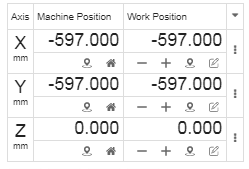
After homing, this is what I get. Would like for either position to read 0,0. I understand that I can do a G92 X0 Y0, but I tend to forget and when I start a job, well, you could imagine.
Finally got around to this. Super easy to get going, thanks for all the hard work!
Got some odd behavior around inches, though. When jogging(through cncjs with inches on) or sending commands(also cncjs after G20), the second axis still seems to move in mm. Homing works as expected. Any idea where to look?
ha haaaaaaaaaaaaaaaaaaaaaaaa!
found this about ijk moves from a while ago:
Somebody mentions sort of off hand that the op’s underlying problem could cause issues with cloned-axis conversions to inch. Well, took a look at that, changed #define N_AXIS_LINEAR
to 5 and boom, problem gone. Now I’m REALLY excited about this!!
Might be just what I needed for motivation to use the mega when I want this rambo for something else.
Running GRBL on my MKS Gen 1.4 board. The laser is working much better than it did for me on Marlin, so that’s a bonus. But currently, I’m having an issue with Fusion 360 generating the required g-code, using Guffy’s post post processor (or the stock one, for that matter).
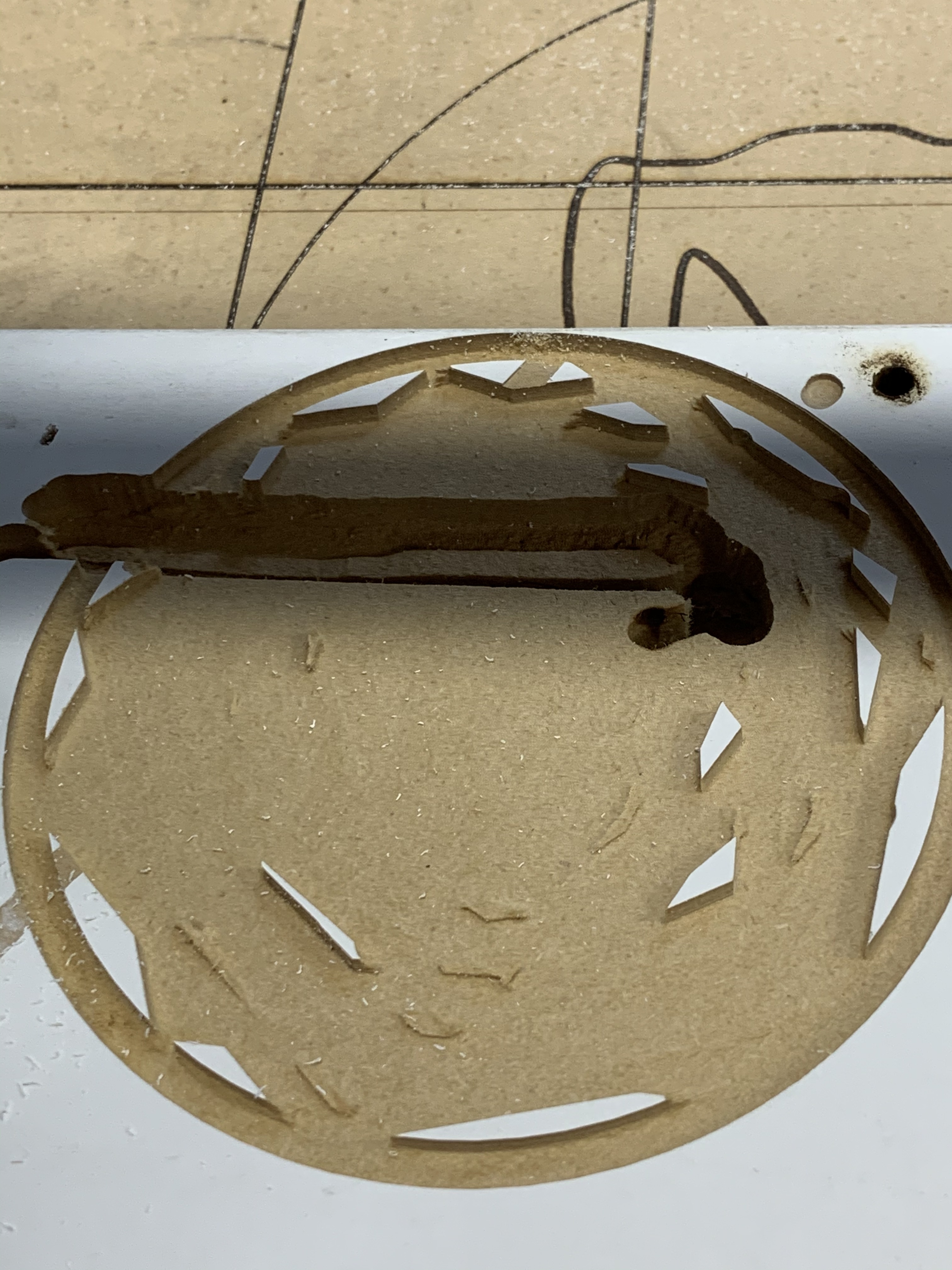
Doing a 100mm circle, it starts doing small circles in the Center, and then starts bouncing around like it’s playing Breakout. It does that for awhile, and cleans up most of the space. And then finishes with a very nice 100mm circle.
I’ve tried enabling and disabling arcs on Guffy’s post processor, and it generated the same code in either case.
That is correct. Those artifacts should not be there.
And Tim W, Guffy has a GRBL post processor as well as Marlin. But I tried both the “standard” GRBL post processor and Guffy’s. Both with the same result. In fact, looking at the picture I posted, that image was one of the ones done with the standard GRBL post processors.
The simulator in Fusion 360 shows the cutting tool going round and round in nice circles. And in fact, CNC.js shows nice circles in the path, but when I watch the tool path as it processes, it bounces around in straight lines.
Now we’re getting somewhere. If fusion says it’s circles, and cncjs interprets the gcode as circles, then everything is doing its job right up until the gcode hits the controller. Makes me think either the controller isn’t interpreting the gcode correctly, or the gcode has some commands the controller just doesn’t understand.
I think it’s time we had a look at the gcode. I’m probably not going to be much help after this, but somebody will.
I don’t see anything bizarre in that. I’d try sending some G3 commands from cncjs and see what your machine does. Make the arc big enough that you can tell if it’s really making an arc and not a line. The documentation I see uses G03 instead of G3, but I don’t think that matters to the controller.
As far as I know, you can’t disable arcs in grbl like you can with marlin, only set the arc tolerance.
He already tried disabling arcs on the PP, said it gave the same code, so maybe that function doesn’t work as expected?
But grbl should do a pretty good job with arcs. I haven’t had any issues with them on my other cnc.
Edit * I just checked and I get arcs both ways too. It’s not even an option in the generic PP I use, so maybe that’s why.
With Guffy’s processor, I tried with and without arcs enabled. No difference that I could see. I could generate both files again with that as the only difference, and then do a “diff” on them, I guess… But the net effect when making man-glitter was the same.
Tim W, I’ll try ESTLCam, thanks for the suggestion. I’ll also look into the GRBL settings to make sure there’s nothing wrong in there. I don’t think there’s anything in CNC.js that should make it wonky either, but I’ll try that too.
I was also going to try Carbide Create, and see how that goes…
I ran your code on my machine. Works as expected, smooth arcs. I only went through 2 DOC, and about 75% through the third because it looks like you had problems from the get-go. Let me know if I should have gone deeper.
I’m uploading a video right now, I’ll post the link when it’s done.
I’m not sure where to go from there. It’s not the PP, it’s not the gcode, and it’s not the GRBL. I think that leaves you with double checking all your connections and reflashing the firmware from scratch. Maybe somebody else has a better idea…