Is your work offset setup properly in Fusion?
Which strategy are you using? Is it possible you have the roughing stepdown set to 4mm and the fine stepdown set to 2mm?
XY step perfectly. Work offsets look fine. First pass cuts ~2mm, second pass lifts up to top of piece and then plunges further than it should. So kinda odd.
Post your F3d file if possible, I’ll take a look
Yeah typically that is poor rapids on the Z axis, meaning it is not actually picking up as far as you want and plunging 2mm from there.
This is just my test file to dial in my settings. Let me know if you see anything I need to change. It was saying that f3d filetypes are not allowed to be uploaded so here is a zip.
Here are my tool settings. 
Tester1-v1.zip (157 KB)
1 Like
What are your rapids, and gcode would be a better choice of file.
which operation is the one that it’s plunging too deep on? Your cam looks great. Plunge feedrate is set to 180mm/min which is fine.
There is a setting in the post processor window called “Travel Speed Z” which is supposed to limit all z axis move speeds.
Is it possible that the area on your work where you’re picking up your origin is warped so your first cut LOOKS like it’s roughly 2mm (but maybe actually only 1mm) then the second pass is actually 2mm thus making it look twice as deep the second pass?
I assume you’ve run a stock simulation on your actual Fusion CAM to rule out CAM completely?
Next step I suppose would be posting the gcode in question to rule out the post processor. You should be pretty easily able to look at the Z that it’s calling for and the feed rate.
Ill try running it again tonight and seeing if Im crazy haha. I didn’t think CAM was my problem but wanted to rule it out. I will look into that Travel Speed Z before I run tonight/tomorrow and see what I find.
The CAM in the file you sent me is perfectly configured so I don’t think it is your issue. Maybe something with the post. We’ll see how your test goes
Is there a way to rough a part and then finish it? Or will it always follow its roughing pass with a finishing pass? When using Estlcam it will rough the part and then finish it after which I prefer but still not 100% familiar with the F360 settings.
Yes. For example, on 2d contour when you enable roughing passes, look under “multiple depths” and check the box that says “order by step”
Then you have strategies like adaptive which are specifically roughing strategies. You would want to use those to clear out most material, then use a finishing strategy like horizontal, 2d contour, etc to finish it.
Can we edit this link out or change it to Guffy’s? A lot of people (myself included) have followed this link and downloaded that post which has led to a lot of confusion… This topic is what pops up when you search “fusion post” or even “guffy fusion” and the post linked there is nowhere near as polished as Guffy’s (no offense, Martin!)
I have it linked at the bottom of the Milling basics page. Where does that link come from?
The OP of this thread.
[attachment file=106164]
@amagicalwizard the PP is not designed to support fixed tool offsets, sorry. imho, it’s impractical until you change tools manually. so you have to build touch plate
(by the way, strange way to ask. tagging a person in own “Updates” message. first thing that i see is that there no way to answer)
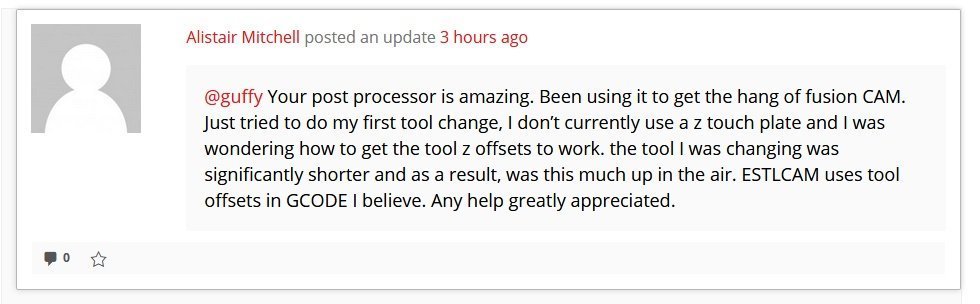
You make a fair point, at the time contacting you that way made perfect sense.
Cool as long as there’s a legit reason for it and not just me being inept then that’s fine, thanks for the speedy reply.
This is what happens when you click on “public message” on someone’s profile. It is goofy, but it’s the best we have ATM.
imho, useless feature. don’t see a really useful use case for it
I’m having the slow arcs issue with the Fusion 360 PP. I can’t work out what’s causing it. Arcs are turned on and I have 0.02mm smoothing turned on. I’m using Guffy’s latest PP from the Github page.
To me, it looks like data starvation at the control box. I’m using DRV8825s at 1/32 microstepping on a RAMPs board. Printing from SD card.
Straight lines are fine. It’s just arcs and only from Fusion.
Look into modifying the junction deviation value on your firmware. Ryan says it might need to be doubled.