I admire you guys for trying difficult (for me) things with FreeCad. If you are not sure, David, try posting on FreeCad forum. It’s (OBVIOUSLY) not as nice as this one, but there are nice people who try to help! 
I always find my answers in YouTube, usually mang jelly has what I need!
I really just need to take the time to watch his entire v1 series. I’m sure there’s little tips and tricks that clicking buttons on my own I’m not picking up. I also think I keep trying to do things in freecad the way I do them in Fusion, and they’re not the same.
When i took my first cad class in college and had to draw with pencils and triangles, they started us on easy stuff. What is the easy stuff in freecad to start with? It would be nice if i could export to estlcam and cut it or stl export and print it just to make it tangible. Is there a 101 level that will walk me through that? So many things…
So you can, but I find that really complicates things. Find something you want to do, find something similar and follow that one Video and accomplish your task. Like the title, but Different, CAD is hard, no matter if it is Tinker or Free, it is hard.
If you try to tackle everything, you will not get anywhere, try to accomplish and then do more, is my way of thinking.
It is working for me, LOL
I’ve been doing CAD for 20 years. The problem is, it’s all been autodesk products, which all work very close to the same way.
And for as good as freecad has recently gotten, it still has bad quirks. I extended one pad from 10 to 20 mm earlier today and it broke the entire model because it didn’t move the reference line in the next sketch to the new position. I fixed that and then had to update 3 more sketches because they referenced each other.
That makes me think I’m not doing something how “they” expect it.
I see the same thing happen in Fusion and Onshape with projections, etc.
For whatever reason, this stuff seems to be hard to get right. I imagine the solver for this stuff just isn’t easy.
Best to just do it right the first time 
Yeah. After thinking about it half the night, I don’t even like my current design and will probably start over this evening.
This thread is awesome, so many great replies! I started out with FreeCAD as my first ever foray into CAD and it was pretty brutal. I do want to get back into it though for the same reasons as most others have stated; everything else is either expensive or some free-cloud-BS. I’ll be checking out the mango jelly tutorials linked here for sure!
One benefit to FreeCAD I want to share is that you can pretty easily make your own macros (other apps would call them plugins or extensions) with the help of a python agent. For example, I recall following a tutorial on importing a 2D image and tracing it. For whatever reason it just refused to snap some of my end points together, so I couldn’t pad/extrude the damn thing because a couple of the points were not touching by like 0.00001 mm. I fired up Cursor (the GOAT AI programming app) and explained my dilemma, gave it the DXF file, and the link to the FreeCAD docs, and asked for a macro to auto snap points and sure enough, it did it successfully. This was like 8 months ago and both Cursor and the LLMs have improved significantly (Opus 4.6 is insanely powerful, it hardly makes mistakes anymore when coding in python). Just something to keep in mind the next time you’re like “ugh why can’t I just do X?!”" you can be like “screw it, I’ll just do it myself”. Extrapolate this out and you could also make your own custom workbench with all of your most used tools in it, and I’m sure that’s just scratching the surface of the creativity you can unleash!
do tell!
It’s just called “BoxCreator”, it’s on Github I think and a python script.
I may have to ask you for that macro someday! It looks like they are working on something that works like this in Freecad 1.1rc2, but I get a crash about 30% of the time I use it. Other times it will say “yeah there is a break there”, but “no I can’t fix it though”….
Such a great program, so hard to learn~!
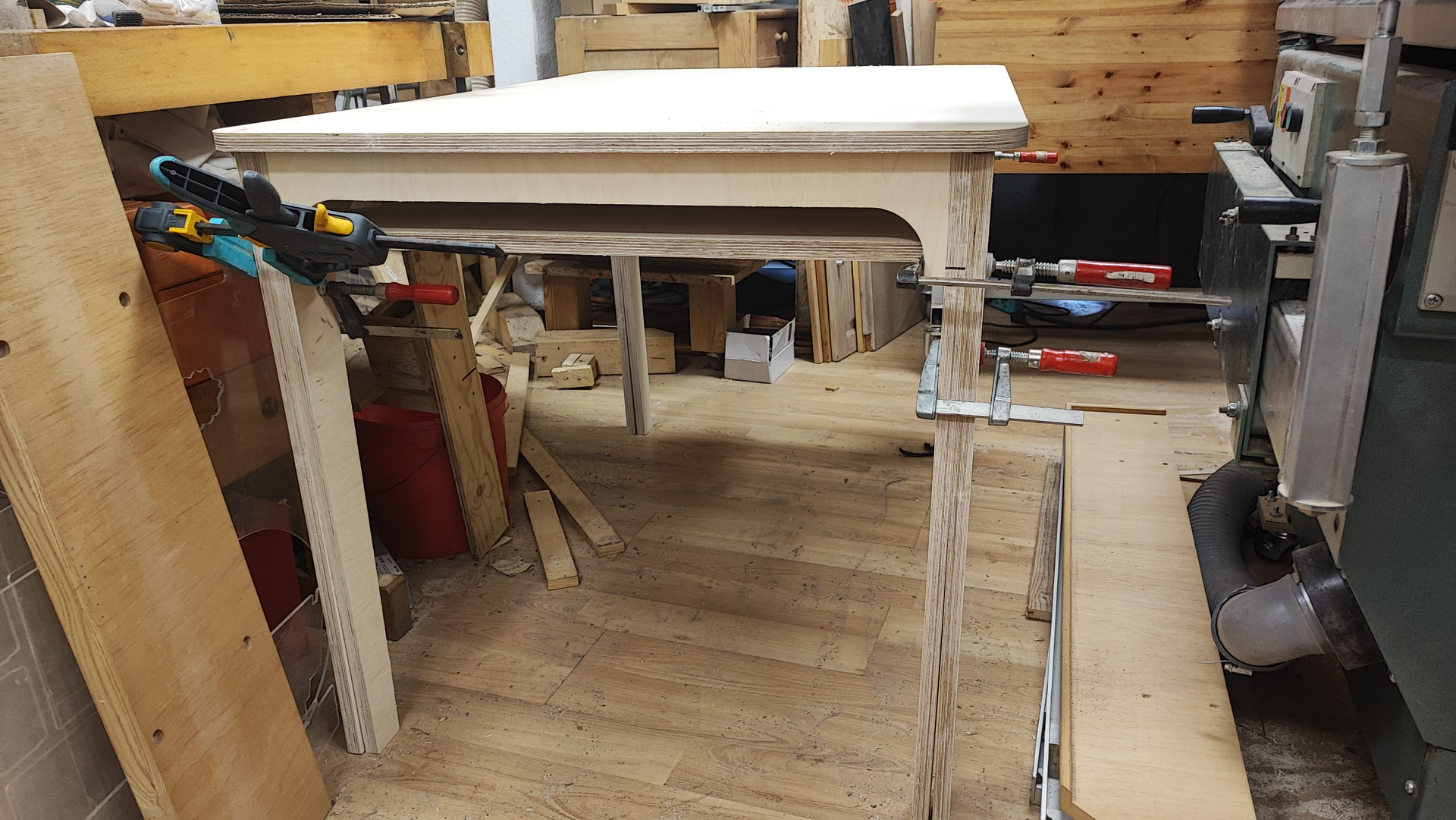
 From one sheet of 18mm plywood.
There’s one in the Add-ons. I didn’t test it out yet.
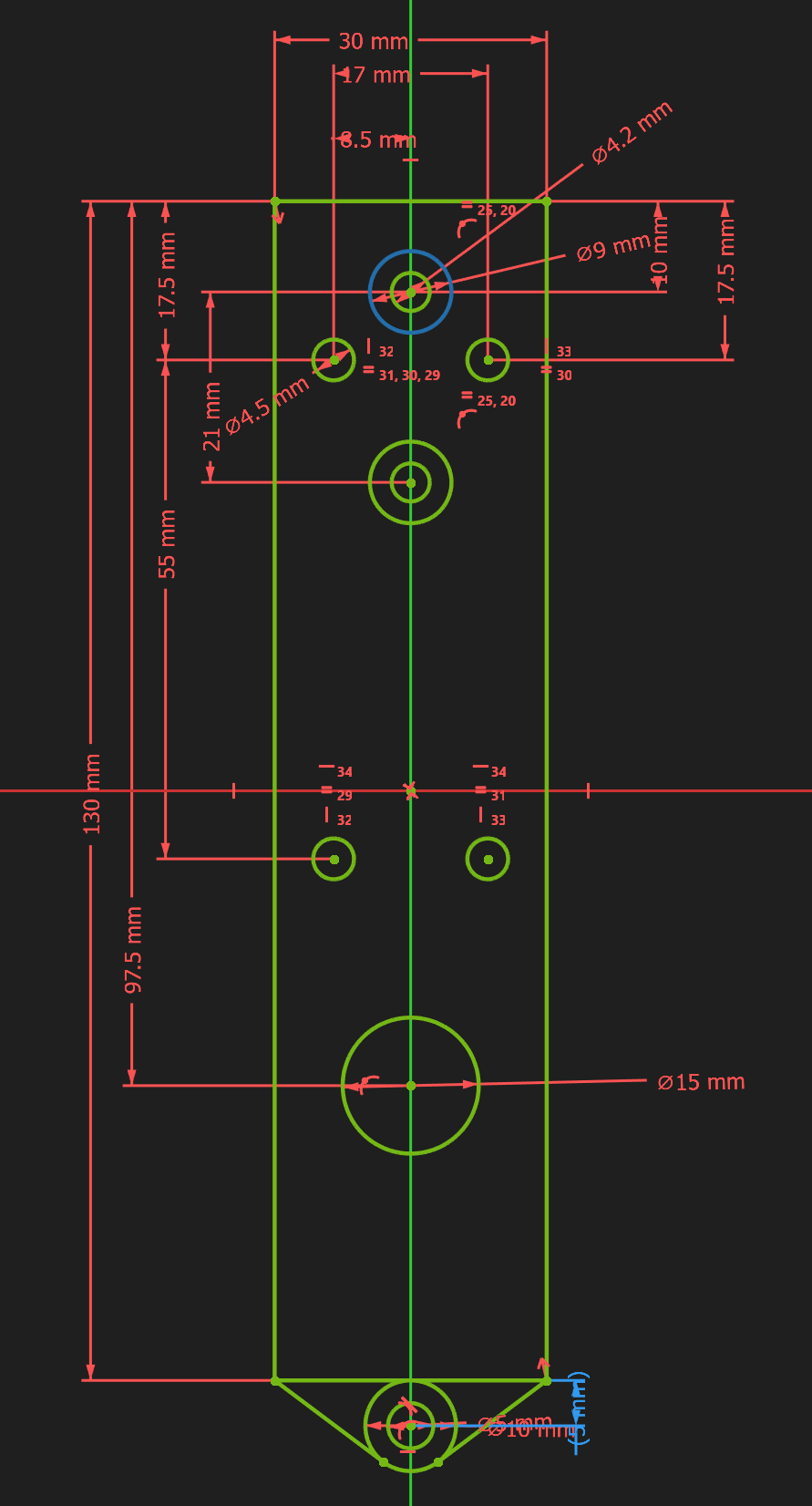
Speaking of FreeCAD oddity… Why, oh why, when I changed the big length on the left side from 110mm to 130mm did FreeCAD decide to flip the tangent constraint on the circles at the bottom from the outside edge of the rectangle to the inside edge??? I had to add the 5mm reference constraint to keep the circles on the correct side of the line 
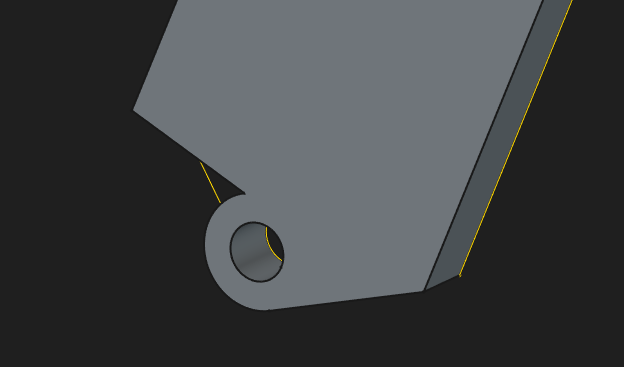
Even better. Saving my edit and it decided to remove one of the lines from the sketch that references this and remove part of the pad…
But… BUT… even with these little oddities, I think I’m a FreeCAD convert. I need to start exporting my designs from Fusion and getting them imported in. So I need to figure out a directory structure now.
Good question.
I’d be curious to see the Sketch (with the constraints, as applied) before and after the big length change. Hard to guess what it thought it was doing from the corrected Sketch.
- Al
I keep watching mango design from excel sheets and I need to try that, so easy to make a change then!
Wait, wait, I said excel, I guarantee that is wrong! Spreadsheet should be what I said
Looks like v1.1 RC3 came out a few days ago.
I finally got my stuff together and started a repo for my freecad utilities/macros/etc. Right now my auto snapping macro is the only thing in there, but more will surely come! GitHub - mike-cline-53/freecad_utilities: A collection of FreeCAD macros and utility scripts
ETA: tested working by me on the stable release, it hasn’t been tested on the latest so please let me know if it works or if you have issues either way
Wow, just watched this, it is very good.
Do recommend for any learners out there