Personally, I don’t find the “what you can do and where” all that much different between Fusion/Onshape/Solidworks/FreeCAD. They’re different, but not THAT different. They all attempt to group related functions together. In any given instance, of course, that may not be true - such is the case with all software, in my experience.
Which tabs show, yes. In the preferences for Workbenches, select “TabBar” for the Workbench Selector Type, and check which to Auto-Load. The last time I looked, there wasn’t an order selecton.
I’ll suggest this video for those that come from another program, and need an overview of how to get FreeCAD to do something useful:
That was decent software many many years ago. I can only imagine it’s gotten better.
another one I used, but was very difficult to install back then, was Cinelerra. It had an amazing auto-tracking capability that I used to track drones in the sky for marketing videos at a company I worked at. Put a box around what you wanted to track and it could keep that item in the middle of the video. A bit of zoom after the auto-track would remove any black edges from the frames.
The issue is that my work computer is one of the machines I am often on, especially when I travel. So auto file-sync offsite is not gonna be an option.
I just haven’t had good luck finding a way to keep things properly in sync the manual way. So I end up in a state where I have some Blender files on my work machine that are the latest, and some on my home computer are the latest.
I see FreeCAD 1.1 Release Candidate 2 came out yesterday. I didn’t even get a chance to try RC1 yet, so I uninstalled that and put RC2 on. Maybe I will get to it before RC3 comes out.
I have the same setup. I have a VPN back into the house. If I have time to do personal stuff on the work laptop, then I connect to the VPN long enough for the files to sync. I do all my work. When I get back home, I power the work laptop on and let it sync back to the server.
But most of the time, the work laptop gets synced at the house before I leave for the day.
Seafile syncs within a few seconds of a file being saved. If the work laptop is turned on when the other systems are saving, then it’ll have the updated files almost immediately.
There’s also a web-ui to the seafile server. A nginx proxy or port forward would allow access to the synced files remotely if needed. Technically you could do a similar proxy for the actual sync port and then you wouldn’t need the VPN. But I leave that security decision to the end user.
After messing around with it a bit I am really starting to like it. Yes, it’s really hard at the beginning and I am still only scratching the surface, but I have my BMX stand fully parametric now and it’s working.
Found a nice script for boxes with fingerjoints as well that just works. I then exported the DXF and altered it with LibreCAD (because it wasn’t a Part that was filletable but a Python coded object thingy somehow).
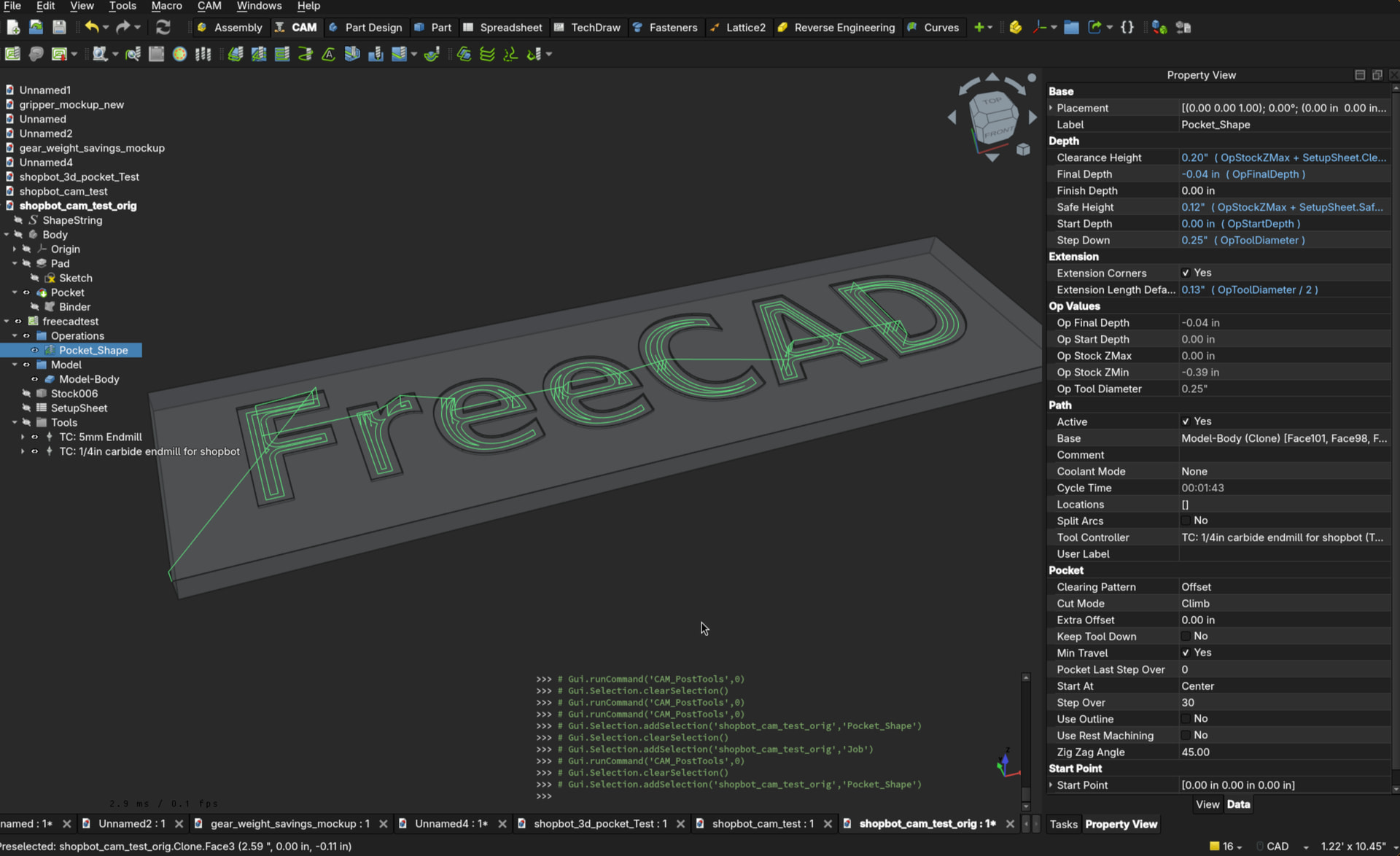
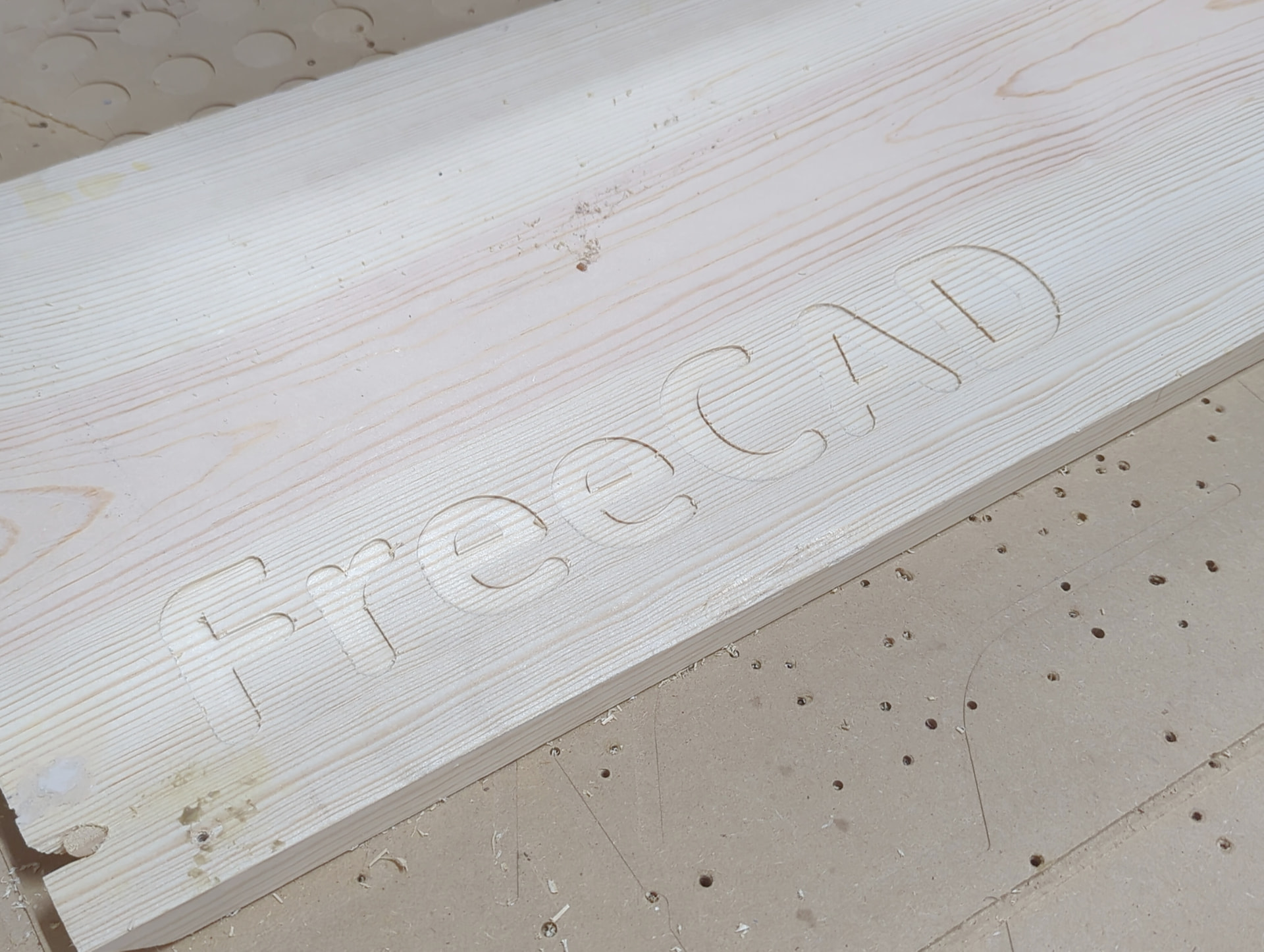
Cut on a ShopBot running LinuxCNC at a local makerspace.
Apparently the local FreeCAD guru thinks FluidNC and LinuxCNC may be close enough that the demonstrated workflow may work for both.
I don’t need another project…
I don’t need another project…
I don’t need another project…
Watching your Fusion to FreeCAD journey with interest…
Where are you at currently? Are you still planning to use Fusion for non-commercial projects, or, are you all in on making FreeCAD work for all your CAD based personal and business projects?
Since I am on Linux now I am not going to use Fusion any more. Hardly used it, was doing more with AutoCAD, but only superficially as well it seems.
The only thing I’d use Fusion for again is if someone gave me a model that I had to convert to a cuttable shape with map boards…
This post and some recent Youtube videos have me trying out freecad again. I’m determined to stop using Fusion360. I watched a video on using a MasterSketch that was introduced in the 1.1 version. It’s a little tricky to use, but it is a game changer for multi-part designs where everything is based on each other. I’ve only done a few designs in the last week using it, but it’s worked ‘ok’. I still keep having issues with making changes after-the-fact on a part and having it break something else. I’ve been able to solve most of them.
I think as I use it more, I’ll have less issues. Some of the things are not as intuitive for me.
The one major complaint I have is that using the mirror function in a sketch doesn’t automatically fully constrain that item. For instance. I created a circle and fully constrained my circle. I then created 2 construction lines that were on the centerline of the part in the X and Y direction. Then I used the mirror function to mirror the circle across the Y centerline, then mirrored both of those circles across the X centerline to give me 4 circles. Only the first one was fully constrained. The other 3 still needed sizes and locations created. You’d think a mirrored part should be fully constrained and would capture the same dimensions as what was mirrored.
I do like how much faster the application loads on my computer. I need to setup a shared folder for the designs so I can easily work on them on multiple computers.
Don’t feel bad. I tried about 5 times before I re-watched the video and caught the title
And this one was the other one that really caused me to want to try freecad again.
I’m still having issues getting the subshape binder to occasionally, but if I back out and try again, I can get it to work eventually. It seems to work better for me with simpler sketches. If the sketch is too complicate, I get a ‘multi-part extrude’ error when I try to pad my final design.
Trying to reference parts in another design in my current design. To get the part into the design, I do a subshapebinder. But you can’t move subshapes around. So I put all my subshape binders in the same ‘part’. Then I used a partbinder to bind each subshapebinder into the separate parts in the design. Now I can move the new parts around inside the design. I had to stop to go to work at this point, but I can assume I can reference those parts inside my new part for lining things up.
But is that really everything it takes to reference an external part? Seems like a lot of steps.
I’m super stoked that the FreeCAD guru at a local makerspace is having a class next Wednesday night about CAM workflow on FreeCAD - targeting the LinuxCNC gcode output.
LinuxCNC and FluidNC have very close implementations of gcode interpreter so I’m looking forward to trying what I learn on my own machines.
OMG. I think it’s even worse… I think once I have my individual ShapeBinders inside my individual Parts, I have to create yet another subshapebinder into my final part where I’m wanting to reference all of them.
So final workflow is currently…
Parts living in individual Files for part designs (call it IF)
IF->SubShapeBinder (into throw-away-part)->Individual ShapeBinders into individual parts(So I can move the parts around the design)->One final SubShapeBinder with all the individual SubShapes clicked (in final part)
Then I can create a new schematic referencing that final SubShapeBinder and reference all the components on it.
I need to test if those individual SubShapes really need to be in seperate parts, or if they can be in the same part and still transformed separately around the XYZ.
I did test modifying an original part and it did push those changes all the way up to my final part. So at least all the links ‘work’. I just think this isn’t the correct way.
I feel like I’m doing this wrong. I’m thinking there’s something I’m supposed to be doing in an assembly that will do all this better. I haven’t even touched assemblies yet.