Just so you know I am a network engineer! Been working on p.c.s since (ready for this) 96 or 98, but had pc’s before that ! My fav was my ti994a. Ever need help let me know 
Wow! What fun! Wish I knew what I was doing! 
I used ChatGPT and @niget2002’s suggestion to let ChatGPT walk me through the install of MCP for me…
It took several hours but went surprisingly smooth. After getting all the installation stuff done, I wound up using free Claude with FreeCAD to successfully build a simple 40x30x10mm box. I then asked it to put a 5mm fillet on all edges… which it informed me it couldn’t do with only 10mm depth to the box. I then had it heighten the box to 20mm and apply the fillets and it did so successfully. I then had it put a 10mm hole through the box, centered on the 40x30mm sides of the box and apply a 2.5mm fillet to the hole’s edges.
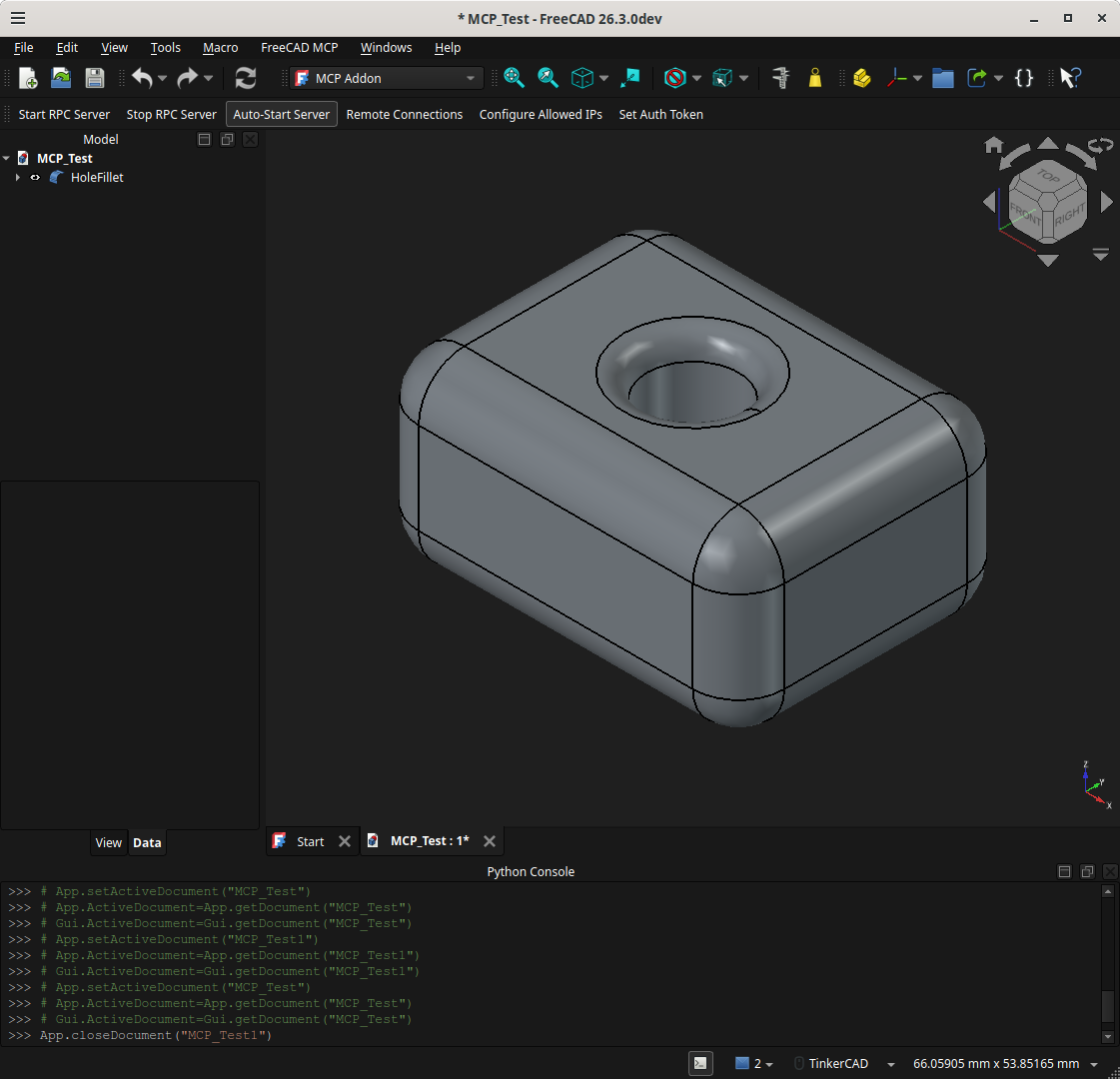
Interestingly, it then asked if I wanted a spreadsheet… I said “sure!” and then asked Claude “what for?” Wound up shutting down FreeCAD and Claude and then restarting both programs… without opening the original FreeCAD document. Asked Claude to recreate the model from the spreadsheet without referring to the original FreeCAD document and… doggone it! It did it! A copy of course but still kinda neat IMO… if all you had was the spreadsheet.
I know this stuff is old hat to many/most of you… but I thought that was pretty neat for an old man. I know AI is a dirty word in many ways to many folks but I gotta tell you… it’s a godsend for sadly out of date, old folks with a poor memory and short attention span. I’m not really sure how much I’ll use it but it sure seems to simplify usage of FreeCAD… which always seemed too large and cryptic to take the time to learn. I for sure have a new found respect for it now.
Anyway, I’m still on the free version of everything… but if I find it useful it sure might make the paid plan of $20/month not seem like such a big deal. I’ve been spending an awful lot of time in CAD (Onshape) recently… and this just might be the thing to put a bunch more fun and interest back into my CAD time.
Okay, I’m done. Later.
It looks like there are MCPs for Onshape too.
Thanks Riley.
I’ve been using Apple computers since 1984. I had IIe’s all the way up to flat panel iMacs. I set up 3 labs of Macs and all the teacher computers at the school I taught at for 38 years.
The video helped point me in the direction I needed to go, even though the way to get it to work was a little different.
I now have Claude, Gemini and ChatGPT working with FreeCAD mcp. I have used them to design and layout parts to cut 2 different sized floating shelfs and a bookshelf. What a crazy time with AI today.
The shelves are for my son in laws pediatric exam room. He is going to put some of the grandkids’ lego builds on them.
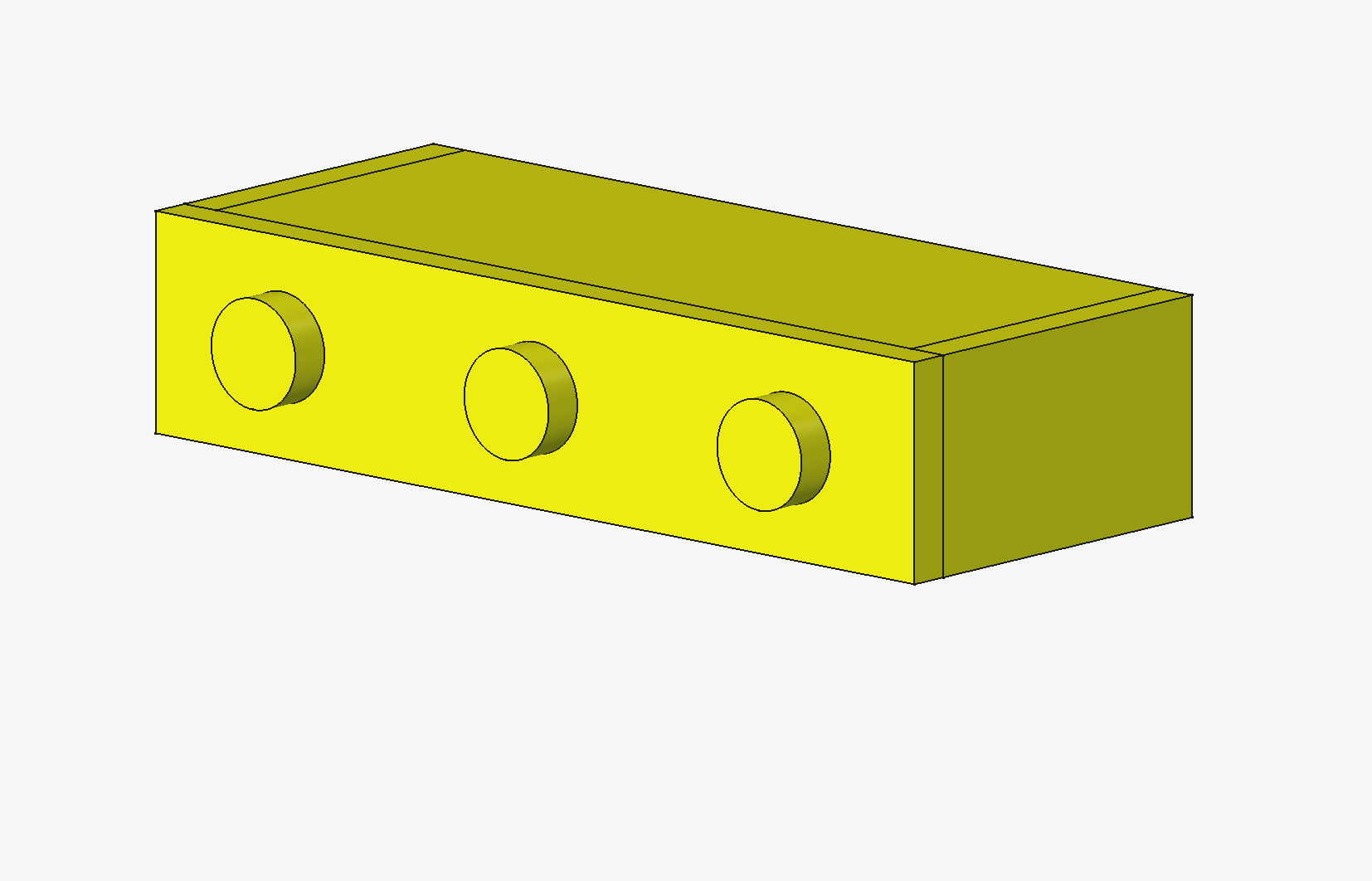
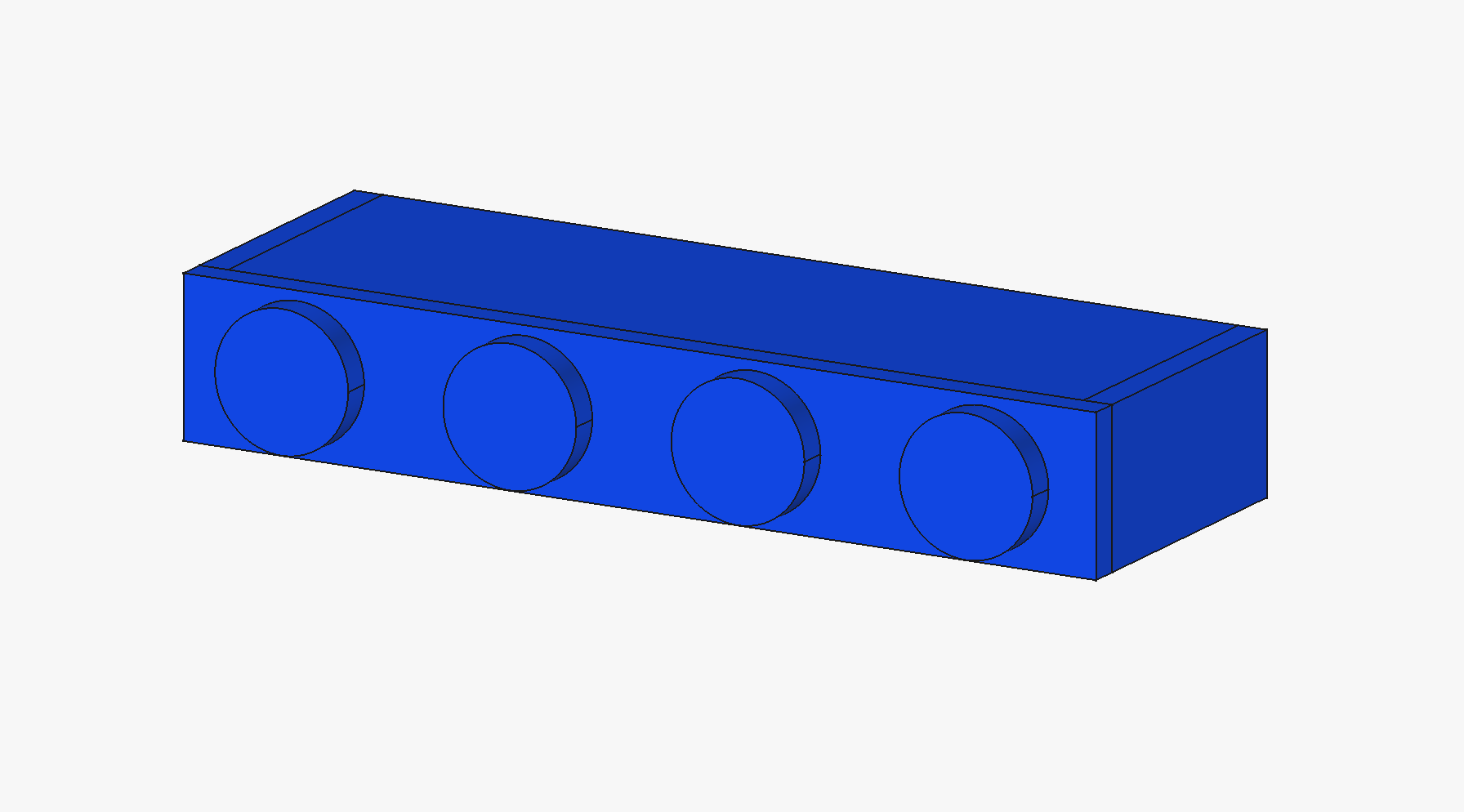

Thanks, Jason. They seem to be there… okay. But here seems to be the gotcha that more than one of the commenters stated, in essence…
"The mcp iteration costs api calls but Onshape does not offer any plan to meet the call requirements from agent
If FreeCAD has become as capable and useful as it seems… I would much prefer to use FreeCAD if I can figure out how to use it effectively.
Yeah I have very lil experience with Mac’s, in fact our last acquisition was all Mac’s and we changed them all out to m$. They were not happy!
That’s what they did to my school after I retired also. All the Macs are gone, now it’s Dell’s only.
I’ve been using Macs at work since 2010. The latest job sent me a windows laptop. 3 months later I managed to talk them into replacing it with a Mac. Since then, everyone else on the team has switched to a Mac.
On the AI side, I almost only use Claude code for everything. I do some minor chatting on the phone. I do pay for the $20/month account. On Linux, claude code can help set all of this up for you as everything runs from your local account. The plugins directory and everything else is accessible to claude code (if you let it). It’ll pull down the repo to a scratch directory, move the plugins around, and then set up the mcp inside it’s own config. When it was done, it told me what to click on FreeCAD to turn it on and then asked me to restart claude for the mcp to be picked up. What I discovered yesterday is it said you can run it headless, which I thought as interesting. I haven’t played with that yet.
That makes us old 
I had an original Apple 1 that I bought somtime around fall, 1976 after convincing my parents to let me buy it. Chores a-plenty to pay for it for quite some time afterwards. I deeply regret selling that, it had the signed manuals/schematics from Wozniak and I’ve seen originals in that state sell for retirement investment levels of money.
Re: The MCP- is there a good way to use this with a offline model or is everyone using it with only the paid online versions?
Very cool! I started a little later in the 80’s - first computer I owned was a C64 but before we bought that my dad would regularly bring home a terminal and work on his office mainframe from home and taught me about the system - including a hidden text adventure “Mystery Mansion” he let me play…just not much. The terminal he brought home used an acoustic coupler on the phone and thermal paper instead of a screen. And he had to pay for the thermal paper himself 
So my very first computer experiences were “online”. I grew up with Apple II’s in school and the C64 at home until around high school when my dad somehow managed to plug the power cord in upside down (despite the key on it) which let the magic smoke out of the C64 so we replaced it with a 128 - but that only lasted a few years before the PC’s started to take over. First a 386sx, followed by a original 5150 (yeah - was a bit of a step down from the 386sx but had a BIG hard drive so for some things it worked better for us) and then a full 386 before buying myself a 486 for college. But - at school it was a lab of 5150’s and 286s for programming classes. Except I was also really involved with the newspaper and yearbook and they had new top of the line mac’s they’d update every other year or so. So I’ve been dual platform from the start.
Jumped on Linux in 93 with Slackware 0.9something. Long side-story but Cleveland Freenet had opened my eyes to the internet by giving me my first e-mail address and VERY limited FTP and usenet access. Took me over a month to download slackware using a email to FTP gateway and uuencoded chunks I had to recombine to get the disk images I had to learn how to write out. The weekend after I finished before I even got to start installing a friend who had graduated the year earlier came back from college and brought me a full set of discs (including x windows which I hadn’t even started downloading yet) and I started dual booting my 486.
Even today I have a PC on my desk, but mostly work from a macbook and have more linux machines than I can count between the servers I maintain, rpi’s and older machines I’ve repurposed for various tasks.
Still love the old machines - I have a stack of C64’s I bought cheap (originally planning on stealing the SID chips to make a synth) and got running again (though still haven’t got the one 1541 I got working) and about 4 years ago finally made a childhood dream come true and built a computer entirely from scratch with wire wrap:
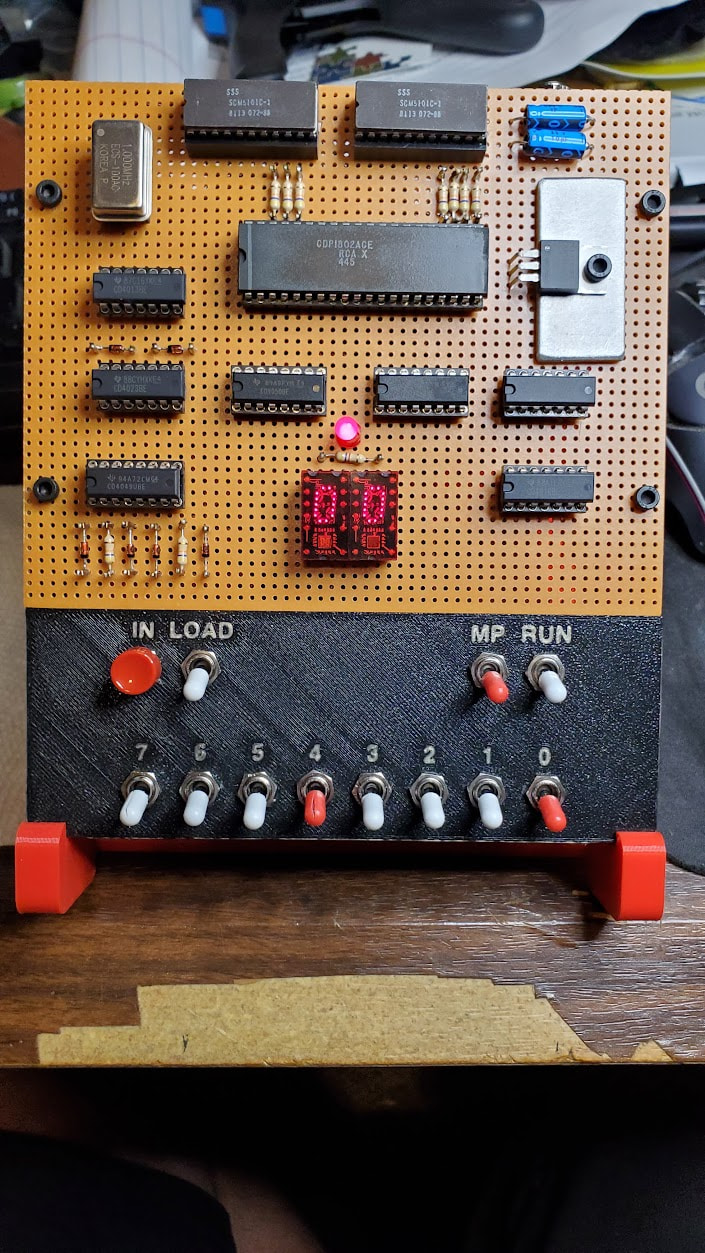
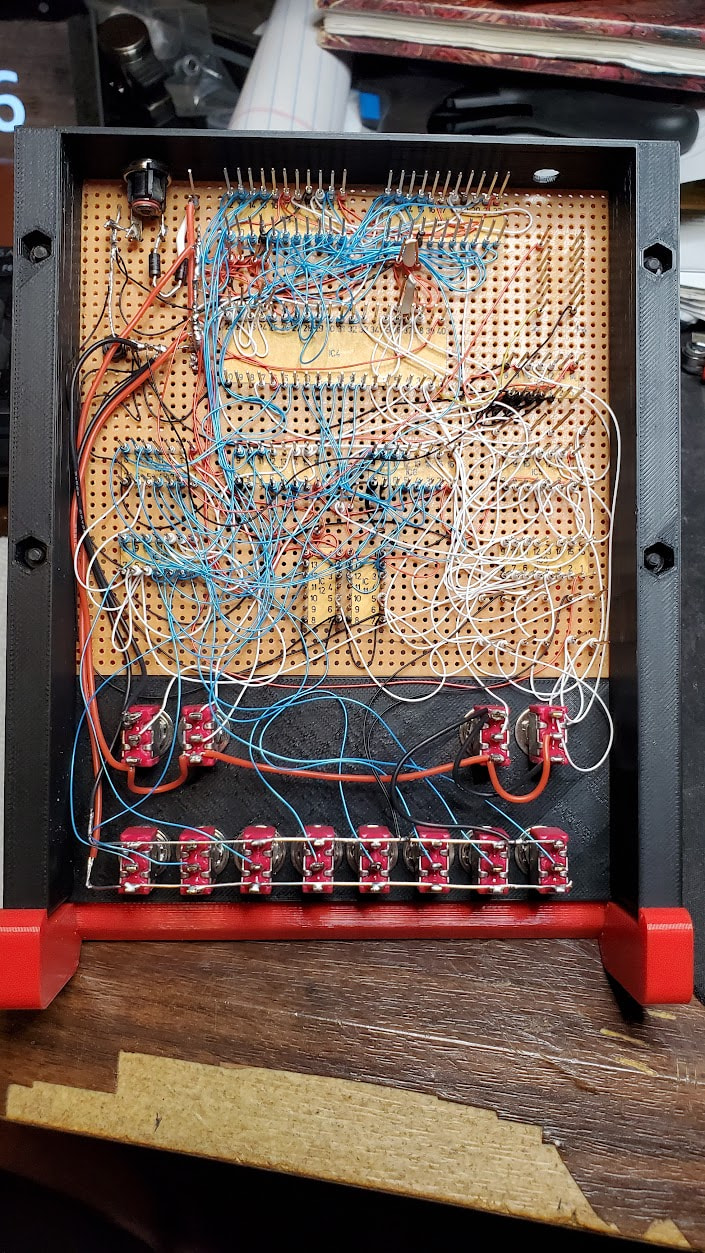
Though with just 2 hex dispalys and a single LED for output and 8 toggle switches for input the ELF isn’t quite what most people expect when they hear computer I keep it on my desk at work where it counts from 00 up to FF and back - the switches set the counting speed.
And helps bring this back on topic…because about 9 months ago I found that Claude had finally gotten good enough it could actually write assemble for the old ELF: GitHub - jhitesma/elf-playground: Machine code programs for the COSMAC ELF (CDP1802) - An experiment in AI-assisted retro programming · GitHub Well…probably. I haven’t tested all of it and some of what I did test had some bugs. But it still writes it better than I can!
I have the full $200 a month Claude subscription paid for by my employer - but whatever I don’t use at work I get to use for myself in the evenings/weekends. At work I build a bunch of custom agents and skills that our team uses to analyze and optimize google ads accounts - but I also use it a lot for general coding and building other tools for the creatives in our office (I’ve had a ton of fun building some customized skills for working with images/video for example.)
I’ve had really mixed luck with MCP’s. That google ad analysis work for example - google published a MCP for google ads but I wasn’t able to use it because it required an API key that isn’t as easy to get as most google API keys (new ad accounts they give it to you by default now but ours is old enough there were a bunch of hoops to jump through.) So instead I had claude write a script that runs in google ads and writes an export of the data to our google drive. When we do an analysis of a client we had to manually copy those files from google drive to a local folder for claude to work on.
Well, there’s a google drive MCP. So I tried that to see if I could get claude to automate that step. It was a disaster. The MCP let it read files but not do an actual file copy. So claude wound up reading the files from google and writing it’s own version locally…except the files were too big for claude to read in one “bite” so it had to chunk them and it would get the boundaries wrong. So when it was done the files weren’t identical. It would then try to fix it. It takes me <30 seconds to copy the files manually, claude ran for 15 minutes and still didn’t have them all identical and burned through a ton of tokens. Big MCP fail.
But - we also have a bunch of wordpress sites we manage for a client and they added the novamira plugin which includes an MCP. And it worked great - suddenly claude locally could do anything we needed to on those sites. Made it really easy when I had to make a bunch of changes across them. And we have one client with a webflow site - they just published and MCP and it worked great…I couldn’t even find where to get an export of submissions to their form in their interface - but with the MCP claude was able to get it for instantly AND analyzed the responses as a bonus all quicker than I could even find the interface myself.
One more fail though - some of our team uses Canva and they have an MCP. So I tried to see if I could tie my claude skills into it that help them. Turns out though Canvas MCP is really limited and only lets an external AI give directions to their internal AI…it doesn’t let the external AI actually work on a design directly. So having my AI tell their AI what to do was a miserable experience that did not get the kind of results we needed at all.
So - when an MCP works well it’s amazing…but when it doesn’t…ugh is it frustrating!
I haven’t tried this one in particular yet - but I have run a number of models locally and usually you can get an MCP working…but it may take more digging and experimentation.
Even more back on topic - I’m going to have to give this a try…though my one big concern is I really don’t like FreeCAD And AI is great up to a point but everything I do with it there always seems to come a point where the human still has to get involved. So if the AI only gets it 95% of the way there I still ahve to do that last 5% and having to do it with a tool I don’t like is a bummer and why I haven’t been in a big rush to try this yet. I know there’s also an MCP for Fusion which I’ve been meaning to try and I do like Fusion way better than FreeCAD…but man I’d love to go back to something that’s actually free for my hobby level usage.
Oh - one tip for everyone working with the lower usage plans. Watch your context and your usage - before you time out or hit a context compression I usually like to stop and ask the AI to write a “Pickup Prompt” for me that can be used to start a new session. Sometimes I’ll also have it write a separate document with findings and notes from what we’ve done that it can refer to. Even with a high usage plan it’s a helpful technique for bigger tasks/projects since it lets the AI track what you’re doing for you and work consistently across multiple sessions.
I had the first version of the MacPlus in my cabinet at school until I retired. I would take it out and start it up from time to time. I kind of wish I had kept that. I ended up in the ewaste pile I’m sure.
I am using the free version of Claude and ChatGPT. Claude cuts me off after about 6 or 7 minutes. ChatGPT just keeps going. I was using to try to add a nut trap the the Primo foot.
I don’t see where to look for this info. Claude just stops and says I can come back in 5 hours.
I have a colleage at work- a bonafide computer scientist (with an actual Ph.D in computer science) that is big into ‘new’ retrocomputing, restoring, and repair modding old machines.
Just last week he told me he was finishing up a custom CPLD he had created to replace a blown component in his C64.
About your wire wrap machine:
A wire wrap, homebrew 8 bit computer is a serious badge of honor. Contrats!
I’m still very much on the wrong side of the learning curve here.
It seems that’s always the case, with our without AI (Or junior engineers)… There’s the first 95% of the work, then there’s the 2nd 95% of the work still to go.
A kid at the local makerspace showed me a mini, 3D printed Mac classic case, with an LCD display in it, and an ESP-32. Happily emulating MacOS 9 with full functionality. On a $10 microcontroller.
Depends on which version of claude you’re using but the free plans are VERY limited.
If you’re using claude code command line (my preference) you can just type /usage and /context to check them. There are also some 3rd party apps that will give you a desktop display. I actually used claude to write my own at one point (I don’t use it anymore since on the $200 plan I don’t usually have to worry about usage and with the new 1m token context windows on the premium models context is far less of an issue as well.)
If you’re using the website or desktop apps usage is in settings. or in the same menu you use to get to settings. But I’m not sure how/if you can check your context in the website or desktop apps.
One thing I found about Claude in particular - claude code the command line utility is the flagship. The website and desktop app have “Claude Code” but it can’t do everything the CLI can or as well as the CLI can. Like a lot of the / commands don’t work in website and desktop.
I actually use a hybrid approach now for any “real” claude work. I use vscode and create a dev container (basically a small linux virtual machine) and run claude in there so it’s heavily sandboxed and I can use --dangerously-skip-permissions safer (Personally I would never use that option outside of a sandbox.) I start clade code CLI in a vscode terminal but then I use /remote-control to enable remote control and use the desktop app to actually control it since I like the formatting of the output better that way. And I can drag and drop images into the chat through the app - which doesn’t work with CLI in the sandbox (it does if you’re not in a sandbox but the sandbox prevents drag and drop from working.)
Right now I have 3 sessions going that way. 1 doing work on ad accounts, 1 doing work on a custom DB for a website, and one more setting up the framework for a new project. This usually works well for me since I can usually work on one of them directly while the other two are processing something.
Thanks - it was a fun project. Though to be fair most of the credit goes to the great COSMAC ELF group and Paul Schmidt in particular who’s video and documentation made it far easier than I expected:
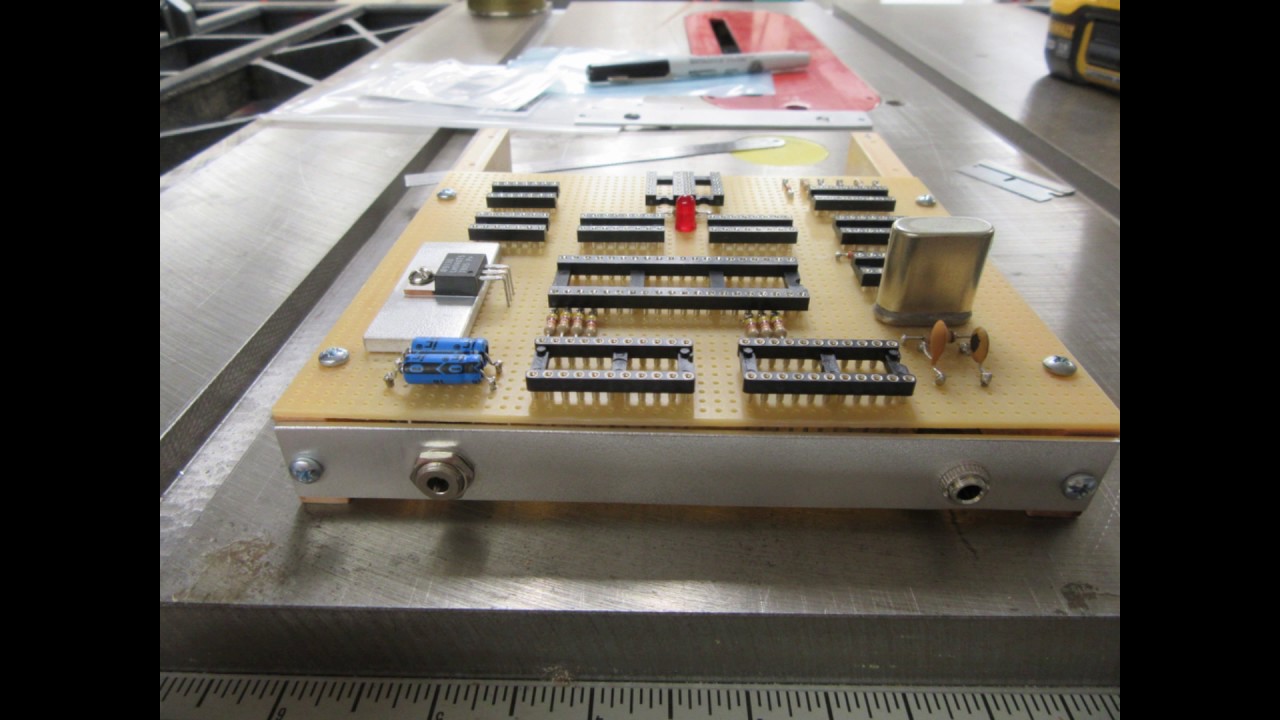
I followed his lead very closely. Though I did design and 3D print a case and stand for mine instead of using the traditional wood/metal I also opted for a modern oscilator instead of a period correct crystal (on his he used an oscilator but hid it and added a dummy crystal to make it look more like the original plans.)
It’s amazing what modern tech can do! I built these two a few years back but the big one is using a raspberry Pi 5 and the small one is using a rPi zero:
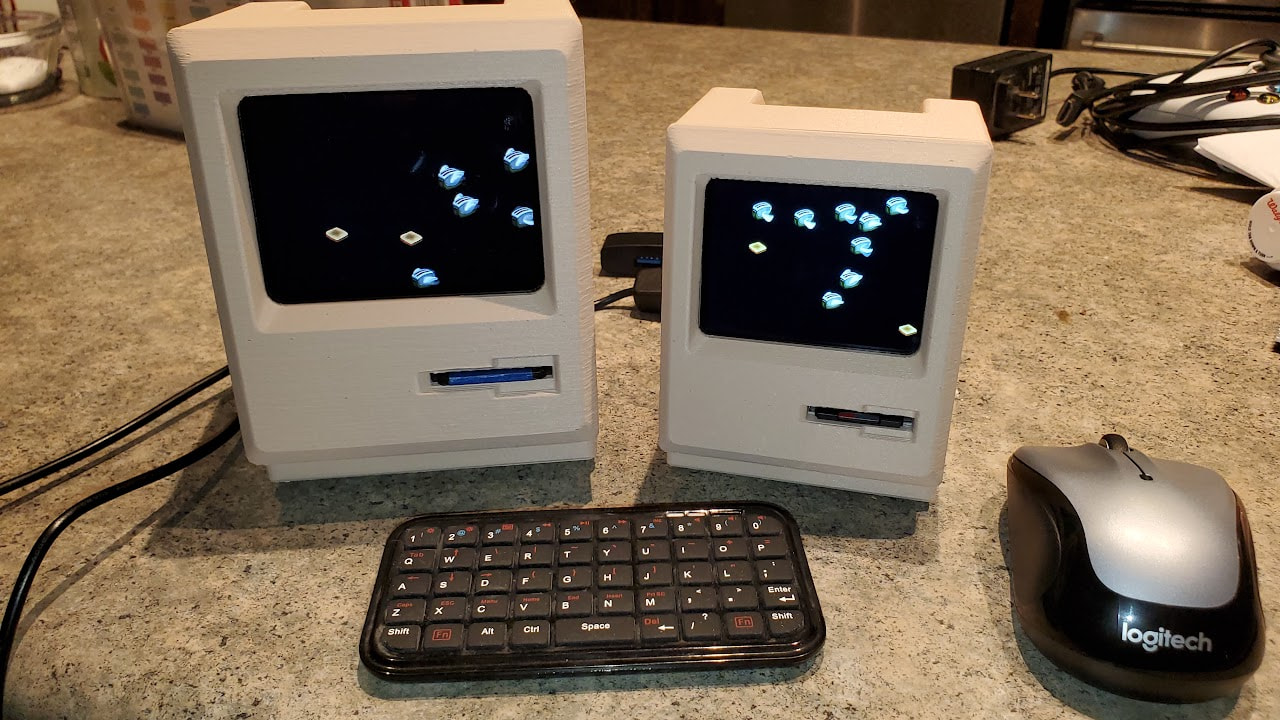
They cost more than the ESP32 but don’t do anything it can’t
Though I’ve since repurposed them with the bigger one now being a MAME “cabinet” and the small one being brainless since I didn’t have a use for the small screen and moved the pi to another project.
Back to Claude/AI. I was probably the last person in my office to give in and start using more AI. But now I probably use it more than the rest of the team combined since the more “mechanical” work I do it does far better than the more creative work they do. Even so I think the main reason I have the success with it that I do is because I do NOT trust it and am wary of using it The first tip I give people when they start working with it is to always stay skeptical of it and check it’s work.
LLM’s may be good at making people think they’re intelligent. But at the end of the day they’re really just very good very sophisticated pattern matching engines. They’re designed to create output that tries to convince you to trust them so it’s easy to trust them. But they’re best when they have similar patterns to work from similar to what you’re trying to achieve and when you question them and point out flaws you get far better results. Being able to have that critical thinking and recognize the flaws in it’s output is key.
That’s why I don’t consider them a replacement for skill and experience. The skilled experienced user will always get more/better results than someone who doesn’t have that topical knowledge to recognize when the AI is making stuff up
Been having some fun with FreeCAD MCP and using Cursor to control it! I asked it to make me a fancy wooden housing for my Corsi-Rosenthal air filter. At first I had Cursor set to use “Auto - Cost” where it routes your prompt to the cheapest model it thinks would work best. It did OK, it made a colored 3D model but some things didn’t line up and there was no joinery. Unfortunately it doesn’t tell you which model it used in this mode so I’m not sure “who” I was working with lol.
I switched to “Auto - Balanced” and it routed my next requests to Grok 4.7 which was able to make the whole thing nice and tight! Check it out:
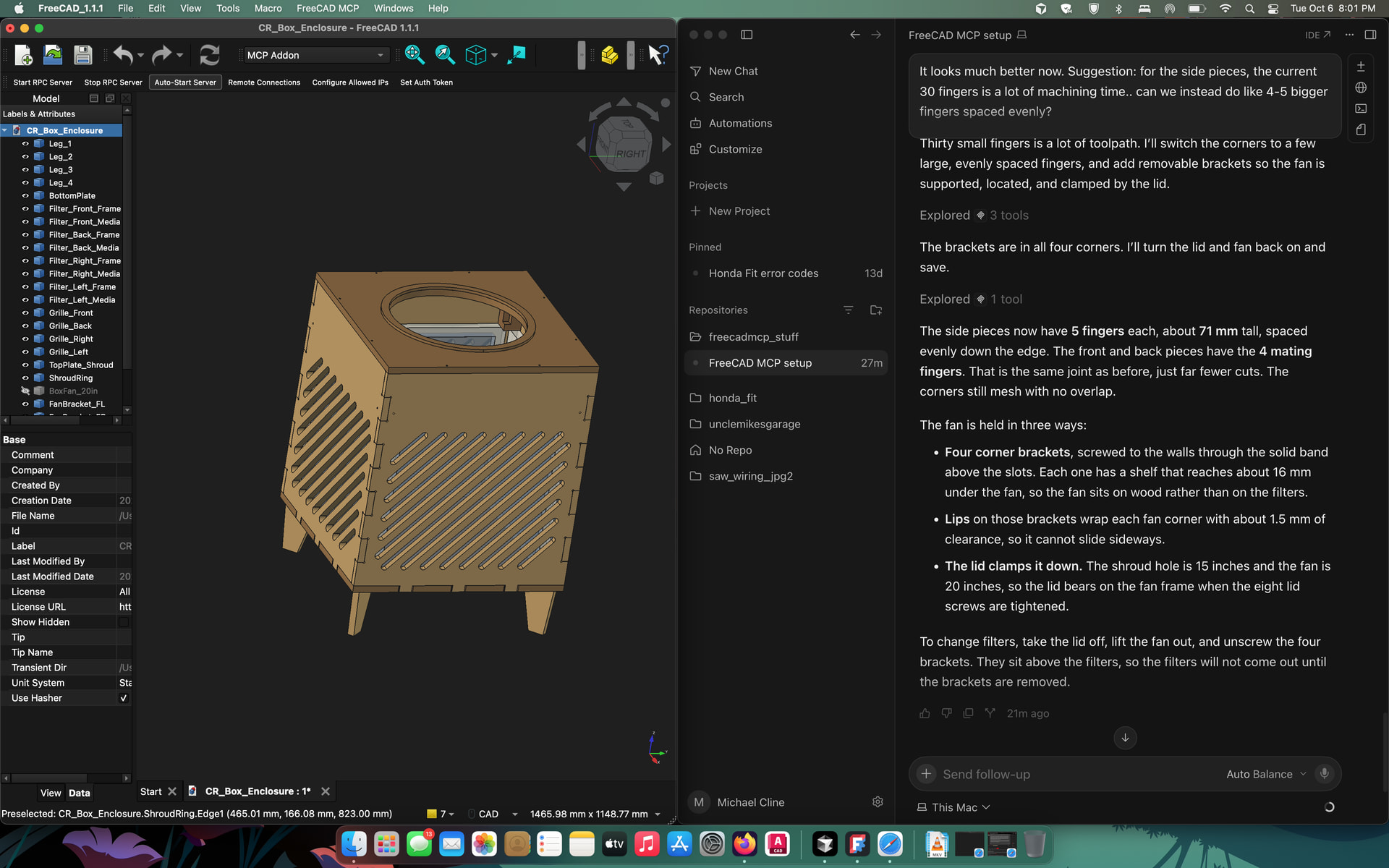
Box fan and air filters are top loaded under the lid:
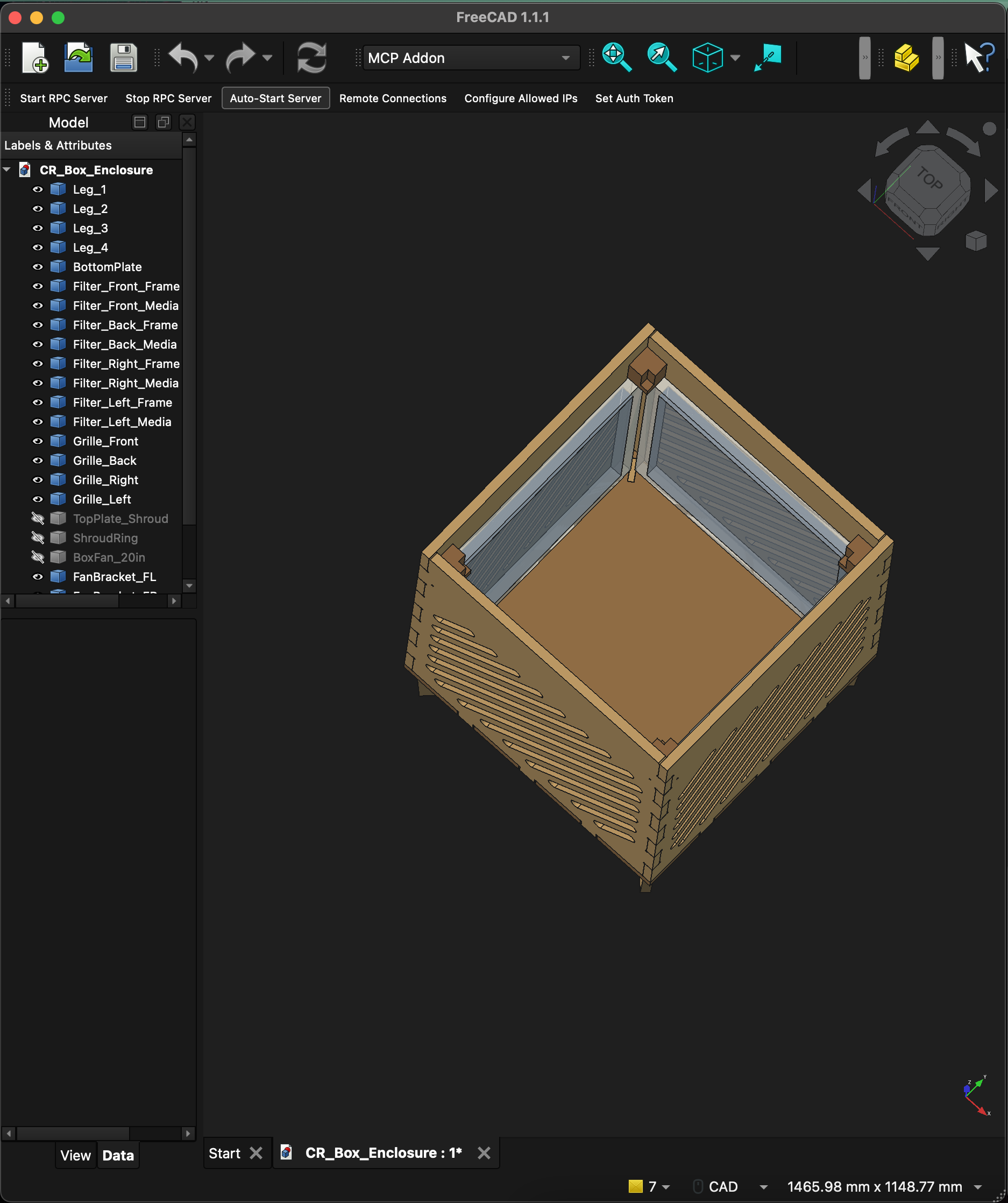
It needs some more work, like some interior hold down for the filters (though I’ll probably just use tape), and a hole to run the fan’s power cable. I’ll also end up re-sizing the grille slots so you can’t see the filters paper edges. But yeah… what the LLMs did in this project would have taken me weeks of free time to figure out and even then, it wouldn’t be nicely named and organized like this thing is!
I just had it design some rolling cabinets with drawers, or for Harbor Freight organizer boxes.
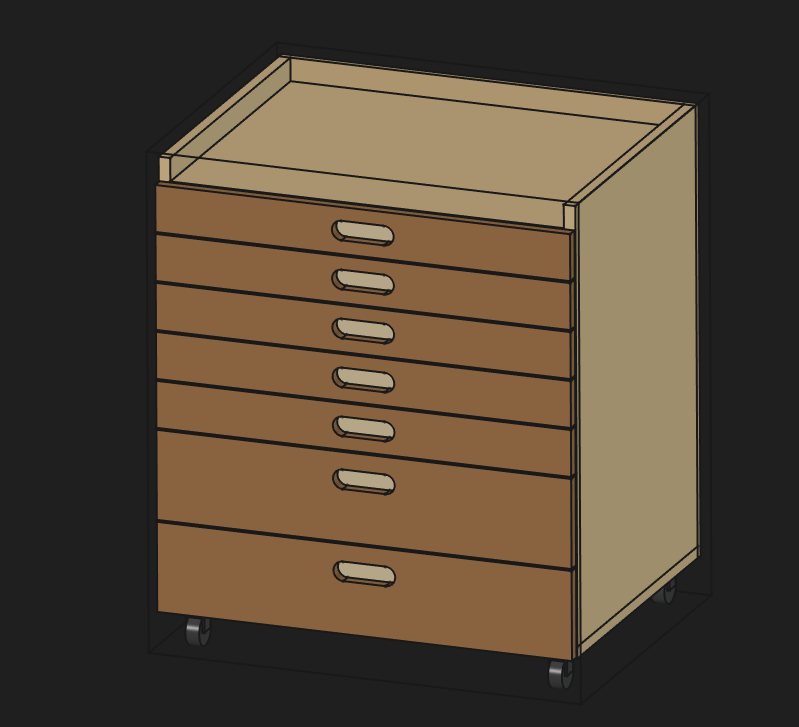
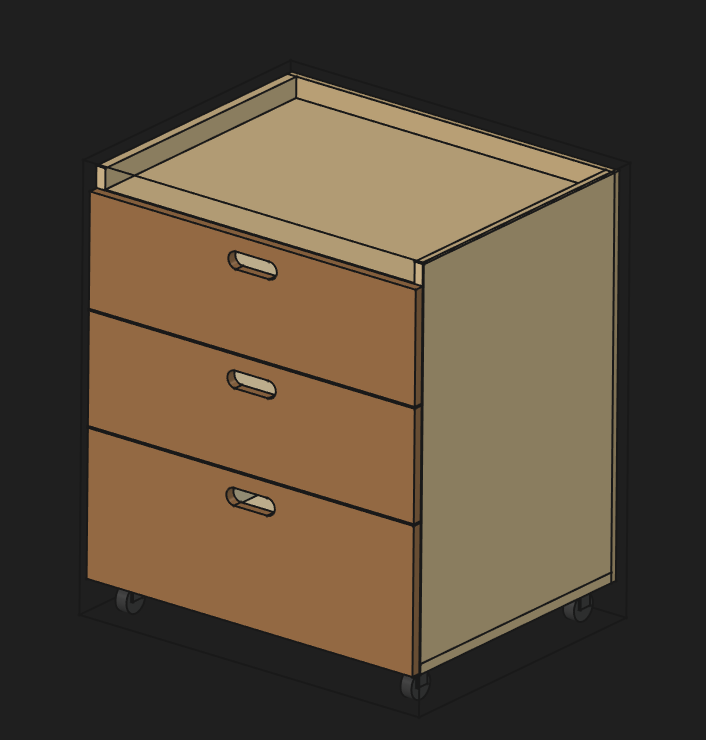
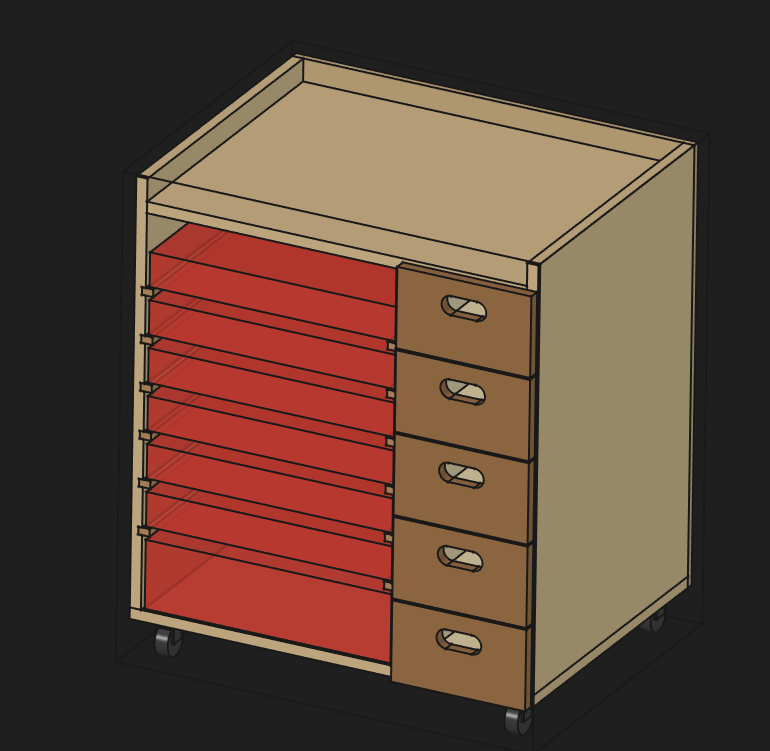
Still needs some updates for sure.
But then I got it to break it down into third sheets of plywood and do nesting for each sheet. And then I had it do the CAM with roughing and finishing passes. So, it output DXFs and gcode files. Obviously, some tweaking and a bunch of validation before I’d think about using that, but it did ask me some appropriate questions.
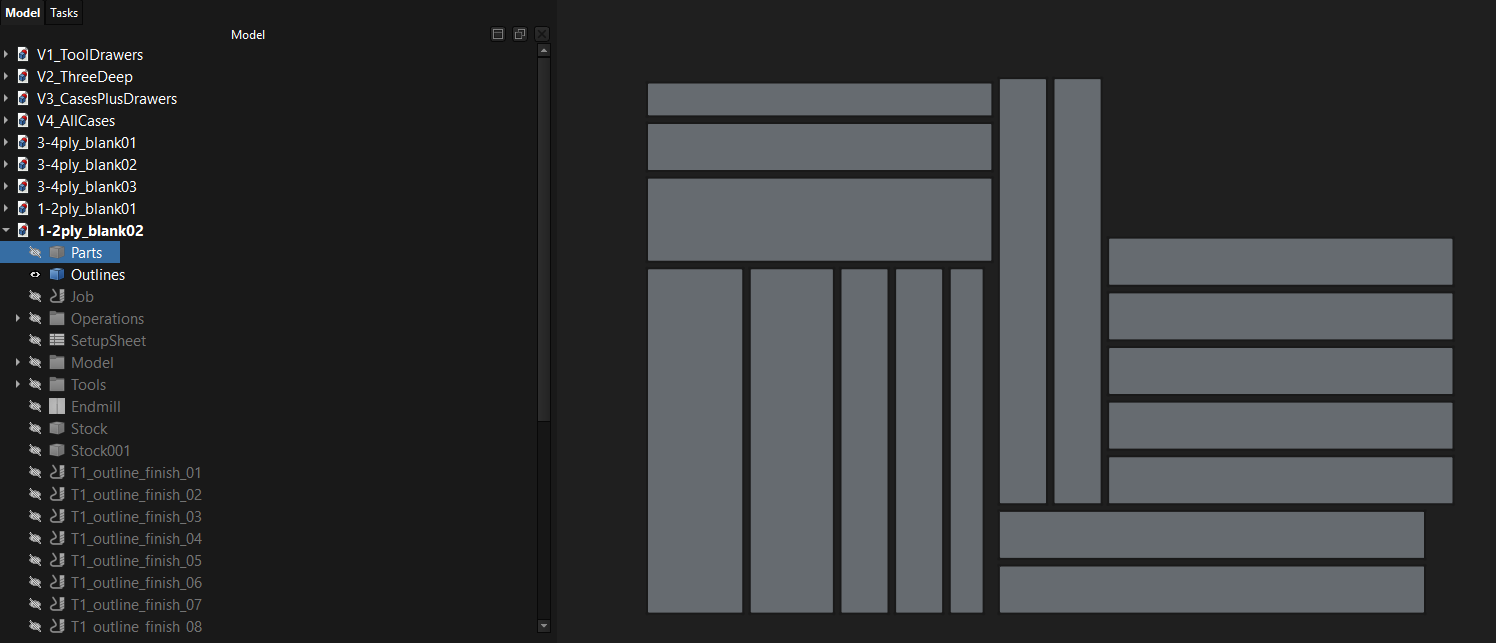
Yesterday…AMEN to that! Today… FreeCAD is probably gonna be my new CAD!
After setting this Claude and FreeCAD-MCP up just yesterday, here’s what really changed my mind…
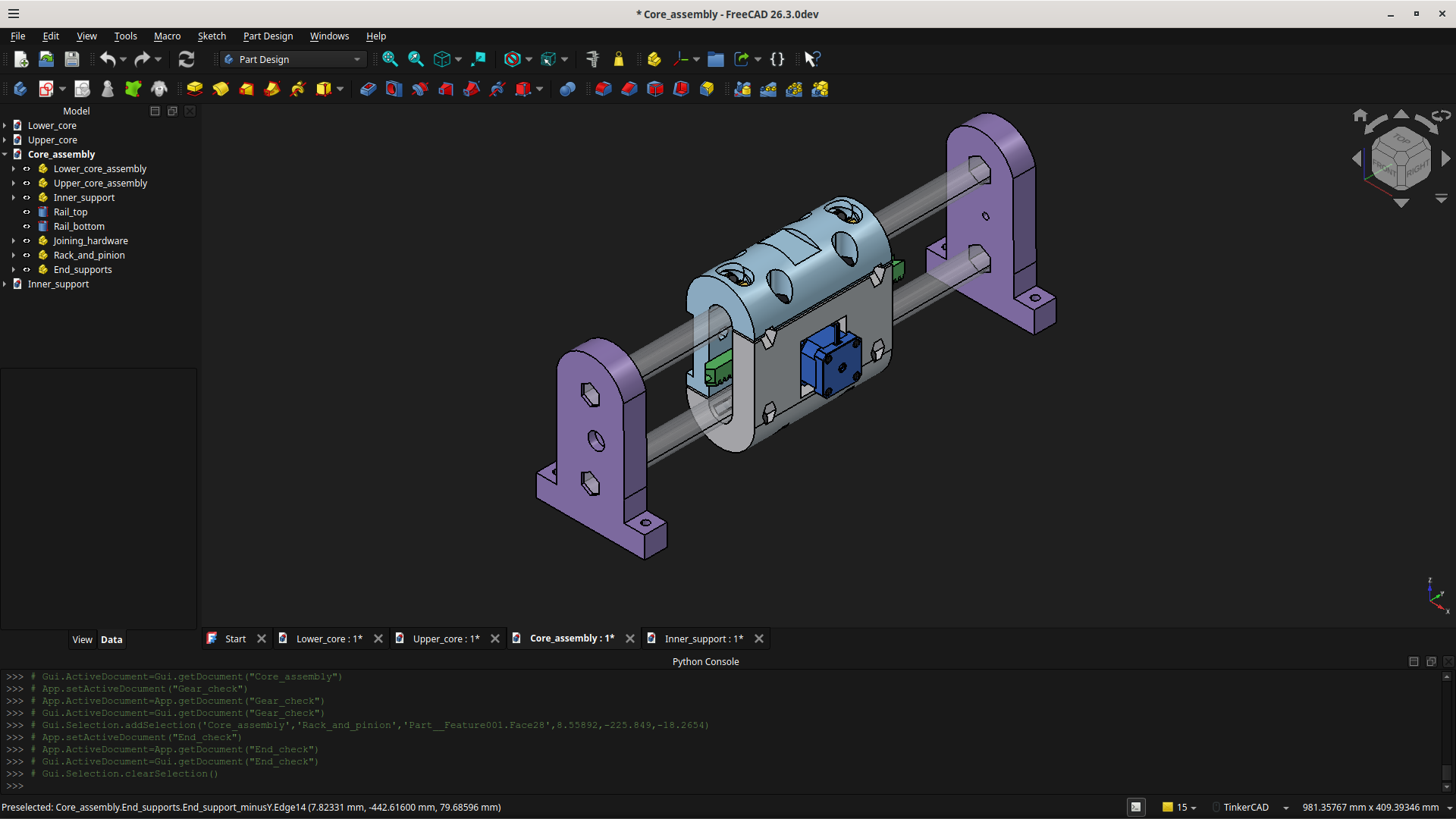
Inspired by what @Terry_O_Sullivan had started because he doesn’t have access to 3/4" EMT, I cranked up my own design (more of a revision to the original MPR&P) in OnShape and I’ve now imported an entire linear stage into FreeCAD… and I did absolutely no CAD work in FreeCAD myself. I now just tell Claude what I want to do. I supplied only STEP files from Onshape and had Caude import the parts, make a few adjustments (he checks alignment, fits, and clearances as he works) to the parts, go find hardware (stepper motor, hex bolts, Nyloc nuts, 608 skate bearings, 3/4" EMT, etc.) online and install it onto the parts where it goes, create an assembly of everything, create and save STEP files for all parts and the “final” assembly, and save all the FreeCAD documents into its own directory on my laptop. It even created a bill of materials (BOM) of all the hardware and parts in the assembly. I didn’t draw a single line or shape or click any buttons (except the View cube to see what Claude was doing) in FreeCAD… Claude did it all and it didn’t even have to take breaks when I did.
I started with just one STEP file of a part and had Claude import it into FreeCAD. It told me what it saw… recesses, their sizes and shapes, slots, etc. and I then said that a NEMA17 stepper motor goes in the recess with 5 slots, four small and one big. Go find a NEMA17 stepper model online and then place it into the recess on my part. Shock of shocks… it did it perfectly. Then I “pointed” it to the four angled rectangular slots in the curved section of the part and told Claude that common 608ZZ skate bearing go in those slots. Go find a model of the bearing online and then place a bearing in each slot. Again… perfect! And then Claude told me IIRC I had hit my 5-hour chat limit on the free account. But I had seen enough by that point that $20/month didn’t seem like a bad deal at all. So, I subscribed for the Pro plan right there and then. So I continued and had Claude find and mount models of all the 5/16" hex bolts… but I didn’t specify bolt lengths, just “as appropriate”. Same story for the Nyloc nuts. Finally, all the hardware was mounted on that first part.
Then I imported a second part… same result. A third… then a fourth… and finally a fifth. Along the way I asked it to start assembling parts and Claude was checking alignment, fit, clearances, etc. as we went. Made a couple of modification to a couple of parts to bring things into alignment and make sure nothing protruded beyond the outer surface of a part or the assembly. When we finally got to the part where I said the design looks like it “workable”, Claude agreed… and then Claude put out STEP files for all the parts, saved the FreeCAD documents, and even created a BOM with all parts and hardware listed.
Obviously, I’m blown away with this. I’d tried modeling a few small parts in FreeCAD but always just gave up, thinking it too complex and cryptic… and too great a learning curve. But I found this experience thoroughly refreshing; i.e. more like I’m no longer the CAD “flunky” pushing the buttons… but now his supervisor, looking over his shoulder and having him change things I felt needed changing. It was a genuinely eye-opening experience.
I’ve been spending hours and hours in CAD over the past year with my MPR&P work. I’ve gotten reasonable proficient with Onshape… but still had “accidents”, where I did something to blow up my model. Then hours were spent trying to find out what I did by going through my entire design database, a tangle of messy and terribly organized design documents… chasing circular references, multi-defined objects, etc.
So, IMHO this Claude and FreeCAD-MCP stuff is fantastic! Thanks, Jason, for starting this thread. Most of what’s been discussed here is way over my head but when David (@niget2002) suggested letting Claude/ChatGTP install and test the MCP for me… WOW! As long as this keeps up… I’ll never look back.
I’ll shut up now.
Please don’t. Damn, that’s a refreshing tale of making stuff work!
My brain hurts, and I’m not sure if it’s because of this thread, or whether it’s because I was twenty minutes into a spray can job when I realised my respirator wasn’t respirating! I think the latter is not helping the former.
I will keep trying to glean what I can, while remembering my Apple Lisa, and telling my wife in all earnestness, that the 20MB hard drive we spent a years’ pay on for the MacPlus would be the last one we would ever need.
I have tried to add a nut trap to the MPCNC Primo foot for a long time. I asked Ryan if he could do it last year, but he did it in SolidWorks and doesn’t have the files anymore. I messed around in OnShape and FreeCAD trying to do it, but wasn’t successful. This morning I asked Claude and ChatGPT to add the nut trap to the stl mesh file. They didn’t like that and wanted a step file. I spent over an hour trying to get one of them to succeed. No luck. Rather disappointed.
This evening I decided to try a different approach and start from scratch. I took screen shots of all the sides of the foot and asked Claude to create the foot using them. It went WAY faster. I then asked for the nut trap to be added and make sure it fits a 25.4mm tube. Claude finished with time to spare so I asked to export the STL for printing and what settings it recommends for printing on my FlashForge. I’m very happy with the results. It’s not exactly like @vicious1 's design, but it will work. I’m looking forward to printing one out tomorrow.
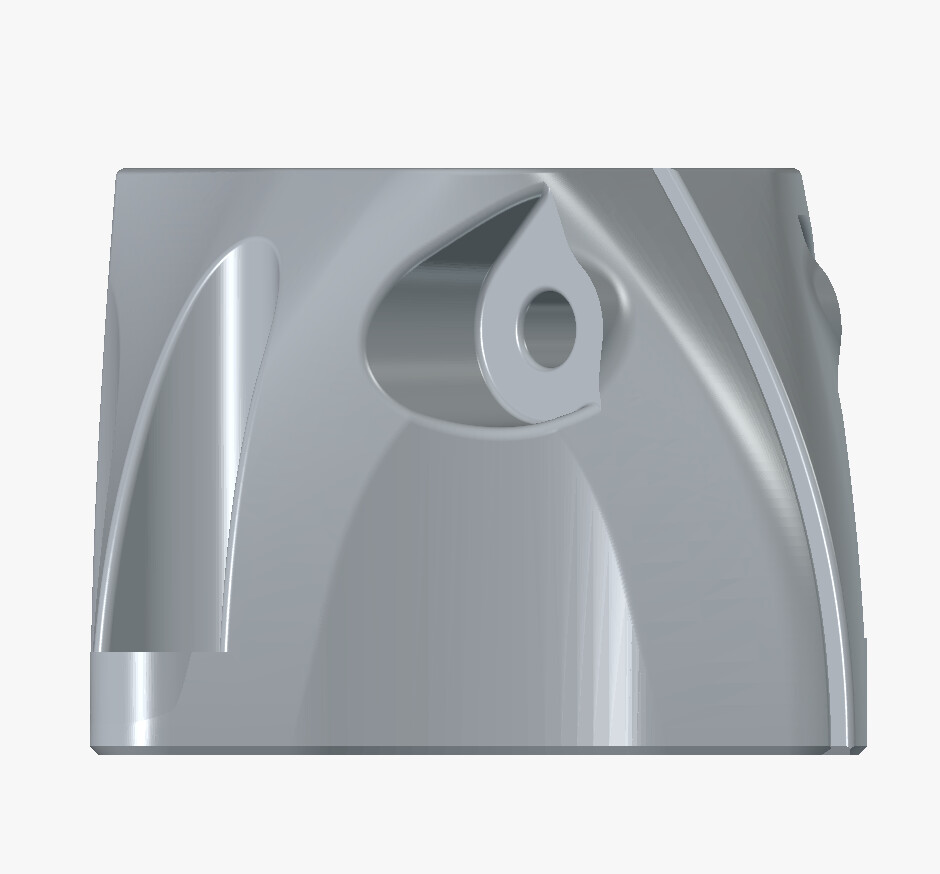
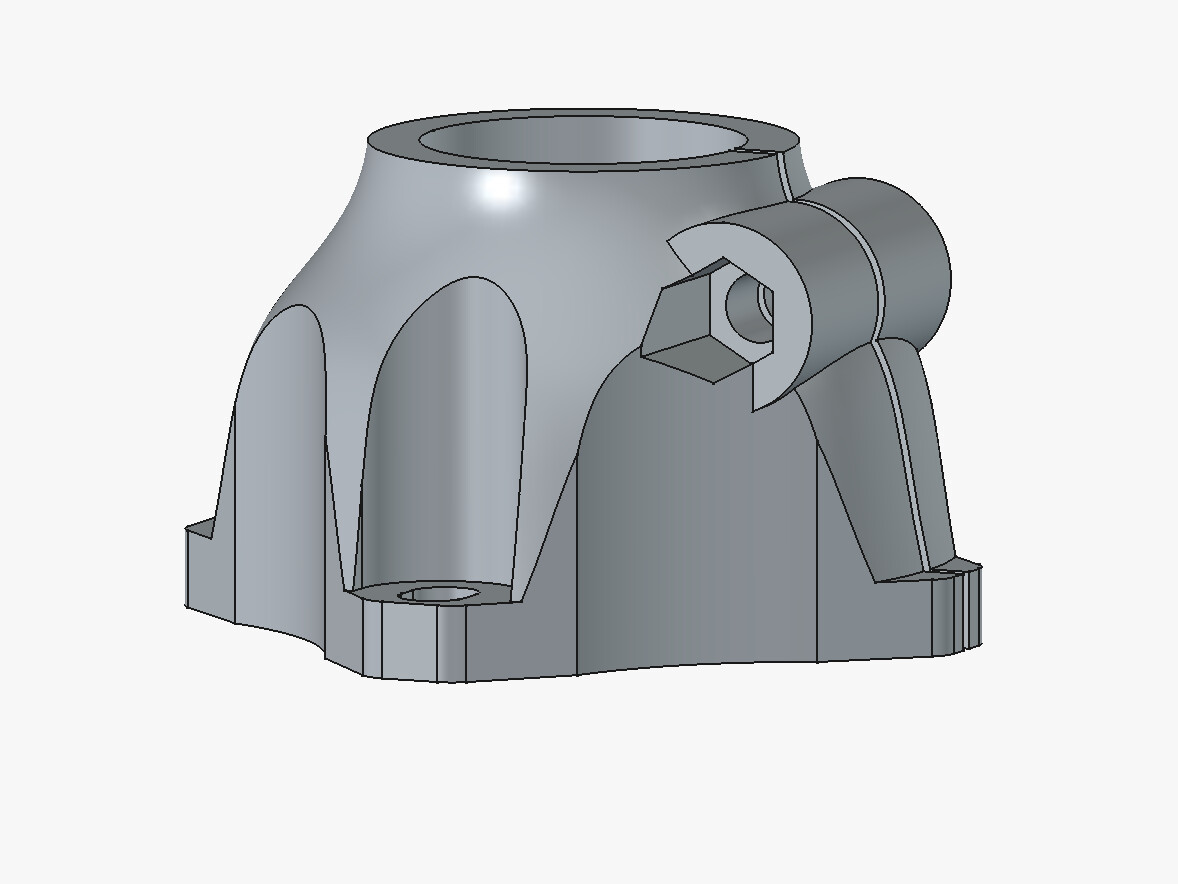
PS - thank you @jeyeager for starting this thread and everyone else who has added to it.