Hi, I am looking for feedback and testers for a browser based cam app. The app is open source and free to use. It is hosted on github. As I don’t seem to be able to include a link you will need to search for FreazyKam on git hub. It supports loading SVG files and/or drawing simple paths. The paths can then be converted to tool paths. The gcode can be run in a 2d or 3d simulation and exported for running on a GRBL/FluidNC. Any feedback appreciated.
Welcome. It takes a bit to gain privileges to share links and pictures as a way of fighting spam/bots.
Here’s a link to the Github.
Thanks for sharing. I’ll check it out later.
Thanks for adding the link for me.
dxf support?
No DXF yet, could look to add if that is a popular feature.
dxf and svg are the 2 standard file formats for 2d cam
Thanks for input, I have added support for dxf import. The following dxf features are now supported.
- LINE — two-point straight segment
- LWPOLYLINE — modern polyline (open or closed)
- POLYLINE + VERTEX — older polyline format (open or closed)
- CIRCLE — tessellated to 180-point polygon
- ARC — partial circle, tessellated at ≤2° resolution, handles wrap-around (e.g. 270°→90°)
- ELLIPSE — arbitrary rotation via major-axis vector, tessellated to 72 points
- SPLINE — cubic (or any degree) B-spline via de Boor’s algorithm; prefers fit points when present, otherwise evaluates
control points against the knot vector
Unit handling: reads $INSUNITS from the DXF header — supports mm, inches, and meters; defaults to mm if not specified.
Not supported: INSERT (block references), MTEXT/TEXT, 3DFACE/MESH, and anything in the BLOCKS section rather than
ENTITIES.
Rick, I love the concept, but I need to ask.
1- Have you used this to machine any parts? If so what machine and what firmware?
2- What is your CNC background? Not using a DXF first is a very odd choice.
Your software has some fundamental issues from the brief time I spent with it. I think if you have tried to use it to make a part you would have seen this. We are a pretty laid back group here but wanting us to test out some AI software for you before you do is kinda of a bummer.
Yes I have cut parts with this using a FluidNc controlled home built cnc. That is why I was asking for feed back and testing as I have only tried on my cnc. So wanted to expose it to others to see what issues I would get. If you could give any specifics on the failures you see that would be great.
What shapes are you testing with and how dimensionally accurate did they come out when you machined them?
You can no longer import a file, svg or otherwise.
Did you test your build after you did the dxf import?
With your first post, I imported an SVG and set up a profile and the dimensions were not right of the path, it missed some basic features.
Thanks for the feed back, I machined a heart shaped box with lower and upper halves with engraved text on the top and it came out great. I did try loading both svg and dxf files after my change and both load, so not sure if you may have grabbed a partial change. I have not tested the exact accuracy as my machine is only home built but It is accurate to ruler measurements. I tried to default svg resolution based on if the file is illustrator or inkscape what type of svg file are you using. How far off are the cuts perhaps it is a pixel to mm scaling issue. Also make sure you use an outside cut and not a center cut for the profile so the bit diameter is compensated for. Sorry if I am wasting your time just trying to get more detailed info so I can fix.
Try generating a toolpath with our strut plates. https://vector76.github.io/Web_OpenSCAD_Customizer/strut_plate.html
I know the machine can introduce some error but how close were those items to the dimensions you asked for? How did the software handle the sharp crease.
Please share some pictures of the parts you machined, preferably with your machine in some pics as well.
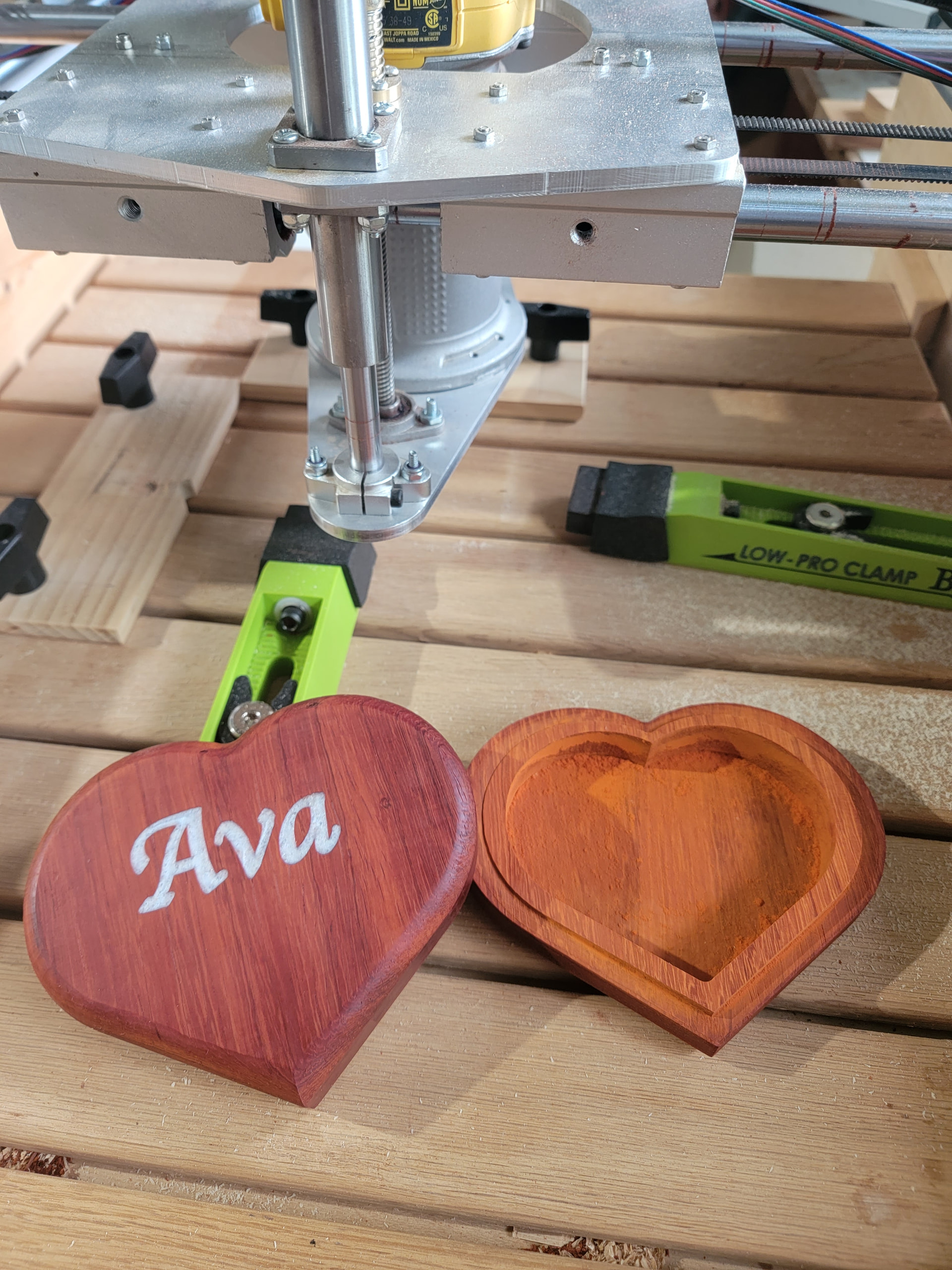
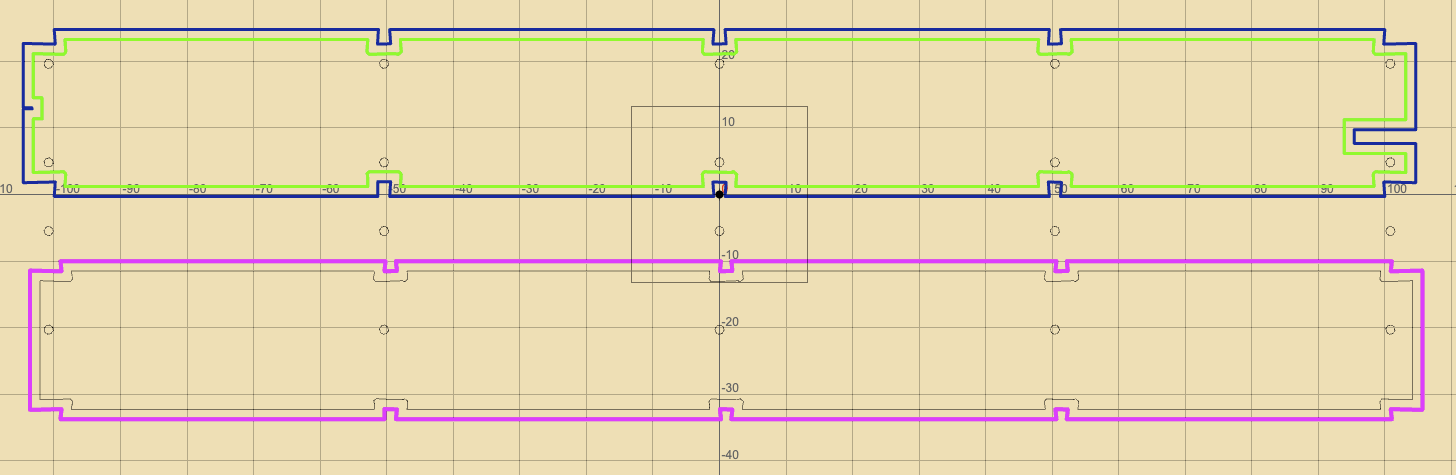
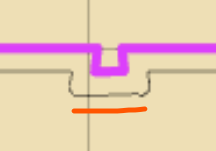
Ok thanks I see the issue. You have dogbone reliefs for the slots that are being missed when i convert to points. I was not expecting such fine detail as I only use 1/8 or 1/4 end mills. I will see what I can do to improve the svg conversion. I was just trying to make a simple to use app that I could use to quickly cut out wooden parts with out having to remember how to use fusion or freecad when i needed a part.
We use Estlcam for that. Quick and easy. 
Web based would eliminate all the weird "run Estlcam on [ Mac | Linux ] " Issues. Similar reason I’m trying so hard to get a working FreeCAD CAM workflow.