using the very lil zero x y z at the lower left corner
1 Like
What’s that now?
I will get a pic in a few.
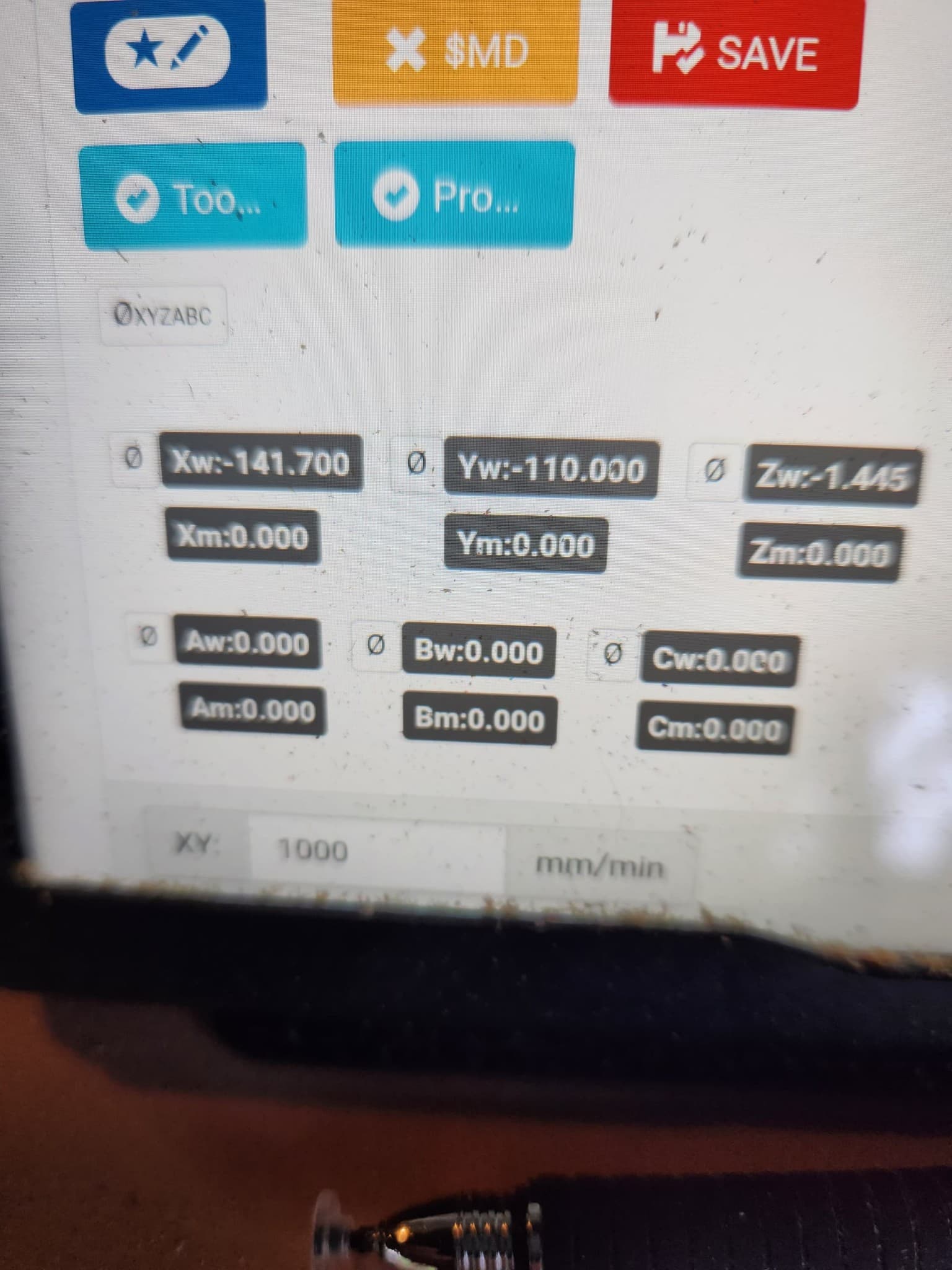
You can see it under too in his pic. Set zero x, y, z
After that was pressed i could not go -x or -y
Well crud i went to edit and hit delete!!
I do not see an undelete. I wanted to say i have a mpcnc without endstops.
(Found undelete  )
)
How are you setting them to zero?
Press that button. I move to corner of workpiece set my z and press zero xyz. (it is interesting theirs says (xyzabc)
I have no idea what that button does, you will have to look at the terminal.
G92 X0 Y0 Z0 should allow you to go negative. If it does, it is easy to make a macro button.
I zero with my CAM starting gcode, not buttons.
@Riley your issue is that you have the soft limits activated for your machine. So when you make all your axis 0 you cant move to negative values without hitting the homing button for that particular axis or you will be blocked. Its on the fluidnc wiki.
“Soft limits are determined by the range of motion. If you send a command that would send it beyond the range it blocks that command. It does a safe stop and position is not lost. You should home the machine, so the machine accurately knows where it is. The soft limit range of each axis is shown in the startup messages. These values are in machine coordinates, not work coordinates. Most gcode uses work coordinates. If you are getting unexpected soft limit errors, check your work offsets”
1 Like
Thank you! Sorry i shouldn’t hijack! Back to o.p.!
These kind of issues bug me, so I have been doing some reading on work coordinates and I think I can explain this.
There is always a current work coordinate set and it is usually G54. You can check this by entering command $G This shows all of the modes that are set. You can check what the workspace coordinates are by entering command $#. You can change a work coordinate using G10. In this case I used G10 L2 P0 X0 Y0. P0 is the current work coordinates, P1-P6 is G54-G59.
In this screenshot you can see the current modes and current work coordinates:

In this one you can see the G10 command and the updated work coordinates:
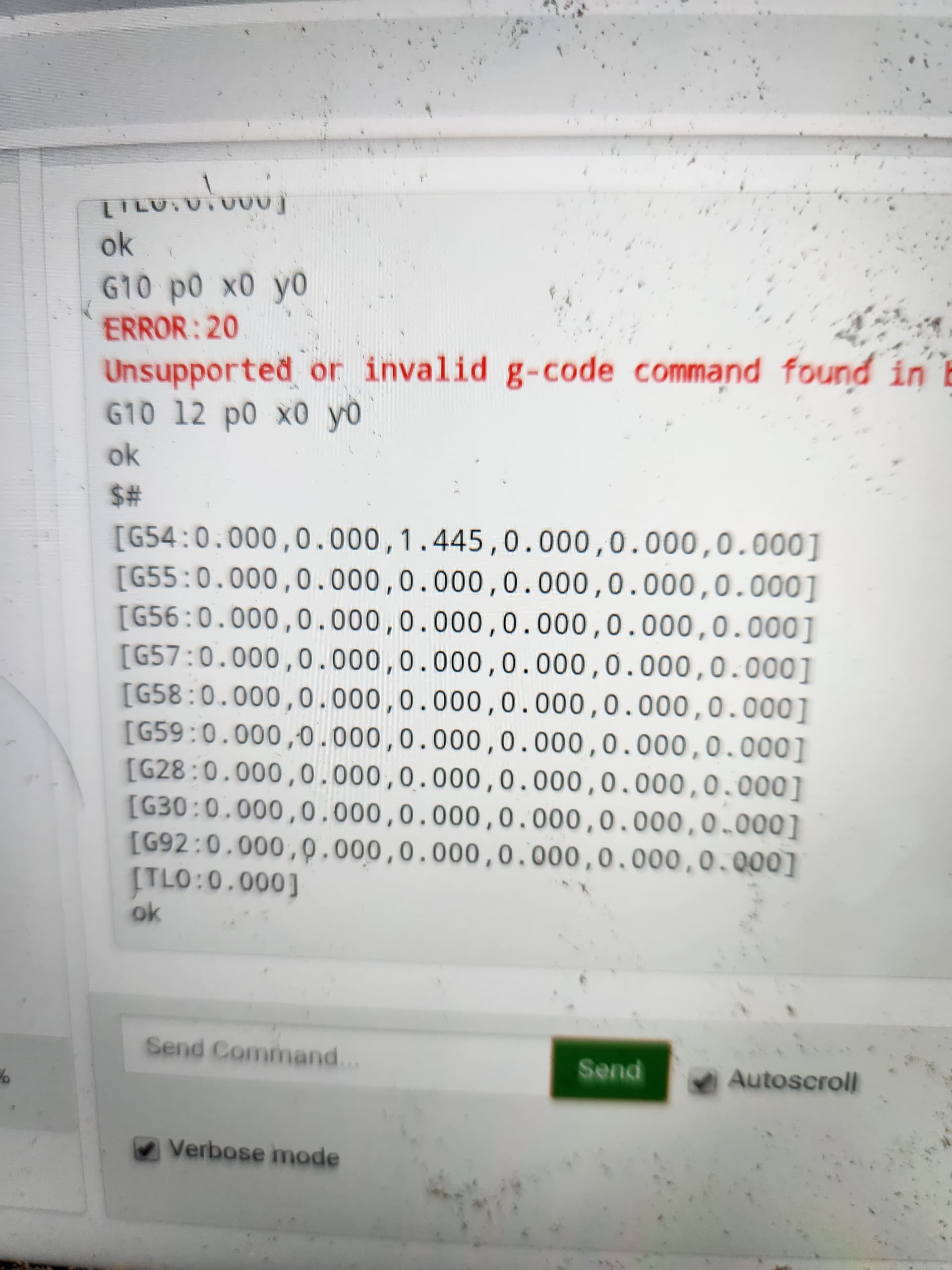
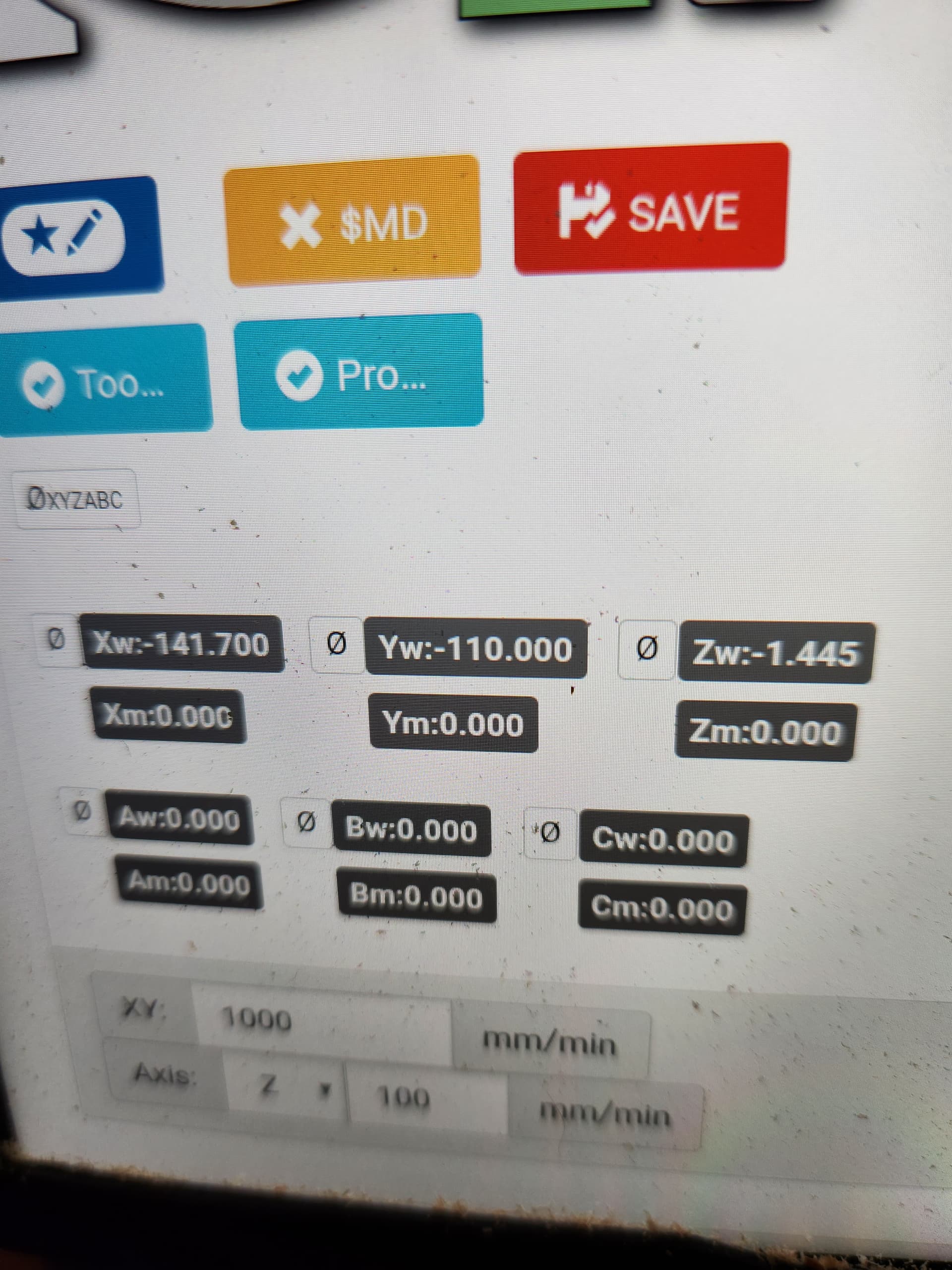
What is a little interesting, but I do not care is the graphic did not update:
@vicious1, I am guessing you had G54 set to 0,0, so you are seeing normal behavior. It is now working correctly for me.
I swap ESP’s a lot. So that is fresh and I assume how they all function.
Not sure how or why your other workspaces changed? I will need to take a look at mine tomorrow.
So you are absolutely correct soft limits false allows negative travel. My thumb just hit y 50 and guess what that was too far. I am not sure soft limit false is what I want. i will need to consider, thanks again!
I just found that the Zero commands set G10 and still use another coordinate as well.
I really need to spend more time with this. It is still alot confusing.
Soft limits ensures you dont crash your cnc by mistake , if you are careful enough you can live without them
Oh, only 2nd ever youtube posting, and it took forever it seems like. I have not done any processing on it and it is 12 minutes long.

3 Likes
Check my post above. These buttons set g54 work space to zero. That is what g10 is for. If you don’t want to use workspaces use g10 l2 p0 x0 y0 to set this workspace to zero and then dont use the zero buttons. Most people on this forum just use g92 to set the zero on there work piece.
2 Likes
closing old topic to help fight spambots