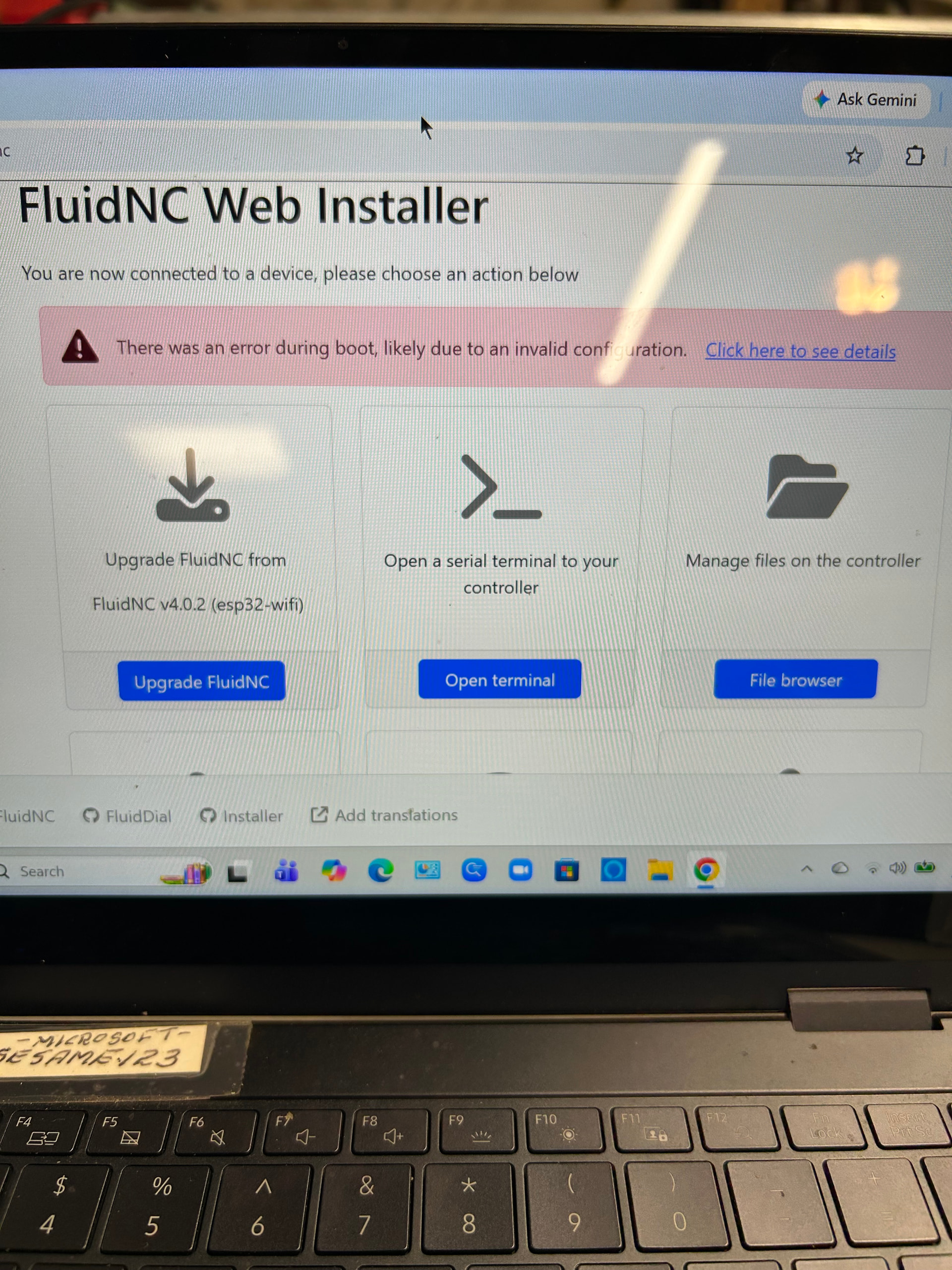
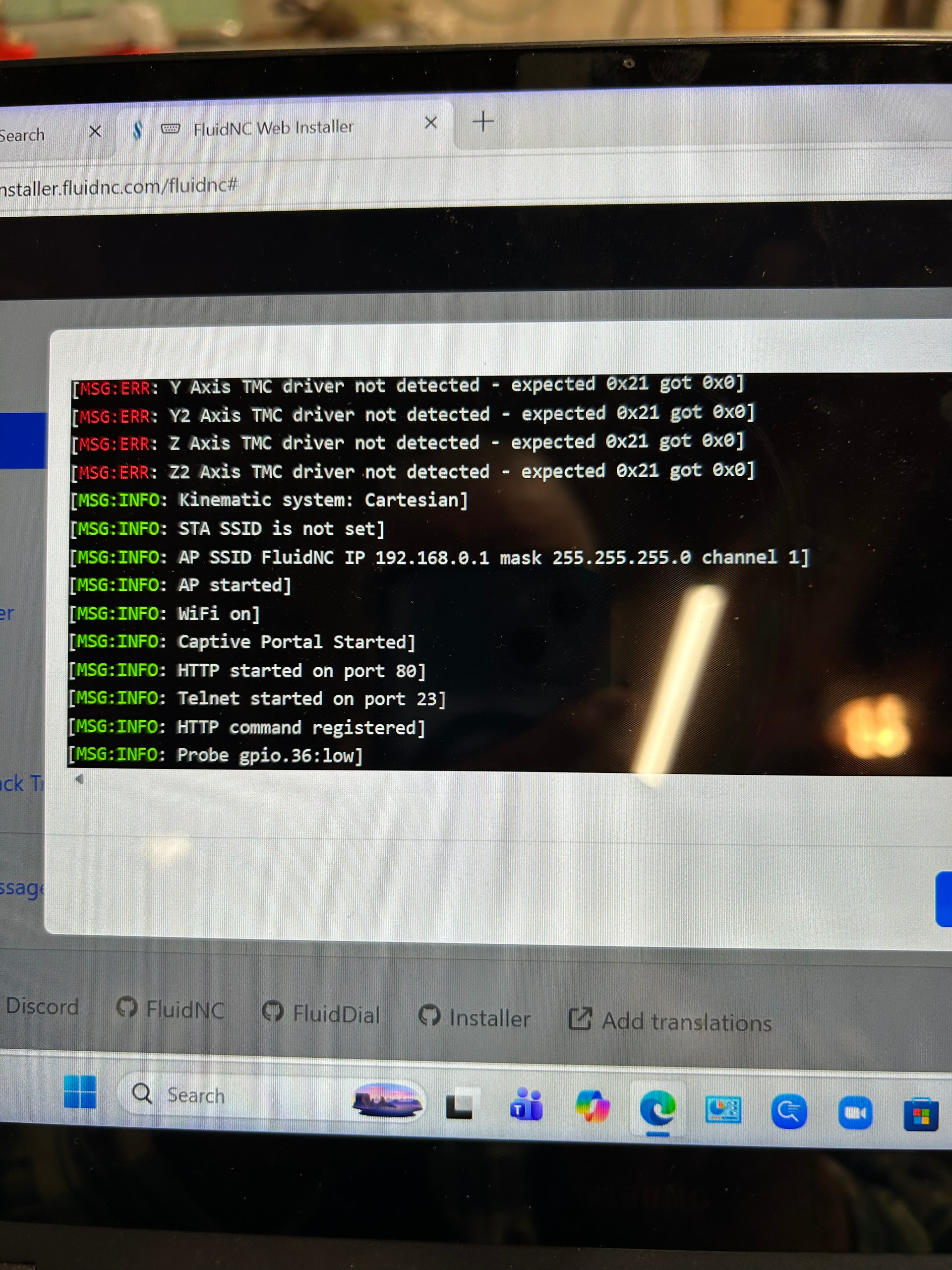
Nothing is wrong. You just need to download the MPCNC config here and upload it to the Flash on the JP3. Then unplug the USB and powercycle the JP3.
agreed just upload the new config.yaml to the same folder in the files section of the web interface and then power down for a few minutes. after that it is an mpcnc controller.
or you can plug it in via usb in the webinstaller and upload the file.
when I try to access my mpcnc jackpot 3 via chrome - [ I believe that is the WEBUI ] It says “this site cannot be reached” ??
Screenshot?
Is the URL you are using fluidnc.local or 192.168.0.1 ?
198.168.0.1
Open a command prompt. Show us the output of
ipconfig
And
ping 192.168.0.1
I am wondering if you actually flashed it. That screenshot shows and error and it should not have had lowrider firmware on it after a flash.
Continuing the discussion from Fluidnc password:
OK I WILL– BUT HAVE TO KNOCK IT OFF FOR TONIGHT. – I’LL HAVE TO FIGURE IT OUT AND REPLY TOMORROW – THANKS
Click on that link that is in blue.
If you are talking abt the 192.168— link- it says this site cannot be opened.
The browser window you have open is at
msftconnecttest.com/#/dashboard.
That means you’ve opened the browser window using Microsoft’s built in, limited web capability captcha browser. That limited browser cannot correctly operate the WebUI. That’s what it’s telling you.

To be able to use the WebUI, you cannot do that. You MUST open a real browser (Chrome, FireFox, even Edge) and from there connect to 192.168.0.1. If you don’t do that, it cannot work.
This is why we ask for screenshots not typed descriptions.
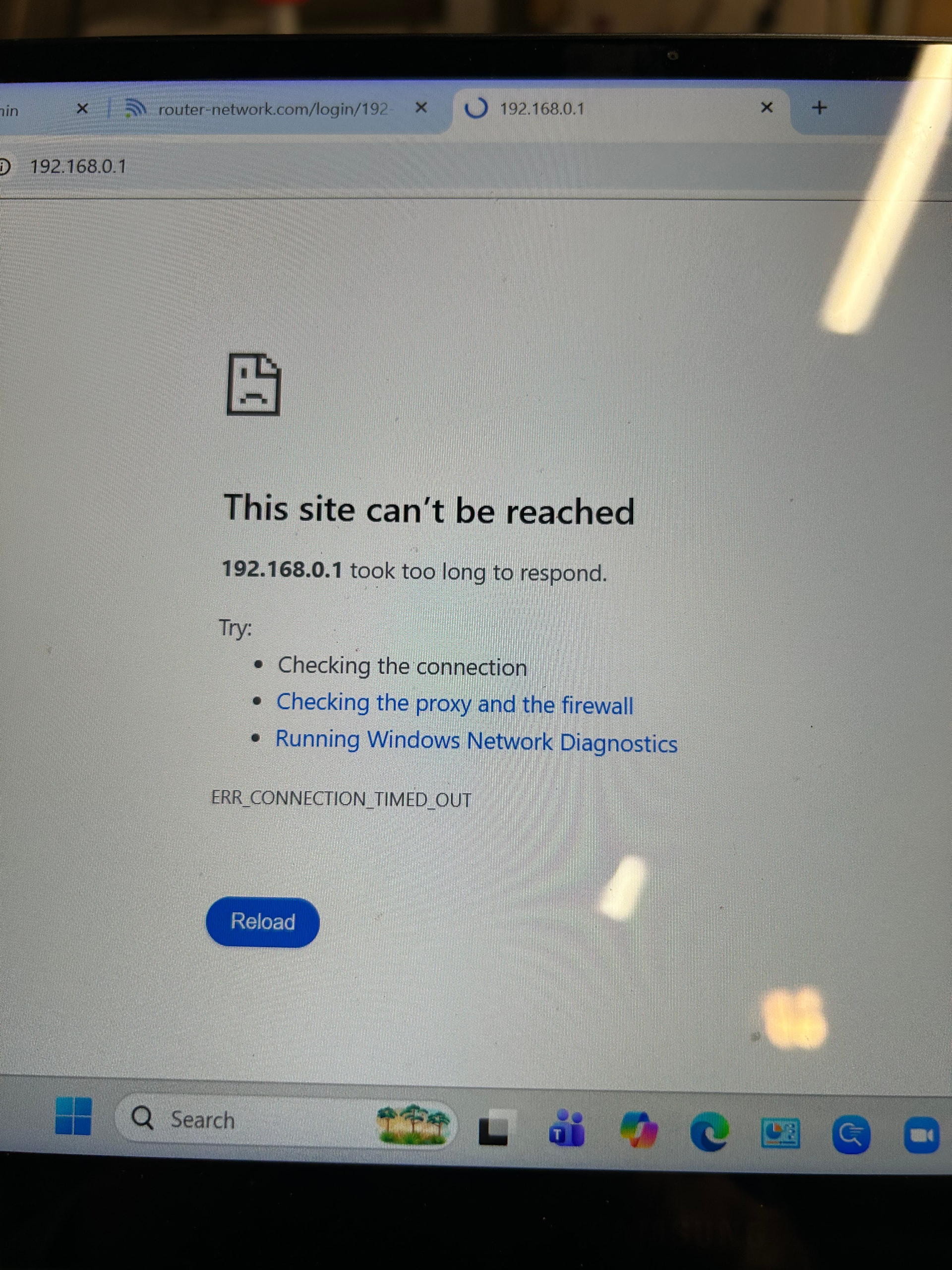
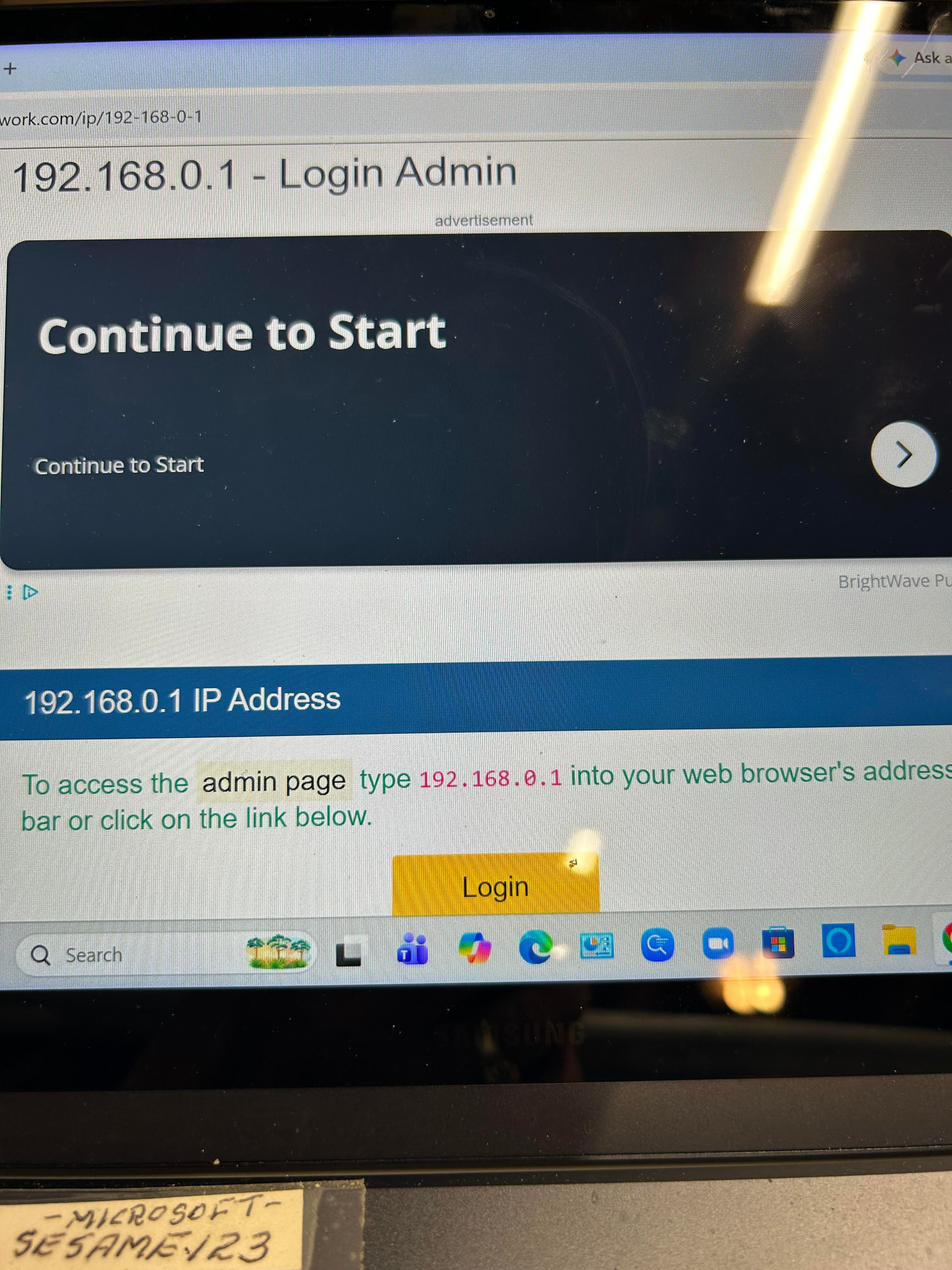
The bottom photo happens when you are not actually connected to the jackpot (that is your local network’s router address).
What browser are you using to try and connect? I can’t tell from the limited screenshot.
This is 90% there,
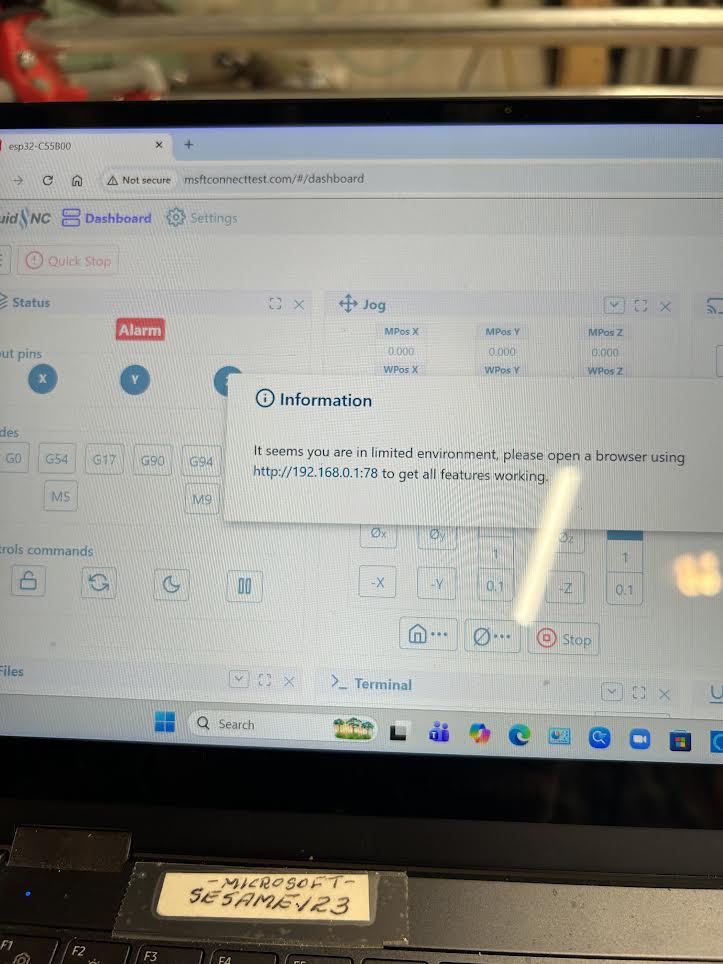
From this screen, in the upper right corner of the browser window you should have a three doot or bar menu, if you expand that you need to select “use this network as is”. Or you will actually get a pop up from your OS about not having a internet connection. You need to say that it is okay and stay connected.
Show any pictures of any pop ups or any notifications you are getting.
From that point on you need to open a new browser window and go to 192.168.0.1
You are so close I just can’t tell why your specific computer is kicking you off the network, most don’t. Your computer is acting like a cell phone.
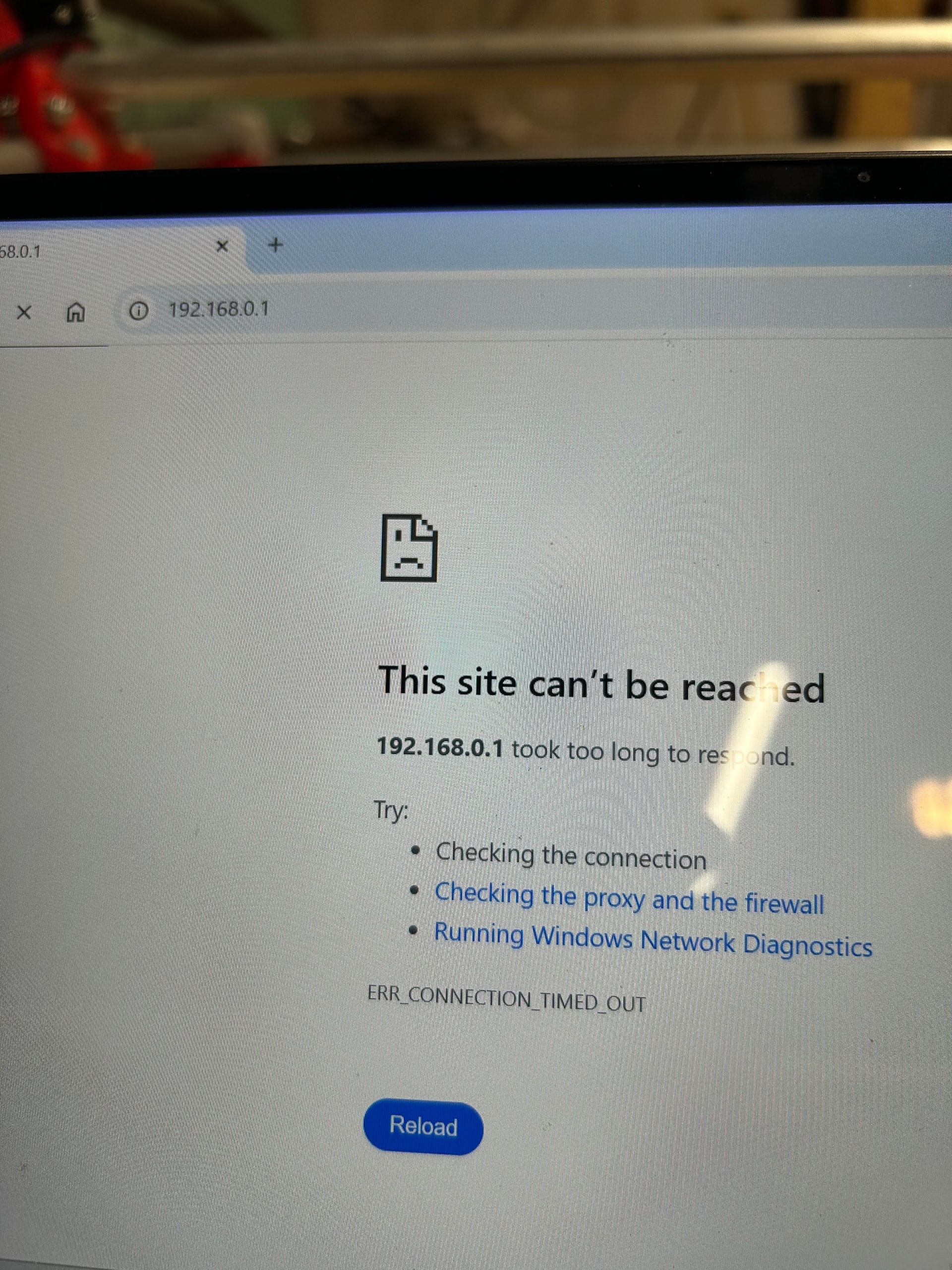
Likely windows is configured to drop network connections without internet connectivity. Need to durn that offs
We can tell more if you open a command prompt and show what the command ipconfig shows you when it is in the error state shown in your last screenshot.