I have just rec’d a jackpot 3 from Ryan configured for mpcnc and fluidnc will not accept password 12345678. what am I doing wrong ?? Thanks ,Joe
Sorry Joe I know what is wrong.
I sent out a bunch of boards on the same day I flashed out of order so the wifi is goofy.
Should be a quick fix. Use a chrome or edge browser I think safari works as well. Go to https://installer.fluidnc.com/fluidnc, plug in your board with a USB cable (make sure it is not Charge only), do a firmware update, use 3.9.9. It should work after that.
Sorry, I still really do not understand why it doesn’t work over wifi even though I did flash the wifi stuff, but that day I was testing over USB and did things slightly differntly.
You should not need to do a full wipe or anything just update the firmware to wifi 3.9.9.
need clarification - it asks if i want to install ‘WebUI-2” — “WebUI-3” ???
3, but then you can replace it with our custom webu ui v3 by uploading a single file.
Ok Thanks
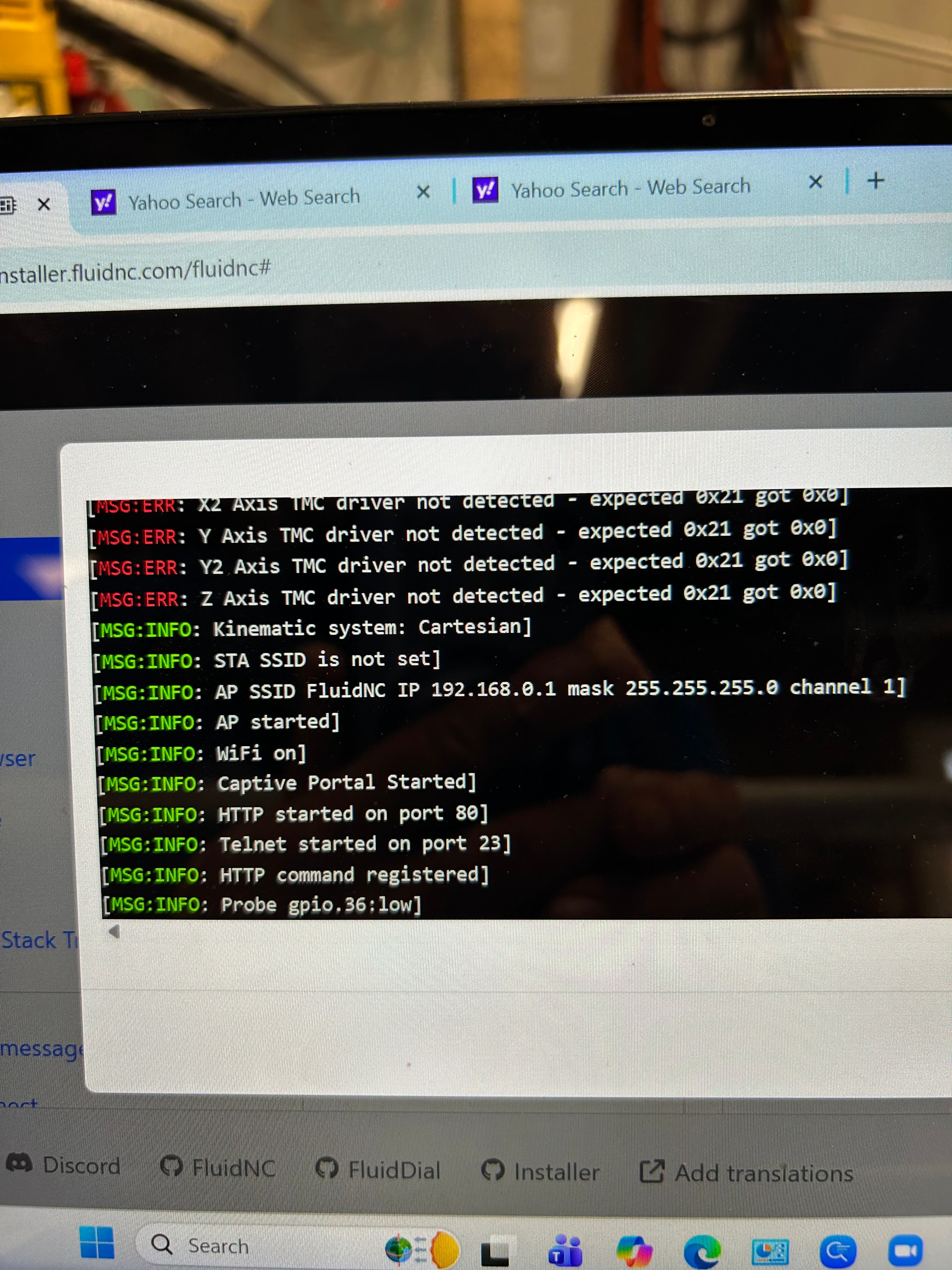
Power down and then unplug the USB. Then power back up and you shouldn’t see those errors. The drivers won’t load if the USB is plugged in before you power up the Jackpot.
I think I’m having a similliar issue. I bought the LowRider CNC kit last week, I’m trying to setup the Jackpot 3 control board but the wifi password for FLUIDNC says its wrong. I’ve tried going to the link to do the firmware update as was recommended but no matter how many cables or devices I try, I the FluidNC can’t detect a connection. What do I do here?
Did you install the driver linked in the instructions? Mac or windows? Chrome or edge?
What instructions?
Welcome to the V1 community forums.
Jackpot3 documentation describes this starting here:
Generic FluidNC installation documentation is here:
If you have specific questions, start a new forum topic and describe what you’re struggling with and the forum will help you out specifically.
Ryan , I think I have done something to damage this board . I cannot get it to talk to me. I would like to just start over and order a new jackpot 3 flashed for MPCNC . – Also do you have any idea where I can buy mini rambo board flashed with Merlin firmware – Thanks , Joe
This looks correct, The only issue is you are booting from the USB cable. If you powered from the power port this should work.
We can get this to work, promise. Much faster than shipping it. We havea few tricks left up our sleeve.
Let’s get a little recap of where you are at. Is it still not taking the password, or what is the current issue? What type of device are you using to try and connect over wifi with, computer or phone (mac / pc/ android)?
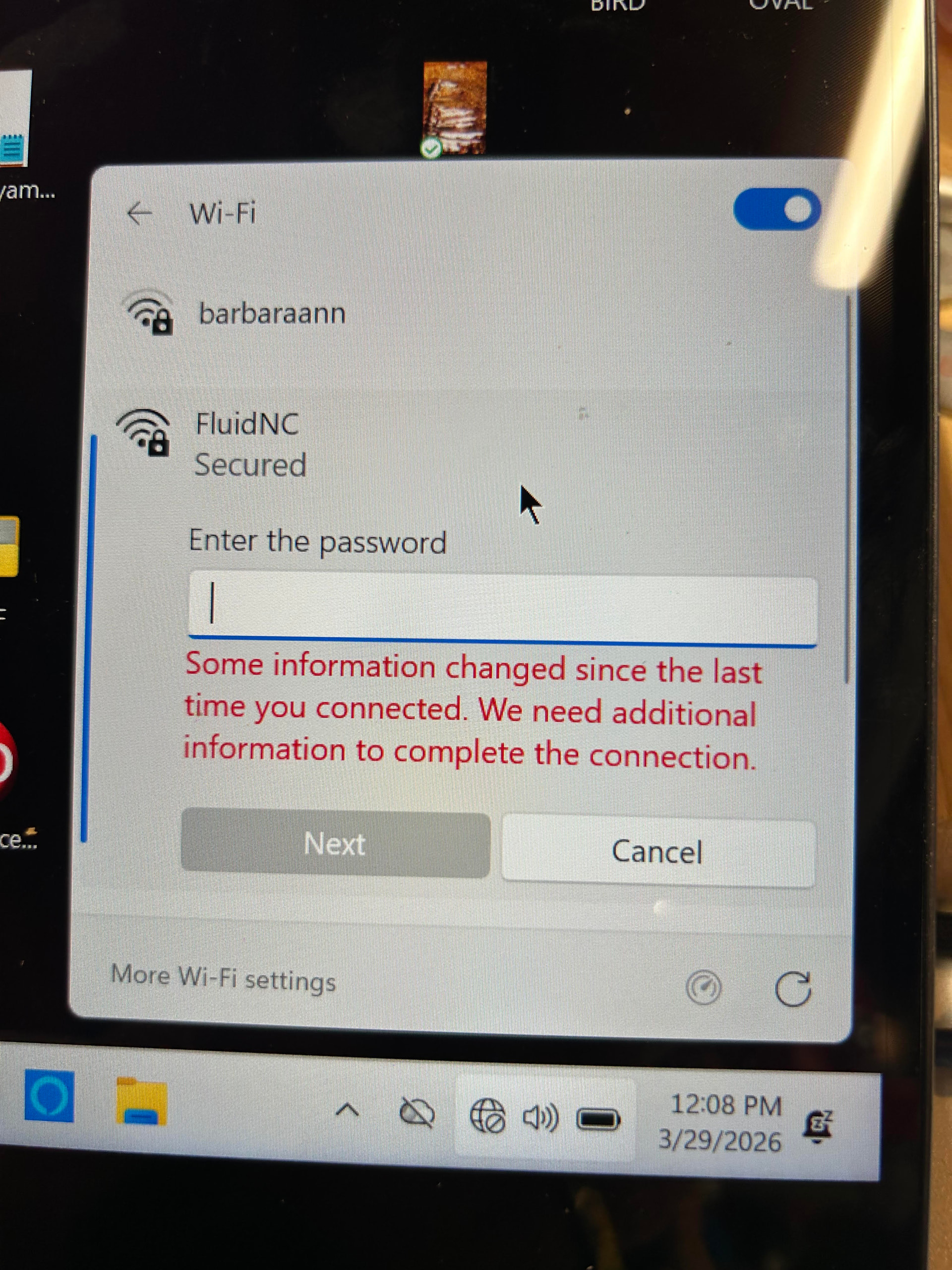
Original accident was z axis connectors ripped apart in flex chain.Mini rambo dove into board , then stopped functioning. Bought new Jackpot 3 - Ryan instructed that I do a 3.9.9 update - not sure if that was properly down . Using either computer, iphone or ipad get this screen I get this screen ???
The password is listed here, Jackpot3 CNC Controller - V1 Engineering Documentation
it is 12345678. Make sure to follow the rest of the instructions when connecting from a phone.
I never get past the password . it either says “unable to connect “ or sometimes “wrong password “
4-5 went out with a funky flash. reflash it real quick and it will work.
I made a mistake and loaded a few boards with a test firmware
At this point , can you point me to a page to give me a specific step by step procedure to to reflash – Thanks , Joe
jackpot firmware, should work. boarding a plane to RMRRF so I will check in while I can