I’ve been doing some research on that. I don’t like that he chose Spectre either.
I think he chose it for deployment size, but it’s been abandoned for 5 years…
I’ve been doing some research on that. I don’t like that he chose Spectre either.
I think he chose it for deployment size, but it’s been abandoned for 5 years…
I’ve been looking at this one but I haven’t messed with it much yet.
I’m looking at both Pico and Pure CSS to see what the viability of switching to one of them is. Both of them would keep the deployment size the same or smaller
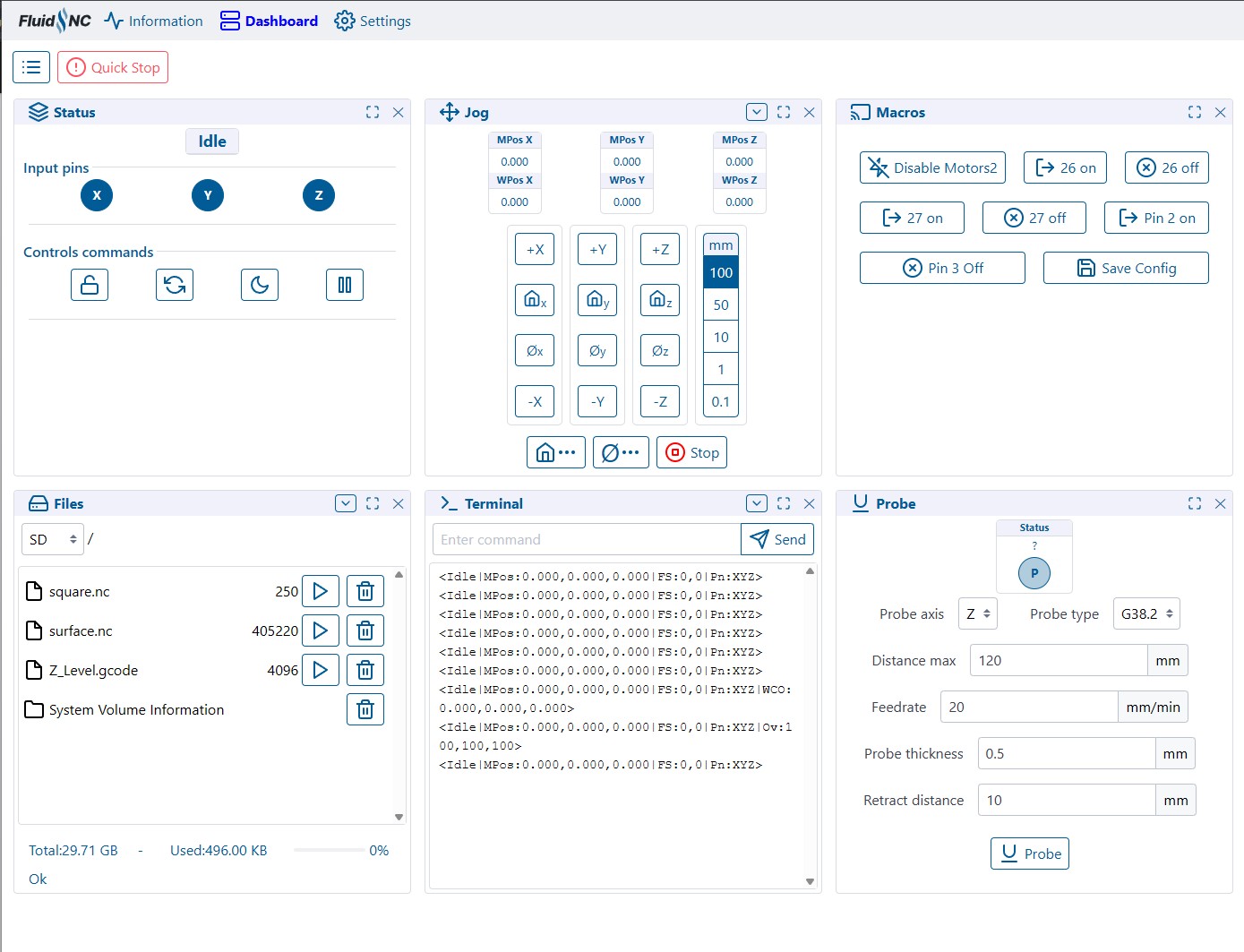
How is this for an as shipped preferences?
I don’t think the probe actually needs to be there?
Macros, should I add an $ss, most never need it? Looks like I messed up pin2/3 on off.
What should this look like for the new user, average user, mostly cutting wood.
(I am very eager to add the WebUI v3 improvements, but that is besides the point)
For me (light user)…
I don’t really use macros at all. When I’m running a job, I use Status, Terminal, and Jog more than anything
The rest of the stuff I just have to scroll more to get to like to initially run the file, etc..
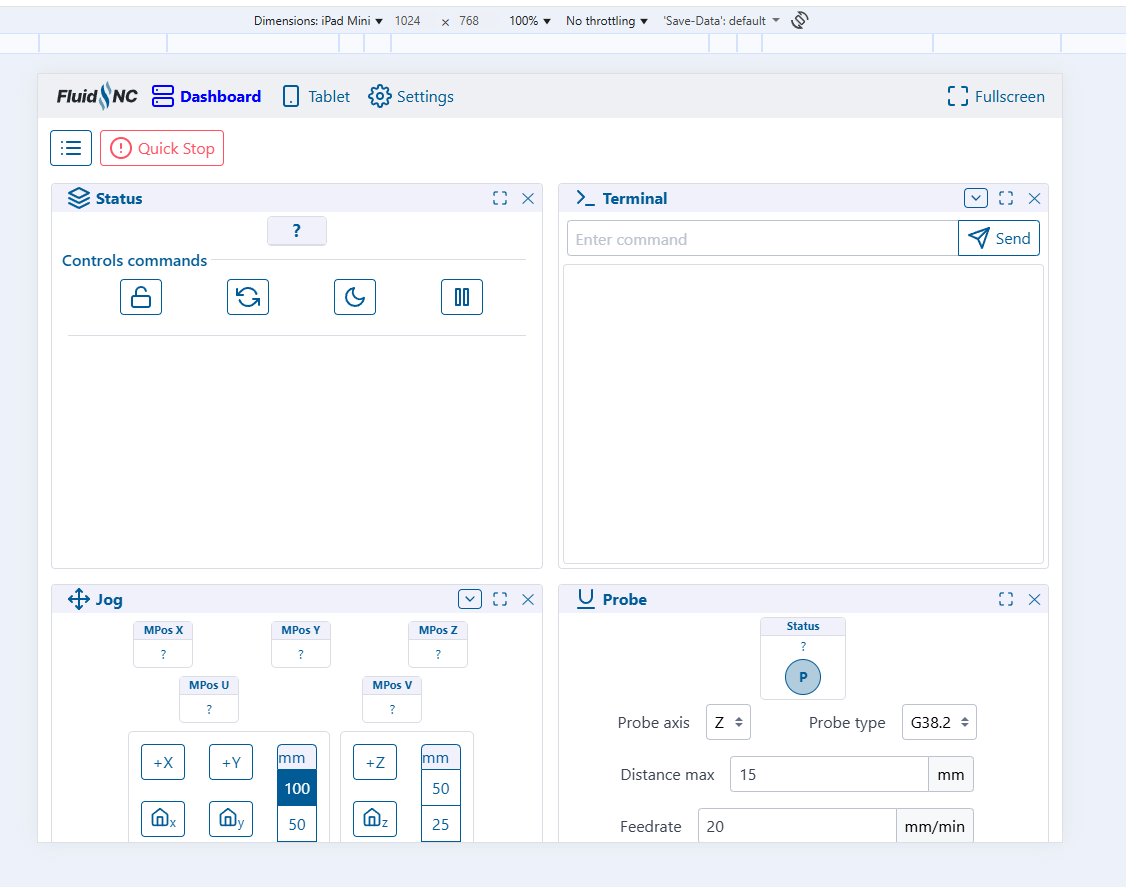
The ordering doesn’t matter so much on PC, but on a small tablet, I’m not sure if I can see 3 at a time across, so make sure you are ordered by importance
I use the probe panel to probe before starting a job. Mainly because there have been a few cases where I needed to probe somewhere else on the work piece and this workflow is easier than changing Gcode.
What does your starting gcode look like? How do you implement probing during a job like that?
True, I guess I don’t actually use macros either, unless I am testing (before I ship so it just seems like a lot).
What order, status terminal files jog? So I see a message on the terminal and go to status. I only start a job once.
I used to probe in my starting gcode. Initially, on the corner of the work piece, but I found it was not as consistent as I like due to corner damage or just not holding the probe plate flat. Also, if I break a job up because it is too long, I don’t always want to re-probe in between so I would need to go in and edit the gcode. Now, I use the probe panel and that sets the Z zero and my starting Gcode only sets the X,Y zero.
I actually don’t know what my default order is on my machine… it’s been a while lol…
But in Chrome, if you open the dev tools, you can see what the experience for different people are… for instance, on an iPad Mini, here’s the layout
So you really have to prioritize your “most important while running” panels