I’ve had a bit of a love/hate relationship with Wine over the years but recently tried Bottles on my Debian “trixie” laptop. It seems to run Estlcam and Carbide Create pretty well…

if the CAM part works the controller might as well work fine if you give it a try. The only additional hurdle is that the controller needs to be able to get a COM port connection to the hardware. If it does it should work fine and the processor and RAM requirements of the controller are very low anyways.
5 Likes
I will definitely give it a try.
By the way, I’m using the new klemmadapter as a controller on my Lowrider 4. Is it possible to setup a backup distance for each of the y axis during homing (auto square)? I did not find that setting in the controller setup.
And any chance that you add an additional axis on the klemmadapter for a second z axis?
That is great. I will have to try that. Did you need any specific configuration or did it just work?
1 Like
I don’t really understand all I know about Bottles, Jeff… and it’s been a while since I did it. But I was able to fumble around and follow directions as best I could. Eventually I had Estlcam and Carbide Create .exe files installed. I think I initially tried to create a new bottle for each application but I think you can get by with just one bottle type for applications with similar requirements.
With your superior Linux and “things computer” expertise, I suspect you’ll be able to make far more sense of all the configuration information than I did and doubt you’ll have too much trouble getting things set up. I didn’t try the Estlcam controller functionality of course… I only loaded up a file for the screenshot.
1 Like
I just noticed that Estlcam (and Autodesk Fusion) is actually in the Bottles AppStore and carries their Platinum rating, which I think means it runs without issue. I, of course, didn’t install it this way… 
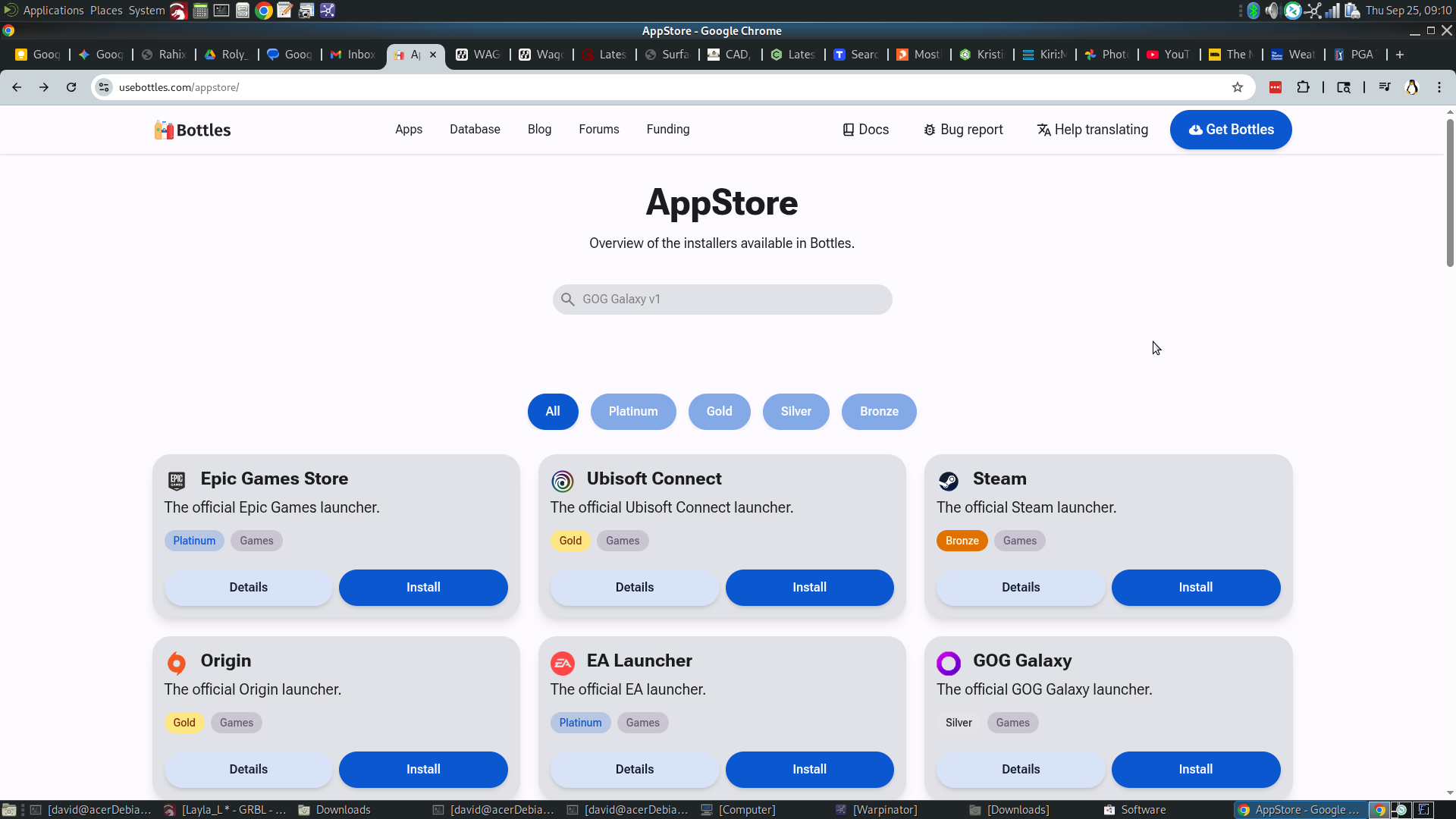
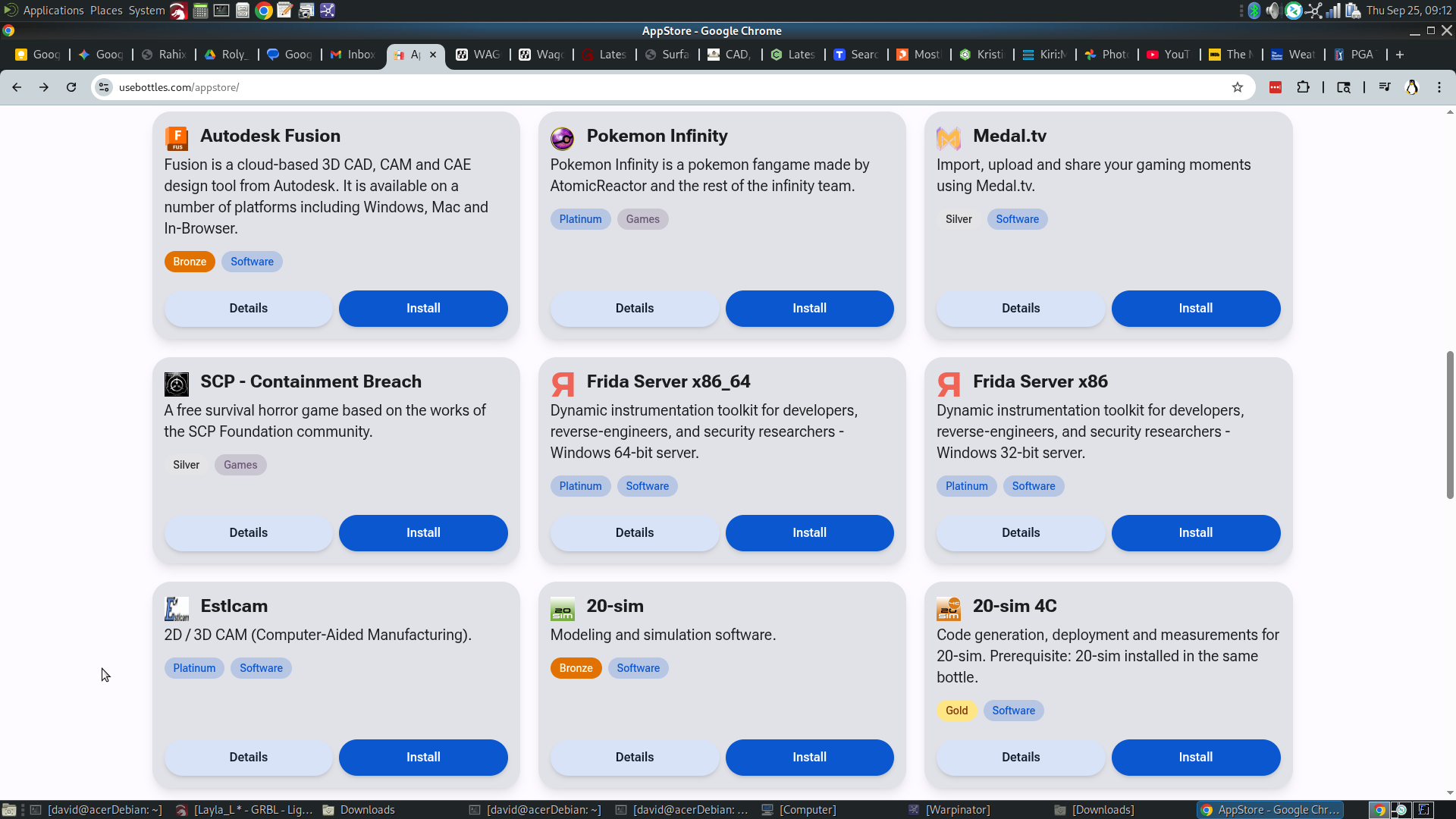
9 Likes

There’s a thread here on the forums about using bottles for running EstlCAM
Or at least Whiskey.
2 Likes
Placing a link to that other tread here…:
Edit:
Also this topic:
2 Likes
We are so spoiled. Back in my day, we had to recompile open source software for Linux and walked uphill both ways!
It is honestly amazing how far compatability has come.
6 Likes
And every little library dependancy was hell.
Now, we install 10Gb worth of “minimal” OS installs, and Appimages might run 450Mb to 1Gb+ PER APP.
It is nice, though, not to fight the dependancies even with all that bloat.
2 Likes
So many times I would get instructions for installing something and I would think, “This is going to destroy my OS, isn’t it?”
Bluefin has the appeal that it keeps you from being able to change any of the dependencies for the OS yourself. So you can do as much damage as you want writing your own software or installing a flatpak, but the OS’s version of Python is going to be exactly the same as it was tested on. That’s what was appraling to me. All the little doors that could hurt you in regular Linux are closed. The downside is that if you want to go too far from that yellow brick road, you have to do a lot of work.
3 Likes
A question for Christian (@christian-knuell)…
I have Estlcam v10 (latest my current license allows) installed in Bottles on my Debian 13 “trixie” laptop. It seems to load up files and act like it wants to work for CAM. I then decided to try the controller functionality that you hinted might work… using a spare Arduino UNO.
When I go to “CNC Controller”… only COM ports are offered. Gemini suggested using the Registry Editor to map “COM3” to “/dev/ttyACM0” (path to detected Linux device). After mapping I tried selecting COMx (x=1,2,4) and it says it can’t activate the bootloader. Selecting COM3 however… it crashes Estlcam and Bottles. So, it’s “sensing” something on COM3… but Estlcam’s direct firmware installer isn’t able for some reason to program the UNO.
Gemini then suggested using the Linux’s native Arduino IDE to program the UNO instead… and suggested there is an Estlcam 10 sketch and firmware available? Is there a download link for the Estlcam firmware?
I’ve also drilled down in the Estlcam “windows” folders/directories set up during the install but don’t find a .ino or firmware hex file anywhere that I can see…
Any help/suggestions for all us poor Linux users still wanting to use Estlcam? It seems so close… 
Thanks,
– David
1 Like
No. The .hex may be available. But the source code isn’t open for estlcam controller firmware.
As a long time user of Linux with serial ports, my first suggestion is permissions. Serial ports usually show up owned by root and the dialout group. You can check with ls -al /dev/ttyACM0. The best solution is to add the user to the dialout group. The temporary solution is to make the permissions open with chmod +rw /dev/tryACM0. The chmod option will get cleared every time the device gets plugged in. The group option may be permanent. The only thing I’m not sure about is which user bottles runs as.
I’m not interested in the source code, Jeff… but the .hex file would be great. I’ve flashed Grbl .hex files to Arduino’s in the past… and IIRC there’s a “standard” sketch (don’t recall the name of it ATM) in the Arduino IDE that can be used to flash it. I thought possibly Estlcam’s direct installer might use a .hex file buried in the Estlcam directories that Bottles sets up during the install… but don’t see it. So I suspect it must download it when you “Program Arduino”… and that’s why I posted the question for Christian to see if there’s a link to the .hex file somewhere.
Yeah, I’m already in the dialout group, Jeff. I play with so many different machine controllers it’s always one of the first things I do.
When you start playing with the Estlcam CNC Controller stuff… being a Windows application it only offers up COM ports. But you can use the Registry Editor to map the COM port you want to use to Linux’s device filepath; i.e. /dev/ttyACM0. When I did the registry edit and specified the mapped COM port, it causes Estlcam and Bottles to crash. But it is “sensed”… so I think the port mapping is good. Specifying any other COM port, nothing happens except a console message about it couldn’t activate the bootloader.
Since the COM port is “seen” but Estlcam’s built-in installer can’t seem to program the Arduino over the interface… that’s why I was looking for the .hex file. I know the Arduino IDE does know how to program Arduino UNO from a Linux box… so having the .hex file handy could provide an alternative way to flash the Estlcam firmware on the UNO.
TBH I’ll never use the Estlcam CNC Controller and it may be that Estlcam still may not be able to communicate with the UNO once it’s done… even though flashed with Estlcam’s firmware. But Christian hinted at the possibility of the CNC Controller working… if all the CAM stuff seems to work. So I thought I’d give it a try. I know it’s not YBR but maybe it’ll help someone out there. And it really appears to be so close to working…

1 Like
It occurs to me that maybe, being Windows… it’s just missing a driver?
Thanks for tolerating me. Of course you already know about dialout and permissions.
It sure would be nice to get an error message. Have you tried running bottle from the command line? Maybe it will paste the error to the console. I’m not even sure if it is a Linux or Windows error. I could imagine either.
As for drivers, IDK. Linux sockets aren’t like windows com ports. At least I don’t think they can be used 1:1. But then. The wine layer should be doing something to abstract that away. IDK if you even have drivers in bottles… I am very curious.
1 Like
Hello,
the hex unfortunately won’t help - if Estlcam cannot control the serial port to program the device it also won’t be able to use the port to control the machine later.
While the hex is no secret there is no static file as it is generated on the fly depending on configuration. The firmware itself is only a fraction of the data that needs to be programmed to the controller.
The question is if it is a permissions issue that Estcam simply isn’t allowed to connect to the port. This one should be relatively easy to solve (but I have no clue of Linux hardware permissions)
Or if the implementation of the bridge between “Windows COM” and “Linux TTY” is simpy broken or non existent. Estlcam uses the .NET “System.IO.Ports.GetPortNames()” function to get the list of available devices - whatever this reports can be selected - it is not limited to “COM…”
Christian
3 Likes
Thank you, Christian and Jeff, for your responses.
Another thing I’ve done is install the Arduino IDE Windows executable in Bottles. I then used the Registry Editor in Bottles to do the same mapping of COM3 to /dev/ttyACM0. I’m able to successfully program the UNO with the IDE example sketches “blink”, “fade”, etc. I even downloaded my old and much larger CameraSlider sketch and it compiles and uploads to the UNO successfully. Toggling back and forth, compiling and uploading these sketches, the USB connection is definitely compiling and uploading to the IDE’s satisfaction.
I then installed Estlcam v10 into the same bottle with the IDE. I also “registered” Estlcam to make sure it wasn’t being prevented from working for “legal reasons”. I then went to Setup->CNC Controller and selected “COM3” and “GRBL Safe”… and the console consistently indicates the CNC controller state is “.. disabled…”
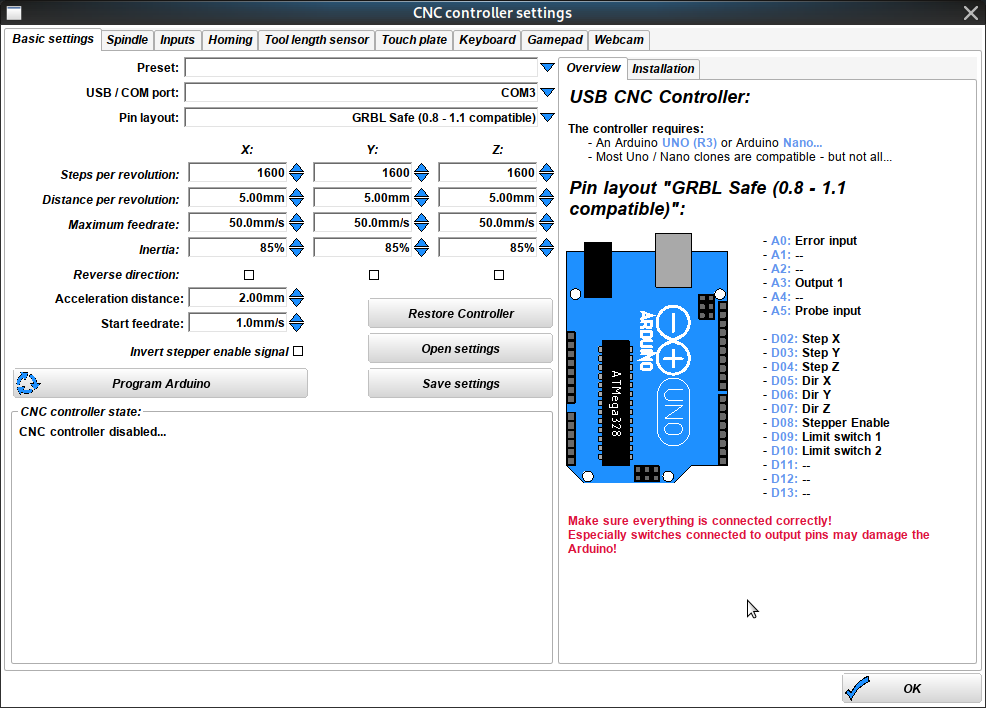
As soon as I click “Program Arduino” it crashes Estlcam… not Bottles, however.
So, I called up the IDE again… without rebooting Bottles. Toggling between sketches as before, everything again seems to work; i.e. the “blink” sketch is exercising the LED normally each time it’s newly compiled and uploaded.
I’m pretty sure this indicates the COM port mapping is working and Bottles knows how to talk to the USB/COM port. Same bottle and UNO… Estlcam crashes, the IDE works. Any ideas? 
Again, guys… thanks for any help/insight!
– David
According to Gemini… and it sounds reasonable to me:
The reason the Arduino IDE works and Estlcam crashes is that they use completely different methods to program the Uno:
| Application | Method | Complexity in Wine/Bottles |
|---|---|---|
| Arduino IDE | Uses a standard, external command-line tool (avrdude) to upload the .hex file. This tool is very robust and well-understood by Wine/Bottles. | Low - Works reliably. |
| Estlcam | Uses a custom, integrated programming routine (likely using a proprietary Windows API or internal libraries) to directly flash the microcontroller. | High - This custom code interacts with low-level USB and COM port libraries in a way that often fails or crashes within the virtual Wine environment. |
When you click “Program Arduino”, Estlcam runs its internal, proprietary code, which is tripping up the Wine/Bottles layer and causing the application crash.
1 Like