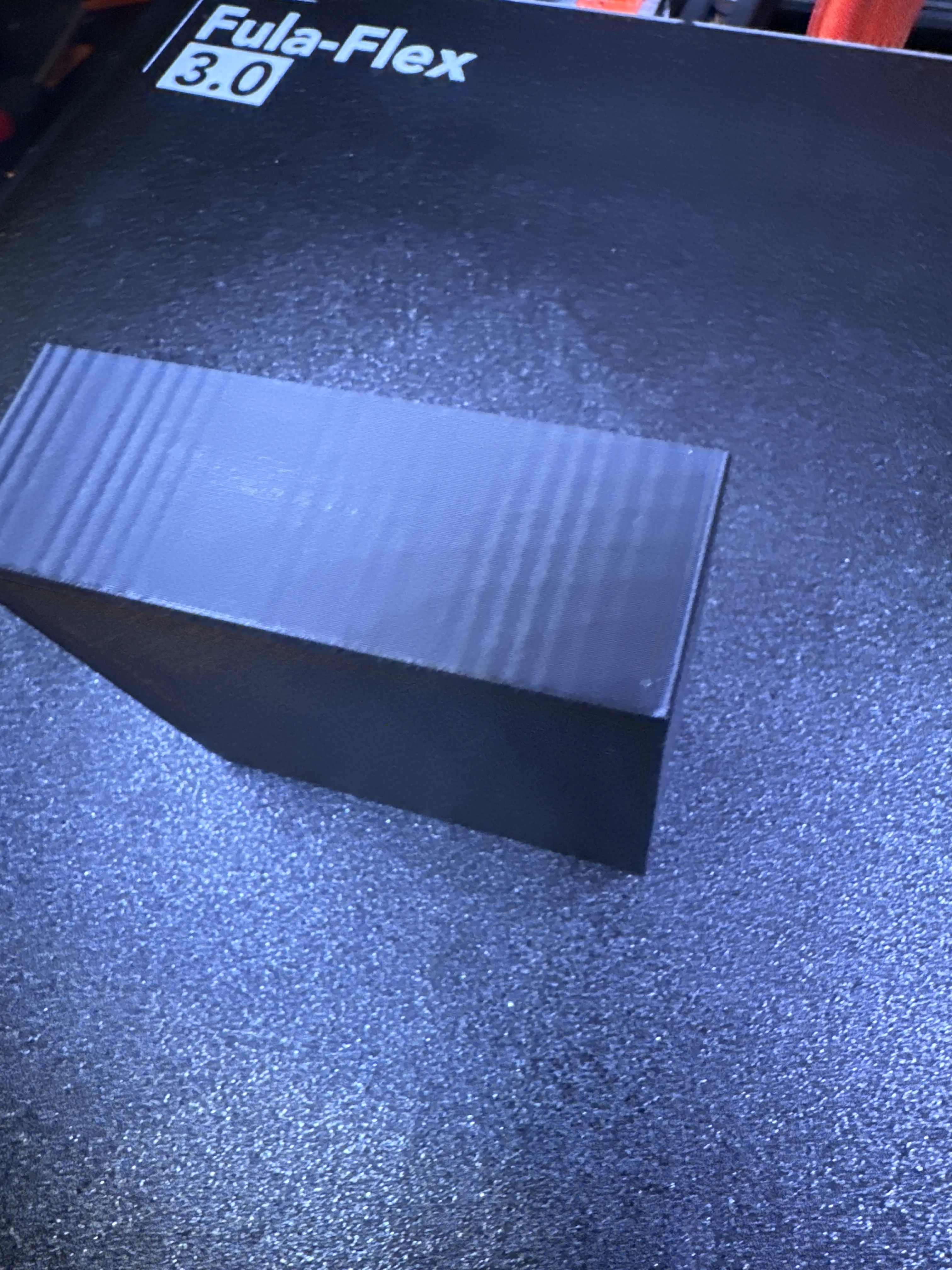
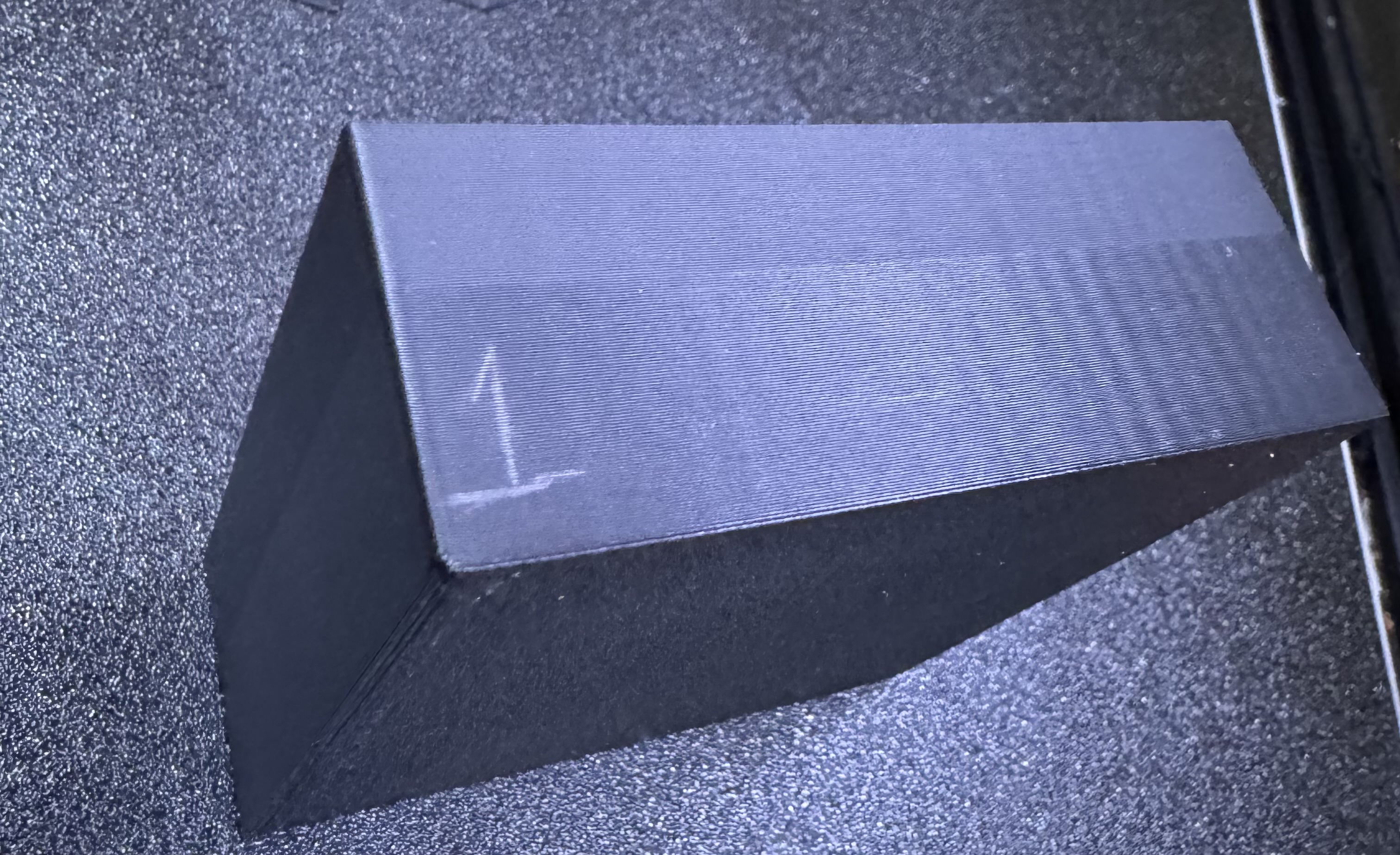
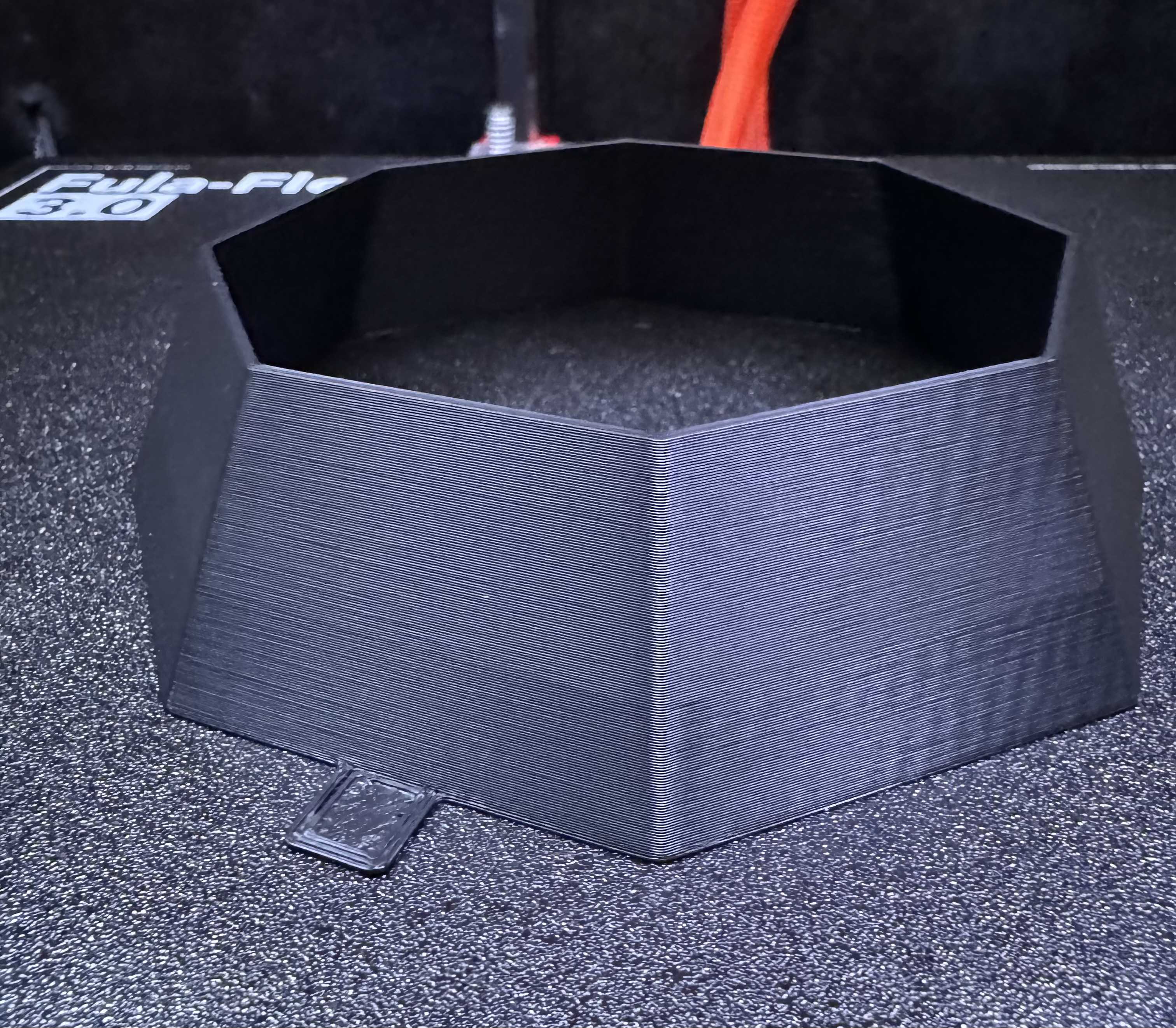
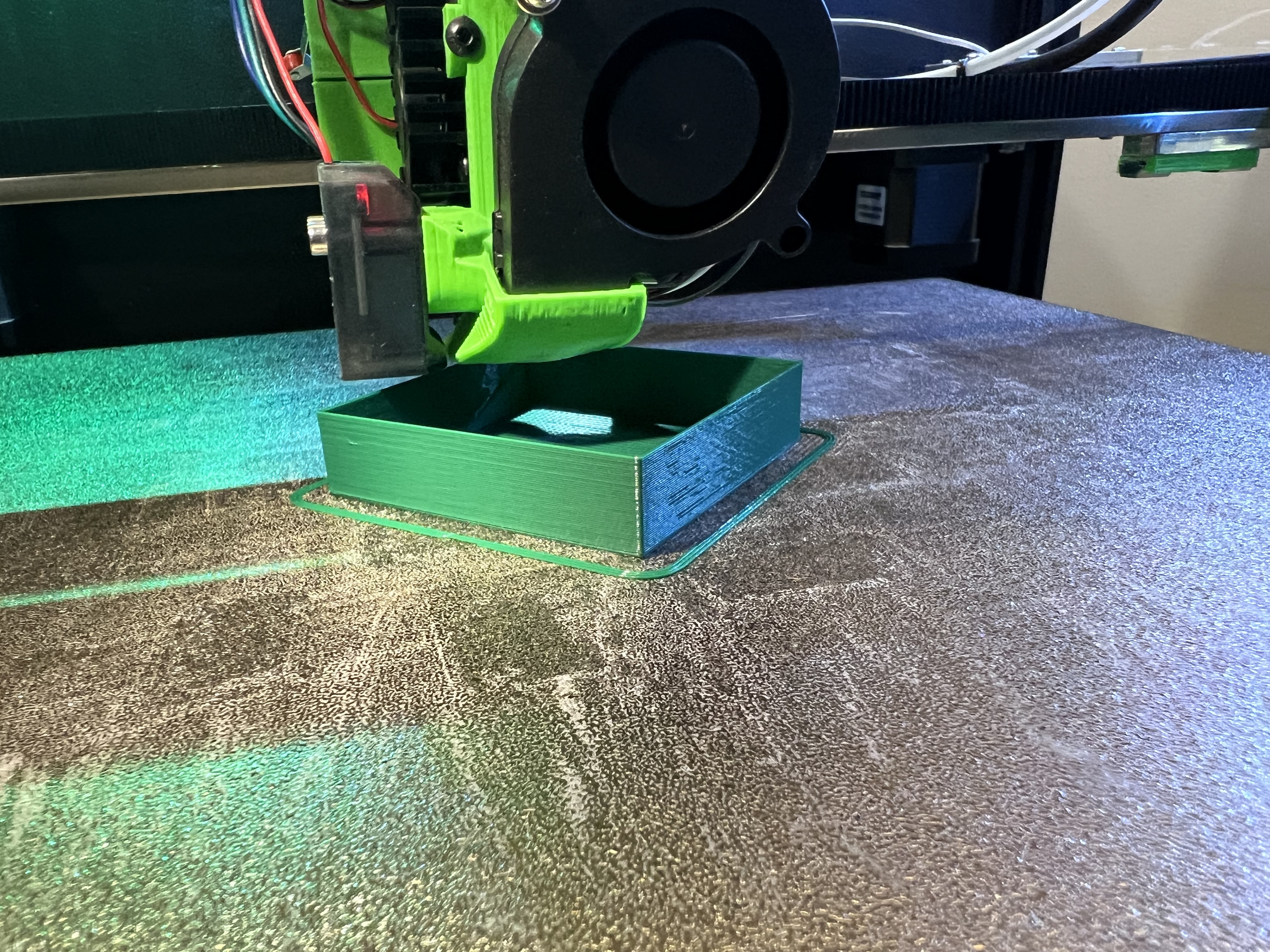
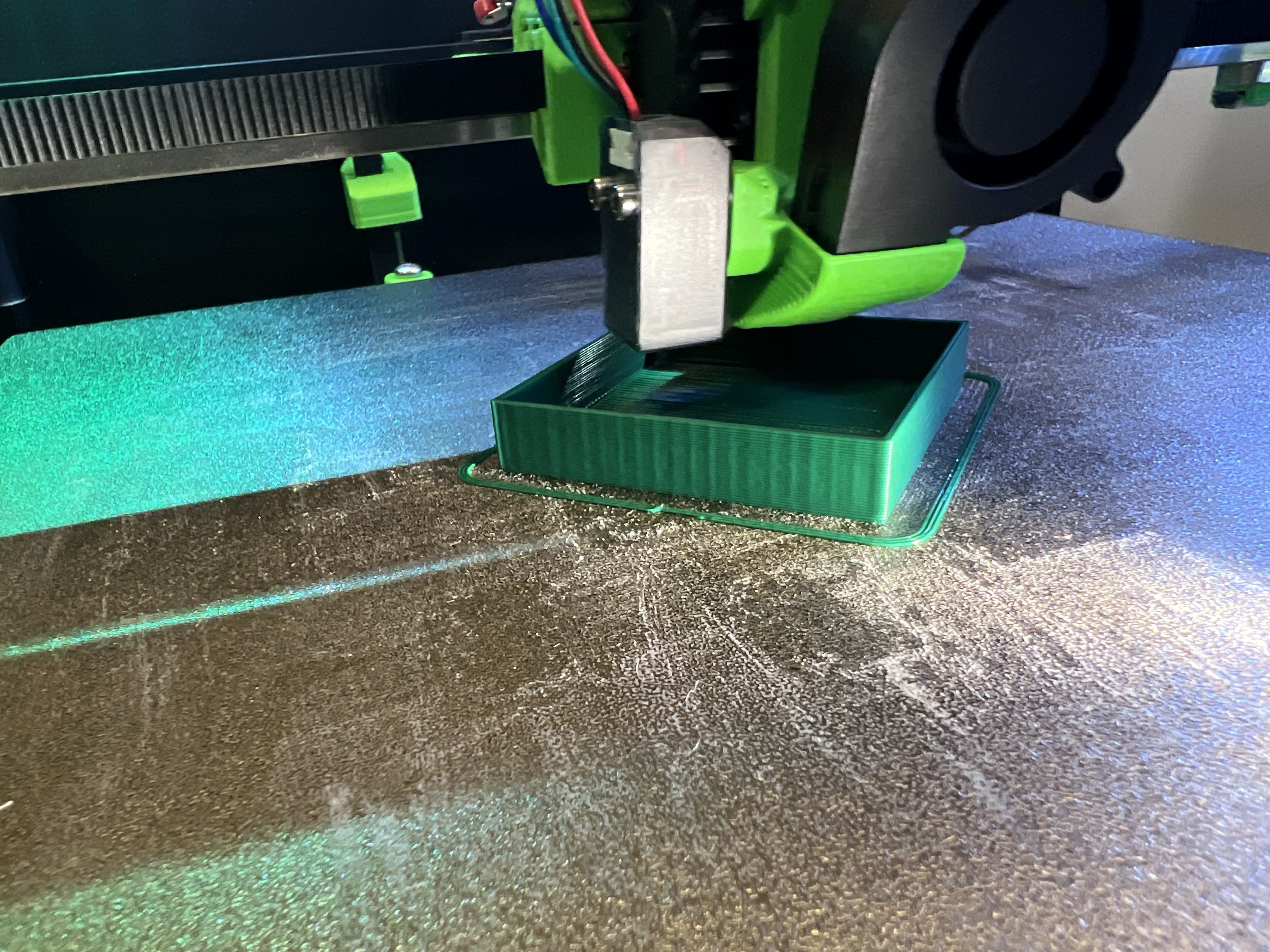
Ok, I don’t have any specific ideas, but some general thoughts:
Since the artifact is vertical (on vertical walls) the artifact can be thought of as a 2D profile over X and Y, and the artifact appears when vertical walls intersect the 2D profile. The direction of the waves in 2D can be ambiguous when they are crossed by vertical walls, but hopefully the slanted walls make it more clear.
The fact that it changes intensity with layer height suggests to me it’s something to do with extrusion or some Z effect. If the waves are vertical then the extruder is really unlikely. By “some Z effect” I mean if the head were bobbing up and down vertically somehow, making extrusions wider and narrower along the way. The Z effect could be induced by differences in tension that twist the X rail for example, or who knows what else.
The first picture looks like the artifact is very uneven (with the previous extruder) and it still looks uneven, but it’s not clear if it’s a trick of the lighting. Either way, it would suggest something either with the linear rails being looser in one section, or pulleys where some teeth are worse than others.
I think some of it is the lighting. I find it very hard to take a good picture of it in my house. I’ll see if I can take it outside this afternoon and get some even lighting on it.
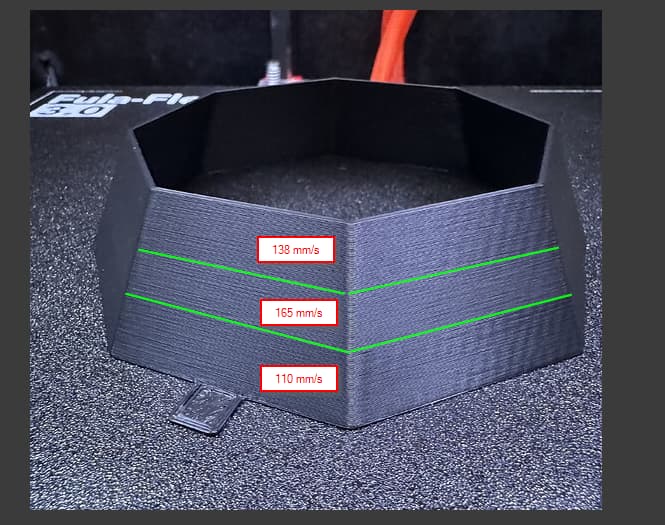
I think the effect is pretty consistent going up. If you are talking about the last 2 pictures I posted, the change in it was due to me changing speeds at those points.
but if I leave the speed alone, it would look the same all the way up
Even though the lighting is not great, you can see in this picture that the wave intensity doesn’t change as it goes up.
The change in quality in Z on your model was to do with the speed
I have been following along with nothing really to add but an odd though occurred to me.
You are using the V2S Lite and you said you changed to another. Could this be a wobble that the extended length of the hot end exaggerates? The faster speeds don’t allow it to translate that wobble as quickly vs the slower speeds.
Not a bad thought at all Mike. But my V5 has it too. And I’m running an orbiter v3 same as Ryan. @Michael_Melancon is running my old V2S Lite with an upgraded heat break that is a few mm shorter than the stock V2S lite one. I can see it on mine printing the same orientation as Mike has been when I shine a light on it just right. But I can’t feel it in the wall.
The only thing else I can come up with is infill overlap. But these are single wall? If multiple wall is there a section that it is treating as infill? What does the wall look like in preview in the slicer?
Mikes was just 2 walls no infill, mine was a vase mode print. I haven’t tried one thicker with infill like Ryan suggested yet. You really have to look hard for it and have the lighting perfect to see it.
I should have clarified, I’m not talking about “Z wobble” or something that’s caused by the Z axis or related to Z position. What I mean is a “speed bump” kind of effect that might cause the tool head to bounce in Z as it moves in X or Y. For a very thin layer height, a Z bounce will make a big difference in extrusion width, whereas with a thick layer, it makes much less difference in extrusion width. By contrast, a side-to-side wiggle should produce the same size waves with thick and thin layer heights.
Or extrusion artifacts can show up this way too but they basically never line up on successive layers.
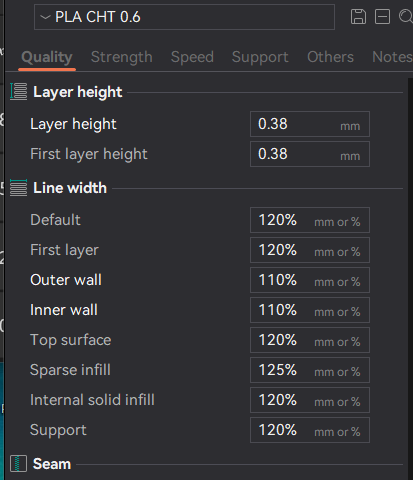
I have not been able to print well under 0.25mm, I print at 0.38mm layers with a nice finish, you can go up to 0.48. I consider 0.3 to be “fine”, 0.25 to be ultrafine, 0.35 to be “normal” above that to be rough/draft.
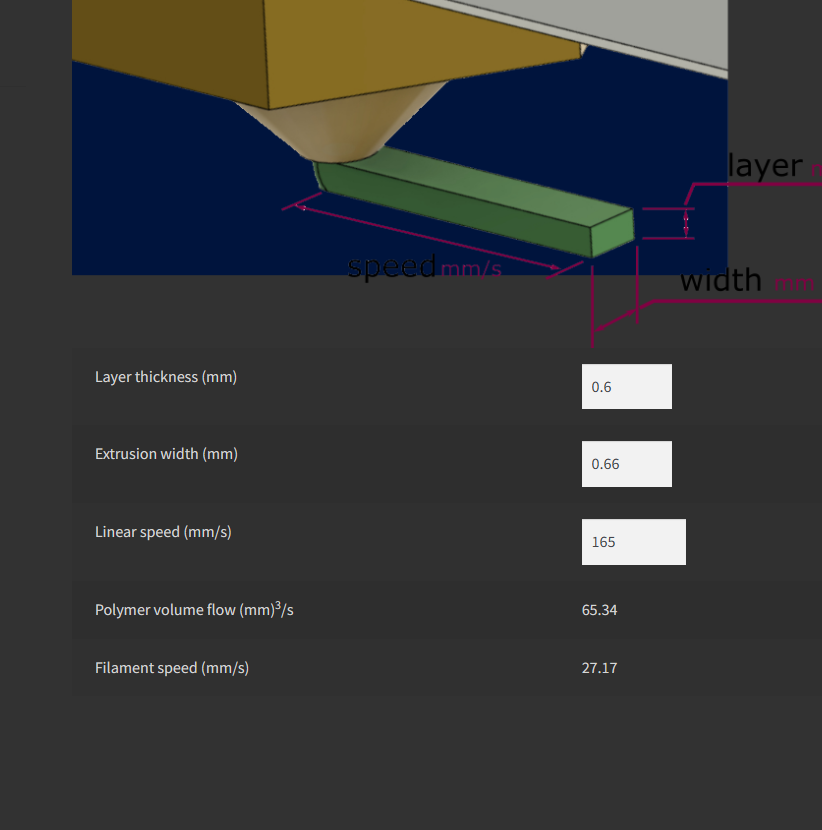
Maybe pick the print that shows it the most, try my settings and see if it helps. I can’t remember what I was seeing but I know flow rate and layer height was super random issues.