I have an emoji for it too…… 
6 Likes
In my opinion the first thing is to get the exact distance between each wave.
To do that, instead of measuring the distance between two consecutive waves, I suggest you print a large object and measure the distance between 10, 20 or 30 peaks.
This way it should be very precise.
That should give some clearer picture about wether or not it is actually the pitch of the belt.
I also suggest you measure the wave distance at different belt tensions, to see if it varies depending on tension. In which case it might be a simple matter of belt resonnance, I had it on a machine once. I solved it by placing something that rubbed slightly on the belt, which prevented it from vibrating too much.
4 Likes
so do you have your original config where you printed the above parts? You can rename your current config to todays date and then rename your first one then try, just to rule out config. Then you should know that it is a mechanical issue and not a software issue.
Klipper does a very good job of keeping the configs!
actually hopefully you still have the code for those parts I showed above, to rule out slicer also. So many variables!
@forcerouge this picture shows multiple waves at almost but not quite the belt pitch.
To me that’s the strangest part, that it would not quite match the belt pitch.
so you do not have an upside down drive gear do you, like the person did recently?
They could not figure out why one moved more than the other on an idex.

Sorry for the delay in update, but I’m currently out of the country.
There was a mad rush before I left to try to get it sorted out, but unfortunately, the issue is still present.
I will try to cover everything…
I am fairly certain the waves are not a firmware or slicer issue. I’m running almost the exact config as @Jonathjon, and have printed parts that were sliced by Ryan.
I did do this. I don’t believe the tension changed the wave distance, but it did change how noticeable it was.
Right before I left, I spent a few days tearing down and rebuilding the XY on the printer. I removed everything on the XY assembly.
When I originally built the printer, the frame was square, but since I had unscrewed things multiple times to install the panels, I double checked it anyway. The top frame had shifted a bit and was about 1mm out of square. I brought that back square.
I then cut a spacer block and ensured that the distance between the extrusion on the XY assembly was exactly the same distance from the top extrusion all the way around, and matched the CAD.
The top and bottom motor plates on the back were verified to be in line with each other using a printed spacer to make sure it matched the CAD
All printed spacers for the idlers were reprinted and made sure they were within 0.2mm of the correct size according to the CAD.
Printed trucks were measure to make sure they were correct.
All idlers and pulleys were replaced.
I measure from the top of the extrusion to the top of all idlers all the way around and they are all inline with each other within 0.2mm or less.
I replaced 2 of my linear rails. They were no longer smooth when I took it apart as they were when I installed it. All of the rails were re-cleaned in IPA, and re-greased with SuperLube.
The belt was re-installed and tensioned slowly to the exact 1.9-2.0 mark using the PF Makes gauge, to make sure I did not over-tension it.
After all of that, waves were still there.
Interesting to note, though, that I replaced my 16T pulleys with 20T pulleys (accidental mis-order), and the wave pattern changed, and has a greater distance now. I only had time to do 1 test print before I had to pack and leave, so I don’t have better measurements or anything.
So, my last hope, is that it’s related to the motor or belt. I have replacements motors and belt waiting for me at home, but they didn’t arrive in time to try before I left.
When I took it apart, I tested the motors, and found that at least 1 seems to have a bit of a wobble.
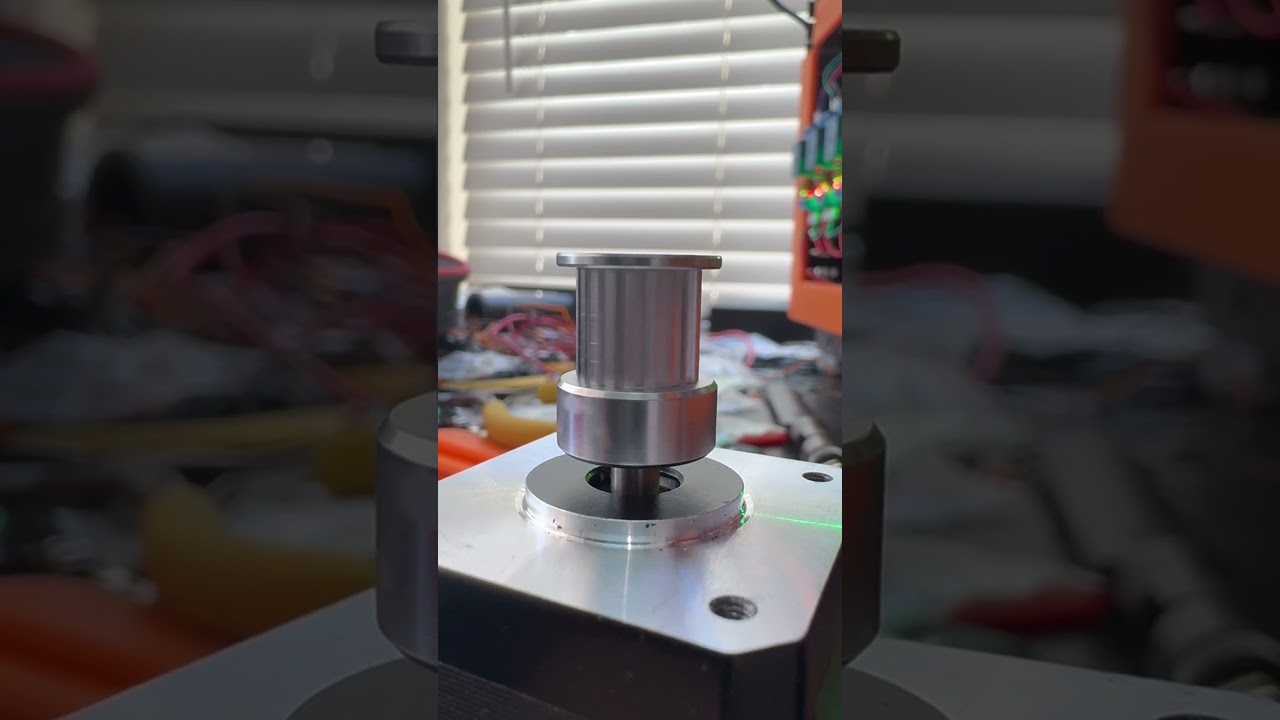
Hopefully that helps clear some things up…
It’ll be 2 weeks before I’m back home and can try anything else, but feel free to throw out any ideas in the meantime and I’ll get back on it when I return.
3 Likes
Here’s to hoping.
I wonder if it is the idlers with teeth.
If we flip all the belts around and go smooth side to the idlers, I wonder if that does it. Or heck, just do smooth idlers against teeth.
If that fit between belt and idler tooth is not perfect, maybe it is sort of clicking into place. A larger pulley means further distance between steps, larger distance between waves.
Pulley or motor concentricity or bent shaft would have a 32-40mm wave, not the 2.5-4mm wave you have…is my best figuring.
I am going to take a hard look at the toothed idlers, I can cut the top off one if needed.
2 Likes
That’s what I thought too….but I didn’t know if maybe it doing that might be making the belt rub something in a weird way and cause the tooth pattern vibration or something.
Mostly just hoping lol
That something will fix it
1 Like
Hmm… should I maybe be looking at places where there are 2 consecutive toothed idlers to see if there’s a problem with the length between those?
Is it possible that they can’t quite sync up?
Is that what @barry99705 meant by
? the distance between consecutive toothed idlers?
1 Like
No they are on bearings, not coupled, they can be any distance apart. I am talking about the tooth profile in general.
If the tooth and belt profile are not the exact same they will not mesh well.
Another way to think about it is belt tension. The belts do actually stretch a tiny bit. You know we talked about how these feel 2-3x tighter than I have ever done before. So maybe that tension is making the tooth profile 2.02mm apart instead of 2mm and the pulley or toothed idler is not meshing as well.
If more tension makes it worse and less tension makes it better that would make sense.
my V4’s show no sign of this at all. They also have much looser belts. We got so deep into the belt tuner app that maybe we just went overboard. When I get a chance I will loosen one of my V5’s and do a comparison print.
I just checked the idlers and pulleys and they feel like they mesh well with no load.
Thinking about this more I would assume pulley not toothed idler. The idler diameter has not changed on your printer so 10mm is still the same number of rotations so the pattern would not change if they were involved. Knowing that you changed the pulley and the pattern changed, strongly points at pulley. To me, I am assuming pulley/belt mesh.
1 Like
Maybe I can get a slow mo shot of the pulley in action. See if there is some obvious “clicking” showing up.
1 Like
This is a huge clue.
The motors don’t have exactly uniform torque or exactly uniform distance among the microsteps within a step, and potentially could have non-uniform torque across multiple steps depending how the stepper is made. I’ve seen two separate YouTube videos where a NEMA17 stepper was connected to an encoder and a slight non-uniformity of rotation was observed and attributable to the motor.
Something to do with belt teeth meshing with motor pulley teeth, or idler teeth, should be expected to stay the same pitch, even if the motor pulley changed diameter. But the magnetic ‘cogs’ within the motor would manifest as a different distance when changing pulley size.
One experiment would be to temporarily set the motor current extra high, then extra low (but high enough to not skip steps) and see if the pattern changes.
Interesting.
Do you think this is a stepper flaw or the driver implementation in the firmware?
1 Like
In this case it wouldn’t be firmware or the stepper drivers. It’s inherent to stepper motors, but perhaps not all stepper motors are created equal.
Here’s one of the videos I had seen before:
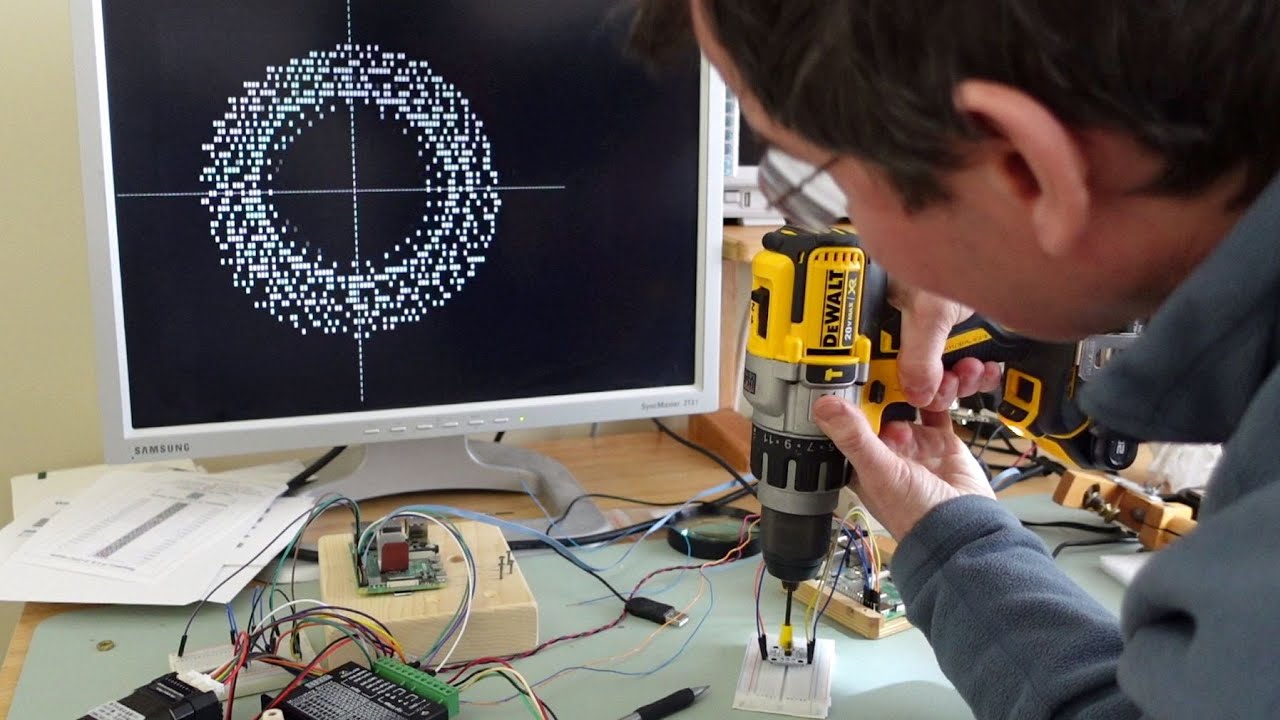
The one part of this theory that is hard to reconcile is why the period would be 2mm and not some much smaller artifact on the order of the motor steps. “Full steps” are 90 degrees of current phase, so a motor that is 200 steps per revolution is actually 50 full 360 degree cycles per revolution, but this is still much smaller than the ~2mm artifact. So it would seem the intrinsic nonuniformity of microstepping has too small a period to be the problem here.
But maybe there can be other imperfections in the motor that appear at different periods? That’s the best I’ve got.
With CoreXY I get quickly confused as to how much motor movement translates into how much X and Y movement. Let’s see… one motor moves NW/SE and the other motor moves NE/SW. I think if one motor moves its belt exactly 1 mm and the other motor is fixed then it translates into 0.5 mm in X and 0.5 mm in Y, for a total diagonal distance of 0.7 (sqrt(2)/2).
Going the other direction, moving 1mm in X or Y only, requires 1mm of motor 1 and 1mm of motor 2. So if one motor were perfect and the other were jerky, the period of the ripples would show up in straight X and Y walls with the same period as the artifact at the motors. So ~2mm period in straight walls corresponds to 2mm at the motors.
Furthermore, if one motor were perfect and the other were jerky, then when printing cube rotated 45 degrees, the diagonal walls would show ripples in one pair of parallel walls but not the other, and the period would be smaller, at 0.7 of the pitch showing on X and Y walls. That is, if it’s only one motor.
If it’s both motors then you’ll have a mixture of two ripple patterns. X and Y walls will be an ambiguous mixture, but diagonal walls could indicate the artifacts of the individual motors separately, albeit at a shorter pitch than the true pitch of the artifact at the motors.
1 Like
Wouldn’t a slightly bent/crooked shaft or pulley on the motor (as seen in the video up above) cause the belt to walk on/off the pulley teeth? That’d have an artifact closer, but not quite, the pulleiy/belt tooth spacing size, right? Increasing tension would make that more pronounced, and change the spacing, because it also changes how deep the belt can walk up/down the out of alignment pulley.
If the belt is deforming so that it fits fully into the crooked pulley, then again this would manifest itself in varying tension across the 360 degrees of rotation. This would also manifest itself in motion artifacts in the resulting print.
1 Like
Exactly, tight and loose once per rotation. 32-40mm depending on the pulley.
I don’t think so. Tight for half loose for half so if it did move it would move up and down a tiny bit, but it is very much captured by a 3-4mm flange.
Yeah, a square and diagonal square would give more evidence. Showing what walls are effected.
3 Likes
I was more thinking that if the belt tension is changing, the teeth might be getting pulled out of alignment and ‘skipping’ or sticking, with that affect appearing and then easing over the rotation of a single pulley. I’m not sure how rigid the overall setup is, but if it’s particularly rigid then an out of round pulley could be causing a pretty significant variation in belt tension.
That’s pretty much disproved by the 16T pulley having a different wavelength, though. In that case if it was an idler then nothing would change or if it were the toothed pulleys it would go away (assuming the new pulleys were fine) or still have the same wavelength but fade in and out quicker (assuming the new pulleys have the same issue).
Edit: Definitely agree with trying to find a good reduced case for diagnostics. Printing the square rotated at 45 degrees is a good point for isolating the behaviour of the motors or seeing if the issue is related to the extrusion or the motion platform.
In single wall vase mode…
2 Likes