ok, fresh unzip of the SKR PRO source builds with
BOARD_BTT_SKR_V3_0_EZ as the board in config.h
STM32H743Vx_btt as the environment in platform.io
Set “true” to invert status of all the endstops
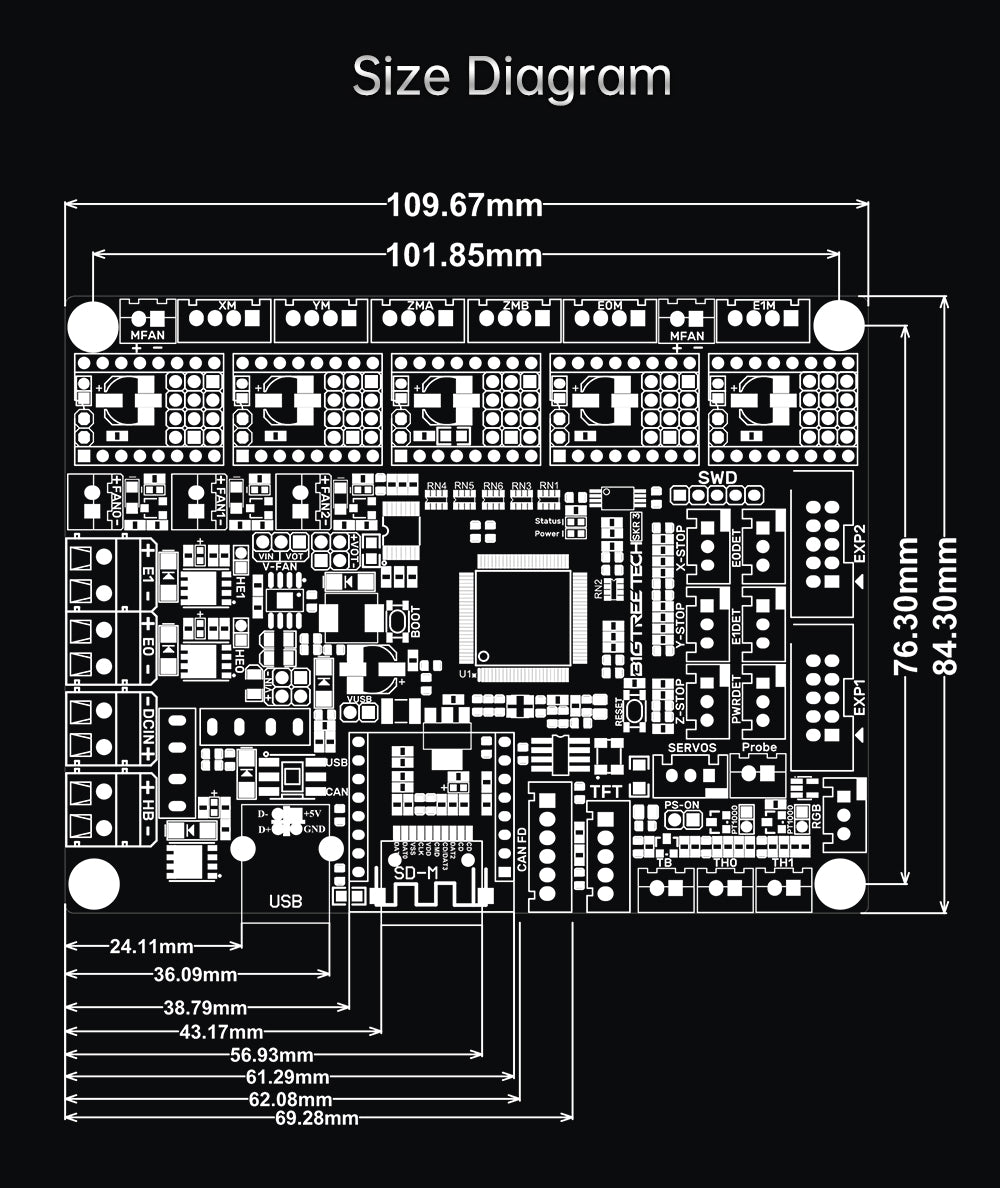
now lets add this new define line In pins_BTT_SKR_V3_0_common.h, #define XMAX_PIN PC2
-=-=-==-=-=-
EDIT
yep, that was successful!
now lets load it to the board and see what we get!
-=-=-=-=-=-
Edit 2 added that i need to change the inversion state of the endstops to my list
that was fun actually.
Thanks @vicious1, @jeffeb3 and the other people that chimed in.
the board will defiantly need some bug fixing to be an option for people, but yep it works.
Pretty happy and excited.
LOL
-=-=-=-
Edit
Well sorta working, the homing sequence does not work.
The gantry homes and once Z2 Limit Switch is hit, everything stops. If you manually hit the Z1 limits switch the whole gantry moves down goes for the 2nd slower pass.
So still some work to do!
But I am not going to let that stop me from going home and having a nice scotch and dry ( I don’t really drink, but celibration time, cos i got out of my comfort zone and did it!)
Yes, i had to add little M3 screws to adjust the endstop trigger points.
So a bit more on the Z height adjustment, if i run the Z homing sequence here is what happens
Start the sequence
The gantry moves up, if Z2 is triggered first both motors stop.
2a. IF you manually trigger Z1 the operation continues and the gantry moves down and then back up until Z2 is triggered again, if you trigger Z1 in this process nothing happens and the gantry keeps going until Z2 is triggered again.
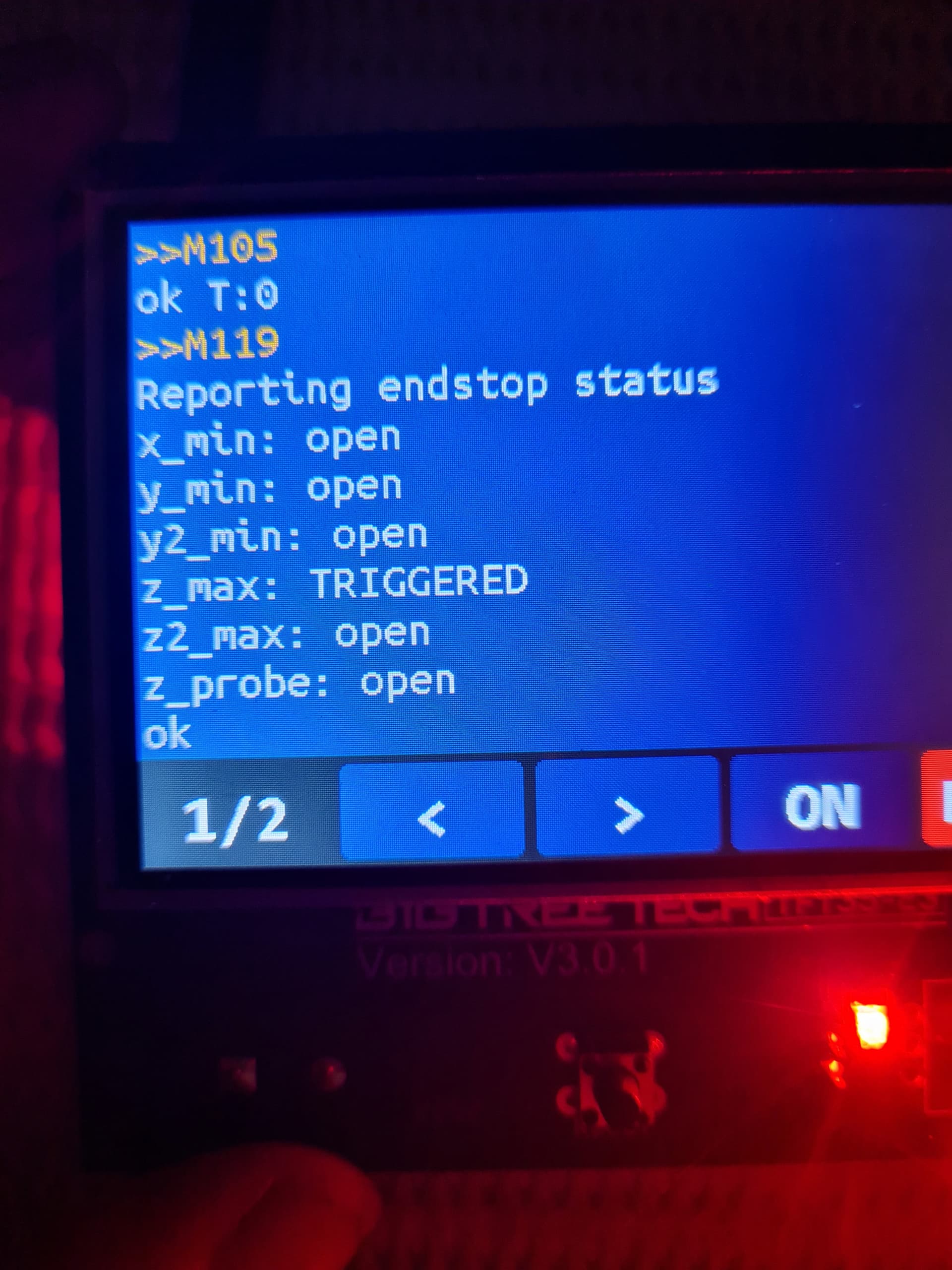
Yes I did that to test them after the firmware fun. I then went through and ran the M119 command for each limit switch, well twice actually. Once to trigger it then a second time to see that it was not triggered again.
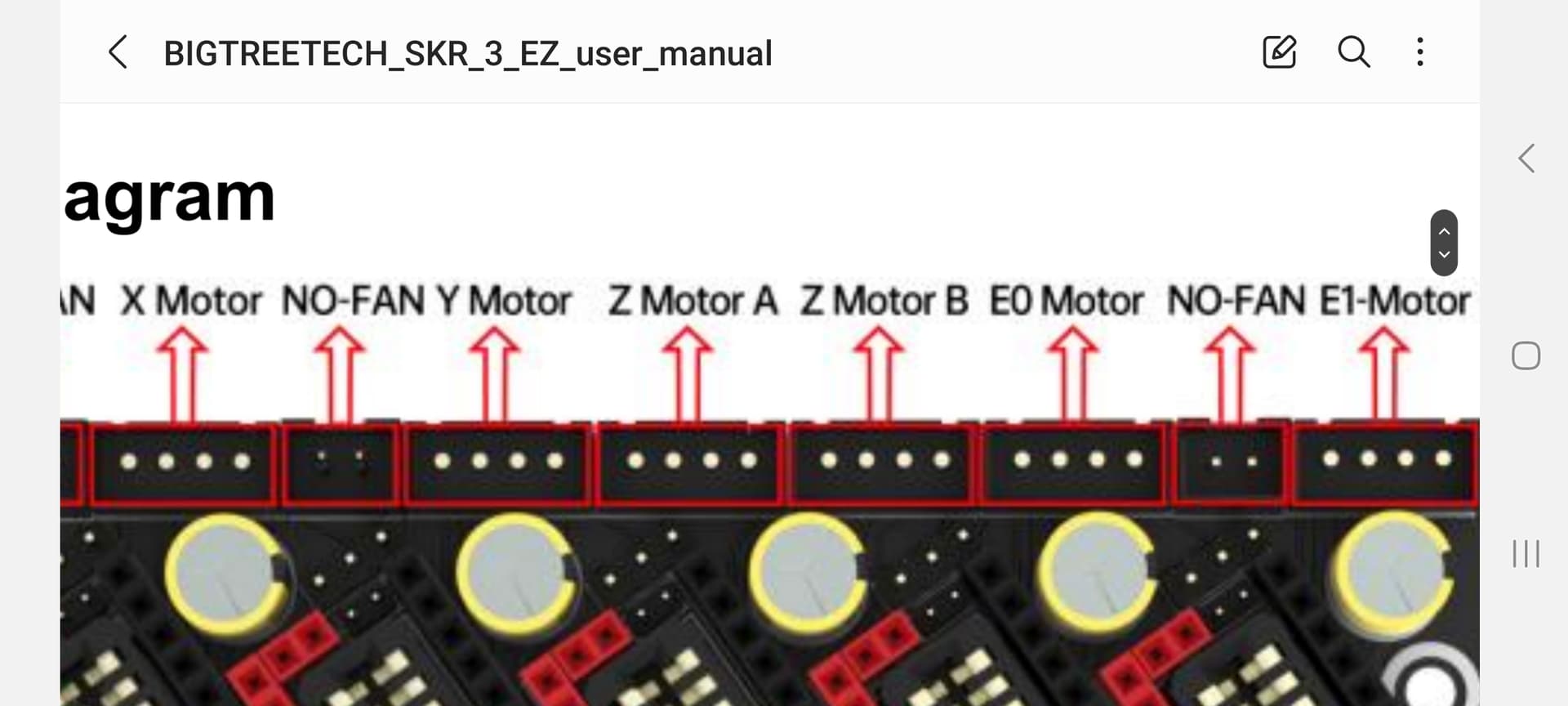
So i was.jusr reading this again, do you mean there is a port on the board that “duplicates” the other z axis?
I was wondering why there was another driver port on the board.
I will see if i can find something inbthe manual for the board.
I know this is the SKR V3 EZ board, but on my Ender 3, I put in an SKR mini e3 v2, and it has 5 plugs for the motor (1X, 1Y, 2Z, 1E). The 2Z plugs are actually paired, and are not driven independently, but the board controls them at the same time. I think this is what Ryan was referencing making sure the drivers you have run each motor independently. A lot of the boards like to “have dual Z” for printers, but they aren’t really Dual Z.
If Z1 stops working at that point there is a minor edit to do but I am not sure how they wired the ports. Lately they have been in series with jumpers.
Ok,
I got to work a bit early and made that change, and sure enough that was the answer, but i had to swap directions on the stepper plug, i suppose that can be added to the list of changes to the firmware, but its just as easy to swap the plug.
There was a bit of a problem around limit switches, Which took me a while to figure out.
Z1 limit switch now stops Z2 motor which is super odd. Again an easy fix, swap the limit switches, i should get some time at lunch to do that and do around test.