Probably a good idea
Yep that all looks good to me.
Probably a good idea
Yep that all looks good to me.
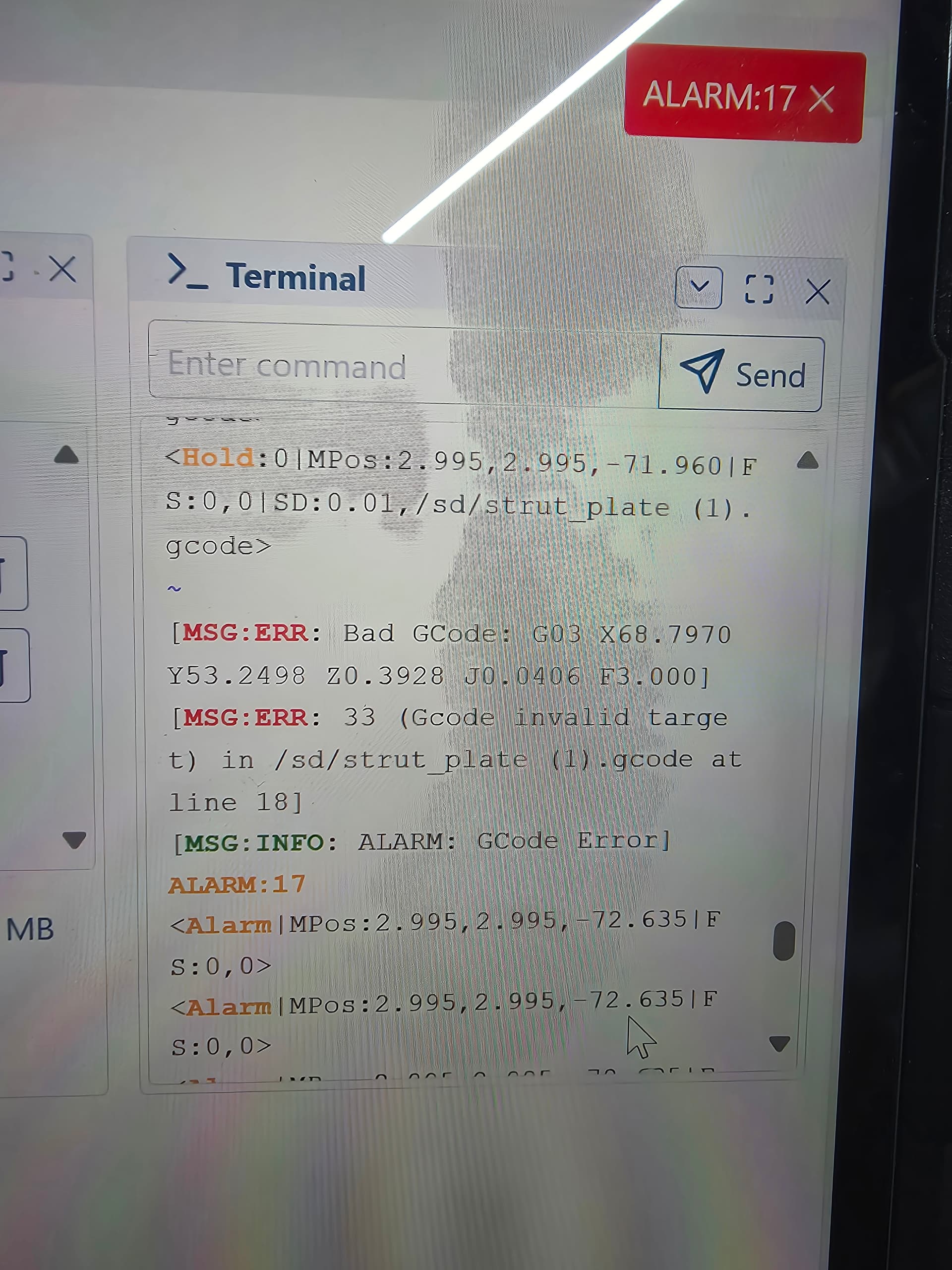
I have gotten to where I’m trying to cut the strut plates out and after using the probe I hit resume and I get this message. Bad Gcode. Alarm 17. Any ideas why this might happen?
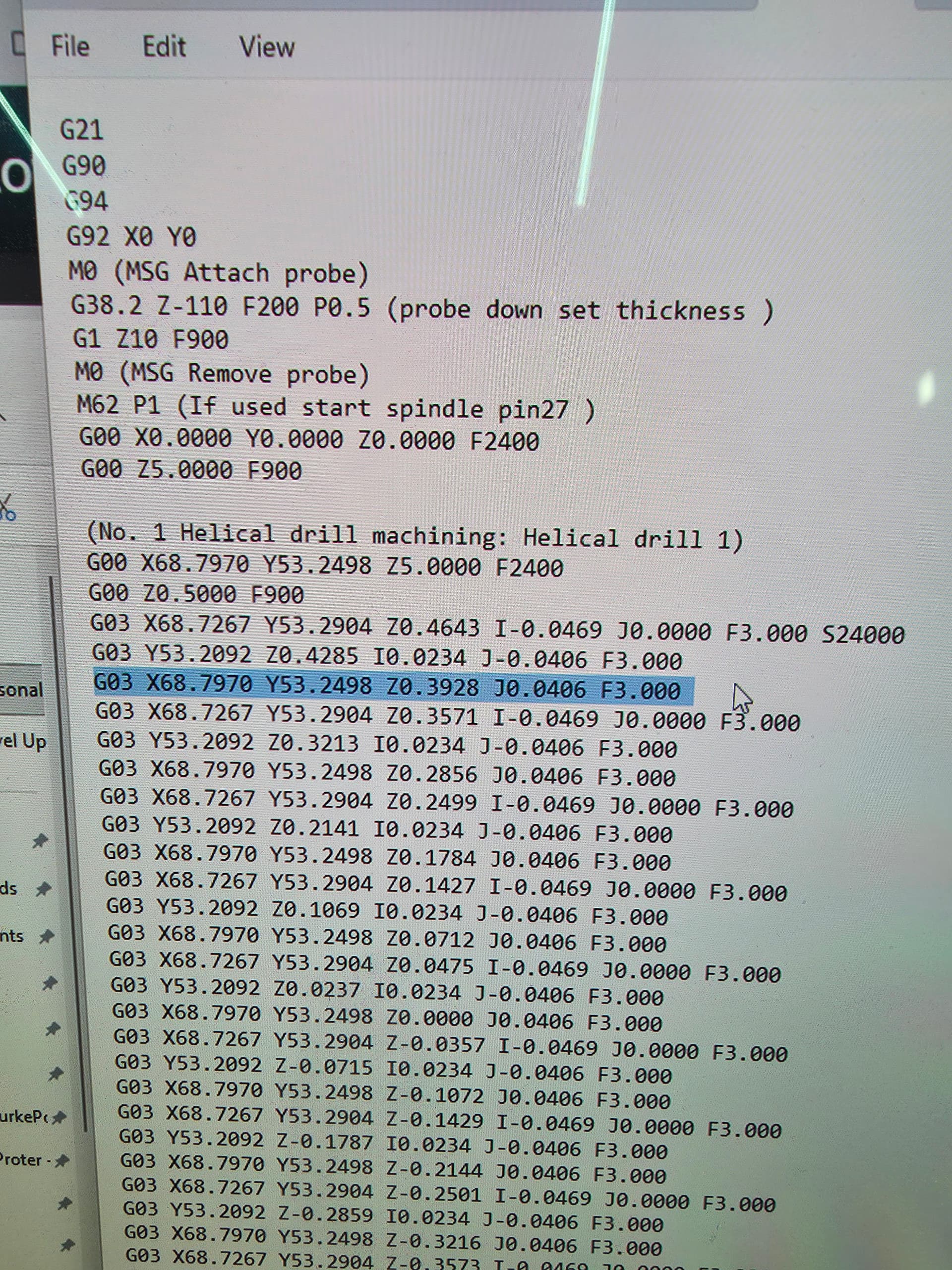
Is it getting stuck on this line? Kind of wierd because its like the 3rd like and the machine faults out immediately after hitting resume for the second time.
Share your gcode file. I’m not convinced that line is the problem.
strut_plate (1).gcode (1.4 MB)
Well, I notice a couple things that are off.
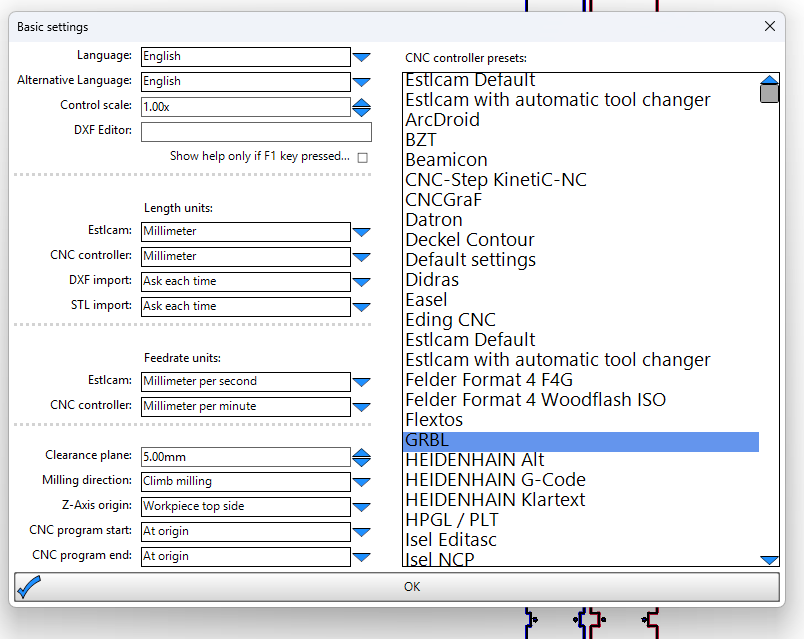
In Estlcam, under Setup → Basic settings, I’m assuming you have this wrong:
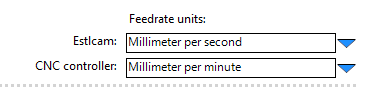
Specifically, you probably have the CNC controller value set to Millimeters per second instead of minute.
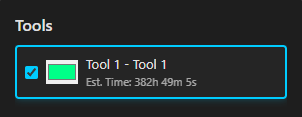
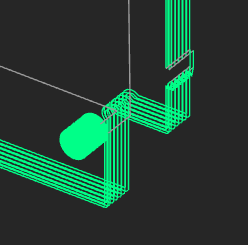
Lol, I plugged this into my gcode preview tool I’m working on. I don’t think you want to wait 16 days for this to finish:
I’m not quite sure offhand what’s going on there.
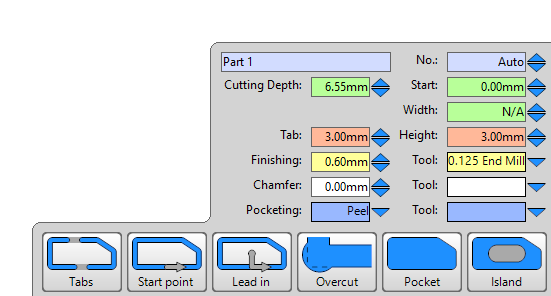
I also noticed you have full depth tabs. You’ll probably more want more like half depth tabs, otherwise it’s going to be a pain to remove. You also seem to be taking more passes than necessary. Although, some of that is it does appear you have a finishing pass which is good.
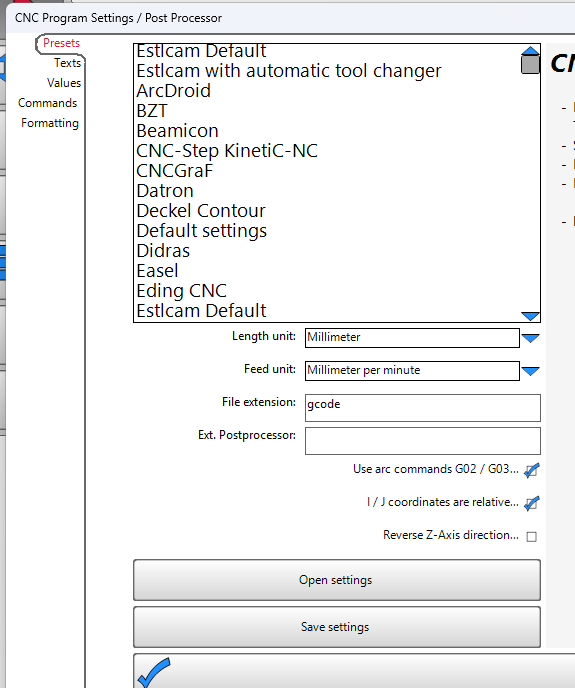
So I fixed the CNC Controller Feedrate from MM/s to MM/Min to match the instructions. Below is a picture of my basic and cnc program settings.
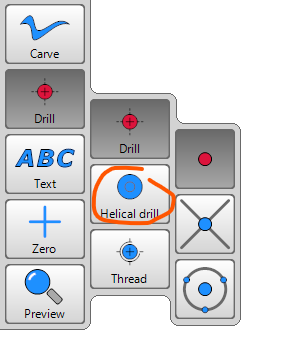
Maybe the G03 moves are for the Helical drill moves that the website said to use for the holes?
Here is picture of my tool settings

And here is a picture of my path settings. I took your advice on the tabs.
Your endmill is 0.13mm?? That’s a very tiny endmill. You have it named .125 so I assume its a 1/8" which would be 3.175mm
 You are right. I put the inches but in mm. Ugh. I was doing this with 3 kids running around my garage…
 no worries. Glad you posted it before you wasted material
I have asked enough questions already but I was wondering if anything else stood out.
Keep asking. Thats how you learn!
The only other thing I saw was your Z depth per pass. You have that set at 1mm and your total cut depth at 6.55mm. That will leave your last pass at only .55mm. What I usually do is take my total cut depth and divide it so I get equal cuts. If you go at 1.1mm DOC then you will do it in 6 passes instead of 7 and still be at pretty much the same pressure on the machine. I would also make sure you run your router on the slowest setting it has for your speed. Its good to keep it slow since you dont have the struts on yet.
I am still getting the same alarm 17 and error message. Anyone else had this issue?
I just went through all the estlcam basics and everything seems fine. I load it to the sd card and run the gcode. It goes through the probing gcode and then when it goes to cut the first hole it alarms.
Says bad gcode G03 X69.8127 y53.2498 Z-0.6000 J0.9202 F180
MSG:ERR: 33 (Gcode invalid target) in /sd/strut_plate (3).gcode at line 18
Does this also happen with the premade crown code?
You would be surprised how patient these guys are.
A dead link for a gcode viewer? You are playing with my emotions!
Oops, I pushed an update last night that changed the link. I edited my post so it should work now.
This is a good option too.
those are both siiiiiiiiiiiiiiiiiiiiiiiiick!!!
Anyone build this table for the LR4?