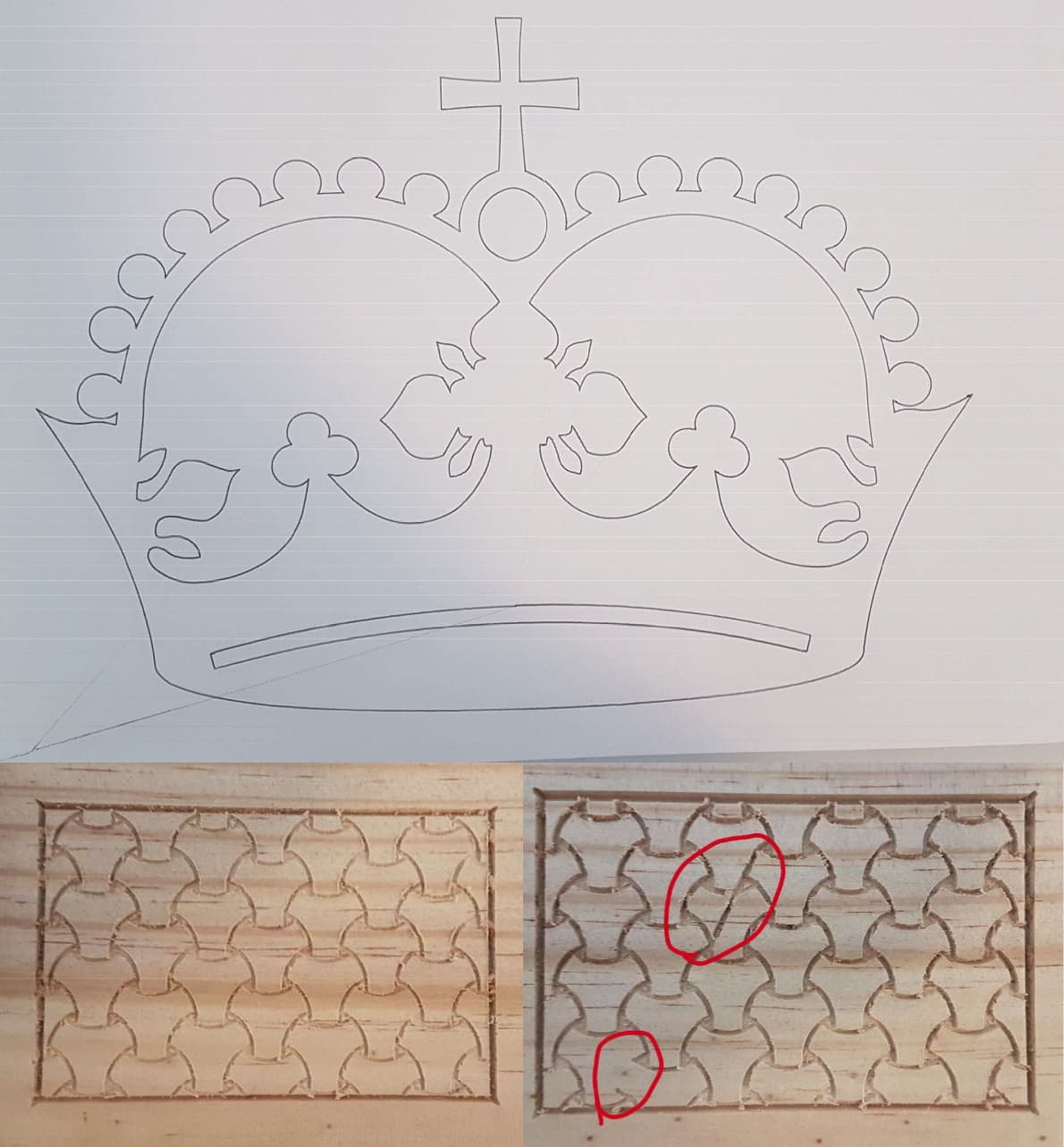
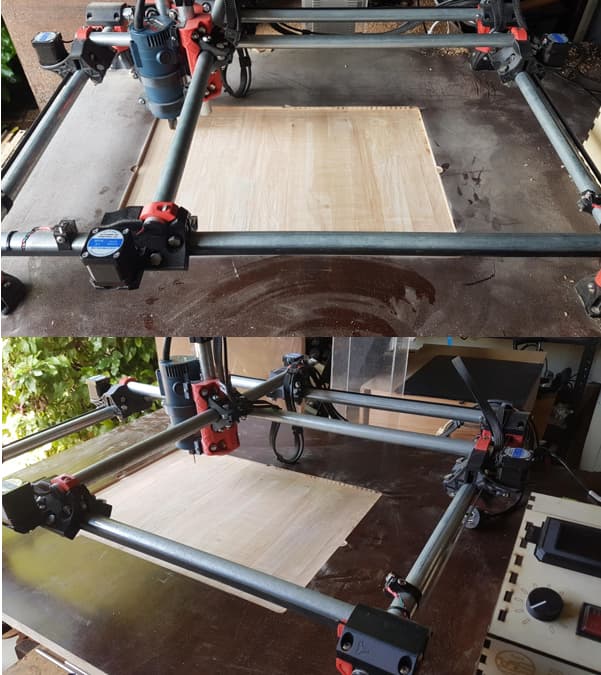
Hello, I am trying to cut with my MPCNC but am getting inconsistent results. The machine randomly skips parts of the G-code or makes random lines as it is cutting. Originally, I used Estlcam as instructed but after the issue persisted, I tried using Fusion360 with the “MPCNC milling and laser” post processor by flyfisher604 (That I read about in another forum). I am using a Ramps1.4 running on Marlin (that was provided on the V1 website, I just adjusted it to match my MPCNC). I chose Ramps1.4 as all other controllers were sold out when I tried to buy them.
It worked just fine when drawing with a pen plotter (See crown drawing) so I assumed it could be EMI from the spindle or stepper motors. I am using a Ryobi 400W trim router for now, but plan on upgrading it when I can get the MPCNC working. In response to suspected EMI, I added ferrite beads, twisted wires, added decoupling capacitors, grounded all the metal rails, and added shielding to the controller. This fixed my issue of some random “shakes” but not my random lines. I tried increasing the power supply also in case it simply didn’t have enough power to control all 5 steppers at once, but now that it is running on 12v 40A I doubt that is the issue. Also, I checked the wiring connections with a multimeter and they all seem to be fine.
After running more simple “2D” cuts with a V-bit rather than 3D cuts, I discovered that the inconsistency is a random error as the same g-code would sometimes works perfectly and sometimes fail. I have attached 2 images that I cut in pine, allowing you to see the different results. This makes me believe that the g-code is not an issue.
The only thing I can think of is maybe my Ramps1.4 isn’t up to the task. Before I invest in a more powerful controller I wanted to ask if anyone had any advice for me, or any recommendations for a controller? I know that the V1 website recommends UltiMachine boards or SKR Pro. I am in no way an expert with CNC’s but would love to learn. I hope this will be useful for someone else and thank you for anyone who is willing to help (:
I apologize for the weird image, as a new user I can only upload 1 photo per post.
This is indeed weird. The board should not be the problem, it doesn’t look like a problem with the grub screws. It also does not seem like the Z is dropping. Hmm…
I’m still using Ramps 1.4 and Esticam. I had some similar problems when I started. When using the computer and USB, some cable’s caused random failures. Cable’s over 30" simply failed. How are you running you code?
When the steppers are energised it is nearly impossible to move by hand. I had an issue with burnt out drivers so replaced the lot, they are now all working well. I am using the standard A4988 drivers but have TMC2209 silent drivers I could replace them with. But the machine is so loud I don’t think the drivers need to be silent…
I am running the code from an SD card (a fast and large SD card). I will try running the machine from a cable to my computer and post the results this afternoon/tomorrow. I find that loading pronterface/estlcam from a cable causes marlin to act funny so that is why I have avoided it. But I think it will be a good next test (The crown drawing was done from an SD card).
I wouldn’t do that, running from usb is adding potential issues, SDCard is better. Burnt out drivers and loud motors makes me wonder if the steppers are getting too much current and overheating. Are they hot to the tough when running?
Ok I will keep using the SD card. None of the motors are hot to the touch after/during cutting, I had forgot to set the current limit on some drivers originally and I think that lead to some being burnt out. I think my issue is more about the Ramps1.4 “miss reading” the g-code as it seems to “forget” to raise the bit when moving or not cut entire sections. I could be wrong, but if it was skipping steps I would imagine that the rest of the print would be slightly offset, whereas mine still proceeds to cut the remainder of the project correctly. Thanks for your help so far.
Are you running the gcode from a computer attached to the RAMPS board via USB or are you using a discount smart controller and an SD card?
If you are running from a computer, what are the power saver settings?
If you are using a smart controller, how.long are the LCD cables?
Power saving seems to make the communications hiccup. Handshake errors on the serial line can also cause it to skip commands.
Say the commands are:
go to 0,0
go to 100,0
go to 100,100
And the second command gets.garbles, skipped or rejected. Instead of 2 straight lines, you get one straight line diagonal. Looks random, but isn’t.
Long LCD cables can sometimes get garbled when reading.off of an SD card, or maybe interference in the USB cable.
Power saver setting in Windows or Mac can interrupt or have problems with communications.
Other serial protocols can have trouble with handshaking, say the controller asks to stop because its buffer is full, but the computer sends an extra command or four before stopping. Those commands get lost.
How you are.sending the code is the likely culprit.
I am using an SD card to an LCD screen from bigtreetech. The cables are relatively short as they are just the ones that came with the screen. Do you think it is worth finding a way to directly plug the SD card into the Ramps1.4? Is there a way to do that?
Maybe is there a way to force the Ramps1.4 to take the g-code and create a buffer equivalent, so that it can read from the buffer rather than the SD card?
However, I think you are definitely correct, the methods of sending data is likely the issue.
I am using a microSD card that is in an expander (as my LCD only takes normal SD cards) as that was all I had on hand. I will try to find/buy a normal SD card to remove another potential error point.
i had a similar problem on my lr3. turns out it was a mechanical issue. the z axis was binding up not allowing free movement up and down which caused cutting along the travel path. looks similar to what you’re getting from the big circle in the image
Thank you for the reply, I checked out my z-axis and it seems to be running fairly smoothly. Since the programme skipped out entirely on one section when cutting I think that it might be an issue like Dan “SupraGuy” said. But all things checked eliminates another potential issue!
V-bit carving is extremely sensitive to variations in the height of your stock. When I look at your carving, I see variations in the line width indicating that you have an uneven top surface. This could account for your problems. You might try increasing your clearance height and surfacing the top of your board before you v-carve.
Neither changing control boards nor increasing the size of the power supply will give your machine more torque/power. There are lots of successful machines using the Ramps board, and it is just as powerful as other board/driver combinations. Your machine is limited by the stepper motors and stepper drivers you purchased. As long as you adjusted the vref correctly and purchased steppers that meet Ryan’s specifications, then the strength of the machine is not the source of your issue. You might recheck the vref and swap drivers just to be sure the drivers are not the source of your issue.
Check for looseness in the Z axis and any potential interference such as the cord impinging or the mount rubbing on the bolt head holding the bearings.
I agree with Robertbu about the controller. He did jog my memory about a problem from long ago… Shortly after building my MPCNC , I had some
projects fail , random lines. It turned out that one of captive nuts in the core for mounting tool heads backed out. when I mounted the tool head the nut did not go all the way back in, but did tighten. Under the right load; the nut would hang up on the guides as the Z moved up and down. This random hanging up of the Z kind of explains the failures, yet the rest of the project is still the proper placement
If the same code is run twice, does it do tha same thing? That could be trouble with the SD card itself.
The RAMPS interface for an SD card is actually one of the 10 pin headers that connect the LCD, so you can’t bypass it that way. The SD card slot in the LCD is as good as it gets, but thst eliminates a lot of potential problems with PC communications at least.
You said it’s a BTT LCD, is thst one of the touch screen TFTs or is it a 12864 controller? The cheaper 12864 controllers are pretty reliable, but some people.have trouble with larger SD cards. 8GB and under are safest on those (Though I used a 64GB one with no problems myself). Small.capacity ones with an actual FAT format are supposed to cause the fewest problems. Ibhave never had a problem with the full sized SD adapters either.
It may also be worth using a USB interface to send the Gcode to the machine. Universal Gcode Sender (UGS), Pronterface, or Repetier Host should be able to do the job, just make sure your PC doesnt go into sleep mode while the job is running. This may not be convenient, but it is another way to see what is going on.
SupraGuy I am using a cheaper 12864 LCD. Specifically, “BTT mini 12864 V1.0” as it was a much smaller screen and the RGB allows the CNC to indicate when cutting and when finished or needing tool changes. I do have another (even cheaper) “3D printer RepRap full graphics display” that came with the Ramps and that I originally used.
In the original 2 images of the pattern cut in wood, that was the same g-code cut minutes after each other. The SD card I am using is a “SanDisk ultra 32gb micro A1 SD card”.
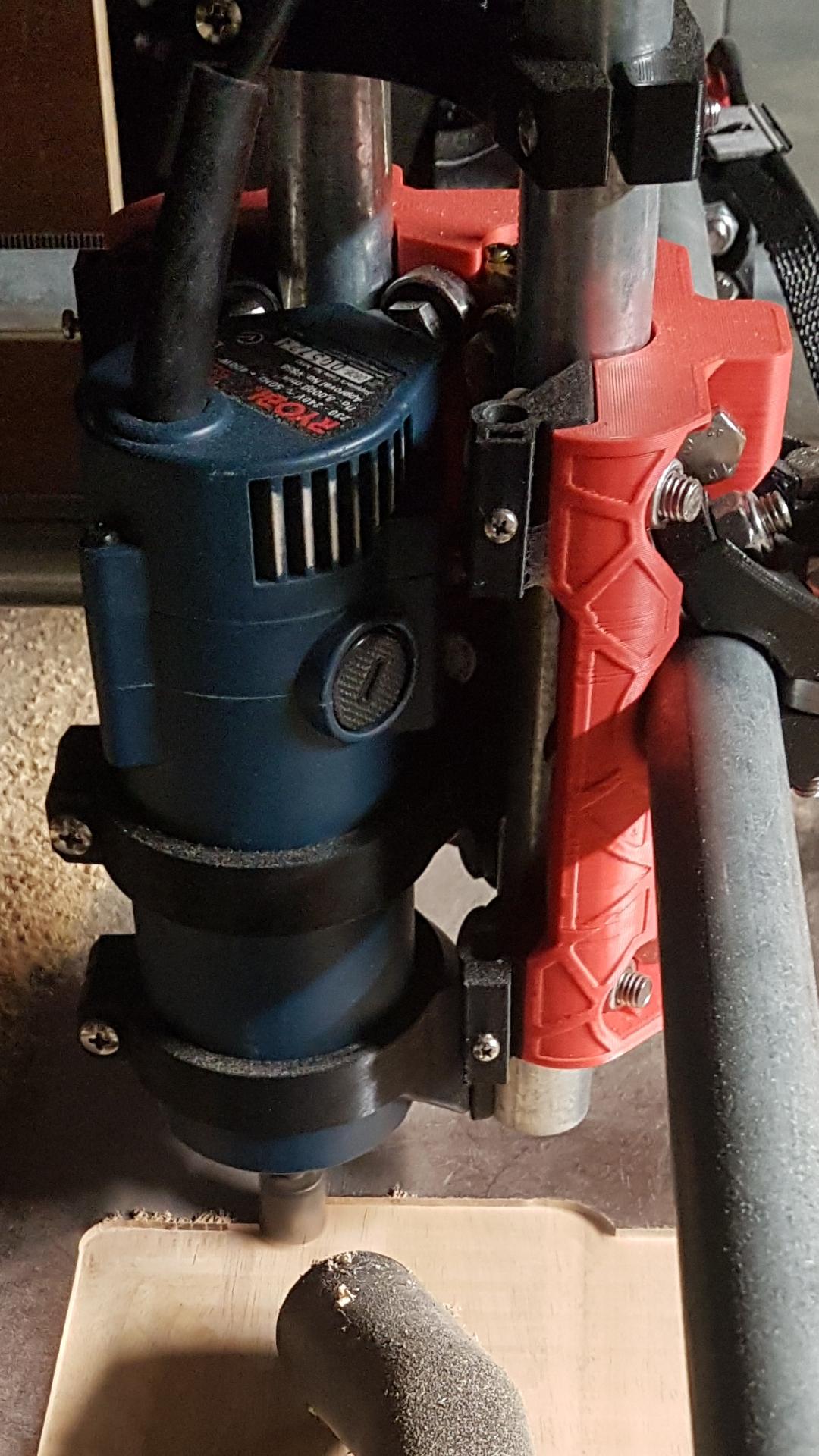
Thanks Robert, my machine is luckily running very smoothly in terms of mechanical issues, but I am happy to check any specific bolts/screws. I couldn’t find any loose or overtightened bolts in the core (with only a quick check). I should point out that my z-core clamps are modified to simply have an area for me to slide in a 8mm steel rod for my dust shoe. When I modified them I didn’t change any part of the original file but simply added a “tube”. I had this issue before I added them and they don’t interfere with anything. Currently I have not finished designing my dust shoe. I have attached a photo of the modified z-core clamps.
Also, as you pointed out that the workpiece is not flat, this is very true, this is because I haven’t made proper clamps for my CNC table yet. I will definitely be fixing that after I can work out the reliability issue, but for now it is flat to around 0.5mm.