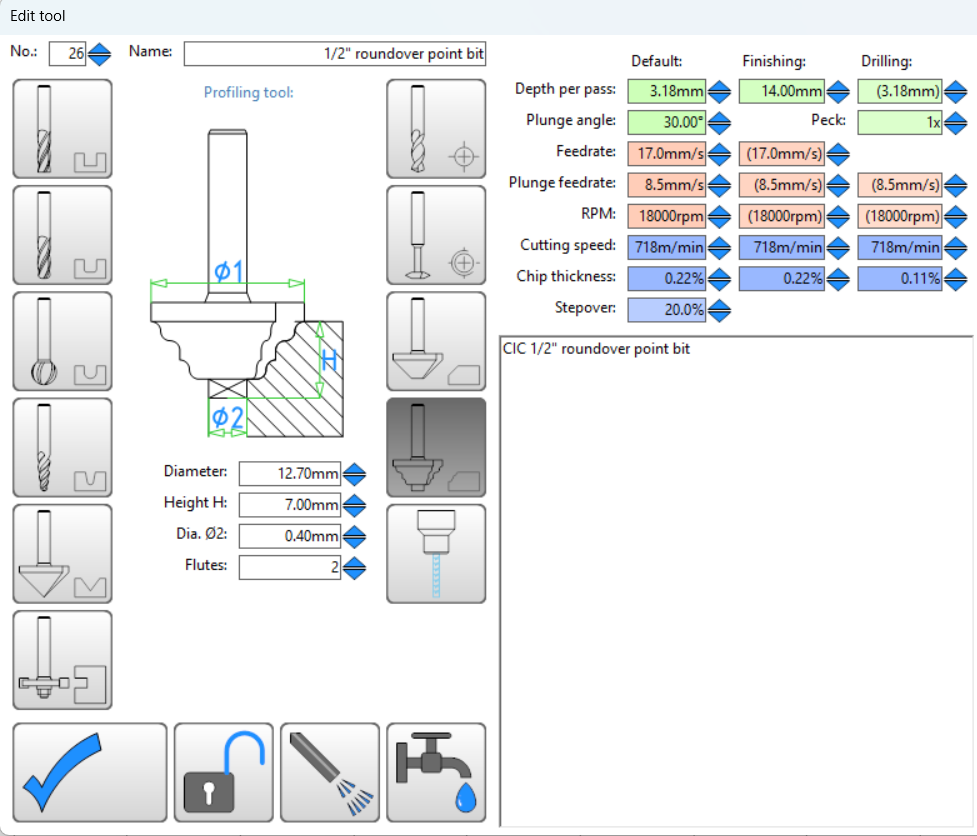
Do I use a ‘profiling tool’ profile to define it?
Or do I use the ‘tool with radius’ and put in a negative radius?
Anyone tried to do this with this type of bit?
I have done some fluted panels using ths type but used it as profiles bits running along the vector (just inported the straight lines (calculated the fluted form from sketchup)
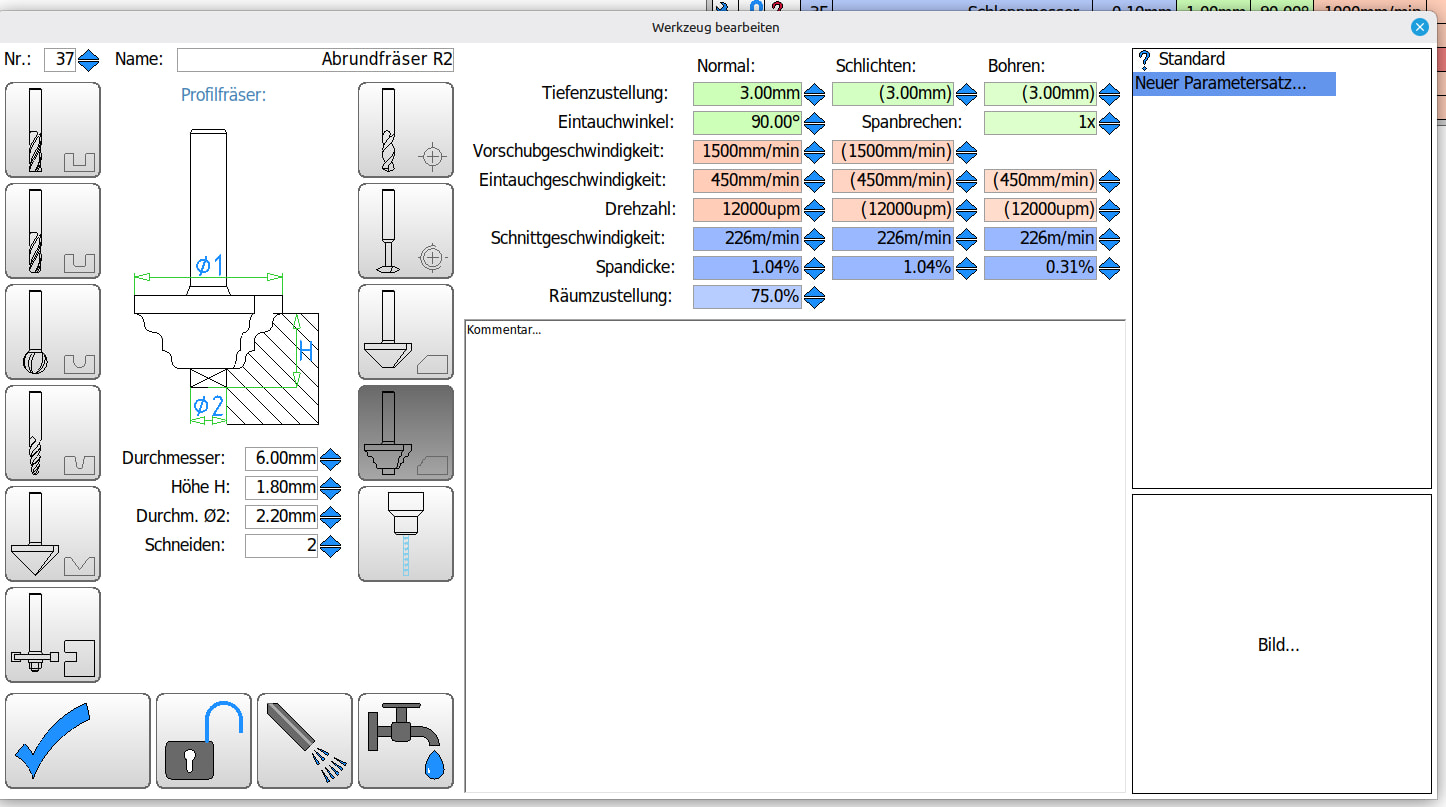
These are my settings for a 2mm roundover endmill. There is a tutorial by Christian from Estlcam where he explains how it works. I set the height lower and the diameter a little bigger so that I would not have some edges if the wood is a little off.
Philipp I’m looking for that tutorial and haven’t found it yet. I only know how to say cookies please in German . If you come across it, please post. I’ll still look since what I did, didn’t seem correct.
It helped a little. I’m guessing EstlCAM doesn’t care about the radius and leaves that up to me to determine how deep to go as Cesar does/said. If so then I think I get it and will need to experiment with it.
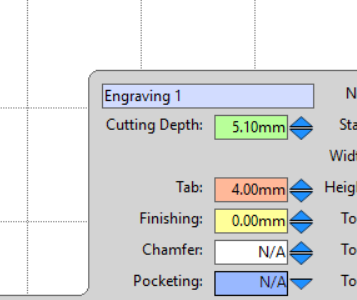
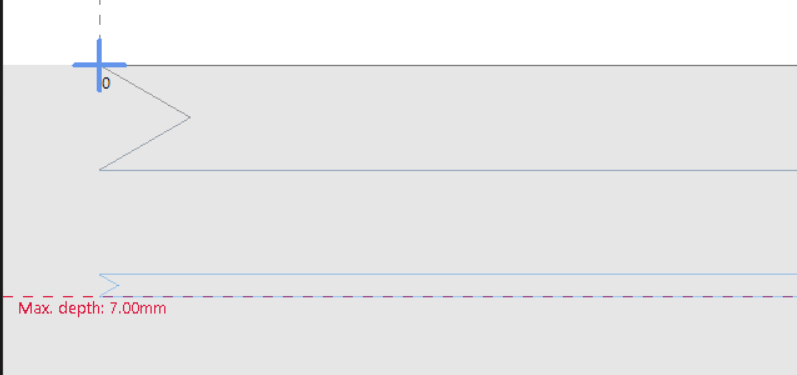
Then I did a test to just do a line with a depth of 5.1 mm and ESTLCAM shows it is going to cut down to the 7mm depth (which is what I set the height of the profile to, not the cut depth).
The cut was made down to 7mm, not what I wanted.
Seems I have to set the cutting depth to be the same as the height of the tool profile.
This is with version 12.155A. before I go for the upgrade, does version 13.x fix this?
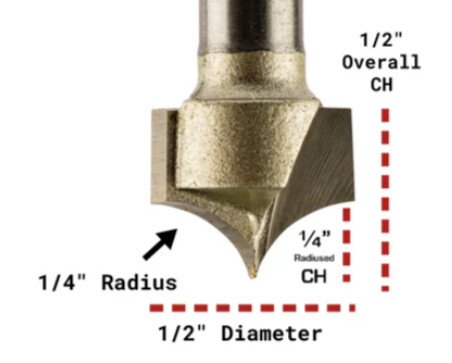
Yes, with v12 Profile tools there doesn’t seem to be any way around Estlcam cutting the profile as configured, e.g. depth = that Height: 7, any Depth or offset setting is ignored. To use 5.1 you’d have to set Height: 5.1 and Dia 2: 2.5 (6.35 - 5.1 = 1.25r x 2).
I setup profile bits as regular milling tools. To cut a full profile, Depth = profile height and profile width is entered as a negative Finishing allowance/offset (works w/ holes, parts and R/L engraving). For that 1/4" roundover: D 6.2 and Fa -6.2 (.15 less than max 6.35) is a safe max, D 5.1 and Fa -5.1 is also fine. For balanced profiles the Finishing allowance/offset is always the negative inverse of Depth.
FWIW, 90deg V-bit chamfering can be done the same way: tool diameter / 4 + chamfer width / 2 = D and -Fa, e.g. (4 tool / 4 =) 1 + (1 cham / 2 =) .5 = 1.5 D and -1.5 Fa.

 . If you come across it, please post. I’ll still look since what I did, didn’t seem correct.