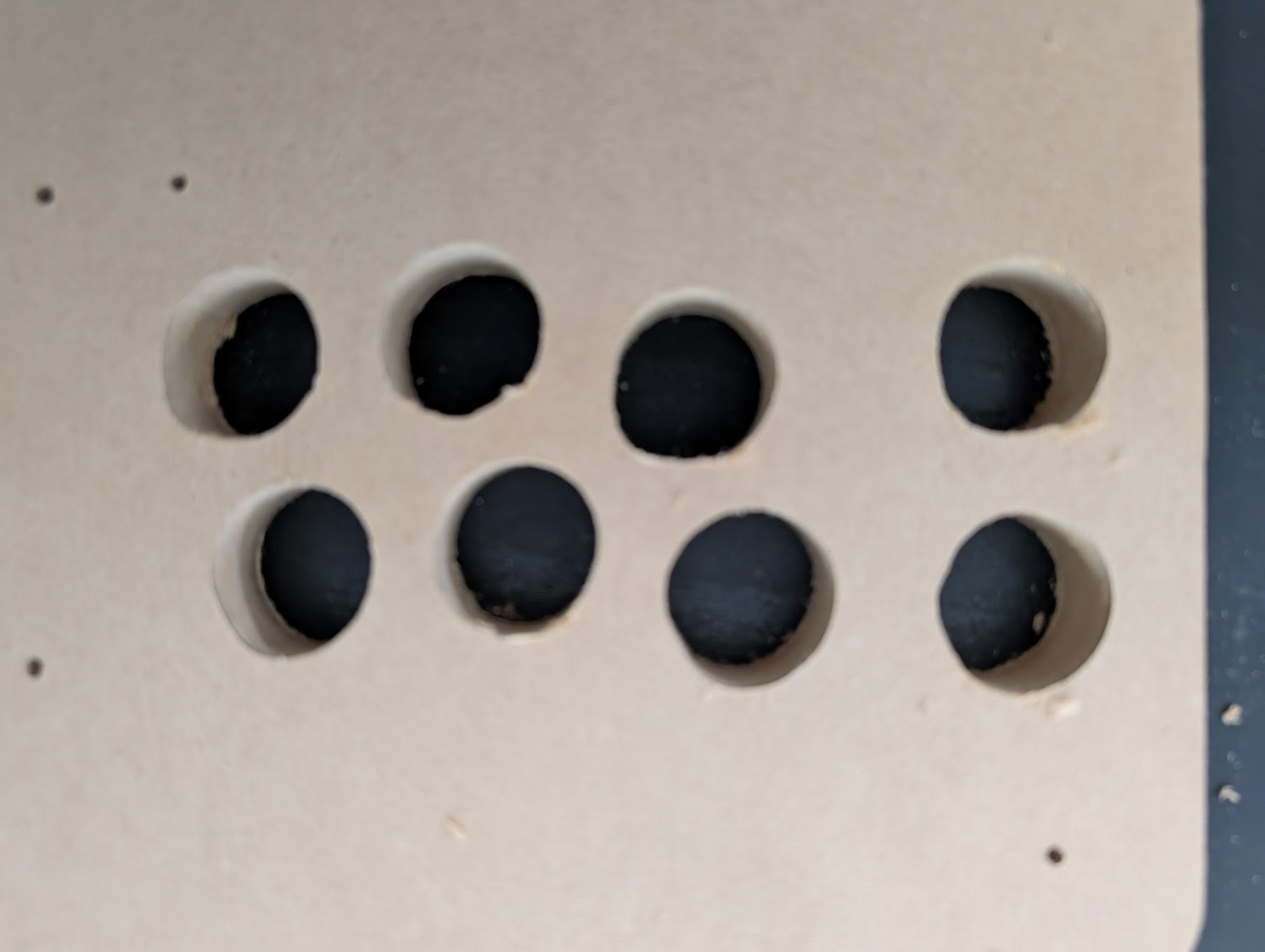
So each of these was a perfectly circular hole in inkscape. Why would it be such a weird shape? What should I check on?
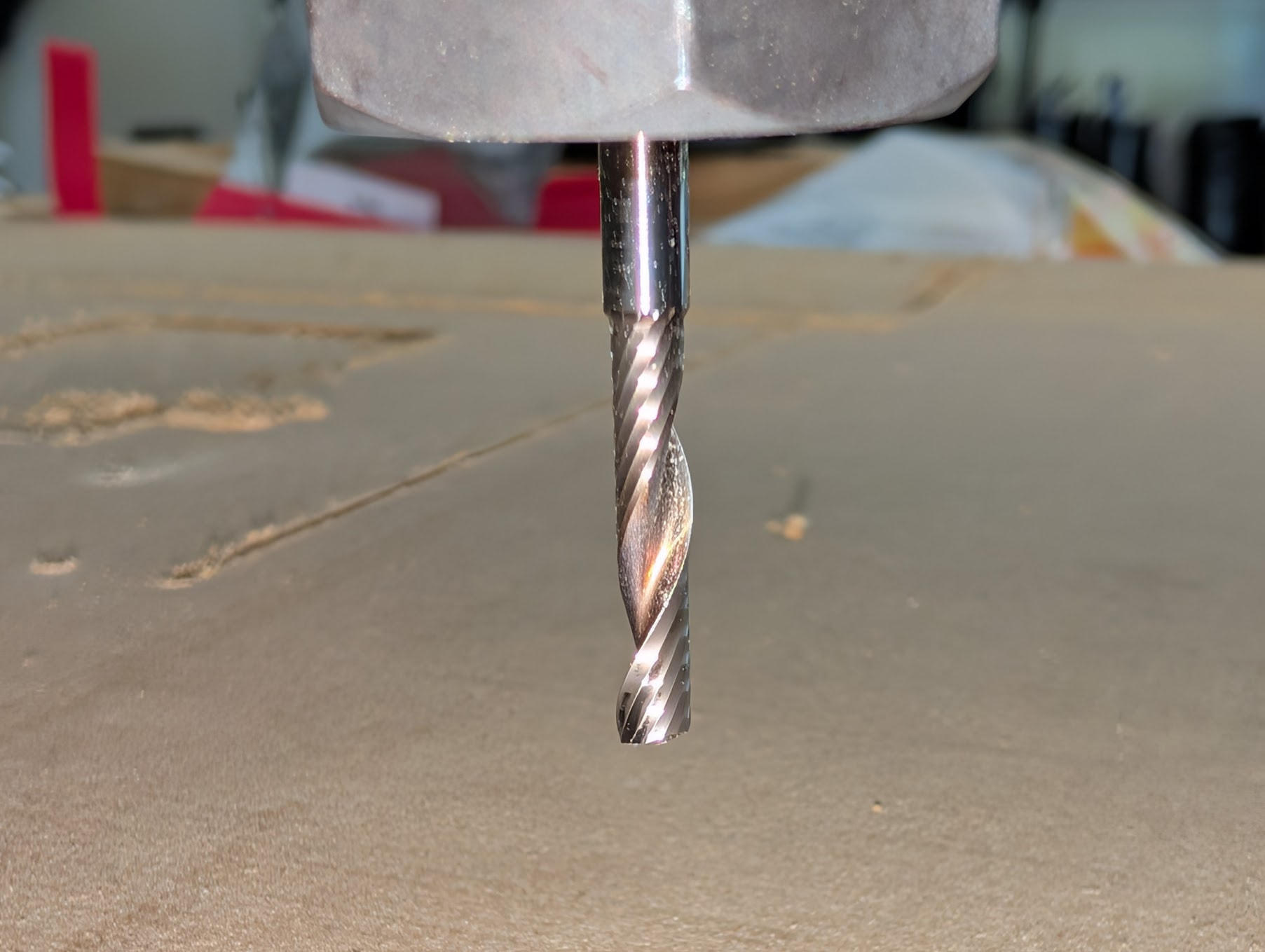
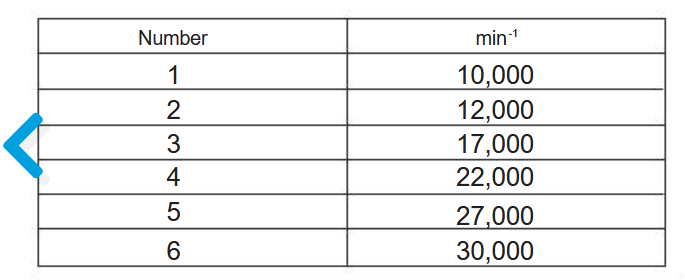
Here’s my estlcam settings. (Ignore the 24,000 rpm.. I have the Makita router set to 2 of 10 which is what I read somewhere is good for 3/4” MDF?) This is using the single flute carbide from V1E
More information would help. What is the pattern look like? Are the circles suppost ro be random like your picture?
When holes are not round,first thing that comes to mind is grub screws" the allen screws on the pulleys. Second is check the steps on X and Y axis’s. Mark and move each axis as long as you can. For example 100 mm. Measure with a steel rule or whatever yo have. If you ask for 100mm ,it should read 100 . If not you need to check that you have the jumpers set the same on your drivers In sime cases , the wrong pulley is on one of the axis stepper. Most common is a 16 tooth pulley. 20 tooth is less common
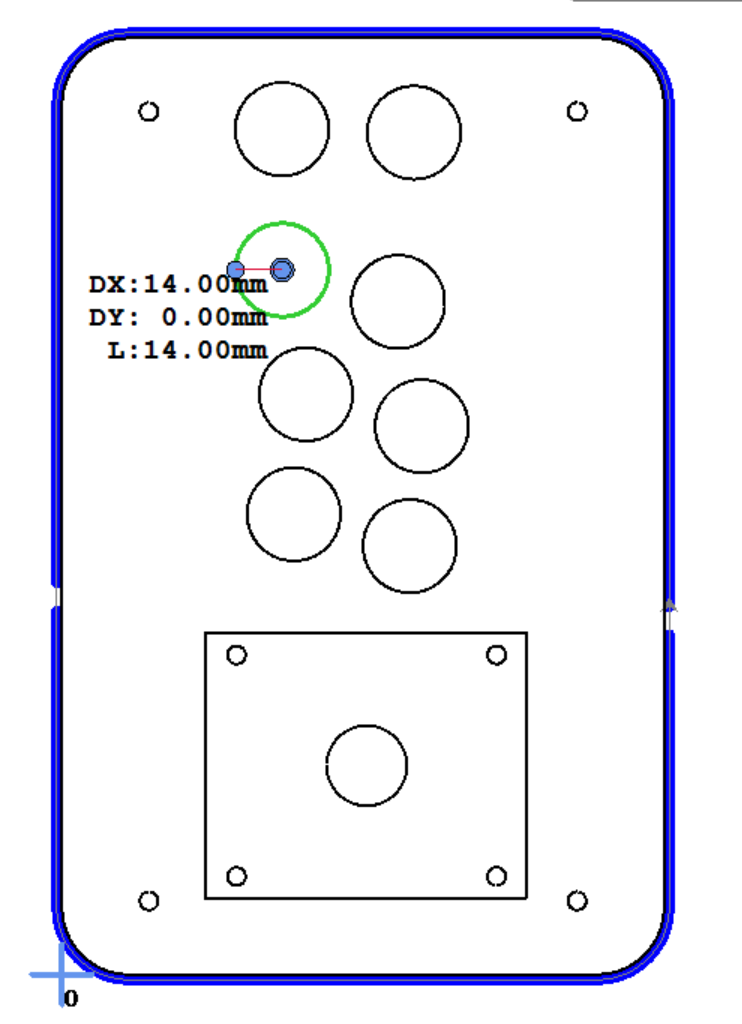
This is the pattern in ESTLCam. All of the poorly shaped circles were cut as a basic hole.
When holes are not round,first thing that comes to mind is grub screws" the allen screws on the pulleys.
Got it! I’ll check this tomorrow morning. I did use Loctite and make sure they were quite tight, but I’ll double check.
Second is check the steps on X and Y axis’s. Mark and move each axis as long as you can. For example 100 mm. Measure with a steel rule or whatever yo have. If you ask for 100mm ,it should read 100
I’ll measure as well. This is 100% the kit from V1E, so I hope I got the right pulleys.
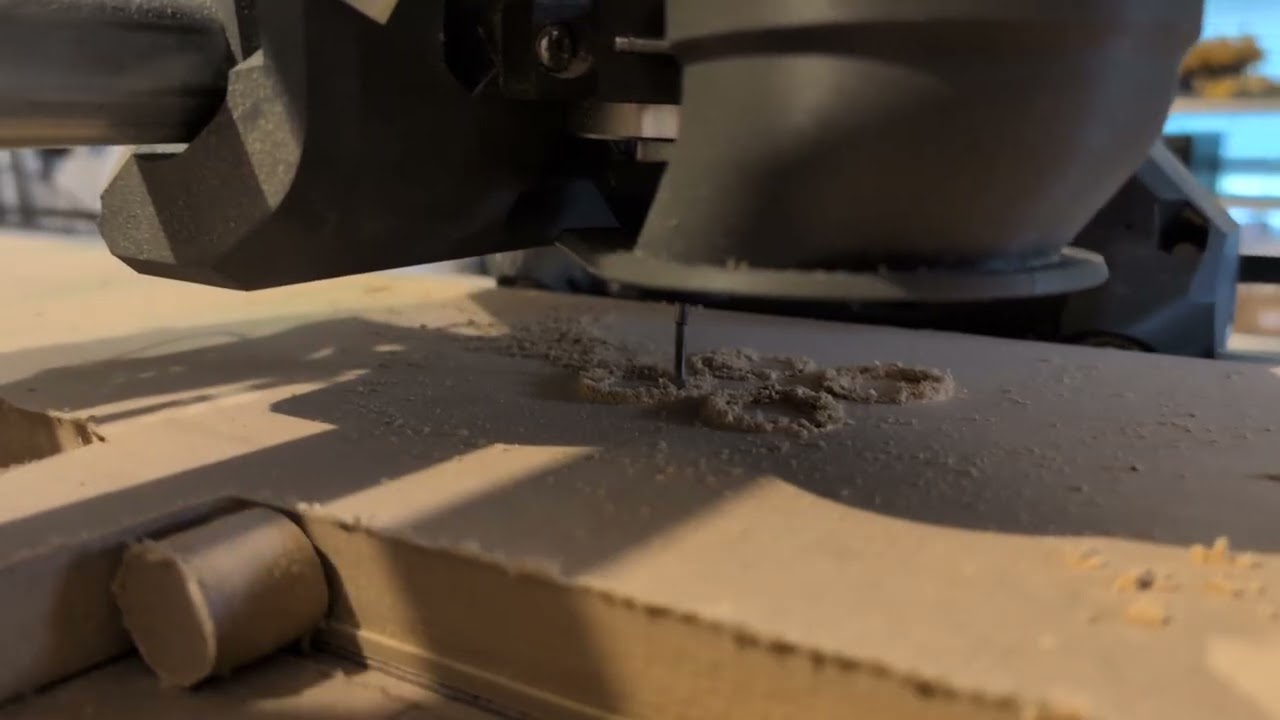
It sounds like… a loud cutting thing? I’m not sure what to compare it to as I’m new to this. I’ll do a 2mm pass tomorrow and see how it looks. And I’ll record some video.
I measured 100mm across the X and Y axis (Drilled a 2mm hole, moved it 100mm, drilled another 2mm hole) and they were perfectly 100mm in both directions.
I haven’t checked the grub screws or the pulleys yet because if they are 100mm in both directions it seems like it probably isn’t either of those?
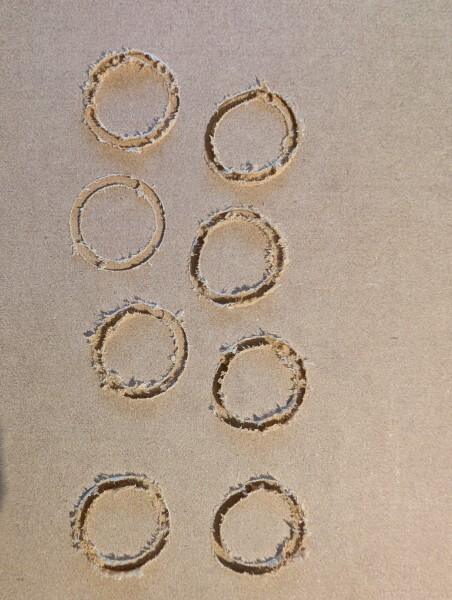
The second circle down on the left side looks good and is not as deep. The others appear to be different depths. This may be caused by a loose collet or the bit is not in the collet far enought. . It has seen before that some bits are not the size they say they are. You might measure the shank of the bit.
Next time you use the cnc use a marker and put a line on the bit so tou can see if it moved. Also note the temperture of the bit and the collet when it messes up. The bit may be warm but the collet should be cool..
If the bit is discolored the bit is toast.
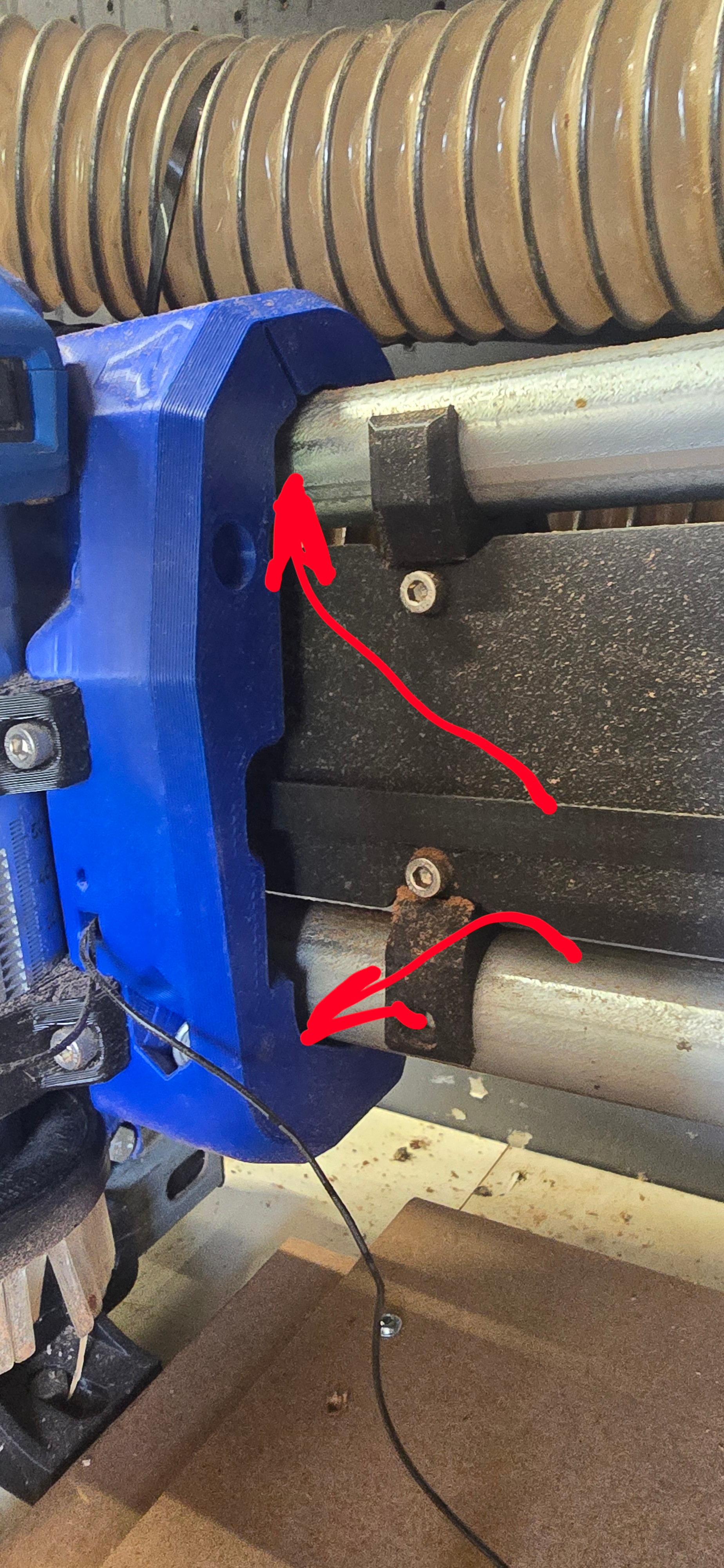
With it off, wiggle the core mostly up and down. You can kinda rock it like you trying to twist it off the gantry. Your not trying to move the axis as much as looking for it not holding the rails correctly.
Cutting full depth and only 2mm is very different. The video for sound check should be the original file.
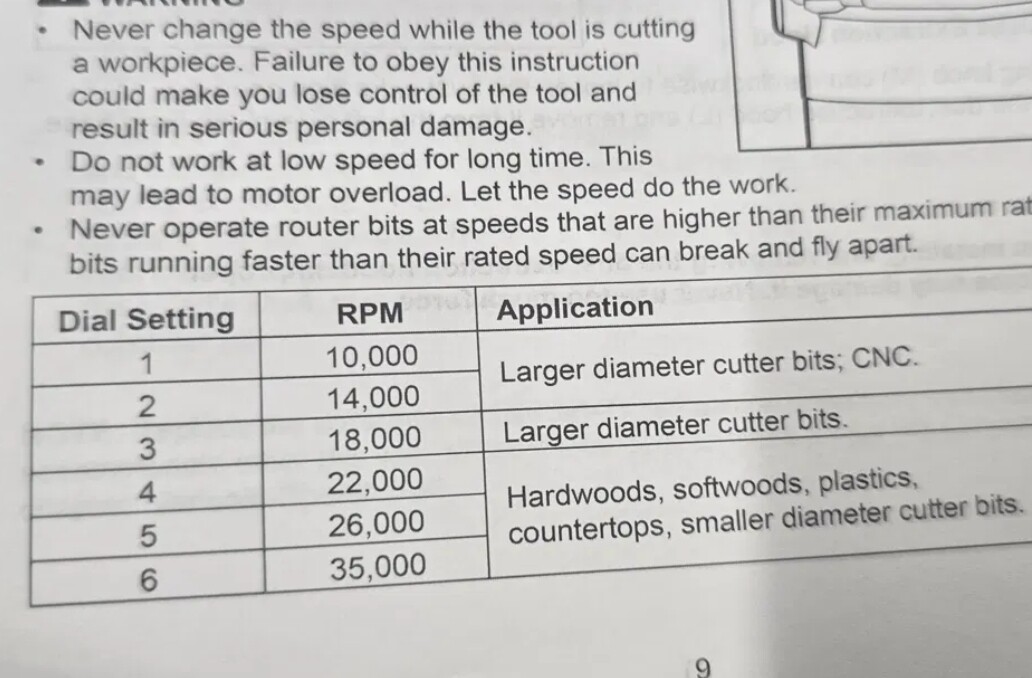
I’m not a makita user so I have no idea the speed on the dial. But if you look in the owners manual you find a table that gives you the rpm at each dial location. This is the table for my kobalt as an example.
The reason this gets important is that those numbers are only part of an equation to get the right the right router speed and machine feed rate. There are lots of good calculators out there to help you understand what each adjustment does to the process. Machining is all math and everything can be calculated.
NOTE
Do NOT use my routers “application" for anything. It’s just what they are giving as examples for the router
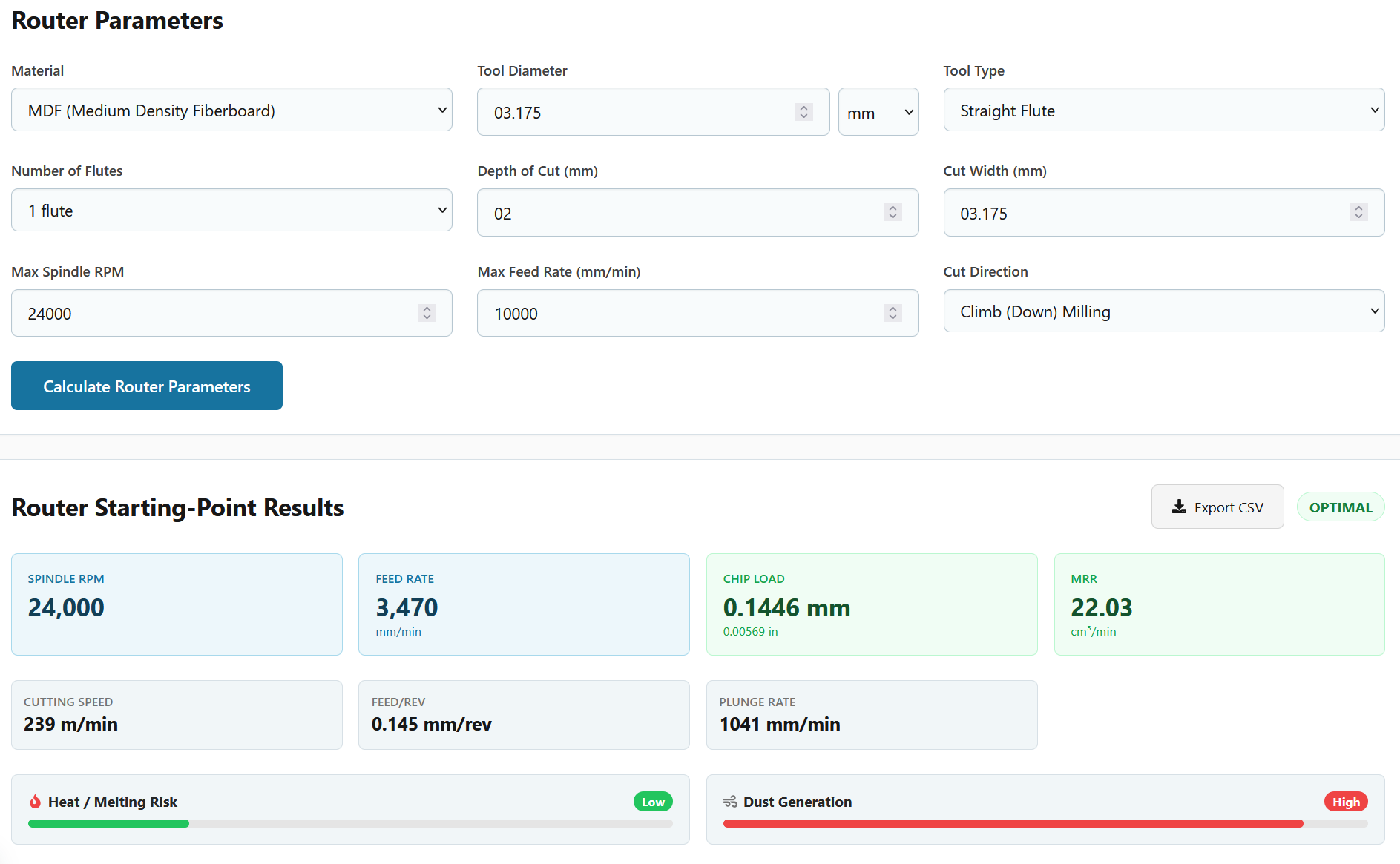
Does this calculator look reasonable? I’m not 100% sure how to read this. If my math is right, 239m/min is 3.98m/sec, which is stupid fast… Is cutting speed the speed at which the router is moving on the X/Y axis? Even if feed rate is the speed at which the router is moving on the X/Y axis, that’s still 57.8mm/second which seems fast?
Uhhhh. I’m on my phone but it seems like you said 10k mm/min. My cad can’t draw them that fast.
I would use setting 4 on your router and 3470/60 is what…. 57 58? Set the feed for 55mm/sec
If you don’t only need 2mm cut, make that deeper. The more of the bit you use, the more heat and load gets spread out. I’m not saying go for full send with the ⅛” bit, but let it easy more than that. Most compression bits (not what you’re using) don’t switch directions until around 4ish mm.
that is very loose. there should not be any play if you try to wiggle the core or endmill with the motors on. i think the manual is talking about not to tighten bolts too much not to crack the core.