Well, after tightening, it looks much better!
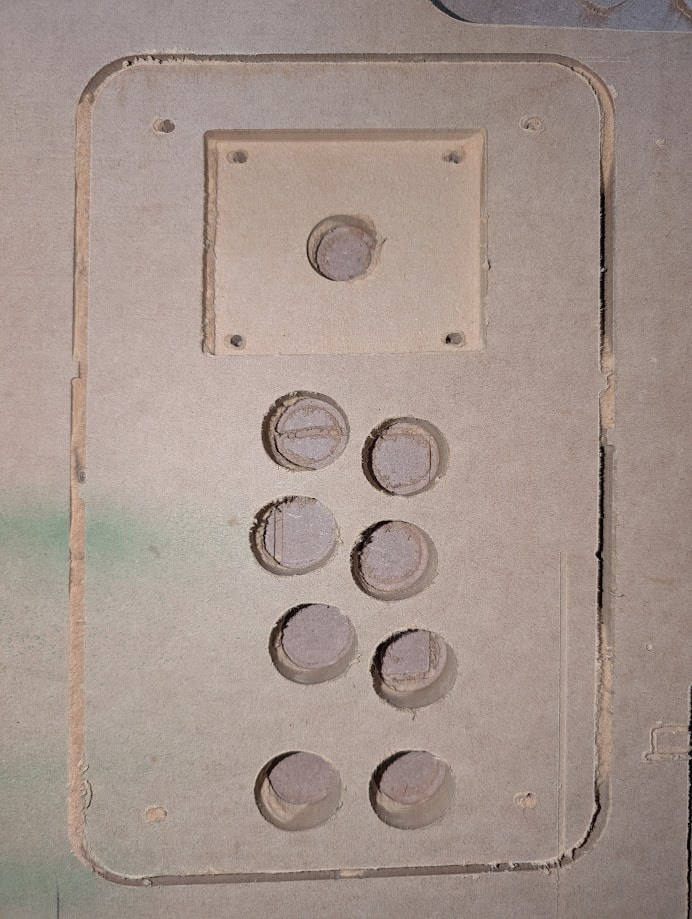
Not sure why the outline didn’t cut all the way through though. In some spots it was the whole 22mm, in others, it only went down 4-5mm.. It was quite odd.
Make sure you surface your entire work area sacrificial board. Full depth cuts i use 1-2mm extra to avoid those small skins
19mm mdf is never 19mm …. It gets all of us at some point
Say you are cutting 6 mm MDF, what depth would you use for the finishing pass?
8mm usually- 7mm if my spoilboard was recently surfaced
I dont like to recut things. Most of the time om cutting acm & i use it backwards so i need to be on the safe side and get the spoilboard to do its job, i dont like to clean aluminum cuts by hand. All i do for clean up is a blower with a brush
I mean all the pass through cuts should be at least 2mm extra to have a nice clean cut edge on the underside.
What do you mean when you say “Surface your entire work area sacrificial board”.
Also, to be clear, the cutting depth was 22mm, and those cuts were maybe 4-6mm, so it wasn’t just a case of it not going through.
I also haven’t been using a finishing pass. I should probably start.
Your cnc has a defined cutting area, your max cut size. That area should have a sacrificial board so you make yout cuts, and must be surfaced so its leveled against your z axis
Could you share the gcode file? Maybe you just set 6mm depth in that area
single-controller-board-v3.gcode (62.7 KB)
So for surfacing, I just set a max size, set my Z to whatever the lowest point on my sacrificial board is, and run the router over the entire sacrificial board surface?
Is there a good place to read up on this so I can figure out what speed, tips and tricks, etc?
Reading your gcode file:
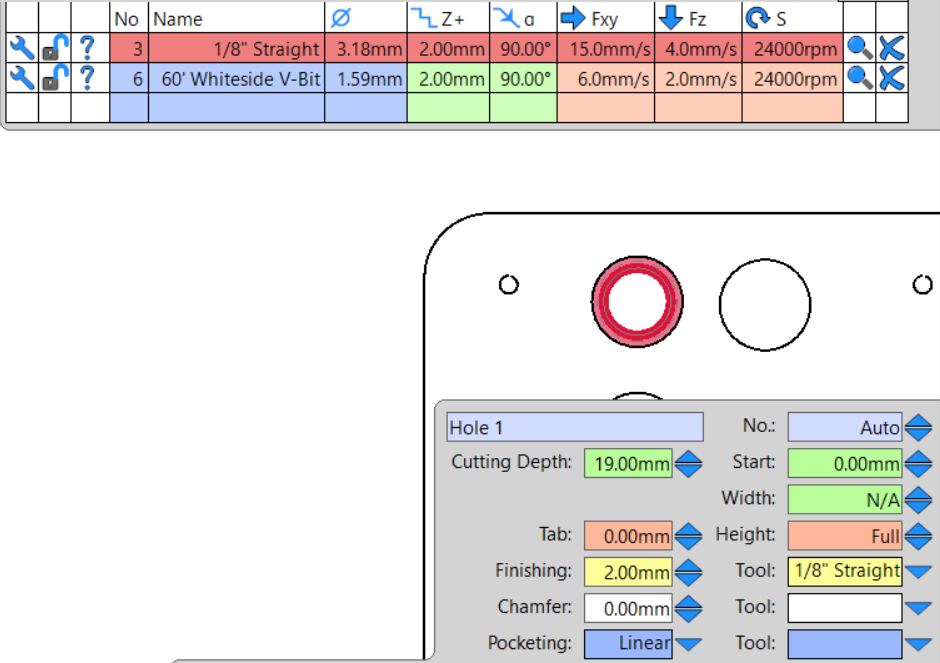
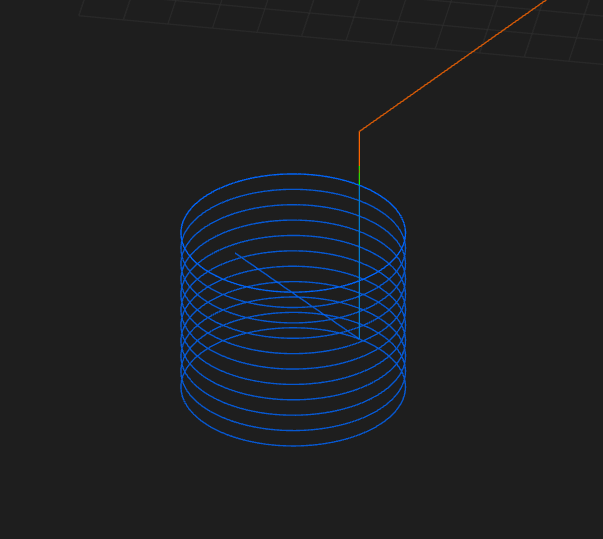
Holes: 1-3-5-7-9-11-13-15 pocket#17 are set to a 2mm max Depth Of Cut
Not even 6mm. I would suggest you take the time to resolve all mechanical issues: core wobble, re-square and do z axis level and surface your spoilboard and make some tests from there.
You’ll want your cutting depth to be 1-2mm more than the thickness of your material to make sure you’re cutting all the way through. So if you measured your MDF as 19.5mm thick, set your cutting depth to something like 21mm. You’ll also want to make sure your endmill has a flute length that is at least this long if you are also using the same tool for a finishing pass.
I see you have your finishing pass at 2.00mm- that is not referring to depth, it is referring to how much material to remove laterally during the finishing pass and normally you’d want this to be around 10% of your tool diameter. So if you’re using a 3.18mm endmill you would set this to something like 0.3mm. In addition to setting the finishing allowance in terms of bit diameter, you can also edit the finishing depth in the edit tool menu (normally it defaults to whatever you set as the depth per pass). I like to make one full depth finishing pass and to do that you’d go into the edit tool window and change the finishing pass to the same as your overall cutting depth (so 21mm in this example).
My wobble is fixed, I forgot to mention!
That’s weird. When I was clicking on my Estlcam, I noticed there were 2 holes for every hole, which was odd. One was set to 22mm and one was set to 2mm.
I’ll work on surfacing my board tomorrow morning first thing.
From the follow the guide to set your z axis square relative to your table/spoilboard first.
the estlcam ui is a bit tricky to use. it is very easy to accidentally put several operation on top of each other. click on each hole in estclam. if it shows a popup then you have more then one operations. just use the preview to inspect the gcode to make sure that it is going to do what you want. verify that number of holes that is going to cut matches the number of holes you want to cut. or just use an external tool like CutViewer to double check the gcode.
i would not worry about surfacing yet. just align the gantry on z. your parts are quite small
also cutting 22mm with 3mm endmill is deep. make sure that you have good suction from you vacuum to clear all the chips. I would use 6mm endmill but dont change too many variables for now
Mmm op should learn about Tabs, he can practice leaving a couple of 3mm tabs on each hole.
i do not think you can do tabs on a helical hole. I would just do a pocket operation and clear everything inside a hole. a little bit more cutting but more predictable. 20mm with 3mm endmill for slotting is quite deep. and if the tram is not great that could cause even more issues
I’m familiar with tabs, but I didn’t think you could do it with a circle (which someone else said you can’t, c’est la vie). But I’ll try pocketing them to see if that works better.