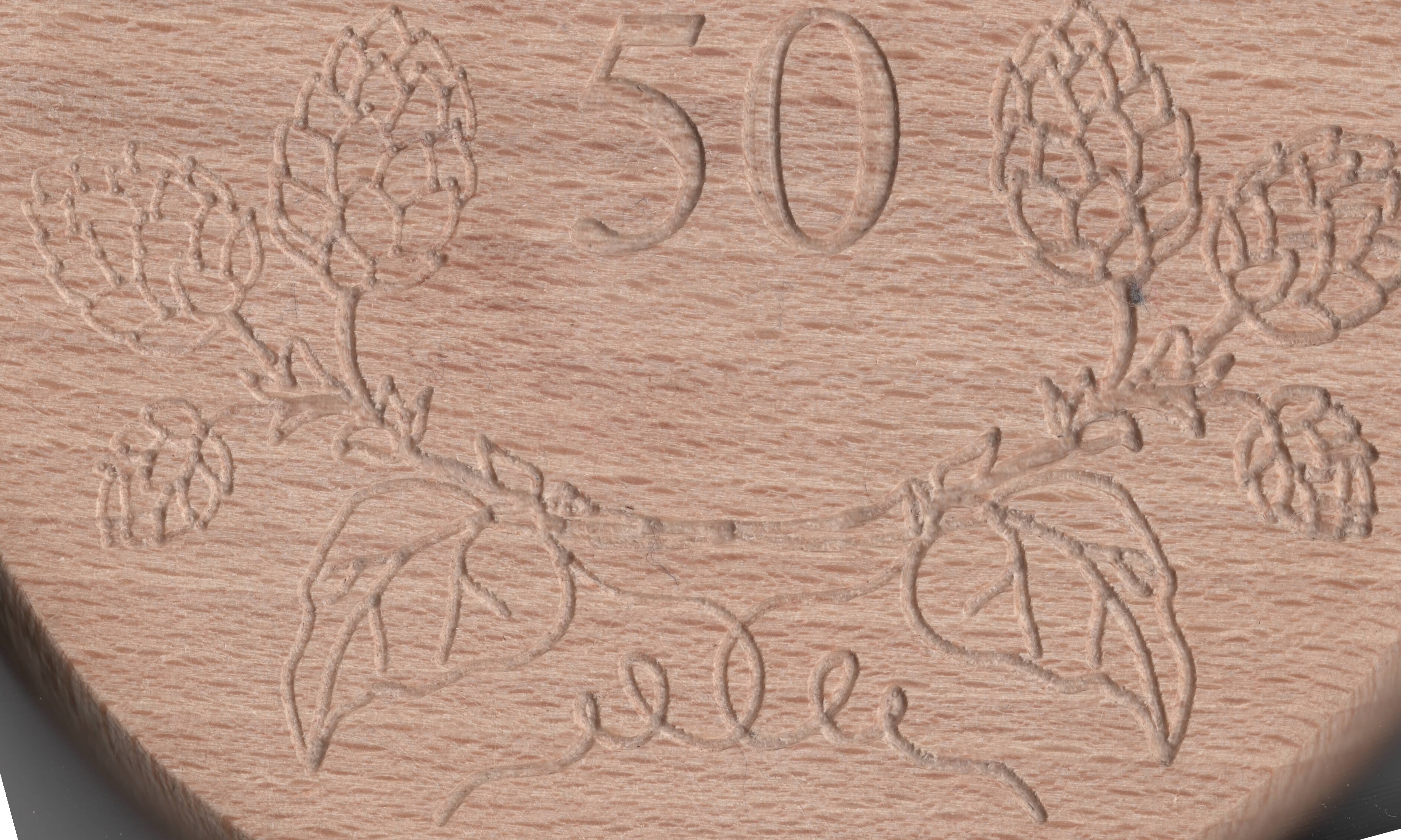
I’ve been having a strange reoccurring issue with my Primo (SKR Pro 1.2, 2209 Drivers), which is slowly driving me nuts
The Issue is the following: When I engrave using a 30° end mill, the carve is deeper on one side of the stock than on the other. The curious thing is that this happens even after planing with a planing bit. I have also tried this with more and less acutely angled tips, but it is most pronounced on obtuse tips.
Does anyone have an inkling of what could be wrong? Any help is greatly appreciated.
I’ll try to get some pics up later showing the effect.
As far as I can tell, it depends mostly only on position, not direction. Regarding 1.: I think that would be “fixed” by planing first, which doesn’t solve the issue. You may be right that there is looseness in the core, but that shouldn’t be dependent on the position, right? Additionally, since the DOC is only .5 mm at max, I don’t think anything is deflecting or flexing.
No, planing won’t fix an out of tram condition. You would still have a router that isn’t perpendicular to the stock, even if the stock is perfectly flat.
The router/core can deflect either into or away from the cut, depending on whether you are using climb or conventional milling. Even if the core is not loose, some deflection can/will still occur, but it will be more pronounced if there is looseness in the core.
That deflection often will be different when travelling in different directions. That is why it is advisable to use a single direction while surfacing, rather than going back and forth with the cuts. The former will provide consistent deflection, while the latter will have different deflection in different directions, resulting in “grooves” in the surfaced material.
Pics would help for sure. What is the size of the engraving? Is the change in depth on the X or Y azis? Is the carving centered on the work space or on one end or side?
When I first built my MPCNC, I ran into a problem of depth change. After chasing the problem around I found the problem was a corner post that I neglected to fasten down right. A light upward pressure would let the tube slide up the clamp. As the router would come across and lift depending on the hardness of the cut
The engraving width is about 10cm. Change in depth is on the X-axis and the carving is pretty centered in the workspace, sometimes closer to Y=0. I’m going to check the clamping of the corner posts.
I will throw out one other thought. You pic shows left side not as deep as the right side I think. What order is the carving?
You might check your collet. It takes very little dust or finger prints to allow the mill to slip.
Are you using the term “planing” as the same meaning as “surfacing”? I assumed that you used a planer to flatten/level the stock, which is different than using a router to surface the spoil board. .
Tramming is a different process, where you verify that the router is perpendicular to the stock. You use a tool inserted into the router with a leg that protrudes a few inches parallel to the stock, and then rotate it through 360 degrees. You then adjust the router clamps with a thin layer of tape to ensure that the tool is the same distance from the stock at all points.
But maybe that isn’t your issue. I understood from your original post that one side of each individual carve path was deeper than the other side, but from your picture, it seems that it is one side of the overall project is deeper than the other, while the individual paths are the same depth on each side.
This seems more like skipped steps, slipping bit (loose collet), or perhaps uneven spoil board (possible if you used a planer on the stock, rather than surfacing the spoil board with your machine).
@larryk The carving order is mixed, but ≈50% of the left side is carved when the right side is started.
@Bartman I used a wood planing bit in my router to surface the stock. I’m partial to the skipped steps/slipping bit theory, but that theory would only work if the left side was wholly carved before the right, right?
Additionally, I’ve never had skipped Z-steps on other projects. I’m not sure about collet slipping, since minute slips might have been compensated for by the cut being deep enough. With such a depth sensitive carve, it might be more noticeable.