So I was trying to run my LR$ with jackpot fom a raspberry pi based computer. I could connect but the movement buttons would not respond I could click other things in the interface just no movement controls.
We need a bit more detail.
Were you running your LR4 from the Pi using a sender, and if so which one?
If not, and you were running the LR4 from a web browser on the Pi, are you sure you weren’t running it from the Captcha page?
I am just using a browser to hit the normal fluidnc interface
Are you certain it’s not from the Captcha page? That’s a common symptom.
After you connect to the fluidnc wifi, open a new browser window and go to 198.168.0.1, see if that fixes it.
That is what I am doing now, other buttons of the application work. I can click into settings and such, just the movement buttons don’t respond
Sorry if this seems annoying. The reason we keep asking this is it is a common issue.
We need more info.
Have you ever used this before. Can you use another device for testing, as in…is this a flashing issue or a raspberry pi issue.
it works with my phone, it’s looking more like a unix browser thing
1 Like
What browser, have a screenshot?
1 Like
default and fire fox
Here is picture of what I can’t click on. I can click other items on the screen just not the movement buttons
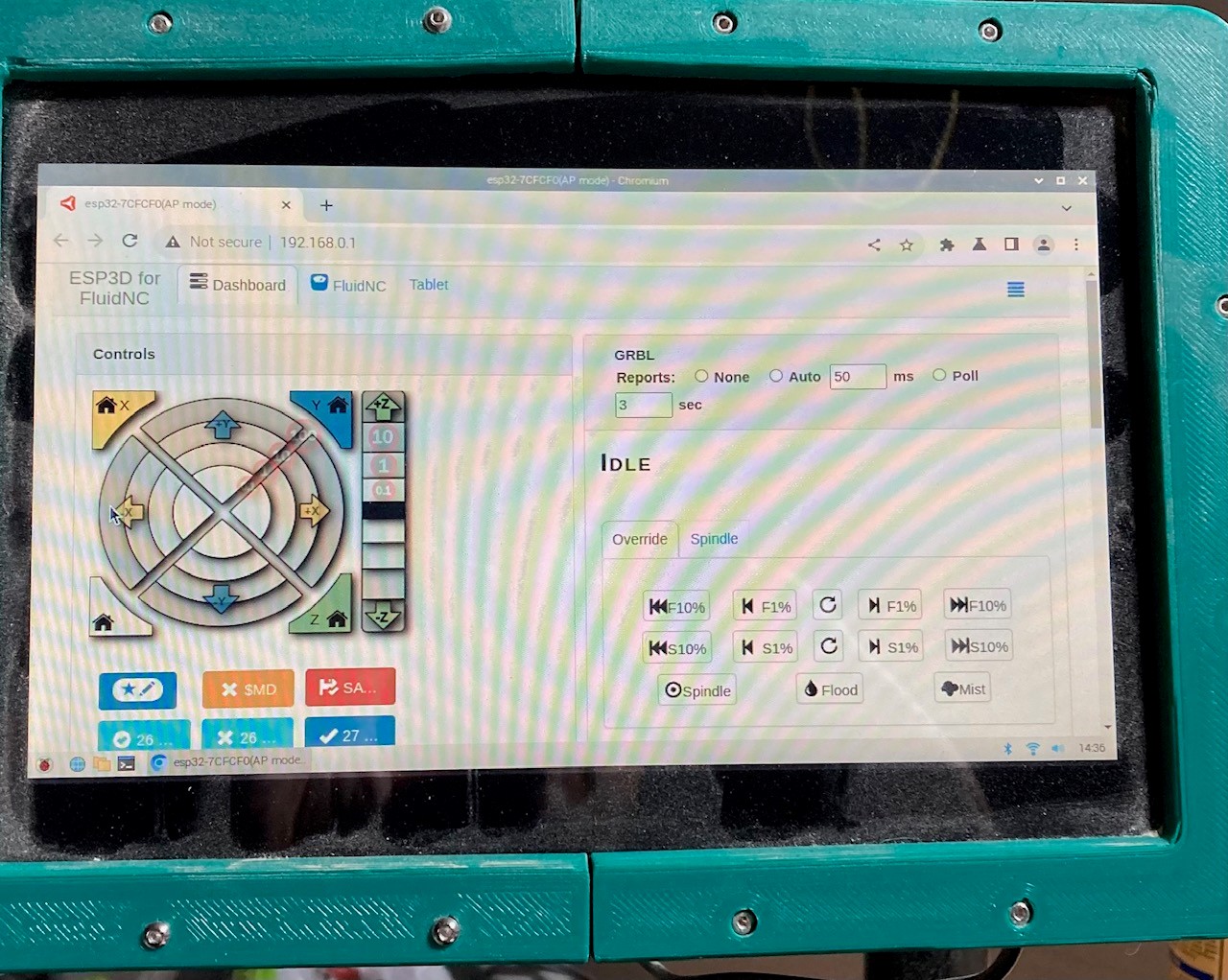
Not sure if it’s related but what stands out to me is that no reporting option is selected. I would set it to Auto 300ms
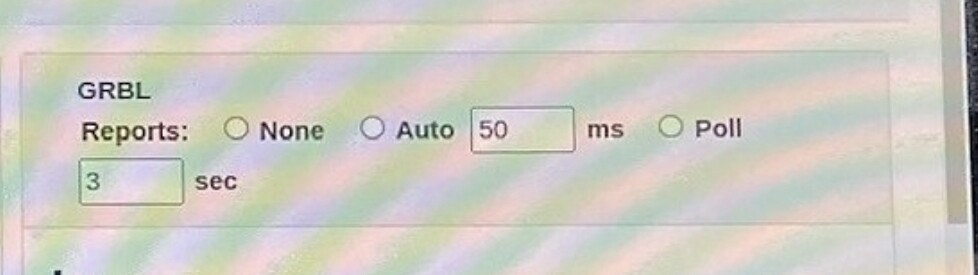
I’ll try everything was just at defaults for the first moves. i may not spend too much time on this I also have a laser module so I know I would be dragging a PC into the shop to run lightburn I can always find another use for the PI.
I made the adjustment, and that movement panel remains “un-clickable”
Can you install chromium-browser, and repeat the test?
sudo apt update
sudo apt upgrade
sudo apt install chromium-browser
I guess what I had installed and called default was actually chrome, but still the same result the movement panel remains non-clickable. is there a FB group or discord for the webUI?
Gave myself a bit of a scare, after I did the update and tried to test the FluidNC ssid was not available. then I remembered that I had added my own WIFI to the setup. I found it on my router but with a different IP. I was happy to see that I could reach it with the computer I do the cam with I hate sneeker neting files around.
That’s one great benefit of STA mode. It is also less demanding of the processor on the ESP-32, so there’s some performance advantage to it. If wifi is stable for you where your machine lives then this generally works well.
OK, so then the alternative would be to install firefox and try again. This is a bit weird.
I was a stupid existing PI issue,
So I was going through the various things I had found none of which worked but as it turned out one thing did work , a not maximized window with none of it off screen. I was fumbling between firefox and chrome and I really shrunk down the chrome window and as I moused over low and behold the un-clickable section was clickable.
Oddly it was the first time ever getting something useful off of redit!